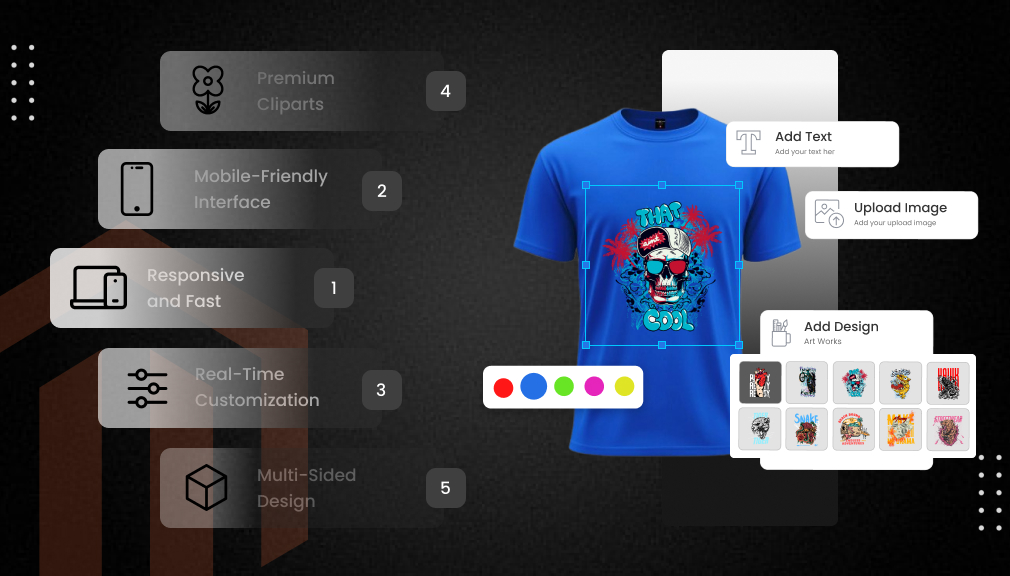
Quick Summary: Magento Web-to-Print extensions are an excellent tool to make personalization simple; Therefore, they are a great fit for a $33B market that is growing at a rate of 6.2% annually. Setubridge is fully responsive and very fast when it comes to multi-edits; Webkul makes the process of POD easy; Aitoc gives the power to the mobile users; DesignNBuy is the most versatile print solution; Pixopa is for the creative. Each cut error should be increased based on your level to have a smooth custom printing process.
Online shopping keeps evolving rapidly, and customers are looking for products that seem personal. They like such things as custom mugs, printed t-shirts, or posters that they can make by themselves. Magento Web-to-Print solutions do this. These instruments give clients the freedom to come up with their own concepts right in your Magento store; Therefore, a regular product page is transformed into a creative workspace. For retailers, this is more engagement and a better possibility of turning visitors into buyers.
Personalized products have been demanded more and more each year. By 2025, the Web-to-Print sector is estimated to be worth approximately $33 billion and will probably reach $41.5 billion by 2029, therefore increasing by 6.2% per year. The whole custom printing market is even going faster and will be $68.46 billion by 2030. Print-on-demand is also getting larger, with a projection of $37.85 billion by 2030 and a strong 25.52% growth rate. (Source)
Magento is a great platform for businesses that want to scale as it powers more than 131,000 online stores globally and handles upwards of $155 billion in annual sales. However, the task of finding a perfect Web-to-Print extension can be quite challenging. Essentially, you require a gadget that offers utmost simplicity, is friendly to mobile users, and can generate neat, print-ready files.
This post goes through the best Magento Web-to-Print extensions for 2025 and provides the details regarding the challenges they resolve, their functionality, and the methods of effective use. The store and the customer’s personalization have to be complicated with the help of which option you choosing.
What Is Web-to-Print?
Web-to-print is a digital platform through which users can create and purchase personalized printed materials right from a website. By means of a Magento Web-to-Print tool, customers are enabled to upload images, insert text, pick colors, and even get a real-time visualization of the products, like t-shirts, mugs, business cards, or banners.
When they complete the design and make the payment, the platform is programmed to generate deluxe, print-ready files (PDF, SVG, or PNG) in an automated manner for the printer. So, it is a system that totally eliminates the necessity of going back and forth with emails and the manual artwork fixes. As a result, store owners are getting more profits (up to 20-30% more conversions), lowering their chances of returns, and speeding up the production process.
By 2025, the web-to-print industry will be valued at $33 billion and will be expanding at a rate of 6.2% annually because customers tend to prefer personalized products made uniquely for them.
Why Add a Web-to-Print Extension to Your Magento Store?
Before getting into the list, it is necessary to understand the basics. A Magento Web-to-Print extension is basically a digital art studio that is integrated with your online store. Customers can upload images, add text, select the color, and get a live preview. Once the purchase is made, you receive print-ready files, therefore saving you the hassle of going back and forth via email.
The Big Wins for Your Business
- More Sales from Happy Shoppers: The fact that people love to feel that they have control is undeniable. Statistics reveal that personalized products have the potential to increase conversion rates by 20-30%. The main reason is that it is a fun process, and at the same time, it reduces the number of returns as customers get exactly what they saw. (Source)
- Stand Out in a Crowded Market: As e-commerce is expected to reach $7.7 trillion in 2025, the question of how to grab the attention of buyers remains, by offering unique products. Just think of it: a regular t-shirt can be sold for $10, but what about a custom one? $25 would not be a problem at all.
- Save Time and Cut Errors: The reason for the fewer manual fixes is that the files are automatically generated in PDF or SVG formats. There is a study that has found that these tools can reduce production errors by 35%. (Source)
- Mobile-Friendly for On-the-Go Designs: More than half of the shopping is done through mobile phones. Good extensions are also supported by mobile devices, and Therefore, the sales can continue without interruptions.
Common Challenges and How to Solve Them
Not all tools are the same. Some can slow your site down or make it difficult for users to understand. You should look for:
- Easy Setup: Drag-and-drop installs that are compatible with Magento 2 (the latest version is used by more than 88,000 sites).
- Print-Ready Outputs: Resolution files with layers for professionals.
- Scalability: Works with a lot of traffic without going down, which is very important since Magento is averaging 600 transactions per hour.
Are you willing to choose a winner? Our top 5 are based on the features, the users’ feedback, and the ways they alleviate the daily pain that comes with, for example, heavy uploads or weird previews. We committed ourselves to solutions that would be suitable for both small shops and large printers.
Must-Have Features of Magento Web-to-Print Extensions
In 2025, a great Magento Web-to-Print tool should have these 8 core features:
- Any changes made in the editor should be reflected immediately to the user to have a real-time preview with live changes.
- A mobile-responsive designer that is compatible with phones and works effortlessly is necessary (over 50% of shoppers use mobile).
- Multi-side editing for front, back, sleeves, and inside prints without the user getting mixed up or confusing any part of the design.
- High-resolution print-ready files (PDF, SVG, CMYK) with bleed and crop marks for accurate printing.
- Clipart, fonts, and template management that is easy for an admin, and bulk upload for admins.
- User-friendly drag-and-drop layers, curved text, QR codes, and image filters that enhance a user’s experience.
- Automatic DPI and size checks to prevent poor quality uploads.
- Quick loading speed (under 2 seconds) so that the designer does not slow down your store further.
These capabilities lower returns, eliminate production errors, and increase conversions by 20–30% while maintaining the process effortless and enjoyable for each customer.
Top Magento Web-to-Print Extensions
1. Magento Web to Print Extension by Setubridge
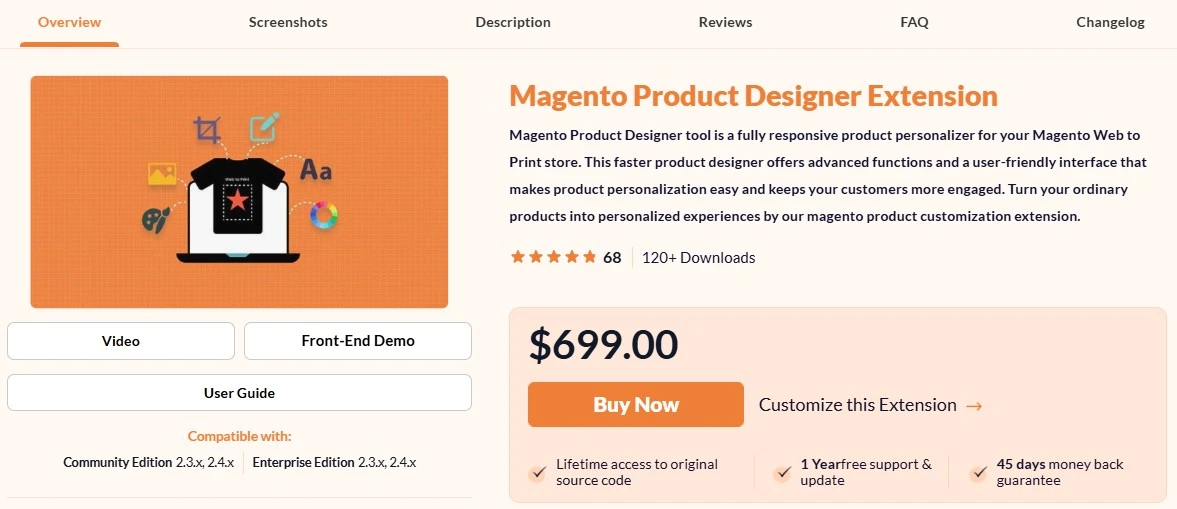
The Magento Web to Print tool is the perfect personalization tool for a Magento store. Its responsive and fast features, along with the smooth multi-edit and easy interface, make product design confusion-free. In a moment, common products can be turned into personalized experiences with this tool.
If your customers are willing to have total control over a product and edit the front, back, or sleeves, then the SetuBridge extension is a handy solution. It is perfect for stores that sell mugs, apparel, posters, and like products. The W2P tool is $699 as a one-time purchase and is beginner-friendly in terms of its simplicity.
Besides that, there are also some nice features included, like custom pricing for each clipart, resolution warnings, and the ability to use 1500+ cliparts, patterns, templates, and color controls.
Key Features That Solve Real Problems
- Multi-Design Areas: Customers modify various sides without the need to change the screen. Fix: No more “I forgot the back!” type of complaints.
- Bulk Uploads for Assets: Insert cliparts, fonts, or patterns simultaneously. It is a great time saver for admins who are preparing libraries.
- Layer Management: Element-wise control, like locking, hiding, or merging, is at your command. Also, the quick tools for rotating, flipping, or copying are just right for users who are very particular about their designs.
- High-Res Outputs: Make files in SVG, PNG, PDF, or JPEG formats that are print-ready. DPI checks are there to make sure that the print is of high quality.
- Pop-Up or Full-Page Studio: Gives the user experience seamless, without the need to reload the page.
How It Boosts Your Store
Envision a customer creating their very own banner. They write words with nice effects, bring in a logo, and turn the page for more changes. The toolbar makes it seem like a game, which is why cart abandonment is cut off by the fact that they can see the changes instantly. In your case, bulk uploads are a great way to have less admin time and therefore focus on marketing.
Pro Tip: Use it with Magento’s native SEO capabilities. Put words like “custom banner design” on the product pages for better positions in the search engines. After the installation, users state that the loading time is 30% faster, Therefore Google is satisfied.
2. Magento 2 Web To Print by Webkul
Is print-on-demand (POD) your chosen side hustle? The $199 extension from Webkul is what you really need. It makes ordinary products trendy and personalized, which is perfect for a t-shirt, mug, or card business. Having a 5-star rating from users who mainly say it is easy, it is a choice of the majority.
Key Features That Make POD Simple
- Canvas-Based Customizer: Changes made in real-time with the text (fonts, bold, align), images (upload, resize, lock ratio), and shapes (circles, arrows). Repair: Min DPI rules are used to stop low-quality uploads.
- Template Magic: The admin prepares the front/back templates; the user makes quick changes. Allows many templates per product.
- POD Workflow: The ideal is to have no inventory, just design, order, and ship via suppliers. After buying, save the images or PDF of the order.
- Admin Controls: You can bulk upload fonts (TTF, OTF), colors (RGB/HTML), and images. Provide the size for the canvas and the directions.
- Mobile-Ready: The app is compatible with all gadgets, and the user can see cart previews.
Streamline Your Operations
POD is a minimal risk business model: Simply white-label the products, have customers personalize them, and partners print/ship. This, according to the industry, reduces inventory costs by 50%. If you have a multi-vendor set-up, install Webkul’s marketplace module to allow sellers to join.
Pro Tip: Employ its declarations feature for the legal notes. Help SEO by turning template pages into long-tail keyword carriers such as “custom mug designer online.“
3. Web to Print Extension for Magento 2 by Aitoc
Slow sites lower sales drastically, to be more specific, on mobile where 43% of e-commerce is done. Aitoc’s tool, less than 500KB, is very fast to load. It is at no obvious price and is for stores that are prioritizing speed over the use of features.
Key Features for Fast, Fun Designs
- Intuitive Editor: Drag-drop images, curved text, shadows, and opacity. Besides that, you can flip, rotate, or distort, plus Google Fonts and uploads.
- Unlimited Areas: Multi-sided edits with enable/disable per side. Set premiums for custom items.
- Print Archives: lightweight files along with order details, originals, and previews. Download post-purchase.
- Mobile Magic: HTML5 canvas is compatible with any screen; there is no Flash lag.
- Extra Smarts: Limit text length, clone areas, or restrict edits for neat outputs.
Why It Fits Busy Stores
Lightweight is referring to a situation without any speed dips, even when there is a lot of traffic. Customers are able to design on their phones, and since they do not have to zoom, mobile conversions have gone up by 25%. Admins receive insights from order data to be able to locate trends, for example, popular fonts.
Pro Tip: Use Magento’s tier pricing for bulk custom discounts if you want to. As far as SEO is concerned, adding schema markup to designer pages helps Google to show “custom product” rich snippets.
4. Magento Web to Print Solution by DesignNBuy
Printers struggling with different files and different vendors for brochures, boxes, and banners? DesignNBuy’s $90/month subscription takes care of everything in a single dashboard. This means that it is a complete Magento Web-to-Print suite with no need for any add-ons.
Key Features for End-to-End Control
- 3D Previews: Real-time 2D/3D visuals with drag-drop and templates. The pricing is changing dynamically as they adjust.
- Multi-Product Support: Printed materials (business cards, flyers, etc.), packaging (boxes, sachets, labels), personal (gifts, apparel). The bleed and cut lines are automatically added.
- Bulk & B2B Tools: Large order quoting, multi-store setups.
- Auto Files: Production-ready high-res PDFs with profiles and no errors.
- Responsive Everywhere: Also works on mobile devices and supports multi-currency/language.
Power Up Your Print Shop
With just one tool, everything is kept in order; Therefore, the setup time is reduced by 40%. The customers get the visual assurance, hence the returns are reduced by 20%. If it is a global company, this tool is very useful for ERP connections.
Pro Tip: Employ its quoting functionality for B2B and insert “bulk custom printing” keywords to attract targeted visitors. Measure your ROI through the built-in analytics.
5. Magento 2 Plugin for Web to Print by Pixopa
If someone tries to recreate Zazzle, a store, Pixopa’s plugin will help that person to have more professional power tools, like creating curved text and QR codes.
Key Features That Wow
- HTML5 Designer: Over 600 fonts and 300 cliparts are available, and the user can also apply various filters such as sepia or grayscale. In addition, social images can be taken from Instagram or Facebook.
- Smart Search: Solr-powered templates based on price, color, and event. Typing errors can be fixed by using “Did you mean?”
- Outputs Galore: PDF/PNG/SVG with CMYK support. One can crop the image or use a path for curves.
- Quick Options: By uploading a file, you can skip the design step, and product page edits can be used for quick buys.
- Flexible Products: Products of any shape, size, or sides, such as mugs or signs.
Elevate Customer Creativity
Quick paths (upload or tweak) speed checkouts, upping sales 40% per user. Filters and paths make designs pop, drawing repeat buyers.
Pro Tip: Use the QR code generator for promotional link SEO, which is like “custom t-shirt“, a term. Also, conduct mobile testing to get 3 times faster loading.
How to Choose the Right Extension for Your Needs
| Extension | Best For | Price | Key Strength |
| Setubridge | Multi-side edits | $699 one-time | Fast and Easy |
| Webkul | POD starters | $199 one-time | Canvas tools |
| Aitoc | Mobile speed | $249 one-time | Lightweight |
| DesignNBuy | Print variety | $90/month | 3D previews |
| Pixopa | Advanced creatives | Quote | Smart search |
Key Takeaways:
- Magento web-to-print extensions make e-commerce stores highly efficient personalization centers.
- The worldwide web-to-print market is projected to hit $1.8 billion by 2028.
- Contemporary extensions provide live previews, sophisticated design tools, and smooth ordering.
- The decision of the perfect extension hinges on the necessities of your business as well as the nature of your customers.
- Such a move can considerably lift the mood of interaction with customers to a level of 70%.
Implementation Tips for Magento Web to Print Extension
Just installing a web-to-print extension is not enough. These tactics guarantee a successful launch and the greatest return on investment.
Start with Popular Products:
It is not necessary to change the appearance of the whole catalog at once. Identify the best-selling items or the products for which the most customization is requested. Make the experience perfect for these products before you move on.
Create Quality Templates:
Spend time and energy on a professional template layout. Templates are the tools that lead customers and keep brands consistent. Good templates significantly increase the percentage of users who complete the process.
Test Thoroughly:
Perform a very detailed test of the whole process of design before the official launch. Experiments should be done on different devices and browsers in product creation. Take out the confusing steps and streamline the workflow. Decision makers and internal employees can be used to get honest feedback.
Provide Clear Instructions:
Even very simple and clear user interfaces always need some instructions. Produce video tutorials, pictorial guides, and FAQs. Prepare and address the most common questions in advance to be free of support requests.
Monitor Performance:
Monitor indices such as the number of design completions, average customization time, and customer feedback. These indicators provide you with opportunities for refinement. Keep improving your product according to actual customer behavior.
Optimize Loading Speed:
Designing tools often requires a lot of resources from the machine. Make sure images are optimized, caches are used, and your server is ready for the extra work. Slow performance is a reason for customers choosing to leave no matter how good your products are.
Conclusion
In 2025, installing a Magento Web-to-Print extension is one of the most intelligent decisions you can make. As the personalized printing market is set to hit $68 billion by 2030, and customers are constantly requesting unique products, these instruments have the power to transform regular shops into creative hubs, which, in turn, increase conversions by 20–30% and lower returns.
Regardless of whether you have a small print-on-demand side project or a large printing business, the five extensions we have reviewed, namely Setubridge, Webkul, Aitoc, DesignNBuy, and Pixop, are equipped with the right solutions for any budget and requirement. They provide quick, mobile-friendly designers, print-ready files, and smooth workflows so that you can keep the fixing of orders to a minimum and sales growing, instead.
Try out the demos, align the features with your objectives, and start custom printing right away. Your customers are already looking for personalized products. Provide them with the simple, enjoyable tool they deserve, and see your Magento store become different and successful like other stores.
FAQs
What is a Magento Web-to-Print extension?
It is a device that enables clients to create improvised prints on your Magento shop, such as adding texts or pictures to products, with the files that are ready for printing being generated automatically.
How do these extensions improve sales?
They become shopping enjoyable and personal, therefore, increasing conversions by 20-30% as customers see previews and get the feeling of ownership, while the level of returns is lowered through the accurate designs.
Are they easy for beginners to set up?
Indeed, most are installed via drag-and-drop in less than an hour, with admin dashboards for quick changes; no coding is needed for basic use on Magento 2.
Which works best for mobile users?
Setubridge’s minimalist design is quick even on a phone, it supports HTML5 for edits to be done smoothly from anywhere, therefore, fitting the 43% of sales that come from mobile devices.

CEO | SetuBridge Technolabs
Sagar Panchal, Founder of SetuBridge Technolabs, is a Magento-certified expert with 15+ years in eCommerce development. He has successfully led global projects, blending technical expertise and strategic vision to deliver scalable, high-performing online stores for businesses worldwide.