






Protect Your Store With Smart Age Verification
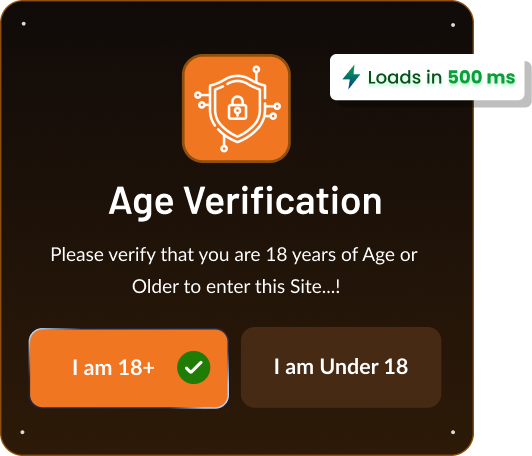
Smart Age Verification Popup
5.0 ⭐ Rating (32 reviews)

Compliance-first age gating fro shopify – popup, cart, and checkout protection with geo rules, DOB checks, and varified order badges.
Go Beyond the popup
Advanced controls that grow with your store - protect more, restrict precisely,
Geo Targeting
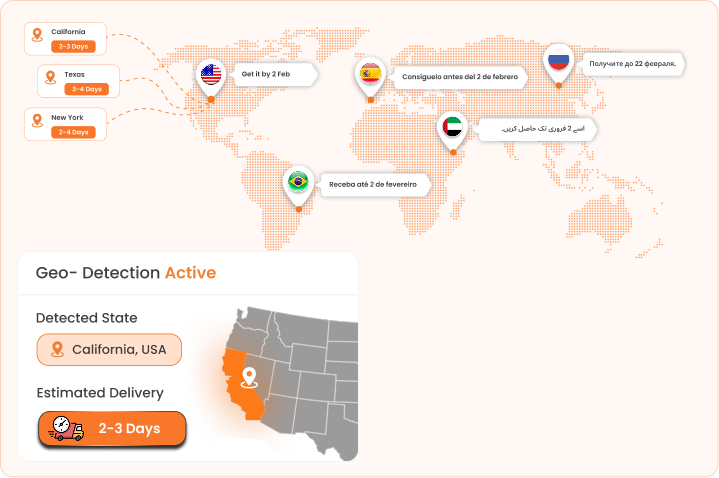
Automatically apply different age requirements based on the visitor's country or state.
- ✓Set age limits by country & state (18+ UK, 21+ US)
- ✓Auto-applies to each visitor's location
- ✓No manual overrides or per-region setup
- ✓Stay compliant across every marketd
Auto Geo-Detected ETA by Location
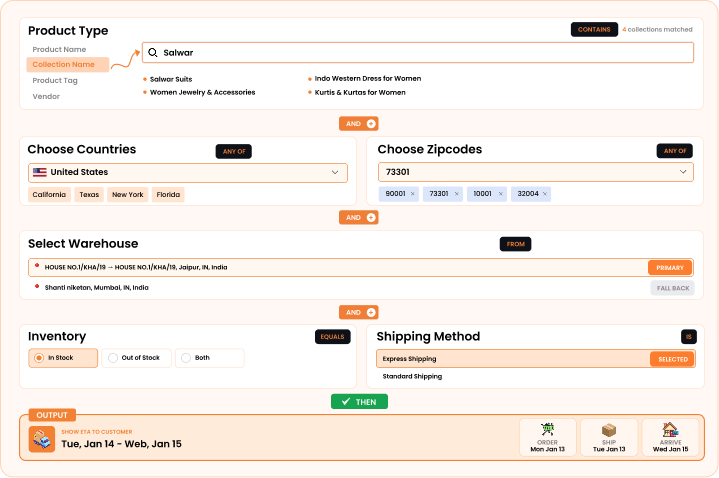
Show or hide the age gate based on the product, collection, page, or URL. Run age verification only where it matters — zero friction on unrestricted pages.
- ✓ Target by product, collection, page, or URL
- ✓Show the age gate only where it's required
- ✓Zero friction on unrestricted pages
- ✓All-pages or specific-page control
Checkout Process Verification
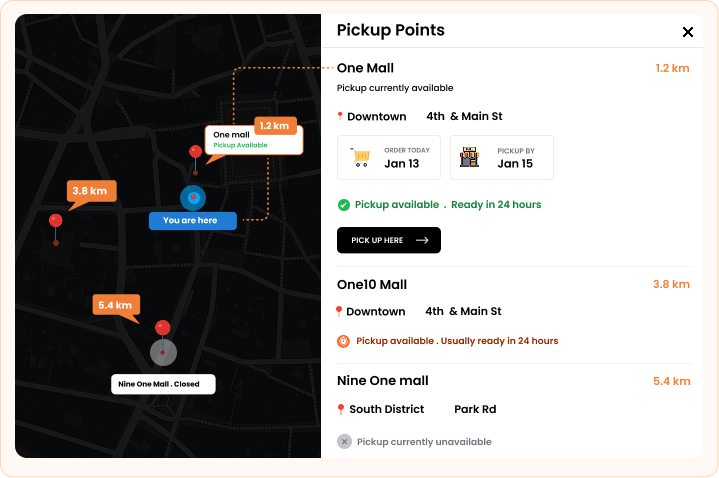
Ensure accurate delivery estimates based on the nearest warehouse fulfilling the order.
- ✓Verify on the product or cart page before checkout.
- ✓Choose Date-of-Birth or one-tap consent.
- ✓Required mode blocks Add to Cart, Checkout & Buy Now.
- ✓Only eligible shoppers complete the order.

Specific Delivery Message
Let your product communicate effectively in your absence and give them a proper understanding on how they will be going to solve the specific problem.

Display a Countdown Timer
Build a sense of urgency while your customers are visiting your store in real-time, this will act as a catalyst for your store.
Store Development
Let your product communicate effectively in your absence and give them a proper understanding on how they will be going to solve the specific problem.

Country-Specific Message
Utilize estimated delivery information to customize messages based on the recipient's country so you can manage your inventory by fastening your delivery services.

App Dashboard:
Track real-time performance of products on which you’re displaying the delivery message, and understand how much it impacts your sales.

Multilingual Support
Let your loyalty to your customer increase towards you, by perceiving delivery and shipping messages in their native language.
Pwerful Age Verification Features
Stay compliant with restricted product laws — block underage shoppers, capture proof of verification, and customize everything.
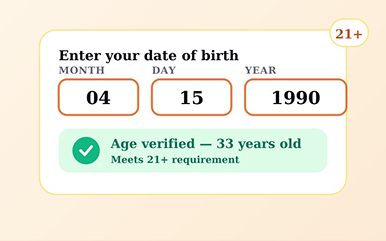
DOB & Year of Birth Verification
Verify visitors using full DOB or birth year with automatic age validation based on regional rules.
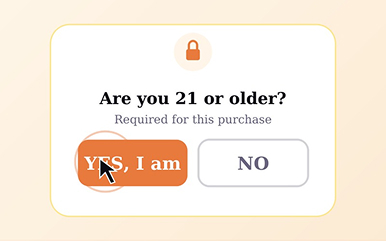
One-Click Yes/No Verification
Lightweight confirmation popup for low-friction stores.
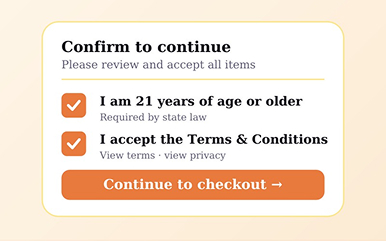
Terms & Conditions Checkbox Verification
Require shoppers to confirm age and accept terms before checkout completes.
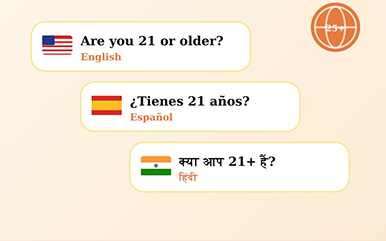
Multi-Language Support
Display age verification popups in multiple languages for global shoppers.
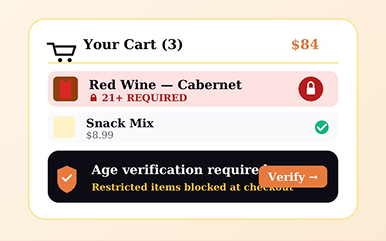
Cart Verification Protection
Block underage buyers the moment restricted items hit the cart.
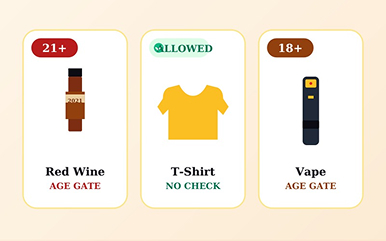
Product-Based Verification Rules
Trigger age checks only on the products that actually need them.

Sticky Verification Badge
A persistent “age-verified” badge that builds trust on every page.
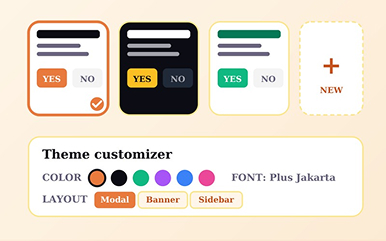
Fully Customizable Popup Design
Match your store’s look — colors, fonts, copy, and layout, all yours.
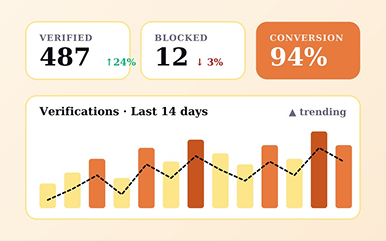
Advanced Analytics Dashboard
Real-time data on who’s being verified, blocked, and where they’re coming from.
— Native Integration
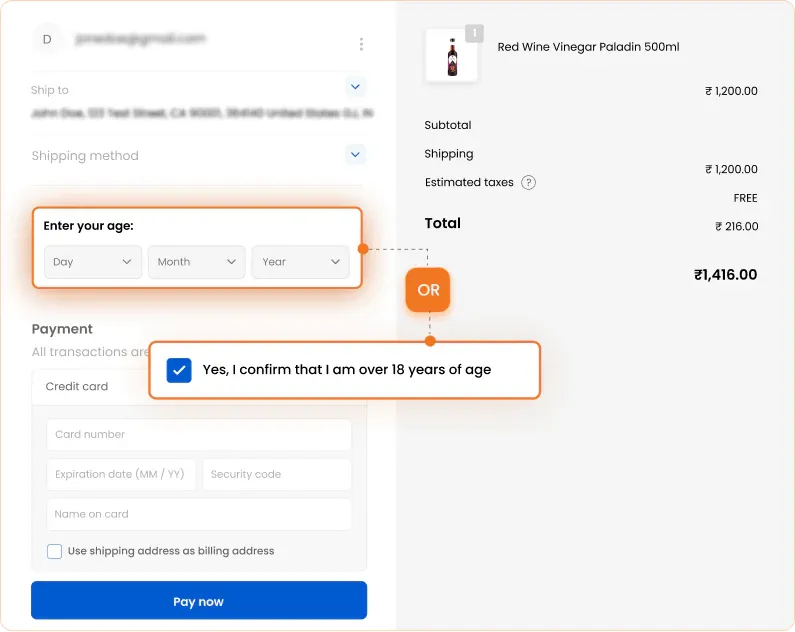
Checkout
Drop age verification straight into the Shopify checkout flow — no redirects, no modals interrupting the cart, no extra clicks. Two ways for shoppers to verify, one outcome: a compliant sale.

Customers Speacks
Hear from our customers about their experiances.
OzEDeals
Australia
8 days using the app
Good Mama's Health
United States
9 days using the app
Mias Feinkost
Germany
About 22 hours using the app
Choco Maniak
Netherlands
1 day using the app
Vapezilla
United States
6 months using the app
Filling Pieces
Netherlands
1 day using the app
Ember & Bloom Studios
United States
5 days using the app
tu•pléy
United States
About 2 months using the app
Fleurs de Verveine
France
About 2 hours using the app
BountyHampers.com.au
Australia
3 days using the app
SpreadmeCo
United States
8 months using the app
Motion Plus Limited
United Kingdom
About 3 hours using the app
Different Apps You'll Love
Discover more powerful apps to grow your store.
Estimated Delivery Date ETA
4.9 ⭐ (452) | 5K+ Installs
Boost BFCM sales by estimated delivery date plus shipping time
#CRO
Request a Quote, Hide Price
4.7 ⭐ (182) | 2K+ Installs
Request quote to hide price, call for price and get a quote.
#B2Bsales
Custom Product Personalizer
4.7 ⭐ (143) | 1K+ Installs
Product designer personalize t-shirt & Customize Product-POD.
#Personalization
Back In Stock Alert‑ Notify Me
4.7 ⭐ (200) | 2K+ Installs
Out-of-stock waitlist, restock alerts & pre-order manager
#SalesGrowth
AI Shopping Assistant‑ Chatbot
0.0 ⭐ (0) | 600+ Installs
AI sales assistant to power conversational commerce revenue.
#AIchatbot
Custom Product Options ‑ POD
5.0 ⭐ (9) | 1K+ Installs
Advance product personalizer for custom variant options.
#Personalization
Everything You Need to Know
Hear from our customers about their experiances.



