Quick Summary: The Holiday shopping season is the most significant opportunity for online retailers to increase revenue! A great holiday apps shopify collection can turn your average shop into a fun, good converting sales machine! From countdown timers that create urgency to custom snow effects that set the mood, holiday apps help to create the perfect ambience for holiday shopping.
The holiday season is a pivotal time for eCommerce businesses, often accounting for a significant portion of annual sales. According to Adobe Analytics, U.S. consumers spent over $211 billion online during the holiday season in 2023, a 2.5% increase compared to the previous year. This surge in holiday shopping creates both an opportunity and a challenge for online retailers. To stay competitive, it’s essential to optimize your store for higher traffic, enhanced user experience, and seamless operations.
Key Takeaways
- Shopify holiday apps can boost your store’s sales by up to 30% during the peak holiday shopping season.
- A strategic holiday plugin shopify installation features countdowns, pop-ups, and seasonal themes.
- Holiday season shopify support services help manage the resultant increase in traffic and customer queries.
- Custom holiday effects shopify functionalities deliver tailored and engaging shopping experiences that can stimulate conversions.
- The top Shopify Christmas stores multi-install holiday apps to maximise their retail holiday impact.
- Successful holiday festive planning for your holiday app strategy sooner rather than later will ensure your implementation can happen easily, and explore the best potential outcome.
Proper Shopify applications make everything easy and lift up sales to make your customers happier in the busy holiday season. Ranging from increasing personalization to delivery time visibility tools, the application helps businesses to exceed everything customers would have anticipated. In what follows, we came together with the top 8 Shopify apps that will help you achieve the best of the maximum possible Christmas sales and position yourselves above the busy e-Commerce world.
How It Works: Setting Up a Holiday App for Shopify
Adding a holiday app to Shopify is a pretty quick thing to do. First, go to the Shopify App Store and search for the app that is a holiday app, like `holiday app shopify` or `holiday extension shopify`, just like we would search for anything else on the internet. Pick one related to some of their potential features, like personalization options or delivery tracking; click “add app” and walk through the installation. Most of the time, the app literally installs itself with no code for you.
In most instances, you just need to go into your store dashboard and activate the feature, like adding a chat button or countdown timer. Just be sure to test it out on your website, and see if it works on your phone and desktop versions and runs smoothly. Remember, it’s holiday time, and Shopify support services can assist (it’s usually slower) if you run into trouble or have any questions. The goal is to let the holiday app help your store run smoothly and hopefully get attention for additional buyers who seek custom holiday effects on Shopify.
Features of Top Holiday Plugins for Shopify
Holiday plugins are a great way for Shopify stores to have features and support tailored to improving their stores for any holiday season sale. Examples of useful elements to consider include the following:
- Customization functions: the ability to change colors, texts, and positions so that your store looks festive, like changing a Christmas decoration!
- Integration with Other Tools: must-have integrations, including email applications, payment systems, and social media, which help to create an all-in-one holiday solution.
- Real-Time Updates: displayed information in real-time, such as available stock levels, delivery times, and so on, helps you communicate all visible changes to your customers.
- Analytics Dashboard: an important feature for measuring the performance of the app, such as views, clicks, and potential changes in sales.
- Mobile-Friendly Design: would display how everything would look on phones, as many holiday season shoppers are browsing for holiday gift options.
- Automation: You can program automated marketing communications, such as discount rules and email correspondence, without having to do so manually.
Overall, these are some of the available functions that make holiday apps for Shopify easy to operate and productive in increasing sales as needed.
Benefits of Using Holiday Apps on Shopify
Taking advantage of a holiday extension on Shopify offers real solutions to some of the problems stores face. They offer a way to manage more visitors to your store with reduced crashing and ultimately, consistent sales. Customers get a smooth experience with quick support and consistent information on returns, gaining their trust and saving on returns. As a store owner, you can eliminate workflow tasks such as emailing or stock management and simply focus on expanding your business.
These tools can also increase order values through upsells and loyalty rewards, making every sale worth “more”. For the top Christmas Shopify stores, it means no longer having to compete for the same basket of consumers. You can create repeat-buying habits with one-time buyers or slow-drip buyers, and then target sales from there. To summarise, they offer cost-effective ways to establish and enhance your store during the Shopify holiday support services.
Top 8 Shopify Apps to Maximize Holiday Sales
1. Product Designer – Personalization for Festive Gifts
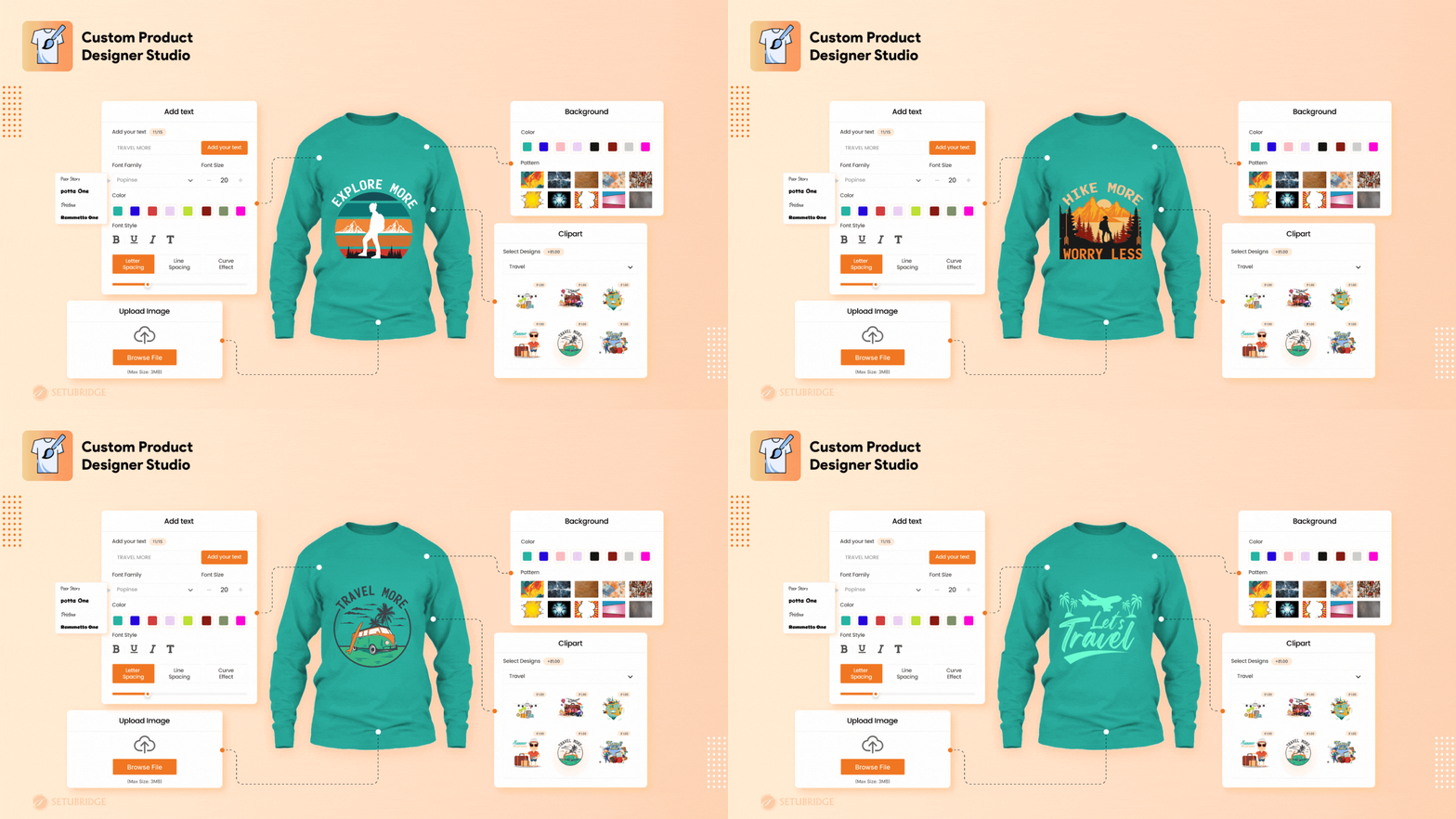
Personalized gifts are a hot trend during Christmas. A Product Designer app allows your customers to customize products like mugs, T-shirts, and ornaments directly on your website. According to a study by Deloitte, 36% of consumers show interest in personalized products. This app is a must-have for boosting engagement and conversions on your Shopify store.
Craft your success by allowing your customers to customize and personalize any product in your store with a product design personalizer app.
Features:
- Allow customers to customize products by adding text, images, cliparts, patterns, and selecting product colors.
- Provide merchants with print-ready files in .PNG, .JPG/JPEG, .SVG, and .PDF formats.
- Enable or disable customization options like adding text, uploading images, or using cliparts for specific products.
- Access ready-to-use collections of cliparts, fonts, colors, and patterns, with the option to upload your own.
- Superfast and responsive design studio that works seamlessly on any device and supports multi-sided product designs.
Success Tip:
Promote your customizable products on social media and through email campaigns to attract holiday shoppers.
2. Estimated Delivery Date – Building Trust Through Transparency
Shipping transparency is vital during the holiday season, as customers need confidence their gifts will arrive before Christmas. Studies show 22% of shoppers abandon carts due to unclear delivery timelines.
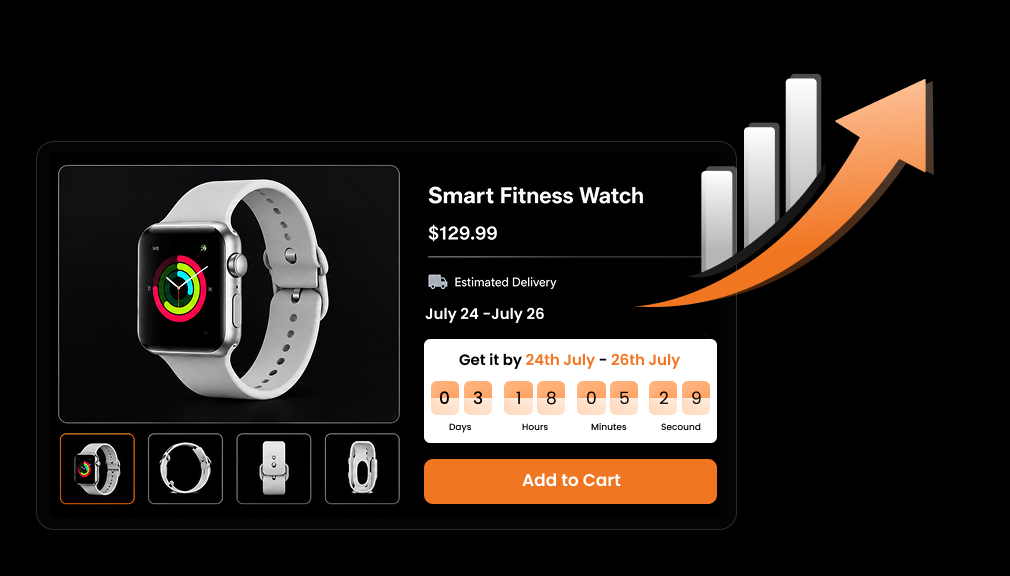
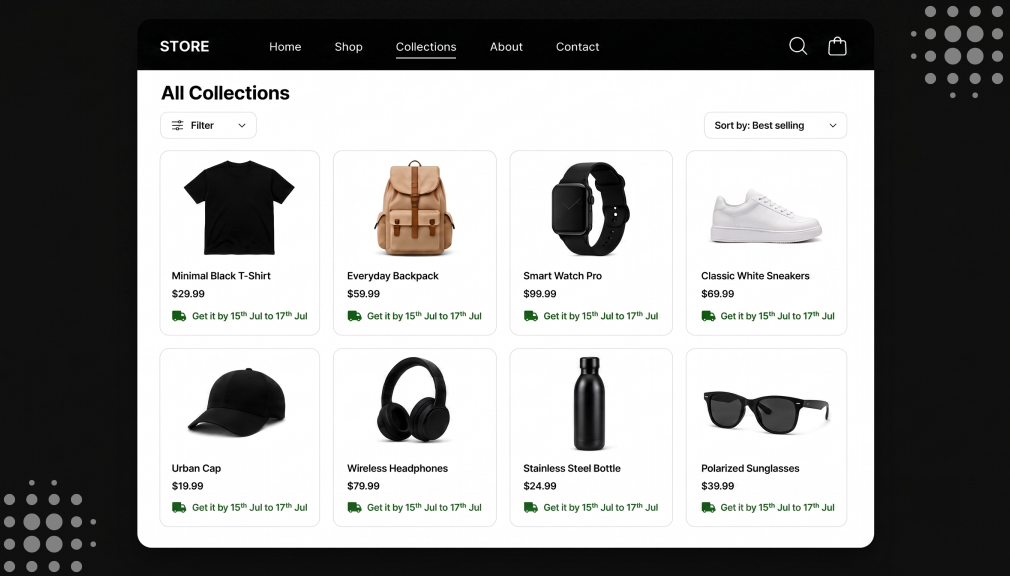
The Estimated Delivery Date App helps you display accurate delivery details like shipping dates, dispatch times which is perfect for Christmas shoppers. It allows you to set specific delivery estimates for products, collections, zip codes, and more, all displayed on product pages, carts, checkout, and emails in your preferred language.
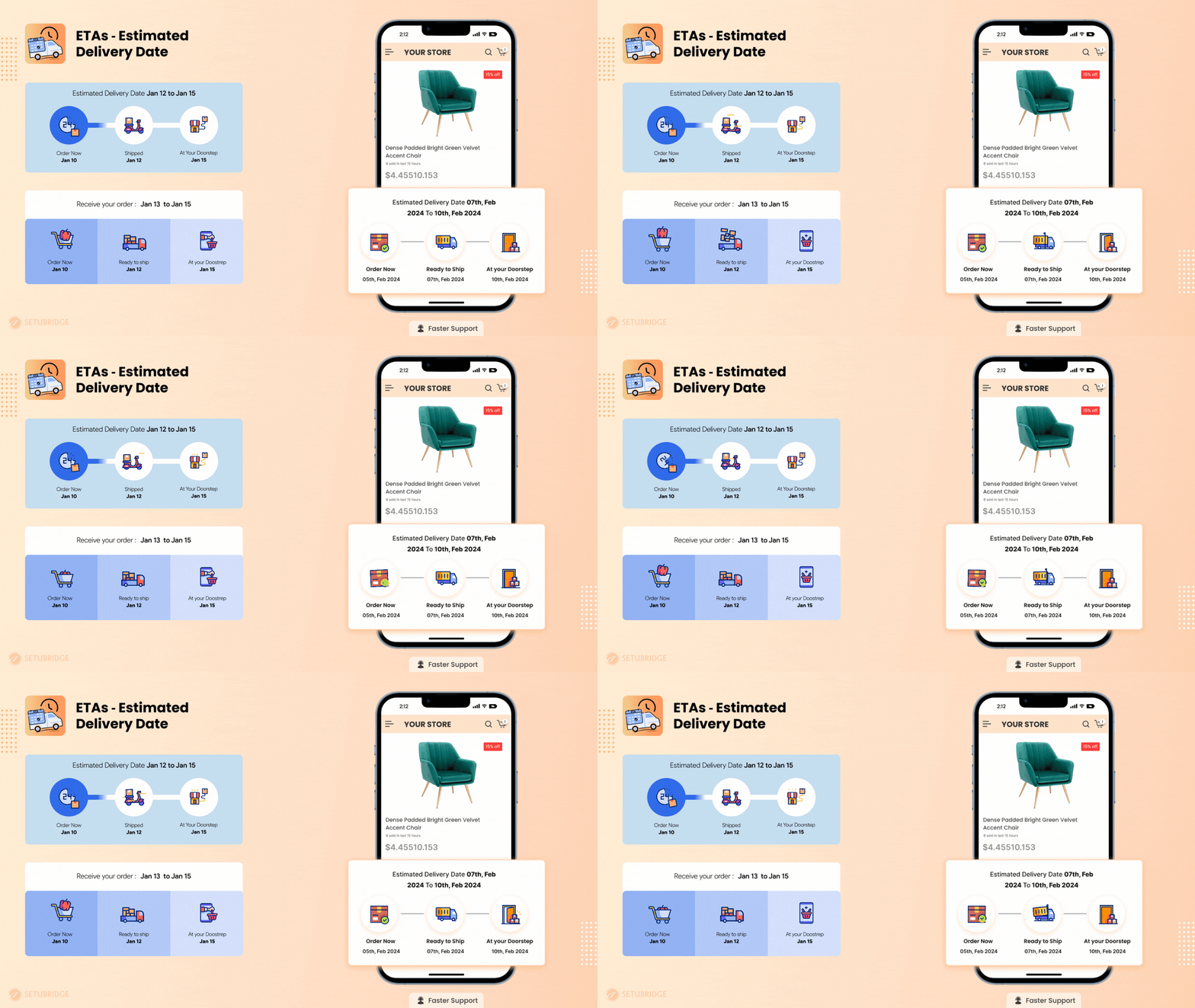
With real-time calculations based on visitors’ local time zones, the app ensures precise delivery timelines, reducing cart abandonment and boosting customer trust during the holiday rush.
Features:
- Display engaging animated ETA messages on product, cart, checkout, success pages, and order emails to keep your customers informed.
- Customize estimated delivery dates for specific products, collections, countries, inventory levels, tags, vendors, and more.
- Choose from over 30 templates, with real-time previews, extensive personalization options, and full translation support to align with your store’s branding.
- Access a detailed dashboard to track ETA engagement, impressions, and total saved minutes, giving you actionable insights.
- Set delivery dates with lead days, cut-off times, countdown timers, and holiday adjustments to ensure accurate customer expectations.
3. UFE Cross Sell & Upsell Bundle
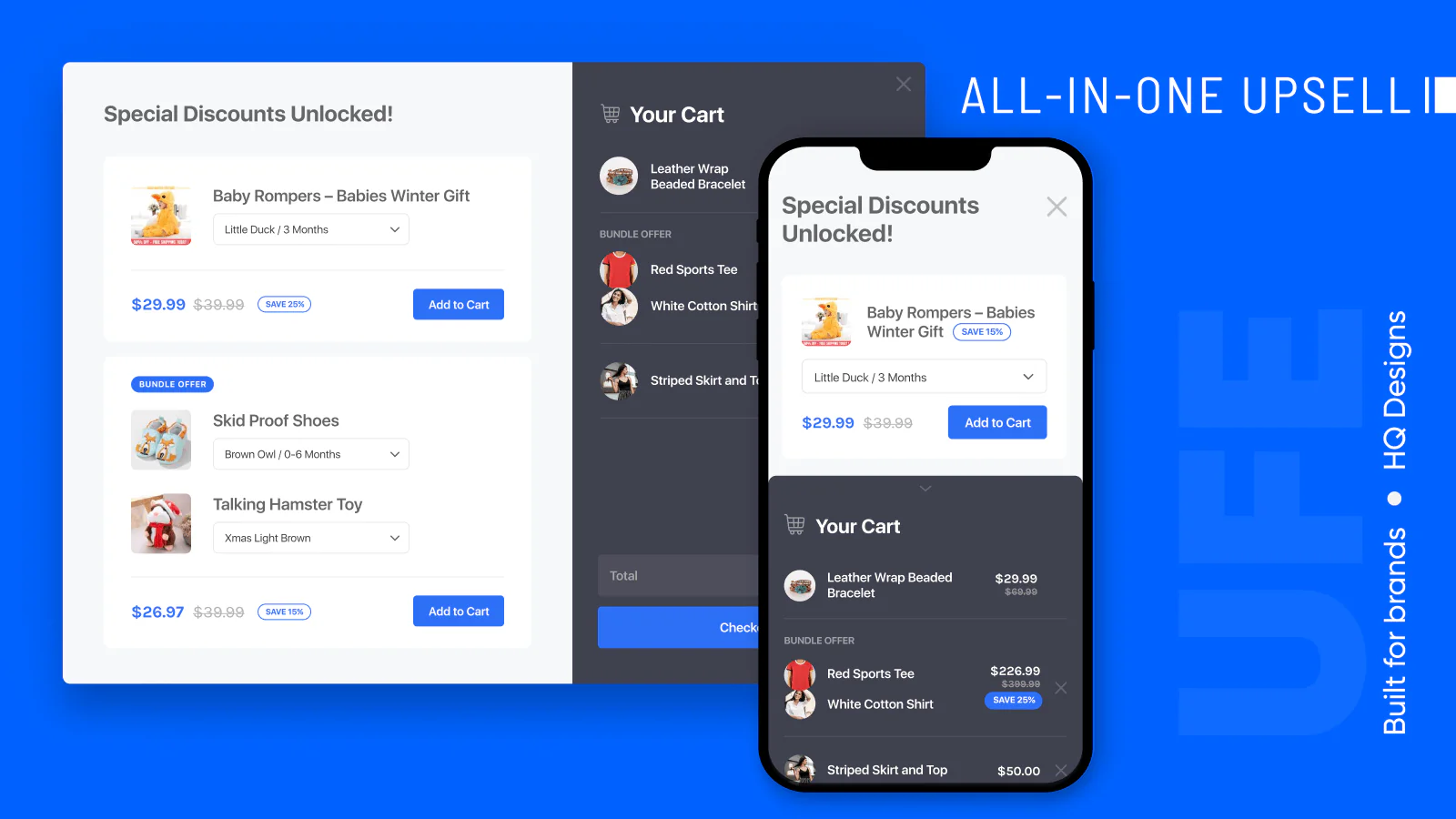
UFE Cross Sell & Upsell Bundle helps you to show irresistible personalized recommendations with discounted upsells, sweet upsell bundles, and quantity breaks (quantity discounts, tiered pricing) without leaving the product purchase flow on your shopify store. UFE Cross Sell & Upsell Bundle is ultra-lightweight and provides best-in-class UX designs which helps selleasy & create highly targeted upsell/cross-sell offers.
Features:
- One-click upsell checkout promotions in popup, in-page and floating styles
- Boost AOV via Product Bundles, Volume Discounts, and Frequently Bought Together
- Add aftersale upsells, post-purchase upsells, and discounted upsells in any page
- Highly customized designs supported, A/B testing: find which gives more revenue
- Fully compatible with Shopify Markets
4. Yotpo – Reviews and UGC
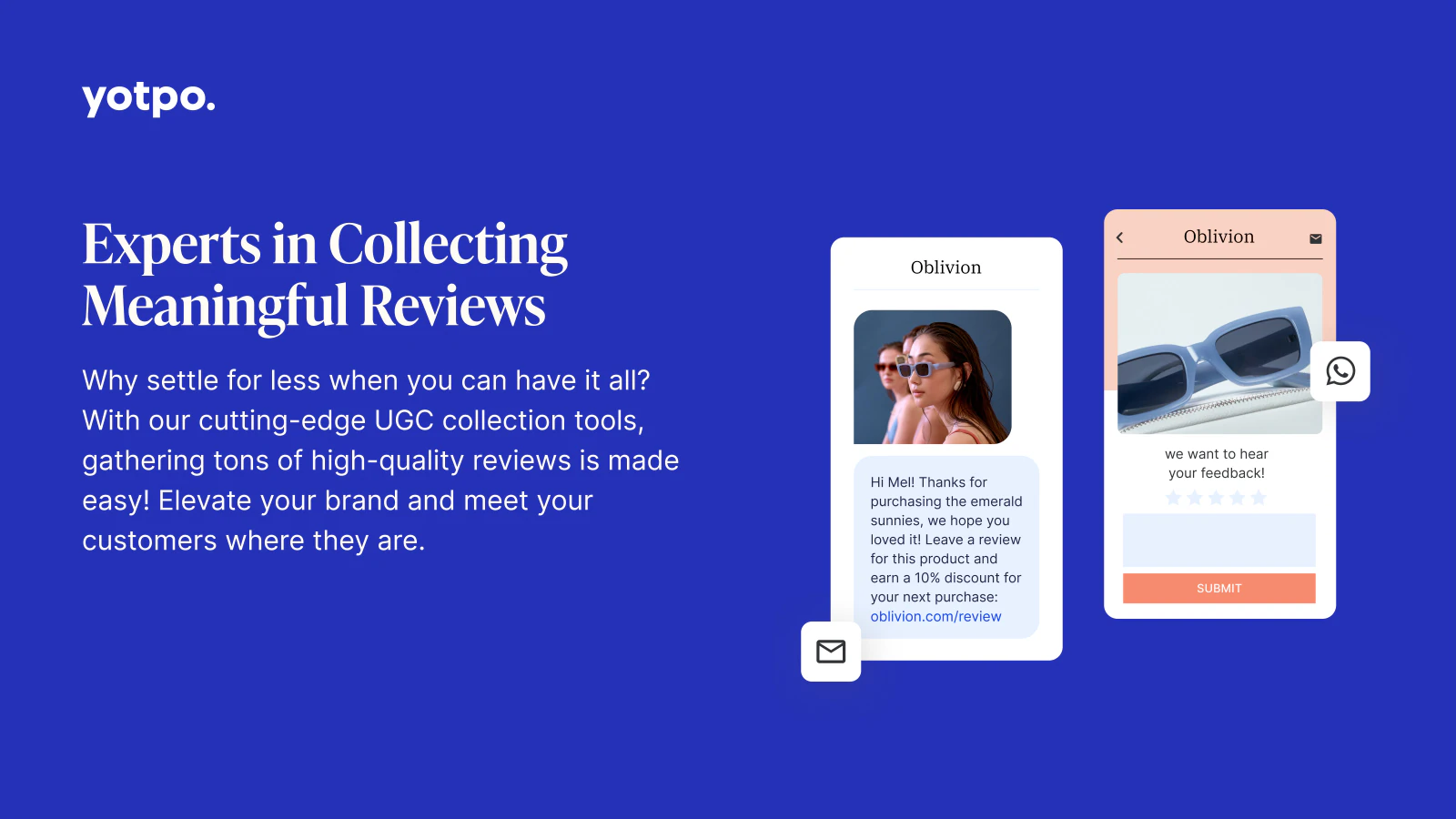
Yotpo helps your brand to collect product reviews from your customers that drive social proof. With AI-powered reviews widgets, Yotpo makes it easy for shopify store owners of all sizes to gather high-quality product reviews that impact the path to purchase. Yotpo’s partner integrations make it easy for brands to display reviews and star ratings on social media and search engines like Google. Plus, with Yotpo Reviews, brands can also unlock synergies between SMS and loyalty.
Features:
- Stand out on search with Google Seller Ratings and Google Shopping Ads
- Connect your reviews with our SMS, loyalty, and subscriptions product synergies
- Use our marketer-friendly solution to customize your reviews widget
- Leverage Smart Filters to build buyer confidence by displaying relevant content
- Seamlessly integrated for effortless syncing of reviews to and from the Shop app
5. Klaviyo – Advanced Email Marketing
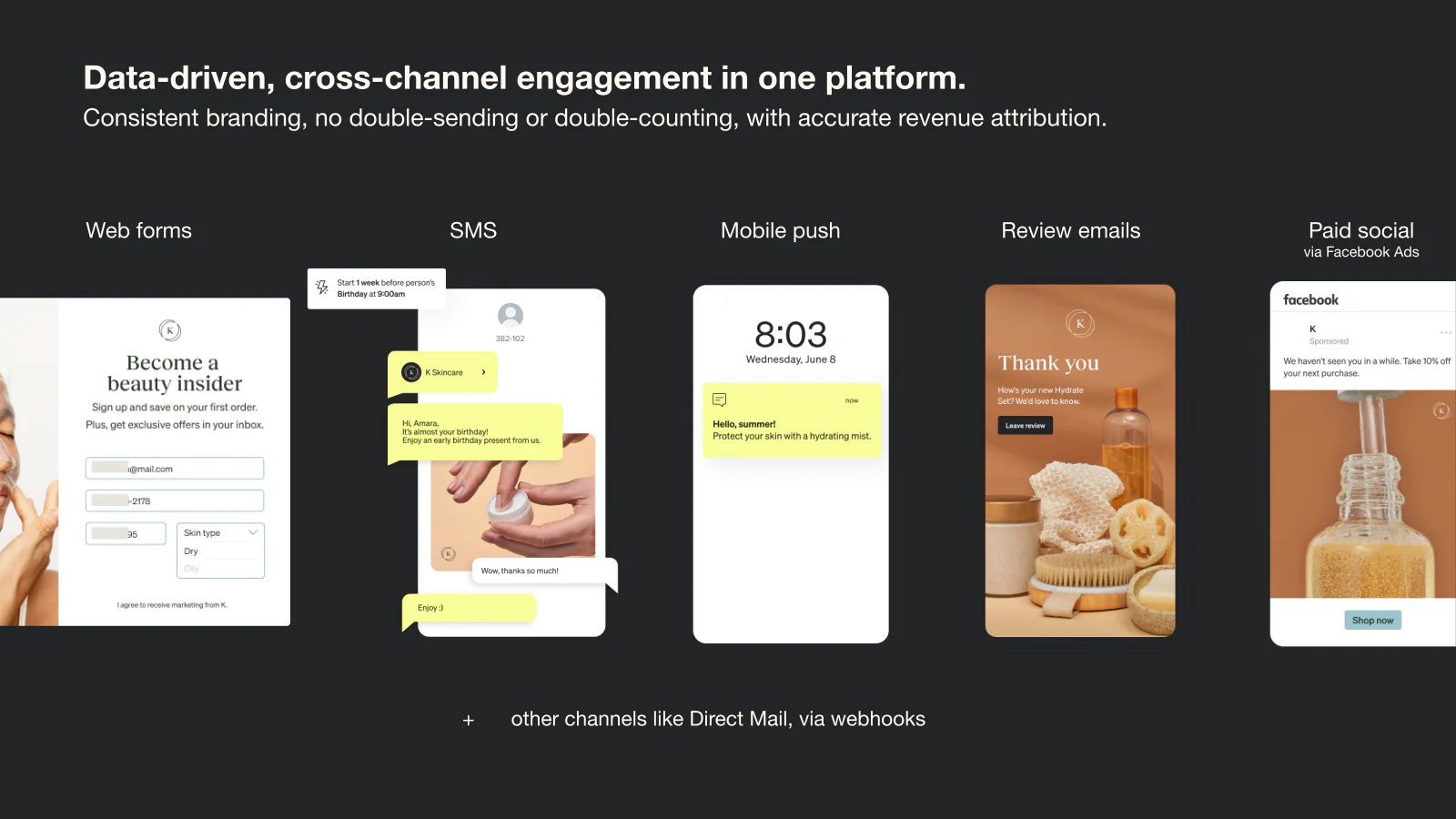
Go beyond the basics with highly targeted, personalized emails and texts that drive sales to your shopify store and power up smarter digital relationships. Easily centralize your data from 350+ integrations and use it instantly to connect easily with customers across all of your channels. Start fast and continually improve with built in AI tools, proven email & automation templates, peer benchmarks, and on-demand and live assistance.
Features:
- Use data from Shopify and other apps – web activity, tags, catalog, coupon codes
- Create segments and triggers using complete historical and real-time data
- Use omnichannel templates for Welcome, Back in Stock, Abandon, Price Drop & more
- Get real-time revenue data per automation, campaign, segment, and channel
- Send personalized Email and SMS flows & campaigns. Collect & publish reviews.
6. Smile – Loyalty Programs

Smile.io powers up loyalty, referrals, and VIP rewards programs which help you to increase sales and repeat purchases on your shopify store. It saves acquisition costs, and boosts brand loyalty. Creating a loyalty program with Smile takes only a few minutes with no coding required! Managing loyalty with Smile is effortless, including easy integrations with your favorite apps. If you need help, you’re supported by a team of experts who can help with everything from technical questions to rewards and loyalty best practices for your business.
Features:
- Encourage repeat purchases by rewarding every order with points
- Reward social actions on Instagram, TikTok, Facebook, and more
- Drive sales with points bonus events
- Integrate Smile with your favorite tools like Klaviyo, Gorgias, and 25+ others
- Optimize your loyalty program by comparing performance with similar stores
7. Simplify Whatsapp Live Chat
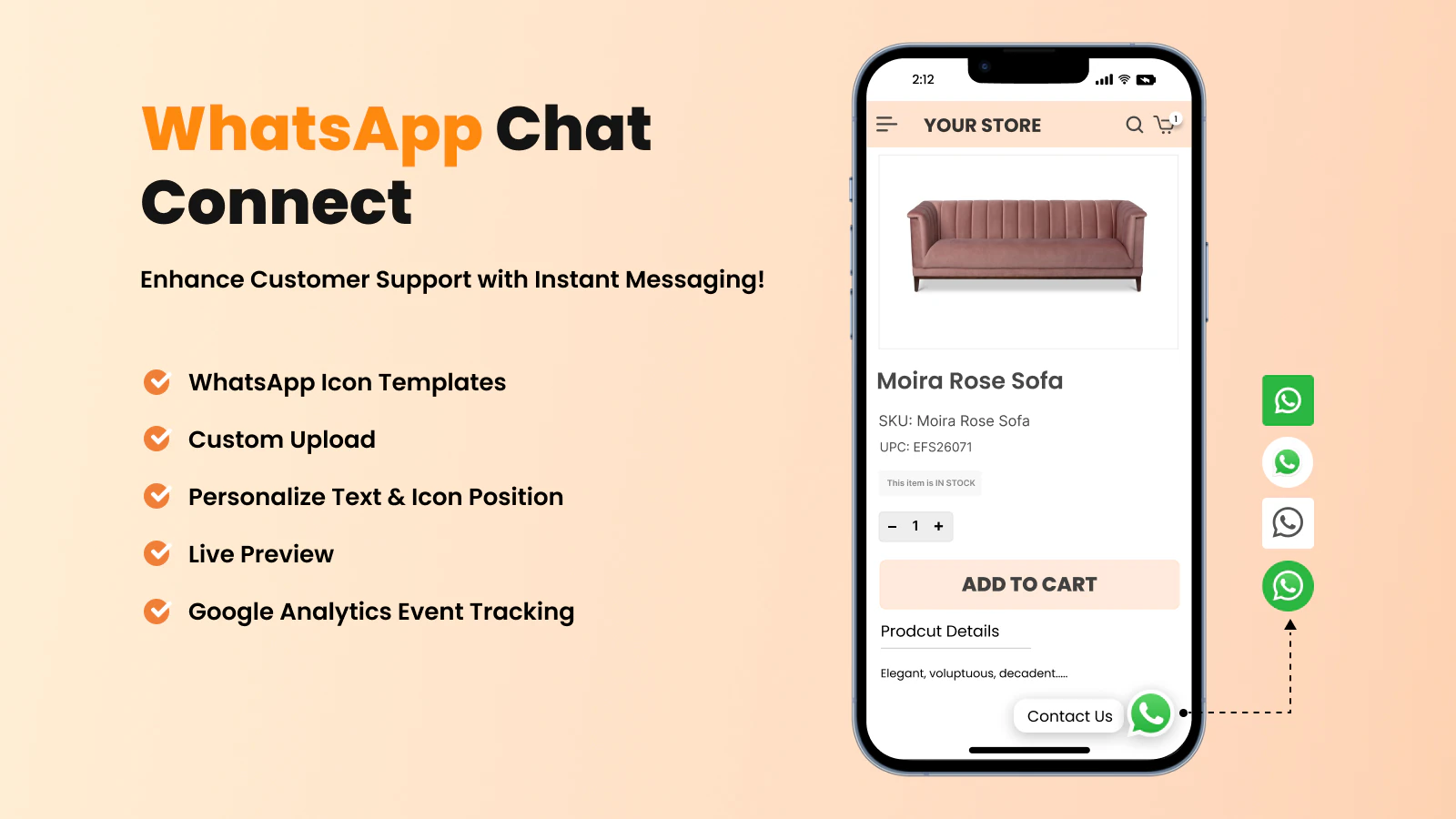
Nowadays customers prefer chatting over waiting for email replies. Simplify WhatsApp Live Chat Widget enables you to communicate directly with your customers on your shopify store. WhatsApp button enhances communication, increases engagement, and improves support which reduces abandoned carts. Offering direct support through WhatsApp chat on your shopify store builds trust and ensures customers to feel valued throughout their shopping journey. Boost your Christmas sales and improve customer satisfaction with this essential whatsapp live chat widget.
Features:
- Configure the “Whatsapp chat” button without coding!
- Set chat button title, image, position and agent image
- Allow website/store users to instantly contact you
- Google analytic integration to track custom event click on WhatsApp button.
8. Essential Countdown Timer Bar
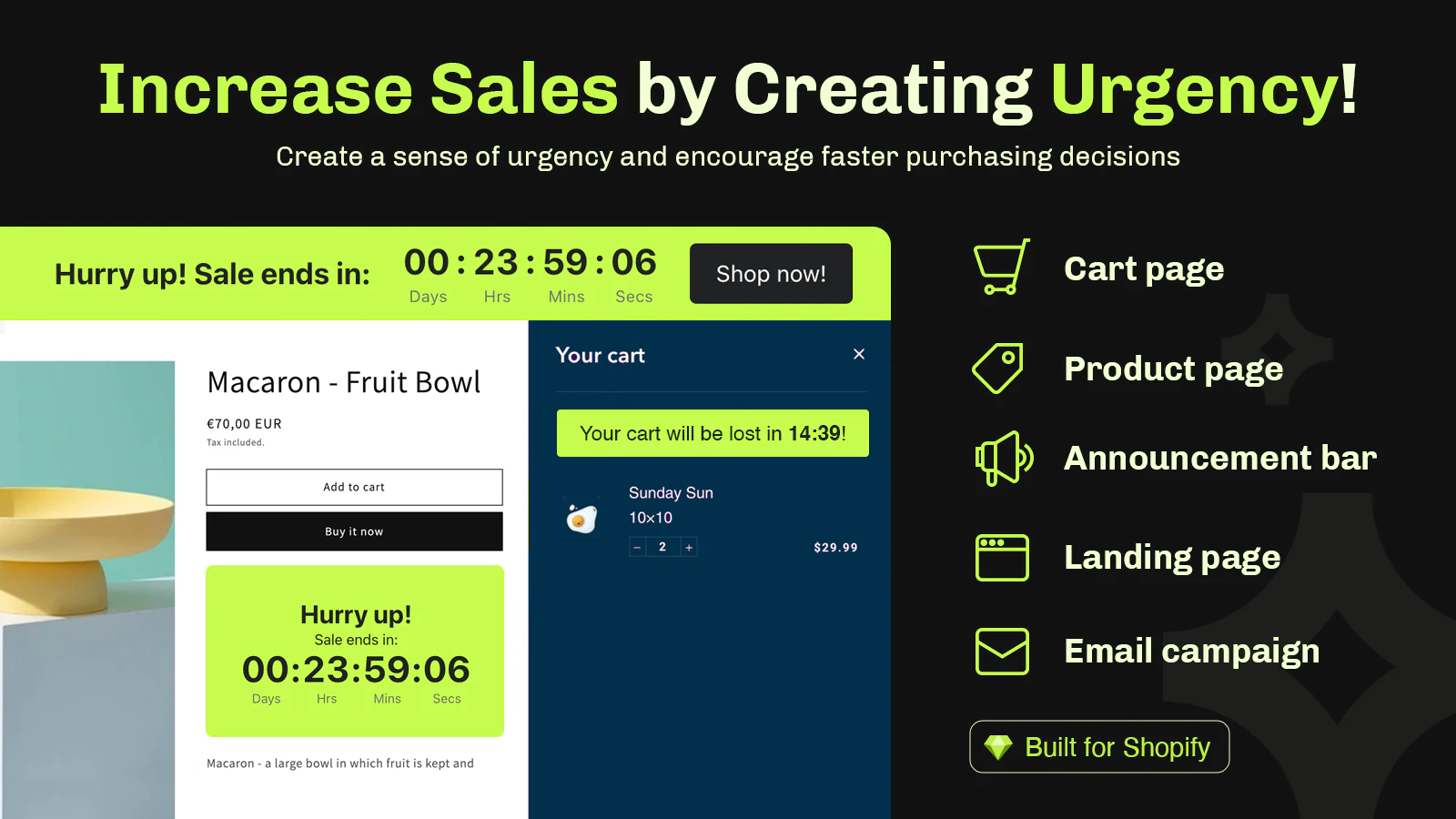
Countdown timer is a new secret method to boost your sales! It triggers urgency, scarcity and fomo that drives your customers to Buy NOW, instead of “Buy Later”. Do you want to sell more? Use this app every day, or use it for specific days (promotion, pre-orders, product launches, flash sale, holidays). Time clock is perfect for the best results during Black Friday, Cyber Monday, Christmas & beyond. Just click ‘Install’ and join merchants who use this app to make more money.
Features:
- Boost Storewide Sales: By setting an announcement bar timer (top bar or bottom).
- Increase Conversions: add a product timer, countdown banner or cart countdown.
- Prevent Cart Abandonment: By using a cart timer (checkout timer) in your cart.
- Match Counter Style: Customize text, colors, type, timer schedule & placements.
- Set Any Schedule: To-date, daily recurring, or evergreen fixed-minute countdown.
Conclusion
The holiday season is an excellent opportunity to scale your eCommerce business, and the right Shopify apps can make all the difference. From Product Designer for personalization to Estimated Delivery Date for shipping transparency, these tools can help you deliver a seamless shopping experience.
Invest in these apps today to stay ahead of the competition and ensure your customers have a memorable holiday shopping experience!
FAQs
What is a holiday app for Shopify?
The holiday app for Shopify is a software application that provides seasonal features that you can use for your online store, such as countdown clocks, festive design/theme/theme, snow effects, holiday images/banners, special promotional and book tools for converting customers and making more sales during the holiday season.
How do I install a holiday plugin on Shopify?
Putting a holiday plugin on Shopify is easy. Go to the Shopify App Store, search for the holiday app you want, click on “Add app,” and follow the installation directions. Normally, the apps are automatically installed, and each will be integrated with your current theme.
Do holiday apps slow down my Shopify store?
Generally speaking, good quality holiday apps should be fast-loading, and they will not slow down your store significantly. As a best practice, always check the performance of your site after installation and select apps from reputable developers who have speed optimization in mind when developing the app.
When should I start using holiday season Shopify support services?
You should start implementing your holiday season support services approximately. 6-8 weeks before the major holidays. You’ll have time to implement the apps, check to see if they function properly, train your team, and optimize the support services based on early results.
Can I use multiple holiday apps at the same time?
Sure, you can use multiple holiday apps together! However, you should test them together to make sure they aren’t going to conflict with one another. Plus, you don’t want to bombard your customers with too many effects! I recommend choosing apps that complement each other well, so try to pick only 2-4 apps.
What makes a holiday extension Shopify effective?
Be sure to have some effective holiday extensions that are visually appealing and provide practical functionality. The effective holiday apps should be flexible and customizable; they should be mobile-friendly, fast, and they should provide features that directly affect sales – like the countdown timers, urgency messages, or promotional pop-ups, among others.
How much do holiday apps cost?
The cost of holiday apps can vary greatly. You can find a simple app that is either free or charges about $5-15 per month, or you can find premium solutions that could cost $30-100+ per month. Think about the return on investment (ROI) potential; a good holiday app can easily pay for itself multiple times over during the holiday season peak!

Shopify Expert
Dipen Panchal, Shopify Tech Lead at Setubridge Technolabs, brings over a decade of expertise as a Shopify Expert. Passionate about e-commerce growth, he specializes in UI/UX design, crafting intuitive, engaging solutions tailored for merchants and B2B clients to enhance user experiences.