So let’s say your customer just walked into your shop… He’s just about to buy himself a new shirt or a cool toy. He sees the item he would like to buy and clicks on it… uh-oh! It’s sold out… what do you do now?
In most stores, however, the customer just leaves. They may be quite upset or angry. They usually will go to another store and buy something comparable. This is the real, painful cost of a stockout. It isn’t just one missed sale. It’s a lost customer.
Key Takeaways
- Stockouts cost a lot of money: When items are out of stock, it costs stores over $1.2 trillion every year in lost sales.
- Shoppers leave fast: About 69% of online shoppers will go to another store if the item they want is sold out.
- The fix is easy: The “Notify Me When Available” tool keeps shoppers interested. It turns a lost sale into a sale for later.
- Speed is key: Sending a restock email within 5 minutes of an item being back in stock can lead to a 22% conversion rate.
- It builds your list: Every person who signs up is a great lead. This helps you build a list of people who already like your products.
The Real Impact of Stockouts on Shopify Stores
Stockouts are very irritating to the consumer and can become a serious matter for the firm very quickly. When customers are deprived of the opportunity to purchase a product they require, they walk away empty-handed and disappointed.
Even this small percentage has serious consequences. Several research articles have identified that the incidence of stockouts accounts for only around 4% of lost sales to individual stores. This magnitude is huge on a global scale. Recent estimates by the industry show that the actual figure could possibly be higher.
While the older research cited that around 1.2 trillion dollars are lost across the globe from stockouts and stock availability, newer data from 2010 reflects an estimate of over $1.0 and $1.77 trillion every year in losses from out-of-stocks and stock availability, being just about a trillion-dollar concern for businesses in the world.
Why Removing or Hiding Out-of-Stock Products Often Leads to Lost Sales
Occasionally, shop owners evade this problem by hiding the page. They reason that if the customer isn’t able to view it, they won’t grieve, but this is a grievous mistake.
Every time you hide a page, you are defeating the entire value you have already built up on that page. You are sacrificing SEO value that would help customers find your store, and perhaps more critically, removing any mechanism through which shoppers can advocate for the item. We’re closing the sale permanently.
What has been found about online shopping behavior is that almost 69% of shoppers who are unable to purchase an item will walk away and buy from another retailer. It is important to attract these customers, not allow them to leave.
At a wider level, the result of all this is huge when all the willows and overstocks and stockouts are taken into account; Inventory distortion costs retail an estimated $1.7 – $1.77 trillion worldwide per annum.
How “Notify Me When Available” Can Turn Missed Sales into Future Money
Enter the ‘Notify Me When Available’ functionality. Rather than losing that customer, you give them the option. It’s a simple question to the customer: “Would you like us to notify you when this is returned?”
This tiny button is a huge tool. It can turn a disappointing moment into a happy one. It draws the customer’s attention, and it offers a promise that they will be back when you have the product. It will determine a lost sale that can be gained later.
What Is the “Notify Me When Available” Feature on Shopify?
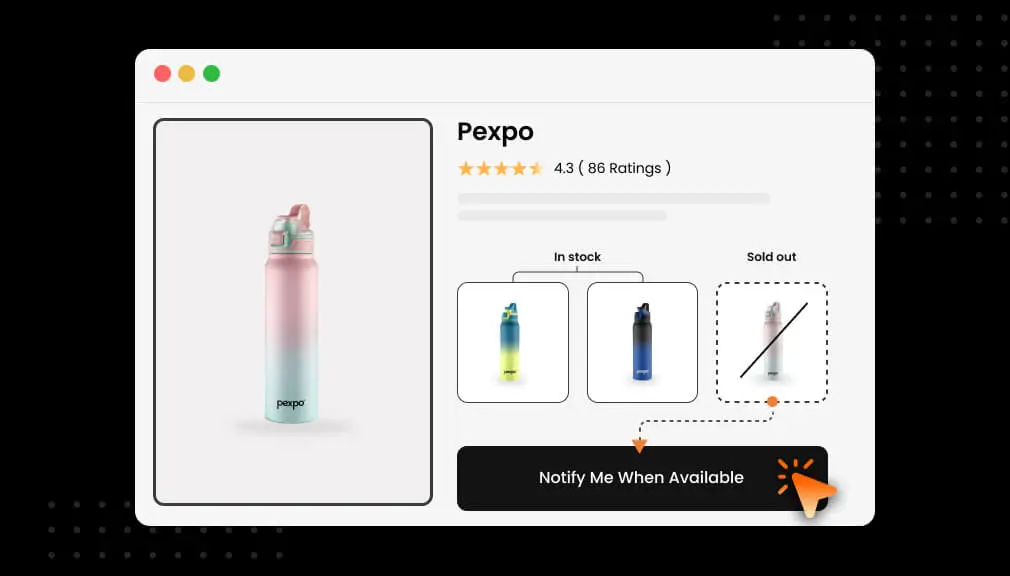
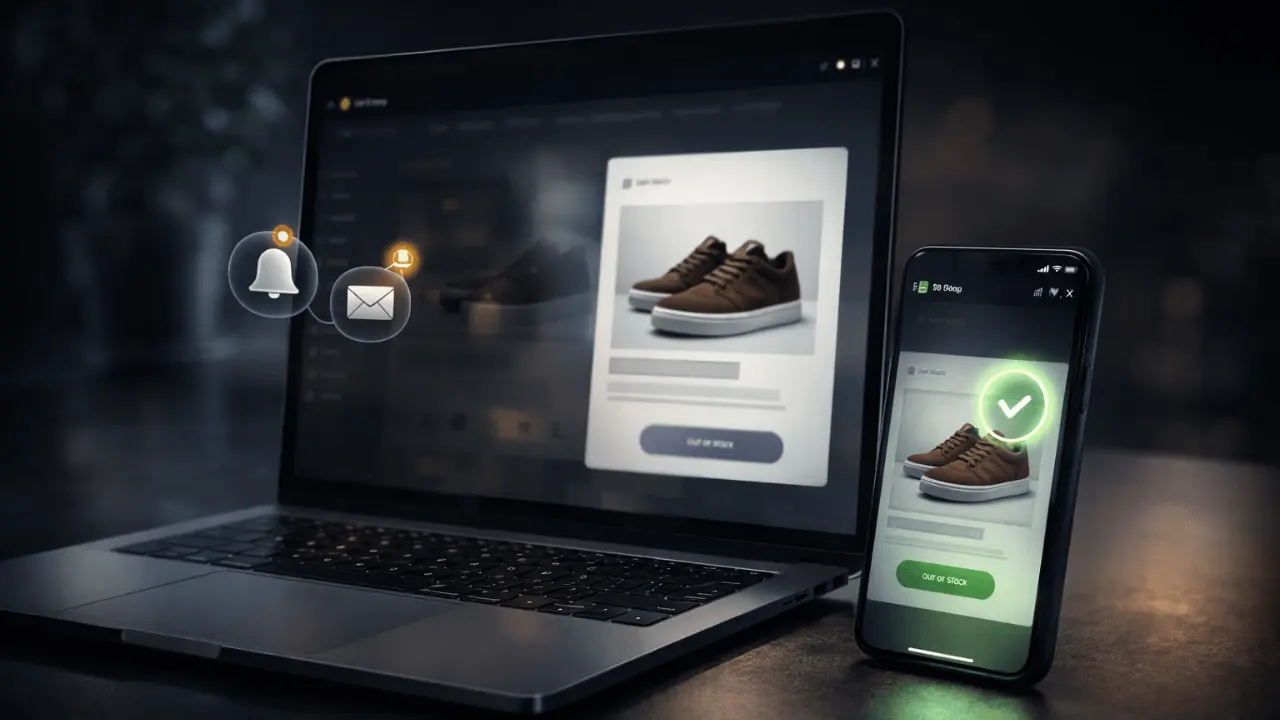
Notify Me When Available tool is a simple one. It’s just an option for consumers to subscribe to receive an email when a sold-out product becomes available again.
Simple Definition in Plain Language
It can be thought of as a ‘waiting list’ for the company’s best products. When an item becomes unavailable, the ‘Add to Cart’ button disappears. A new button or box opens up that says something like ‘Email Me When Available’ or ‘Tell Me When Back in Stock.’
How It Works for the Shopper
For the shopper, it is very easy:
- They go to a product page and see that it is sold out.
- They click the “Notify Me” button or type their email into a box.
- They get a message that says they are on the list.
- When you get more of the item, you get an email or text. It tells them the item is back and gives them a link to buy it.
It is a fast way for them to make sure they don’t miss out again.
Where It Appears on a Product Page
The button or box is usually right where the Add to Cart button used to be. This is the best location. Since the customer can’t buy it now, you want to give it to them now.
Shopify Default vs. Notification Tools
Shopify is very good, but it doesn’t have something built in to do this seamlessly. So once a product hits zero, the “Add to Cart” button just… stops working.
Most stores use an application to do this to get a good automatic system. They do most of the work for you; gather emails, monitor your stock, and send the message immediately you add more to your store.
Why “Notify Me When Available” Increases Sales
This isn’t just an email grabber. It helps you sell more in a few very powerful ways.
Keeps High-Intent Shoppers Interested
A user who clicks on an out-of-stock item is a very high-intent user. They have a very strong desire to purchase an item. When a user signs up for an alert, they are essentially saying, “I will buy this when you have it.”
Having their email keeps them thinking about your stores. It prevents them from heading to another store. You have put a pause on their shopping and are sure of getting their return to you, therefore completing the sale.
Brings Customers Back When Items Restock
This is the best part, that it returns people to you. If you send this alert, it is you speaking to someone who plans on winning what you have. This is a very strong lead.
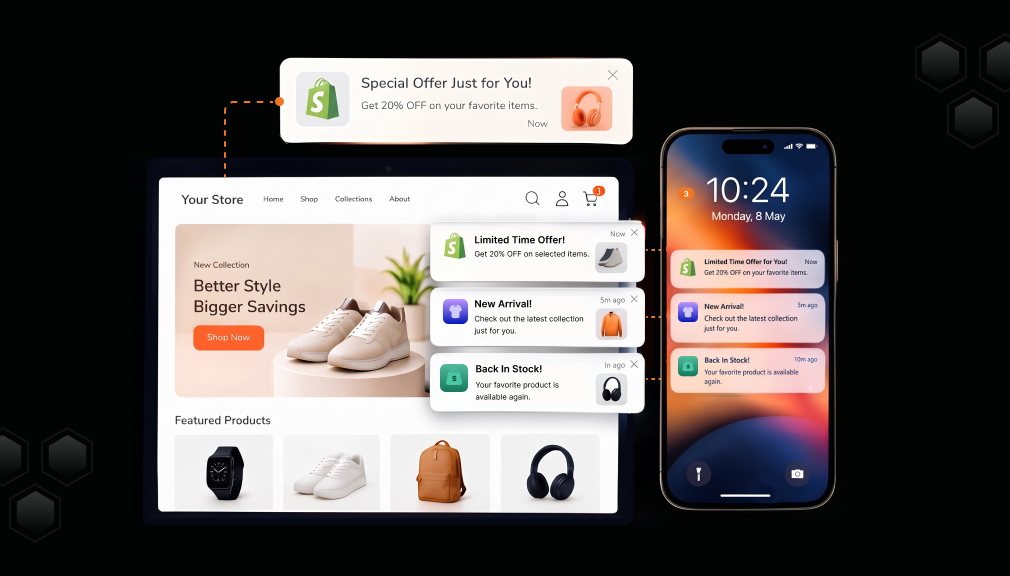
The sales from this kind of email are extremely high. For example, as shown, the sales rate on an email sent 5 minutes after the item was back in stock was 22%. If you put it into perspective, out of 100 people, an incredible 22 people buy the item straight away!
Builds a Great Email or SMS List
Your email list is very important for your store. Every time someone signs up for an alert, you add a great lead to your list.
You own this list. You can use it to send other news, special deals, and new items later. This list is full of people who already like what you sell.
Turns Sold-Out Pages into Lead Tools
Instead of being a dead end, your sold-out pages become lead tools. They work for you all day and night. They collect customer info and build your future sales. Showing people that you will have more stock can improve sales by up to 15% because it makes customers less frustrated.
When You Should Use “Notify Me When Available” (And When You Shouldn’t)
This tool is great, but you should not use it for every single item. You need to use it in a smart way.
Best Times to Use It (Popular Items, Seasonal Goods, Limited Stock)
You should use the “Notify Me When Available” tool for:
- Popular Items: These are the things you sell a lot of. You know you will get more soon.
- Seasonal Goods: If you sell a winter coat that will come back next year, the list helps you tell people when it is time to buy again.
- Limited Stock: For special items, the list makes people feel like they are part of a special group. It makes them want to buy fast.
Times When It May Not Help (Items You Won’t Sell Again)
There are times when you should not use the tool:
- Items You Won’t Sell Again: If an item is gone for good, do not offer an alert. It will only make the customer mad when the alert never comes. It is better to show them a different item instead.
- Items No One Wants: If an item did not sell well and you won’t get more, don’t use the tool.
How This Affects What Customers Think
Your choice on when to use the tool changes how customers feel about you.
- If you offer the alert, you make a promise. The customer thinks you will tell them. If you don’t, they will lose trust in you.
- If you don’t offer it, you are being honest. The customer knows the item is gone and will look for something else.
Only use the tool when you are sure you will get more of the item soon.
How to Add “Notify Me When Available” on Shopify
There are two main ways to add this tool to your Shopify store.
Option 1: Using Shopify Apps (The Easy Way)
The best way to add alerts is to use an app. These apps do everything for you.
How to do it:
- Pick an App: Go to the Shopify App Store and find a Notify me app.
- Install It: Add the app to your store.
- Match Your Style: Change the colors and text of the button to match your store.
- Write Your Message: Write the email or text that will go to customers.
- Turn It On: The app will now show the button when an item is sold out.
Apps are great because they are fast and do not make many mistakes.
Option 2: Using Code (The Hard Way)
You have the option to set this up yourself if you have any programming knowledge and want to customize your setup by directly editing your store’s theme code. This can include editing your theme code or creating a simple form to gather email addresses of interested customers, and an inventory for emailing your customers when out-of-stock products have been replenished.
This is a free way of getting this to happen, but it will take a long time to do, be very error-prone, and is simple to implement.
You need to be ready before we begin. Find out the date when the new stock comes in, decide on an e-mail company that will send bulk e-mails, and write a brief, sweet e-mail that specifies to the customer that the item is now available.
Don’t use all of the clichés, always “test the water”, actually run through it once yourself, check the form, and if the e-mail looks good on the phone, avoid dull spam. A cute, nice, friendly e-mail of some kind gives a better chance of customers repurchasing.
Best Spot for the “Notify Me When Available” Button
Placement of the buttons is very crucial. If people can’t notice them, they are not going to press it.
Why the Spot Matters
We want to be very simple and elegant. When a user encounters a No Stock item, we need to easily tell the user what they can do next. The first thing that needs to be displayed is the Notify Me button. A good location for this would prevent the user from leaving in a bad mood.
I think the best logical position for this other button would be where the Add to Cart button is so users do not have to scroll in case they need to see what to do next. Also, it should be above-the-fold, it should not take up too much room, should be absolutely simple like Tell Me When Back or Notify Me, and be a bright color.
Since this feature will be accessed from a mobile device as well, the mobile site should be the focus of this feature. Make this button so it is located at the bottom of the screen forever. Make the length of the form as short as possible, only asking for their email and nothing else so the person is not too invested when deciding between “yes” and “no.”
Make the font size as big as possible to make this easier to parse; tell the user if they made a mistake so they do not give up on this, though hopefully they will try again; and welcome the user right away: You are on the list!
How to Make Your Messages Better
A boring email will not work. To get that 22% conversion rate, you need to make your messages fun and personal.
Email vs. Text Messages
You can send alerts in two ways:
| Type | Good Things | Bad Things |
|---|---|---|
| Lots of room for info and pictures. | Can get lost in a busy inbox. | |
| Text (SMS) | People see it right away. | Costs more and has less room for words. |
It is best to offer both and let the customer pick.
Making It Personal
Personal messages feel better to the customer.
- Use Their Name: Say “Hi [Name],” at the start.
- Say the Item Name: Tell them exactly what is back in the subject line.
- Be Fast: Send the message the second the item is back in stock.
Why Boring Alerts Fail
“There are more things available for you” is not a good message. It doesn’t provide an incentive to the customer in order for them to buy. A message that says “The Blue Shirt you wanted is back! Buy it now before it’s gone!” is much better. It makes them eager to buy it now.
Why Speed Matters
Speed is critical; the longer you wait, the faster they are likely to buy it from somewhere else. Sending the alert in 5 minutes is likely to be the best plan.
Using the List to Build Your Business
None of the restock list methods is a good way for your short-term profitability, but they are an excellent way to grow your business over the long term. Customers who are on these lists are would-be buyers; it isn’t just that they want a discount; they want a specific product. Because they want a specific product, they are many times more likely to buy than subscribers. An ideal system will allow you to sort these customers by what they want, a process called segmentation.
For example, if you have a shopper who is waiting for a running shoe, you can put them in the “Running” group, and therefore you could make very targeted mailings, such as new running sock offers, rather than emailing everyone.
Once a restock e-mail has been sent, there are still clever ways to capitalize on interest. If the customer does not order right away, you will have the benefit of 24 hours in which to remind them to come back. Even if they have to be enticed a little with a free shipping offer, often the purchase will be completed. If the product is gone again, offer up comparable items to the others already purchased.
But here is something that we should never do: end up having too many emails to the customers, plus avoid using emails that are not relevant. Once relevant and at the right time, everything is good to start the buying process.
How to See If It Is Working
You want to find out if the system is actually working, which means monitoring whether you are truly making more money. The target conversions are three: weekly new list signups, the number of users who click on the link in your alert message, and lastly, how many of those end up purchasing your product once the alert is sent to them.
All of this information is available right there in your Shopify dashboard for sales data, and most of the apps also have their own analytics page from which you can find out sign-ups and clicks. However, a key indicator is the number of sales.
For example, if you get 100 signups and 50 of those purchase, this tool is absolutely crushing it! In general a such a tool should be able to increase the total sales you get by 15%.
Common Mistakes Stores Make
Even good stores make mistakes. Here are some to avoid.
Being Too Slow
This is the biggest mistake. If you add stock at 9 AM but send the alert at 5 PM, you are too slow. The customer might have already bought from someone else. Always send the alert right away.
Sending Too Many Messages
If a customer wants three items, send three alerts. But don’t send them many messages for the same item. They will get mad and leave your list.
Bad Mobile Look
If the email or page is ugly on a mobile, then users will bounce. Just about everyone shops on their phone, so make sure it looks amazing on a small screen.
Not Saying When It Will Be Back
If a return is going to take a while, inform the customer. You could say, “Hopefully 3 months.” Customers prefer to be told so they know what they are dealing with. If you don’t inform them, they could get agitated.
Conclusion: Turning Stockouts into Sales
One popular type is the “Notify Me When Available” button, which is an essential feature for any Shopify shop because it takes the everyday problem of stockouts and turns it into an unprecedented revenue stream. Stockouts impact retailers to the tune of billions every year, with North American traders losing an estimated $144.9 billion a year.
Rather than losing the shopping enthusiasm of interested customers, this would be another way to get the sale by re-engaging them when inventory is replenished. It is also a way to reinforce the message of customer-orientation, encourage spending in your store, and strengthen shopping experiences. Given that 69% of online shoppers leave a site and place an order elsewhere when stock is out, a “Notify Me” service is one way to “hold the demand”.
Check your out-of-stock items today. Without a restock alert, you’re saying no to sales. When you run out of stock, it simply means people are buying your stuff. Capitalize on your popularity with an easy-to-implement tool that converts cancellations into sales.
FAQ Section
Does Shopify have this tool built in?
No, Shopify can’t do that perfectly itself. Most stores do it using an app, and it is automatically done.
Is this better than pre-orders?
They both work very well. Pre-orders are for when a new item is for sale, and people pay in advance. “Notify Me” is for when an item is sold out now, and they pay later when it is available again. “Notify Me” is easier for a customer because they don’t have to pay instantly.
Does it work on phones?
Yes, it has to work on phones. Smartphones are popular. Both buttons and email messages must look good on a tiny screen.
Does it help get repeat customers?
Yes, definitely! By being helpful and updating them when an item is in stock again, you gain trust. That gets customers to come back to you over and over.

Shopify Expert
Dipen Panchal, Shopify Tech Lead at Setubridge Technolabs, brings over a decade of expertise as a Shopify Expert. Passionate about e-commerce growth, he specializes in UI/UX design, crafting intuitive, engaging solutions tailored for merchants and B2B clients to enhance user experiences.