The way we shop using the internet is evolving. Consumers desire no more for big global brands but for themselves. Research has shown that if users are presented with personalized recommendations on products, up to a 288% increases in conversions and up to 31% of revenues on an e-commerce site is generated. This indicates that retailers that are implementing product customization are, in fact, earning more money and perhaps also making the consumers happier.
When running a Shopify store, you already have native support for product variants, with up to 2,048 variants and three options per product. But variants alone do not solve every customization use case. What happens when a customer wants a name printed on a t-shirt, artwork uploaded for a phone case, engraving added to jewellery, or gift wrapping selected at checkout? These are the situations where custom product options and personalization apps become useful.
In this article, we will be looking at the 5 best free Shopify apps to give more advanced options/custom fields to your products. Whether you’re selling print-on-demand products or customized jewelry/custom furniture, etc., the right free app can help you to grow your business!
Key Takeaways
- Free custom product option personalization apps help you offer unlimited product customizations without paying monthly fees
- Personalization can increase your store revenue by 10-15% and boost conversion rates by 20-30%.
- These apps work beyond Shopify’s 2048-variant limit, giving customers more choices
- Advanced product options, Shopify apps include features like file uploads, text inputs, colour swatches, and conditional logic.
- 71% of customers expect personalized interactions, and 76% get frustrated when this doesn’t happen.
- The right Shopify custom product options app can help reduce returns and increase customer satisfaction
Comparison of Top Free Custom Product Option Personalization Apps
Here is a quick, side-by-side look at each free app’s rating, free-plan strengths, and best fit.
| App Name | Rating (Reviews) | Free-Plan Strengths | Best For |
| Aris Product Options, Variants by Arisify Global | 4.9 (1,620+) | 23 option types, free analytics, watermark removed, 14 languages | Fast, clean setup with free analytics |
| Easify Custom Product Options by Easify | 4.9 (2,915+) | 15 option types, 100+ templates, unlimited option sets, 13 languages | Template-rich stores wanting speed |
| OPTIS Product Options, Variant by OPTIS | 4.9 (2,260+) | 10 option sets, 10+ types, analytics, category-wise groups | Tidy setups planning to upgrade |
| Globo Product Options, Variant by Globo Options | 4.9 (4,795+) | Unlimited options/products, 15+ types, 20 templates, 17 languages | Budget stores needing unlimited free options |
| AI Custom Product Personalizer by SetuBridge | 4.9 (31+) | 5 personalizations, unlimited options + templates, live canvas | POD and deep personalization |
| Wow Custom Product Options by WowApps | 5.0 (10+) | 25+ option types, unlimited option sets/products, basic analytics | Ready-made setups with room for advanced visual personalization |
Top 5 Free Custom Product Option Personalization Shopify Apps
Below are the five best free custom product option personalization Shopify apps. Each one moves you past Shopify’s variant limit and adds real customization without a monthly fee. We checked live ratings, free-plan limits, and setup speed so you can choose with confidence.
“All apps personally tested by our Shopify Team”
1. Aris Product Options, Variants
Aris Product Options, Variants by Arisify Global turns any product page into a simple customization tool. It holds a strong 4.9-star rating from more than 1,600 merchant reviews. You add custom text, swatches, dropdowns, and file uploads in just a few clicks. The backend supports 14 languages, so global stores feel right at home.
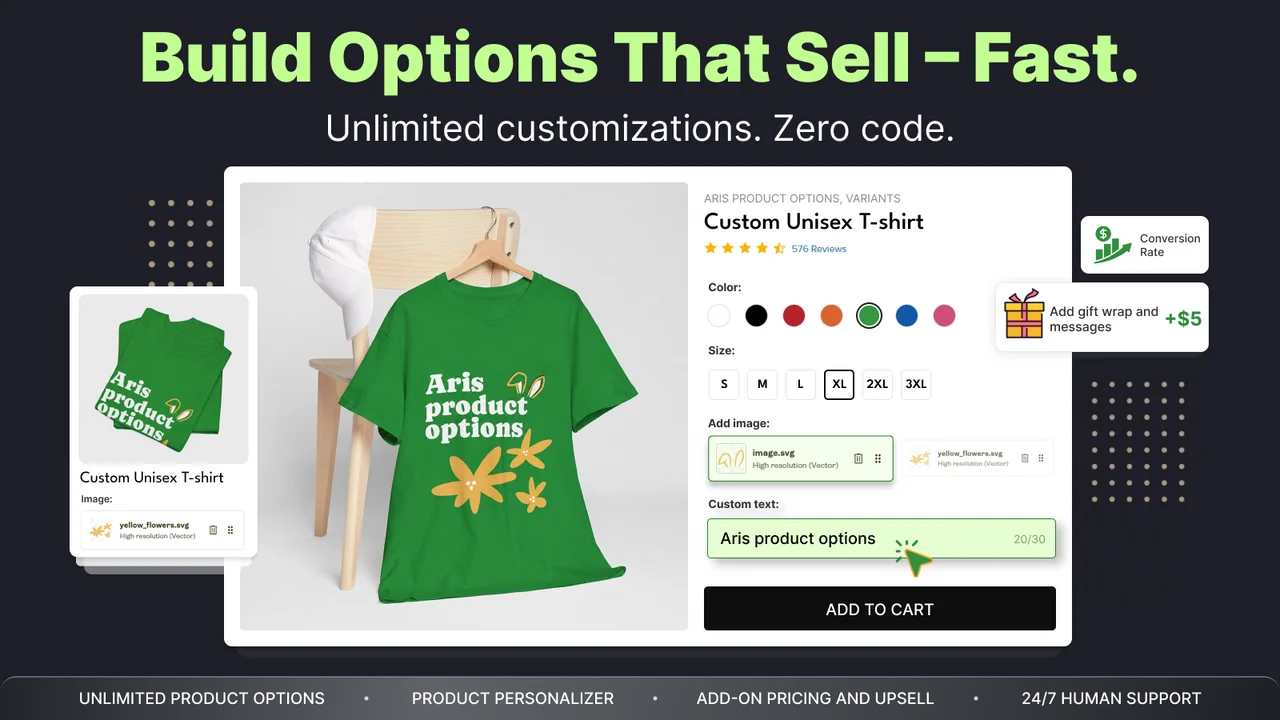
Setup is fast, and most stores see live results in three to four minutes. The free plan removes the app watermark, which keeps your product pages clean. You also get multiple design options, though only the limited ones are free. Separate analytics on the free plan help you track which options drive sales.
Key Features
- Unlimited product options with 23 option types on the free plan.
- Live preview for custom text, images, and design inputs.
- Conditional logic to show or hide options as customers choose.
- 14-language backend support for international stores.
- Built-in analytics to track option performance for free.
- The free plan removes the app watermark from product pages.
Pros
- Very easy setup, with results live in three to four minutes.
- Free watermark removal keeps your storefront looking professional.
- Separate analytics stand out for a free plan.
- Backed by 24/7 live support and a 30-day money-back guarantee.
Cons
- Multiple design templates exist, but only limited ones are free.
- The free plan caps you at 10 option sets and 100 variants.
Best For
Stores that want a quick, clean setup with free analytics and no watermark. It fits POD sellers, gift shops, and multi-language stores that need fast results.
2. Easify Custom Product Options
Easify Custom Product Options by Easify, a Built for Shopify app with a 4.9-star rating from over 2,900 reviews. It pairs product options with a smooth, sales-first customization flow. Installation uses a simple four-step onboarding process that anyone can follow. The app loads fast and works smoothly, even with many options live.
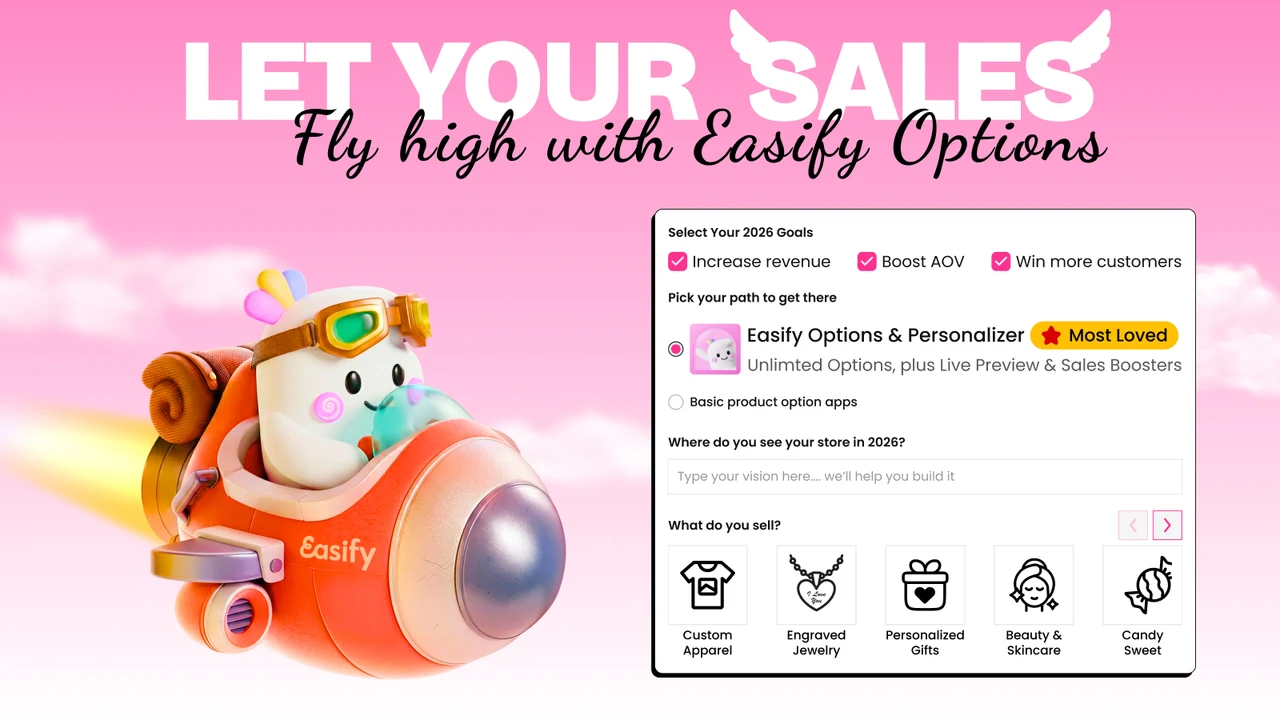
Easify supports product options, a personalizer, and GemPages together. It ships with 100+ predesigned templates built for many industries. You can change the main product image and fully customize the app design. The backend supports 13 languages, which helps stores sell across borders.
Key Features
- 15 option types on the free plan, with unlimited option sets, products, and orders.
- 100+ predesigned templates across multiple industries.
- Change the main product image based on customer choices.
- Conditional logic and flexible option style customization.
- Product personalizer with live preview on higher plans.
- 13-language backend for international selling.
Pros
- Fast loading and smooth, reliable day-to-day working.
- Simple four-step onboarding gets you live quickly.
- Deep template library and full app design customization.
- 30-day money-back guarantee and 24/7 human live chat.
Cons
- Live preview sits on a higher paid tier, not the free plan.
- Some merchants report tweaks needed after Shopify theme updates.
Best For
Merchants who want a template-rich, fast app with unlimited option sets for free. It suits apparel, jewelry, and gift stores that value speed and clean design.
3. OPTIS Product Options, Variant
OPTIS Product Options, Variant by OPTIS, a built-for-Shopify app rated 4.9 stars across 2,200+ reviews. It offers infinite product options with text, swatches, and file uploads. Installation follows a clear three-step onboarding process. A setup guide and setup video sit right on the app home page.
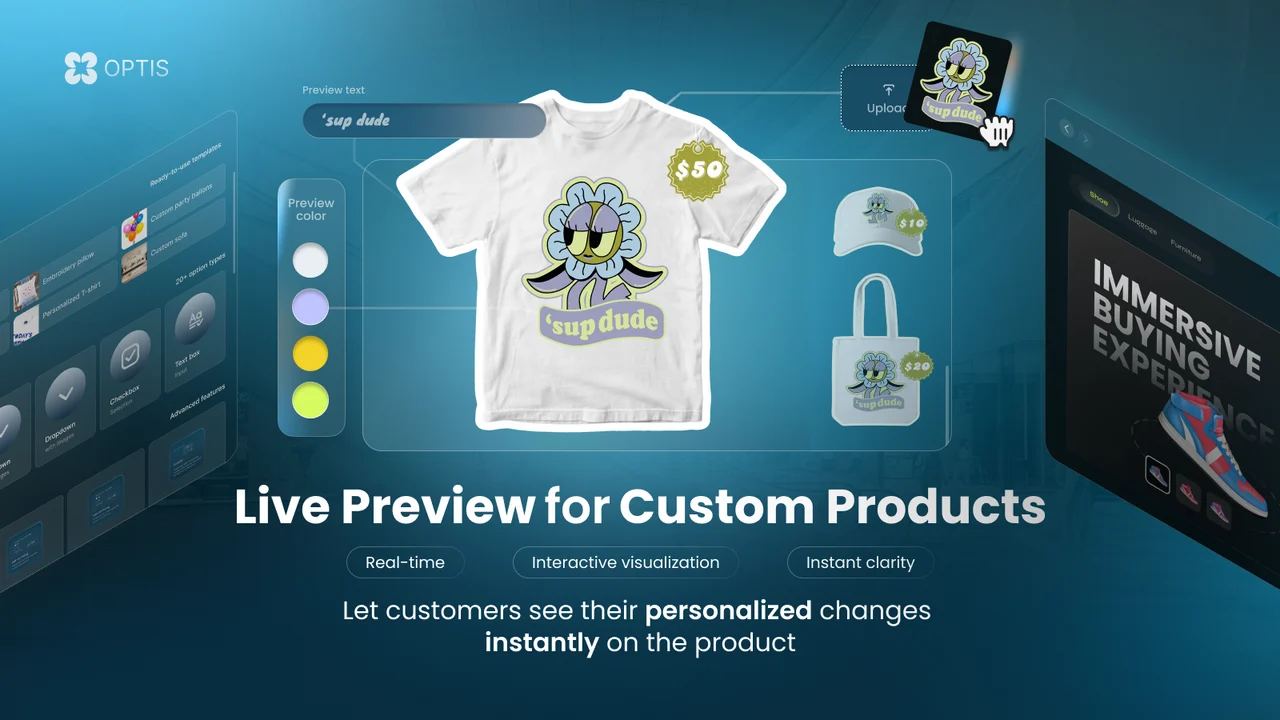
OPTIS groups options into clean, category-wise sections for easy management. The free plan gives you 10 option sets, 10+ option types, and analytics. However, many advanced functions stay locked behind the paid plans. Compared to others here, the free tier feels more limited overall.
Key Features
- 10 variant option sets and 10+ product option types on the free plan.
- Analytics and watermark removal included for free.
- Multiple category-wise option groups for tidy setup.
- Live preview, add-ons, and conditional logic on paid tiers.
- Setup guide and video on the home page for quick onboarding.
Pros
- Simple three-step onboarding process.
- Clear setup guide and video help new users start fast.
- Category-wise options keep complex catalogs organized.
- Free plan still includes analytics and no watermark.
Cons
- Most settings and advanced features are locked on the free plan.
Best For
Stores that plan to upgrade and want tidy, category-based option groups. It works for merchants who need structure and don’t mind a paid plan later.
4. Globo Product Options, Variant
Globo Product Options, Variant by Globo Options, a built-for-Shopify app with a 4.9-star rating from 4,700+ reviews. Its free plan is one of the most generous in this whole list. You get unlimited options, unlimited products, and 15+ option types free. The backend supports 17 languages, more than any other app here.
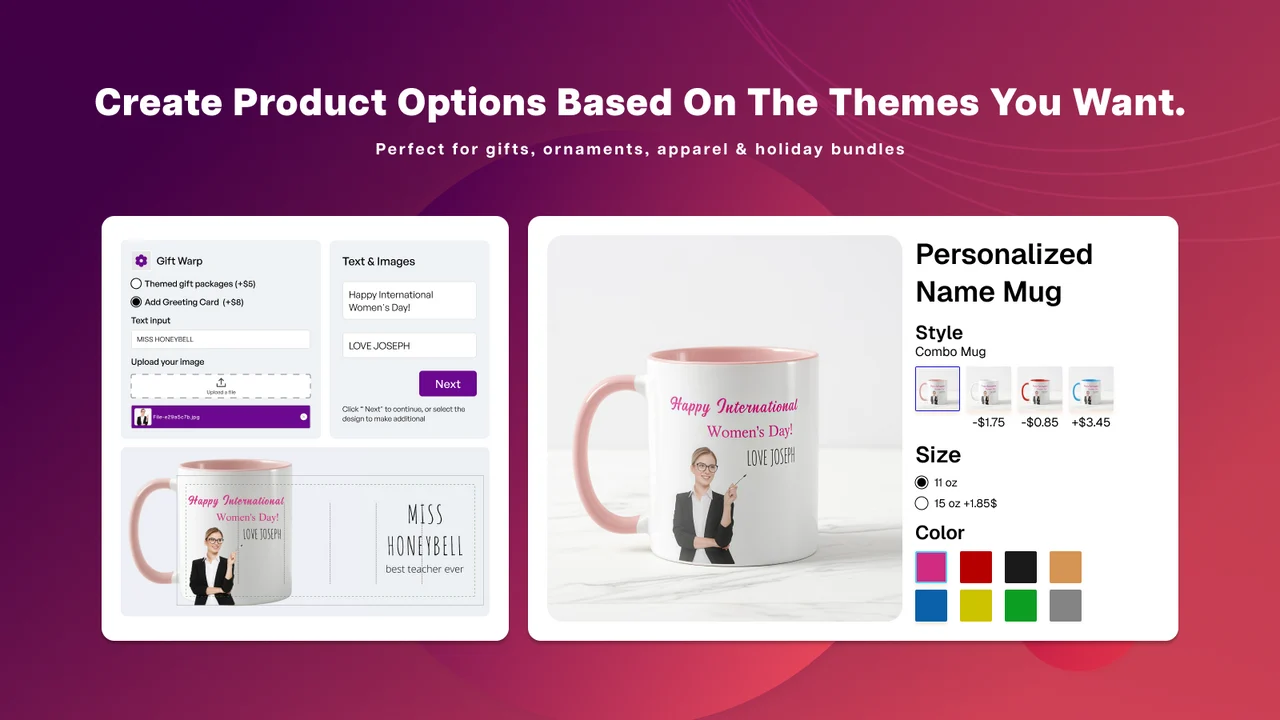
Globo includes 20 pre-designed, personalized templates to speed up setup. You can style each option to match your Shopify theme cleanly. It covers text boxes, swatches, dropdowns, checkboxes, and conditional logic. This makes it a reliable, budget-friendly pick for growing catalogs.
Key Features
- Unlimited options, unlimited products, and 15+ option types free.
- 20 pre-designed, personalized templates for fast setup.
- 17-language backend support for global stores.
- Conditional logic, add-ons, and import/export on paid tiers.
- Options styled to match your Shopify theme.
Pros
- One of the most generous free plans available.
- Widest language support in this list at 17 languages.
- Theme-matched styling keeps product pages consistent.
- No watermark, with live chat and email support on the free plan.
Cons
- Live preview only unlocks on the higher Advanced plan.
- Advanced option types need a paid upgrade.
Best For
Budget-conscious stores that need unlimited options and strong language support. It fits beginners and scaling merchants who want power without early cost.
5. AI Custom Product Personalizer
AI Custom Product Personalizer by SetuBridge is a Built for Shopify app rated 4.9 stars by early reviewers. It focuses mainly on product personalization for print-on-demand stores. The free plan covers up to 5 product personalizations and unlimited options. Shoppers add styled text, images, and uploads with a live canvas preview.
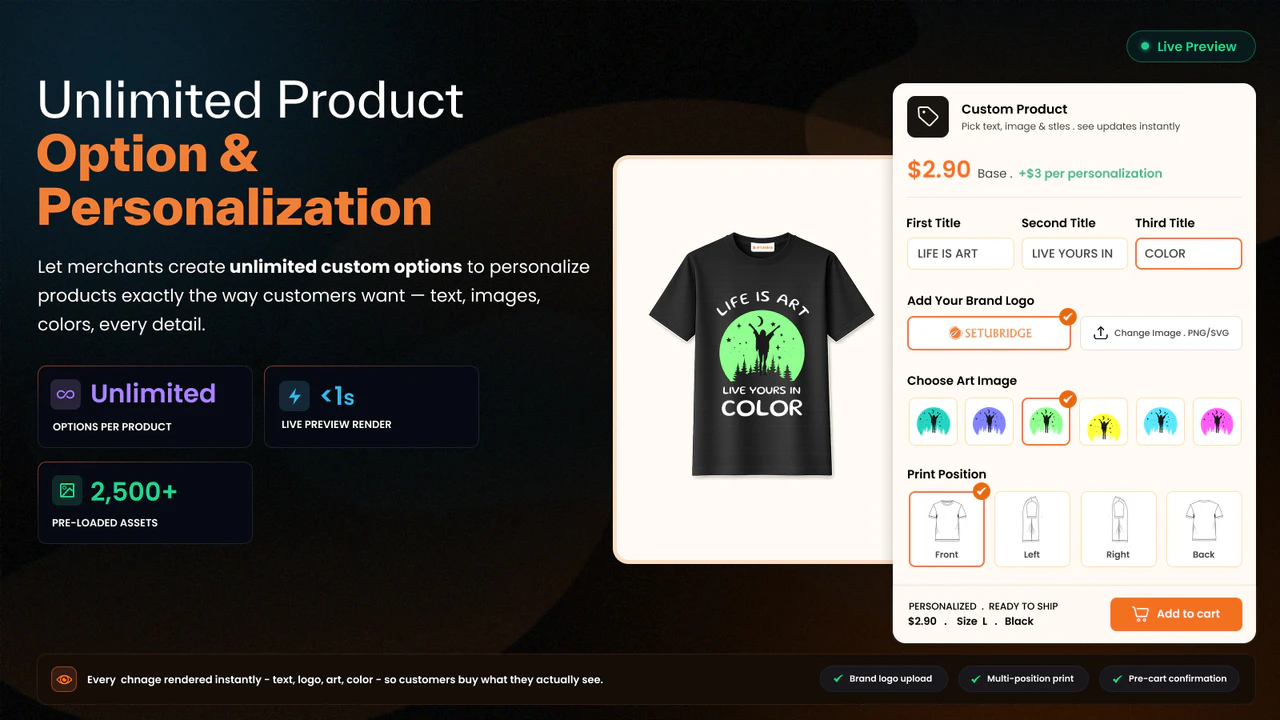
You can build multi-view templates for front, back, and side layouts. The app also offers unlimited option templates on the free plan. AI tools remove image backgrounds and export print-ready design files. Note that personalization-heavy products may load a little slowly.
Key Features
- Up to 5 product personalizations and unlimited product options are free.
- Live canvas preview for text and image customization.
- Multi-view templates for front, back, and side designs.
- Unlimited option templates on the free plan.
- AI background removal and print-ready file exports.
- Support 300 DPI.
- High-quality print-ready files.
- A faster and smoother designer experience.
- A frequently updated changelog every month.
Pros
- Strong focus on deep product personalization.
- Unlimited options and unlimited templates on the free plan.
- Real-time canvas preview reduces buyer guesswork.
- Responsive support with hands-on setup help.
Cons
- Personalization products can load slowly on the storefront.
- Free plan limits you to 5 personalization products.
Best For
POD and gift stores that want deep, design-first product personalization. It fits sellers of custom apparel, mugs, and engraved gifts with live previews.
Bonus App
6. Wow Custom Product Options
Wow Custom Product Options by WowApps combines flexible product options with more advanced product personalization. Merchants can create detailed configurations using text fields, swatches, uploads, selectors, add-ons, conditional logic, and flexible pricing to build unique buying experiences.
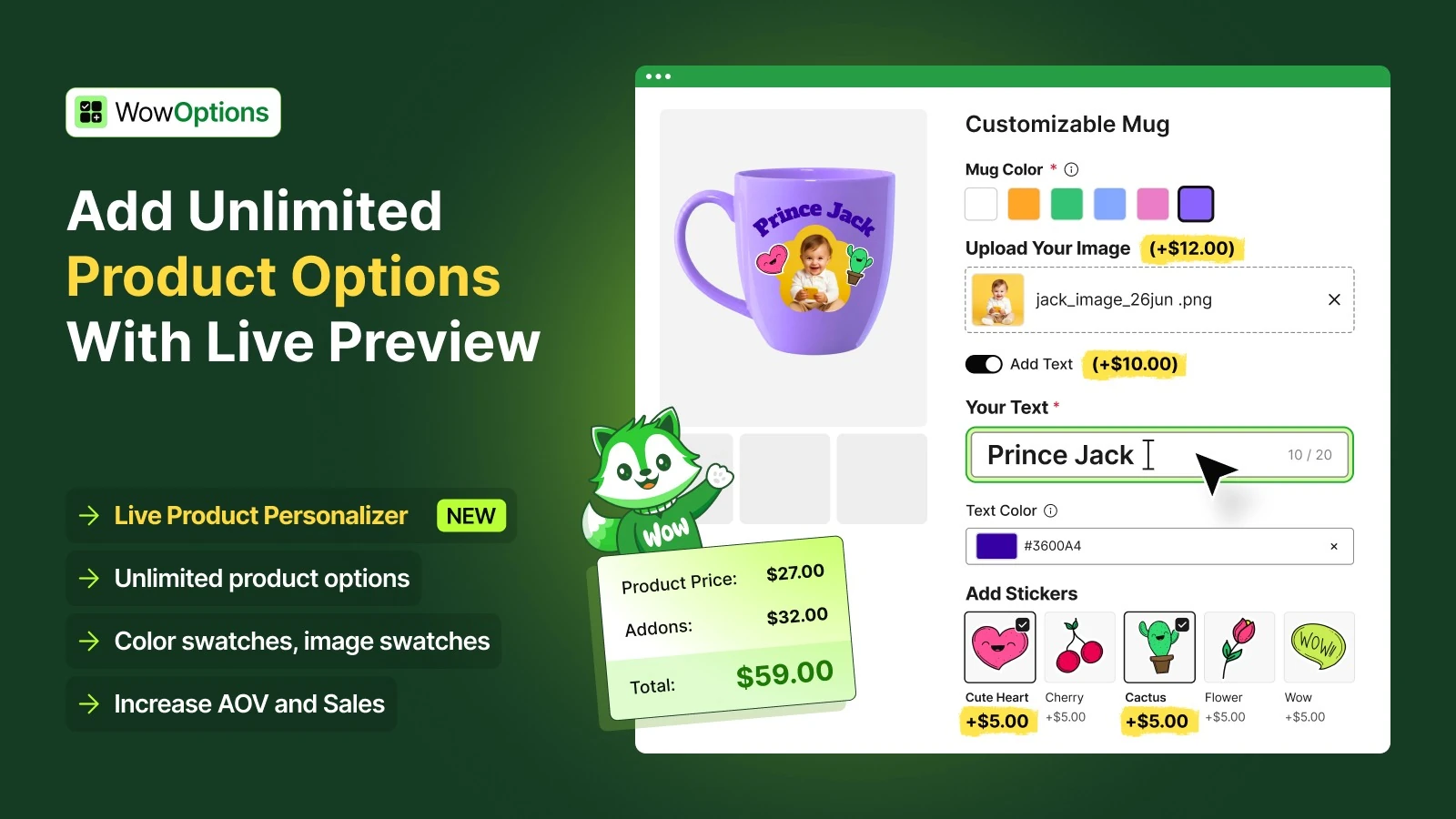
With 30+ ready-made templates for apparel, jewelry, pet products, food, and gifts, merchants can launch faster without building every option from scratch. The Live Product Personalizer adds real-time previews so customers can visualize their customizations.
Key Features
- 15+ option types, unlimited sets and products on the free plan.
- Real-time previews for text, images, colors, and designs.
- Conditional logic for showing options based on customer selections.
- Add-on pricing, products, and character-based pricing support.
- Color and image swatch sliders for large collections.
- Tooltips, pop-ups, and collapsible sections for options.
Pros
- Ready-made templates for faster personalized product creation.
- Combines product options and visual personalization in one app.
- Unlimited option sets and products even on the free plan.
- Clear upgrade path for stores that later need live product personalization.
Cons
- Advanced personalization features require a paid plan.
- Basic stores may find some features beyond their needs.
Best For
Stores selling personalized products that need ready-made setups, flexible options, pricing rules, and live visual personalization beyond basic product options.
Why Product Option Personalization Matters
Before moving to the apps, let us take a while to see why product personalisation is so important for your store today.
And believe it or not? 30% of shoppers purchased a customized product, and almost half of these shoppers would wait for it. And if that wasn’t enough, as if it could get any better, shoppers are even willing to pay a surcharge for a customized product. Would you rather have just any black coffee mug or a black coffee mug with your name and favourite quote on it?
Moreover, results become 50% more likely to convert if you give the users personalized results, and this is now catching on more and more. Personalized search using AI is now an ever-present feature, with the majority of 78% of organizations having adopted AI within their business, meaning your competitorsare probably already personalized to some degree.
Having custom fields on your products in Shopify can be helpful by; your limiting returns as buyers receive precisely what they demand, lifting your average order value via up-selling and additional items, and standing apart from your rivals that carry only ‘off-the-shelf’ products.
What Makes a Great Product Option Personalization App?
When choosing a free custom product option personalization app, you want to look for these features:
Multiple Option Types: The top apps have all the different types of customizations, such as text boxes, dropdowns, checkboxes, radio buttons, file uploads, color swatches, and image pickers. This allows you to create any kind of customization you need.
Conditional Logic: This intelligent feature will show or hide selections based on the decisions your customers make. For instance, choose “Add Engraving,” and this box pops up, asking for the text input.
Easy Setup: You shouldn’t have to be a cracking coder to get your platform up and running. Good apps have a smooth dashboard enabling you to set up all options with a click.
Works with Your Theme: Your site should remain natural-looking when the app is on the product pages and not appear as a clunky add-on that doesn’t quite fit.
Responsive Support: Even if it’s free, you want developers who are responsive to questions and issues.
No Hidden Fees: In some “free” apps, you really pay for each order, or the functionality is limited. The free apps that we mention are free to use without these hidden fees.
Let’s go through our Best free Custom Product Option Personalization Shopify Apps, which allow for advanced customisation of product options.
How to Choose the Right App for Your Store
The right product options app depends less on how many features it lists and more on the type of customization experience your store actually needs.
Want a quick setup with free analytics? Aris is a strong choice for merchants who want plenty of option types, analytics, and a clean storefront experience without a watermark.
Want lots of ready-made templates? Easify stands out with its large template library and unlimited option sets, making it useful when you want to build product options quickly instead of starting from scratch.
Need a more structured option-management system? OPTIS works well for stores that want to organize options into groups and are comfortable upgrading as their requirements become more advanced.
Need unlimited options for a large catalog? Globo offers one of the more generous free plans, with unlimited options and products along with strong language support.
Selling highly personalized or print-on-demand products? AI Custom Product Personalizer is better suited to design-heavy products where customers need to work with text, images, uploads, and a visual canvas.
Want an easier setup without giving up advanced visual personalization? WowOptions is a strong fit for stores that want to start with ready-made product option templates and customize them as needed. It includes 30+ templates for different product types and supports conditional logic, flexible pricing, add-ons, and a Live Product Personalizer for more sophisticated stores.
Before choosing an app, test it with one of your more complex products rather than a simple product with only one or two choices. Check how quickly you can create the options, how naturally they fit your theme, and what information reaches the final order. That will tell you far more than comparing feature counts alone.
Conclusion
Personalization drives 10-15% additional revenue, and depending on the industry, can lift conversion rates. The five free Shopify apps we recommend here will get you started customizing product options in no time, and you won’t have to pay for subscriptions.
And the best bit? Every app on this list offers a free plan or free tier. Forget the big budgets to fight the big brands. The faster-growing brands are generating 40% more revenue from personalization alone. And now, you can.
Start by adding options to a known, best-selling item. Observe what sells and how customers respond to your options. Gradually roll out the feature to other, less popular items as you learn what you have been missing in your products. With a good app and savvy business moves, Shopify’s custom product options can take you from a similar shop to a specialty shop.
E-commerce is personal. These free apps empower you to meet customer needs, boost sales, and build a brand that consumers love. Which app will you get first?
FAQs
1. Do free custom product option apps work as well as paid versions?
Yes, the free apps do provide solid functionality. Ideal for small to medium stores, with no sacrifice to function or customers.
2. Will adding product customization options slow down my Shopify store?
These days, the product options apps are built to be as fast as they can be; they will not cause your front-end loading times to suffer.
3. Can I use product option apps if I’m not tech-savvy?
Of course! There are zero coding skills needed for such apps. They include drag-and-drop tools, straightforward dashboards, and easy-to-follow setup instructions.
4. How do custom product options increase my store revenue?
Custom options increase revenue by raising average order values, decreasing product return rates, and demanding higher prices for higher quality in personalized items.
5. Are customization options displayed correctly at checkout and in orders?
Many of the apps work directly in the Shopify shopping cart, too! Sit back as customer choices are printed in the cart, checkout, order confirmation, and admin dashboard.

Shopify Expert
Dipen Panchal, Shopify Tech Lead at Setubridge Technolabs, brings over a decade of expertise as a Shopify Expert. Passionate about e-commerce growth, he specializes in UI/UX design, crafting intuitive, engaging solutions tailored for merchants and B2B clients to enhance user experiences.