Remember the last time you ordered a gift from the internet with your own name printed on it. Perhaps it was a mug with your name, a phone cover, or a t-shirt. It probably was a nice sensation.
That very feeling is partly the reason why product options customization has become one of the biggest trends in e-commerce nowadays.
The figures support the assertion. At the moment, around 70% of people say customized items are better than normal ones. Additionally, 48% of customers are prepared to wait longer to purchase an item that has been made just for them. Plus, one in five people will pay up to 20% extra for the privilege.
Key Takeaways
- 59% of online shoppers are more likely to buy from a store that offers product customization.
- Shopify store owners can add product customization through apps, no coding needed.
- The most powerful features include a live canvas preview, text and image personalization, and file uploads.
- Print-on-demand (POD) products like t-shirts, mugs, phone cases, and shoes benefit the most from customization tools.
- Customized products average 40–50% profit margins, much higher than standard items.
- Customers are willing to wait longer and pay up to 20% more for products made just for them.
- The global print-on-demand market is worth $10.21 billion in 2024 and growing at 26% annually.
For Shopify stores, particularly those retailing products in the POD niches (on t-shirts, mugs, shoes, cases for phones, etc.), customizing options is one of the best things you can add to your shop.
The guide will tell you exactly how to do that. We will then explain what product customization is about, why it is important for Shopify sellers, and how to implement it from the perspective of the end user. Let’s go for it.
What Is Product Options Customization?
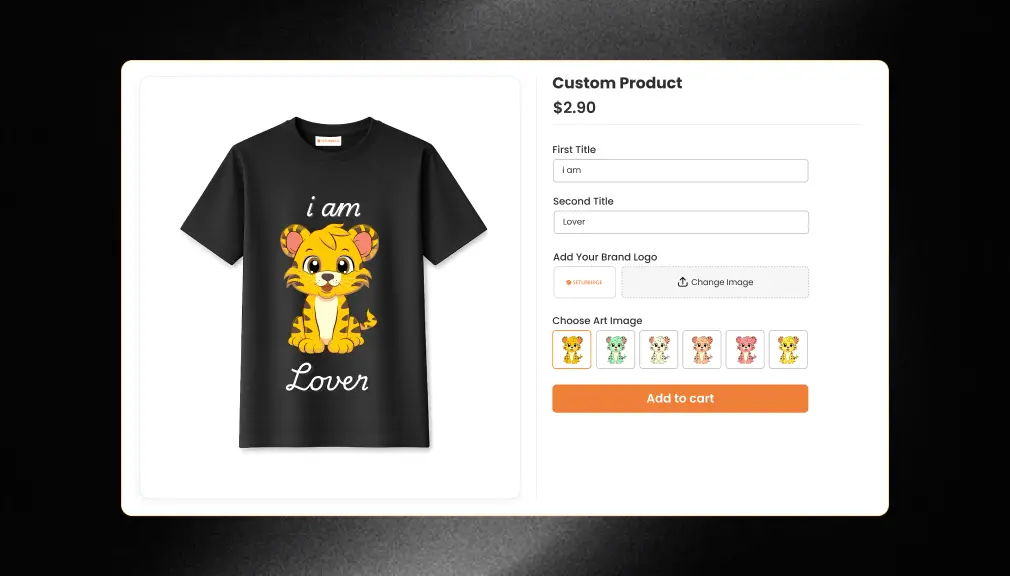
Product options customization: Give your customers the option of customizing, personalizing, and designing a product before completing a purchase. Rather than simply selecting a size or a color, the customers can:
- Add their own text (like a name or a quote).
- Upload an image or a logo.
- Choose from preset design options.
- See a live preview of the finished product on a canvas before they check out.
Think of it like empowering your customers to co-design their purchases. That experience is compelling. It builds the emotional bridge between the consumer and the product, and a purchase is made. Repeat sales follow. The customer happily recommends.
Really useful for Shopify stores that sell POD products. POD works so well when people can have something that’s really theirs: a mug with their dog’s face on it, a t-shirt with the name of their team, or a phone case with an image of their family.
Why This Matters More Than Ever
The e-commerce market is expanding at a rapid pace. By 2027, worldwide e-commerce sales are predicted to reach $8 trillion. With so much online choice, the retailers that succeed will be the ones that bring something new and personal to the table.
Here is what the data shows:
According to the Forbes State of Customer Service and CX Survey, 81% of consumers would do more business with a company that provides more personalized experiences. According to research by McKinsey, personalization can slash customer acquisition costs in half and boost revenues by a 15%. Brands that can get their personalization strategy right will also see 10 30% rises in marketing Return on Investment.
For POD sellers, particularly, that makes the figures even more incredible. The global print-on-demand industry had a value of $10.21 billion in 2024, and like many other industries, it is increasing in value at around 26% a year. And that’s not even taking into consideration the custom-made clothing industry, which in 2024 was valued at a staggering $57.55 billion, and is growing at 10.93% per year.
For those of you selling customized products onShopify, and you haven’t yet set up a system for allowing your customers to personalize their purchase, you are missing out on a lot of potential revenue.
What Features Should You Look For in a Product Options Customization Tool?
Before you decide to install an app on your Shopify store, it’s worth exploring which features actually make a difference. This is not a definitive list of what you should be looking for; rather, the key features that make a difference:
1. Live Canvas Preview
This is arguably the most important feature. A live canvas shows the customer exactly how their new product will look as they add text, upload images, or select options.
What’s so important about this? Well, it turns out the more a customer can see, the more confident they are in their purchase. A 2024 Statista survey said three-quarters of consumers feel AR or visual previews give a better idea of what the product will be like than a traditional photo or description. So a live canvas preview does the same.
Whencustomers (or clients) are able to see a live preview of their custom t-shirt or mug prior to receiving the items, they are much less likely to abandon that shopping cart. The customer has a sense that he or she “owns” the product already.
2. Text Customization
This allows customers to input their own text directly onto a product. If a text customisation feature is to be implemented, then it should (at a minimum) allow the customer to:
- Choose from different fonts.
- Pick text colors.
- Change the size of the text.
- Move the text around the product image (drag and drop).
- Add multiple lines of text.
When it comes to POD products such as t-shirts, hoodies, and tote bags, text personalization is the product feature that is used most. Birthdays, anniversaries, team names, motivational quotes, the applications are virtually limitless.
3. Image Customization
Image upload and personalization: enhances your customer orders even more by allowing your customers to upload their own photos, logos, or artwork directly to a product. This is crucial when designing personalized gifts, pet products, or sports team or business memorabilia.
A strong image customization tool should allow:
- Photo upload from a device or social media.
- Image scaling and positioning on the canvas.
- Clipart or design element libraries.
- Multiple image zones on a single product.
4. File Uploads
Occasionally, though, you need the customer to email you a file. We discovered that a file uploading tool provides a much better answer to this. Customers can upload files directly to your product page. This is especially useful with business orders, bulk printing, and other work that needs to be handled and produced delicately.
5. Multiple Product Types Support
You require a method that will be effective for all types of POD products, not just t-shirts. Discover a process that can be used to create knives, phone cases, shoes, hats, tote bags, posters, cushions, and so on. The more variety of products, the better.
6. Mobile Friendliness
This is not just a fad; a report in 2027 forecasted that 49.1% of all U.S. e-commerce transactions would be made through a mobile device. Ensure that your product customisation utility works as easily on your mobile device as it does on your desktop.
How to Add Product Options Customization in Your Shopify Store
Here is a practical, step-by-step process for adding product customization to your Shopify store.
Step 1: Decide Which Products Will Be Customizable
Start by making a list of the products in your store that make the most sense to customize. POD products are natural fits. Think about:
- T-shirts and hoodies (text, logos, photos).
- Mugs and tumblers (names, photos, messages).
- Phone cases (photos, patterns, text).
- Shoes and sneakers (color options, initials).
- Tote bags and backpacks (logos, artwork).
- Posters and canvas prints (photos, quotes).
Pick 3–5 products to start. You can always expand later once you see how customers respond.
Step 2: Choose the Right Product Options Customization App
Several apps in the Shopify App Store offer product customization features. When choosing one, check for the following:
- Does it have a live canvas preview?
- Does it support text and image customization?
- Does it allow file uploads?
- Does it work on mobile?
- Is it compatible with your current Shopify theme?
- What do other Shopify store owners say in reviews?
Another highly rated app to investigate is the Custom Product Personalizer Shopify App, an excellent choice for merchants looking to Add Product Options Customization in a Shopify Store. Built specifically for Shopify, it’s ideal for stores selling print-on-demand (POD) products. The app lets customers personalize products directly on the product page using a real-time design canvas that supports custom text, images, and file uploads. With its intuitive interface, shoppers can create unique designs without any design experience, helping boost engagement and conversions.
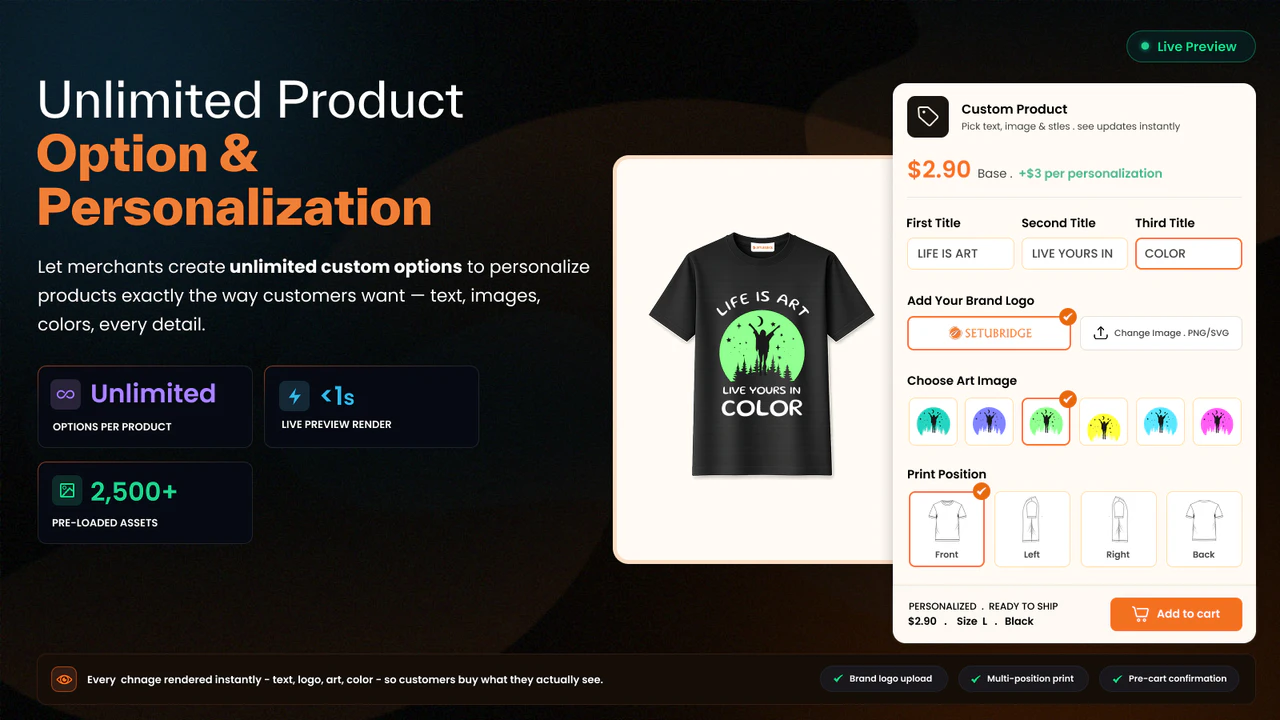
Step 3: Install and Configure the App
Once you have chosen your app, install it from the Shopify App Store. Most customization apps walk you through setup with a step-by-step wizard. Here is a general process:
a) Install the app from the Shopify App Store and grant the required permissions.
b) Connect the app to your products: Go into the app’s dashboard and select which products will have customization options enabled.
c) Set up your customization zones: define where on the product customers can add text or images. For a t-shirt, this might be the front chest area and the back.
d) Configure text options: choose which fonts are available, set any character limits, and decide if customers can change font colors and sizes.
e) Configure image upload settings: set the accepted file types (JPG, PNG, SVG), maximum file size, and any print resolution requirements.
f) Enable file uploads: if you want customers to send high-resolution design files for complex orders.
g) Preview the experience: go to your product page, and test the customizer as a customer would. Make sure the live canvas looks right and works smoothly.
Step 4: Set Up Your Pricing for Customization
Custom products should generally at a minimum be priced higher than generic products. Consumers are willing and able to pay extra for these types of products, which benefit from a 40 – 50% profitability on average, much higher than for generic products.
You can set up pricing in a few ways:
- A flat fee is added to the product price for any customization (e.g., +$5).
- Tiered pricing based on the type of customization (text only vs. text + image).
- A premium charge for file uploads or complex design requests.
Make sure your pricing is clear and visible on the product page. Surprise fees at checkout are one of the top reasons customers abandon their carts.
Step 5: Create Clear Instructions for Customers
Even with the best customization tool, some customers will need guidance. Add simple instructions to your product pages. For example:
- “Step 1: Type your name in the text box below.”
- “Step 2: Choose your font and color.”
- “Step 3: Upload your photo (JPG or PNG, max 5MB).”
- “Step 4: See your design come to life in the preview above!”
Keep the language simple and friendly. Short sentences work best. The goal is to make the process feel easy, not technical.
Step 6: Test the Full Experience
Before you go live, test everything. Go through the entire customer journey yourself:
- Add text and see if it updates on the live canvas in real time
- Upload an image and check how it looks on the product
- Try a file upload
- Add the customized product to your cart
- Go through checkout
Also, test on your phone. If the experience feels clunky on mobile, fix it before launching. First impressions matter.
Step 7: Promote Your Customization Feature
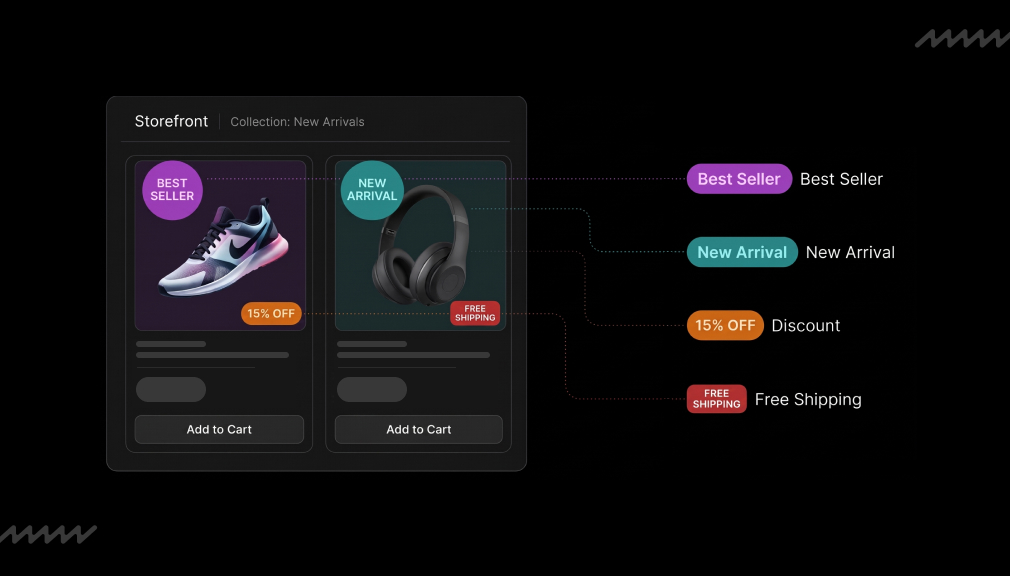
Now that your product options customization is defined, get the word out. Bring it to the homepage by offering a way for them to learn that you have customized products. Put a banner or badge on customizable product listings. Share pictures of the customized products on social media, and show user photos.
Remember; 65% of customers claim that they will have a higher loyalty to a brand that delivers personalized experiences. Informing customers that your personalized service is a significant part of the value proposition.
Real-World Use Cases: Product Options Customization in Action
To turn this into reality, here are a few ways that merchants using their Shopify Stores are currently adding product options customization:
Custom T-Shirt Shops: Type a name or upload a design, see it on a shirt before you order, it all happens seamlessly online. No back-and-forth emails. No guesswork. The live canvas does it all.
Mug Gift Stores: Users upload a pet photo, add a humorous caption, and then preview their customized mug on screen before purchasing. Such stores typically generate very high average order values because personalized gifts tend to have a lot more emotional value.
Phone Case Sellers: They pick the model of their phone, upload a picture, and then drag it to cover the design area of the case. Easy, swift, and enjoyable.
Sports Team Merch: Team managers can purchase a variety of sports team merchandise, such as custom-created jerseys or hoodies with players’ names and numbers inscribed on them. The file upload feature allows custom uploading of the team’s official logos to be printed on the sports kits.
Kids’ Personalized Products: Parents place their child’s name on backpacks, lunch boxes, or growth charts. These products have insanely loyal repeat buyers, because they purchase every new school year.
Tips for Getting the Most Out of Product Customization
The following are a few additional pointers to help you make the most of the customizable product options in your store:
Start with your bestsellers. Enhance the items that are currently popular by allowing buyers to personalize them. If customers are excited about an item, customizing it will certainly increase its attractiveness.
Use high-quality product mockup images. The nicer your base product mockup appears in the customizer, the more professional the final preview will look. Buy good mockups.
Offer design templates. Not all shoppers know what they want. Provide them with around 5–10 typical templates they can change to fit their needs. This makes customization less intimidating and speeds up decision-making.
Highlight your customization on product pages. Make it obvious what you’ve changed on your product pages, and maybe add a short video or GIF of the customizer being used. It doesn’t seem so scary when I can see it being used by someone else.
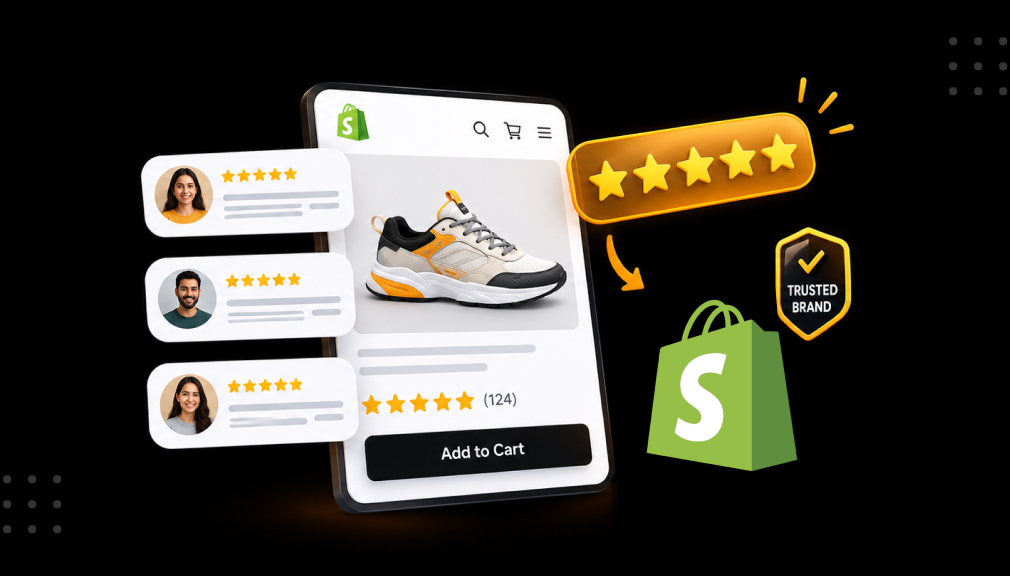
Ask for reviews on customized orders. Satisfied customers who have received a custom order tend to be some of your most passionate reviewers. Contact them and request a photo.
Conclusion
Personalization is one of the most effective strategies to scale your Shopify store in 2025. The stats are conclusive: personalized products are demanded, people are willing to pay more for them, and they are more loyal to stores that have them.
For the owners of a Retail shop that is selling POD products (t-shirts, mugs, phone cases, shoes, etc.), providing a rich customization experience is no longer an option but more and more a must.
Fortunately, the setup is very easy to use; you don’t need any sort of programming knowledge. Just pick an app that fits your store from the Shopify App Store, and within a matter of hours, your live canvas, text styling, and uploading of images and files will be available on your store. Custom Product Options for a Shopify app is exactly what it was built for, but there are others out there. The best trick is to find what works for your products and customers and then test it as thoroughly as possible, and make each experience simple.
Start small, test, adjust, grow. Your customers are eager to create a product that seems like theirs. You just have to give them the tools to do it.
FAQs
Can I add product options customization to my existing Shopify store without hiring a developer?
Yes, you can absolutely add product options customization to your existing Shopify store without hiring a developer using the Custom Product Options app from the Shopify App Store.
Will offering product customization increase my average order value on Shopify?
Definitely. Custom products have a greater value perception. Tests show that customers are ready to pay 20% more for customized products, therefore significantly boosting your store’s average order value and profit margins.
How do I make sure customer-uploaded images print clearly on POD products like mugs or t-shirts?
Inside the customization app, set the minimum upload resolution to 150–300 DPI. Notify customers before checkout if their uploads are too low quality for clean, professional printing results.
Which print-on-demand products in my Shopify store benefit most from adding customization options?
T-shirts, mugs, phone cases, hoodies, tote bags, and shoes that sell well. They are purchased on giftable occasions, so the customer has high gifting motivation, and personalization becomes a logical high-converting selling point.
How can I handle complex custom orders where customers need to submit design files for printing?
Turn on file upload in your customized app. Customers can upload large high-res JPG, PNG, or SVG files right on the product page, no more complicated email helter-skelter.

Shopify Expert
Dipen Panchal, Shopify Tech Lead at Setubridge Technolabs, brings over a decade of expertise as a Shopify Expert. Passionate about e-commerce growth, he specializes in UI/UX design, crafting intuitive, engaging solutions tailored for merchants and B2B clients to enhance user experiences.