It is 7 a.m., and your phone buzzes with an email from Google Merchant Center. Forty products are now “disapproved.” Your best seller is one of them. Nothing on your store changed overnight, so the message feels unfair.
Then you find the cause. A sale price was updated in Shopify, but the feed Google reads still showed the old price. One small number did not match. That tiny gap quietly paused ads you were counting on.
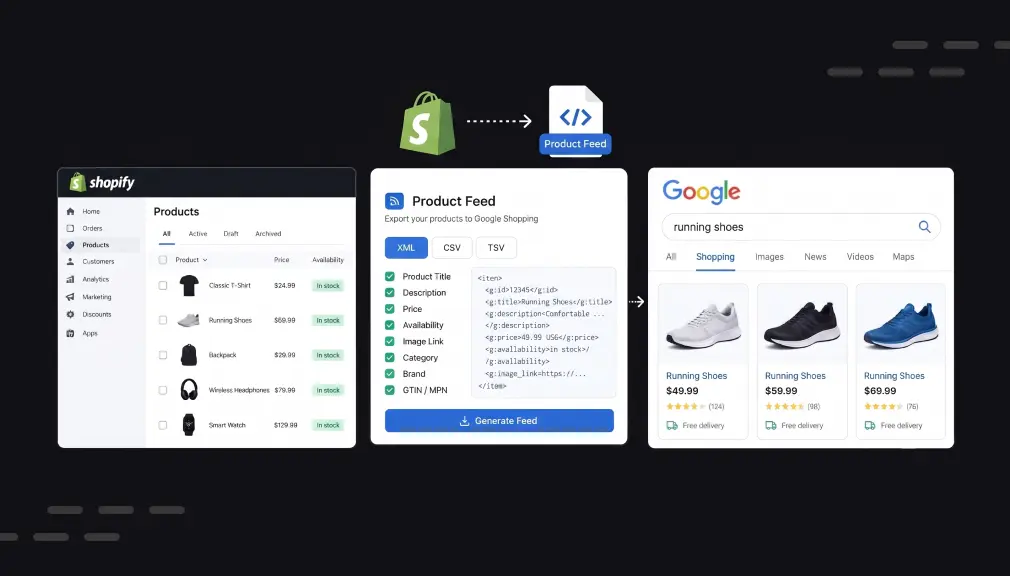
Shoppers never see your product feed, yet it decides everything they see in Google Shopping. This guide covers five Shopify Google Shopping feed apps that keep that file accurate. It also explains why feed quality shapes clicks.
Key Takeaways
- Your product feed decides what shoppers see, so small errors can switch off paid ads.
- Price and stock mismatches between feed and store are common causes of disapprovals.
- A good Shopify product feed app fixes errors with rules, not manual edits.
- Choose by channels, markets, and catalog size, not feature count.
- Keep product IDs unchanged when switching apps to protect ad history.
Quick Comparison of the Top 5 Google Shopping Feed Apps
Match your biggest feed problem with the workflow built around it. Details come from app listings and merchant reviews checked in September 2026.
| App (Developer) | Built for Shopify | How Billing Scales | Free Option | Merchant Pain Point It Targets |
| Simprosys Google Shopping Feed by Simprosys | No | Product count plus add-ons | 21-day trial | Feeds drifting across many ad channels |
| Multifeed Google Shopping Feed by WoolyTech | Yes | Products and feeds | Free plan + 7-day trial | Field-level control without editing products |
| Mulwi | 200+ Shopping Feeds by Mirasvit | Yes | Products, feeds, Shopify plan | Free plan + 7-day trial | Comparison and affiliate site feeds |
| FeedHub: Google Shopping Feed by OneCommerce | Yes | Variants and feeds | Free plan + 14-day trial | Fast, clean setup for Google, Meta, TikTok |
| AR: Google Shopping Feed Pro by Apps Robots | No | Per 1,000 products | 14-day trial | Google-first, variant-heavy, or local stores |
The Top 5 Shopify Google Shopping Feed Apps in Detail
1. Simprosys Google Shopping Feed
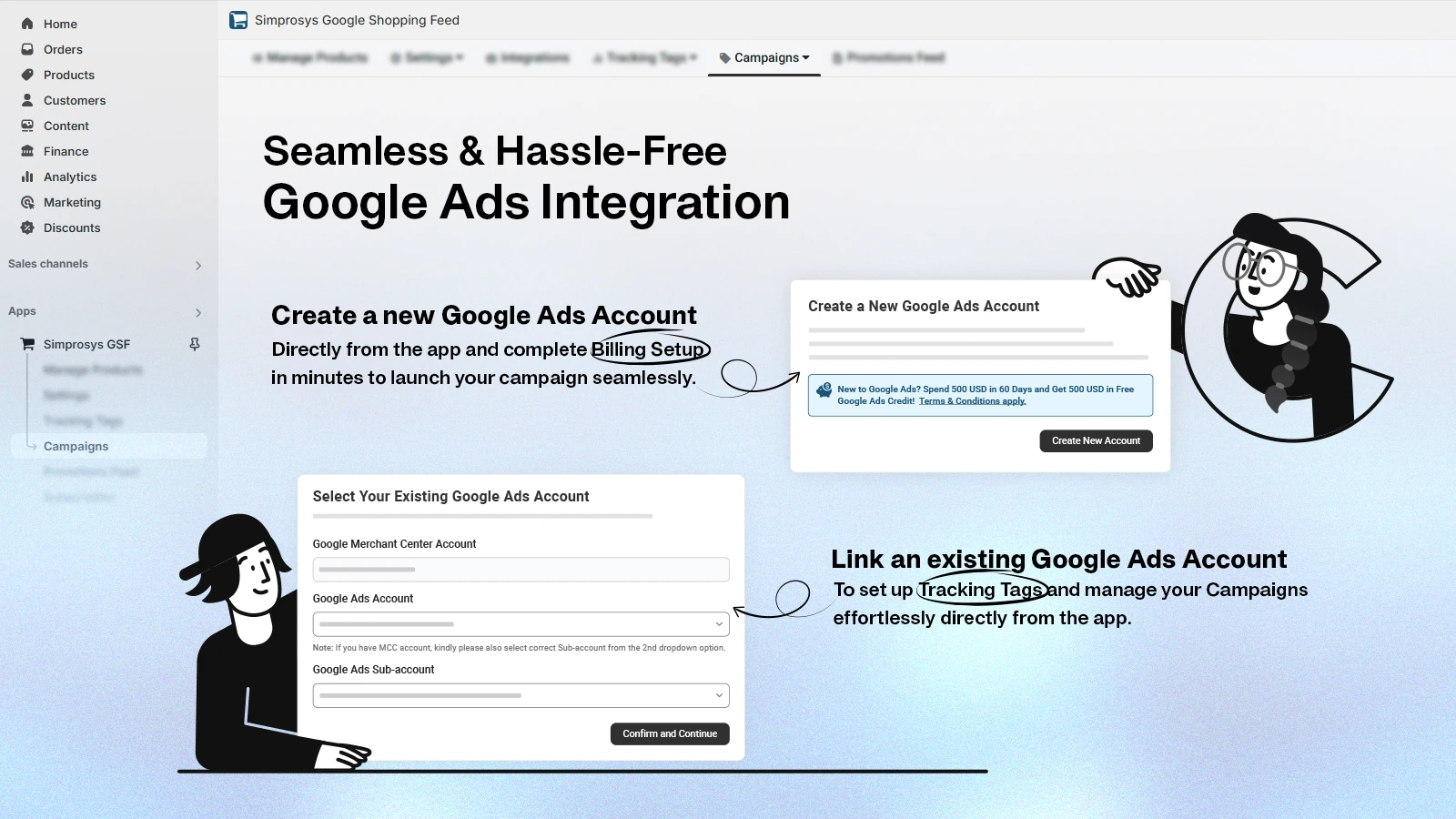
Simprosys Google Shopping Feed by Simprosys InfoMedia sends your Shopify catalog to Google Shopping, free listings, Microsoft Advertising, Meta, and Pinterest. It has served Shopify merchants since 2017. The app also sets up conversion tracking, GA4, and Consent Mode V2 through Shopify’s Web Pixels API. Your feed data and ad tracking stay in one dashboard.
The main problem it tackles is feed drift across many channels and markets. Automated FeedRules, bulk editing, and metafield mapping correct data without touching each product. Shopify Markets support adds separate feeds for each country, currency, and language. You can also create and manage Performance Max campaigns inside the app. An optional AI tool rewrites titles and descriptions for a one-time fee.
Key Features:
- Support finds duplicate feed sources causing missing products and price mismatches.
- Changes reach Merchant Center within minutes.
- Custom mappings pull details from metafields into tailored feeds.
- Support helps set automated minimum-price rules step by step.
- The team resolves local inventory setups inside Merchant Center.
- Merchants credit it for Pinterest fixes and building a feed for GPT ads.
- Stores add server-side tracking for cleaner conversion data.
Ratings and Reviews: 4.9 out of 5 from about 4,894+ reviews, with 97% five-star ratings (September 2026).
Best For: Multi-channel, multi-market stores wanting feeds and tracking in one place.
Use It Wisely: Remove other apps sending the same products to Merchant Center first, since two sources create duplicates. Then review consent settings so conversions keep flowing.
Pricing:
- $4.99/month (500 products), $8.99 (1,000), $13.99 (5,000), $17.99 (10,000)
- 21-day free trial; AI optimization add-on at $1 per 25 products
2. Multifeed Google Shopping Feed
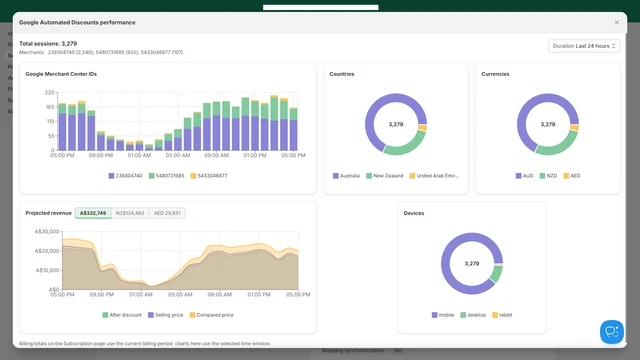
Multifeed Google Shopping Feed by WoolyTech carries the built-for-Shopify badge and has served merchants since 2020. It creates high-quality feeds for Google, Meta, TikTok, and any custom platform you use. Feeds go out through the Merchant API or as XML, TSV, CSV, or JSON files. You can schedule feed runs at set times of day, and your first schedule is free.
Its standout workflow is expression-based attributes. You reshape any field with rules and filters while your Shopify products stay untouched. The app also adds server-side tracking for Google Ads, GA4, Meta, and TikTok through your own domain. Google Automated Discounts links come with in-app performance reports.
Key Features:
- Product and variant metafields drop in easily, then it runs quietly.
- Separate feeds per country and language from one store.
- Support connects extra fields like product highlights.
- Reshape almost any field and reverse it with one click.
- Merchants report being fully set up within a day or two.
- Support traces attribute issues quickly, sometimes within minutes.
- Feeds match the precise format each channel requires.
Ratings and Reviews: 4.9 out of 5 from about 1,108+ reviews, with 97% five-star ratings.
Best For: Merchants who want precise field control and multiple language or currency feeds.
Use It Wisely: Expressions take a little learning, so lean on the docs during setup. When migrating, copy existing product IDs exactly to keep your performance history.
Pricing:
- Free plan: 10 products (1,000 variants)
- $5.95/month (1,000 products), $15.95 (3,000), $25.95 (10,000); 7-day free trial
3. Mulwi | 200+ Shopping Feeds
Mulwi | 200+ Shopping Feeds by Mirasvit Ecommerce Solutions is a built-for-Shopify app launched in 2019. It offers ready templates for over 200 channels, including Google Shopping, Meta, Bing, Awin, Idealo, and PriceRunner. You can also build custom XML, XLSX, CSV, or TXT feeds. Shopify Markets, price lists, and automatic translations localize each feed.
It solves the problem of reaching many channels without rebuilding data each time. Filters decide which products enter each feed. Quality Control insights point out weak data before a channel rejects it. Product changes sync instantly, even for stores with over one million products. The team will also build and set up any feed for free.
Key Features:
- Flexible templates handle very large catalogs.
- Support arranges licenses across several stores to save costs.
- Support reviews Merchant Center and spots shipping or country-targeting fixes.
- Catalogs with metafields and translations sync smoothly.
- Support persists until partner sites read every feed detail.
- Supports newer formats like ChatGPT and OpenAI product feeds.
- Advanced mapping supports Liquid logic for custom outputs.
Ratings and Reviews: 5.0 out of 5 from about 603+ reviews, with 97% five-star ratings.
Best For: Stores selling through comparison sites, affiliate networks, or many marketplaces.
Use It Wisely: Pricing varies by Shopify plan, so check the full Pricing page first. Customization and translations start on paid tiers.
Pricing:
- Free plan: 50 products, 2 feeds
- $15/month (1,000 products), $19 (2,500), $38 (10,000) on Basic Shopify; 7-day free trial
4. FeedHub: Google Shopping Feed
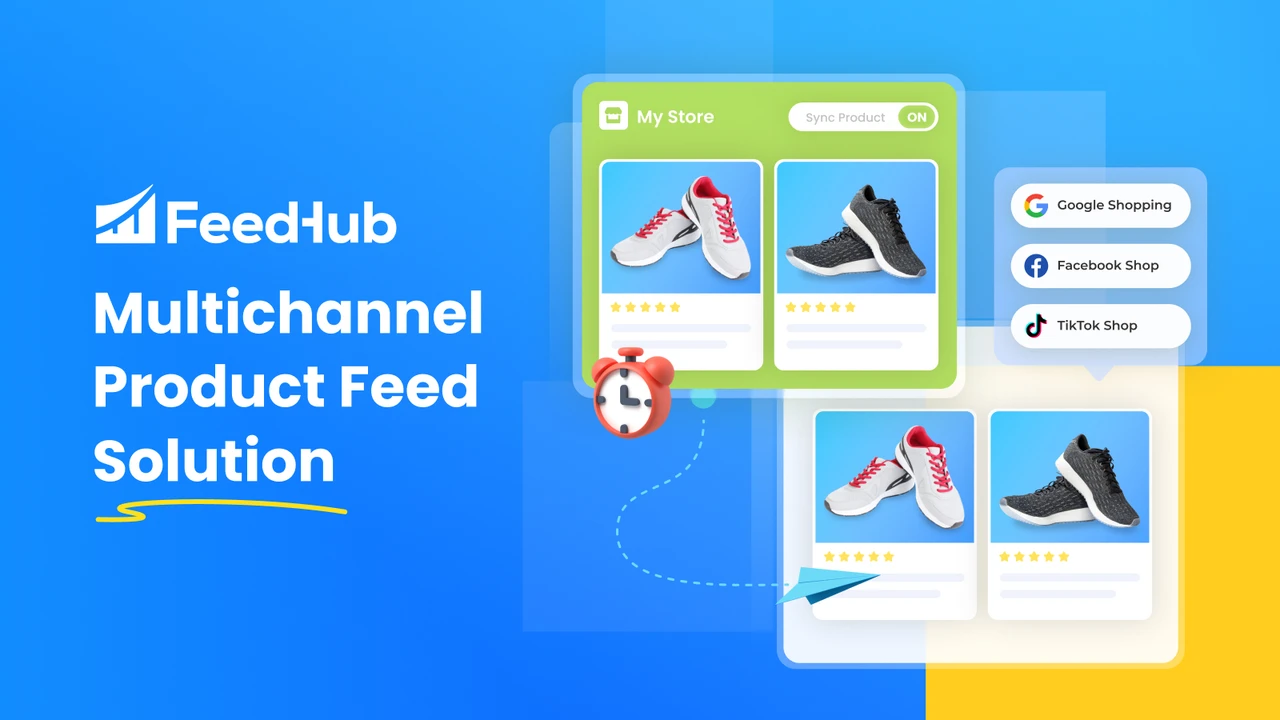
FeedHub: Google Shopping Feed by OneCommerce is a built-for-Shopify app, formerly known as SocialShop. It creates XML feeds for Google Shopping, Google Merchant Centre, Facebook Catalogue, and TikTok Shop. Feeds are submitted and updated automatically. You can customize up to 84 fields, and advanced filters control which products each channel receives.
Its main job is getting a clean, working feed live quickly. A feed score with recommendations shows what to fix first. Multi-language and multi-currency feeds support ads in several markets. The app handles catalogs of up to one million products and variants. OneCommerce keeps a public changelog, so you can track new features as they ship.
Key Features:
- Feeds often run within minutes of installing.
- Currency conversions and stock updates flow into the feed automatically.
- Merchants clear Google’s “needs attention” warnings.
- Support resolves Meta sync issues fast and shares progress updates.
- The team walks merchants through complex setups using screenshots.
- Rules and mapping shape images and variants per channel.
- Frequent updates are posted on a public changelog.
Ratings and Reviews: 4.9 out of 5 from about 441+ reviews, with 96% five-star ratings.
Best For: Small and growing stores wanting simple setup across Google, Meta, and TikTok.
Use It Wisely: Plans count variants, not products, so tally variants first. Choose a paid plan for hourly sync if prices change often.
Pricing:
- Free plan: 50 variants, 1 feed
- $9.90/month (500 variants), $29.90 (5,000), $49.90 (10,000); 14-day free trial
5. AR: Google Shopping Feed Pro
AR: Google Shopping Feed Pro by Apps Robots has built Google Shopping XML feeds for Shopify stores since 2017. Its focus stays firmly on Google. It supports multiple countries, languages, and currencies for stores selling worldwide. It also creates regional inventory and local inventory ads feeds. The same XML can be reused for Bing and Meta.
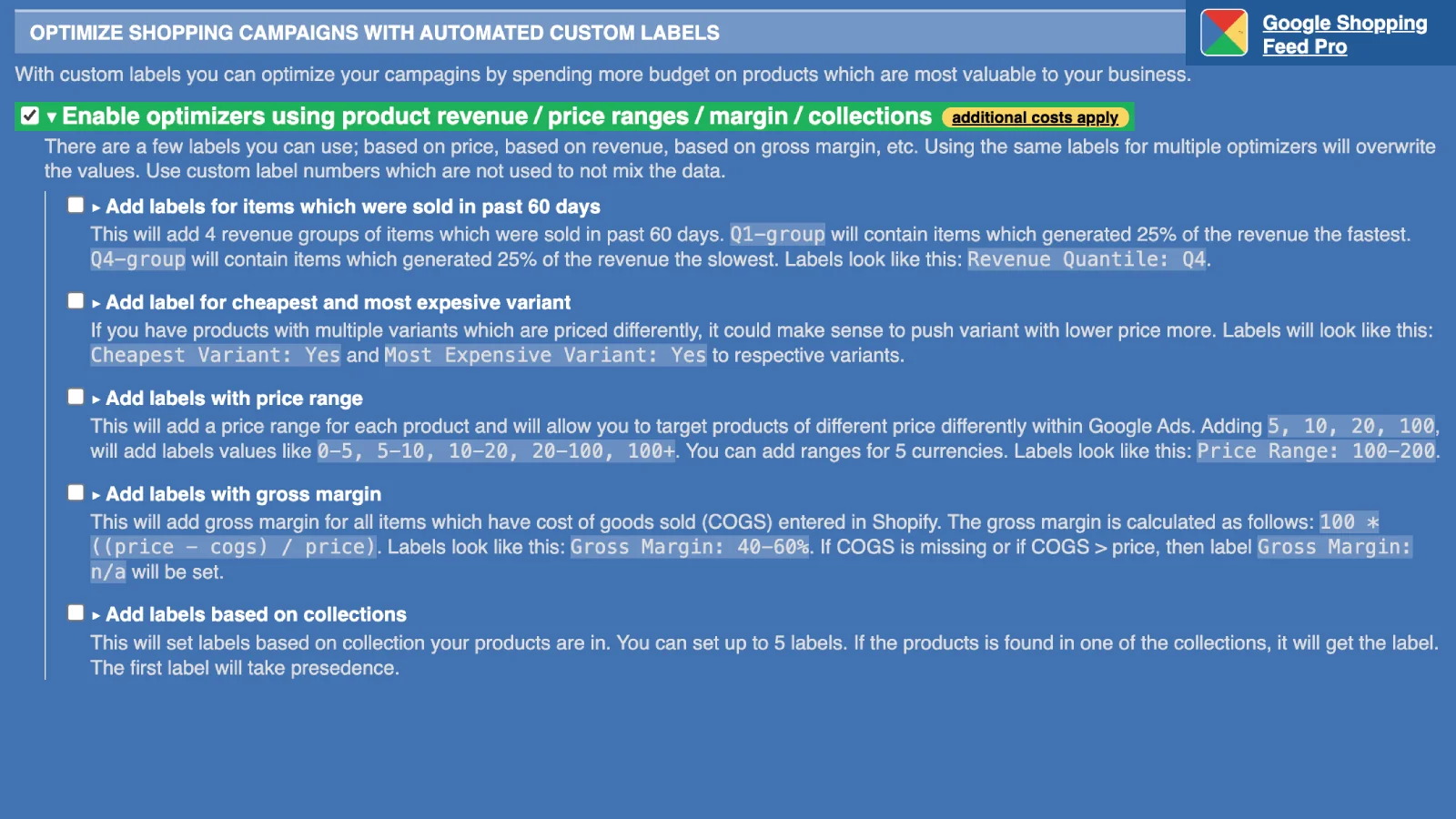
The problem it solves is clean Google data for stores with complex catalogs. Metafields, metaobjects, and tags enrich product details. Filters by collection, price, title, and stock keep the wrong items out of your feed. Custom label optimizers group products so you can bid smarter. Variants are free, which suits stores with many sizes and colors.
Key Features:
- Support builds custom feeds for sites like Idealo with advanced rules.
- Complex product exclusion rules help clean up the feed.
- Local inventory ads feeds get approved in Merchant Center.
- Multi-currency feeds help launch Shopping ads abroad.
- Support added Shopify’s “Unlisted” status handling the same day.
- Some merchants have used it reliably for over seven years.
- Support restores products that stop showing in Shopping.
Ratings and Reviews: 5.0 out of 5 from about 258+ reviews.
Best For: Google-first stores with many variants, local inventory ads, or plans to expand abroad.
Use It Wisely: Support focuses on Google feed issues, so plan Bing or Meta help separately. Use custom labels only for groups you will bid on differently.
Pricing:
- $1 per 1,000 products per month, minimum $7; variants free
- 14-day free trial
What Is a Google Shopping Feed App?
A Google Shopping feed app turns your Shopify catalog into a file Google can read. It lists each product’s title, price, image, stock, and GTIN. The app updates that file whenever your store changes.
Why Product Feed Quality Decides Who Clicks
Shopping ads carry most retail ad activity on Google. Shopping ads drive about 85% of Google Ads clicks and over 75% of US retail search ad spend. Also, about 36% of shoppers started their product search on Google in 2025. Your feed is what those shoppers actually see.
Shopping results work like a shelf of products placed side by side. Shoppers scan images, prices, and titles in seconds, then click the option that feels clearest. A vague title or weak image makes a shopper work harder to understand the product. Most people simply pick the listing that takes the least effort to judge.
The bigger risk comes after the click. If the ad shows $39 and the page shows $45, shoppers feel misled. That broken promise ends the visit and weakens trust. Google also flags such mismatches and can disapprove the product.
Where Your Product Feed Shows Up
One well-built feed can power listings in many places:
- Google Shopping ads, Performance Max, free listings, and local inventory ads
- Meta, Instagram, TikTok, Pinterest, and Microsoft Advertising catalogs
- Comparison and affiliate sites such as Idealo and Awin
When to Use a Feed App (and When to Hold Off)
A feed app pays off when manual fixes start eating your week. Signs include rising disapprovals, late price updates, or plans to sell abroad.
Hold off if you sell a few products in one market with no errors. Only create feeds you will actively monitor. Never let a feed show a price or stock level your store cannot honor.
How to Switch Feed Apps Without Losing Ad History
Google ties each item’s performance history to its product ID, so protect it:
- Export your current product IDs from Google Merchant Center.
- Set the new app to use the same ID format.
- Pause or remove the old feed source before the new one goes live.
- Watch the Diagnostics tab for a few days and fix new warnings early.
Conclusion
Your product feed is a small file, but it shapes every Shopping listing a buyer sees. Clean titles, matching prices, and live stock help shoppers decide quickly and click with confidence. Errors quietly pause the ads you rely on.
Pick a feed tool by your channels, markets, and catalog size. Protect product IDs when switching, and keep feed data honest. Small data fixes can matter as much as a bigger ad budget.
FAQs
What does a Google Shopping feed app do for a Shopify store?
It turns your products into a feed Google Merchant Center accepts. It then keeps prices and stock in sync.
Why are my products disapproved in Google Merchant Center?
Common causes are price or stock mismatches, missing GTINs, and image problems. Faster syncing and field mapping prevent many of them.
Can I use one feed app for Google, Meta, and TikTok?
Yes, several apps create multi-channel feeds from one dashboard. Check supported channels before installing.
Will switching feed apps reset my Google Shopping performance?
Not if you keep the same product IDs. Google links history to each ID.
How often should my product feed update?
As often as prices and stock change. Stores with daily changes should use hourly or real-time sync.