Quick Summary: Shopping online should be convenient and efficient. However, a large number of stores lose customers at checkout because checking out is too slow in their store. One-click checkout solves this problem; it lets customers purchase products with a single click and bypass the lengthy checkout process. In this post, we’re going to explain what one-click checkout is, how it works, and how you can add one-click checkout to your store to increase sales and make your customers happier.
Have you ever thought about how easy it is to check out on your website? How many fields do people have to fill out on your forms? Do you have a guest checkout option, or do you have to make an account? Are your fees easy to understand?
All of these things have a big effect on how many people sign up for your site. Surprisingly, 17% of shoppers leave their carts because the checkout process is too long or hard. Another 24% leave when they are made to sign up for an account, and a shocking 48% leave because of hidden fees.
Key Takeaways
- One-click checkout allows consumers to purchase items with just one click, after they have saved their payment and shipping information.
- 45% of merchants in the US want to offer one-click checkout options to increase sales.
- 70% of online shoppers abandon their cart, with half of that 70% saying it is mainly due to a lengthy or complicated checkout process.
- Using a one-click order functionality can lead to a massive boost in customer spend and engagement.
- Popular platforms, such as Shopify, have made it incredibly easy to add one-click checkout to your store.
- Trust and security are very important when rolling out one-click payment systems.
If your checkout isn’t set up well, it can hurt your e-commerce site. Thanks to new technologies, buyers can now make their purchases with just a few clicks. The best answer is “One-click Checkout.” With this game-changing technology, you can speed up the checkout process and get more customers to buy.
What is the 1-click Checkout Process?
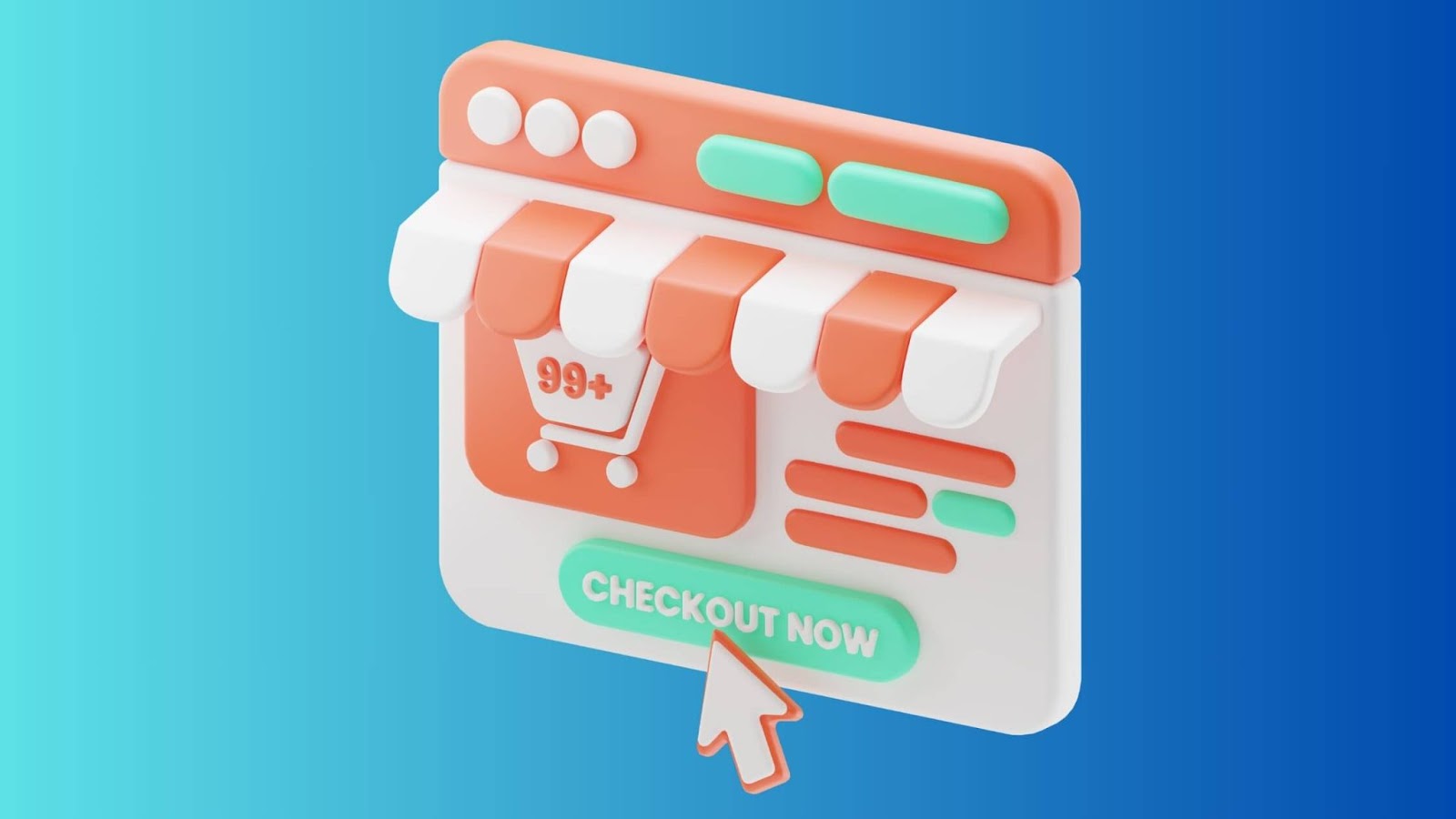
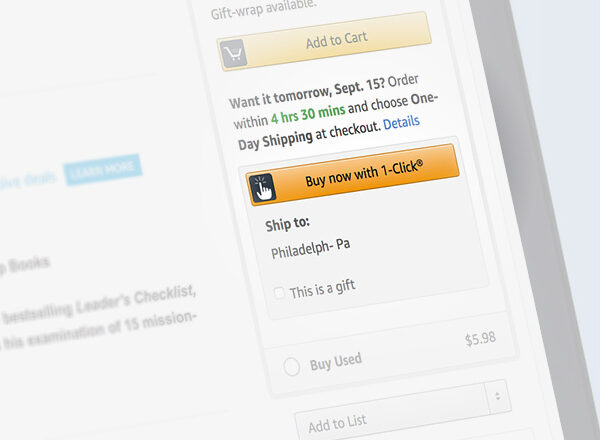
Imagine making the checkout process for your online store a fast, one-click wonder. “One-click checkout” is a revolutionary feature that lets customers finish their orders with just one click, instead of having to fill out long forms and type in their contact, payment, and shipping related information by hand.
Once a shopper makes their first purchase, their information is stored safely, setting the groundwork for easy shopping in the future. No more tediously repeating information; instead the checkout process will go smoothly.
What does this have to do with anything? It cuts greatly the number of carts that are left empty, boosts conversion rates, and creates loyal customers. It’s the key to a shopping trip that makes people want to come back again and again.
In 1999, Amazon pioneered a game-changing feature known as “One-click Checkout.” This revolutionary concept swiftly spread across the digital landscape, embraced even by payment giants like Stripe. Imagine this: You, a savvy shopper, hold an account with a payment processor offering this convenience.
Picture visiting any online store with this magic button. You click, log in, and voila – a seamless, lightning-fast checkout experience awaits you. One-click convenience at your fingertips.
So, eCommerce leaders should think about adding one-click checkout, which is the fastest way to success. Not only does it streamline the shopping experience for customers, but it also drives the progress of your business. In the world of shopping, everyone wins when you can check out with just one click.
Why It Matters:
It is well documented that 70% of online shopping carts are abandoned before a purchase. While there are many reasons for this, one of the most common is a long or complicated checkout. That’s where one-click checkout comes in. By eliminating the barriers to completing a purchase, you’ll make it simple for customers to complete a purchase, and possibly lead to repeat purchases. For example, Shopify’s Shop Pay has increased checkout-to-order rates by 1.72 times from previous standard checkouts.
How Does One Click Checkout Work?
Honestly, the tech powering one-click checkout is totally straightforward – but powerful. Here’s what happens whenever a customer completes their first purchase:
- First Purchase Setup: The customer naturally enters their payment info, shipping address, and billing info.
- Secure Storage: The system stores this information securely and encrypts it.
- Account Creation: An account for the customer is automatically created or linked to an existing account.
- Future Purchases: When customers make purchases again, they simply click “Buy Now,” and they receive the order!
The magic of one-click checkout takes place behind the scenes. The payment processor verifies the method of payment, the shipping (or delivery) systems begin to prepare the order, transaction confirmations are sent (by the payment and ecommerce websites), and the customer doesn’t have to do anything more.
Features of One-Click Checkout Solutions
One-click checkout solutions offer several components to help manage the shopping experience and provide business value. Here are some of the key components:
1. Pre-Filled Information
The best part is that customers only have to fill out their info once. Once they’ve made their first purchase, when they make further purchases, the information is automatically pulled and filled in for them, like their shipping addresses and payment methods. This cuts down the time they’ll have to spend at checkout!
2. Multiple Payment Options
A lot of solutions even provide many payment types to choose from as well, such as credit cards, debit cards, digital wallets (Apple Pay, Google Pay), and payment plans (Shop Pay’s pay-in-installments feature, for instance). The flexibility offers customers options and caters to their many preferences!
3. Mobile Optimization
One-click checkout is created for mobile-first or mobile-friendly experiences. Solutions like PayPal One Touch and Razorpay Magic Checkout are set to make purchases easier on small screens with user-friendly experiences. This reduces friction for mobile shoppers!
4. Customization
Merchants can personalize their checkout flow to create a graffiti tangle as well. For instance, Shiprocket Checkout allows merchants to configure the look and feel of their checkout page, which means a completely branded checkout presence.
5. Security Measures
Many top-level providers are protecting customer data with encryption, two-factor authentication, and PCI compliance. For example, Stripe’s Link offers fraud protection and hassle-free login by verifying customers via email.
6. Analytics and Insights
Some platforms, like Bolt and Shop Pay, provide analysis around checkout performance, conversion rates, or customer actions as it relates to checkout performance to prime merchants for optimizations.
7. Abandoned Cart Recovery
Tools such as Shopify’s CartPop let merchants send one-click checkout links to customers who abandoned their carts and help increase the odds of the customers converting.
This functionality makes one-click checkout a valuable tool for customers and businesses, creating a win-win situation.
Benefits for One-click Checkout?
One-click checkout definitely changes the way people shop online. Imagine a hassle-free experience where all it takes to buy something is one click. In this short guide, we’ll talk about the amazing benefits of One-Click checkout, which makes shopping online easier and more handy than ever. Because it offers too many perks in one-click checkout, it would be quite easy to see why more and more retail stores are using this.
- Lower-down Errors
The best part is, customers don’t have to fill up the form again and again and enter their personal information again and again. It will eventually help to lower down the possibilities of errors.
- Improve User Experience
As per the Research by Cornell, it is published that 70% times, online shoppers avoid buying online if their checkout process is too complicated. Customers will gain best-in-class experience.
- Mobile-Friendly Option
With One-click checkout, it will help you to avoid the use of multiple checkout pages, and it’s helpful for the customers for using smaller screen devices such as mobiles and tablets.
- Reduce Cart Abandonment
From the retailer’s point of view, one-click checkout helps make more sales, lowers the rate of cart abandonment, and makes customers happy with their overall shopping experience. Any business that wants to grow with little investment can focus on one-click checkout to make customers more loyal and increase the number of sales that are completed.
- Fast and Easy Checkout
One-click checkout’s most clear benefit is that it saves time. The payment process is easy for customers, so they can go from “just browsing” to “got it” in fewer steps. People who don’t like to fill out long forms with their personal information and payment information will have less reason to put off buying things.
- Time-Saving
Customers can complete the transactions in seconds because, once the user lands on the payment page, all the required information will be added automatically.
One-click Checkout Possibility Risks
Even though one-click checkout is easy, users and businesses must be aware of the following risks:-
- Accidental Purchases: Users can accidentally make a buy they didn’t mean to make with just one click. This will make customers furious and cost your business money.
- Concerns about Security: Storing payment information from users raises security risks. If someone gets into a user’s account, their banking information could be at risk.
- Unauthorized Access: If someone gets into a user’s gadget or account without permission, they can buy things without the user’s permission. This could lead to a fight or a refund.
- Lack of Review: The traditional review method is skipped over by one-click checkout. Users might not be able to double-check their orders, which could lead to mistakes.
- Limited Options to Pay: Most of the time, users can only use one payment method with a one-click checkout.This could turn away possible customers who would rather pay in some other ways.
What are the best One-click Checkout options?
So, after understanding the benefits of the one-click checkout process, let’s understand some of the best and efficient ready to offer One-click checkout options for your eCommerce stores. Here are some of them:
- Shop Pay
- Bolt
- PayPal One Touch
- CartPop
- MetaPay
- Google Pay
How to Offer One-Click Checkout on Your Store
Setting up one-click checkout is generally easy, especially with platforms like Shopify, WooCommerce, or BigCommerce. Below is a guide on implementing one-click checkout, which primarily focuses on one-click checkout Shopify solutions.
Step 1: Choose a Platform or Provider
Weigh your choices of an eCommerce platform or payment processor that supports one-click checkout. With various offerings currently available, consider starting with one of the following:
- Shopify (Shop Pay): Free for Shopify merchants, easy for you to set up, integrates with social media, and does not need extra third-party app setup.
- Stripe Link: Provides you with a prebuilt checkout form, fraud protection, and login experiences designed for mobile.
- Bolt: Convenient network of merchants and shoppers, order tracking, and abandoned cart recovery.
- PayPal One Touch: Lets customers check out without logging in to the PayPal site, email, or app. Customers’ trust will be tied directly to PayPal’s brand name.
- Razorpay Magic Checkout: Best experience for mobile optimization, automatic coupon application for customers.
Step 2: Sign Up and Configure
- For Shopify: Go to your Shopify admin, navigate to Settings > Payments, and enable Shop Pay in the wallets section. This is free for Shopify Payments users.
- For Other Platforms: Install a plugin or SDK (e.g., Shiprocket for WooCommerce) or integrate via API for custom solutions.
Configure your preferred payment gateways (credit cards, digital wallets, etc.) and ensure PCI compliance.
Step 3: Customize the Checkout Experience
With customization tools, you can customize the checkout page to suit your branding. For example, Shiprocket allows UI customization, while Shopify has checkout UI extensions that allow for upselling or loyalty options.
Step 4: Test the Checkout Process
Run test transactions to ensure everything works smoothly. Check for:
- Speed: The checkout should be fast and responsive.
- Accuracy: Pre-filled details should be correct.
- Security: Verify that payment data is encrypted and secure.
Step 5: Promote One-Click Checkout
Make it easy for customers to opt in to one-click checkout and make its advantages clear. Use a “Pay with Shop Pay” button on product pages, for instance, and utilize abandoned cart emails with one-click checkout links.
Step 6: Monitor and Optimize
- Evaluation: Use platform analytics to monitor checkout performance and make adjustments.
- Regular Assessments: Perform a compliance and security assessment to maintain trust.
Considerations for Choosing a Solution
- Popularity: Select a well-known company (ex., PayPal, Apple Pay) so customers already have an account, and don’t have to set up a new account, decreasing friction.
- Compatibility: Ensure the solution you select can integrate seamlessly with your platform.
- Cost: Some solutions are free (ex., Shop Pay), while buying a solution (ie, Instant Checkout) may incur fees.
If you take these steps, you can provide one-click shopping that enhances the buying experience and drives your sales!
Apply One-click Checkout Today
Picture this: You’re running an online store, and you want to make shopping a breeze for your customers. That’s where One-click Checkout comes in. This game-changer not only boosts impulse buys but also slashes cart abandonment rates. Imagine having a system that securely stores customer data, ensuring lightning-fast checkouts.
It’s a must-have for any online business. Don’t miss out on the power of One-click Checkout for a seamless shopping experience. So, as you’re an online merchant, enable this One-click Checkout, so that customers can tap to buy instantly and heighten the sales number.
Conclusion
One-click checkout is an amazing tool for e-commerce sites. The power of one-click checkout is that it provides a speedy, secure, and simple way to complete purchases and pay. Reducing the amount of cart abandonment, increasing conversions, and driving repeat customer loyalty are some key benefits of one-click checkout for modern online retail sites. Platforms like Shopify make it simple to add one-click checkout solutions to your store. Options provide full features and seamless checkout integration, including: Shop Pay, Stripe Link, and Bolt. No matter if you are selling products that require impulse-buy type commitments or fostering repeat customer loyalty, one-click checkout will enormously improve the checkout process and drive growth.
If you want to learn more about how you can set up one-click checkout on your store, see this guide page on one-click checkout from Shopify.
FAQs
What is the difference between one-click checkout and regular checkout?
Regular checkout requires customers to enter their payment & shipping info every time they purchase. One-click checkout saves the customer’s payment & shipping info in a secure way to allow customers to buy with one click after the first purchase.
Is one-click checkout secure?
Yes, if implemented properly. Reputable one-click checkout vendors use advanced encryption, tokenization, and fraud protection with their one-click checkout. As always, use reputable and trusted payment processors and best practices for security.
How much does one-click checkout cost?
Costs will vary depending on your platform and solution. Shopify’s Shop Pay option is included with all Shopify plans. Third-party apps may charge a monthly fee of $10 – $100/month. Payment processing fees will typically be the same as your normal transactional payment processing fees.
Can I use one-click checkout on mobile devices?
Definitely! One-click checkout is super useful, especially on phones, where typing isn’t that easy! Most modern solutions have mobile capabilities and are optimised for mobile use.
What happens if a customer’s payment method expires?
Good one-click checkout solutions will automatically detect expired cards or prompt the customer to update their payment information. Some will even automatically update card details if it is supplied by the bank.
Do I need a developer to add one-click checkout?
Not usually! Shopping platforms, like Shopify, give easy-to-install apps with no code required. Custom implementations or complex integrations may require a developer, but you may or may not need one.
Will one-click checkout work with my existing payment processor?
Almost all of the big payment processors have one-click checkout capabilities. Reach out to your current processor to inquire about their stored payment functionality, or research one that has better one-click functionality.
How do customers manage their stored payment information?
Most systems allow for customer account pages where users see, edit, or delete their stored payment methods and addresses. Customers have control of their information.
Can customers still use regular checkout if they prefer?
Yes, you should always provide both options. Some customers want to manually complete every time they try for small purchases, and for large or infrequently purchased items can be advantageous too.
How quickly will I see results after implementing one-click checkout?
Most stores see a positive impact on their conversion rates and satisfaction as soon as the one-click shop page is installed. However, the eventual impact is clearer in a few weeks with a more comprehensive amount of data that can show trends.

Shopify Expert
Dipen Panchal, Shopify Tech Lead at Setubridge Technolabs, brings over a decade of expertise as a Shopify Expert. Passionate about e-commerce growth, he specializes in UI/UX design, crafting intuitive, engaging solutions tailored for merchants and B2B clients to enhance user experiences.