In today’s fast-paced digital world, the Add to Cart button is an essential component. It acts as a link between browsing a product and installing it in the shopping cart. As worldwide e-commerce sales are expected to reach about $6.4 – $6.9 trillion in 2025, representing about 20–21% of all retail sales worldwide, online retail continues to steadily increase on a yearly basis.
In the midst of this continued increase, many store owners are finding that hiding the Add to Cart button is often a good move, rather than an unavoidable one.
Though hiding the Add to Cart button seems odd at first, why would a store make it harder for customers to buy? After all, whatever it is can be said for having more sales, but for many businesses, it can make perfect sense. Manufacturers and other B2B sellers, online-only catalogs, and stores selling new and customized items all require more mastery of order placement.
With worldwide e-commerce sales often estimated at $6.86 trillion in 2025, a 7.6% rise from 2024, and limited growth through 2027, enhancing the shopping experience is more significant than ever. Choosing to hide the Add to Cart button can improve site professionalism, focus customer behaviour, and design selling for long-term success.
Key Takeaways
- Tricking the Add to Cart button is a useful trick for out-of-stock items, catalog-only shops, B2B pricing, and coming-soon products.
- You can hide the button through theme options, apps, or using custom code. There are all kinds of options available. However, some would be more efficient than others.
- Replace the hidden button that looks like a call-to-action that leads the user to a page with a visible call-to-action, like Notify Me or Request a Quote.
- In 2024, 77.1% of e-commerce traffic will come from mobile devices, so do a trial run whenever you make any changes on your phone and tablets.
- Removing the Add to Cart button will not harm your SEO as long as you maintain an excellent User Experience (UX) and provide valuable alternatives.
In this article, I will take you through all of the possible ways to hide the ‘Add to Cart’ button on your shop. Whether it’s an app, your theme settings, or something you have added yourself, you should be able to find something in this guide to help you out.
Did you know the average abandoned shopping cart rate on Shopify is 70%? This is a major opportunity lost if someone clicks on a product and then doesn’t return. After reading through this entire guide, you should be able to decide what solution is best for you so that you can keep your customers smiling and your cash flowing!
Why Some Shopify Stores Hide Add to Cart Button
This could certainly seem odd when you think about the fact that, technically, you’re hiding the thing through which you make your money. There are a number of realistic explanations why a store owner would want to do this. If you realize these reasons, you’ll understand that often you can infer that the store page is being effectively controlled simply because the button is hidden.
Common Reasons for Hiding the Button
- Out-of-Stock Products: If, for example, a hot product has run out, in order to keep the page published for SEO reasons, you might want to continue displaying the page but turn off ordering.
- Catalog-Only Stores: Some companies use Shopify to create a digital showcase of their work, yet do not have online sales.
- B2B and Wholesale Pricing: Some of these companies sell to other companies. They hide prices and buttons until you log into their site to receive your wholesale price.
- Coming-Soon Items: When establishing excitement for an upcoming product, you will want the user to be able to view your product, but not allow them to purchase until the release date.
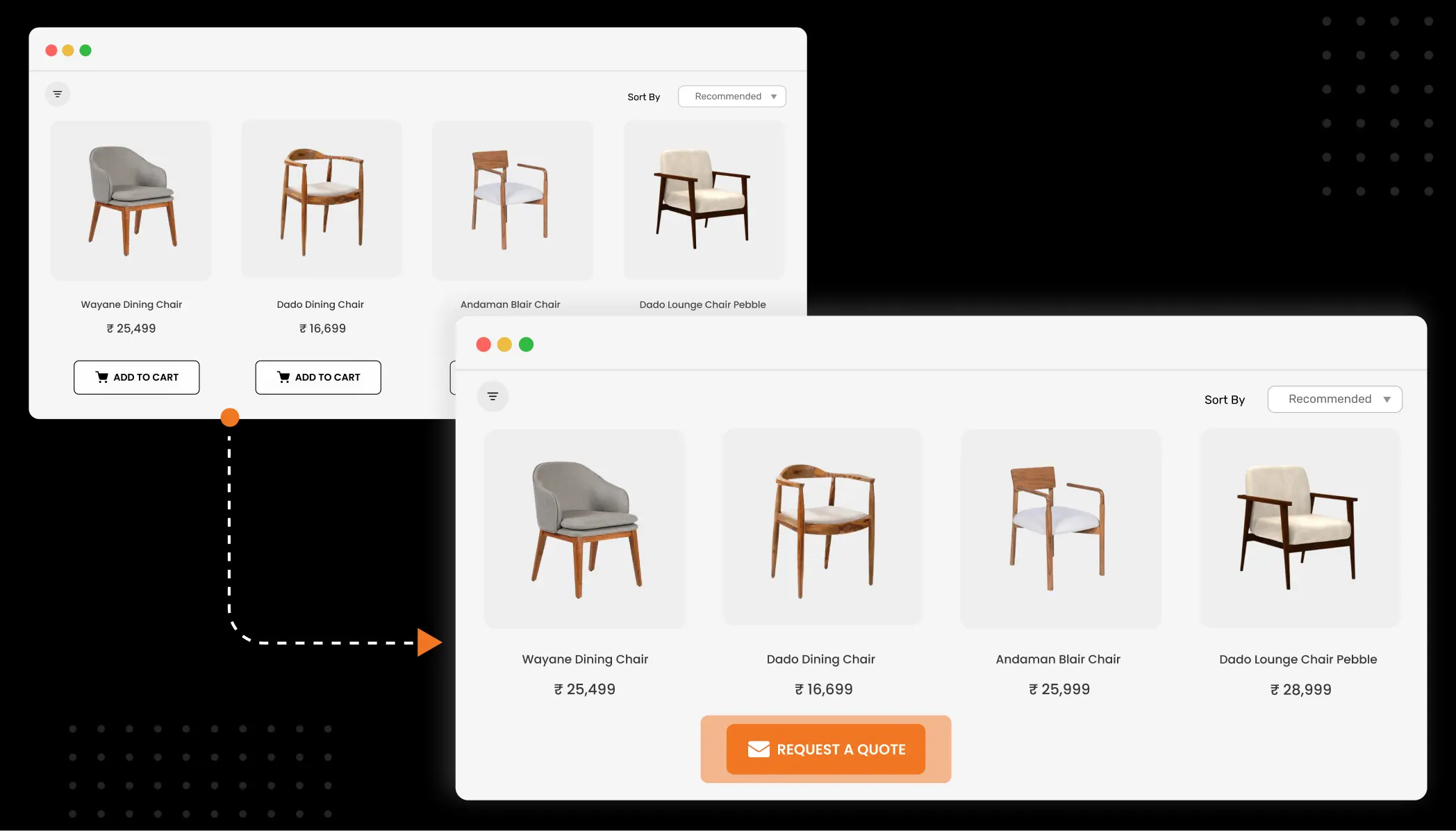
If you deliberately hide the button, you can lead your customers. Instead of a “Buy” button, you’ll give them a “Request a Quote” button or a “Notify Me” button. This way helps you to develop better relationships.
When You Should (and Shouldn’t) Hide the Add to Cart Button
Deciding to hide your purchase button is a big move. It affects how people interact with your site and can change your sales numbers quickly. With the B2B e-commerce market projected to grow by 14.5% annually through 2026, more stores are moving toward “request-only” models. But is it right for you?
When It Makes Sense
If you are a custom-made product business, such as a furniture artist or A machinery vendor, a quick Add to Cart is useless. You need to have a conversation with a customer as a prior step, and this applies to luxury brands that need to compete as a luxury product and want to add some elitism to their brand.
When It Can Hurt
If you’re selling a common item like a t-shirt or a phone case, you’re probably shooting yourself in the foot by hiding the button. In today’s age of “instant gratification”, giving someone an extra step can drastically raise your bounce rate. If someone is ready to purchase in two clicks and can’t find your button, they’ll just click away.
The Impact on Customer Experience
The secret here is communication. If you hide the button, you need to let the customer know why. Dead space that should be occupied by a button resembles a broken site. A message that says “Contact us for a custom quote” resembles a professional service.
Different Ways to Hide the Add to Cart Button on Shopify
There’s no “one size fits all” when it comes to customizing your shop. You can go down one of three routes, according to your budget and comfort with technology.
Theme-Based Methods
This is the safest way. You can easily hide sections of your page using the Shopify built-in editor if you are using one of their newest themes (like Dawn or Craft). No need to code it or anything.
App-Based Methods
‘Smart’ rules, such as hiding the button from people not logged in, are best done with an app. On top of doing all the work for you, apps also make it very easy by adding additional features, such as the “Request a Quote” forms by default.
Code-Based Methods
If you want complete control and don’t want to purchase a monthly app, customized code might work for you. Use CSS to make the button invisible or Liquid (Shopify’s code language) to display: none; from the page according to your own rules.
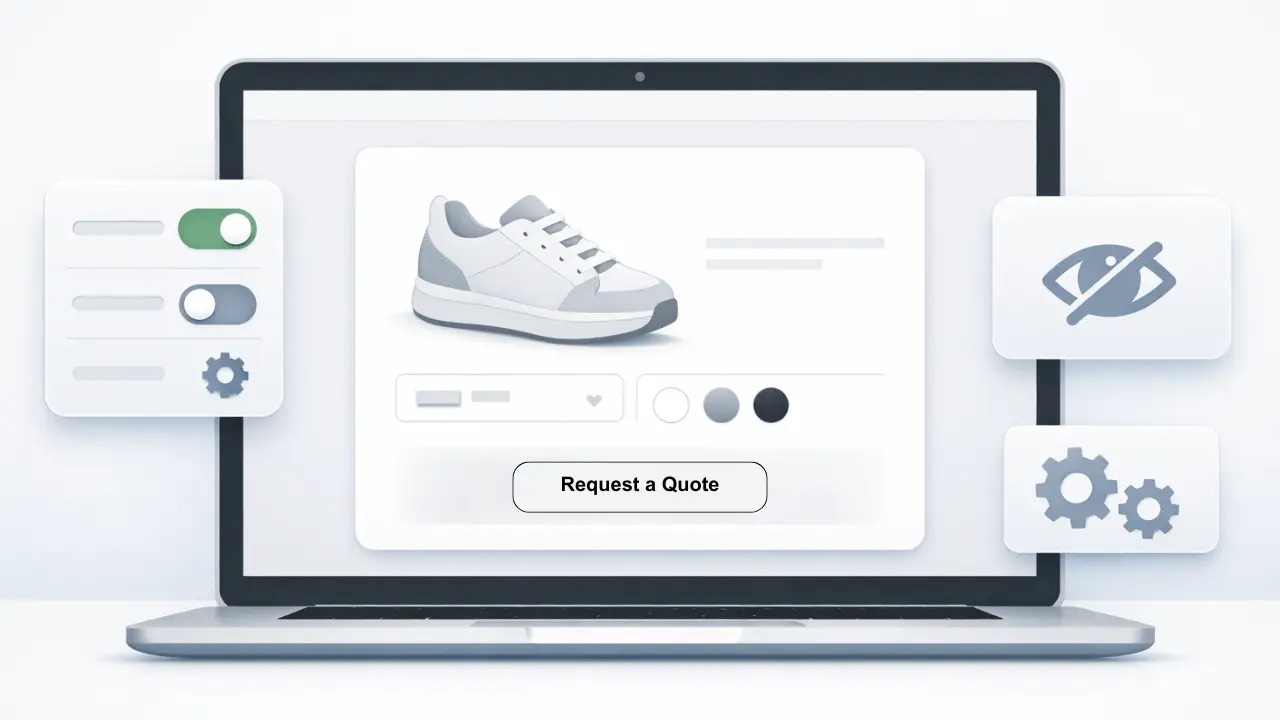
Method 1: Hide Add to Cart Using Shopify Theme Settings
If you are using a current theme from Shopify (also known as online store 2.0 themes), there is a quick way to hide the button. This is a good place to start for most store owners.
Which Themes Support This?
It’s out of the box for nearly every free theme by Shopify (Dawn, Sense, Craft, Refresh…) and most premium themes from the Shopify Theme Store, too.
How to Check Your Theme’s Options
- Log in to your Shopify Admin.
- Go to Online Store > Themes.
- Click the Customize button next to your active theme.
- At the top of the screen, use the dropdown menu to select Products > Default product.
- On the left-hand sidebar, look for the Product Information section.
- Find the block labeled Buy buttons.
- Click the Eye Icon next to it to hide it.
Limitations of Theme-Only Controls
The biggest disadvantage of this method is that it is very “all or nothing”. If you hide the buy buttons on the “Default product” template in the theme editor, then all of the products will lose the buy buttons. If you only want to hide the button on some items, then you will need to create a custom template, which we will talk about later in this manual.
Method 2: Hide Add to Cart Button Using Shopify Apps
Sometimes, a simple “hide” switch isn’t enough. Perhaps you want it to only show to some customers, or be replaced by a more professional contact form. Enter the world of Shopify Apps.
Types of Apps That Control Visibility
There are hundreds of apps in the Shopify App Store designed for this purpose. Some focus on B2B features, while others are built for inventory management.
- “Hide Price” Apps: These allow you to hide both the price and the button until a customer logs in.
- “Request a Quote” Apps: Request a Quote apps let you hide the Add to Cart button on your Shopify store and replace it with a fully customizable inquiry form, allowing customers to request pricing or product details directly via email. They also support a “Call for Price” option, making them ideal for B2B, wholesale, custom-made, or high-value products where pricing depends on customer requirements instead of a fixed catalogue price.
- “Pre-order” Apps: Pre-order apps update the button text and purchase flow, allowing customers to place orders for products that aren’t ready to ship yet.
Common Use Cases
Perhaps the most used flow on an app is the “Login to See Price” flow. This is commonly used by wholesalers who don’t want their lower bulk prices to be seen by the public. Another common flow is the “Notify Me” flow. When that product is out of stock, the button is hidden, and instead, there is an email signup box.
What to Look for When Choosing an App
Shopping for an app is just like shopping for a website; any app needs to be mobile-friendly. Mobiles account now for more than 60% of e-commerce traffic, so your app has to be optimized for phones. Also, grab an app that won’t make your site slow. Mobile abandonment during the “Add to Cart” interaction can be 78% higher than on the desktop, and a bulkier app equals slower web pages, which can get you uninstalled.
Method 3: Hide Add to Cart Button with Custom Code (Advanced)
If you’re not afraid of getting a little technical, custom code is the best way to hide the button, because it doesn’t add the cost of a monthly app. This one gives you the most options.
When Custom Code is Necessary
You may also need to build your own code if you want the button to be hidden by rules that are very specific; for example, only if certain products have a certain tag (e.g., Gallery-Only), or if your customer is from a certain country.
CSS vs. Liquid Approaches
There are two main ways to code this:
- CSS (The “Invisible” Way): This tells the browser not to show the button. The button is still technically there in the code, but the customer can’t see it. It is very easy to do, but it isn’t the most secure for hiding prices.
- Example Code: .product-form__submit { display: none !important; }
Warnings and Backups
Always back up your theme before you get in there. One tiny mistake and your entire shop can be down. To be on the safe side, go to Online Store >Themes, then hit the 3 dots next to your theme and select Duplicate. This will be your “safety net”.
How to Hide Add to Cart Button for Specific Products
Most of the shop owners would not want hide the button for all products. There should be some special products that need special treatment. So the solution is.
Hiding for Out-of-Stock Items Only
If you’re running out of stock, Shopify will automatically change the button to a ‘Sold Out’ message. However, you have the option to hide the button altogether with a custom product template:
- Create a new template in the Theme Editor called out-of-stock.
- Hide the “Buy buttons” block in that template.
- Assign that template to any product that is currently unavailable.
Hiding for Specific Collections or Tags
Adding Tags is another really great feature of Shopify that allows you to be very flexible. You could tag a product as no-button, then with a small bit of Liquid, you could instruct Shopify, if a product has the tag no-button, don’t display the Add to Cart button. 100s of products can be controlled by simply changing a product tag.
Hiding for Logged-Out Users
For B2B stores, you often want to hide the button from “guests” but show it to “registered customers.” You can do this by wrapping your button code in a simple check: {% if customer %} [Show Button] {% else %} [Show ‘Please Login’ Message] {% endif %}. This encourages people to create an account, which helps you build your email list!
Mobile Considerations and UX Best Practices
In 2026, there will be more mobile users than ever, shopping on their mobile phones. Hide a button on the desktop, and it might look okay. Do the same on a small phone screen, and it could leave a huge gap sitting right in the middle of the page.
Why Mobile Behavior Matters
The mobile user is on the go. If he visits your site and can’t quickly find a way to act upon a product, he will dial out and close that tab in a matter of seconds. Make sure your “substitute” action (i.e., contact button, insert action here) can easily be pushed with the thumb!
Ensuring Layouts Don’t Break
Sometimes when you hide a button with CSS, all the other elements just shift up as you’d expect, and other times your site can look “broken”. Always test any changes on an actual iPhone or Android phone to see that your page’s content still appears professionally balanced.
What to Show Instead of the Add to Cart Button
Hiding the button is only part of the job. The other half is offering the customer something else to do. Removing the button simply terminates the conversation. Introducing another one simply initiates a new conversation.
Alternative Calls to Action (CTAs)
| Out of Stock | “Notify Me When Available” | Captures email leads for future sales. |
| High-End / Custom | “Request a Personal Quote” | Starts a high-value sales conversation. |
| Coming Soon | “Join the Waitlist” | Builds hype and measures interest. |
| Wholesale Only | “Login to View Pricing” | Protects your margins and encourages signups. |
Why Replacement CTAs Matter
A replacement button keeps the customer interested. It tells the customer that you’re still here. It may not be the item they’ll need to ship ” next second, but it’s not like you shut your business down. And your bounce rate and your shop’s standing will thank you.
Common Mistakes to Avoid When Hiding Add to Cart
Everyone makes mistakes; these are some of the most common “mines” to avoid when hiding your purchase buttons.
- Hiding Without Explanation: Don’t upset your customers. If you remove the button, add a line of text stating (for example) “This item has been retired.”)
- Breaking the Layout: again, check your site on all screen sizes, as mentioned before. A missing button should never end up with a page that is broken!
- Forgetting the “Quick View”: Many themes display a “Quick View” screen on the home page. If you’ve decided to hide the button from your product page, make sure it’s also gone from your Quick View!
- Mixed Signals: If a customer isn’t able to buy a certain product, hide the badge that says it is on sale. It will be very confusing and irritating.
How Hiding Add to Cart Affects SEO and Conversions
A lot of people are concerned that covering the button will negatively affect their web page’s ranking with Google. The important thing is that Google won’t mind if you don’t have a button or not, if it is a useful page.
Impact on User Engagement
But if you set the button to be not visible, but have excellent descriptions and beautiful images, people will stay. That “dwell time” is actually a good indicator for search engines. Of course, the bounce rate will increase if people get confused and leave right away, and this will eventually cause harm to your SEO.
SEO Best Practices
Ensure that your Product Schema (hidden data that Google reads) is robust to maintain your SEO. Make sure the data reflects OutOfStock if a product is unavailable. If the product is a catalog item, you can still list the price as “Contact for Price”. This provides Google with the necessary information to show your page to the relevant users.
Testing and Measuring Results
How do you know if hiding the button was a good idea? You have to look at the data.
What Metrics to Watch
- Conversion Rate: If you hide the button on some items, does the overall store conversion rate go up or down?
- Email Signups: If you replaced the button with a “Notify Me” box, are you getting a lot of new emails?
- Contact Form Submissions: Are people actually reaching out for quotes?
A/B Testing Ideas
If you don’t know what is better, conduct a simple A/B test. Show “Add to Cart” to 50% of visitors. Show Request a Quote to the remaining 50%. Wait a week and measure how many healthy sales/leads each maximises.
Conclusion
Blocking the add to cart button can be a killer feature for your e-commerce arsenal. Why? Because it can turn your e-commerce from a simple shop system into an advanced, full-blown business machine. Whether you are protecting some wholesale prices, customizing orders, or creating a product/sales hype, using this feature strategically is vital. In the most killer Shopify stores, up to 9.6% of visitors will add to the cart.
Remember that ultimately, the purpose of your website is not to sell the sum of your “add to cart” buttons. The purpose is ultimately to serve the customer. And sometimes, the best way you can serve the customer is to hit pause on the transaction and start a chat.
FAQ
Can I hide Add to Cart button without apps?
Indeed, you can! Either use the built-in Shopify Theme Editor to remove the ‘Buy buttons’ block or insert the following (very) small amount of CSS to your theme. But with an app you can do it easily without any coding.
Will hiding Add to Cart hurt my Shopify sales?
It depends. If you’re talking about low-value High Search Volume (HSV) items that you sell many of, then it will. But if you’re offering B2B, bespoke or premium products, then it can actually boost sales as you can chat with the customer and ‘seal the deal’ yourself.
Can I hide it only for out-of-stock products?
Absolutely, you could create a specific product template for those out-of-stock items, or this can be handled automatically with the use of the “Notify Me” app.
Does hiding Add to Cart affect SEO?
Not necessarily. While your page is keeping good content and proper product info (schema), Google will still consider it for ranking. Just be sure you aren’t misleading the people!

Shopify Expert
Dipen Panchal, Shopify Tech Lead at Setubridge Technolabs, brings over a decade of expertise as a Shopify Expert. Passionate about e-commerce growth, he specializes in UI/UX design, crafting intuitive, engaging solutions tailored for merchants and B2B clients to enhance user experiences.