To be successful on Shopify today, you need to compete for customers’ attention against thousands of other entrepreneurs. Visitors will click away fast if you do not grab their attention in seconds. Research suggests that an extra 1-second load time costs a merchant about 7% of conversions. The average conversion rate of a typical Shopify store was 1.4 1.8%.
Key Takeaways
- The average Shopify store converts 1.4%–1.8% of visitors; the top 10% hit 4.7%+. A great page builder app helps close that gap.
- Mobile commerce drives 72% of eCommerce sales. Every page you build must look and work perfectly on a phone.
- All five top Shopify page builder apps, PageFly, Canvify, EComposer, LayoutHub, and Beae offer free plans. Test before you commit.
- PageFly is the strongest all-rounder for flexibility and CRO. Canvify excels at campaigns. EComposer is the most feature-rich for its price. LayoutHub is the fastest for launching. Beae is the best for budget-conscious and SEO-focused merchants.
- The best Shopify landing page builder is not the one with the most features; it is the one you will actually use to build pages that convert.
- Always optimize for page speed, mobile experience, and clear calls to action, regardless of which app you choose.
- Start with a free plan, build a few pages, measure your results, and upgrade only when the data shows it is worth it.
Good design isn’t just about the aesthetics; it’s about directing your visitors toward a single event: adding to cart, registering, paying, or whatever else it might be. That’s when a page builder app becomes essential.
A page builder app allows you to create stunning, high-converting pages with no need to write a single line of code. No developer. No waiting weeks for the slightest changes. Simply drag, drop, and publish.
Here in this blog, we went through the best 5 Shopify page builder apps so that you can convert your visitors into sales. We discuss in detail each app’s features, prices, advantages, and disadvantages.
What Is a Shopify Page Builder App?
Shopify page builder is a tool that allows you to build web pages easily using the graphic user interface. You drag and drop several elements, such as pictures, texts, buttons, videos, etc., until the desired page design is achieved.
The built-in Shopify theme editor is usable to an extent; however, there are restrictions. You can only modify certain parts of your website that the theme supports. Without help, you can’t make your own landing page, product page, or collection page with special features.
Shopify page builder apps totally make those constraints disappear. These apps effectively sit on your existing store, allowing you to build anything from homepages, landing pages, even product, collection, and blog pages.
Why do ecommerce sites need these tools? In modern days, we all know that design is the paramount factor that affects the trust in a website. Based on this statement, designing a clean, professional-looking page on your website says: Just see the site is real and safe for shopping.
Why You Need a Page Builder App for High-Converting Stores
The hard fact is that the vast majority of Shopify stores are underperforming because of lousy design. The top 10% of Shopify stores have a conversion rate of 4.7% or higher, which is 3 times the average. So how are they doing it? Better UX and cleverer page layouts.
Think about these facts: selling through a mobile device is responsible for up to 73% of all eCommerce sales, while mobile cart abandonment is as high as 85.65%. Lose potential customers before they even look at your item because your pages are not optimized for good load time and appearance on a mobile device.
A good Shopify landing page builder will solve these problems. It will provide your store with:
- Better user experience: Neatly arranged pages, clearer call to action, faster-loading page make a visitor stay longer.
- Faster page design: Construct pages in hours, not days or weeks.
- Mobile optimization: The majority of page builder apps feature mobile-specific editing so your pages will look perfect on any device.
- A/B testing capabilities: run two versions of a page and see which one converts more. This simple feature is capable of dramatically increasing your revenue.
- Increased sales and engagement: Conversion-specific elements such as countdown timers, trust badges, and upsell blocks are integrated.
Stores using page builders consistently outperform stores using only the default Shopify editor. With a good page builder, stores converting at 2% could easily push to 3% or 4%. That can translate into thousands of dollars a month.
Key Features to Look for in a Page Builder App
Before we look at the top 5 apps for building your Shopify store, we should look at what factors you should consider when selecting them:
- Drag and drop editor: The interface should be visual and easy to use, with no coding necessary.
- Pre-designed templates: Having a lot of existing templates ready to use will help you save time and will be a really good way to start off.
- Mobile responsiveness: Pages have to look great on phones, tablets & desktops.
- Speed optimization: Speed kills conversion. Choose an app that delivers lean, fast, and clean code.
- Integration with Shopify apps: The builder has to be compatible with the apps you use already (review-apps, email marketing, upsell apps, etc.)
- SEO-friendly structure: Pages should have correct heading tags, metatags, and a quick load time to appear on Google.
- Analytics and tracking: Find out how your pages are doing and what is generating the most clicks.
Comparison Table of Top Shopify Page Builder Apps
| App Name | Starting Price | Free Plan | Key Feature | Best For |
| PageFly | $18/month | Yes | AI-powered CRO + 141 integrations | All-round flexibility |
| Canvify | $14.70/month | Yes | AI layouts + A/B testing | Conversion optimization |
| EComposer | $19/month | Yes | Built-in conversion extensions | Feature-rich design |
| LayoutHub | $14.99/month | Yes | 800+ pre-built block templates | Fast launching |
| Beae | $19.99/month | Yes | SEO tools + live editor | Budget-friendly beginners |
Top Shopify Page Builder Apps
1. PageFly Landing Page Builder
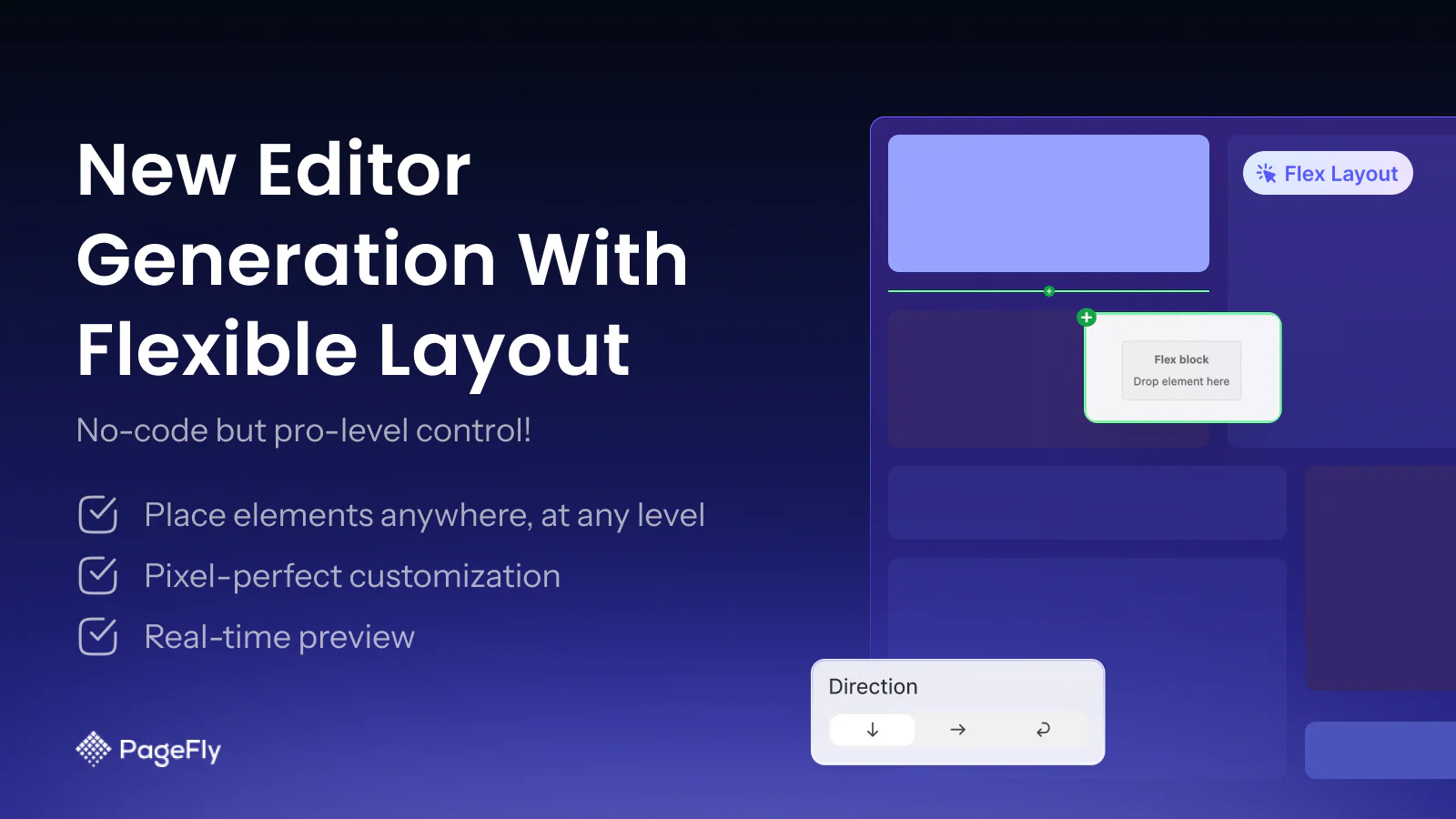
PageFly is one of the most well-respected pagebuilder apps for Shopify, with an impressive 12,500 five-star reviews and 141 app integrations. It’s aimed at merchants who want the freedom to create any page they want without forking out top dollar. PageFly has page support for all key types of pages: landing pages, product pages, collection pages, home pages, and blog pages. PageFly’s AI CRO tools aren’t just simple page builders. They actually help you to find conversion bottlenecks within your flows and test layout and design improvements.
Offered services consist of clean, fast-to-load code, responsive 24/7 live chat, and a free plan offering all key features. Every Shopify seller, whether a beginner or an advanced one, can find a place for PageFly.
Key Features:
- Drag and drop editor with grid-based layout control
- AI-powered conversion rate optimization (CRO) tools
- Built-in A/B testing capabilities
- 141+ third-party app integrations
- 24/7 live chat support on all plans (including free)
- Mobile editing with device-specific customization
- SEO-friendly page structure
Pros:
- Most comprehensive free plan in the market, all features included
- Strong integration ecosystem with popular Shopify apps
- Excellent 24/7 customer support at every plan level
- AI tools that actively help improve conversion rates
- Clean code output that does not slow your store
Cons:
- Learning curve for beginners due to the number of available elements
- Pricing can escalate as you need more published pages
- Some leftover code if you uninstall the app
Pricing:
- Free Plan
- Pay as you go: $18/ Month
- Unlimited: $99/ Month
Best For: Store owners of all sizes who want a reliable, all-in-one Shopify page builder with strong support and AI-powered conversion tools.
2. Canva Page Builder ‑ Canvify
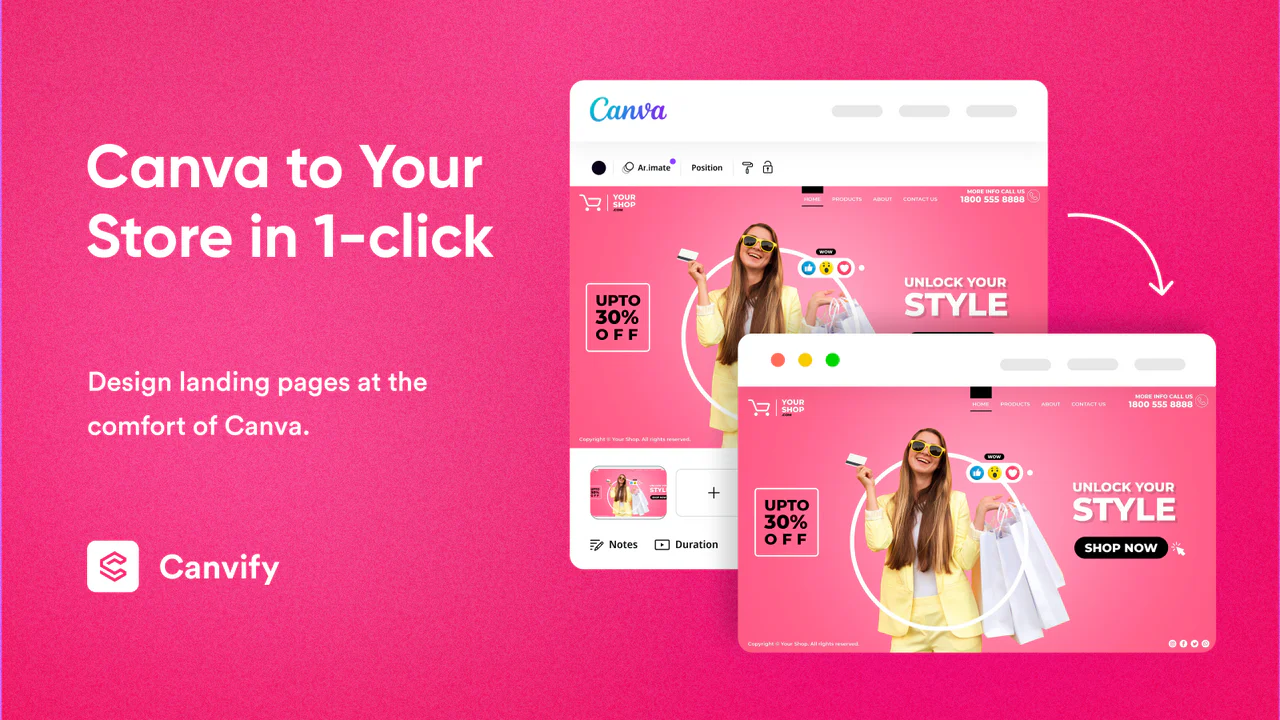
Canva Page Builder by Canvify makes it easy to turn your Canva designs into fully functional Shopify landing pages without coding. If you already use Canva for visuals, this app helps you bring those designs directly into your store in just a few clicks. You can create high-converting pages for product launches, sales campaigns, or brand storytelling using Canva’s drag-and-drop interface.
The app ensures your pages are mobile-friendly, fast-loading, and optimised for a smooth user experience. It also removes Canva branding, giving your store a clean and professional look. For store owners who want creative control without hiring developers, Canvify offers a simple and effective solution. It is especially useful for marketers and beginners who want to design visually rich pages while keeping performance and usability in mind.
Key Features:
- Convert Canva designs into Shopify pages
- No coding required
- Mobile-responsive layouts
- Fast-loading page integration
- Removes Canva branding
- Easy publish and update options
Pros:
- Very beginner-friendly
- Perfect for visual storytelling
- Saves design and development time
- Seamless Canva integration
Cons:
- Limited advanced customization
- Depends on the Canva design structure
Pricing:
- Paid plan starts from $14.70/Month
Best For: This app is ideal for beginners and non-technical users who want to create pages without coding. It works well for stores that focus on strong design and branding while helping marketers build landing pages quickly and easily. It is also a great fit for small to medium Shopify stores looking for a simple and efficient page-building solution.
3. EComposer Landing Page Builder
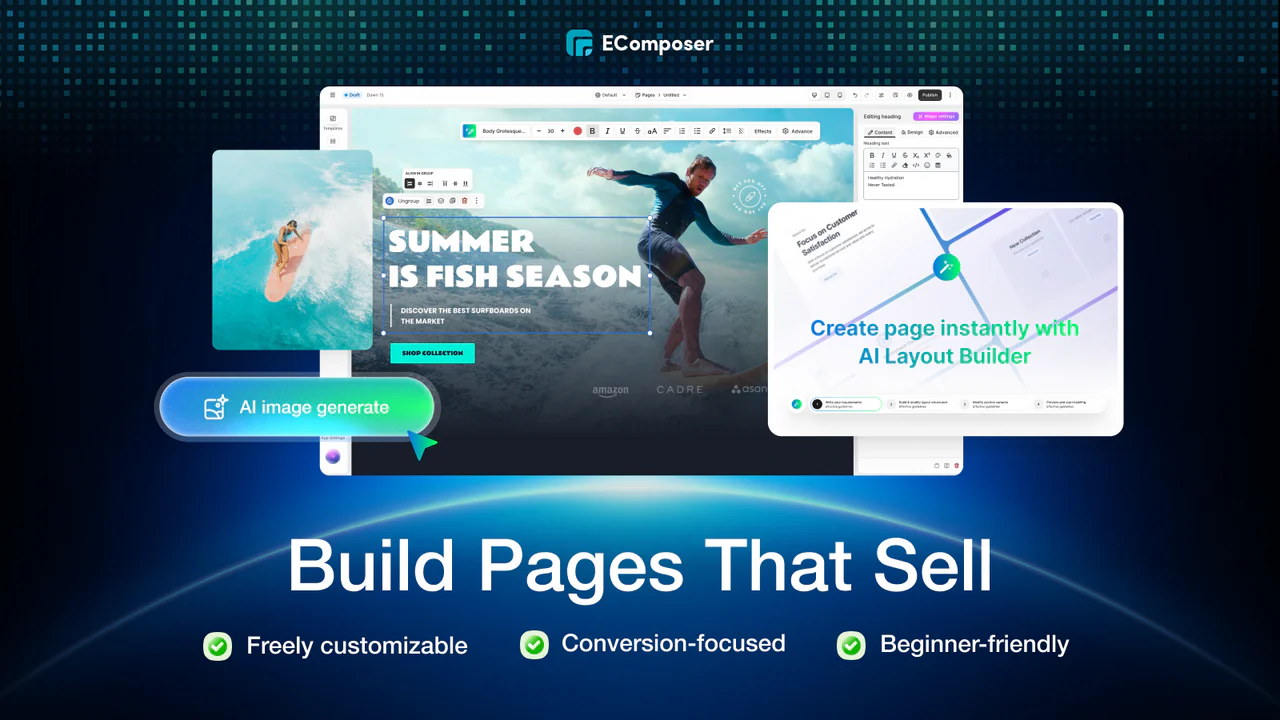
EComposer is a powerful Shopify page builder that surpasses many others with the massive amount of hard-coded tools encased in its visual editor. It spares you from additional apps for upsells, cross-sell, stock alerts, etc., since it has most of these conversion plugins built into the builder. It provides a clean, elegant drag-and-drop interface and is user-friendly for both newbies and more seasoned marketing users.
EComposer is compatible with all Shopify page types and works with the top-reviewed apps Judge.me, LOOX, and Yotpo, email services such as Klaviyo and Omnisend. With a 30-day free trial, merchants have ample time to experience the full power of the platform, after which they can decide whether to install a paid plan or not.
Key Features:
- Live drag and drop editor with real-time preview
- Built-in conversion extensions: sticky add-to-cart, upsells, cross-sells, stock notifications
- 200+ pre-designed templates and section blocks
- Global blocks for design consistency across pages
- AI content generator for copy and layout suggestions
- Integration with Judge.me, LOOX, Yotpo, Klaviyo, and Omnisend
- Advanced features: page analytics, lazy load, and A/B testing on higher plans
Pros:
- Most feature-rich app for the price, many add-ons included natively
- Beginner-friendly with a clean, fast editor interface
- Generous free plan and 30-day free trial on paid plans
- 24/7 live chat support regardless of plan tier
- Excellent template library with diverse niche options
Cons:
- Pages depend on EComposer’s infrastructure, unpublished if you cancel your subscription
- Mobile editing options are less granular compared to some competitors
- Advanced features may feel overwhelming for very new store owners
Pricing:
- Free Plan
- Standard: $19/ Month
- Pro: $39/ Month
- Premium: $99/ Month
Best For: Shopify merchants at any experience level who want an all-in-one solution that replaces multiple apps with a single feature-packed page builder app.
4. LayoutHub – Easy Page Builder
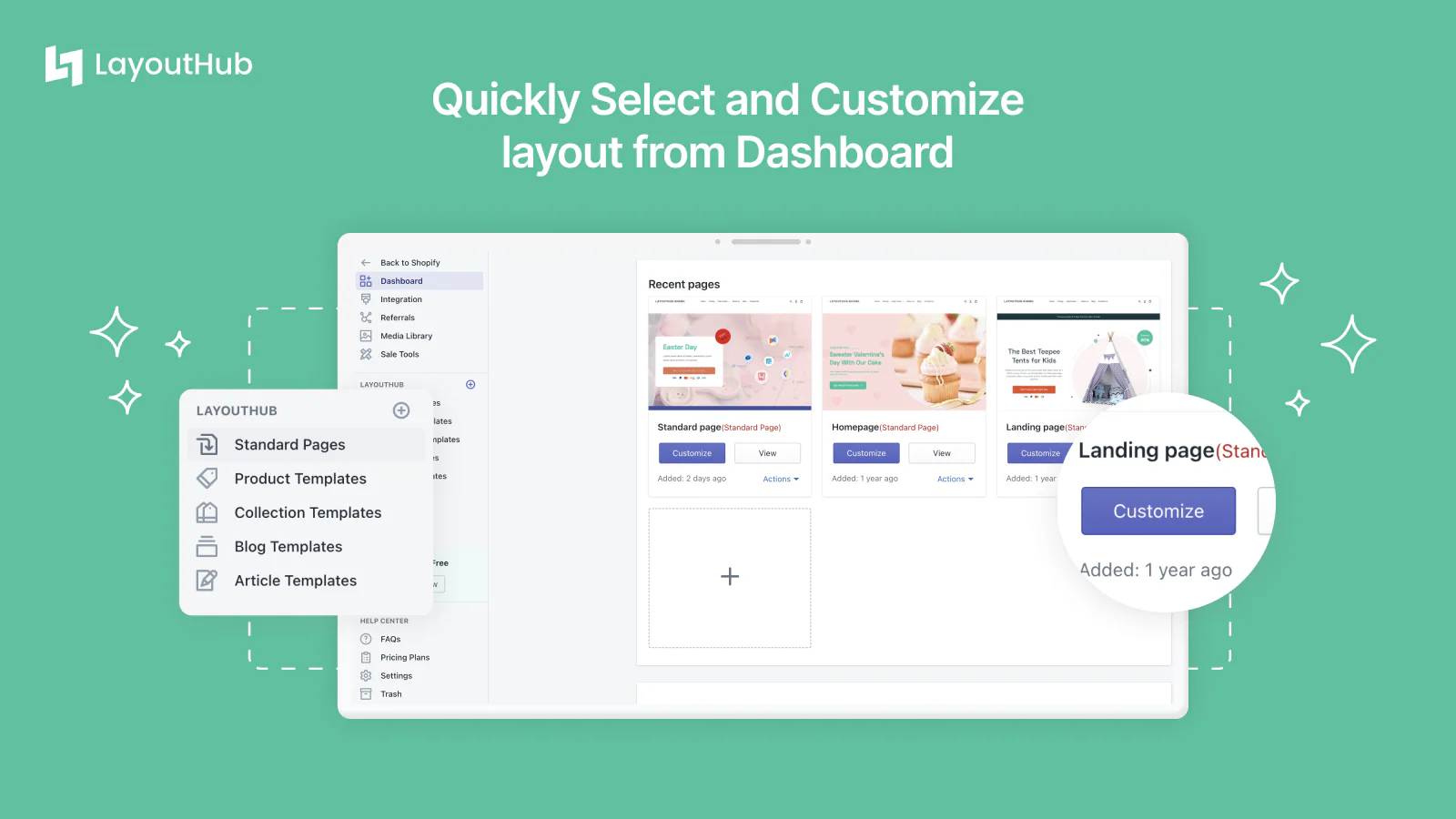
LayoutHub is a little different from most other page builders. Rather than constructing your pages one element at a time, you’ll be selecting from more than 800 native block templates and entire pages, including dozens of common retail areas including Cuisine & Drink, Style, Furniture, Health & Beauty, as well as other areas. The ” template first” approach means that store owners will have a stunning website ready to go in minutes rather than hours.
Designed for speed and usability. LayoutHub has a very clean and user-friendly drag-and-drop interface; it is definitely one of the most user-friendly builders for new Shopify merchants. compatible with all Shopify themes and all the big review apps out there: Yotpo, Loox, and Stamped. The help support team is great and ready to instantly solve any problem.
Key Features:
- 800+ pre-built block templates across multiple niches
- Drag and drop editor with real-time preview
- Mobile-responsive templates optimized for phone shoppers
- Granular mobile editor for precise device-specific control
- Compatible with all Shopify themes and popular review apps
- Simple, fast publishing workflow ideal for non-technical users
- 24/7 dedicated customer support
Pros:
- Fastest “page-to-publish” workflow among all top builders
- Huge template library designed specifically for eCommerce niches
- Very beginner-friendly with a minimal learning curve
- Responsive mobile editor with precise control
- Reliable, responsive customer support team
Cons:
- Less design flexibility compared to PageFly or EComposer
- Fewer advanced conversion or analytics features
- The template-first approach may feel restrictive for highly custom designs
- Fewer third-party app integrations than top competitors
Pricing:
- Free Plan
- Basic: $14.99/ Month
- Pro: $29.99/ Month
- Premium: $59.99/ Month
Best For: New Shopify merchants or small business owners who want to launch beautiful pages quickly using a drag-and-drop Shopify builder without a steep learning curve.
5. Beae Landing Page Builder
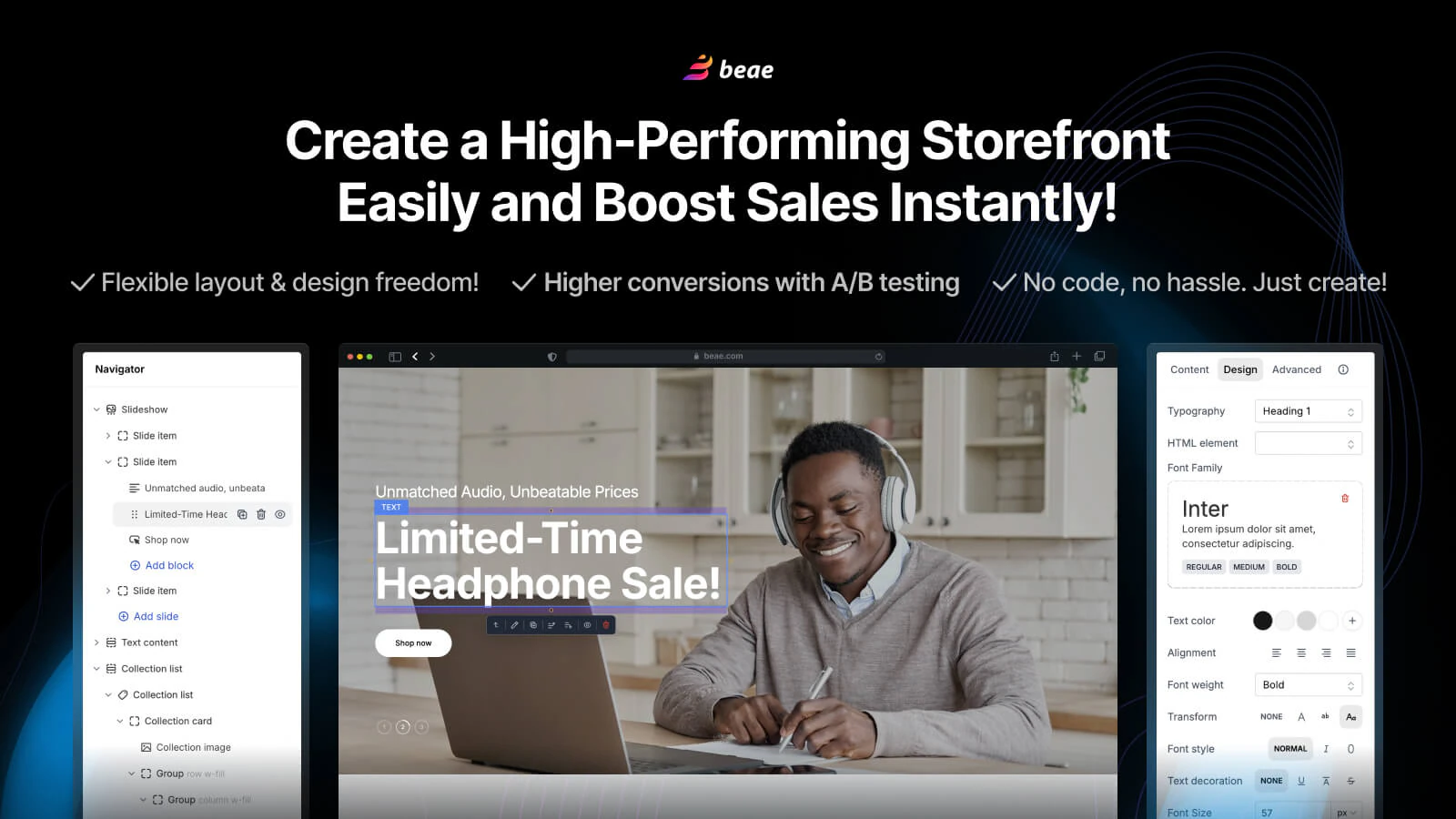
Beae is one of the cheapest and most SEO-focused page builder apps on Shopify, a perfect tool for startups and small store owners with tight budgets. Its Live Editor V3.0 provides a live, seamless editing experience, like the Shopify theme editor, but with an unlimited level of customization. Beae is great because of its built-in SEO features, such as the real-time page healthcheck alerts that warn you if there are any urgent problems killing your search rank.
For those merchants who want to optimise for organic traffic in addition to conversions, this is a rare and precious product. Beae does unlimited nested blocks effortlessly (allowing even complex page hierarchies), and offers a very generous free plan (paid plans start at less than $10/month), making this one of the best entry point packages for professional Shopify page building.
Key Features:
- Live Editor V3.0 with real-time customization
- Built-in SEO tools with page health audit reports
- Manages unlimited nested blocks for complex page structures
- Pre-designed templates that are mobile-optimized
- Affordable pricing plans start at $9.99/month
- Simple navigator for managing complex page layouts
- Compatible with major Shopify review and marketing apps
Pros:
- Most affordable paid plan among all top page builders
- Built-in SEO audit tool is a standout feature not found in most builders
- Smooth, intuitive editing experience with minimal lag
- Great free plan with strong feature access
- Easy to use for complete beginners
Cons:
- Fewer advanced CRO features compared to PageFly or Canvify
- A/B testing not available on lower-tier plans
- The template library is smaller than LayoutHub or EComposer
- Support options are more limited compared to 24/7 competitors
Pricing:
- Free Plan
- Pay as you go: $19.99/ Month
- Enterprise: $149.99/ Month
Best For: Budget-conscious Shopify merchants, startups, and small businesses who want a reliable, SEO-friendly Shopify page builder without a large monthly investment.
How to Choose the Right Page Builder App
The perfect page builder app for your store will vary depending on your business stage.
If you are just starting: Choose LayoutHub or Beae. Both offer free plans, user-friendly interfaces, and all you need to get your first custom pages live as soon as possible. Choose LayoutHub if you need templates, and Beae if SEO optimization is essential.
If you are growing and running ad campaigns: Canvify or EComposer are good options. Canvify is especially effective for campaign landing pages with a schedule and conversion enhancement. EComposer has the most functionality without addons for the price.
If you are scaling and need maximum flexibility: Go with the most versatile platform: PageFly. This comes loaded with design flexibility, AI-powered CRO tools, A/B testing, 141 integrations, and 24/7 support.
Budget considerations: All 5 apps have free plans. Begin free, try the interface, and upgrade only when you’ve run out of published pages or high-level features.
Integration requirements: If you intend to use certain review apps, email tools, or upsell apps, make sure the few you select work seamlessly within your preferred builder.
Tips to Build High-Converting Shopify Pages
Once you have chosen your page builder app, here are proven strategies to get the most out of it:
- Use clear CTAs: Each page should have only one main CTA, “Add to Cart,” “Shop Now,” or “Get Offer,” and it should be highlighted, bolded, and placed visibly on each page for the visitors to see as they scroll down.
- Optimize for mobile users: First, view all the pages through your mobile before publishing. The largest bulk of eCommerce traffic comes from mobile shoppers.
- Keep page speed fast: Before uploading, compress images, do not use too many animations, and use lazy loading as much as possible. For every second’s delay, there is a 7% reduction in conversions.
- Use high-quality images: Poor or pixelated images are a definite sign of an untrustworthy retailer. Instead, choose high-quality product images, which also showcase lifestyle shots.
- Add trust signals: Customer testimonials, star ratings, “money-back” guarantee badges, and security seals can all reduce hesitation and thereby increase conversions.
- Keep the layout simple and clean: Don’t load your pages with lots of content or a multitude of design elements; space and hierarchy are there to help site visitors find their way to the call to action.
Conclusion
Shopify competition isn’t slowing down. Those merchants who spend time designing their pages and improving user experience will always outperform those who don’t. Every shop wanting to be the best needs a good page builder application; it’s one of the best ROI you can find for your shop.
The five providers featured in this post each serve their own purpose. Which will work best for you depends on your budget, your level of technology comfort, and what you want your pages to do. Try the free plan, make a few pages, and see how your customers respond.
Finally, I would just say you don’t need a developer or a huge budget to make a high-converting Shopify store. Just the right tool and some patience.
Frequently Asked Questions (FAQs)
Q1: What is a page builder app on Shopify?
A page builder app is a visual drag-and-drop design tool that allows you to create and customize pages on your store, all without the need for a developer or any coding.
Q2: Are Shopify page builder apps safe to use?
Yes. As this blog has shown, the five apps reviewed are on the official Shopify App Store, comply with the standards imposed by Shopify around data security, and are trusted by thousands of active merchants across the globe.
Q3: Will a page builder app slow down my Shopify store?
It really depends on the app. We find that PageFly and LayoutHub produce clean and lean code. Be sure to perform a speed test after publishing a new page and optimizing the images to reduce any impact.
Q4: Can I use a page builder app without any design experience?
Yes. Beae, LayoutHub, and many other similar apps are for beginners. Drastically simplified drag and drop editing and a wide selection of ready-made templates simplify designing even for a complete beginner.
Q5: Which Shopify page builder app is best for SEO?
Beae’s a little different in that it has real-time SEO audit tools built into it, PageFly, and EComposer also produces SEO optimized page architecture (heading tags, speed time, editable meta fields, etc.) for organic search placement.
Q6: Do I lose my pages if I uninstall a page builder app?
For the most part, yes. Most page builder apps (EComposer & Canvify are good examples) hold your pages on their servers. Terminate your subscription and uninstall the app; your pages will likely vanish, so read the terms.

Shopify Expert
Dipen Panchal, Shopify Tech Lead at Setubridge Technolabs, brings over a decade of expertise as a Shopify Expert. Passionate about e-commerce growth, he specializes in UI/UX design, crafting intuitive, engaging solutions tailored for merchants and B2B clients to enhance user experiences.