A shopper finds your candle on Instagram at 9 p.m. She loves the scent notes, but she wants to smell it first. She taps your menu, looks for “Stores,” and finds nothing. She closes the tab, and the moment is gone.
Nothing broke on your site. No error showed up in your reports. Yet a buyer with real intent left with no next step. That is the quiet cost of a missing or clumsy store locator.
Shoppers move fast once they search for something nearby. Google found that 76% of people who search for something nearby on a phone visit a business within a day. The same research found that 28% of those nearby searches end in a purchase. A Shopify store locator app turns that urge into directions, hours, and a real visit.
Below are five store locator apps, each solving the problem in its own way. The what, why, where, and when come after the app details.
Key Takeaways
- A missing locator page quietly loses shoppers who want to buy in person.
- Showing the nearest few stores first works better than one map full of pins.
- Hours, tags, and directions remove the fear of a wasted trip.
- Free apps suit small networks, while paid tiers suit large dealer lists.
- Locator search data shows towns where demand exists but no store does.
The 5 Shopify Store Locator Apps at a Glance
- TA MAPPY: Store Locator & Maps: dealer onboarding and maps with no API key.
- Stockist Store Locator: large retailer lists managed from spreadsheets.
- GA: Google Maps+Store Locator: free, unlimited pins on Google Maps.
- MAPMIGO: Store Locator & Maps: free setup with hands-on help.
- RP ProMap ‑ Store Locator: big networks that need booking and many languages.
Shopify Store Locator Apps Comparison Table
Details below come from each listing and its reviews, placed side by side.
| App (Developer) | Map engine and API key | Fastest data input | Workflow beyond the map | First paid tier cap | Language support |
| TA MAPPY (Tech Arms MAPPY) | OpenStreetMap with no key; Google Maps or Mapbox optional | CSV import with AI-assisted address mapping | Dealer application form with automated emails | 50 locations at $9.99 (free: 2) | 15 admin languages, AI translation |
| Stockist (Stockist) | Google Maps or Mapbox | Live Google Sheets sync | Visitor heatmaps and search export | 100 locations at $10 | Custom storefront translations |
| GA (GoodApps) | Google Maps | Address-based auto placement | Conversion tracking view | Free, unlimited pins | English, Spanish, Portuguese |
| MAPMIGO (Tim Wessels UG) | No API key needed | Excel or Sheets import, drag-to-place pins | Logo as custom marker | Free, unlimited stores | English |
| RP ProMap (Rose Perl Technology LLC) | Google Maps | CSV upload of 500+ rows | Booking and appointment links | 20 locations at $9.99 | 25+ languages |
Top 5 Shopify Store Locator Apps in Detail
1. TA MAPPY: Store Locator & Maps
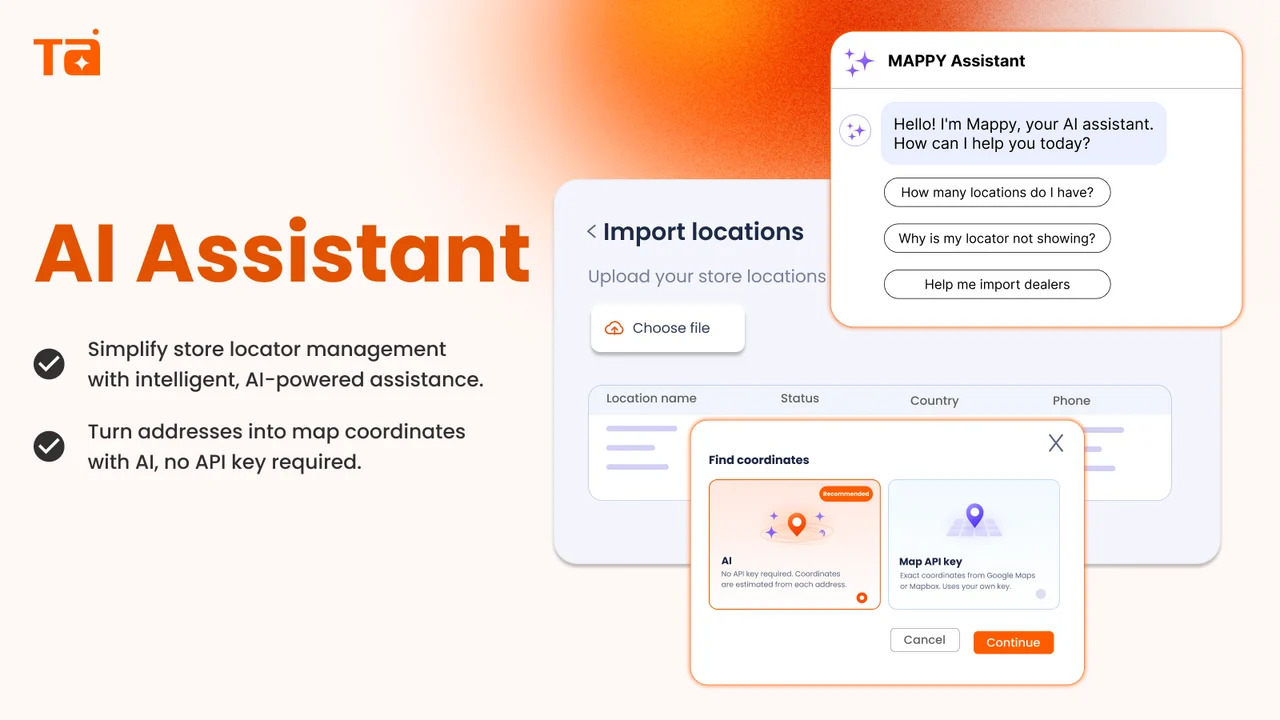
TA MAPPY: Store Locator & Maps by Tech Arms. MAPPY carries the Built for Shopify badge. It builds a store, dealer, or stockist map using OpenStreetMap, so no map API key is needed. You can switch to Google Maps or Mapbox when you want their styles. Locations go in one by one or through a CSV bulk import.
The app goes past a simple map. A dealer form lets new retailers apply from your storefront, with automated emails behind it. Search Records show where shoppers look for you, and an AI assistant helps with settings and imports. The locator page can be translated, which helps brands that sell across regions.
Key Features:
- Fast setup with no external map key to manage.
- Support adjusts colors and fonts to match your theme.
- Quick fixes when a theme change affects the locator display.
- Dealer form suits brands showing wholesale partners, online and physical.
- Store tiles with images and links promote your retail partners.
- Live chat help reaches merchants across time zones, even on weekends.
- The free plan is enough for many single-location stores to start.
Ratings and Reviews: Rated 5.0 out of 5 from 447+ reviews, with 96% five-star ratings.
Best for: Brands that recruit dealers or stockists and want to start for free.
Use it wisely: Keep tags short and consistent before a bulk import. Messy tags create messy filters for shoppers.
Pricing: Free plan (2 locations). Startup $9.99/month (50), Pro $19.99/month (500), Advanced $39.99/month (1,000). Paid plans include a 7-day free trial.
2. Stockist Store Locator
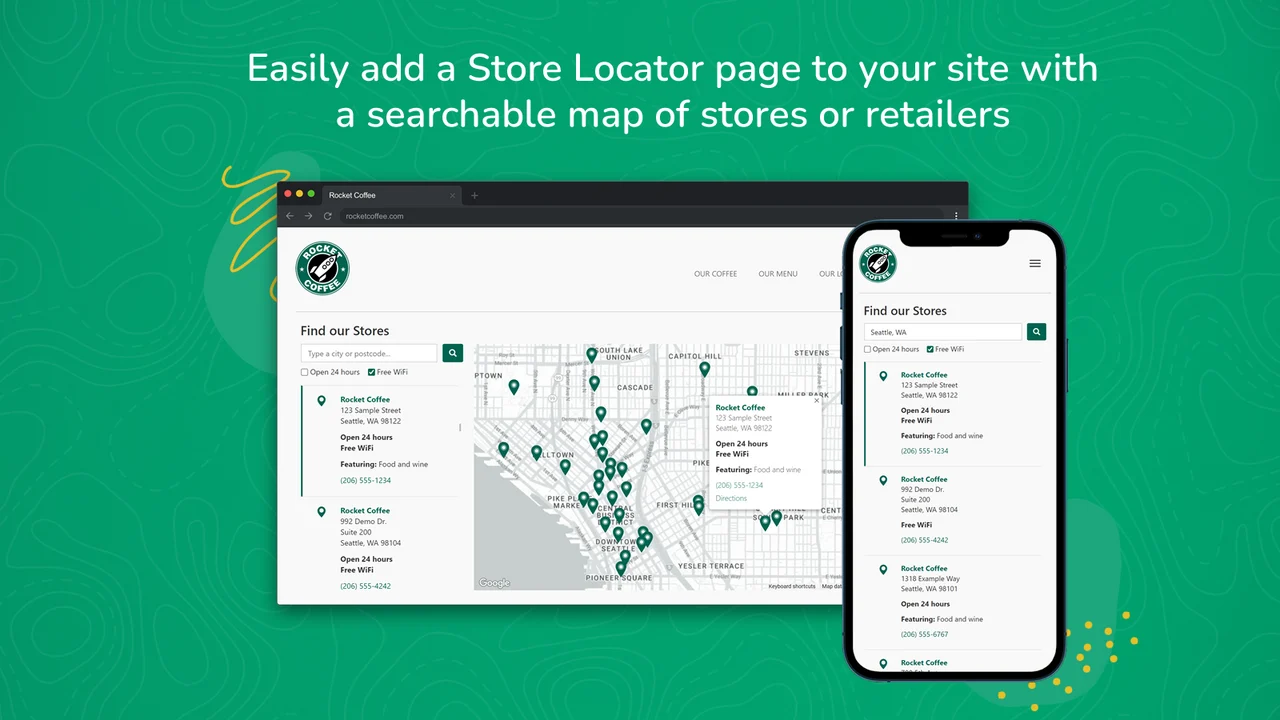
Stockist Store Locator by Stockist has served Shopify merchants since 2016. It adds a searchable store and retailer map that works on any device. You can manage listings one at a time, upload a spreadsheet, or sync a Google Sheet. That last option suits brands whose sales team already tracks retailers in Sheets.
Shoppers see nearby results right away through geolocation, and the list updates as they move the map. You can create unlimited search filters, such as product line or store type. Visitor heatmaps and search exports on higher plans show where people look for your products. Those insights help you plan where to pitch new retailers.
Key Features:
- Works alongside your theme without editing theme code.
- Senses a visitor’s general location as soon as the page loads.
- Bulk editing saves hours when retailer details change.
- Weekly updates to a list of 1,000+ stores take only minutes.
- Clear step-by-step documentation for self-setup.
- Simple enough that any team member can update listings.
- Support spots data entry slips and suggests layout tweaks.
Ratings and Reviews: Rated 5.0 out of 5 from 346+ reviews, with 99% five-star ratings.
Best for: Brands with growing retailer lists kept in spreadsheets.
Use it wisely: Pick one place to edit data, either the Sheet or the app. Editing both invites version mix-ups.
Pricing: Basic $10/month (100 locations), Plus $20/month (500), Premium $40/month (2,000 plus Google Sheets sync). Each plan has a 14-day free trial.
3. GA: Google Maps+Store Locator
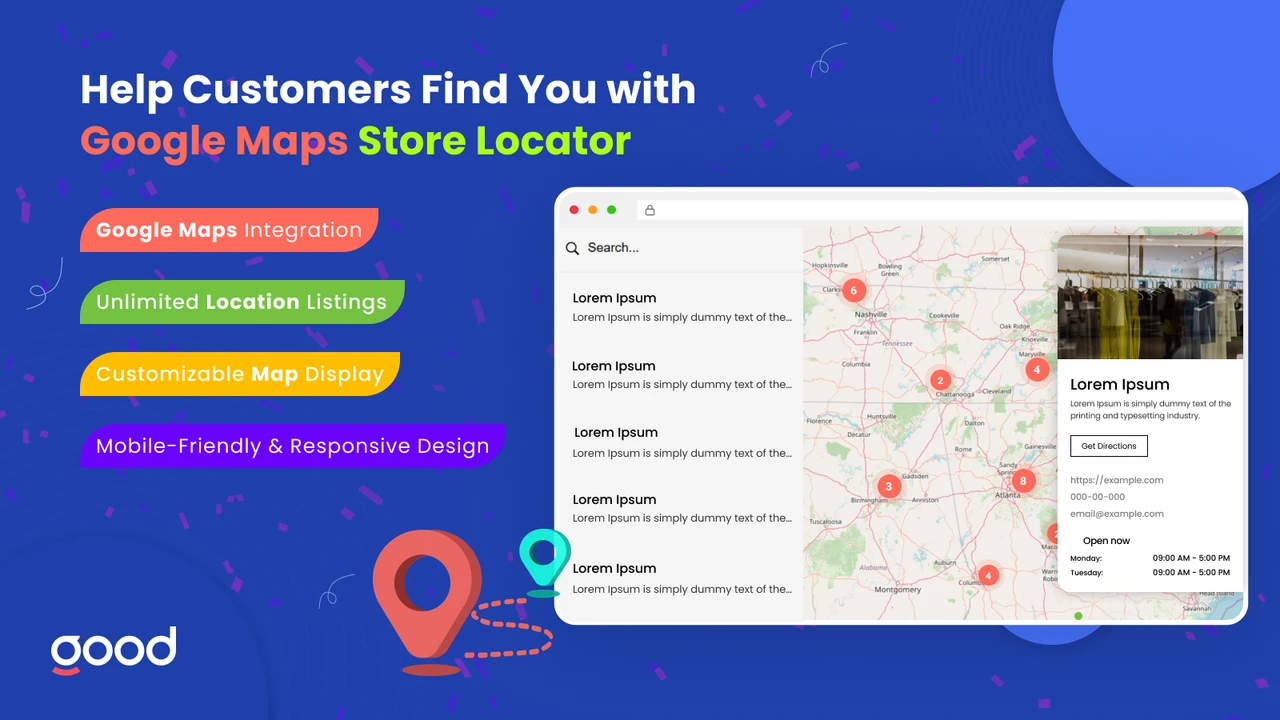
GA: Google Maps+Store Locator by GoodApps is a free app for showing physical stores on a responsive Google map. It suits businesses with one shop or many stockists. Each location can show business hours, contact details, and images. The map adjusts to phones, tablets, and desktops on its own.
You can pick from several map themes to match your brand colors. Custom CSS gives designers finer control when needed. The app lists OpenAI and Shopify Sidekick among the tools it works with. It is available in English, Spanish, and Portuguese, which helps stores serving those markets.
Key Features:
- Unlimited pins with no monthly fee.
- Places stores from an address, so no latitude lookups.
- One merchant set up 15 locations in about half an hour.
- Moving data from an earlier store finder takes little effort.
- Support embeds the widget or fixes code when needed.
- Fonts and styling blend with the brand instead of looking added on.
- Handy for monthly pop-up or market locations that change often.
Ratings and Reviews: Rated 5.0 out of 5 from 128+ reviews, with 99% five-star ratings.
Best for: Budget-minded merchants, pop-up sellers, and growing stockist lists.
Use it wisely: With hundreds of pins, test load time on mobile data. Filters keep long lists easy to scan.
Pricing: Free.
4. MAPMIGO: Store Locator & Maps
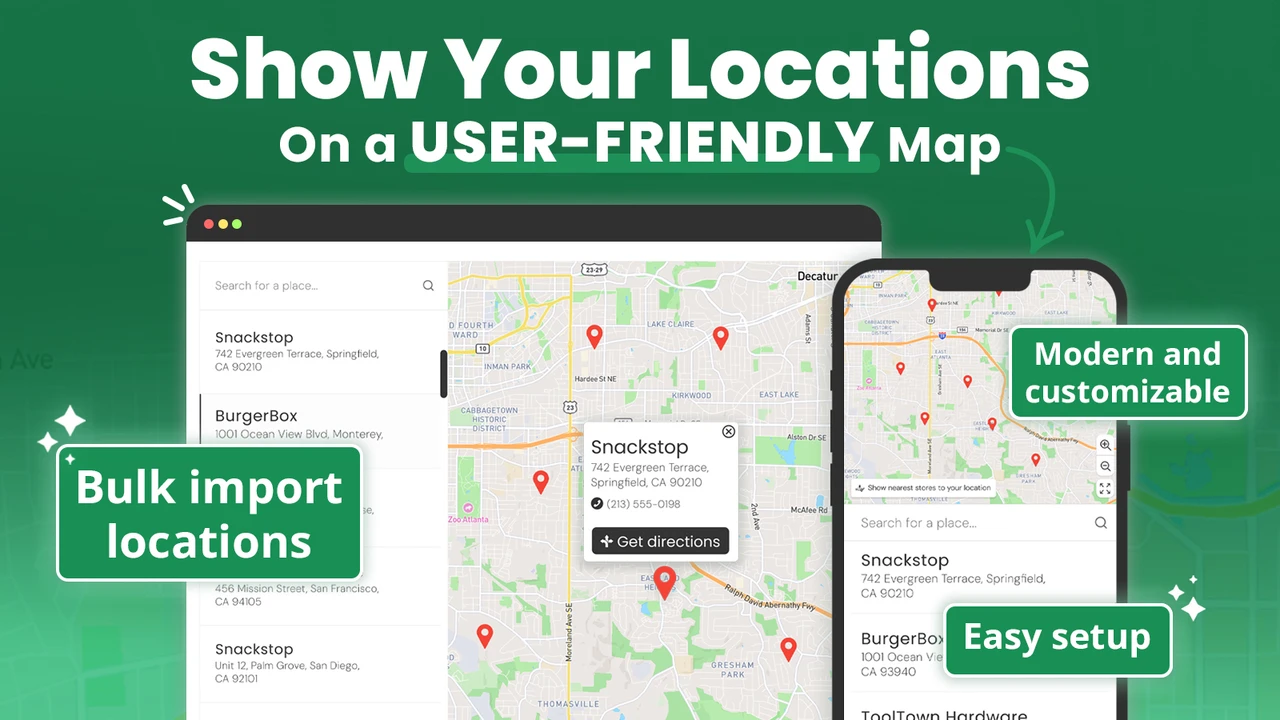
MAPMIGO: Store Locator & Maps by Tim Wessels UG (haftungsbeschränkt) adds a store locator map with a searchable list. It carries the Built for Shopify badge. It needs no API key, so you skip any map account setup. You can add unlimited stores by hand or import them in bulk from Excel or Google Sheets.
Customers see the closest locations based on their position. They can also search by store name, city, or postcode. The map, list, and markers can be styled to fit your brand. A public demo store lets you see the shopper view before you install.
Key Features:
- Drag a pin to the exact spot when an address is vague.
- Upload your logo as a custom map marker.
- The developer can prepare your Excel sheet and guide the import.
- Live chat replies often arrive within seconds.
- Free help customizing colors and fonts of store listings.
- YouTube tutorials make self-setup simple.
- Shows international stockists clearly on one map.
Ratings and Reviews: Rated 5.0 out of 5 from 84+ reviews on the Shopify App Store.
Best for: New brands and small teams that want free, guided setup.
Use it wisely: Check each pin after a bulk import, mainly rural addresses. A pin a few streets off sends shoppers to the wrong door.
Pricing: Free.
5. RP ProMap ‑ Store Locator
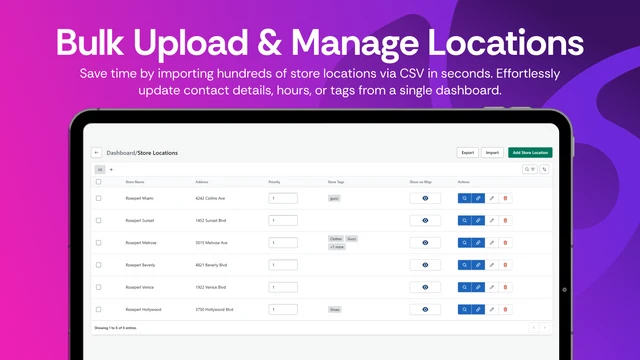
RP ProMap ‑ Store Locator by Rose Perl Technology LLC has been on the Shopify App Store since 2016. It carries the Built for Shopify badge. You can add stores one by one or upload 500+ through a CSV file. Shoppers can filter by location, radius, or custom tags you create.
The app connects with booking tools such as Calendly and EasyBooking. That lets a shopper find a store and book a visit in one flow. It supports 25+ languages with editable translations, plus a stockist signup form. The team offers live support and scheduled installation help.
Key Features:
- Handles networks of 5,000+ locations with quick results.
- Shoppers worldwide find the closest retailer by entering an address.
- Stable for years, with some merchants using it for over six years.
- Support restores the map quickly after theme or Google updates.
- The team helped merchants fix accessibility issues on the locator page.
- Remote sessions help customize layout and design.
- Changelog: phased updates, including a fresh admin embedded inside Shopify.
Ratings and Reviews: Rated 4.8 out of 5 from 390+ reviews, with 88% five-star ratings.
Best for: Large dealer networks and appointment-based retail, such as bridal or eyewear.
Use it wisely: Create tags for things shoppers decide on, like “fitting room.” Too many tags turn filters into a chore.
Pricing: Lite $9.99/month (20 locations), Basic $19.99/month (200), Pro $39.99/month (500), Unlimited $69.99/month. Each plan has a 7-day free trial.
What Is a Shopify Store Locator App?
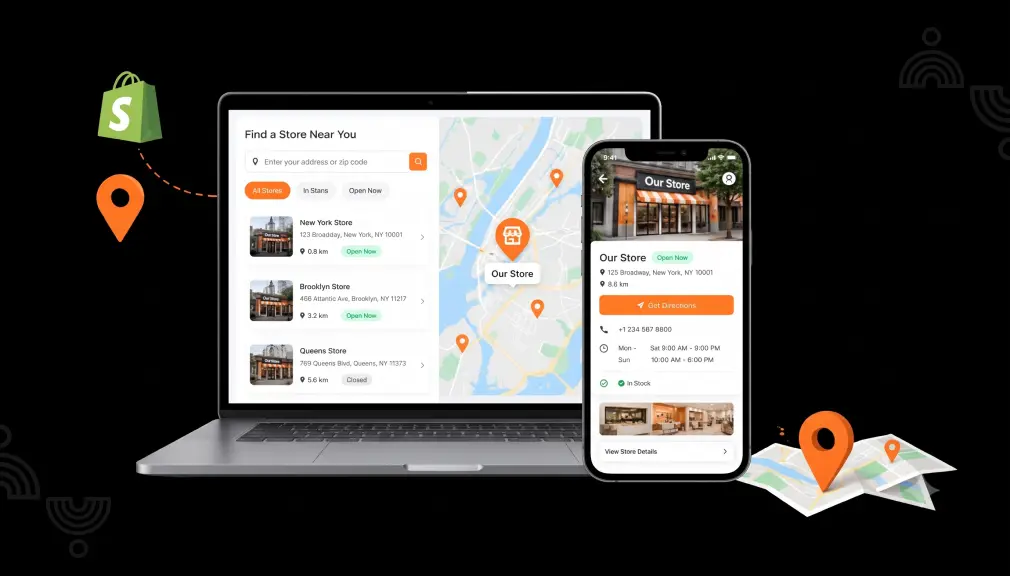
A Shopify store locator app adds a searchable map of places that sell your products. Those can be your own branches, retail stockists, or authorized dealers. Shoppers enter a city or allow location access, then see nearby options with hours and directions. You manage the list from your Shopify admin instead of editing code.
Why Shoppers Need a Locator Before They Visit
A store visit costs time, fuel, and effort. People weigh the risk of a wasted trip more heavily than the joy of a good one. So a closed door or an empty shelf feels worse than never going. Hours, product tags, and live directions remove that risk before the shopper leaves home.
Choice is the second trap. A map with three hundred pins asks shoppers to sort options themselves, and most will not bother. Showing the nearest three to five stores by distance turns a puzzle into a simple pick. The locator also pays you back, since search data reveals towns with demand but no store.
Where to Place Your Store Locator on Shopify
- Main menu: label it “Find a Store” or “Stockists,” not something clever.
- Product pages: a “Find it near you” link helps shoppers who want to try first.
- Footer and contact page: catch shoppers who scroll looking for an address.
- FAQ page: answer “Where can I buy this in person?” with a direct link.
When a Store Locator Pays Off (and When It Does Not)
A locator pays off when your products sell through other shops or several branches. It also helps when shoppers want to touch, try, or fit a product first. Wholesale brands gain the most, since every pin is a partner turning your demand into sales.
It adds less value for a single shop already listed in the footer. There, a full locator page adds a click without adding clarity. An outdated list also hurts trust more than having no list. Set a monthly reminder to remove closed stores and refresh hours.
Conclusion
A store locator looks like a small page, yet it decides whether online interest becomes a visit. Shoppers want certainty before they spend time and fuel on a trip. Show nearby options first, keep hours and details fresh, and place the link where people look. Match the tool to your network size and data habits, and that small page starts doing big work.
FAQs
Which Shopify store locator apps are free?
GA: Google Maps+Store Locator and MAPMIGO are free with unlimited locations. TA MAPPY also has a free plan for two locations.
Do I need a Google Maps API key for a store locator?
Not always. TA MAPPY and MAPMIGO work without one. For other apps, check the setup guide before you install.
Can I import all my stores at once?
Yes, most of these apps support bulk import through CSV, Excel, or Google Sheets. Stockist can also keep a Google Sheet synced on its Premium plan.
Will a store locator slow down my Shopify store?
A well-built locator loads mainly on the page where it sits. Built for Shopify apps meet Shopify’s performance standards. Still, test the page on a phone after setup.
How many stores should my locator show at first?
Show the nearest three to five by default. Let shoppers widen the radius or use filters if they want more.
How can a store locator help grow my wholesale network?
Locator search data shows where shoppers look but find no store. Use those towns as a target list for new retail partners.

Shopify Expert
Dipen Panchal, Shopify Tech Lead at Setubridge Technolabs, brings over a decade of expertise as a Shopify Expert. Passionate about e-commerce growth, he specializes in UI/UX design, crafting intuitive, engaging solutions tailored for merchants and B2B clients to enhance user experiences.