It happens all the time. One of your customers buys from your shop and immediately begins to ask herself: “What is my order status?” And then issues yet another question to your support team: “When will I receive my package?” Your support team then answers yet another question: “Is this item available?” If you run a Shopify website, these issues are so common that they make you cry. And if you have a small team, these repetitive support cases take all your time.
By 2025, worldwide eCommerce sales are expected to surpass $7.4 trillion, driven by mobile commerce, social shopping, and AI-powered online experiences. With a massive number of online stores all vying for a potential customer’s attention, their expectations are higher than ever. Research has revealed that more than 80% of people sending a query to a brand expect a reply within ten minutes; however, most small Shopify teams are overwhelmed and bombarded with the same questions.
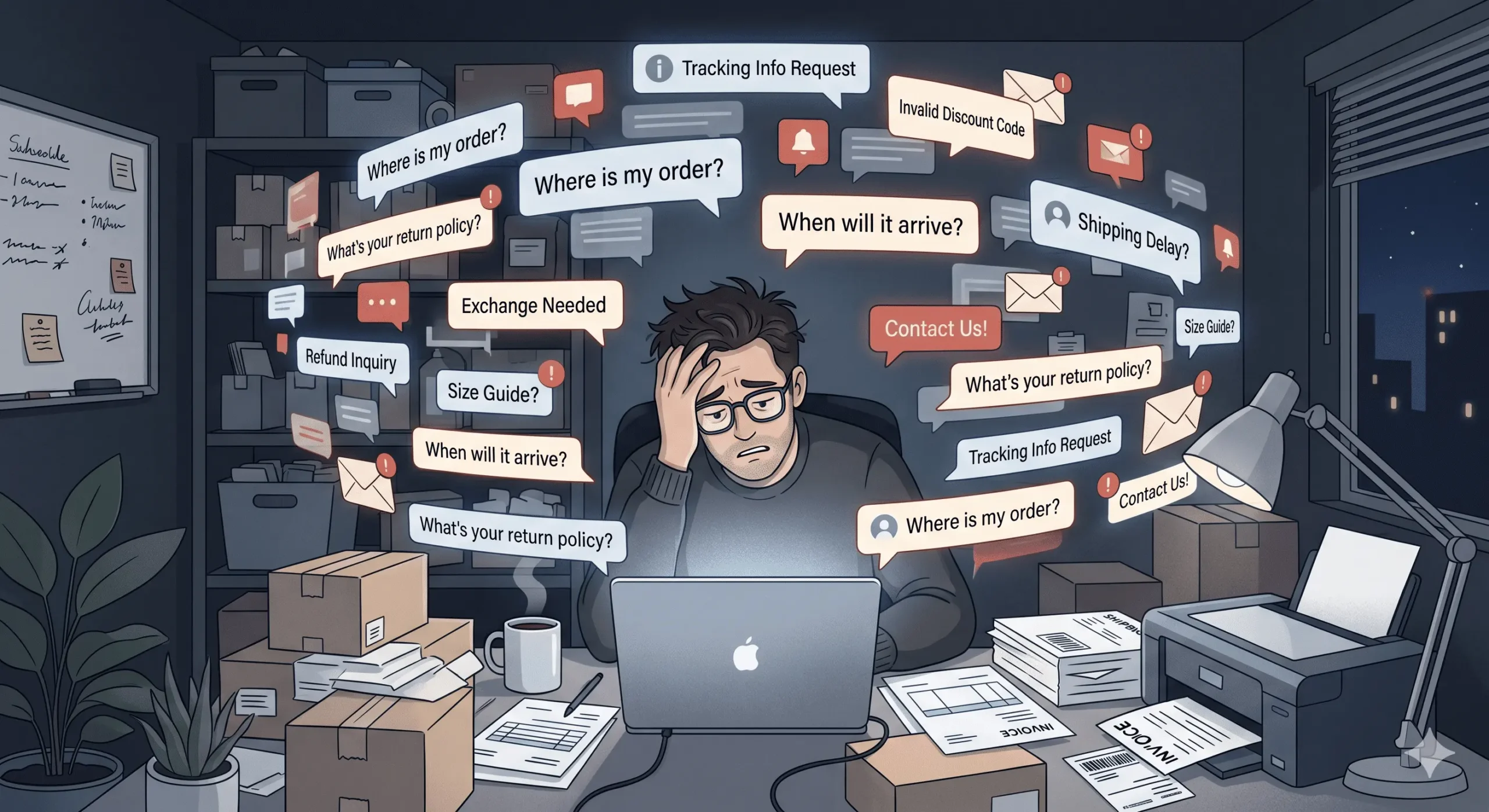
And here is the cold, hard reality. Research shows that nearly 40% of eCommerce customer support inquiries are related to shipping and delivery, including order tracking, delayed shipments, and delivery status questions. A significant portion also revolves around refunds/returns and product information. None of these is difficult. There are communication gaps. And communication gaps can be closed.
This blog will give you practical steps to minimize support tickets in your Shopify store, using practical techniques, intelligent automation, and the right software to support you. Whether you are just beginning or running an established business, these practical suggestions will assist you in reducing your support costs, enhancing customer retention, and allowing your team to concentrate on what counts.
Key Takeaways
- Most Shopify support tickets are repetitive and preventable.
- Clear delivery communication dramatically lowers WISMO (Where Is My Order?) tickets.
- AI chatbots provide instant support around the clock, even outside business hours.
- Better product descriptions and FAQ pages reduce pre-purchase confusion.
- Proactive order updates make customers feel informed and less anxious.
- Automation saves time, reduces support costs, and improves team productivity.
- Faster, smarter support builds customer trust and drives more conversions.
Why Shopify Stores Receive So Many Support Tickets
Customers Hate Uncertainty
Shopping online can be conceived of as being for the more cautious and is always loaded with a certain amount of risk. The consumer simply can’t feel the product directly, see the product directly, or see if it has arrived in the optimal time. It is this uncertainty that is unnerving for the consumer. If you ask yourself, the store is not simply open about your shipping time frame/delivery time and order status, consumers have to “read between the lines,” and in most cases, they imagine the worst.
Uncertain lead times, usability issues regarding the shipping policies, and missing tracking information are the largest ticket triggers. If a customer is not assured the shipment will reach them before a date they expect it to, they’ll send you a message. Everytime.
Repetitive Questions Consume Support Teams
Look at the most common customer support tickets any Shopify store receives:
- “Where is my order?”
- “Can I change my delivery address?”
- “Is this item in stock?”
- “Do you ship internationally?”
- “What is your return policy?”
They are not hard questions. But they do get repetitive very quickly, and having a customer support officer answering the same questions dozens of times a day is both exhausting and cost-prohibitive. One hour of support toward those questions every day is a massive 253.33 hours annually on avoidable support tickets.
Slow Replies Hurt Trust
Speed is crucial. As of recently, customers who haven’t responded within an hour are 7 times more likely to ask for a refund or use a chargeback. Slow response screams that your store cannot be trusted. No matter how good your product is. Later in the long term, slow response will bring you bad reviews, decrease the return rate, and lessen customer lifetime value.
Growing Stores Face Bigger Support Problems
Amplifying your shop on Shopify is a fantastic adventure. Growth, though, tends to bring a flood of new orders, support requests, and support tickets. Very few fledgling ecommerce enterprises are in a position to cope with and scale to massive influxes of sales. Absent the right tools, the quality of support declines, response times skyrocket, and customer satisfaction plummets at precisely the worst time.
The Hidden Cost of Too Many Support Tickets
Support Costs Grow Fast
Hiring a full-time customer support agent in the U.S. can cost businesses between $40K and $55K annually, before additional expenses like training, software, benefits, and management overhead. Throw on a period of training, the software subscriptions and management costs, and a reactive support operation is expensive. It’s money that most Shopify shops could better invest in marketing, product, or fulfillment.
High Ticket Volume Reduces Team Productivity
Your support team is drowning in the daily onslaught of cookie-cutter tickets. This leaves fewer staff hours to address those interesting escalations that are calling for some human interaction. Too many high-volume, low-value tickets slow your whole organization to a crawl. Longer response times, more errors, a burned-out team.
Slow Support Damages Your Reviews
Customers have a voice. One slowness or lumpiness in your reply can result in a one-star review that will dissuade dozens of future customers. Reviews are a key trust signal on the internet, and 94% of consumers report being dissuaded from purchasing after reading a negative review. Every open support query is a negative review in the making.
Burnout in Small eCommerce Teams
Shopify teams are small, and often the same people handle everything. When support tickets start to pour in, the same people who are working on marketing, fulfillment, and uploading products are also answering customer questions at midnight. Every inch of your business can suffer from burnout. And minimizing customer support tickets is more than a smart business move; it’s a way to protect those who power your store.
15 Proven Ways to Reduce Shopify Support Tickets
1. Show Estimated Delivery Dates Clearly
The number one support ticket on Shopify is the WISMO question – “Where is my order?” Clearly, the best way to train customers and prevent this support ticket from ever occurring is to establish delivery expectations before they click buy.
Shipping times are published directly on the product page and displayed prominently on the shopping cart page, so your shoppers don’t have to call in. They already know. This one simple change to how you communicate shipping estimates reduces shopping cart-related support tickets by up to 30%.
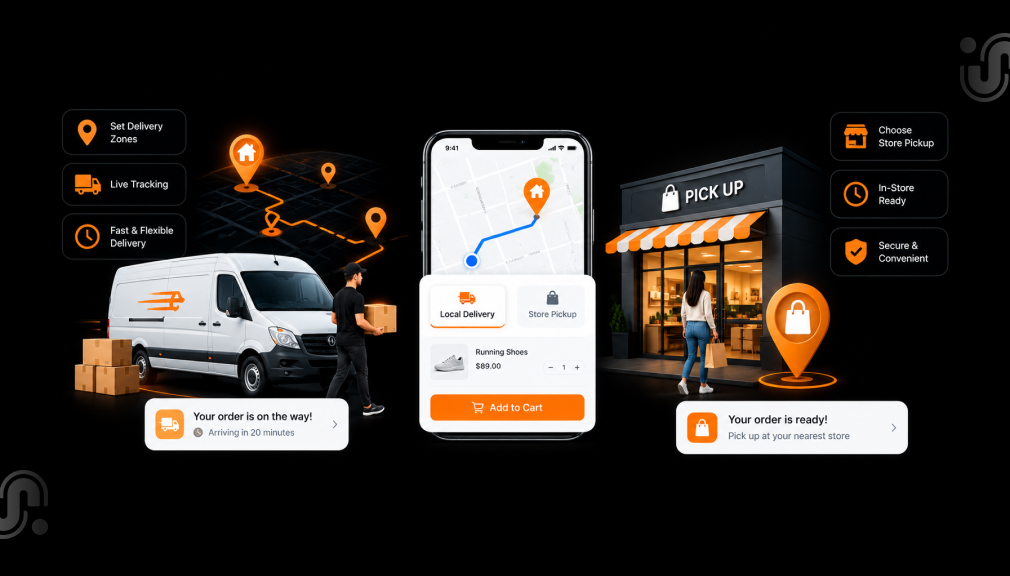
Estimated Delivery Date – ETA App helps stores show delivery time range on product pages, giving the customer confidence to purchase without follow-up. With transparency and live delivery estimates based on the user’s location and shipping method, it provides store confidence and helps reduce shipping questions dramatically.
Best places to deliver messages are: below the Add to Cart Button, on the cart page, and in the checkout summary. Mobile optimization is also very important as more that 70% of eCommerce traffic is being made from mobiles now.
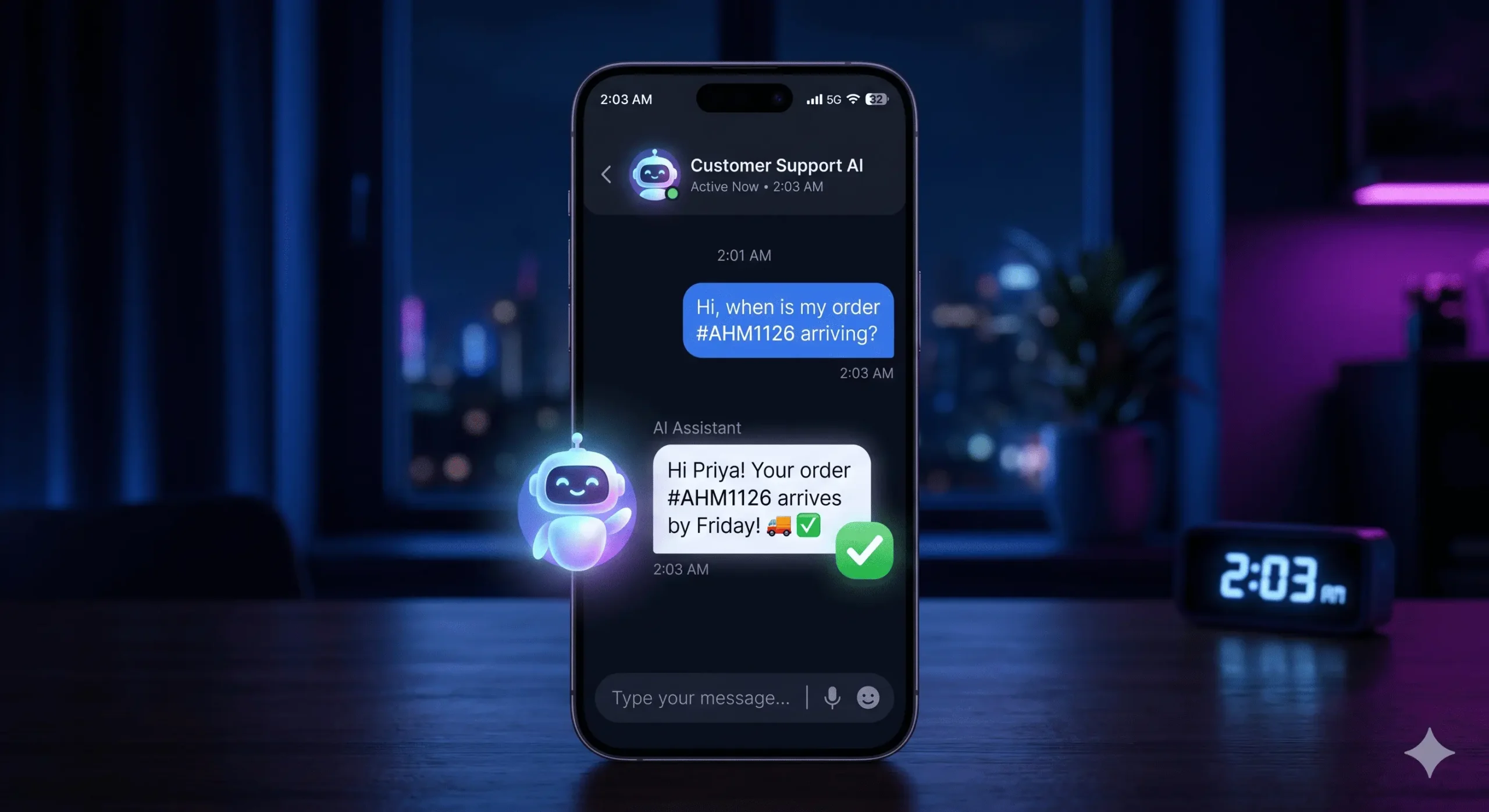
2. Use an AI Chatbot for Instant Customer Answers
The people shopping online now want instant answers. They don’t want to wait for a rep to write them an email reply. They don’t want to be put on hold. They want to be helped now. Even if it’s 2 a.m. on a Sunday.
AI chatbots are now an essential part of selling for the best-performing eCommerce sites. Utilizing AI bots can give automated assistance for responses to common customer questions, status on order delivery, recommending desired products, executing small return requests, and more through a totally automated system.
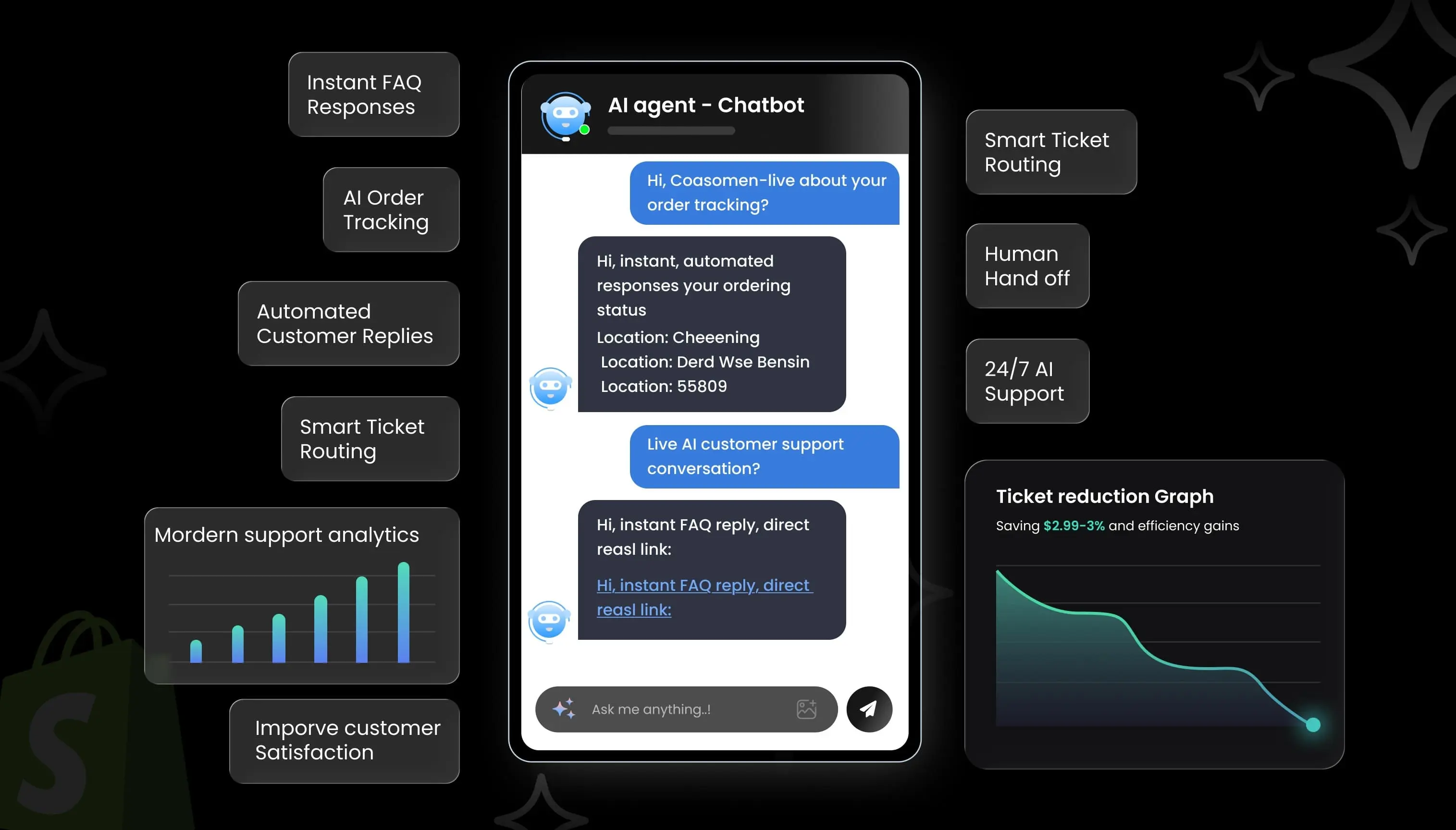
The AI Shopping Assistant Chatbot can be used on your Shopify store to automatically respond to and help answer your customers’ questions. It works around the clock, providing your customers with FAQs, product suggestions, and basic support flows. Customers have access 24/7, and you’re left with fewer tickets in your inbox.
Smart chatbots are very good at questions related to product recommendations, simple troubleshooting, and FAQ responses. When it is time to hand off to a human agent, a smart chatbot can properly triage the conversation and pass it to the right person, thus saving time for both.
3. Create a Detailed FAQ Page
A well-organised FAQ page is among the most underrated support ticket reduction tools. With the ability to find the answers to their questions on your site, customers will call your team less.
Your FAQ page should cover:
- Shipping timelines and carrier information
- Return and refund policies with clear step-by-step instructions
- Payment methods and security information
- Order tracking and modification procedures
- International shipping rules and customs information
Including FAQ schema markup on your page optimises your SEO because it increases the possibilities of your answers showing directly within Google search engine results, along with other results.
4. Improve Your Product Descriptions
Pre-purchase confusion. Product descriptions that are too vague lead to pre-purchase confusion. Confused shoppers will either not buy or fill your email box with questions. Detailed, descriptive product copy clears up doubt.
Strong product descriptions should include:
- Accurate sizing charts with measurements in multiple units
- Material composition and care instructions
- Compatibility notes for electronics or accessories
- Usage instructions and application guidelines
- High-quality images from multiple angles
You can tell that a customer is purchasing confidently when they have all the information they need on the page, and follow-up questions are few and far between.
5. Send Proactive Order Updates
Proactive communication is the most effective way of mitigating the number of stress-related support tickets. Customers who stay informed about the current status of their order are much less likely to call and inquire.
Set up automated notifications for each stage of the order journey:
- Order confirmation with estimated delivery date
- Shipping confirmation with tracking link
- Out for delivery notification
- Delivery confirmation with a follow-up request
What makes this even more effective is the fact that SMS notifications have an average open rate of 98%. That is 8% higher than email, so that’s a very successful way of relaying urgent order updates. Customers want to be kept updated at every step, and they will feel appreciated.
6. Make Your Return Policy Easy to Understand
Confusing return policies are responsible for many support tickets and bounces on your site: if a customer cannot return a product easily, she won’t make the purchase and is more likely to post the question, or confusion, to your support inbox.
Your return policy should clearly explain:
- How many days do customers have to initiate a return
- Which items are eligible for return, and which are not
- Whether exchanges are available and how to request them
- How long does it take to process refunds once the return is received
Include your return policy in the footer of your website, on each product page, and at checkout. Remember to make it as easy to find as possible, so you should get as few questions as possible.
7. Add Self-Service Order Tracking
Develop a self-service tracking portal for your customers to be able to view the status of each order and retrieve it without reaching out to your team. Rather than sending a “Where is my order?” message, they can just input their number and email ID and immediately get a view of the shipment.
Numerous Shopify tracking apps integrate with big carriers and update on their own when the status of the shipment changes. This removes an entire class of support tickets and leaves the customer feeling empowered over the experience of their purchase.
8. Use Smart Live Chat Routing
Not all support tickets are created equal. Some need immediate attention. Others are more ‘low-priority’. Using AI triage, smart live chat routing can prioritize conversations by level of urgency, subject, and the customer’s history.
Priority-based support routing can automatically escalate high-value or time-critical conversations, while leaving chatbots to handle generic questions. This kind of automated workflow reduces AHT and FCR.
9. Offer Faster Mobile Support Experiences
Back to your most of your eCommerce traffic is on mobile devices, so your support experience should be small screen optimized. Mobile Silo, sluggish support pages, small contact buttons, and a mobile-unfriendly chat widget will drive the shoppers away and increase your ticket volume.
Optimize your mobile support by:
- Using a mobile-first chat interface
- Adding one-click contact buttons on product and order pages
- Offering WhatsApp or SMS support for mobile-first customers
- Ensuring your FAQ page loads quickly on all devices
10. Reduce Checkout Confusion
Additional surprise charges and undefined shipping fees at checkout are some of the number one reasons consumers add an item to their cart and then end up calling to complain to your customer service team. Checkout transparency helps lessen the number of support tickets.
Eliminate checkout confusion by:
- Showing all fees (taxes, shipping, handling) before checkout
- Displaying trust badges and secure payment icons clearly
- Providing multiple payment options
- Confirming order details in a clear summary before the final purchase
11. Create Help Content and Tutorials
For many, most of your support tickets will be from customers who don’t know how to use your product or find something in your store. Will prevent this by educating them before they ever submit a support ticket.
Effective help content includes:
- Set up and installation guides for technical products
- Video tutorials for complex or multi-step products
- Onboarding emails for new customers explaining how to use their purchase
- A searchable help center with categorized articles
12. Use Customer Data to Predict Problems
Nothing reveals more about your issue-tracking system than your support ticket history. You can look at the most popular tickets, the serial numbers of their appearance, and the product related to the issues to solve the reason before they cause new tickets.
What about tracking what customers are complaining about, or how they are behaving, so you can be proactive about updating your FAQ, updating your product descriptions, or updating your shipping messaging? Data-driven support is always more efficient than reactive support.
13. Automate Common Customer Replies
If you frequently receive the same questions, canned responses, and AI responses can save your staff a lot of time. Automated workflows can also automatically reply instantly to common questions without any agent involvement.
Examples of automatable replies:
- “Your order is on its way. Here is your tracking link: [link].”
- “Our return window is 30 days. Here is how to start the process: [link].”
- “We currently ship to 50+ countries. See the full list here: [link].”
14. Improve Store Speed and UX
Poorly-optimized webpages can lead to support tickets where they are not needed. Customers attempting to order repeatedly because a page takes a long time to load can lead to duplicate order problems. When customers cannot find their product, they ask for help.
A 1-second improvement in page load time can increase conversions by up to 7%. Focus on:
- Compressing images and using next-gen formats like WebP
- Reducing third-party app bloat
- Simplifying your store navigation and search functionality
- Ensuring consistent performance on mobile devices
15. Ask Customers What Confuses Them
Sometimes, the most effective way to cut down your number of support tickets is just to ask your customers to inquire what it is that they find hard to understand. Customer feedback questionnaires sent out after purchase, exit intent forms, and your analytics on support these can all alert you to trends you might otherwise never see.
Short survey questions of “Was anything unclear when you bought?” or “What information did you need?” may be valuable to find quick wins, which may drop the volume of your tickets significantly. Follow your customers.
Which Support Tickets Can Be Automated?
Not all support tickets require a human. The most common types of tickets that we can now triage automatically with the help of the right Shopify apps and workflows are:
- Shipping Questions: “Where is my order?” “When should I expect my order to arrive?”Just give me an estimated delivery date and keep me updated with proactive tracking notifications.
- Product Availability Questions: “Do you have this?” Live inventory icons and back-in-stock alert robots respond to these automatically.
- Return Policy Questions: “How do I return this?” These tickets disappear with a clear and easy-to-navigate return policy page and self-service return portal.
- Order Tracking Requests: Customers requesting tracking numbers or status updates can also be routed to a self-service tracking portal.
- Basic Product Recommendations: Questions like “What size should I purchase?” and “Will this work with my device?” are very useful for an Artificial intelligence shopping assistant.
How AI Is Changing Shopify Customer Support
AI Is Becoming Standard in eCommerce
Artificial intelligence is no longer just the privilege of large enterprise brands. It is quickly becoming a norm for eCommerce stores of all sizes. The worldwide AI in retail market is experiencing massive growth, with projections estimating the industry could exceed $120 billion by 2033 as retailers increasingly adopt AI technologies for automation and customer experience. eCommerce business owners using AI tools will be far ahead of their competitors in a few years.
Customers Expect Instant Answers
Contemporary buyers have been wowed by IM, Facebook, Twitter, and tweets on screens that pop up in real time. Customers’ fast-paced expectations are the same in service. Responding to a customer in less than 2 seconds with a 24/7 AI API chatbot is far, far superior to an email arriving 6 hours later.
AI Helps Small Teams Compete
Perhaps one of the greatest benefits of AI-based support systems is that it removes the gap. When you have an AI chatbot, a one-employee Shopify store can be just as fast and responsive as a large brand with an entire support team. Nothing sleeps, no one takes sick days, vacation, or simply just gets tired.
AI + Human Support Works Best
The most successful support models are ones in which AI tools automate the repetitive tasks that comprise the majority of the support volume, and human agents address the emotional questions and high-value clients. This has been shown to maximize both quality and efficiency.
Future Trends in eCommerce Support
Looking ahead, several emerging trends will reshape how Shopify stores handle customer support:
- Conversational commerce: AI that guides shoppers through the entire buying journey in a chat interface
- AI shopping assistants: Personalized recommendation engines that reduce product-related questions
- Predictive customer support: Systems that identify and resolve problems before customers notice them
- Voice-based support: Integration with smart speakers and voice search for hands-free assistance

Simple Support Ticket Reduction Strategy for Small Shopify Stores
If you are not sure where to start, follow this beginner-friendly four-week action plan to systematically reduce your Shopify customer support tickets:
Week 1: Fix the Basics
- Audit your top 10 most common support tickets from the last 30 days
- Update your FAQ page to answer those questions clearly
- Review and simplify your return policy
- Add sizing charts, material details, and usage instructions to your product pages
Week 2: Add Delivery Transparency
- Install an estimated delivery date app and configure it for your main shipping zones
- Place delivery messaging prominently on product pages and in the cart
- Set up automated shipping confirmation and tracking emails
- Test your checkout flow for hidden fees or confusing cost breakdowns
Week 3: Automate Support
- Install an AI chatbot and train it with your most common FAQ responses
- Set up automated replies for order status and return inquiries
- Create a self-service order tracking page
- Configure smart routing to escalate complex tickets to human agents
Week 4: Analyze and Optimize
- Review your support ticket volume and compare it to week 1
- Identify any remaining high-volume ticket categories and address root causes
- Collect post-purchase feedback to find remaining friction points
- Adjust chatbot responses and FAQ content based on what you learn
Conclusion
Support has to be proactive, not reactive. If your Shopify shop on Shopify is well communicating, solving inquiries automatically, offering information needed to customers before asking for it, customers load support tickets automatically, and you raise satisfaction.
Chopping support tickets is not a shortcut. It is designing systems to make your store easier to shop from. When your customers know that they will receive their order on time, can follow their shipment without trouble, and will be helped when something is unexpected, they buy confidently again!
Whether your Shopify shop is big or small, it can automate huge chunks of the support operation using the right solutions: Display delivery estimates on product pages to eliminate the majority of shipping inquiries. Run an AI chatbot to answer common questions 24/7 without adding to your team. Create a comprehensive FAQ and a self-serve tracking portal.
The result is a slimmer, more efficient support operation, a more satisfied customer base, and a team with the time and energy to grow your store.
Begin to implement the changes that will impact your most frequently logged tickets, move on to the less frequent, and you will slowly find that your support volume begins to drop off each week.
Frequently Asked Questions (FAQs)
1. What are the most common Shopify support tickets?
The most common Shopify support tickets involve shipping inquiries like WISMO, return requests, product availability, order modifications, and payment issues. Most of these are repetitive questions that can be reduced through proactive communication and automation.
2. How can I reduce Shopify support tickets without hiring more agents?
You can reduce Shopify customer support tickets by installing an AI chatbot, showing estimated delivery dates, improving your FAQ page, and setting up proactive order update notifications. These tools handle most repetitive tickets automatically without needing additional staff.
3. What is a WISMO ticket, and how do I reduce it?
WISMO stands for “Where Is My Order?” It is the most common customer support ticket in eCommerce. You can reduce WISMO tickets by displaying estimated delivery dates on product pages and sending proactive shipping notifications with real-time tracking links.
4. Does an AI chatbot really help reduce support tickets on Shopify?
Yes. AI chatbots handle repetitive questions 24/7, reducing ticket volume by up to 40% for many stores. They answer FAQs, provide order status updates, and route complex issues to human agents, allowing your team to focus on higher-value interactions.
5. Which Shopify app is best for showing estimated delivery dates?
The Estimated Delivery Date – ETA app on the Shopify App Store is a popular choice. It displays real-time delivery windows on product pages based on location and shipping method, helping reduce shipping-related support tickets naturally and effectively.
6. What types of support tickets can be fully automated on Shopify?
Shipping inquiries, order tracking requests, return policy questions, stock availability checks, and basic product recommendations can all be automated. With the right tools, these ticket types require zero human involvement and are resolved instantly for the customer.
7. How long does it take to see results after reducing support tickets?
Most Shopify stores see a measurable drop in support ticket volume within two to four weeks of implementing key changes like delivery date display, AI chatbots, and FAQ improvements. Consistent optimization over one to two months delivers the best long-term results.

Shopify Expert
Dipen Panchal, Shopify Tech Lead at Setubridge Technolabs, brings over a decade of expertise as a Shopify Expert. Passionate about e-commerce growth, he specializes in UI/UX design, crafting intuitive, engaging solutions tailored for merchants and B2B clients to enhance user experiences.