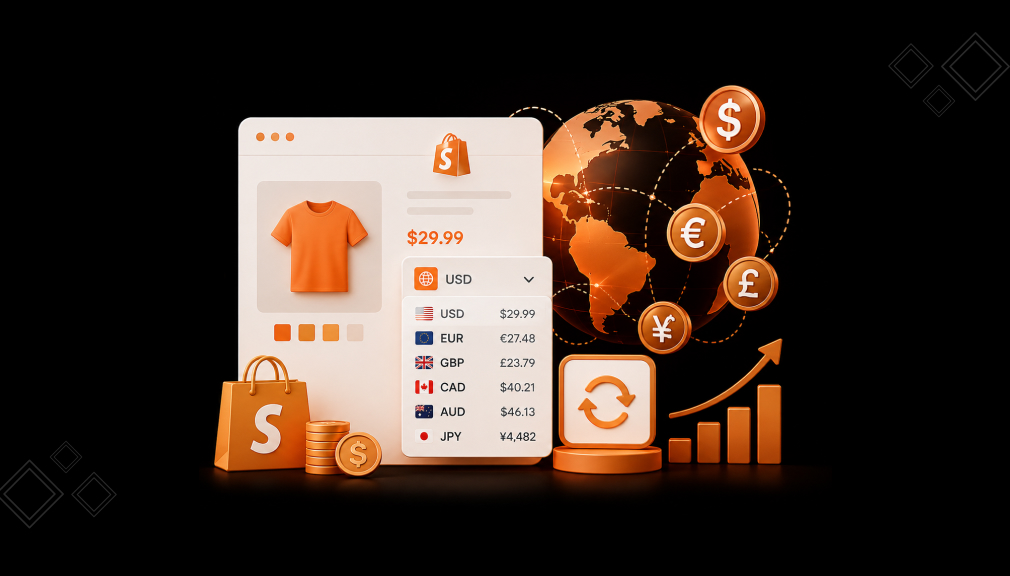
A shopper in Berlin opens your product page at 11 p.m. She likes the jacket. Then she sees “$128.00” and stops. Her brain starts doing maths it did not sign up for.
She opens a new tab to check the euro rate. A message pops up. She never comes back. You never see that moment in your reports. You only see a bounce, or a cart that quietly died.
That gap looks small. It is not. During Black Friday Cyber Monday 2025, 16% of all Shopify orders were cross-border. Roughly one in six of your buyers is reading a price in a currency they do not think in.
Below are five Shopify currency converter apps worth your time. Each entry includes details you will not find in a feature list.
Key Takeaways
- Cross-border is already one in six Shopify orders, so local currency display is table stakes.
- Converters work by removing mental maths and price uncertainty, not by adding pressure.
- BUCKS and Hextom offer real free plans. Currency Converter Plus, Bear, and the paid tiers start at $9.99/month.
- Local currency checkout needs Shopify Payments or Adyen. Otherwise, display conversion plus a cart notice is the right approach.
- Support time zone and data access differ widely between apps. Check both before installing.
Comparison of Top 5 Shopify Currency Converter Apps
| App (Company) | Currencies | Local-Currency Checkout | Checkout Notification | Price Rounding / Styling |
| BUCKS Currency Converter PRO++ by Helixo | 160+ (unlimited on paid) | Yes (Shopify Markets) | Yes | Styling + custom rates |
| Nova: Multi Currency Converter by Nova Apps | 130+ | — | — | Rounding + design |
| Beast Currency Converter by Grizzly Apps | 160+ | — | Yes (cart message + hover) | Header styling |
| SmartCS: Currency Converter by Smartify Apps | All (unlimited) | Yes (Shopify Multi-Currency) | Yes | Rounding rules + 9 templates |
| Currency Converter Plus by Code Black Belt | 222 | Yes (Shopify Markets) | Yes (configurable) | Rounding + styling |
Top 5 Shopify Currency Converter Apps for International Selling
“All apps personally tested by our Shopify Team”
1 – BUCKS Currency Converter PRO++
BUCKS Currency Converter PRO++, by Helixo, is a Built for Shopify currency converter for global stores. It automatically converts prices to a shopper’s local currency by geolocation. An Instant Loader shows converted prices fast, with no flicker of the original price.

BUCKS supports 160+ currencies and full Shopify Markets, so customers can check out locally. A checkout currency notification keeps buyers informed when it applies. AI Revenue Insights show top countries, currencies, and clear optimization actions. You can style the switcher, set custom rates, and match your store design.
Best for: stores that want fast, no-flicker conversion with local-currency checkout via Shopify Markets.
What Tested Results
- Free plan available with a currency selector dropdown.
- Supports 160+ currencies, with unlimited currencies on paid plans.
- Auto-switches prices by customer location, with no flicker on load.
- Full Shopify Markets support enables smooth local-currency checkout.
- Checkout currency notification keeps shoppers informed at checkout.
- AI Revenue Insights surface top countries, currencies, and next actions.
- Custom positioning, styling, and your own conversion rates.
- Works with third-party apps and matches your store design.
- 24/7 live chat and email support.
2 – Nova: Multi Currency Converter
Nova: Multi Currency Converter, by Nova Apps, is a free location-based currency switcher. A floating currency bar converts prices automatically based on each customer’s location. You can add all 130+ currencies with a single click, or pick just a few.
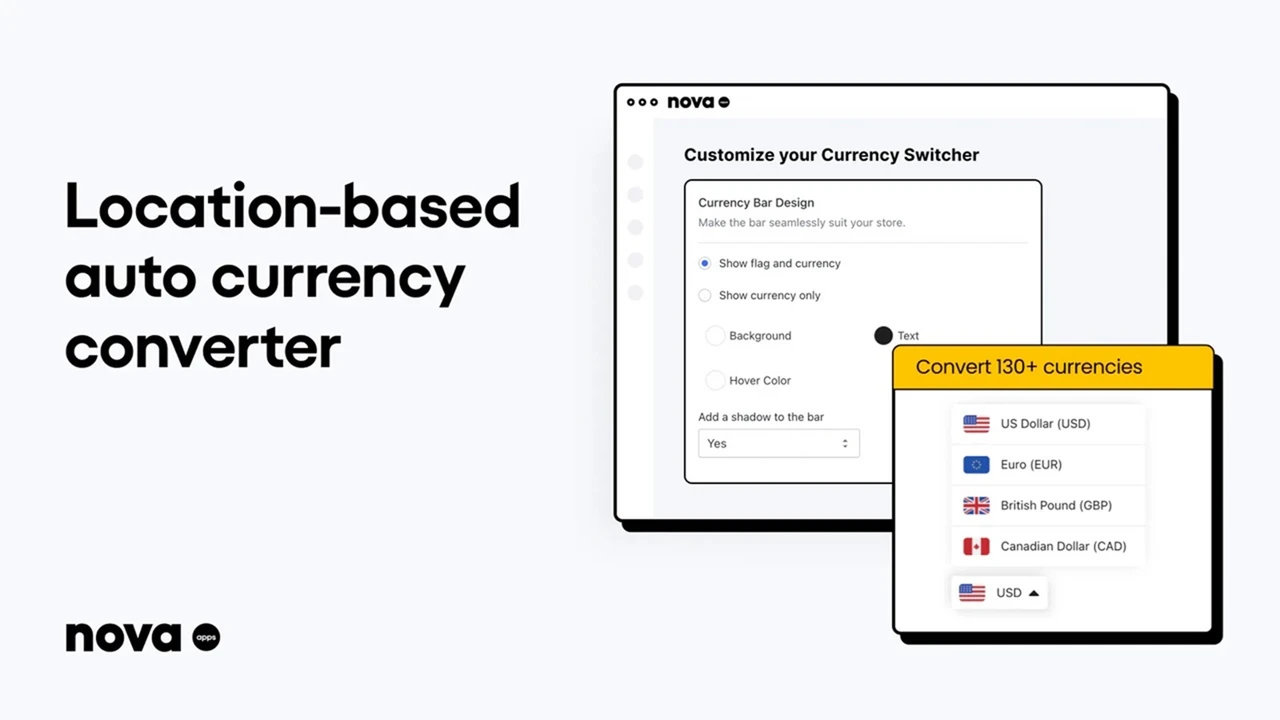
The bar shows a shopper’s local currency, while checkout uses your store currency. Exchange rates stay current through Shopify’s own conversion systems and API. You can switch automatically, or let customers choose their currency manually. Change the design and colors so the switcher matches your shop’s branding. A 24/7 live chat team is on hand when you need a quick answer.
Best for: budget-conscious stores that want a simple, free location-based currency switcher.
What Tested Results
- Free app with no paid tier required.
- Supports 130+ currencies, added with a single click.
- Automatic or manual currency switching by customer location.
- Floating currency bar shows the shopper’s local currency.
- Exchange rates stay current via Shopify’s conversion systems and API.
- Change design and colors to match your shop’s branding.
- 24/7 live chat human support for quick help.
- Rounds prices by the decimal for cleaner local pricing.
3 – Beast Currency Converter
Beast Currency Converter, by Grizzly Apps, converts prices to a shopper’s local currency automatically. It installs into the header of any Shopify theme, so setup is quick. You can add all currencies with a single push of a button.
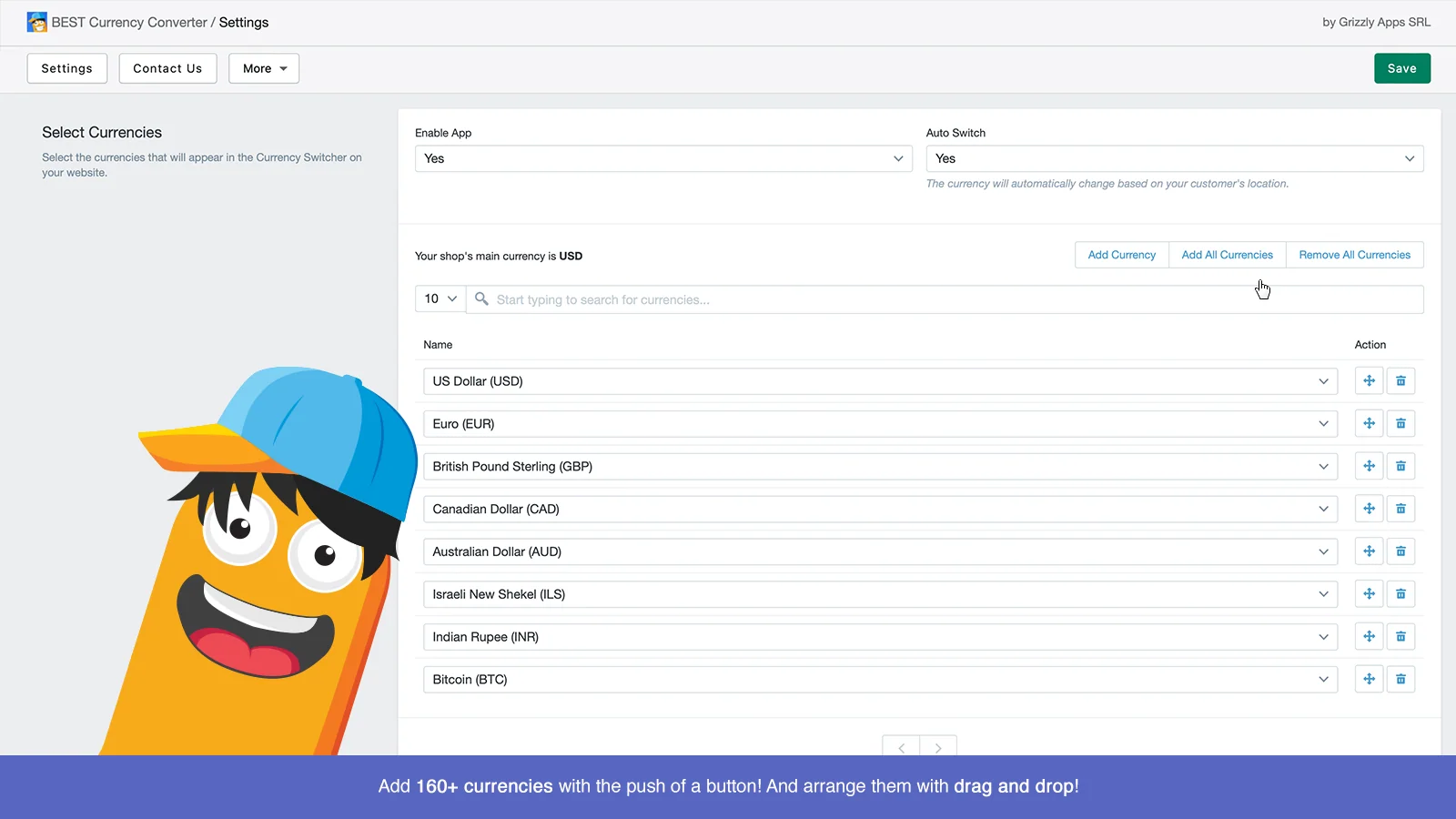
Because Shopify keeps checkout in your store currency, Beast handles that gap thoughtfully. A cart-page message and hover-to-see-original prices keep shoppers informed and confident. This transparency helps international buyers browse in local currency and reduces cart abandonment. Prices convert instantly on desktop, tablet, and mobile, automatically or by manual switch. Beast supports 160+ currencies and auto-switches based on each customer’s location.
Best for: stores that want a clean header switcher with clear checkout-currency messaging.
What Tested Results
- Supports 160+ currencies, added with one button push.
- Auto-switches prices by customer location, or switch manually.
- Installs automatically in the header of any Shopify theme.
- Checkout currency notification keeps shoppers informed at the cart.
- Hovering over converted prices reveals the original store price.
- Prices convert instantly on desktop, tablet, and mobile.
- Local-currency browsing helps decrease cart abandonment.
4 – SmartCS: Currency Converter
SmartCS: Currency Converter, by Smartify Apps, helps customers shop and check out in their local currency. It auto-detects a visitor’s location and switches to the right currency automatically. When their currency is on Shopify’s list, they can also check out in it.
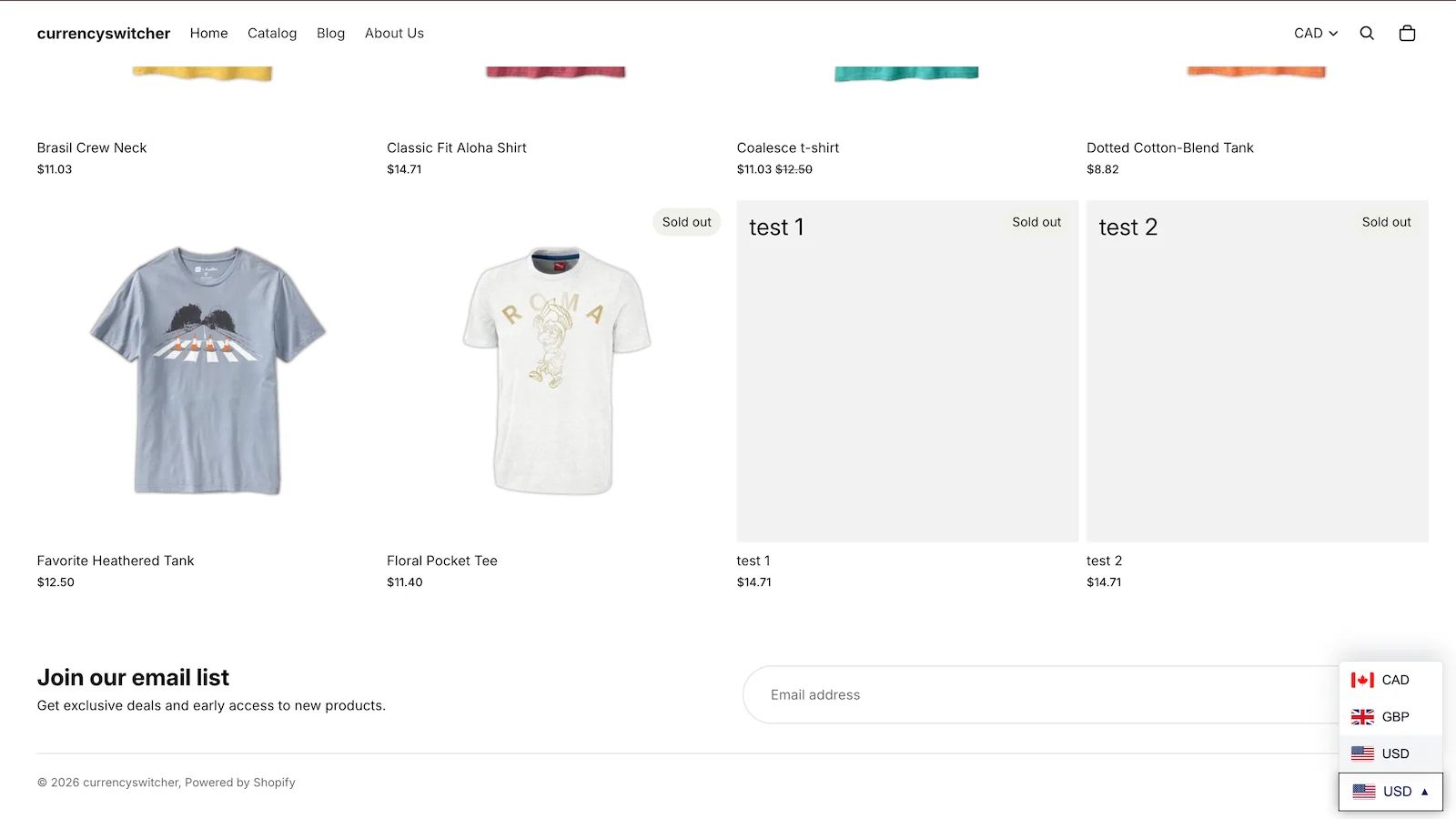
SmartCS integrates with Shopify’s Multi-Currency feature for smooth local checkout. It can round prices automatically using several rules, for cleaner local pricing. Nine switcher templates and auto-positioning help it fit your theme neatly. Exchange rates update regularly from Shopify’s live rates, so pricing stays accurate. The app performs well on PC, tablet, and mobile, and free setup help is available. A checkout currency notification can inform shoppers when checkout uses a different currency.
Best for: stores that want automatic price rounding and local-currency checkout via Shopify Multi-Currency.
What Tested Results
- Free app with free setup and customization help.
- Auto-detects location and switches to the local currency.
- Integrates with Shopify Multi-Currency for local checkout.
- Rounds prices automatically using multiple selectable rules.
- Nine switcher templates with automatic positioning on any theme.
- Live exchange rates update regularly from Shopify.
- Checkout currency notification informs shoppers at checkout.
- Performs smoothly on PC, tablet, and mobile.
5 – Currency Converter Plus
Currency Converter Plus, by Code Black Belt, is a built-for-Shopify professional currency converter for international selling. It automatically detects a customer’s location using high-quality IP databases. Then it displays your prices in their local currency for a familiar experience.
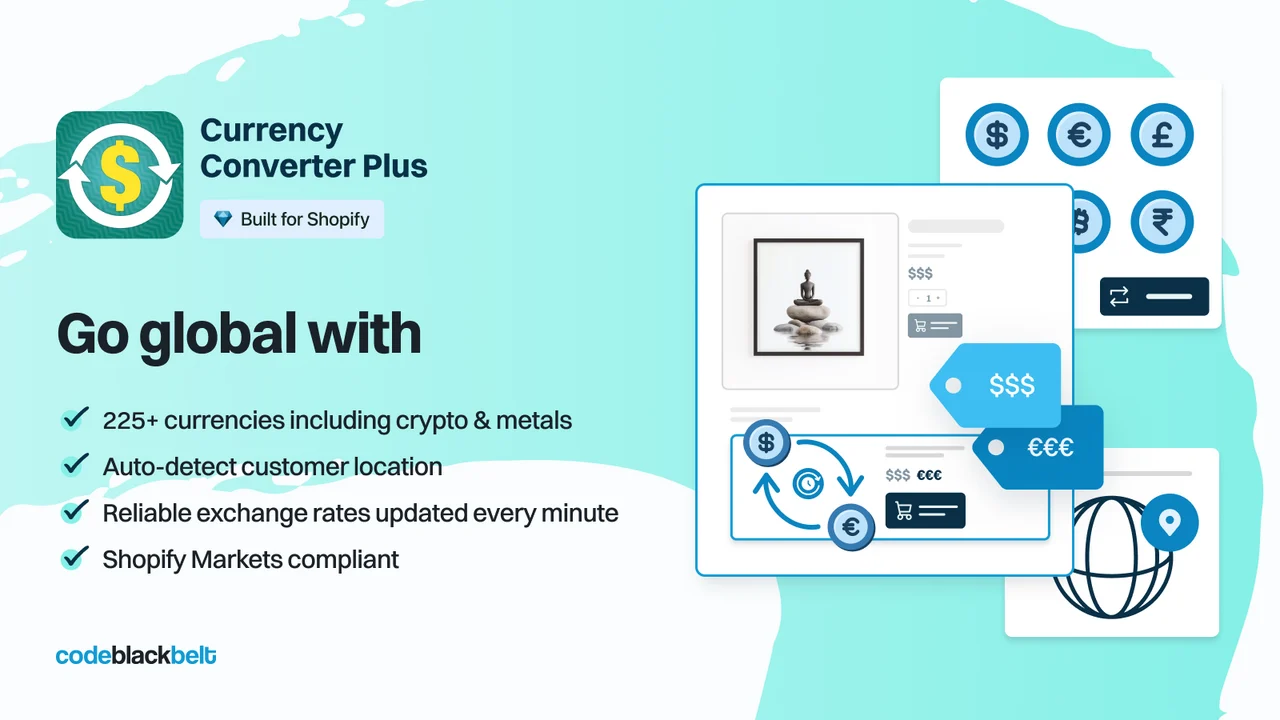
The app supports 222 currencies, including cryptocurrencies and precious metals. Exchange rates update every minute from reliable, paid providers for accuracy. It is compatible with common Shopify Markets configurations for local checkout. When Markets is not used, checkout stays in your store currency, with a cart warning you can configure. You can easily set styles, rounding, and the menu button to fit your store.
Best for: international sellers that need the widest currency coverage and minute-by-minute exchange rates.
What Tested Results
- Paid plans only, focused on professional international selling.
- Supports 222 currencies, including cryptocurrencies and precious metals.
- Automatic currency detection via high-quality IP geolocation databases.
- Exchange rates update every minute from reliable, paid providers.
- Compatible with common Shopify Markets configurations for local checkout.
- Configurable cart message warns shoppers when checkout currency differs.
- Easy setup of styles, rounding rules, and the menu button.
- Fast, knowledgeable support.
What a Shopify Currency Converter App Actually Does
A Shopify currency converter app changes the prices shown on your storefront to match each shopper’s location. It reads their IP address, picks a currency, and rewrites prices across product, collection, and cart pages. Most apps also add a switcher so shoppers can change currency themselves.
It does not change the currency you get paid in. Your store currency and payout currency stay the same.
Why Foreign-Currency Prices Quietly Cost You Sales
When a price sits in a currency your shopper does not use, they have to convert it in their head. That is extra effort at the exact moment they are deciding. Effort at a decision point is where people quit.
There is a second, bigger problem: uncertainty. Shoppers do not know what their bank will add, so the real cost feels unknown. Baymard Institute found that 12% of shoppers abandon because they could not see or calculate the total order cost up front, while 40% leave over extra costs. The documented average cart abandonment rate sits at 70.22%.
A multi-currency converter does not add persuasion or pressure. It removes a maths problem and a guess. That is the whole mechanism.
When Shopify Markets Is Enough, and When You Need an App
Shopify Markets handles local pricing well if you use Shopify Payments. Selling in local currencies is only supported by Shopify Payments or Adyen. Rounding rules need Shopify Payments too.
If your gateway is something else, checkout converts back to your store currency. Merchants in India, Norway, Finland, Greece, Taiwan, and several other regions hit this every day. A converter plus a clear cart notice is the honest setup there. Tell shoppers the charge currency before checkout, never after.
One more number worth knowing. With automatic exchange rates, Shopify builds a currency conversion fee of 1.5% or 2% into the price your customer sees. With manual rates, that fee comes out of your payout instead. Choose based on which side you want to absorb it.
Where to Place the Currency Switcher
- Header, near the cart icon. That is where shoppers look when they want control.
- A second switcher in the footer, for long collection pages.
- Show the currency code beside the symbol. “$” means at least five different things.
- Repeat the charge currency on the cart page, in plain words.
- Keep flags optional. Currency and country are not the same thing.
Guardrails: When a Currency Converter Works Against You
Most converter problems come from over-configuring, not under-configuring.
- Do not auto-switch and hide the option. Some shoppers want to compare against your base price.
- Do not round aggressively across every market. Preview converted prices per market and check your margin first.
- Do not run two converter apps at once. They compete for the same price elements and cause flicker.
- Do not promise local checkout you cannot deliver. If checkout charges in your base currency, say so on the cart page.
- Watch VPN and mobile traffic. Geolocation guesses wrong sometimes, so the manual switcher must stay reachable.
Setting It Up in About 15 Minutes
- Turn on your markets and currencies inside Shopify Markets first.
- Install one currency converter app and enable its theme app embed.
- Set the switcher position and match your store fonts.
- Activate rounding, then preview prices for your top three markets.
- Add a cart notice if checkout uses your store currency.
- Test on mobile, on a real device, with a VPN set to a target market.
Final Word
Currency display is one of the cheapest fixes in international selling. It only removes a small task you were quietly handing to every overseas shopper.
Pick one app above, match it to your gateway, and test it for a month. Then check your international conversion rate. That number tells you what a feature list cannot.
FAQs
Do I still need a currency converter app if I use Shopify Markets?
Often yes. Markets covers currencies you configure, but apps add wider currency lists, custom switcher design, and finer display control. They also help stores whose payment gateway is not Shopify Payments.
Will a currency converter app slow down my store?
A well-built one adds very little weight. Install only one converter, enable it as a theme app embed, and test your product page speed before and after.
Can customers pay in their own currency?
Only if you use Shopify Payments or Adyen. With other gateways, the app converts the display price and checkout charges in your store currency.
Which Shopify currency converter app is best for a new store?
Start with a free plan. BUCKS and Hextom both include auto-switching at no cost, so you can confirm international demand before paying.
How often should exchange rates update?
Daily refresh is fine for most catalogues. Choose minute-level rates if you sell high-ticket items where a small swing changes your margin.
Should I show prices with or without decimals?
Use rounding to keep endings consistent, such as €49.90 rather than €48.37. Consistent endings look deliberate, and deliberate pricing reads as trustworthy.

Shopify Expert
Dipen Panchal, Shopify Tech Lead at Setubridge Technolabs, brings over a decade of expertise as a Shopify Expert. Passionate about e-commerce growth, he specializes in UI/UX design, crafting intuitive, engaging solutions tailored for merchants and B2B clients to enhance user experiences.