You open your Shopify dashboard on Monday morning. Traffic is up, ad spend is up, and orders look the same as last week. Hundreds of people came, looked around, and left without a word. That silence is the hardest part, because you can’t fix a problem nobody tells you about.
Most lost sales don’t come from one big mistake. They come from small moments, like a box that looks clickable but isn’t. Shoppers rarely complain about these moments. They close the tab, and your analytics only records that they left.
The scale is real. Baymard Institute puts the average documented cart abandonment rate at 70.22%. Shopify heatmap and session recording apps show the small clicks behind that number. Below are five apps that help you see what shoppers do, then decide what to fix first.
Key Takeaways
- Most lost sales come from small, silent friction.
- Heatmaps show where attention goes; replays show where it breaks.
- Filter out bots before judging ad campaigns.
- Fix one repeated pattern at a time, then measure.
Shopify Heatmap & Session Recording Apps at a Glance
| App (by developer) | Free plan limit | Entry paid plan | AI add-on | Unique signal to watch |
| Propel Replay, Survey, Heatmap by Propel Commerce | 750 pageviews/mo, 30-day storage | Basic: $9.90/mo, 20,000 pageviews | AI Assistant +$5 on Basic | Exit surveys paired with replays |
| MIDA Replay, Heatmap & Insight by MIDA | 250 sessions/mo, 30-day storage | Basic: $9.90/mo, 5,000 sessions | AI Assistant +$5 on Basic | Zero-result searches and silent store errors |
| Lucky Orange Heatmaps & Replay by Lucky Orange LLC | 100 sessions/mo, 30-day storage | Launch: $19/mo, 500 sessions | Discovery AI +$5 on Launch | Checkout drop-off by product and step |
| Click Context: Heatmaps for AI by Valcomm Tech Oy | 5,000 sessions/mo | Growth: $39/mo, 50,000 sessions | MCP server on every plan | Behavior data you query from Claude or ChatGPT |
| DynoWeb Popup, Heatmap, Replay by Mirage Capital Corp | 1,500 sessions/mo, 30-day replay retention | Growth: $14/mo, 7,500 sessions | AI Assistant +$5 on Growth | AI-ranked fixes plus behavior-triggered popups |
1. Propel Replay, Survey, Heatmap
Propel Replay, Survey, Heatmap by Propel Commerce is a built-for-Shopify app. It records how shoppers move through a store and installs in minutes. It fills a common gap, since analytics show that people left, but not what stopped them. You get live replays, heatmaps, on-site surveys, and AI replay summaries.
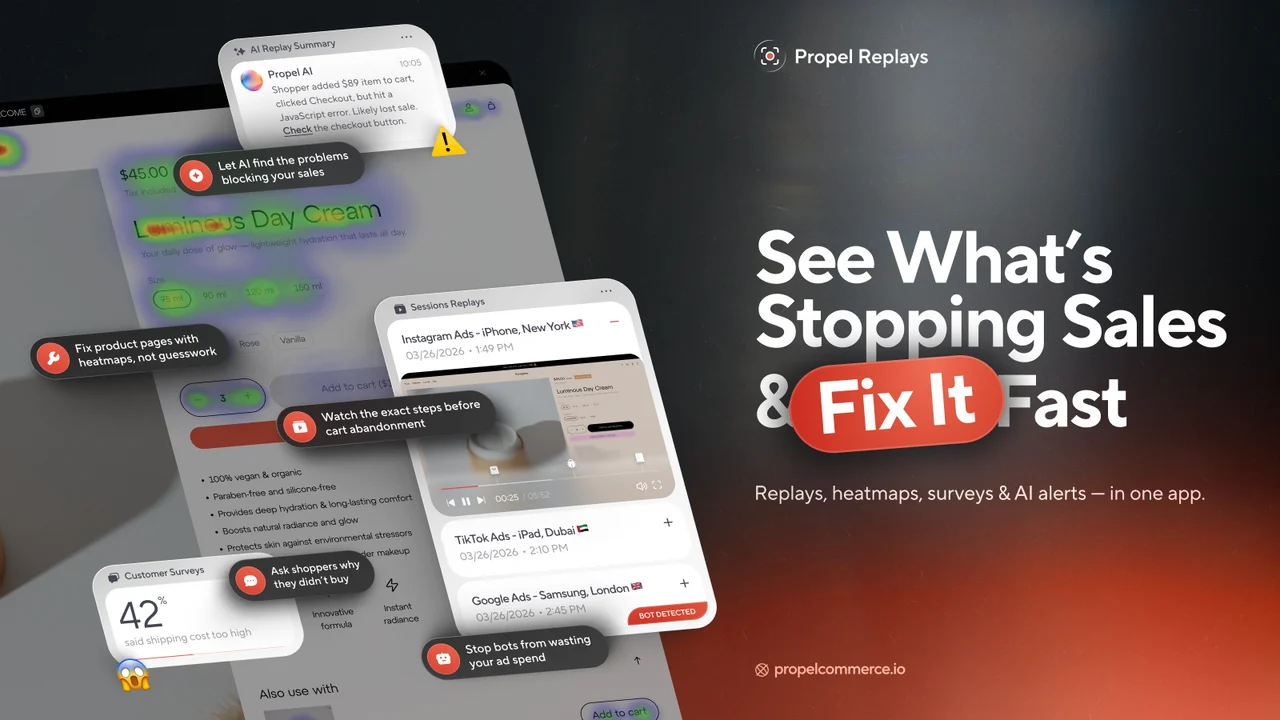
The survey matters because shoppers rarely explain an exit unless you ask at the right moment. A short question near checkout catches the reason while it’s still fresh. Pair that answer with the replay, and you see both what happened and why. Sessions can be sorted by cart value, and bot clicks from ad traffic get flagged.
Key Features
- Replays show products viewed, items added to cart, and exit points.
- Clear heatmaps show where clicks gather on key pages.
- Catches hidden problems like broken carts and JavaScript errors.
- Links sessions to Shopify orders and traces journeys from the first ad click.
- Bounce patterns expose weak campaign traffic and suspicious bot visits.
- Surfaces usability fixes, like a box shoppers kept tapping as a button.
- Clean interface, quick setup, and fast, friendly support.
Ratings & Reviews: 4.9 out of 5 stars (706+ reviews) on the Shopify App Store.
Best For: Ad-driven stores that want replays, surveys, and order-level attribution together.
Use It Wisely: Don’t run surveys on every page, because too many prompts interrupt shopping. Trigger one question at a key exit point. Read the answers next to the replays before acting.
Pricing
- Free: $0, 750 pageviews/month
- Basic: $9.90/month, 20,000 pageviews
- Plus: $19.90/month, 40,000 pageviews
- Premium: $39.90/month, 80,000 pageviews
- Yearly billing saves 35%; paid plans have a 7-day trial. Plus checkout recording starts at $59.90/month.
2. MIDA Replay, Heatmap & Insight
MIDA Replay, Heatmap & Insight by MIDA is a built-for-Shopify app. It records shopper journeys from first click to checkout, live or as replays. Dynamic heatmaps, error tracking, and an AI Assistant suggest what to fix first. The admin supports 20 languages, and weekly AI email reports keep busy teams informed.
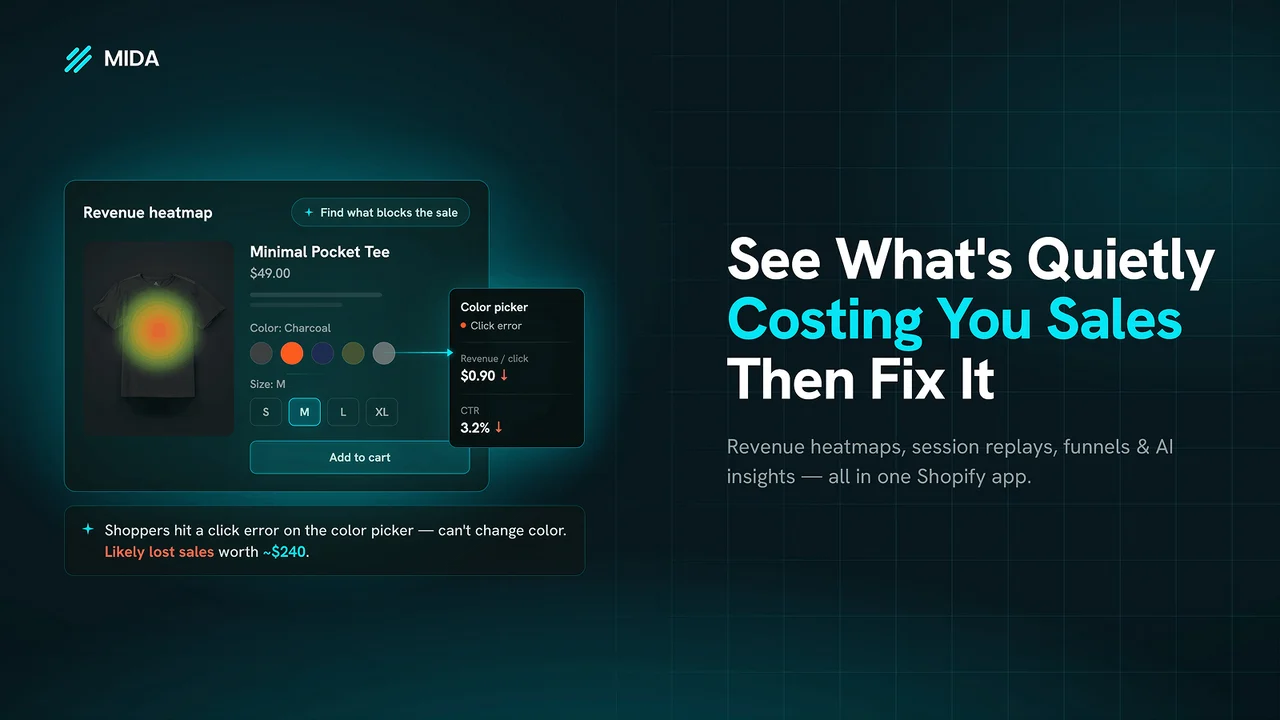
Its focus is silent friction. A search with no results or a script error never triggers a complaint, so the shopper simply leaves. MIDA surfaces zero-result searches and store errors, so you can fix leaks nobody reported. Revenue click tracking shows which elements earn sales and which only take up space.
Key Features
- Replays with cursor tracking show where shoppers hesitate.
- Heatmaps pack a lot of insight into a compact view.
- Bot detection revealed ad visitors leaving within 3 to 5 seconds.
- Helps guard against suspicious activity and fake checkouts.
- Flags rage clicks and dead clicks merchants would otherwise miss.
- Store score with tips; one merchant moved from 75 to 100.
- Generous free plan, quick setup, and proactive support.
Ratings & Reviews: 4.9 out of 5 stars (606+ reviews) on the Shopify App Store.
Best For: Large catalogs, search-heavy stores, and ad-driven stores needing clean traffic data.
Use It Wisely: A store score is a guide, not a goal. Start with errors and zero-result searches on your busiest pages. Then check whether conversion on those pages moves.
Pricing
- Free: $0, 250 sessions/month
- Basic: $9.90/month, 5,000 sessions
- Growth: $24.90/month, 15,000 sessions
- Enterprise: $44.90/month, 40,000 sessions
- Paid plans have a 7-day free trial.
3. Lucky Orange Heatmaps & Replay
Lucky Orange Heatmaps & Replay by Lucky Orange LLC has served Shopify merchants since 2014. It carries the built-for-Shopify badge and works with Google Analytics, HubSpot, Optimizely, and Zapier. Recordings, heatmaps, conversion funnels, and visitor surveys sit together in one dashboard. You can ask Shopify Sidekick plain-language questions about traffic and checkout data.
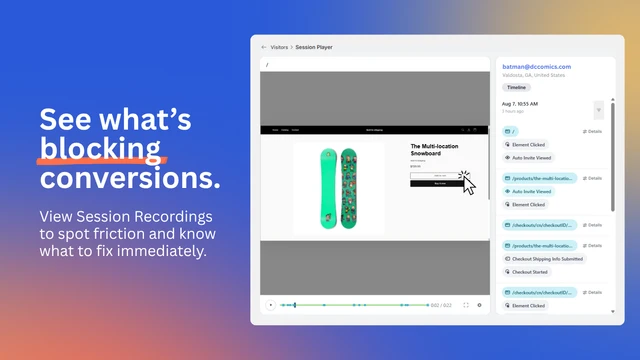
Its strength is showing which step loses people. Cart and checkout drop-off is tracked by product and step, so a vague checkout problem becomes a specific fix. Shoppers who reach checkout have already shown strong intent. Losing them to a small hurdle costs far more than losing a casual browser.
Key Features
- Several merchants removed checkout friction within days of installing.
- Live view helped a wholesale seller call a struggling buyer and save the order.
- Heatmaps cover clicks, taps, and scroll depth.
- Visitor profiles show source, products viewed, and repeat visits.
- Form analytics and funnels pinpoint checkout friction.
- AI insights cut time spent digging through raw data.
- Unlimited seats and patient, fast support ease team onboarding.
Ratings & Reviews: 4.6 out of 5 stars (895+ reviews) on the Shopify App Store.
Best For: Established stores, wholesale sellers, and teams wanting funnels, recordings, and surveys together.
Use It Wisely: Plans count sessions, so a big campaign or bot spike can use your quota fast. Review spending limits before a major sale. Exclude your own team’s visits too.
Pricing
- Free: $0, 100 sessions/month, 30-day storage
- Launch: $19/month, 500 sessions
- Build: $39/month, 3,500 sessions, 60-day storage
- Grow: $89/month, 10,000 sessions, 60-day storage
- Yearly billing saves 20%.
4. Click Context: Heatmaps for AI
Click Context: Heatmaps for AI by Valcomm Tech Oy is a built-for-Shopify app launched in May 2026. It captures heatmaps, scroll maps, replays, and events, then links each click to product and cart context. An MCP server lets tools like Claude or ChatGPT analyse that behaviour data directly. The free plan already includes this MCP access.
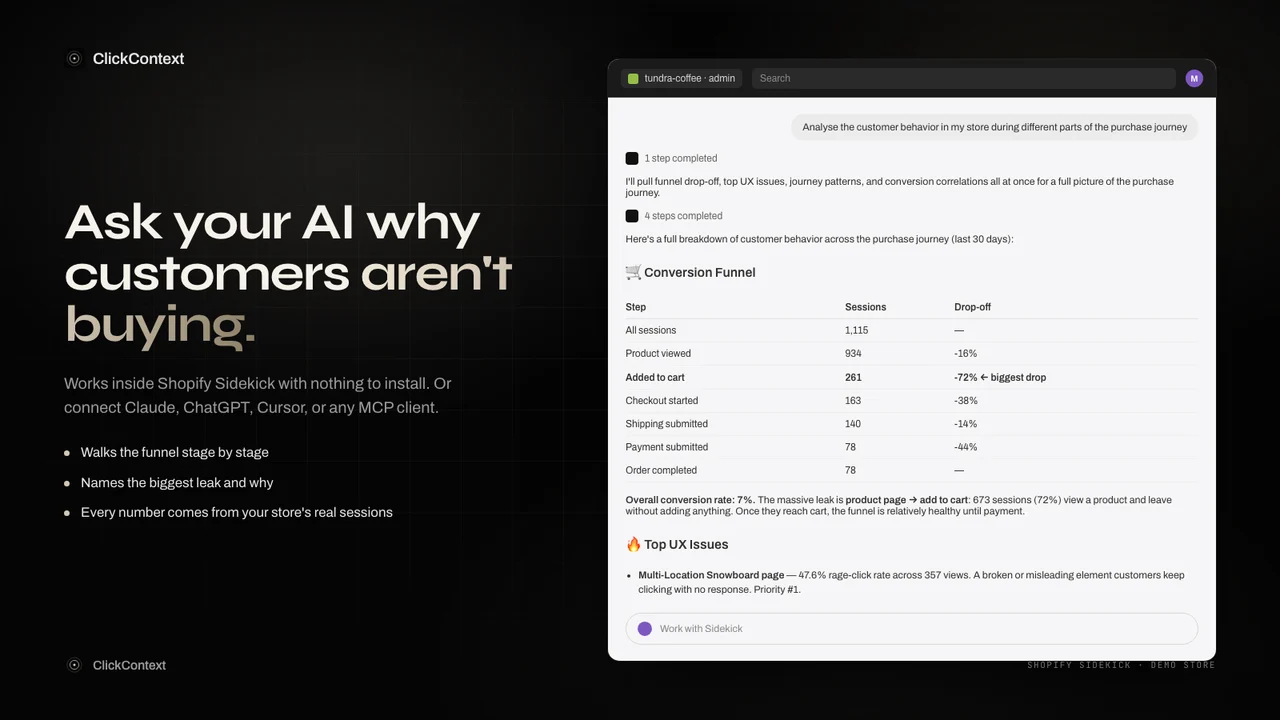
It solves a different problem: having data but no time to read it. Watching recordings one by one is slow, and most merchants stop after a few. Asking why mobile shoppers leave a product page, in plain words, lowers that effort. The script stays under 15KB and works with Shopify’s Customer Privacy API.
Key Features
- Shows where customers get stuck and which pages need attention.
- Plain-language questions replace complex report building.
- Simple connection to Claude or Codex.
- Device-split funnels, per-page Core Web Vitals, and scroll-depth exit analysis.
- AI-written session narratives explain why people leave.
- Playbooks and prompts deliver insights within five minutes of install.
- Structured data saves days compared with watching recordings.
Ratings & Reviews: 5.0 out of 5 stars (10+ reviews) on the Shopify App Store.
Best For: Small teams who already use AI tools and want answers, not raw recordings.
Use It Wisely: AI answers depend on the question and the sample size. Ask the AI to show the numbers behind each claim. Then confirm it with a few real replays before changing a page.
Pricing
- Free: $0, 5,000 sessions/month
- Growth: $39/month or $399/year, 50,000 sessions
- Pro: $99/month or $999/year, 250,000 sessions
- Scale: $299/month or $2,999/year, 1,000,000 sessions
- 7-day trial on Growth; 14 days on Pro and Scale.
5. DynoWeb Popup, Heatmap, Replay
DynoWeb Popup, Heatmap, Replay by Mirage Capital Corp launched in May 2026. It joins heatmaps, replays, scroll tracking, and funnels with an AI engine that ranks what to fix on each page. A monthly CRO report comes even on the free plan. Approved changes go to a draft theme, so you preview them before going live.
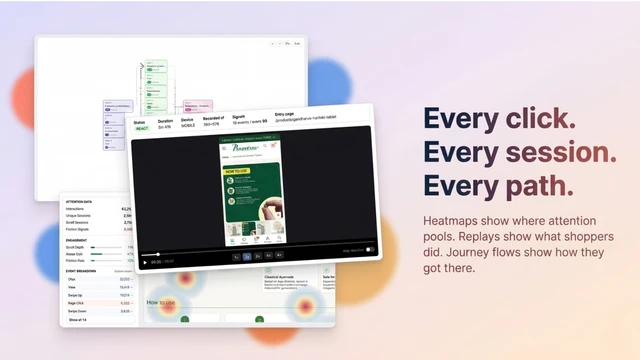
It closes the gap between insight and action with SmartNudge popups, sticky bars, and exit offers. These trigger on real behaviour, so the message matches what the shopper is doing. A relevant offer at the right moment reads as help, while a random pop-up reads as noise. DynoAgent can update products and create discounts on request.
Key Features
- Specific fixes come ranked by priority, not as raw data.
- Spots mobile issues, like an add-to-cart button below the fold.
- Side-by-side before-and-after previews protect the live store.
- Non-developers make changes without touching code.
- Setup takes about two minutes, with an easy dashboard.
- The tracker doesn’t slow the store down.
- Replaced several separate tools for some merchants, with quick support.
Ratings & Reviews: 5.0 out of 5 stars (10+ reviews) on the Shopify App Store.
Best For: Small teams without a developer who want insights and fixes in one place.
Use It Wisely: Exit offers work when the deal is real and shown sparingly. A popup on every visit trains shoppers to wait for discounts. Never use a countdown that resets, and A/B test each nudge.
Pricing
- Free: $0, 1,500 sessions/month
- Growth: $14/month, up to 7,500 sessions
- Pro: $29/month, up to 35,000 sessions
- Custom: from $49/month, 50,000 sessions, scaling up to 1M
- Paid plans have a 7-day free trial.
What Are Shopify Heatmap and Session Recording Apps?
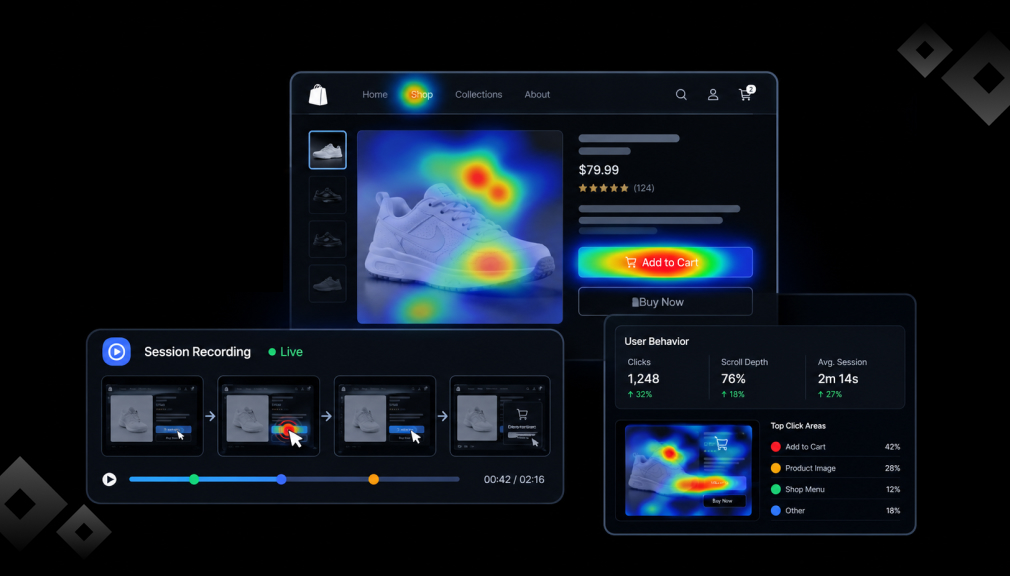
A heatmap turns thousands of clicks, taps, and scrolls into a color map of one page. Warm areas get attention, and cool areas get ignored. A session recording replays one shopper’s visit, including scrolling, pauses, and clicks. Together, they show the “how” that standard Shopify reports leave out.
Why Do Shopify Merchants Need Them?
The main reason is that you know your store too well. You know where the size chart lives, so you can’t see confusion. First-time shoppers don’t carry that map in their heads. Replays let you see your store through their eyes.
Small details carry real weight. Baymard found 17% of shoppers abandon over a long or complicated checkout, and the same share over site errors. Baymard also reports that large sites can gain up to a 35% conversion lift from better checkout design. Replays show which of these problems your own store has.
Clean data matters too. Imperva reported that automated traffic made up 51% of web traffic in 2024. If bots inflate ad sessions, your conversion rate looks worse than it is. Bot filtering lets you judge campaigns on real shoppers.
Where Should You Use Heatmaps and Replays First?
Start where buying intent is highest and friction costs the most. On mobile, speed is part of that experience. Google found that 53% of mobile visits are abandoned when a page takes over three seconds to load. Check these spots first:
- Product pages: can shoppers see price and add-to-cart without scrolling?
- Cart and checkout: watch for hesitation at shipping costs and payment.
- Mobile collections: look for cramped filters and accidental taps.
- Ad landing pages: compare scroll depth with your ad’s promise.
- Search results: note searches that return nothing.
When Should You Review the Data?
Review replays weekly and after every theme change, app install, or new campaign. Wait until a page has enough visits before trusting a heatmap. A map from 30 visits shows noise, not a pattern.
How to Get Started in One Week
- Install one app and exclude your team’s IP addresses.
- Pick your top product page, cart, and main landing page.
- Watch 20 replays per page and note repeated hesitation.
- Fix the most repeated issue, then measure for two weeks.
Conclusion
Lost sales rarely announce themselves. They hide in a missed button, an empty search, or a checkout step that feels too long. Heatmaps show where attention lands, and session replays show the moment a shopper gives up. Pick one high-intent page, fix the pattern that repeats most, and measure before moving on.
FAQs
Do heatmap and session recording apps slow down a Shopify store?
Most use a lightweight script. Click Context, for example, lists one under 15KB. Test your speed before and after installing.
How many replays should I watch before making a change?
Look for the same issue across several sessions. A single odd visit can be a fluke.
What is the difference between a heatmap and a session recording?
A heatmap shows combined behavior from many visitors on one page. A recording shows one shopper’s full visit.
Can I record the Shopify checkout?
Yes, on some plans. Propel offers it on Shopify Plus Enterprise plans, and MIDA includes it on its Enterprise plan.
Are session recording apps privacy-friendly?
Many work with consent tools, and Click Context connects to Shopify’s Customer Privacy API. Always update your store’s privacy policy.
Is a free plan enough for a new store?
Often, yes. Free plans here range from 100 to 5,000 sessions a month.