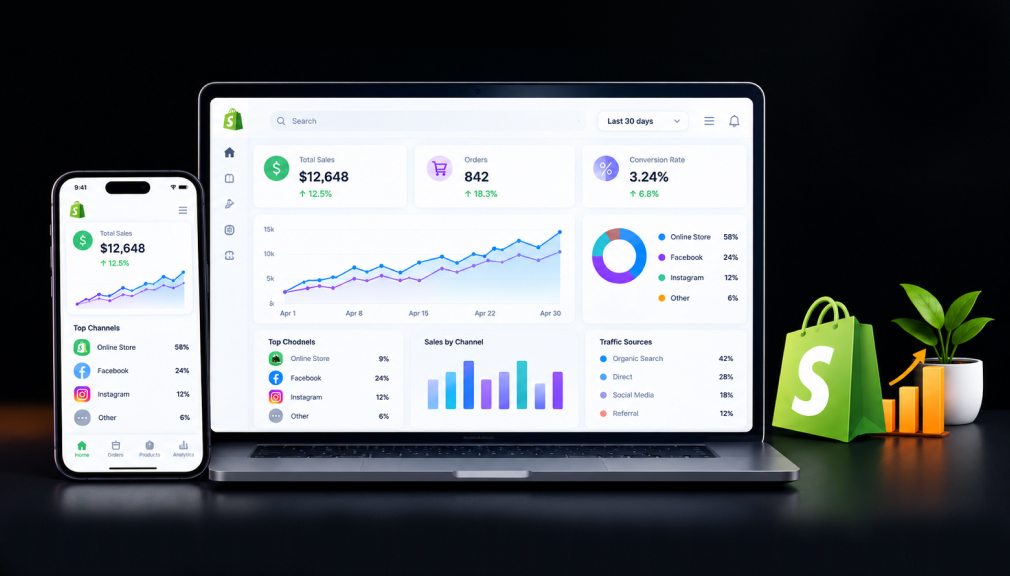
It is 11 p.m., and you are still copying numbers from Shopify into a spreadsheet. Sales look strong this month. Yet your bank balance tells a quieter story, and you cannot see why. That gap between what the dashboard shows and what you feel is where many store owners lose sleep.
Often the fix is not a bigger strategy. It is one clearer report, delivered at the right time, to the right person. That small change can reshape how you price, restock, and spend on ads. The right Shopify analytics and reporting apps make that report a habit, not a chore.
In a McKinsey survey on customer analytics, intensive users were 23 times more likely to outperform in new-customer acquisition. They were also almost 19 times more likely to reach above-average profitability. Below are five Shopify reporting apps, each solving a different merchant pain point.
Key Takeaways
- Native Shopify reports work early on, but profit and customer-level questions often need a dedicated app.
- Match the app to your biggest pain: manual reports, retention, true profit, returns, or scattered channels.
- Scheduled reports remove the weekly effort of pulling numbers.
- Start small: connect one data source, verify it against Shopify, then expand.
Quick Look: Shopify Analytics Apps by Merchant Pain Point
| App | Developer | Pain point it solves | Starting price |
| Mipler ‑ Advanced Reports | Mirasvit Ecommerce Solutions | Manual, repetitive reports and team sharing | Free plan available |
| By The Numbers ‑ LTV Analytics | Unsupervised LLC | Treating every customer the same | Free plan available |
| Metorik: Analytics & Reports | Metorik | Revenue looks good, profit is unclear | $25/month |
| BIPEYE AI Analytics & Reports | BIPEYE LTD | Returns and discounts hiding in averages | $19/month |
| PayHelm: Analytics & Reports | PayHelm | Sales, fees, and ads spread across tools | Free plan available |
1. Mipler ‑ Advanced Reports
Mipler ‑ Advanced Reports by Mirasvit Ecommerce Solutions is a built-for-Shopify app for custom store reporting. It builds reports from orders, products, inventory, tags, metafields, and line item properties. You can pull tax, payout, refund, discount, VAT, COGS, and profit reports in minutes. It also connects to Claude or ChatGPT through MCP for store questions.
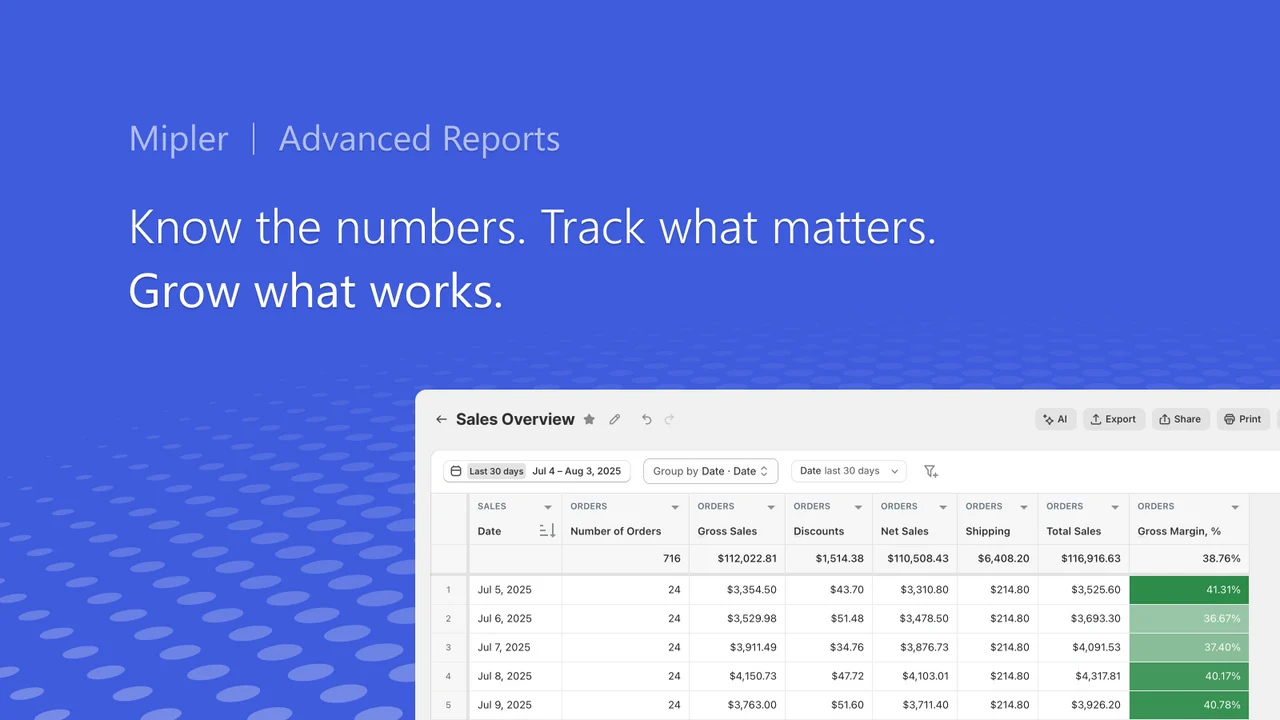
The pain it solves is the weekly pull. When a report needs manual effort, it slips, and decisions wait on memory. Mipler pushes scheduled Excel or PDF reports to any inbox. Your accountant gets the numbers without Shopify admin access.
Key Features
- Reports grouped by order tags and product tags
- Metafield-based reporting for data standard reports skip
- Custom reports built by the support team, often the same day
- Shareable report links for staff without full admin access
- Multi-store reporting pulled into one place
- Inventory forecasting and reorder reports for restocking
- Scheduled email reports and Google Sheets export
Ratings & Reviews: Mipler holds a 5.0 rating from 653+ reviews on the Shopify App Store. Merchants often praise quick support and its Built for Shopify quality.
Best for: Operations, finance, and inventory teams that need custom reports delivered on a schedule.
Use it wisely: Try the 100+ built-in reports before requesting custom builds. Schedule only reports someone will act on. Too many inbox reports teach a team to skim them all.
Pricing
- Free: Below 1,000 lifetime orders, 100+ built-in reports, daily email reports
- Basic: $9.99/month (price for stores on the Basic Shopify plan), up to 10 custom reports, 7-day free trial
- Pro: $29.99/month (price for stores on the Basic Shopify plan), unlimited custom reports, multi-store reporting, team access
2. By The Numbers ‑ LTV Analytics
By The Numbers ‑ LTV Analytics by Unsupervised LLC focuses on customer value, not just sales totals. It tracks RFM, LTV, CLTV, CAC, ROAS, and cohort metrics in one dashboard. A segment builder sends customer groups to ad and email platforms. An AI copilot answers growth questions in plain language.
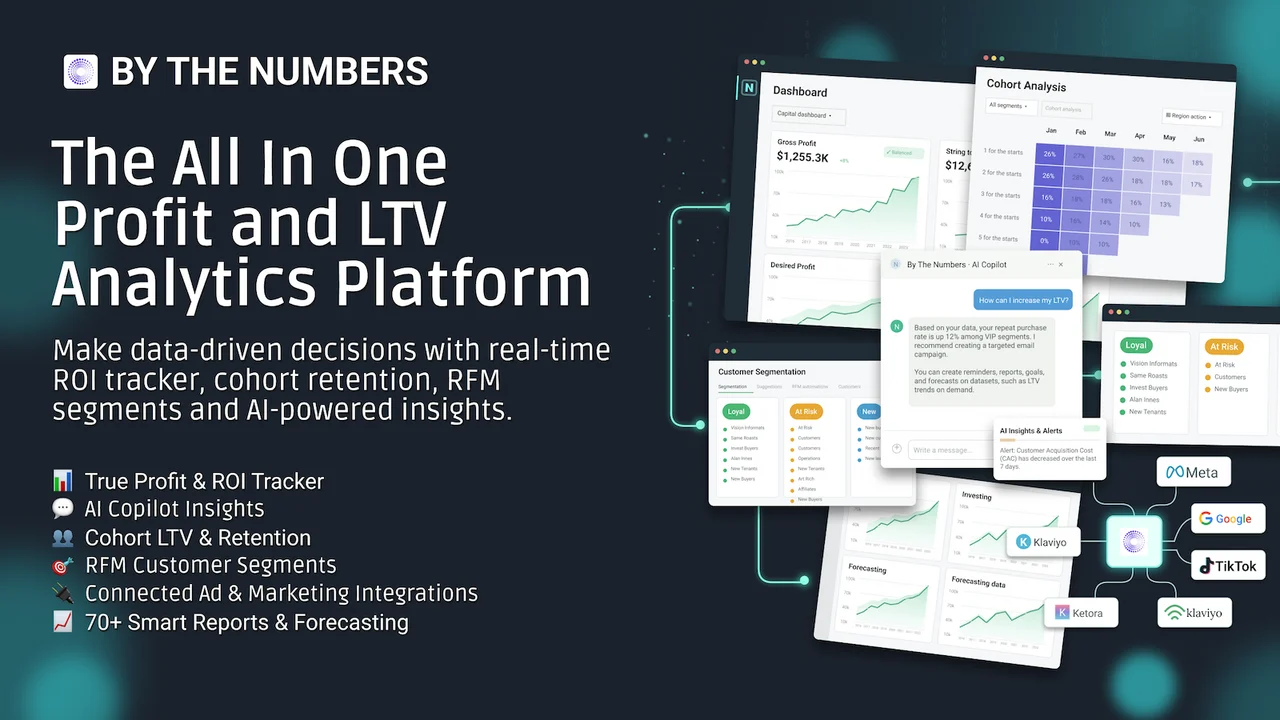
The pain here is treating every customer the same way. A shopper who bought five times last year acts nothing like a first-time buyer. When those groups are visible, you can protect loyal buyers before they drift away. Bain research cited by Harvard Business Review found a 5% retention lift can raise profits by 25% to 95%.
Key Features
- RFM segmentation that filters dashboards by customer group
- Audience builder that turns segments into targeted marketing lists
- Clear view of purchase behavior, loyalty, and lifetime value
- One-on-one onboarding shaped around your business model
- Quick chat answers, plus deeper walkthrough sessions on request
- Team support for adding new reports or functions
- Integrations with third-party apps and Shopify Plus stores
Ratings & Reviews: By The Numbers holds a 4.9 rating from 81+ reviews on the Shopify App Store. Reviewers often praise onboarding and segmentation.
Best for: DTC brands focused on repeat purchases, retention, and smarter ad audiences.
Use it wisely: Give every segment a clear action, like a win-back email. Archive segments with no plan. Check that standard RFM groups fit your buying cycle, especially for seasonal products.
Pricing:
- Free: Overview dashboard, 14+ ecom reports, 90 days of data history
- Starter: $19/month, all features, up to 100 orders/month
- Growth: $39/month, all features, up to 500 orders/month
- Pro: $89/month, up to 3,000 orders/month, video onboarding calls
- Paid plans include a 14-day free trial
3. Metorik: Analytics & Reports
Metorik: Analytics & Reports by Metorik is a profit and multi-store dashboard for growing Shopify brands. It adds COGS, ad spend, shipping, operating costs, and fees to show true profit. You can segment customers, orders, and products with more than 500 filters. Ad spend syncs from Google, Bing, Meta, TikTok, and Google Sheets for ROAS tracking.
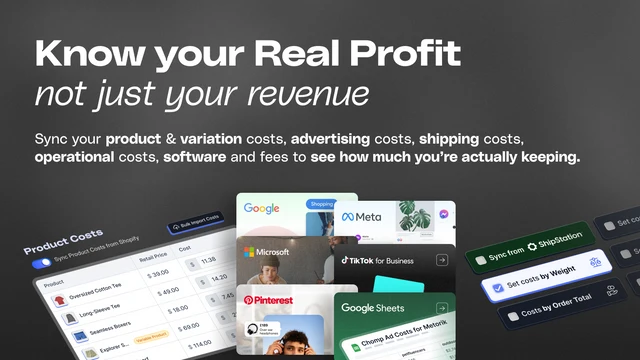
Revenue is the first number you see, so it shapes every judgment after it. A big sales day feels like a win, even when fees ate the margin. Metorik moves that first number from revenue to profit. It also keeps a public changelog of new features.
Key Features
- Multi-store dashboard for brands running several Shopify stores
- Profit view that splits out each cost behind your revenue
- Customer details by product type, location, and lifetime value
- Automated monthly reports for bookkeeping and sales reviews
- Quick setup, with teams using it fully within one day
- Helpful migration support for stores moving from WooCommerce
- Responsive human support and a regularly updated changelog
Ratings & Reviews: Metorik holds a 5.0 rating from 48+ reviews on the Shopify App Store. Merchants often praise the multi-store view.
Best for: Multi-store and fast-growing brands that want true profit and LTV in one view.
Use it wisely: Profit numbers are only as good as your cost inputs. Update COGS and shipping costs whenever suppliers change prices. Otherwise, the dashboard looks precise while slowly drifting from reality.
Pricing
- Level 1: $25/month, up to 100 orders/month
- Level 2: $75/month, 101–500 orders/month, up to 5 Shopify stores
- Level 3: $150/month, 501–2,000 orders/month, up to 10 Shopify stores
- Level 4: $250/month, 2,001–5,000 orders/month, up to 20 Shopify stores
- Every plan includes unlimited team members and a 30-day free trial
4. BIPEYE AI Analytics & Reports
BIPEYE AI Analytics & Reports by BIPEYE LTD brings orders, products, returns, and discounts into one dashboard. You can analyze sales by tags, collections, discounts, and product variants. An AI analyst answers questions about your store data in plain language.
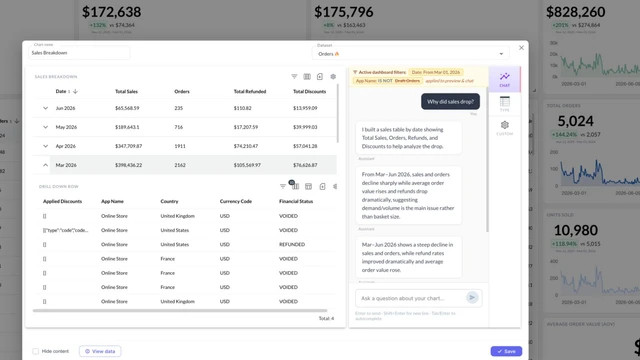
The pain returns, hiding inside averages. A store-wide return rate can look fine while one variant quietly drains margin. That matters, since the NRF 2025 Retail Returns Landscape report estimates 19.3% of online sales will be returned. BIPEYE lets you drill from a summary number down to the exact orders behind it.
Key Features
- Returns analysis by product, with patterns you can act on
- Drill-down from summary metrics into the underlying orders
- AI analyst that answers store questions in plain language
- Orders, returns, tags, and discounts in a single view
- Quick setup with clean, easy-to-read dashboards
- Custom integrations that combine Shopify with other data sources
- AI recommendations that point to hidden revenue
Ratings & Reviews: BIPEYE holds a 5.0 rating from 21+ reviews on the Shopify App Store. Reviewers often praise returns analysis.
Best for: Stores with many variants that want to understand returns and discount performance.
Use it wisely: Look for return patterns across several weeks before changing a product. One bad week can be noise. When a pattern holds, fix the size guide or photos first.
Pricing
- Basic: $19/month, up to 1M rows, drill-down analytics, Excel & CSV export
- Pro: $129/month, up to 5M rows, custom reports & integrations
- Business: $199/month, up to 20M rows, custom reports & integrations
- Every plan includes a 45-day free trial
5. PayHelm: Analytics & Reports
PayHelm: Analytics & Reports by PayHelm connects store, marketplace, ad, shipping, and payment data in one place. It works with Amazon, eBay, Etsy, Google Ads, Meta Ads, and Google Drive. You can link Stripe, Braintree, or PayPal to see gateway fees and gross margin. Reports export to PDF, Excel, CSV, or Google Sheets.
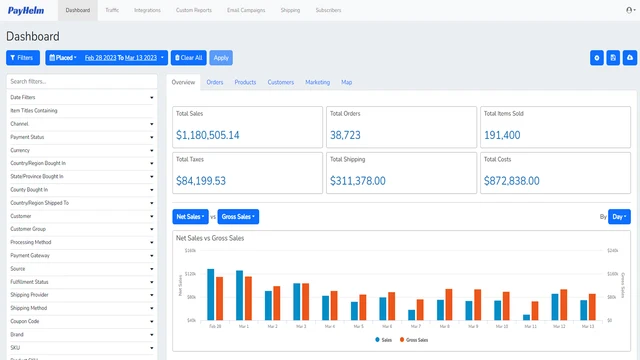
The pain is too many tabs. When sales live in one tool and fees in another, nobody sees the full margin. Jumping between dashboards tires people, so they check less often. PayHelm gathers those sources into one view and keeps a public changelog.
Key Features
- Very fast support replies, often within hours
- Team adds requested metrics based on merchant suggestions
- Simple interface that is easy to learn
- Issues resolved within one to two days, per reviewers
- Multi-channel view across marketplaces, ads, and payment gateways
- Scheduled reports sent by email or to Google Sheets
- Public changelog that tracks regular product updates
Ratings & Reviews: PayHelm holds a 5.0 rating from 6+ reviews on the Shopify App Store. Reviewers consistently praise hands-on support.
Best for: Multi-channel sellers who need one margin view across marketplaces, ads, and payments.
Use it wisely: Connect one source at a time and check totals against each platform. Mismatches are then easy to trace. Once numbers match, share one dashboard as your team’s single reference.
Pricing
- Free: Unified reporting dashboard, profit & margin reports, 12-month data lookback
- Entrepreneur: $20/month or $192/year, 1 user + 1 store, 100 AI credits/month
- Business: $100/month or $960/year, up to 20 users, unlimited stores
- Paid plans include a 14-day free trial
Comparison Table: Details Merchants Rarely Find in One Place
Listing pages show features, but rarely how each plan grows with you. This table gathers those details from each Shopify App Store listing. Use it to match an app to your store size.
| App (Developer) | Live since | Price scales by | Free trial | Extra data you can bring in | Standout signal |
| Mipler ‑ Advanced Reports (Mirasvit Ecommerce Solutions) | Aug 2019 | Shopify plan and custom report count | 7 days | Tags, metafields, line items, Google Sheets | Built for Shopify badge |
| By The Numbers ‑ LTV Analytics (Unsupervised LLC) | Dec 2017 | Orders per month | 14 days | Meta, Google Ads, TikTok, Klaviyo, Mailchimp | Ad platform segment sync |
| Metorik: Analytics & Reports (Metorik) | Sep 2020 | Orders per month and store count | 30 days | Google, Bing, Meta, TikTok ad spend | Public changelog |
| BIPEYE AI Analytics & Reports (BIPEYE LTD) | Jun 2024 | Data rows (1M to 20M) | 45 days | Custom integrations on Pro and Business | Returns drill-down |
| PayHelm: Analytics & Reports (PayHelm) | Aug 2019 | Users and connected stores | 14 days | Amazon, eBay, Etsy, Stripe, PayPal | Public changelog |
What Are Shopify Analytics and Reporting Apps?
Shopify analytics and reporting apps turn store data into reports Shopify does not build by default. They add costs, customer groups, tags, returns, or outside channels. Most also schedule and share reports, so the right person sees the right number. Think of them as translators between raw orders and real decisions.
Why Built-In Reports Start to Feel Limited
Shopify’s built-in analytics are a strong starting point. As you grow, questions get sharper, like profit by SKU or repeat rate by first product. Answering those by hand means exports, formulas, and late nights. A reporting app handles that work, so your energy goes into decisions.
Where These Apps Fit in Your Workflow
Place each report where a decision already happens. That keeps the app inside your routine, not as one more login.
- Monday planning: Sales and profit summary in your inbox
- Restocking: Inventory reports before supplier orders
- Marketing: Segments synced to email and ad audiences
- Month-end: Tax, payout, and fee reports for your accountant
When Is the Right Time to Add One?
Add a reporting app when the same manual export happens every week. Running several stores or selling on marketplaces are other signals. So is rising ad spend or returns without clear profit. Start on a free plan or trial, and check the numbers against Shopify.
Conclusion
Most reporting pain is not about missing data. It is about the right number arriving too late, or in the wrong form. Scheduled reports, customer segments, profit views, returns drill-downs, and unified channels each fix a different gap. Solve the problem costing you the most sleep first, then let clearer reports guide the next decision.
FAQs
What is the best Shopify analytics app for a small store?
Start with an app that matches your main pain point and offers a free plan. Mipler, By The Numbers, and PayHelm each list one.
Do Shopify reporting apps slow down my store?
Most reporting apps read data in the background, away from your storefront. Pixel tracking features may add a script, so review what you enable.
Can these apps track true profit, not just revenue?
Yes, several of them can. Metorik, PayHelm, and Mipler support COGS and cost-based profit reports when you enter accurate costs.
Which app helps most with repeat customers?
By The Numbers focuses on RFM, LTV, and cohort analysis. It also syncs customer segments to ad and email platforms.
Can I share reports with people who are not Shopify staff?
Yes. Mipler sends scheduled reports and secure links that need no Shopify admin access. PayHelm and Metorik also schedule reports by email.

Shopify Expert
Dipen Panchal, Shopify Tech Lead at Setubridge Technolabs, brings over a decade of expertise as a Shopify Expert. Passionate about e-commerce growth, he specializes in UI/UX design, crafting intuitive, engaging solutions tailored for merchants and B2B clients to enhance user experiences.