



A customer lands on your store. They love your blank hoodie and want their team logo on the front. They click around, cannot find a way to add it, and quietly leave. That small moment of confusion costs you a sale, and maybe a loyal buyer.
A good product designer app fixes that moment. Shoppers add their text or logo, see the result, and buy with confidence. You get a clean print file without long email threads. For a new or growing store, that feels like a weight lifted.
Shopify has many product personalization apps, and most listings sound alike. Two names come up often: DORO Custom Product Designer by SetuBridge and Qstomizer ‑ Product Customizer by Big Van Studio. If you are looking for a Qstomizer alternative or choosing your first product designer, this guide will help. We compare both apps on pricing, product limits, print files, bulk ordering, and setup.
Key Takeaways
- A product designer app lets shoppers design and preview custom products, then sends you a print-ready file.
- Compare apps by cost per personalized product, not only by the starting monthly price.
- New stores benefit from a free plan, so they can test demand before paying.
- Corporate and bulk sellers need tiered pricing, size and color bulk ordering, and minimum order rules.
- Vector file exports like SVG, AI, EPS, and DXF matter for screen printing, embroidery, and engraving.
- Check named print-on-demand integrations and the Built for Shopify badge before you install.
- Always place a test order and check the print file during your free trial.
What Is a Shopify Product Designer App?
A Shopify product designer app adds a design tool to your product pages. Shoppers can add text, images, clipart, and colors to a product. They see a live preview before they add it to the cart. After checkout, you or your print partner receive a print-ready design file.
How a Product Designer Works
- You choose which products shoppers can personalize.
- You set the print area, so designs stay inside safe zones.
- The shopper clicks a “Personalize” button and creates their design.
- They preview the product, pay any personalization fee, and check out.
- You receive the order with a print-ready file for production.
Who Needs a Product Designer App?
- Print-on-demand (POD) stores selling tees, mugs, and phone cases
- Custom apparel shops and team uniform sellers
- Corporate swag and promotional product stores
- Gift shops offering names, photos, or messages
- Engraving, laser-cut, and embroidery businesses
- Print shops running web-to-print orders
A product designer differs from a simple product options app. An options app collects text in a field or a dropdown. A designer app shows the shopper exactly how the final product will look. That visual proof builds trust and cuts down on proof requests.
Why Product Personalization Matters for US Stores
US shoppers reward stores that let them make products their own. Medallia research found that 61% of consumers are willing to spend more with companies that customize the experience. That makes personalization a direct path to higher order values.
Emotion plays a big role in these purchases. A Fablely survey reported that 87% of Americans would pay more for emotionally meaningful products. A name on a gift or a logo on a team shirt carries that meaning. Your product designer is the tool that turns a blank item into something personal.
Personalization also brings shoppers back. Twilio Segment found that 49% of consumers are likely to become repeat buyers after a personalized shopping experience. Repeat buyers lower your ad costs and raise lifetime value.
Corporate orders are a large opportunity too. US promotional products sales reached $25.5 billion in 2025, up 4.1%, according to ASI’s Counselor report. Companies order branded shirts, bottles, and bags for teams and events. A product designer with bulk ordering helps your store win a share of that spending.
DORO vs Qstomizer: Quick Overview
DORO Custom Product Designer
DORO Custom Product Designer by SetuBridge joined the Shopify App Store in April 2022. It carries the Built for Shopify badge, which Shopify gives to apps that meet its highest quality standards. It holds a 4.7-star rating from 177+ reviews.
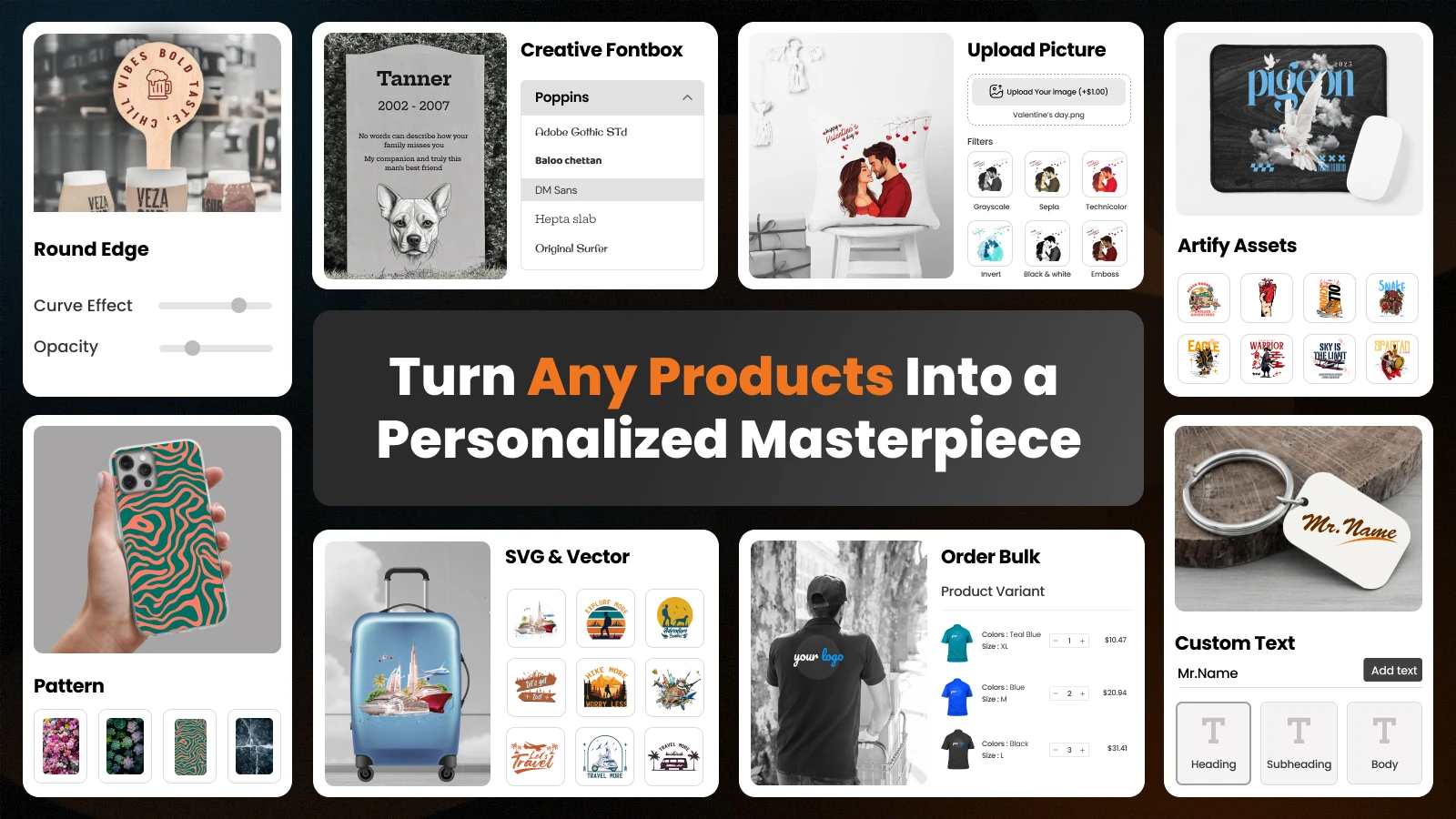
DORO focuses on print-ready output, bulk ordering, and an easy start for new stores. Its listing names integrate with Printful, Printify, Zendrop, and Spocket. It supports 11 languages, which helps stores selling to diverse US audiences.
Qstomizer ‑ Product Customizer
Qstomizer ‑ Product Customizer by Big Van Studio launched in August 2014. It is one of the longest-running customizer apps on Shopify. It holds a 4.7-star rating from 119+ reviews.
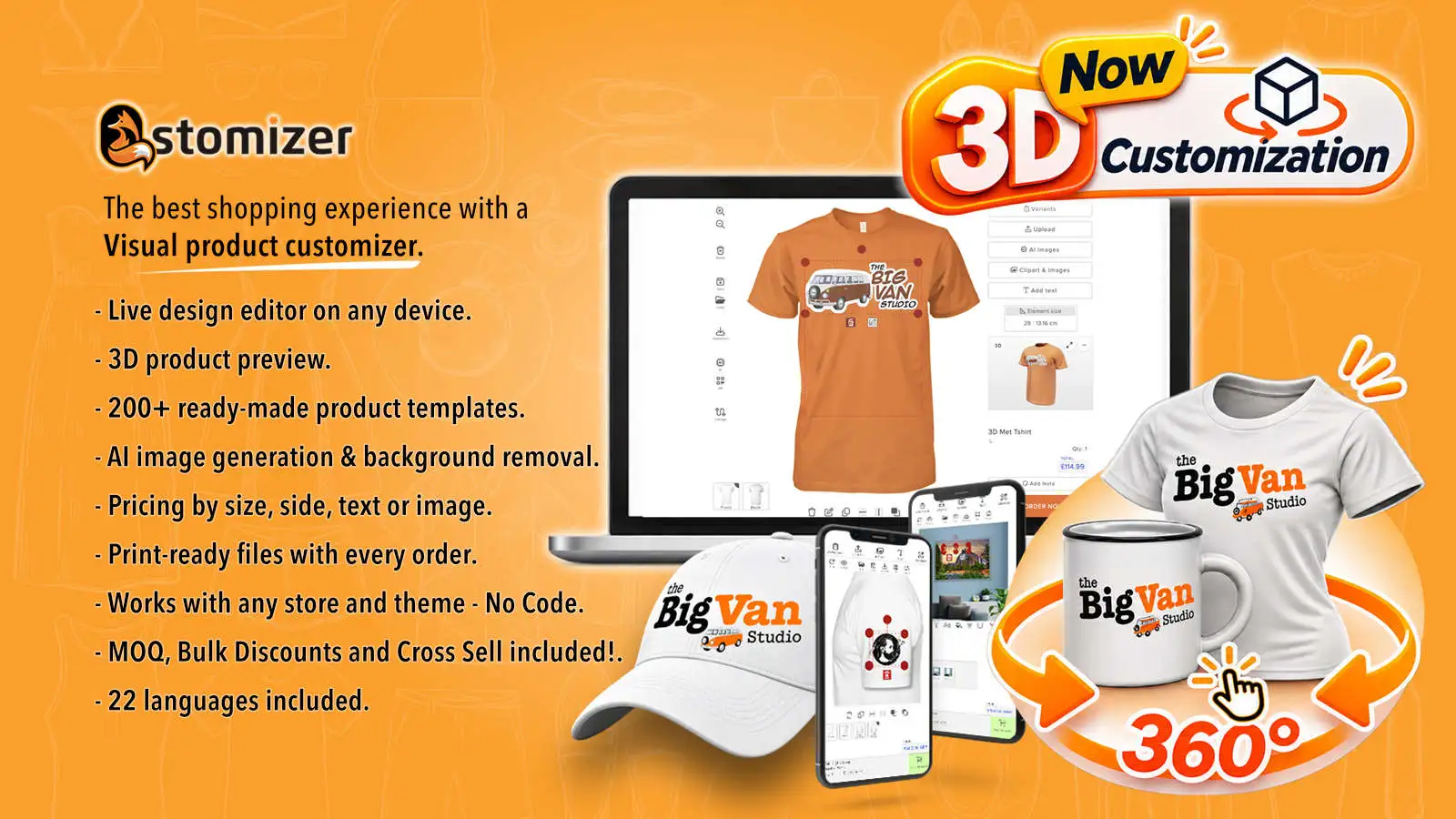
Qstomizer is known for its live 3D preview, which shoppers can rotate. It includes 200+ design templates and 15,000+ stock images. Merchants often praise its support team in their reviews.
| Detail | DORO Custom Product Designer | Qstomizer ‑ Product Customizer |
| Rating (reviews) | 4.7 (174) | 4.7 (120) |
| Built for Shopify badge | Yes | No |
| Free plan | Yes, up to 5 products | Not offered |
| Paid plans | $9.99 to $19.99/month | $9.99 to $49.99/month |
| Most products on one plan | 500 | Unlimited |
| Listing languages | 11 | English |
| Named POD integrations | Printful, Printify, Zendrop, Spocket | Works with POD fulfillment |
DORO vs Qstomizer Pricing: What You Really Pay
Both apps start at $9.99 per month, so the starting price looks equal. The real difference shows when you count how many products each plan covers. We divided each plan’s monthly price by its product limit. This “cost per personalized product” shows what you pay for each item you can sell.
| App and plan | Monthly price | Annual price | Personalized products | Cost per product per month |
| DORO Lite | Free | Free | 5 | $0.00 |
| DORO Startup | $9.99 | $99.99 | 100 | about $0.10 |
| DORO Growth | $12.99 | $129.99 | 200 | about $0.06 |
| DORO Premium | $19.99 | $199.99 | 500 | about $0.04 |
| Qstomizer Basic | $9.99 | $95.88 | 25 | about $0.40 |
| Qstomizer Grow | $16.99 | $163.10 | 30 | about $0.57 |
| Qstomizer Advanced | $29.99 | $287.90 | 50 | about $0.60 |
| Qstomizer Professional | $49.99 | $479.88 | Unlimited | Varies by catalog size |
At the same $9.99 price, DORO covers 100 products while Qstomizer Basic covers 25. That gives DORO four times the product room at the entry level. At the top of DORO’s range, $19.99 covers 500 products. For stores with up to 500 custom items, DORO keeps monthly costs low as you grow.
Qstomizer’s annual Basic plan is slightly lower than DORO’s annual Startup plan. Its Professional plan is the better fit for very large catalogs, since it has no product limit. Both apps charge 0% transaction fees, so your margins stay the same on every order.
Product Designer Features Compared
Price only matters if the features fit your store. The table below shows where each feature starts on each app. “Not listed” means the feature is not on the app’s Shopify listing.
| Feature | DORO | Qstomizer |
| Text and image personalization | Free plan | Basic plan |
| Clipart and custom uploads | Free plan | Basic plan |
| Multiple print areas with custom shapes | Growth plan | Multi-side print areas listed |
| Personalization price add-ons | Startup plan | Price rules listed |
| Bulk ordering by size and color | Growth plan | Bulk pricing listed |
| Tiered pricing | Growth plan | Listed |
| Minimum order quantity (MOQ) | Premium plan | Not listed |
| Curved and arc text | Growth plan | Not listed |
| Vector exports (SVG, PDF, AI, EPS, DXF) | Growth plan | Accepts PDF, PSD, AI, EPS, CDR uploads |
| Custom DPI for print files | Listed | Not listed |
| Multi-currency and multi-language | Startup plan | Not listed |
| AI background removal | Listed | Listed |
| Design templates and stock images | Custom templates | 200+ templates, 15,000+ images |
| Dedicated 1-on-1 onboarding call | Premium plan | Not listed |
Where DORO Gives More Value
- More products for less: 100 products at $9.99, and 500 products at $19.99.
- Professional print files: SVG, PDF, AI, EPS, and DXF exports start at $12.99.
- Built-in B2B tools: bulk ordering, tiered pricing, and minimum order rules.
- Free start: the Lite plan lets you launch 5 personalized products at no cost.
- Store-wide reach: multi-currency and multi-language support from the Startup plan.
- Guided setup: the Premium plan includes a dedicated 1-on-1 onboarding call.
Why Print-Ready File Formats Matter
PNG and JPG files work well for direct-to-garment printing and mugs. Screen printers, embroiderers, and laser engravers usually need vector files. Vector formats like SVG, AI, EPS, and DXF stay sharp at any size. Getting the right format from the start saves you hours of manual cleanup.
Best Product Designer App for New Shopify Stores
New store owners need to test ideas without big monthly bills. DORO’s free Lite plan lets you launch 5 personalized products at no cost. You can learn what shoppers like before you spend money. When sales start, the $9.99 Startup plan gives you room for 100 products.
Use this simple launch plan with any product designer:
- Pick 3 to 5 best-selling blanks, like a tee, mug, and tote bag.
- Upload clean product mockups for each side you want to print.
- Set safe print areas so designs never get cut off.
- Add a small personalization fee to protect your margin.
- Place a test order and open the print file before going live.
DORO’s Built for Shopify badge also gives new owners peace of mind. It signals the app follows Shopify’s standards for speed and ease of use. For a first-time merchant, that removes one more worry from launch day.
Best Product Designer App for Corporate and Bulk Orders
Corporate buyers order differently from single shoppers. A company may want 60 polos in five sizes, all with the same logo. They expect clear quantity pricing and a smooth way to order every size at once. Your product designer must handle all of that in one flow.
DORO maps well to this kind of order. Its Growth plan adds bulk ordering by size and color, plus tiered pricing. The Premium plan adds minimum order quantity rules, so small test orders do not slip through. Vector exports give your printer a sharp logo file every time.
Here is how a corporate order can work with DORO:
- The buyer uploads their company logo and places it on the front.
- They enter quantities for each size in a single form.
- Tiered pricing lowers the unit price as the quantity grows.
- An MOQ rule makes sure the order meets your minimum, such as 12 units.
- You receive an EPS or PDF file ready for your print partner.
This setup suits promo product stores, team uniform sellers, and event merchandise shops. It also helps any store taking orders from schools, gyms, and local businesses.
Where Qstomizer Fits Well
Qstomizer is a strong fit for stores that want shoppers to rotate a product in 3D. The live 3D preview starts on its Grow plan. It also includes 200+ ready templates, 15,000+ stock images, and QR codes. AI text-to-image tools help shoppers create artwork from a short prompt.
Stores with more than 500 custom products may prefer Qstomizer’s Professional plan. It offers unlimited products and unlimited image storage. The 15-day free trial also gives you extra time to test. With more than ten years on Shopify, it has a long track record.
How to Switch to a Qstomizer Alternative Smoothly
If you decide to move to a new product designer, plan the switch in small steps. This keeps your store selling while you set things up.
- List every product you personalize today, with its print areas and prices.
- Back up your Shopify theme before installing or removing any app.
- Install DORO on the free plan and rebuild one or two products first.
- Place a test order and check the preview, price, and print file.
- Move the rest of your products once the test order looks right.
- Save any past order design files you may need later.
- Remove the old app only after every product works in the new one.
Which Product Designer App Should You Choose?
The best choice depends on your catalog size and the type of orders you take. The table below shows what each store type would pay per month. It uses each app’s current listing prices.
| Your store | DORO monthly cost | Qstomizer monthly cost | Better fit |
| New store testing 5 designs | $0 (Lite) | $9.99 after trial (Basic) | DORO |
| 40 personalized products | $9.99 (Startup) | $29.99 (Advanced) | DORO |
| 150 products with vector print files | $12.99 (Growth) | $49.99 (Professional) | DORO |
| Corporate bulk orders with MOQ | $19.99 (Premium) | MOQ not listed | DORO |
| Multi-language or multi-currency store | $9.99 (Startup) | Not listed | DORO |
| Rotating 3D product preview | Not listed | $16.99 (Grow) | Qstomizer |
| More than 500 personalized products | Not available (500 max) | $49.99 (Professional) | Qstomizer |
For the 150-product store, DORO’s annual plan costs $129.99 compared with $479.88. That is a yearly saving of about $350. You can put that money into ads, samples, or better product photos.
Before you install any product designer, ask these quick questions:
- How many products will I personalize in the next 12 months?
- Does my printer need vector files or just PNG files?
- Which print-on-demand partner do I use today?
- Will I take bulk or corporate orders with minimum quantities?
- Do my shoppers need a 3D preview to feel confident?
Conclution
The right product designer app turns curious visitors into confident buyers. For new store owners, DORO offers a free start and room for 100 products at $9.99. For corporate and bulk sellers, its tiered pricing, MOQ rules, and vector files fit real B2B orders. Qstomizer suits stores that want 3D previews or more than 500 products.
If you are exploring a Qstomizer alternative, start small and test. Set up two products in DORO Custom Product Designer on the free plan and place a test order. Compare the preview, the checkout, and the print file side by side. Let your own results guide the final choice.
Pricing and features were checked on the DORO and Qstomizer Shopify App Store listings on November 25, 2026. Prices may change. This comparison is published by SetuBridge, the maker of DORO Custom Product Designer.
Frequently Asked Questions
What is the best Qstomizer alternative for Shopify?
DORO Custom Product Designer is a good Qstomizer alternative for new and corporate stores. It offers a free plan, 100 products from $9.99, and bulk ordering tools. It also carries the Built for Shopify badge.
Is DORO cheaper than Qstomizer?
Both apps start at $9.99 per month. DORO covers 100 products at that price, while Qstomizer Basic covers 25. For most catalogs under 500 products, DORO costs less per product.
Does either product designer app have a free plan?
Yes, DORO has a free Lite plan for up to 5 personalized products. Qstomizer offers a 15-day free trial on its paid plans instead.
Which app is better for corporate and bulk orders?
DORO lists bulk ordering by size and color, tiered pricing, and minimum order rules. These tools match how companies buy branded merchandise. Qstomizer lists bulk and dynamic pricing.
Can I connect these apps to Printful or Printify?
DORO names Printful, Printify, Zendrop, and Spocket as integrations on its listing. Qstomizer states that it works with print-on-demand fulfillment services. Confirm your partner during the free trial.
Which product designer offers a 3D preview?
Qstomizer offers a live 3D preview from its Grow plan. A 3D preview is not listed for DORO. DORO uses multi-view previews with safe-area guides instead.

Shopify Expert
Dipen Panchal, Shopify Tech Lead at Setubridge Technolabs, brings over a decade of expertise as a Shopify Expert. Passionate about e-commerce growth, he specializes in UI/UX design, crafting intuitive, engaging solutions tailored for merchants and B2B clients to enhance user experiences.