You opened a second and third warehouse for a good reason. You wanted faster delivery and lower shipping costs across regions. Shopify now ships each order from the smartest location automatically. But here is the painful part most merchants completely miss. Your shopper never sees that faster delivery on the product page.
Picture a customer living 20 miles from your Texas warehouse. Your store still shows a slow, generic “arrives in 5–7 days.” So they hesitate, doubt you, and buy from a faster rival. The truth is that order would have shipped in two days. Your multi-warehouse advantage stayed completely invisible to the buyer.
This post fixes that exact gap for Shopify multi-warehouse stores. You will learn how to display an ETA from the nearest warehouse. We will cover why it matters, how it works, and two setup paths. The goal is simple: show each shopper their real, fastest date. Let us turn your hidden warehouse network into a visible advantage.
Key Takeaways
- Shopify routes orders from the nearest warehouse, but hides it from shoppers.
- A generic storefront date wastes your multi-warehouse speed advantage.
- Nearest-warehouse ETAs lift conversion and cut cart abandonment.
- An order fulfillment ETA tool detects location and computes the date.
- It acts as a multi-origin shipping calculator for Shopify stores.
- An app shows warehouse-based ETAs without any custom code.
- Show split shipments honestly with the latest arrival date.
What “Shopify multi-warehouse” Really Means
First, a quick and simple foundation for everyone here. In Shopify, each warehouse is set up as a “location.” A location can be a warehouse, a store, or a 3PL. Each one tracks its own stock and fulfills its own orders. This is how multiple warehouse for Shopify setups actually work.
When an order comes in, Shopify picks a location to ship it. It usually chooses based on stock and your priority rules. Often, that is the location nearest to the customer. This routing saves money and speeds up delivery nicely. But routing happens on the back end, out of the shopper’s view.
This is where most multi-warehouse guides stop short. They explain the back-end routing, stock sync, and setup. But they skip the customer-facing side of the story. Shoppers never see which warehouse serves them fastest. This post focuses on closing that exact storefront gap.
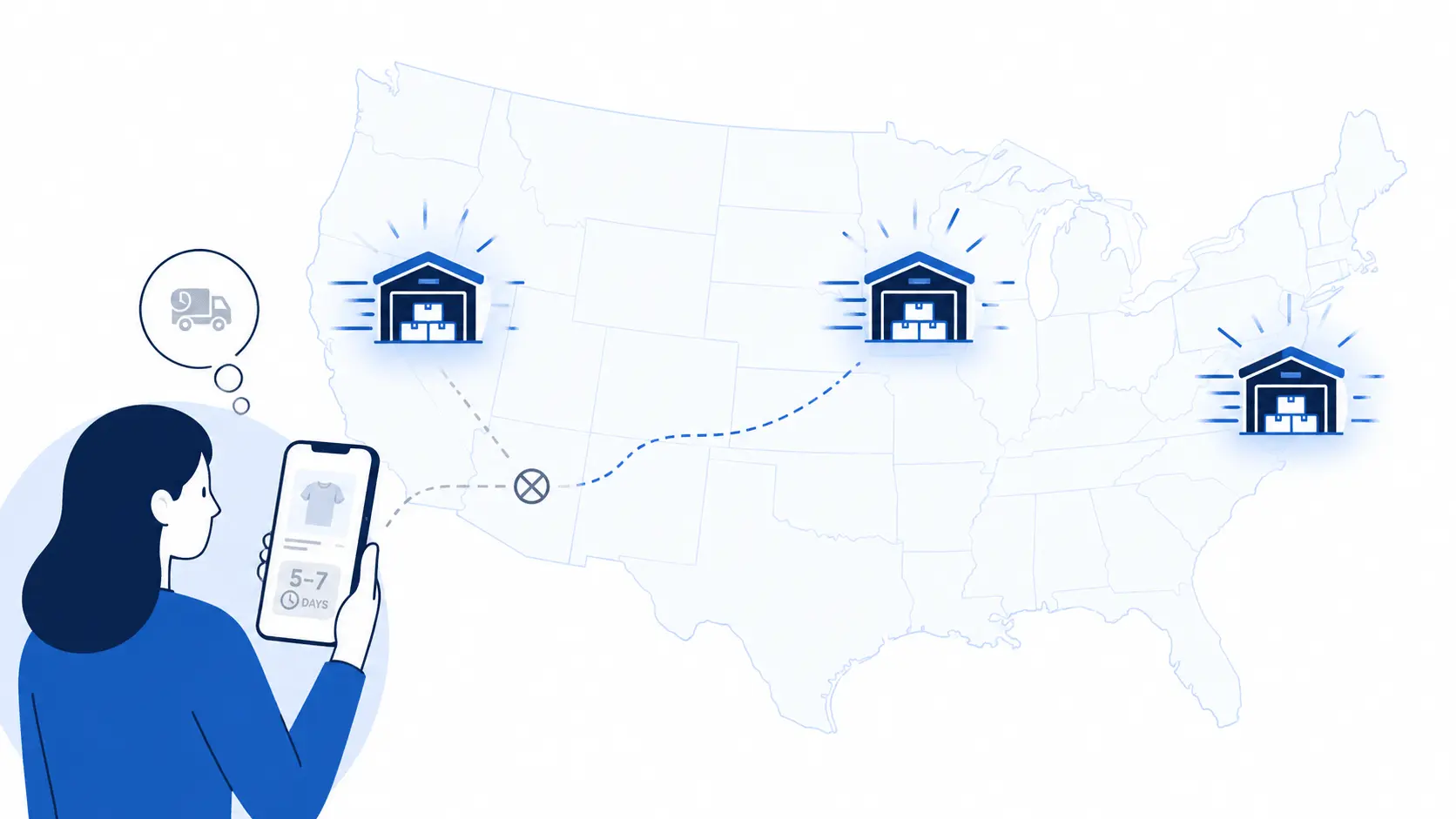
The Hidden Gap: Your Nearest Warehouse Is Invisible to Shoppers
Here is the gap that quietly costs merchants real money. Shopify routes orders smartly, but your storefront stays generic. The product page shows one delivery estimate for every shopper. It ignores which warehouse will actually ship the order. So a nearby buyer sees the same slow date as a distant one.
That mismatch wastes the whole point of multiple warehouses. You pay for extra locations to deliver faster and cheaper. Yet the shopper never sees that speed before buying anything. They only learn the real date after the order ships. By then, many have already abandoned the cart in doubt.
The Real Cost of a Generic Delivery Date
A single generic date does more harm than it seems. It hides your fastest option from nearby, ready buyers. It also over-promises to distant shoppers you cannot serve fast. Both cases quietly cost you sales and hard-won trust. One flat date simply cannot fit a multi-warehouse network.
Think about the money already spent on those warehouses. You pay rent, staff, and stock to deliver faster. Yet a generic date throws that speed advantage away. Nearby shoppers never learn they could get it tomorrow. So your biggest edge stays hidden at the deciding moment.
Why a Nearest-Warehouse ETA Matters
A clear, fast delivery date is a powerful buying trigger. According to Baymard Institute research, cart abandonment sits near 70%. Slow or unclear delivery is a top reason shoppers leave. A nearest-warehouse ETA answers “when will it arrive?” with speed. That single answer removes a big reason to hesitate.
Shoppers reward stores that show honest, specific dates. Narvar’s 2025 shopper survey found 73% let a visible date guide their purchase. Even more striking, 40% will not buy without a clear date. DHL’s 2025 e-commerce report found 81% abandon when their preferred delivery is missing.
The payoff is real and measurable for growing stores. Real-world Shopify tests tie clear dates to 12–25% higher conversion. Showing a faster date also lifts trust and repeat orders. It cuts “Where is my order?” tickets after the sale too. So nearest-warehouse ETAs protect both revenue and support time.
A Real Example: Two Shoppers, Two Warehouses
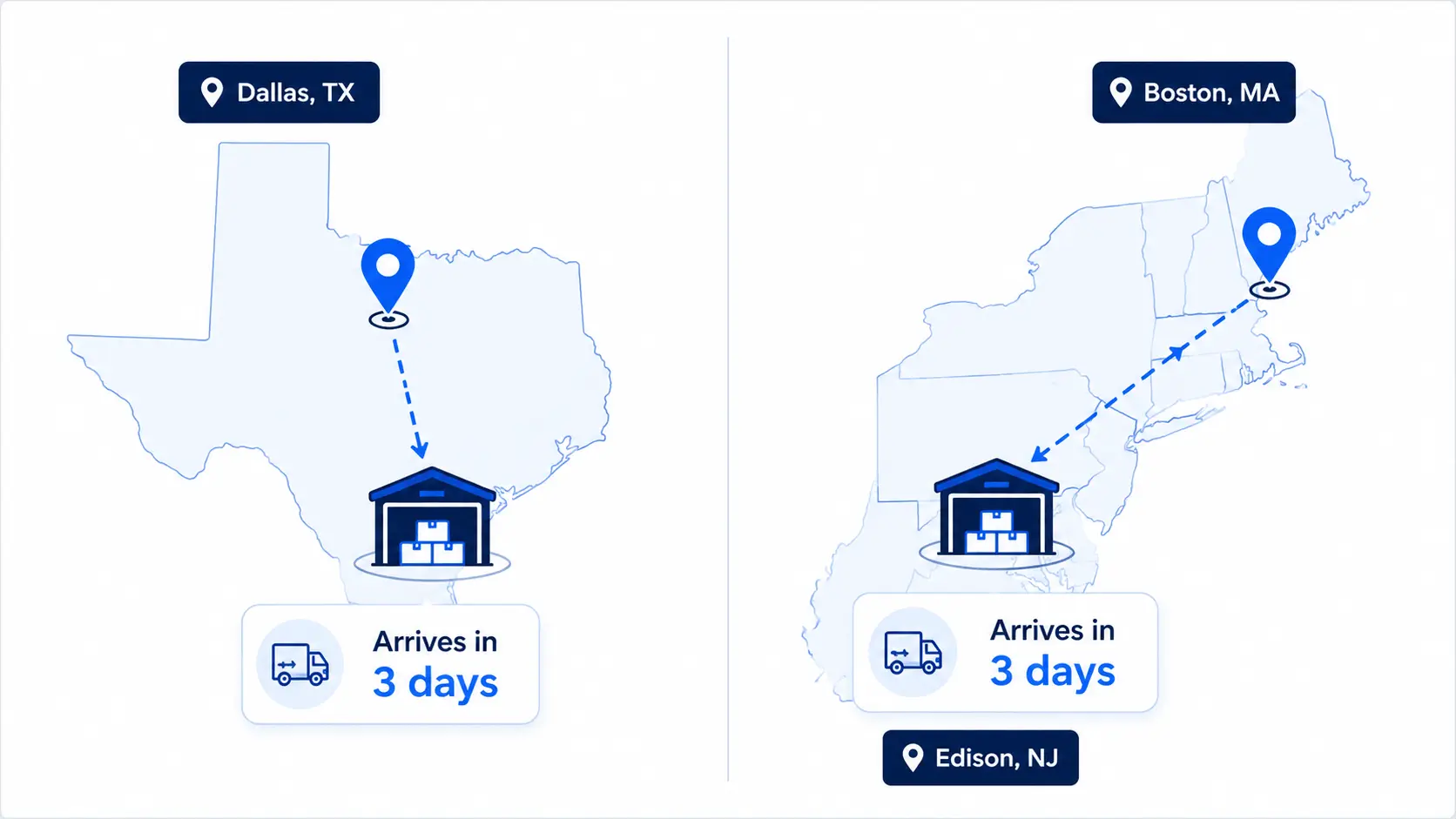
Imagine you run warehouses in Texas and in New Jersey. One shopper lives in Dallas, the other lives in Boston. Your store shows both a flat “arrives in 5–7 days” message. The Dallas order would actually ship fast from Texas. The Boston order would ship fast from New Jersey instead.
Now imagine each shopper sees their real, local date. Dallas sees “Arrives in 2 days” from the Texas hub. Boston sees “Arrives in 2 days” from the New Jersey hub. Both feel the speed you actually built for them. That visible speed is what turns browsers into confident buyers.
When Do You Need Warehouse-Based ETAs?
Not every store needs warehouse-based delivery dates yet. But many multiple-warehouse Shopify stores clearly do. These setups gain the most from a nearest-warehouse ETA:
- Stores shipping nationwide from two or more regions.
- Brands using several 3PLs across different areas.
- Merchants with the same product stocked in many locations.
- Stores where transit time swings a lot by region.
- Fast-shipping brands competing hard on delivery speed.
If that sounds like your store, this matters a lot. Your warehouses already create real speed differences by region. A warehouse-aware ETA simply makes that speed visible. It turns your back-end routing into a front-end selling point. The wider your network, the bigger this advantage grows.
How Shopify Decides Which Warehouse Ships
To show the right ETA, first know how Shopify routes orders. It checks your fulfillment priority list from top to bottom. It picks the first location with enough stock to ship. Many merchants rank locations by distance to the customer. This sends most orders from the nearest stocked warehouse.
Shopify also tries to minimize split shipments where possible. If one location has all items, the full order ships there. If not, it splits the order across two locations instead. Your ETA display should reflect this real routing logic. Otherwise, the promised date will not match the actual shipment.
One subtle point trips up many multi-warehouse stores. The nearest warehouse is not always the fulfilling one. Shopify may route by stock, cost, or split rules instead. So the true ETA depends on which location actually ships. Your date must follow the real fulfillment, not just distance.
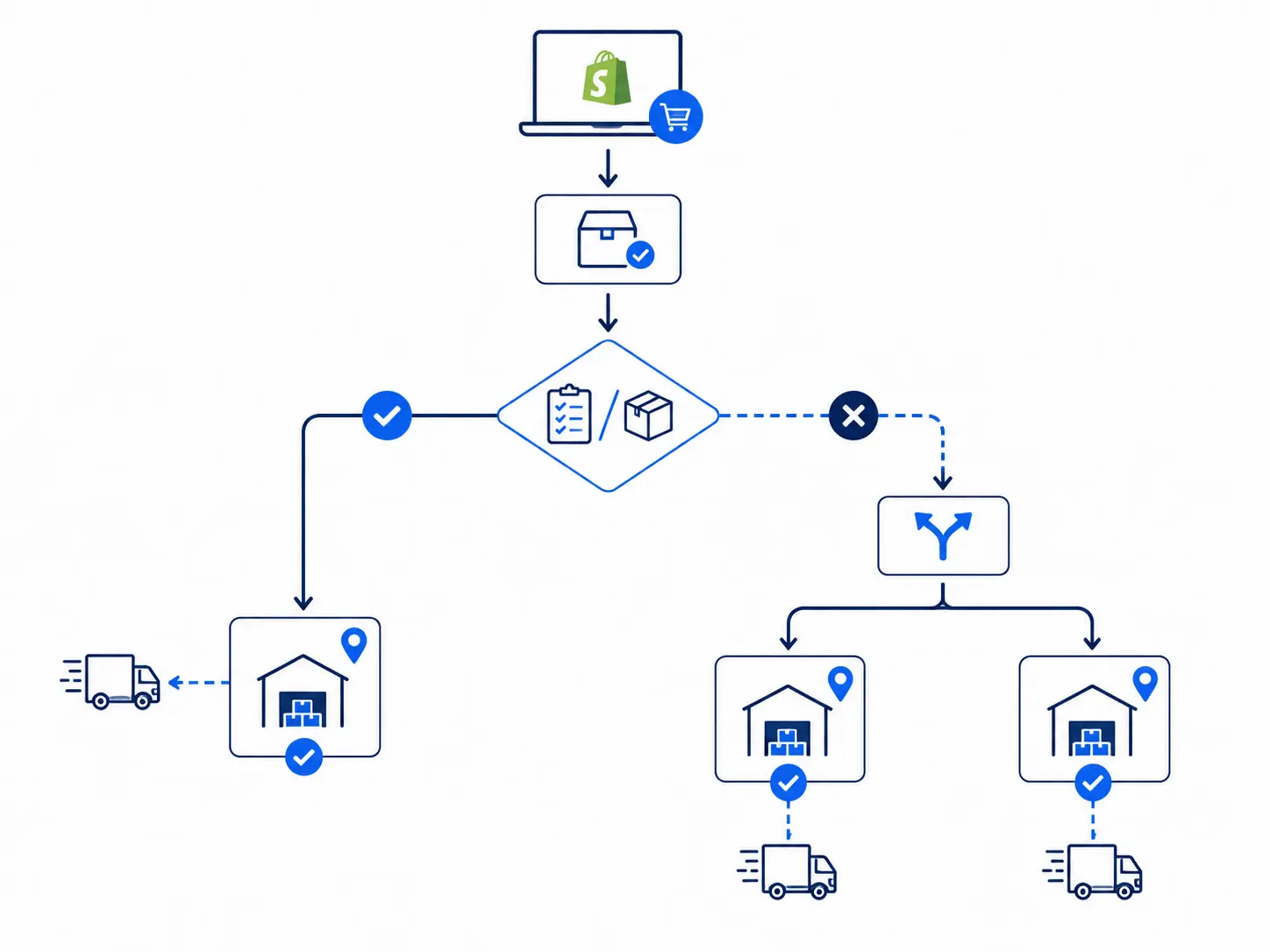
What an Order Fulfillment ETA Tool Actually Does
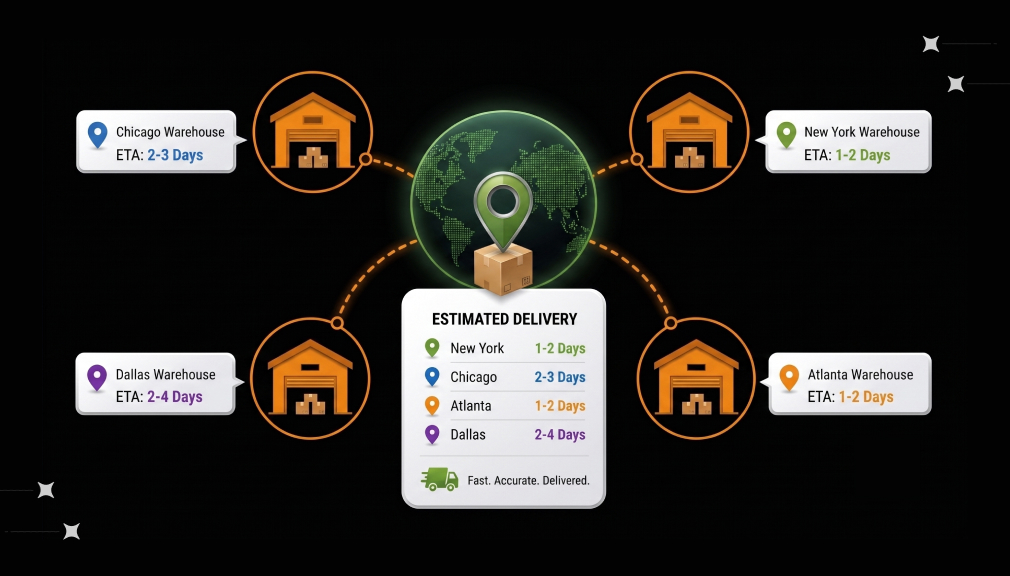
This is where an order fulfillment ETA tool earns its place. It detects the shopper’s location, often by IP or ZIP. It then finds the nearest or fulfilling warehouse for them. Next, it acts like a multi-origin shipping calculator for Shopify. It adds prep time and transit time from that specific origin.
A good order fulfillment ETA tool does more than one calculation. It updates as stock shifts between your warehouses daily. It respects your fulfillment priority and split-shipment rules too. It also shows the date clearly on your storefront pages. In short, it bridges your back-end routing and front-end promise.
The result is a precise, location-aware delivery date shown clearly. A shopper near your Texas hub sees a fast two-day date. A distant shopper sees an honest, slightly longer window instead. Each buyer gets a real promise built for their own address. That accuracy is what a good ETA tool delivers automatically.
A Closer Look at Multi-Origin ETA Logic
Let us look more closely at how the calculation really works. Think of each warehouse as one shipping origin point. Each origin has its own prep time and transit zones. A multi-origin shipping calculator for Shopify checks them all. It then picks the origin that serves each shopper fastest.
Here is a simple, concrete example of the math. Your Texas hub preps in one day and ships two-day nearby. A Dallas shopper therefore sees “Arrives in 3 days.” A Boston shopper is served by New Jersey instead. That origin gives Boston its own honest three-day date.
Two Ways Shopify Merchants with Multiple Warehouses Can Display ETAs
So how do you display these ETAs in practice? There are two real methods for multi-warehouse stores. The first uses a dedicated app built for the job. The second uses custom code inside your Shopify theme. Let us weigh both fairly so you can choose well.
Option 1: Shopify App-Based Solution (Recommended)
For most merchants, a purpose-built app is the simplest path. The Estimated Delivery Date – ETA app by SetuBridge supports warehouse rules. You map each warehouse to its own prep and transit times. The app then shows the right date for each shopper. All of this happens without touching any code.
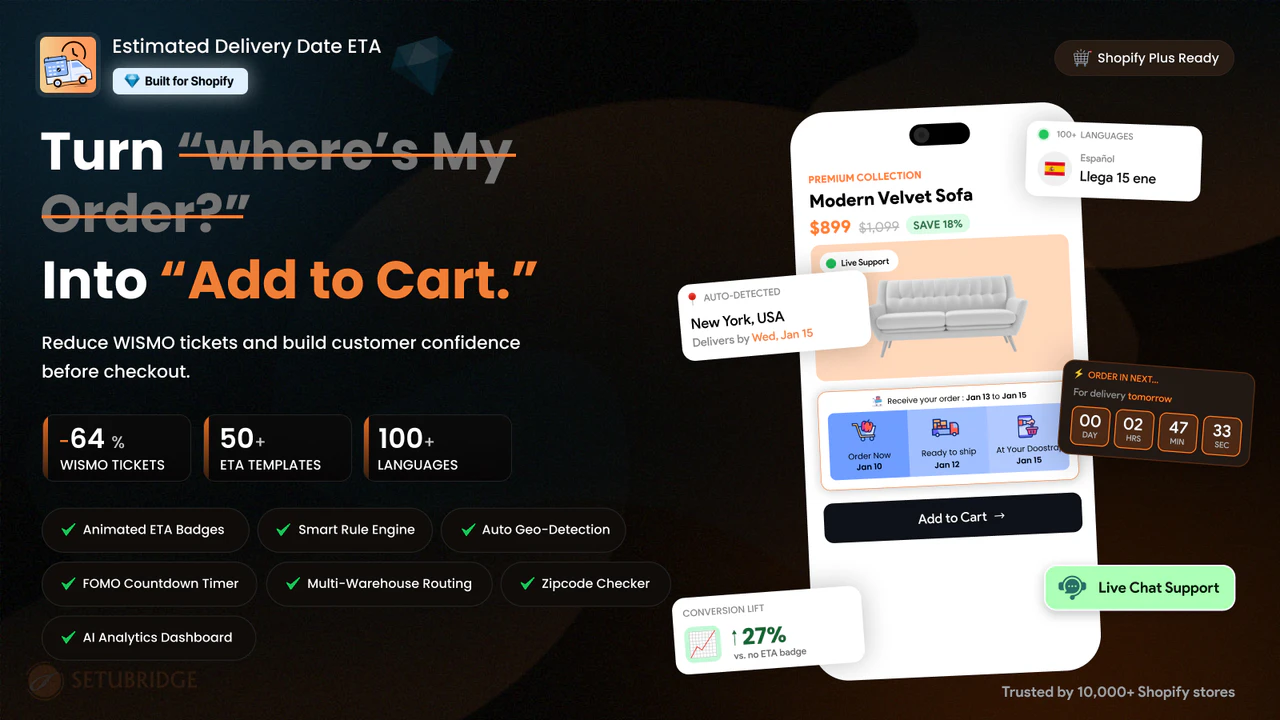
Here is how the nearest-warehouse setup usually works inside the app:
- Create a delivery rule for each warehouse location.
- Set prep days, cut-off time, and transit times per origin.
- Add the regions or ZIP codes each warehouse serves.
- Enable auto-detection so the nearest warehouse is chosen.
- Preview it live, then publish across your store.
The app then shows the fastest, most accurate ETA per shopper. It reflects the warehouse that will actually fulfill the order. Dates appear on product pages, the cart, and checkout. Messages also adjust to each visitor’s local time zone. This keeps every promise fast, honest, and easy to trust.
An app also removes the heavy maintenance that code demands. Rules update around holidays, cut-offs, and current stock automatically. You avoid broken dates whenever Shopify or your theme updates. New warehouses are added in minutes, not through fresh code. For non-developers, this is the clear, low-effort route forward.
Option 2: Custom Shopify Code Solution
Some larger teams prefer full control through custom development. A developer builds the location logic inside your theme. The code detects the shopper and picks a nearby warehouse. It then calculates the ETA from that origin’s transit times. This offers flexibility, but the trade-offs grow quickly.
Here is the general path a developer would usually follow:
- Detect the shopper’s location by IP or an entered ZIP.
- Map each warehouse origin to its transit-time zones.
- Build multi-origin logic to pick the nearest warehouse.
- Add prep time, cut-off, weekends, and holidays.
- Test many locations, splits, and themes before launch.
The hard part is the multi-origin math itself here. Building a reliable shipping calculator by hand is complex. Split shipments make the correct ETA even trickier to show. Every theme update can break the whole calculation quietly. Maintenance grows fast as warehouses and rules keep increasing.
There are more hidden gaps in the code-only route too. It rarely syncs with Shopify’s real fulfillment routing cleanly. A wrong origin then shows a wrong date to buyers. Rules live in code, so each change needs a developer. For most merchants, that upkeep and risk feel too high.
Which Option Should You Choose?
So which route fits your store best right now? For most stores, an app wins on speed and safety. It aligns with Shopify’s routing without any fragile code. Custom work suits only very unique, complex setups. Match the tool to your team and your real needs.
Handling Split Shipments and Mixed Carts
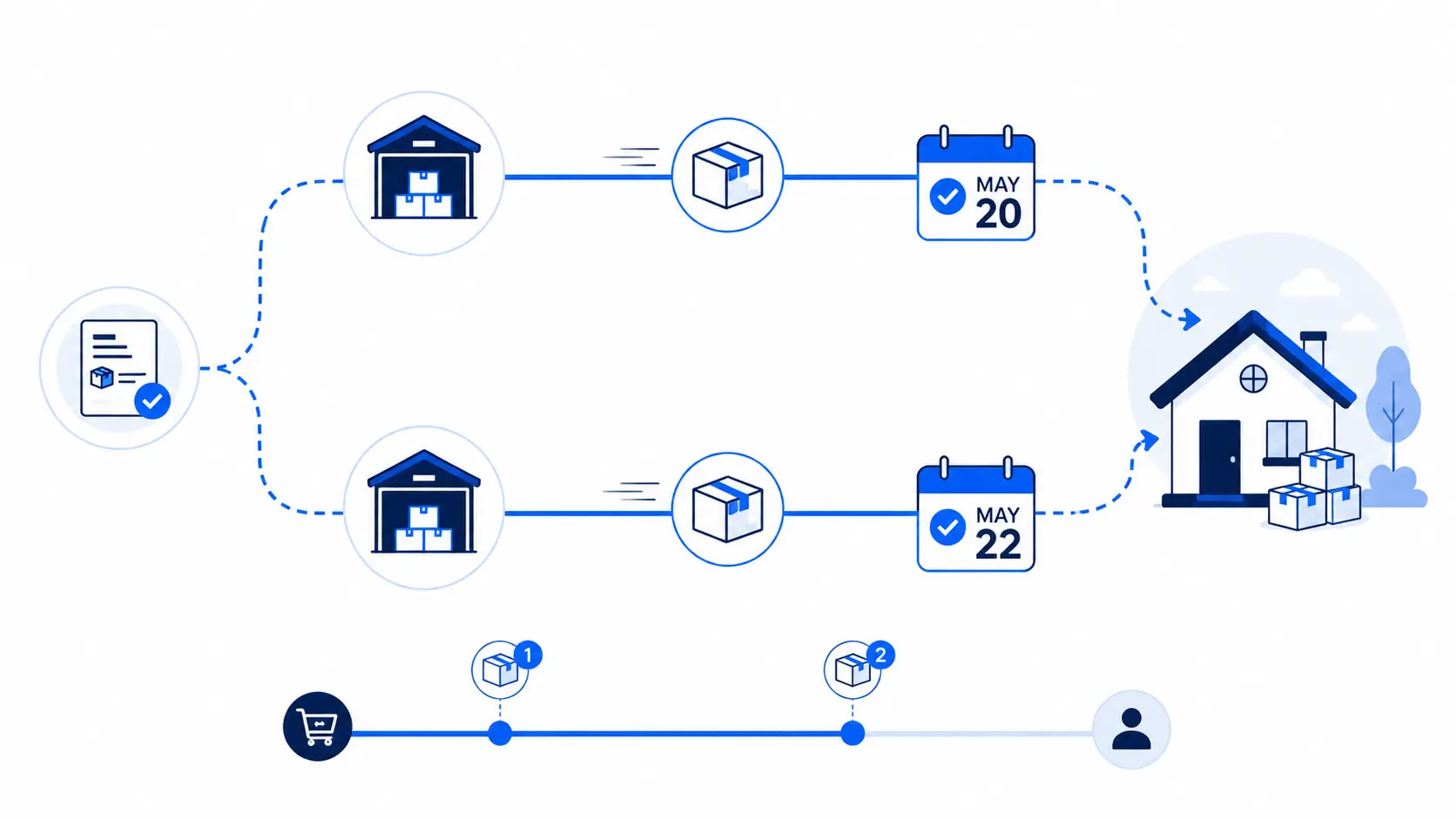
Multi-warehouse carts raise one tricky question about dates. What if two items ship from two different warehouses? Then the order arrives in two separate parcels, on two dates. Showing only the fastest date would quietly break your promise. The honest choice is to show the latest arrival date.
You can also show each item’s own delivery date. That way, shoppers know exactly what arrives and when. Clear, split-aware dates prevent confused “where is the rest?” tickets. A good ETA tool handles this logic for you automatically. Honesty about splits protects trust more than a hidden surprise.
Common Mistakes to Avoid
A few common mistakes quietly weaken warehouse-based ETAs. Each one breaks the trust you are trying to build. Watch out for these traps as you set things up:
- Showing one flat date across every single region.
- Promising the nearest speed when a split ships slower.
- Ignoring cut-off times, weekends, and public holidays.
- Forgetting to update rules when a warehouse changes.
- Hiding split shipments instead of showing both dates.
Each mistake turns a fast promise into a broken one. The fix is honest, origin-aware, and well-maintained dates. Match each date to the real shipping location every time. Then keep the rules current as your network grows. Accuracy is what makes speed believable to shoppers.
Best Practices for Nearest-Warehouse ETAs
Great nearest-warehouse ETAs are fast, honest, and location-aware. Base each date on that warehouse’s real prep and transit. Detect the shopper’s location early to pick the right origin. Respect cut-off times, weekends, and holidays in the math. Never promise a speed a distant warehouse cannot actually meet.
Keep your dates consistent across the whole shopping journey. Show them on product pages, the cart, and checkout. Update warehouse rules whenever transit times or stock change. Test both nearby and distant shoppers before going live. A living, accurate system stays trustworthy across every region.
Lead with speed where your network truly delivers it. A nearby, fast date is your strongest selling point. But stay honest where a region is genuinely slower. Trust comes from dates that match real arrival every time. Fast when you can, honest always, is the winning rule.
Measure the Impact
Adding nearest-warehouse ETAs is the start, not the finish. Track how the change affects conversion and cart abandonment. Compare results for nearby versus distant shoppers over time. Watch whether split-shipment tickets begin to fall. Industry data shows 77% of eCommerce pros now use AI daily.
AI even helps predict transit times per origin more accurately. It learns from real delivery data across your warehouses. Use that insight to refine each warehouse’s ETA rules. Steady, small tweaks keep every promise fast and believable. Honest measurement keeps your whole strategy on track.
Set one clear goal and review it each month. Aim to lift conversion for your nearby, fast-served regions. Then check that distant dates still arrive on time. Adjust each warehouse rule as your data reveals patterns. This steady rhythm turns your network into lasting growth.
Final Thoughts
Your extra warehouses were an investment in speed and reach. Do not let that speed stay hidden from your shoppers. A nearest-warehouse ETA turns your network into a visible advantage. It shows each buyer their real, fastest delivery date clearly. That clarity builds trust, lifts conversions, and reduces support tickets.
You do not need a big team to make this happen. An app can display nearest-warehouse ETAs in just minutes. Custom code stays an option for teams with developer support. Either way, the goal is the same: show the fastest honest date. Make your multiple warehouses visible, and watch more carts convert.
Frequently Asked Questions
1. How do I show different delivery dates for multiple warehouses in Shopify?
You can show different delivery dates by creating a separate ETA rule for each Shopify inventory location inside a delivery date app, so every warehouse displays its own accurate shipping timeline on the product page.
2. Can Shopify display warehouse-wise delivery dates?
Yes, Shopify can display warehouse-wise delivery dates, but only when you add an estimated delivery date app that supports inventory location-based rules, since Shopify’s default settings don’t break down delivery times by warehouse.
3. How to calculate ETA from multiple fulfillment centers in Shopify?
ETA from multiple fulfillment centers is calculated by setting a separate rule for each location that factors in product type, current inventory, and the destination country, so the date shown matches where the order actually ships from.
4. Do I need coding skills to set up warehouse-wise ETA in Shopify?
No, you don’t need coding skills if you use a delivery date app like Estimated delivery date by setubridge, since these apps let you create warehouse, product, and country-based ETA rules directly from the app’s settings screen.

Shopify Expert
Dipen Panchal, Shopify Tech Lead at Setubridge Technolabs, brings over a decade of expertise as a Shopify Expert. Passionate about e-commerce growth, he specializes in UI/UX design, crafting intuitive, engaging solutions tailored for merchants and B2B clients to enhance user experiences.