Right now, most of your shoppers are leaving without buying anything. In 2026, the average cart abandonment rate hit 70.22%, per Baymard Institute research. That means seven of every ten carts quietly slip away. One big, named reason is simple: shoppers feel unsure about delivery. They cannot tell when their order will actually arrive.
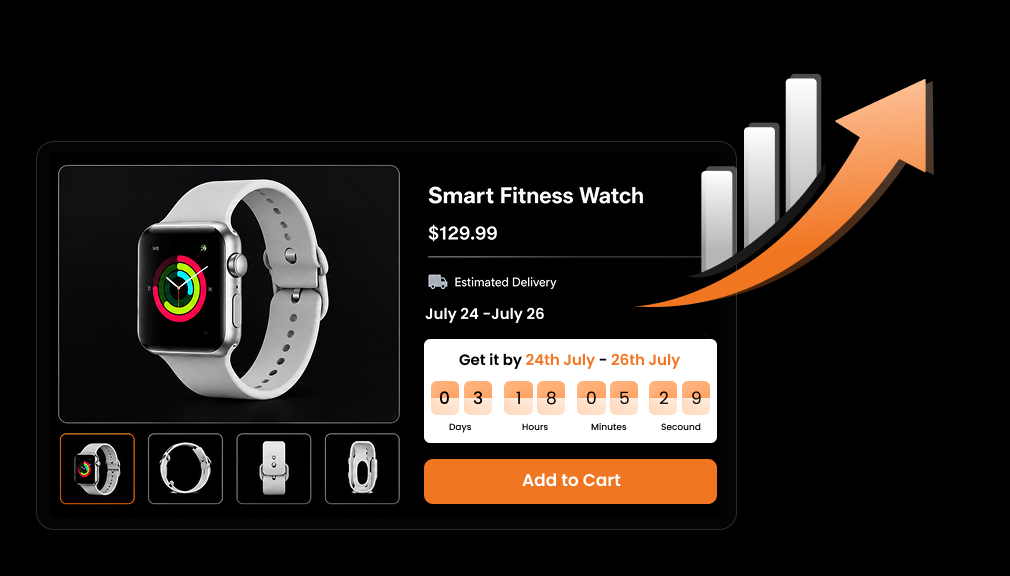
Delivery countdown timers fix that doubt at the exact right moment. They show a clear message like “Order within 3 hours for Friday delivery.” This post explains how smart delivery countdown timers increase Shopify revenue. You will learn the psychology, the real numbers, and the best placements. You will also learn the honest mistakes that quietly erode buyer trust.
Key Takeaways
- Cart abandonment hit 70.22% in 2026, and delivery doubt is a top cause.
- Delivery countdown timers reassure shoppers; they do not pressure them.
- They tap loss aversion and certainty to lift conversions 8–18%.
- Real timers build trust; fake, resetting timers destroy it.
- Place the timer near Add to Cart, especially on mobile.
- Accurate cutoff logic must respect time zones and holidays.
- A no-code app adds honest timers without a developer.
Why Delivery Uncertainty Is Quietly Costing You Sales
Delivery doubt is a silent tax on almost every Shopify store. Shoppers add items, then hesitate when the arrival date feels unclear. Many simply close the tab and never come back. 2026 checkout research shows slow delivery options cause 23% of abandonments. That is nearly one in four carts lost to delivery worry alone.
The problem grows even larger on small mobile screens today. Mobile cart abandonment runs far higher than desktop abandonment does. Most reports put mobile abandonment near 85%, well above desktop. On a small screen, doubt hits fast, and shoppers leave faster. That is why timer placement near Add to Cart matters most on mobile.
Think of this lost revenue as a quiet, ongoing tax. You already paid for the ads and the traffic here. The shopper wanted the product enough to add it. Then one unanswered question, “when will it arrive?”, ends it. A delivery countdown timer answers that question before doubt wins.
The math behind this loss is quietly staggering for stores. Every abandoned cart is traffic you already paid to earn. A store losing 70% of carts wastes most of its spend. Recovering even a slice of that is pure, high-margin profit. Delivery clarity is one of the cheapest ways to recover it.
A countdown only builds trust if it’s true, so keep countdown cutoffs accurate with real preparation time built into the deadline.
What a Delivery Countdown Timer Actually Does
A delivery countdown timer is not a pushy sales gimmick. It does not scream “only 2 left” to scare you into buying. Instead, it reassures: “Order within 3 hours for Friday delivery.” That is a reassurance mechanic, not a pressure mechanic. It answers a real question instead of manufacturing fake panic.
The psychology behind it is simple but genuinely powerful. People hate losing something more than they enjoy gaining it. This is loss aversion, a well-studied idea in behavioural economics. A 2026 cart-timer analysis ties this directly to timer results. A clear cutoff frames fast delivery as something you might lose.
Certainty is the other half of the effect here. A specific date removes the fog around “when will it arrive?” Shoppers relax when they see a concrete, believable promise. That calm confidence is what nudges them to check out. Done well, this lift ranges from about 8% to 18% on average.
The urgency lands harder when you pair the timer with a clear estimated delivery date the shopper can count on.
Behavioral research helps explain why this works so well. Studies show people weigh losses about twice as heavily as gains. Missing free next-day delivery feels like a real loss to avoid. A true cutoff makes that loss feel close and concrete. So shoppers act now to keep a benefit they value.
Real Timer vs. Fake Timer
Here is where honesty matters more than almost anything else. A real timer reflects a true shipping cutoff you can meet. A fake timer resets on refresh or invents a random deadline. Fake timers are a dark pattern, and shoppers now spot them fast. Regulators, including the FTC, have warned against these deceptive tactics.
A real delivery countdown timer earns trust instead of breaking it. It ties to your genuine cutoff, like “order by 2 p.m.” When the promise is true, the timer builds lasting credibility. When it is fake, one caught lie can cost the whole sale. Always make your timer honest, or do not use one.
How Delivery Countdown Timers Increase Revenue
A delivery countdown timer lifts revenue through several paths at once. First, it converts more browsers by removing delivery doubt. Second, it can nudge shoppers toward faster, paid shipping upgrades. Third, it recovers carts that delivery worry would have lost. Together, these effects compound into real, measurable revenue.
There is a fourth, quieter revenue benefit as well. Clear delivery promises reduce “Where is my order?” support tickets. Your team then spends less time answering status questions. That saved time and goodwill quietly protect your margins too. Revenue grows while your support costs steadily shrink.
To avoid promises you can’t keep, base cutoffs on proper delivery date rules for each product and region.
The Data: What Merchants Are Actually Seeing
The numbers behind delivery timers are strong but honest. Results vary by store, product, and how well it is done. Here is a quick, realistic look at reported impacts:
| What merchants report | Reported impact |
| Shopify Shop Promise | Up to 25% higher conversion |
| ConvertCart brand case | 24% drop in cart abandonment |
| Delivery-date A/B tests | 13–25% conversion lift |
| General countdown timers | 8–18% average lift |
Notice the honest spread across these different results. Shopify Shop Promise data reports up to 25% higher conversion. Real-world Shopify tests tie clear dates to 12–25% lifts. Some brand cases even report a 24% drop in abandonment.
Set realistic expectations before you begin, not sky-high ones. Not every store will see a dramatic 40% jump overnight. A steady 8% to 18% lift is a strong, believable outcome. Honest goals protect you from disappointment and false promises. They also build trust with your own team and your customers.
Why does the impact vary so widely between different stores? Product type, price, and margin all shape the final result. Urgent or gift purchases respond most to a clear deadline. Stores with honest, accurate cutoffs see the steadiest gains. The better your data and honesty, the higher your lift.
Which Stores Gain the Most
Almost any Shopify store can use a delivery countdown timer. But some see far bigger revenue gains than others do. These store types tend to benefit the most from it:
- Gift stores racing against birthdays and holidays.
- Fashion and beauty brands with impulse-driven buyers.
- Stores offering fast or same-day shipping options.
- High-traffic stores where small lifts mean big money.
- Seasonal shops during peak, deadline-driven shopping.
For these stores, a real deadline changes the whole decision. Shoppers with a date in mind act faster and more surely. The timer meets that urgency with an honest, helpful answer. That fit is why the revenue lift can be large. Match the timer to urgent buyers for the best results.
You can also carry delivery urgency onto collection pages so the message reaches shoppers earlier in the journey.
Where and How to Place the Timer for Maximum Effect
Placement decides how much your delivery countdown timer actually helps. The product page is the highest-impact spot by far. Put the timer near the Add to Cart button, where decisions happen. Shoppers then see “Order within 3 hours for Friday delivery” there. That timing answers doubt at the exact moment of choice.
Reinforce the message again on the cart page too. A shopper who reached the cart is already close to buying. A gentle timer there confirms the deadline one more time. It keeps the promise fresh as they move toward checkout. Consistency across both pages quietly strengthens their confidence.
You can extend the timer to a few other spots too. A collection page badge speeds up comparison while browsing. The checkout page confirms the deadline at the final step. Keep it consistent everywhere so the promise never changes. But avoid overload, and always lead with the product page.
For the reasoning, the data behind order-by urgency explains why a genuine cutoff moves shoppers to act.
The timer’s cutoff logic must be genuinely accurate. “Order within X hours for delivery by Y” requires accurate calculations. It should respect your daily cutoff time and local time zone. Weekends, non-working days, and holidays must push the date correctly. A timer that ignores these will promise dates you cannot keep.
Mobile formatting deserves special, careful attention here. Most shoppers now browse and buy on small phone screens. Keep the timer short, bold, and easy to read on mobile. Place it high, near Add to Cart, so thumbs see it fast. Clean mobile design is where most of your timer ROI lives.
A Worked Example: The Cutoff in Action
Let us make the cutoff logic concrete with a quick example. Say your cutoff is 2 p.m., and you ship same day. A shopper visits at 11 a.m. on a Tuesday. The timer reads “Order within 3 hours for Wednesday delivery.” That clear deadline turns a vague wait into a real choice.
Now the very same shopper arrives at 3 p.m. instead. The 2 p.m. cutoff has already passed for today. So the timer shifts to “Order today, ships tomorrow” instead. It stays honest rather than promising an impossible same-day ship. That honesty is exactly what keeps the timer believable.
Delivery Countdown Timer Message Examples
The right wording makes your timer clear and trustworthy. Keep each message short, specific, and easy to scan. Here are simple examples you can adapt for your store:
- “Order within 3 hrs 20 min for delivery by Friday.”
- “Order by 2 p.m. today to ship the same day.”
- “Order today, arrives Tuesday, free standard shipping.”
- “Cutoff in 1 hr 45 min for next-day delivery.”
Notice how each line ties a real deadline to a date. That pairing is what makes the timer feel honest. Avoid vague lines like “hurry, limited time” with no date. A concrete deadline plus a concrete date builds real trust. Clear wording is half the power of a good timer.
Common Mistakes That Erode Trust
A few avoidable mistakes can turn a timer into a liability. Each one quietly breaks the trust you are trying to build. Watch out for these common traps as you set things up:
- Timers that reset on refresh or count down to nothing real.
- Delivery promises your fulfillment team simply cannot keep.
- Timers slapped on every page instead of targeted spots.
Each mistake sends the same message: this store cannot be trusted. A reset timer proves the deadline was never real at all. A missed promise turns a happy buyer into an angry one. Overusing timers everywhere makes them feel like noisy spam. Use them honestly, sparingly, and only where they truly help.
One more trap appears during busy peak seasons, especially. Your normal cutoff may not hold when volume spikes high. Update the timer’s cutoff and prep time before the rush. A promise that breaks at peak damages trust the most. Keep your timer in sync with real fulfillment capacity.
How to Set This Up Without a Developer
There are two main options for Shopify stores that wish to implement the delivery countdown timer feature into their store. There is an option that is quick and safe. The other involves continuous work from the developers and has more limitations.
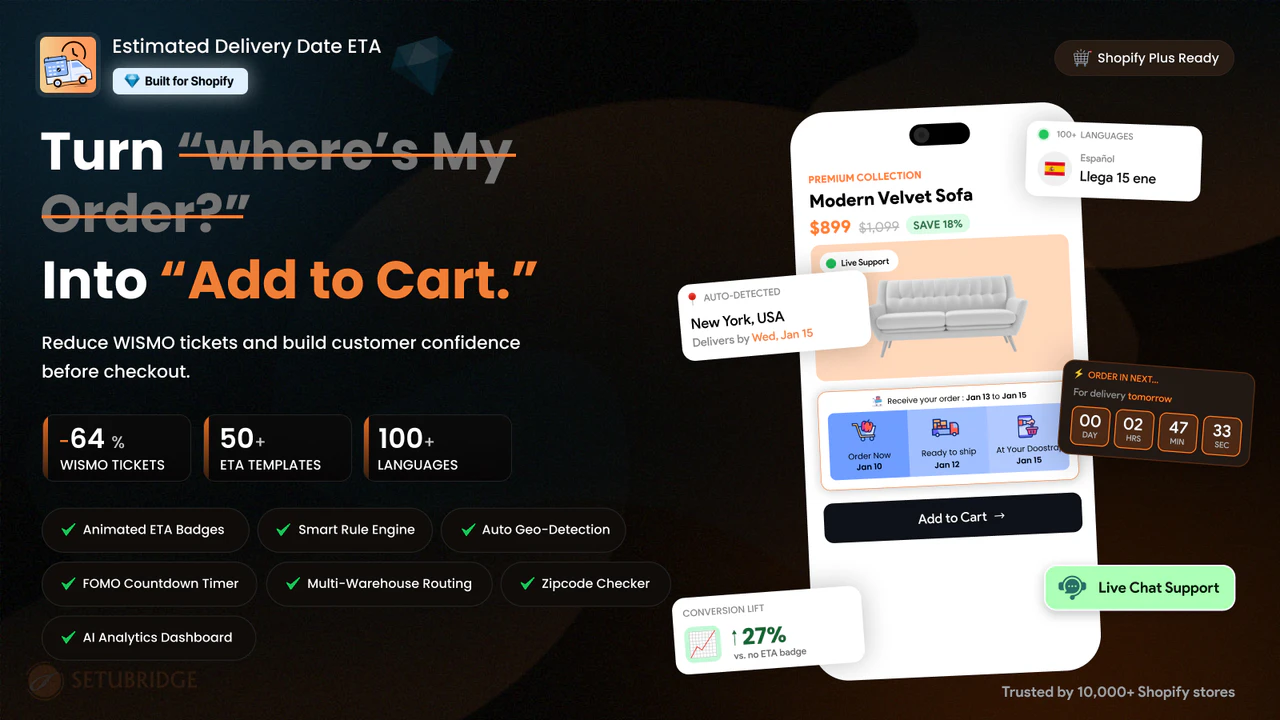
Option 1: Shopify App-Based Solution (Recommended)
The use of a specialized Shopify application is the most logical option for implementing the delivery countdown timer without any code changes. Applications of this type determine the exact date when the order will be delivered based on the processing time and the chosen shipping method and couriers’ limits. Then they show it on the product page, cart page, and checkout page.
Step 1: Install the app
Choose a Shopify app built specifically for delivery countdowns rather than a generic sales-urgency tool. This ensures the timer reflects real fulfillment data, not a fixed or fake deadline.
Step 2: Connect your processing and shipping rules
Add your warehouse processing time, courier cutoffs, and shipping methods. The app uses these details to calculate an accurate delivery date automatically, so the countdown always matches reality instead of a hardcoded guess.
Step 3: Customize by product, collection, or zone
Set different cutoff times for different products, collections, or shipping zones based on how your fulfillment actually works. This gives you control without adding complexity to your storefront.
Step 4: Display the countdown across key pages
Turn on the live countdown for your product, cart, and checkout pages, so shoppers see a consistent, honest delivery promise wherever they’re deciding to buy.
Step 5: Update rules during peak periods
On days where you have holidays or flash sales, update the rules for your cut-offs right away. You don’t need a developer, no need to modify code, and there is no requirement to wait for themes to change.
One day of warehouse problems or one extra shipping zone will cause problems with a custom script that is hard-coded, but not with an app.
For merchants who want a working example, the Estimated Delivery Date app on the Shopify App Store shows exactly how to set Smart Delivery Countdown Timers in Shopify, with setup steps you can review before installing anything.
Option 2: Custom Shopify Code Solution
Merchants may also use custom Liquid and JavaScript to create a Delivery Countdown Timer. This allows for maximum customization; however, there are significant drawbacks to this option that you should consider:
- Manual updates are required every time shipping cutoffs, holidays, or courier schedules change.
- Time zone handling across international customers often breaks without constant testing.
- Theme updates can silently remove or break the custom code, causing the timer to disappear.
- There is no built-in logic for weekends, holidays, or regional delivery exceptions.
- Ongoing developer hours are needed just to keep the countdown accurate, which adds hidden costs over time.
Because of these limitations, most Shopify merchants find that a custom code solution works only as a short-term test. For a countdown that stays accurate as your business grows, an app-based Delivery Countdown Timer is the more reliable long-term choice.
Measure Your Timer’s Impact
A timer is only worth keeping if it truly works. Track its impact instead of just guessing about results. Watch conversion on pages with and without the timer. Compare cart abandonment before and after you add it. These simple checks show the real revenue effect clearly.
Test your wording and placement to sharpen the lift further. Try “Order within 3 hours” against “Order by 2 p.m.” Keep the version that converts better for your shoppers. Review the data often as seasons and cutoffs change. Small, steady tweaks keep your timer earning its place.
Final Thoughts
Delivery uncertainty is a silent tax you no longer have to pay. Smart delivery countdown timers answer the “when will it arrive?” question. They turn quiet doubt into calm, confident purchases at the right moment. Done honestly, they lift revenue while building real, lasting trust. That is a rare win for both you and your shoppers.
A truthful deadline helps counter the hesitation that delays a purchase into a never-completed cart.
Your next step is simple and low-risk to try today. Add an honest delivery countdown timer near your Add to Cart button. Set a real cutoff, respect holidays, and keep the promise true. Then watch your conversion and cart recovery over the coming weeks. Start small, stay honest, and let the results guide you.
Frequently Asked Questions
How to add a delivery countdown timer in Shopify?
The easiest way is to install a dedicated Shopify app from the App Store. The Estimated Delivery Days app lets you add a Delivery Countdown Timer without any code.
How do delivery countdown timers increase Shopify revenue?
Delivery Countdown Timers increase revenue by removing the doubt that stops shoppers from buying. They show a clear order cutoff and a firm delivery date on the product page.
What is the best delivery countdown timer app for Shopify?
The best delivery countdown timer app is one that pairs the timer with an accurate delivery date. The Estimated Delivery Days app does this and handles cutoffs, weekends, and holidays for you.
What is a Shopify order cutoff countdown timer?
A Shopify order cutoff countdown timer shows how long shoppers have to order for the next dispatch.
How to create urgency in Shopify the right way?
The best way to create urgency in Shopify is with a real, honest deadline. A Delivery Countdown Timer does this by counting down to your true order cutoff.
Can a countdown timer speed up Shopify conversions?
Yes, a Delivery Countdown Timer speeds up conversions by shortening the decision time.

Shopify Expert
Dipen Panchal, Shopify Tech Lead at Setubridge Technolabs, brings over a decade of expertise as a Shopify Expert. Passionate about e-commerce growth, he specializes in UI/UX design, crafting intuitive, engaging solutions tailored for merchants and B2B clients to enhance user experiences.