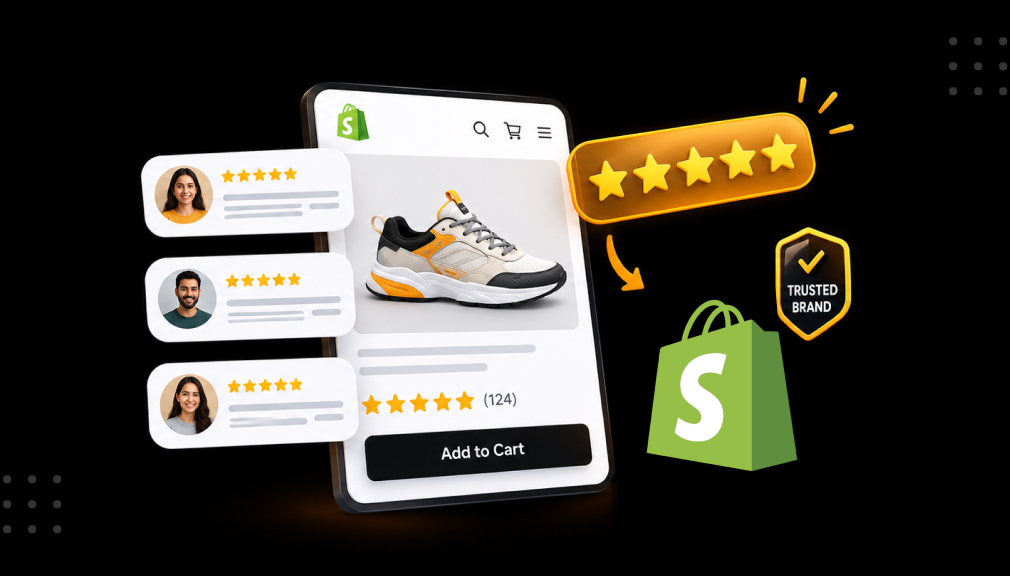
Picture a shopper on her phone at 10 p.m., looking for a gift candle. She finds two listings that look almost the same. One shows 4.6 stars from 212 reviews and real customer photos. The other says “Be the first to review.” She buys the first one in under a minute.
If you run a Shopify store, you have probably been the second listing. You spent hours on photos and copy, and traffic still leaves without buying. That feeling stings, because the product is good. Shoppers just have no proof yet.
Shopify product reviews are that proof. They lower the risk of buying from a brand people have never heard of. They answer questions your product page cannot. They add fresh, keyword-rich text and can earn star ratings in Google results.
In 2026, shoppers check Amazon, TikTok, Google Shopping, and AI assistants before trusting a new store. This guide shows you how to collect customer reviews on autopilot. You will learn what the research says, what a strong review looks like, and when to ask. You will also learn the FTC rules every US store must follow.
Key Takeaways
- Reviews are the trust signal that turns a stranger’s visit into a first order.
- The first five reviews on a product create the biggest jump in purchase likelihood.
- Photo and video reviews show real size, color, and quality, so they sell harder than text.
- Timing matters: ask after the customer has used the product, then send one reminder.
- US stores may reward reviews, but never in exchange for a positive rating.
- An automated review app turns every fulfilled order into a review request without manual work.
Why Product Reviews Matter for Shopify Stores
Reviews solve the biggest problem of selling online: shoppers cannot touch or try your product. Each section below links a review benefit to a real store outcome.
Reviews Replace the In-Store Test Drive
In a shop, a clerk can answer questions and calm doubts. Online, reviews do that job. 85% of consumers hesitate to consider a product with no reviews. For your store, a zero-review page reads as a risk, not a neutral page.
The First Five Reviews Do the Heaviest Lifting
Northwestern’s Spiegel Research Center found a product with five reviews is 270% more likely to be purchased than one with none. The effect grows with price. The lift is about 380% for higher-priced items and 190% for lower-priced ones. If you sell premium goods, getting those first reviews matters even more.
A 4.5 Rating Beats a Perfect 5.0
Many owners fear any review below five stars. Research points the other way. Purchase likelihood peaks between 4.2 and 4.5 stars, then drops as ratings near 5.0. Shoppers suspect perfect scores are fake. A few honest, well-answered critical reviews make the rest more believable.
Reviews Are Free SEO and AI-Search Content
Customers describe products in the same words shoppers type into Google. That adds fresh, long-tail content to your product pages without extra writing. Review schema can also show star ratings in search results, which draws the eye. AI shopping assistants summarize what buyers say about a product. With no reviews, they have nothing to summarize.
Photo and Video Reviews Sell Harder Than Text
A customer photo shows the real size, colour, and quality. Reviews with customer photos or videos are linked to a 163.6% lift in conversion. You can also reuse this user-generated content in ads, emails, and social posts.
Reviews Are Free Product Research
Repeated comments point to problems before they turn into refunds. Say several buyers write that a dress runs small. You add “order one size up” to the size guide, and returns drop. Your reviews become a feedback loop for better listings.
What Makes a Product Review Actually Sell
Not every review carries the same weight. A short “Great!” helps a little, but a detailed review with a photo answers the next buyer’s doubt. When you know what a strong review contains, you can design requests that produce more of them.
| Review element | Why it matters | How to get more of it |
| Verified buyer badge | A verified buyer label raises purchase likelihood by about 15% | Send requests only for fulfilled orders |
| Specific detail | Answers the exact question the next shopper has | Ask a guided question, like “How was the fit?” |
| Photo or video | Shows real color, scale, and quality | Make uploads optional and easy on mobile |
| Recency | Old reviews feel less trustworthy | Ask every buyer, every month |
| Merchant reply | Shows you listen and fix problems | Reply to 1–3 star reviews within 48 hours |
Here is a quick illustrative example. A weak review says, “Nice candle, fast shipping.” A strong review says, “Burned evenly for 40 hours, and the lavender scent filled my bedroom. Here’s a photo next to my nightstand.” The second one sells the product for you.
How to Automate Review Collection on Shopify
Most stores do not lack happy customers. They lack a system that asks every buyer at the right moment. Manual requests get skipped during busy weeks, and new products stay empty. A product reviews app fixes this by running the process for you after every order.
AG Product Reviews App & UGC
AG Product Reviews App & UGC by Air Reviews by Avada helps Shopify merchants collect and display customer reviews. It sends automated review request emails and reminders after each order. Customers can leave star ratings, written reviews, photos, and videos. You can also offer an optional discount as a thank-you for any honest review.

Reviews appear in widgets that match your theme, including star ratings, carousels, testimonials, and media galleries. Review-rich snippets help your star ratings show up in Google search results. Moderation tools let you filter inappropriate reviews before they go live. If you are moving from another app, you can bulk import your existing reviews. It also connects with Klaviyo, PushOwl, Shopify Flow, and PageFly, and works in 11 languages.
Ratings and Reviews From Merchants
On the AG Product Reviews Shopify App Store listing, the app holds a 4.9-star rating from 3,172 merchant reviews as of October 2026. About 97% of those ratings are five stars. Merchants often mention quick setup, clean widgets, and strong photo and video reviews. Many also point to fast, hands-on support for layout and syncing questions.
Merchant Problems and Where the App Fits
| Merchant problem | What the app does | Where it runs in your workflow |
| New products show “no reviews yet” | Sends automated review requests and reminders | Post-purchase email |
| Customers ignore one email | Adds push notifications, pop-ups, forms, and QR codes | Browser, storefront, packaging insert |
| Text reviews don’t show fit or color | Accepts photo and video reviews, shows media galleries | Review form and product page |
| Few clicks from Google | Adds review-rich snippets | Google search results |
| Reviews stuck in an old app | Bulk import and migration | One-time setup |
| Spam or offensive reviews | Moderation and filtering | Review dashboard |
| Review data cut off from email flows | Klaviyo, PushOwl/Brevo, and Shopify Flow integrations | Marketing stack |
| Shoppers outside the US | Widgets in 11 languages | Storefront |
A Simple Setup Workflow
- Install the free plan and choose a widget style that matches your theme.
- Import past reviews from your previous app or a CSV file.
- Turn on automated requests and set the send delay for each product type.
- Add one reminder and, if you want, a discount offered for any honest review.
- Place star ratings on product and collection pages, and turn on rich snippets.
Where to Collect and Show Reviews
Reviews only help when shoppers see them at the moment of doubt. Most visitors read a few before deciding. 91.1% of consumers read at least one review before buying, and 54.7% read at least four.
Where to collect reviews:
- Post-purchase email, your main and most reliable channel
- SMS or push notifications for shoppers who skip email
- QR codes on packing slips or inserts
- On-site pop-ups for returning customers
- Social media posts that tag your products, saved as UGC
Where to show reviews:
- Star ratings near the product title, above the fold
- A full review section with photo filters lower on the product page
- Star ratings on collection pages, so shoppers compare faster
- A testimonial carousel on your homepage
- Google search results, through review-rich snippets
Start with the product page and collection pages. They sit closest to the buying decision.
When to Ask for a Review
Ask too early, and the box is still sealed. Ask too late, and the excitement has faded. The right time depends on how long it takes to use the product. Always count from delivery, not from the order date.
| Product type | When to send the first request |
| Apparel and accessories | 5–7 days after delivery |
| Home goods and candles | 7–10 days after delivery |
| Skincare and supplements | 14–21 days after delivery |
| Electronics and tools | 10–14 days after delivery |
| Digital or quick-use items | 2–5 days after delivery |
These ranges are practical starting points, not fixed rules. Test two send times on your top product for one month. Keep the one that brings in more reviews. Then send a single reminder 5–7 days after the first request.
How to Collect More Reviews: 7 Proven Tactics
These tactics move from quick wins to longer-term habits. Each one removes a reason customers skip the review.
1. Send One Reminder
Most stores send one request and stop. Many buyers simply miss that first email. In a 2026 study of 227 Shopify stores, adding a second reminder brought in noticeably more reviews. One polite follow-up is enough.
2. Let Customers Rate Inside the Email
Every extra click loses people. Let buyers tap a star rating right inside the email. Keep the form short: stars, a title, one text box, and an optional photo. No login should ever be required.
3. Ask Guided Questions
“Leave a review” feels like homework. “How did the size compare to what you expected?” feels easy to answer. Guided questions produce detailed reviews that answer future shoppers’ doubts.
4. Make Photo Uploads Easy
Mention photos in the button text, like “Add your review and a photo.” Show a sample photo review in the email. Customers copy what they see.
5. Offer a Fair Thank-You
A small discount on the next order can lift response rates. Offer it for any honest review, good or bad. This also brings the customer back for a second purchase.
6. Focus on Your Best-Sellers First
Get at least five reviews on your top 10 products before anything else. These pages get the most traffic, so each review works harder there.
7. Reply to Every Review
Thank happy customers by name. For critical reviews, apologize, explain the fix, and offer help. Public replies show future buyers how you treat people.
Copy-ready review request email
- Subject: How’s your new [product name]?
- Body: Hi [first name], your [product name] arrived a few days ago. We’d love to hear how it’s working for you. Your honest review helps other shoppers choose with confidence. It takes about 60 seconds, and photos are welcome.
- Button: Rate your [product name]
Follow the FTC Rules for Product Reviews
US stores must follow federal rules on reviews. The FTC’s Consumer Reviews and Testimonials Rule took effect on October 21, 2024, and allows civil penalties for knowing violations. The good news is that honest stores have little to change.
What you can do:
- Ask every customer for a review
- Offer an incentive, as long as it is not tied to a positive rating
- Remove spam, abuse, or off-topic content
What you must avoid:
- Fake, AI-written, or purchased reviews
- Rewards that require a certain star rating
- Undisclosed reviews from staff or family
- Hiding negative reviews while implying you show them all
Here is the difference in plain words. “Leave an honest review and get 10% off” is the safe version. “Leave a 5-star review and get 10% off” is the risky one. This section is general information, not legal advice.
How to Know Your Review Program Is Working
Track a few numbers once a month. They show whether your requests work and where to improve. Copy this scorecard into a spreadsheet.
| Metric | How to measure it | Healthy sign |
| Response rate | Reviews received ÷ requests sent | Rising month over month |
| Coverage | % of products with 5+ reviews | Best-sellers covered first |
| Media share | % of reviews with photos or video | Rising |
| Average rating | Store-wide and per product | Steady between 4.2 and 4.7 |
| Conversion gap | Pages with reviews vs. without, in Shopify Analytics | Reviewed pages convert higher |
| Reply rate | % of 1–3 star reviews answered | 100% |
Conclusion
Remember the shopper choosing between two candles. The store with reviews won, even though both products looked the same. Product reviews build trust, lift conversions, add SEO content, and show you what to fix. The first five reviews on each product matter most, and honest ratings near 4.5 stars earn more belief than a perfect score.
Collecting reviews is a system, not luck. Ask after the customer uses the product, send one reminder, and make rating quick. Encourage photos, reward honesty without asking for praise, and reply to every review. Start this week with your top 10 products, and track your results each month.
FAQs About Shopify Product Reviews
How many reviews does a product need?
Aim for at least five reviews per product. That is where the biggest jump in purchase likelihood happens. Best-sellers and higher-priced items benefit from many more.
When is the best time to ask for a review?
Ask after the customer has received and used the product. For most stores, that is 5 to 21 days after delivery. Send one reminder about a week later.
Is it legal to offer a discount for a review in the US?
Yes, if the discount is offered for any honest review. It becomes a problem when the reward depends on a positive rating.
Should I delete negative reviews?
No. Reply publicly, fix the issue, and keep the review visible. Only remove spam, abuse, or off-topic content.
Do product reviews help Shopify SEO?
Yes. Reviews add fresh, keyword-rich text to product pages. Review schema can also show star ratings in Google search results.
Can I import reviews from another app or marketplace?
Many review apps support imports and CSV uploads. Only import genuine reviews for the same product you sell.

Digital Marketing Head
Vijay Chavda is the Digital Marketing Head at SetuBridge Technolabs with 14 years of expertise in driving growth strategies. Beyond marketing, he is skilled in data analysis, leveraging Power BI and Tableau to turn insights into action, blending creativity with analytics for impactful business results.