It is 9:40 at night when the email lands. “Tracking says delivered, but my package isn’t here.” Your stomach drops because you know the choices. Refund and lose the profit, reship and lose more, or argue and lose the customer.
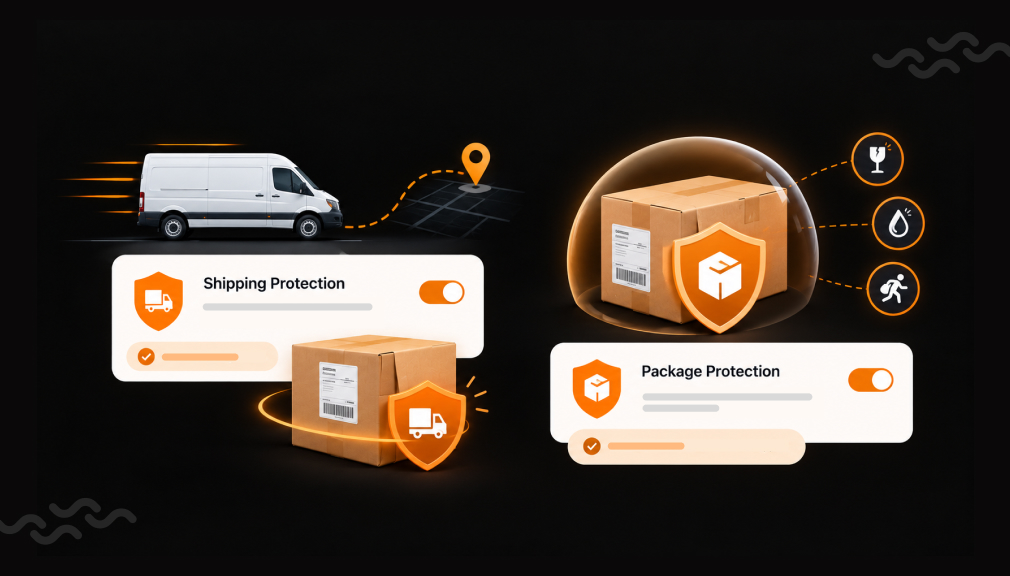
Now replay that night with one small change. At checkout, the same buyer ticked a box and paid a small fee to protect the order. They file a claim, and you reship using fees you already collected. The box is still gone, but nobody panics.
This is not a rare problem. SafeWise estimated that 104 million packages were stolen in the U.S. in one year. Sendcloud found that 57.44% of shoppers would not reorder after a package never arrived. A Shopify shipping protection app turns that risk into a simple plan. Here are five package protection apps, and how to use them well.
Key Takeaways
- Shipping protection lets buyers pay a small fee to cover lost, stolen, or damaged orders.
- All five apps let you run protection in-house and keep the fees you collect.
- Free starting points exist, so you can test opt-in rates before paying.
- Show the widget where buyers see their order total, usually the cart.
- Keep protection clearly priced and easy to skip, so it never feels like a hidden fee.
Shopify Shipping Protection Apps at a Glance
These listing details rarely appear side by side. Use them to match an app to your store’s size, markets, and tech stack.
| App | Developer | Where the widget shows | Free starting point | First paid plan | Standout detail |
| Captain Shipping Protection | Captain Insure | Cart, app blocks, checkout (Plus) | 14-day free trial | $11/mo + 3.99% shipping protection fee | Built for Shopify; no theme code added |
| Easy Shipping Protection | Easy Shipping Protection | Cart drawer, checkout, tracking page | Free app | Free | Order tracking built in; Changelog |
| Sam Shipping Protection Suite | ShopWil | Cart, checkout, thank-you page | Free plan, 50 insurance orders/mo | $9/mo or $89.90/yr | Built for Shopify; show or hide by cart value, country |
| Shipping Protection — Shipcheck | Appiers | Cart, thank-you page, checkout (Plus) | Free plan, 25 protected orders/mo | $9.95/mo | Built for Shopify; flat or order-total pricing |
| Navidium Shipping Protection | Navidium Apps | Cart, checkout, thank-you page | $0 for up to 50 orders/mo | $29.99/mo (up to 500 orders) | Built for Shopify; migration included; Changelog |
Pricing, ratings, languages, and launch dates as shown on each Shopify App Store listing in October 2026.
Top 5 Shopify Shipping Protection & Package Protection Apps
1. Captain Shipping Protection
Captain Shipping Protection by Captain Insure lets you sell package protection under your own store’s name. Buyers add a small fee at the cart or checkout to cover lost, damaged, or stolen orders. You set the price, the widget style, and the claims rules. Captain is not an insurance firm, so you decide how each claim is settled.
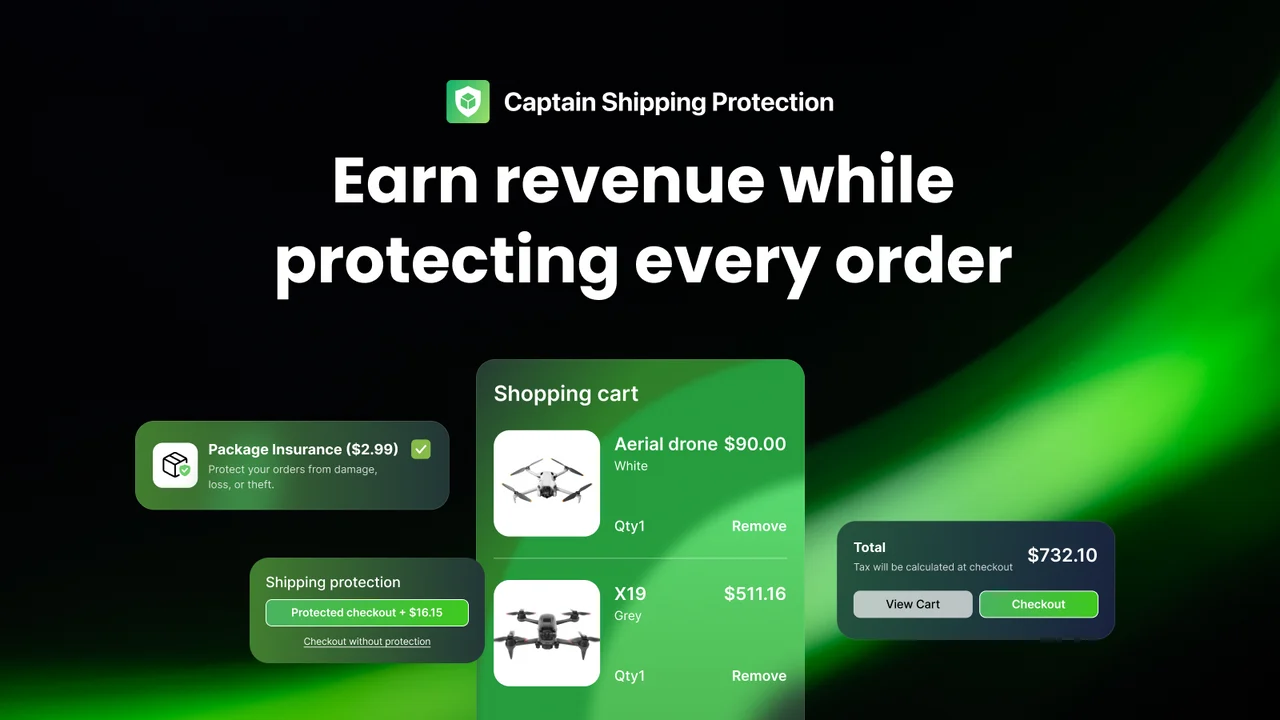
The app carries the built for Shopify badge and adds no code to your store theme. That helps when theme edits break widgets, because there is less to untangle. The widget auto-translates for multi-language stores and supports fixed, dynamic, and percentage pricing. Shopify Plus stores can also show protection inside checkout. A claim portal sends buyers email updates, so fewer people chase you for answers.
Key Features
- Quick install with a clean, easy admin
- Cart widget that looks professional and matches the store
- Live chat replies within minutes, even for theme conflicts
- Custom widget tweaks handled by the support team
- Protection fees that often cover the app’s own cost
- Higher average order value without slowing checkout
- Reliable handling of lost, damaged, or stolen order claims
Ratings & Reviews: 4.9 out of 5 from 313+ reviews on the Shopify App Store.
Best for: Growing brands that want a branded widget and hands-on help with theme setup.
Use it wisely: A widget styled as your store feels like part of the purchase, not a bolt-on extra. Keep the label plain, such as “Protect my order for $2.49.” Recheck it on mobile after theme updates.
Pricing
- Standard: $11/month, 3.99% shipping protection fee, 14-day free trial
- Plus: $49/month, 3.99% shipping protection fee, Shopify Plus only, 14-day free trial
2. Easy Shipping Protection
Easy Shipping Protection by Easy Shipping Protection pairs package protection with real-time order tracking. Buyers can add shipping insurance, package protection, or warranty coverage in the cart drawer or checkout. You set fixed, percentage, or tiered fees. Customers file claims through a self-serve portal, and insured orders sit in one admin view. That keeps protection, tracking, and claims in a single workflow.
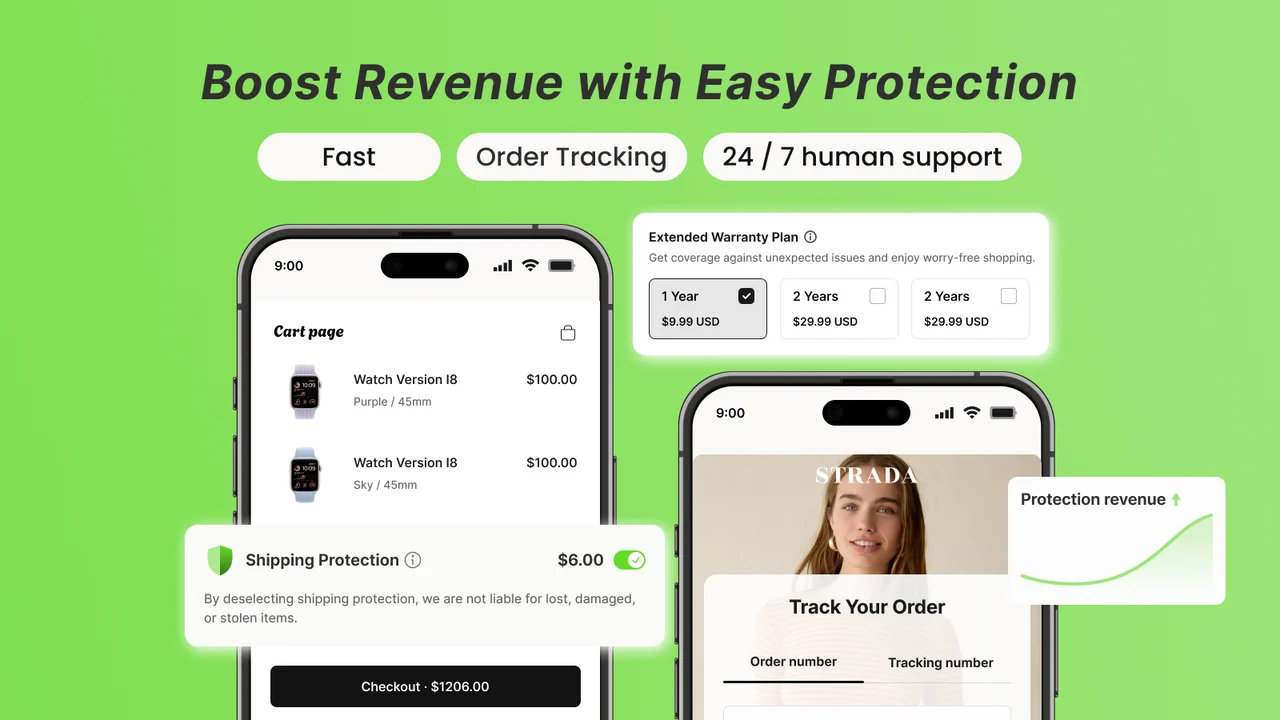
The tracking side solves a quieter problem: “Where is my order?” emails. When buyers can check a branded tracking page, fewer of them write in. The listing links to a public Changelog, so you can see recent updates. It also works with Upcart and supports 16 languages for cross-border stores. Live human support is available around the clock for setup questions.
Key Features
- Free to use, with no paid tier needed to start
- Setup takes minutes with no technical steps
- Clean widget that sits neatly in the cart drawer
- Fast fixes for cart compatibility issues
- Support follows up to confirm everything works
- Easy widget customization to match the brand
- Dependable order tracking alongside protection
- Changelog with regular product updates
Ratings & Reviews: 5.0 out of 5 from 71+ reviews on the Shopify App Store.
Best for: New or budget-conscious stores that want protection and tracking without a monthly bill.
Use it wisely: Waiting without updates often feels worse than a clear delay notice. Link the tracking page in every shipping email, or buyers may never find it. Review claim reasons monthly to spot packaging issues.
Pricing
- Free
3. Sam Shipping Protection Suite
Sam Shipping Protection Suite by ShopWil lets you run protection in-house with no revenue sharing. Buyers can add coverage at the cart, checkout, or thank-you page. You choose a fixed fee, an order-value range, or a percentage. Sam is not an insurance provider; it gives you the tools to price, show, and settle protection. Customers can submit and track claims themselves through a self-serve portal.
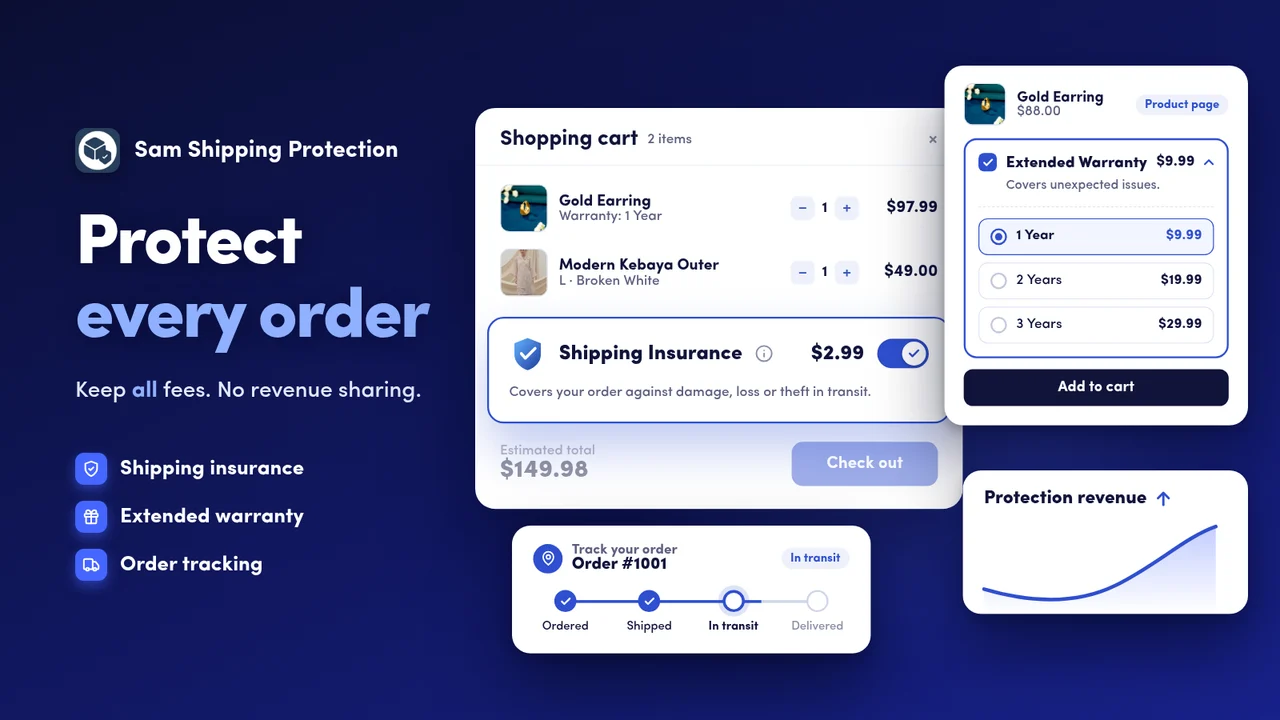
Its standout is targeting. You can show or hide the widget by cart value or country, and exclude products or customers. That keeps the offer off orders where it only adds noise. The app is built for Shopify, supports multiple currencies, and can auto-fulfil the protection item. Order tagging on paid plans makes protected orders easy to filter later.
Key Features
- Easy install with flexible widget placement in the cart
- Works well for stores selling in many markets and languages
- Many buyers add protection at checkout, lifting order value
- Branded icons and custom value text in the widget
- Quick view of protected orders and attached revenue
- Issues fixed live in chat, often within minutes
- Fast custom tweaks, including branding removal
Ratings & Reviews: 4.9 out of 5 from 107+ reviews on the Shopify App Store.
Best for: Multi-market stores that want tight control over who sees the offer.
Use it wisely: One well-timed offer gets more attention than an offer shown everywhere. Hide the widget on tiny carts where the fee looks out of proportion. Revisit your rules whenever your price points change.
Pricing
- Starter: Free, 50 insurance orders/month
- Standard: $9/month or $89.90/year, unlimited insurance orders, 7-day free trial
- Plus: $29/month or $289.90/year, Shopify Plus checkout extension, 7-day free trial
4. Shipping Protection — Shipcheck
Shipping Protection — Shipcheck by Appiers is a widget and toolkit for running your own protection program. Buyers add coverage at the cart, checkout, or thank-you page for a small fee. You keep the revenue, set the price, and handle claims your way. No third party stands between you and your customer. The widget is fully customizable to match your store.
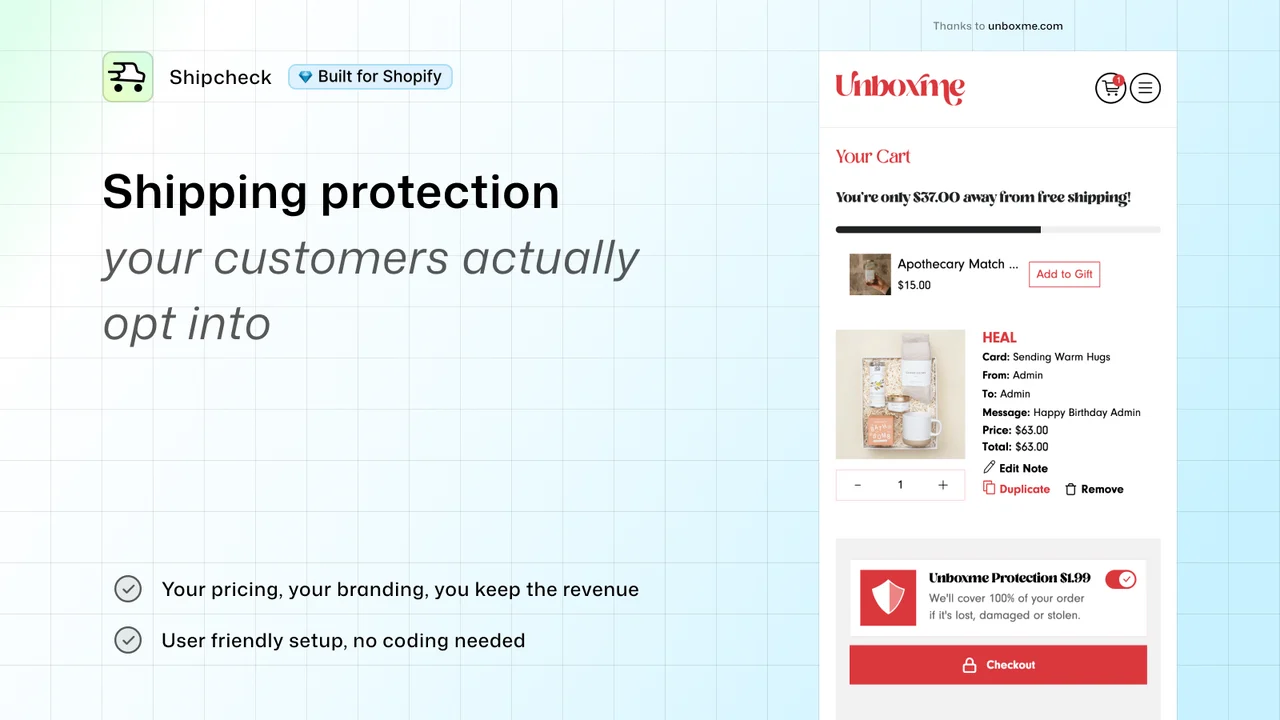
Pricing can be flat or tiered by order total. Tiers matter because shoppers judge a fee against the cart they just built. A $3 fee feels small on a $150 order but large on a $15 one. The app is built for Shopify, with multi-language and multi-currency support. Paid plans can auto-fulfill the protection product, keeping your order list tidy.
Key Features
- Flat monthly pricing with no cut of protection revenue
- Simple setup and easy daily use
- Flexible widget placement and design changes
- Fee options based on order total
- App conflicts resolved within minutes
- Quick help with customization requests
- Smooth install across more than one store
- Affordable for small and growing shops
Ratings & Reviews: 4.9 out of 5 from 111 reviews on the Shopify App Store.
Best for: Stores with a wide price range that want fees to scale with order size.
Use it wisely: Set tiers so the fee stays a small, steady share of each cart. Place a test order to confirm the fee displays correctly. Use the free plan to measure opt-in before upgrading.
Pricing
- Starter: Free, 25 protected orders/month
- Standard: $9.95/month, unlimited protected orders, 14-day free trial
- Plus: $39.95/month, Shopify Plus only, checkout page widget, 14-day free trial
5. Navidium Shipping Protection
Navidium Shipping Protection by Navidium Apps is a self-service tool for offering your own package protection. You collect fees, manage claims, and keep the rest as profit. Navidium does not underwrite claims; it supplies the widget, claims portal, and reporting. Migration from other shipping insurance apps is included. The app also helps you spot fraud and fake orders before they ship.
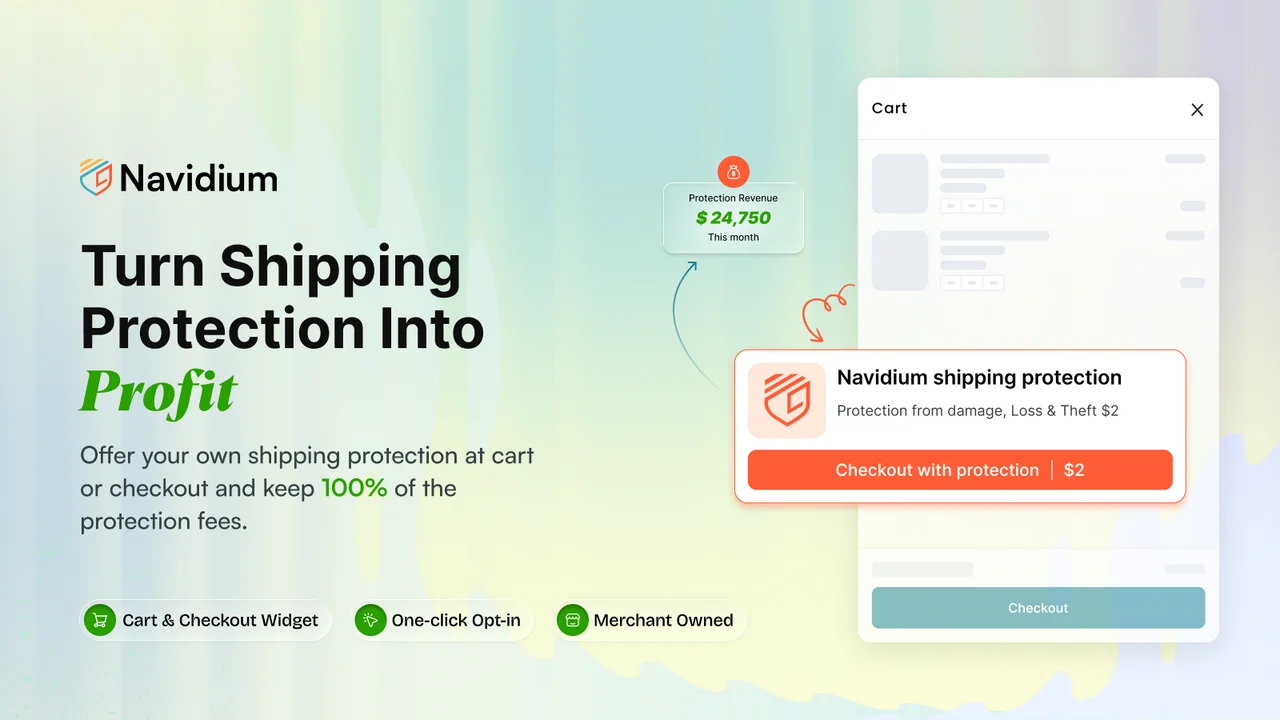
The app is built for Shopify and connects with Recharge, Rebuy, Bold, Tapcart, Klaviyo, and more. Rules can automate claims, and one-click refunds or reorders speed up fixes. Billing follows order volume, not a share of fees. The listing also links to a public Changelog of updates. Free expert installation is included on every paid plan.
Key Features
- Team handles installation and theme integration
- Fast, proactive support for custom requests
- Strong opt-in rates and new protection revenue
- Reliable “set it and forget it” setup for years
- Quick widget restore after major theme updates
- Custom translation help, such as full French text
- Full claim control, so buyers get replacements
- Changelog with ongoing product updates
Ratings & Reviews: 4.7 out of 5 from 398+ reviews on the Shopify App Store.
Best for: Established brands running subscriptions or a large app stack.
Use it wisely: A fast, fair claim can turn a bad delivery into a reason to trust you. Publish your claim rules on a policy page before launch. Track opt-in rate and checkout conversion side by side for two weeks.
Pricing
- Pay as you go: Free to install, $0 for up to 50 orders/month
- Essential: $29.99/month, up to 500 orders/month
- Growth: $49.99/month, up to 1,000 orders/month
- Enterprise – Plus: $99.99/month, unlimited orders, Shopify Plus checkout widget
What Is Shipping Protection on Shopify?
Shipping protection is an optional fee buyers pay to cover an order against loss, theft, or damage in transit. With the apps above, you run it in-house instead of paying an outside insurer. The buyer pays a small amount, and you refund or replace the order if something goes wrong. Fees not spent on claims stay with your store.
Why Package Protection Changes How Buyers Feel
People feel a possible loss more sharply than an equal gain. A $90 order that might vanish feels riskier than the $2 it costs to protect. Protection gives buyers a way to calm that worry at the exact moment it peaks, right before they pay. That is why a tiny checkbox carries so much weight.
The stakes after delivery are just as real. Sendcloud found that 50.91% of shoppers won’t shop again after receiving damaged products. In an NTI survey, over three-quarters of Australians said protection would make them more likely to buy. Omnisend estimates retailers absorbed $7.9 billion in stolen-package losses.
Where to Place Your Shipping Protection Widget
Put the offer where buyers already weigh their total:
- Cart or cart drawer: Buyers see the full order value, so a small fee feels proportional.
- Checkout: Useful on Shopify Plus, where some apps offer a checkout widget.
- Thank-you page: A low-pressure spot, since the main purchase is already done.
When to Offer Shipping Protection (and When to Hold Back)
Protection fits best for high-value, fragile, or porch-delivered orders, and during holiday peaks. It fits poorly on very small orders, where the fee looks large. Hidden or unclear fees are the real risk. Baymard found 48% of U.S. shoppers abandoned carts because extra costs were too high.
So label the fee clearly and make it easy to remove. If you pre-select protection, say so plainly. Never promise coverage your claims policy does not honor.
Conclusion
A lost package costs more than one order. It costs margin, support time, and often the customer’s next purchase. Shipping protection gives buyers a clear way to feel safe and gives you a fund to fix problems fast. Choose a setup that fits your size. Keep the fee honest and visible, and write a fair claims policy first.
FAQs
Is shipping protection the same as shipping insurance?
Not exactly. With these apps, you fund and manage protection yourself instead of buying an insurance policy. You set the rules and pay claims from collected fees.
Do I keep the shipping protection fees?
Yes, all five apps let you keep the fees buyers pay. Plan pricing varies, so check each listing for monthly charges or usage fees.
Will shipping protection hurt my conversion rate?
It can if the fee feels hidden or confusing. Keep it clearly labeled and easy to remove, then compare conversion before and after launch.
How much should I charge for package protection?
Many stores use a small flat fee or a tier based on cart value. Start low, watch opt-in rates, and adjust once claim costs are clear.
What should my claims policy include?
Define lost, stolen, and damaged, plus the proof you need. State a filing window and how you resolve claims, such as a refund or reshipment.

Shopify Expert
Dipen Panchal, Shopify Tech Lead at Setubridge Technolabs, brings over a decade of expertise as a Shopify Expert. Passionate about e-commerce growth, he specializes in UI/UX design, crafting intuitive, engaging solutions tailored for merchants and B2B clients to enhance user experiences.