It is 11:40 p.m., and your Black Friday sale starts at midnight. You still have 312 prices to change, one product page at a time. Your coffee is cold, your eyes burn, and one typo could sell a $90 jacket for $9. Most Shopify merchants have lived some version of this night.
The real cost is bigger than lost sleep. Small manual edits pile up into hours, and every hour invites another mistake. Shoppers notice those mistakes fast. In an Akeneo survey, 59% of shoppers had returned an item due to a misleading or inaccurate online description.
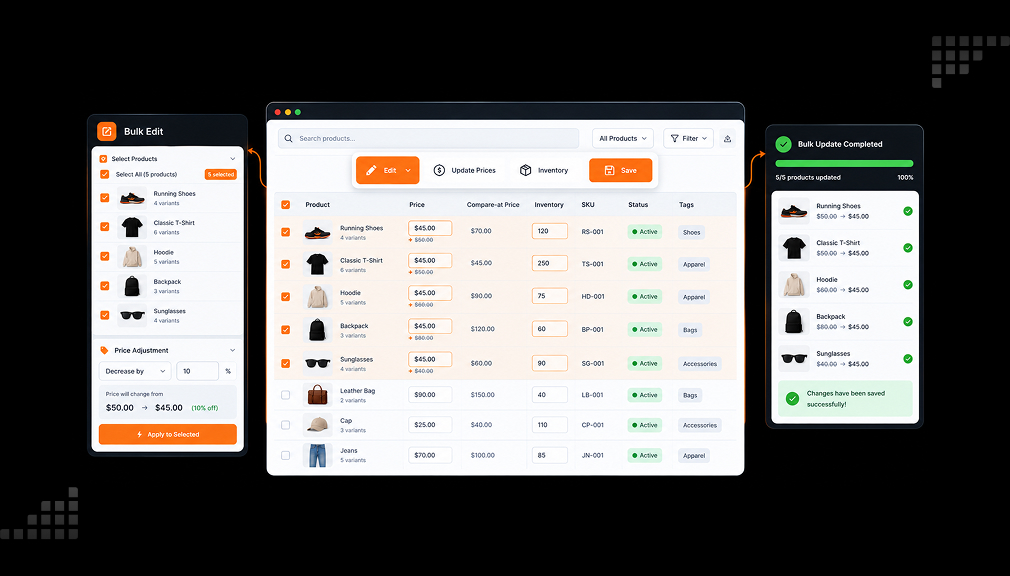
This is where a Shopify bulk product editor changes the math. You choose the products once, set the rule once, and preview the result before it goes live. The change feels small, yet it protects your margins, data, and evenings. Below are five bulk product editor apps, followed by the what, why, where, and when.
Key Takeaways
- Manual product edits cost hours and create errors that shoppers notice.
- A bulk editor lets you filter, preview, apply, and undo changes across your catalog.
- All five apps below offer a free plan, so you can test on real products first.
- Check per-task limits and history length before choosing a plan.
- Use scheduled sale edits only for real sales with real end dates.
Shopify Bulk Product Editor Apps at a Glance
| App | Free plan limit per task | Top plan limit per task | Undo history (top plan) | Works especially well for |
| Hextom: Bulk Product Edit by Hextom | 10 products | 50,000 products | 180-day backup | Very large catalogs, CSV mapping, order and customer edits |
| Ablestar Bulk Product Edit by Ablestar | 10 products | Unlimited (all paid plans) | 180-day history | Supplier stock sync, automatic product rules, metafields |
| SA Bulk Product Editor & Price by SamiSales by Samita | 100 products | Unlimited | 180-day history | Sale pricing, price rounding, auto-revert |
| EditEngine Bulk Product Editor by Profitonium | 100 products, 5 collections | Unlimited | Undo and rollback on every plan | Fast CSV round trips, URLs, inventory locations |
| QuickEdit: Bulk Product Edit by QuickBulkEdit | 50 products / 500 variants | Unlimited | 180-day history | Conditional rules, variant changes, recurring tasks |
Data from each Shopify App Store listing, October 30, 2026.
Top 5 Shopify Bulk Product Editor Apps
1. Hextom: Bulk Product Edit
Hextom: Bulk Product Edit by Hextom helps you change many products at once. It updates prices, tags, variants, SEO fields, descriptions, and metafields across thousands of products. You set filters, choose a field, and run the edit in a few clicks. Every change is backed up, so you can revert a task if the result looks wrong.
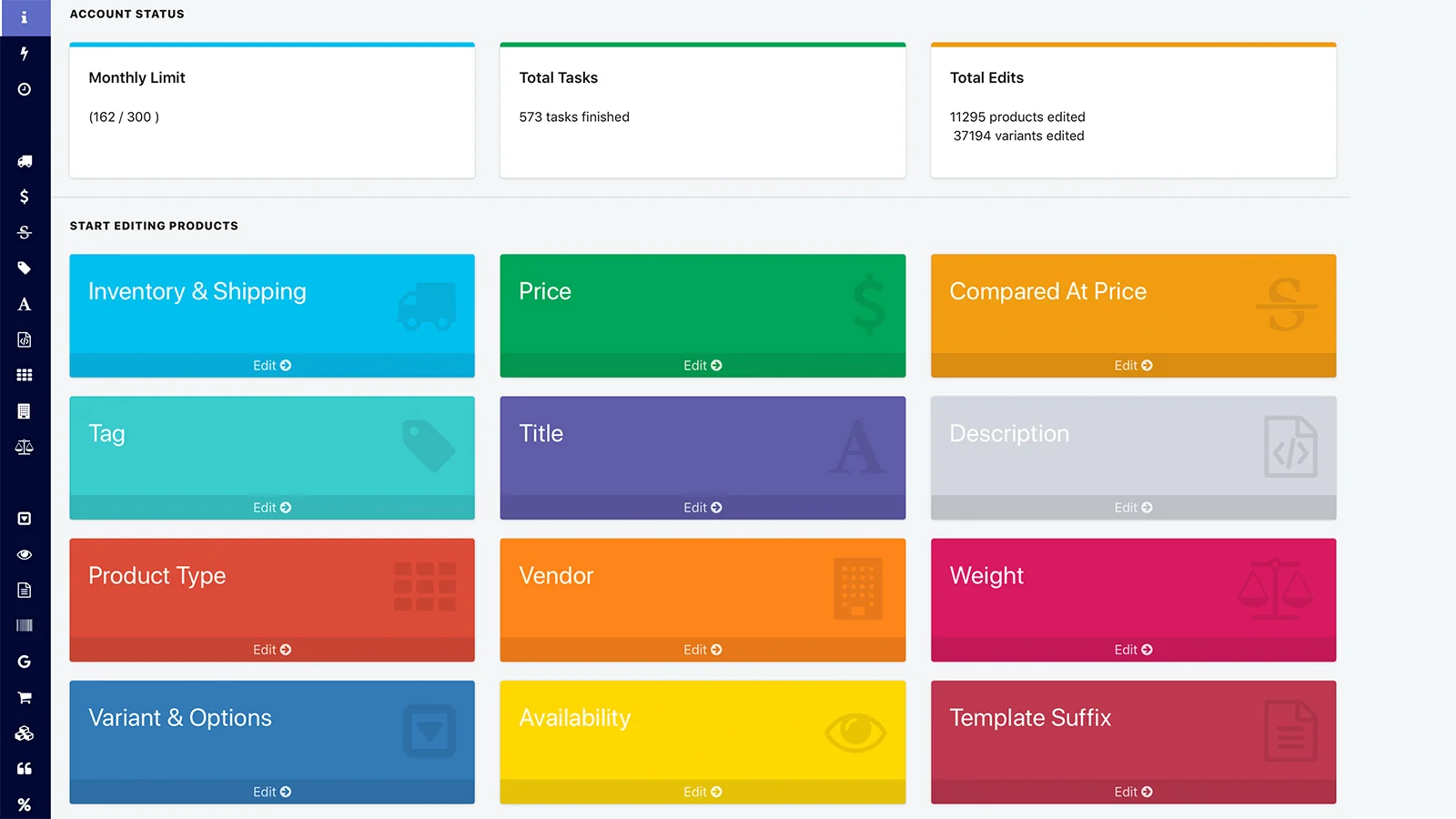
The app also edits collections, customers, and orders through the same filter-and-edit flow. It supports CSV import and export, and you can map exported columns your own way before re-importing. Paid plans add scheduled tasks for sales, product launches, and inventory sync. It has served Shopify stores since 2015, so its workflows are well tested by many stores.
Key Features
- Handles catalogs with hundreds of thousands of products
- Exports data to spreadsheets and re-imports it with flexible column mapping
- Updates product types, descriptions, and SEO fields across 5,000+ products
- Edits variant swatch order and colors without opening each product
- Prepares end-of-season sale prices quickly and accurately
- Updates fulfillment locations and exports order data
- Human support that works with developers to ship lasting fixes
Ratings and Reviews: 4.9 out of 5 from 1,175+ reviews on the Shopify App Store.
Best For: Stores with large or growing catalogs that edit products, orders, and customers often.
Use It Wisely: Run a small filtered test before you edit thousands of products. A broad filter can touch items you never meant to change, so check the matched list twice. Plan big seasonal edits within your backup window.
Pricing
- Demo Plan – Free: 10 products per task, 30-day backup
- Basic Plan – $9.99/month: 500 products per task, 60-day backup
- Professional Plan – $19.99/month: 5,000 products per task, 10 active scheduled tasks, 90-day backup
- Advanced Plan – $49.99/month: 50,000 products per task, 100 active scheduled tasks, 180-day backup
2. Ablestar Bulk Product Edit
Ablestar Bulk Product Edit by Ablestar is a Built for Shopify app for safe, previewed product edits at scale. It shows old and new values before any change runs. You can filter by collection, tag, vendor, SKU, inventory, or metafield, including variant metafields. Its bulk price editor covers prices, compare-at prices, costs, and Markets prices.
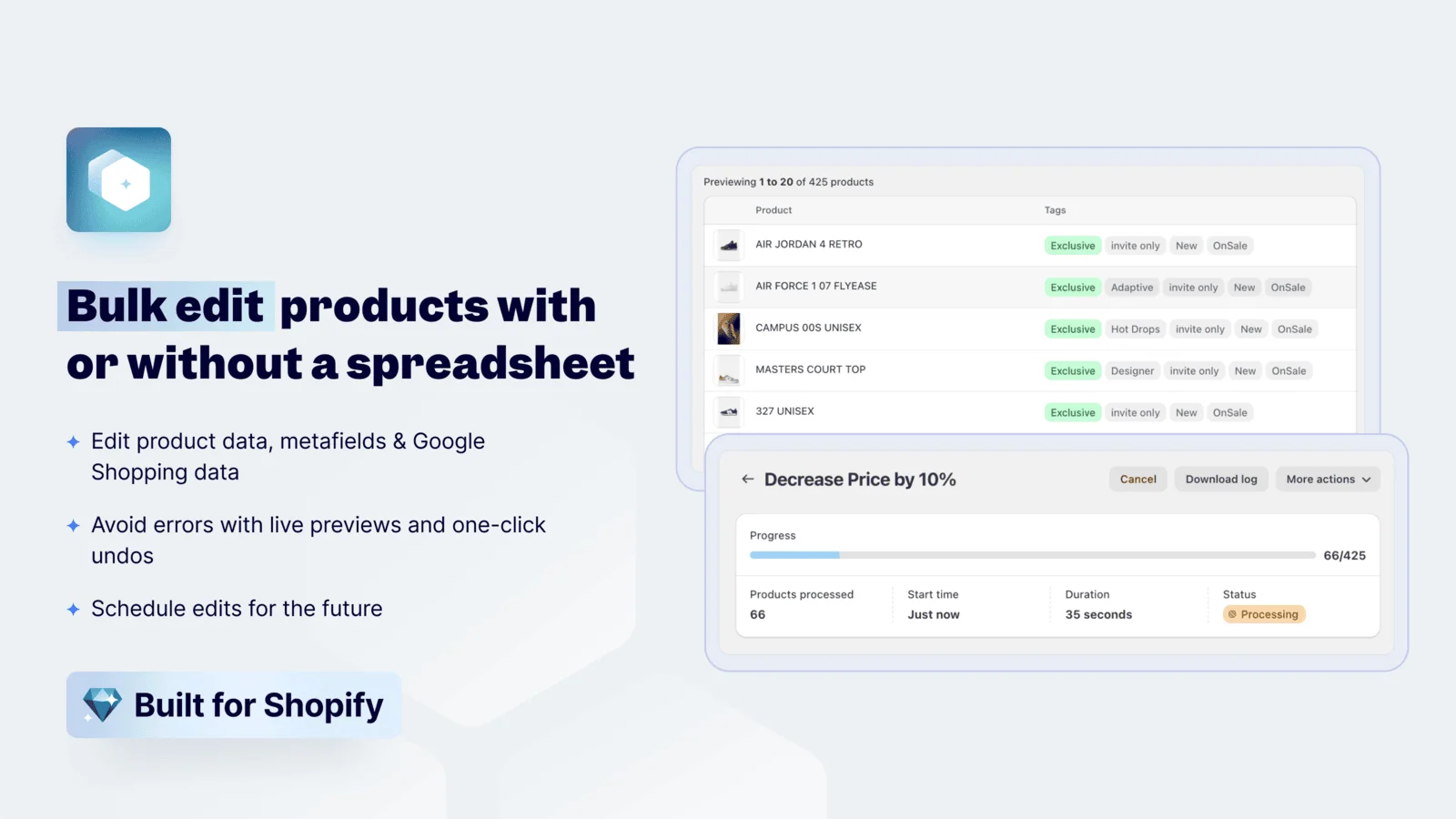
You can also edit titles, descriptions, tags, SEO, variants, weights, barcodes, HS codes, and Google Shopping fields. Edits run now, on a schedule, or through CSV, Excel, or Sidekick. Supplier stock and prices can sync from Google Drive, Dropbox, FTP, or a URL. Any edit can be undone in one click, and scheduled sales revert on their own. Find and replace also works inside titles and descriptions.
Key Features
- Preview and one-click undo give confidence before large catalog changes
- Dynamic text and find-and-replace update titles and variants store-wide
- Daily supplier CSV updates keep inventory levels accurate
- Cost and profit margin fields appear in spreadsheet exports
- Changes product status and inventory together across thousands of drafts
- Support team often builds new features from merchant requests
- Changelog: public, regular updates show what changed and when
Ratings and Reviews: 4.9 out of 5 from 935 reviews on the Shopify App Store.
Best For: Merchants who sync supplier data and want rules that keep product data in order.
Use It Wisely: Automatic product rules keep running, so write them carefully and review them each season. A rule that fit last year may change new products in ways you no longer want. Test supplier feed mapping on a few SKUs first.
Pricing
- Starter – Free: 10 product limit for edits, export, and import
- Basic – $30/month: Unlimited products per task, scheduled edits, 60-day history
- Advanced – $60/month: 5 recurring edits, 5 inventory sync jobs, 90-day history
- Professional – $120/month: 20 recurring edits, 10 inventory sync jobs, 180-day history
3. SA Bulk Product Editor & Price
SA Bulk Product Editor & Price by SamiSales by Samita is a Built for Shopify app built around sale pricing. You pick a field, choose products or variants, and preview old versus new values. You can target by collection, tag, vendor, SKU, or variant option, and exclude any item. Then you run the edit now, schedule it, or repeat it daily, weekly, or monthly.
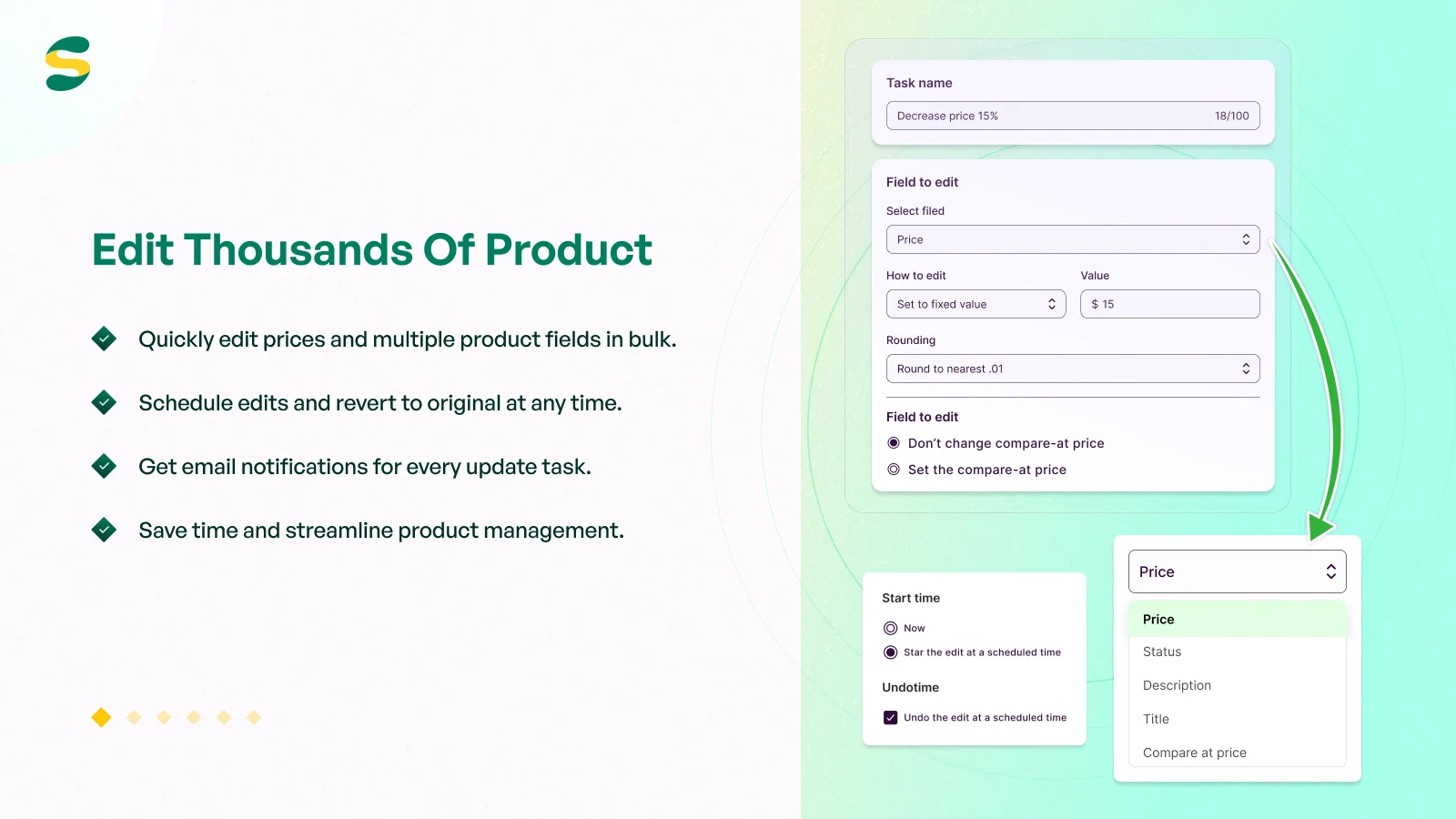
Prices revert automatically when a sale ends, so you do not need to stay up to restore them. Smart rounding rules keep price endings neat and consistent across your catalog. You can also edit titles, SKUs, barcodes, tags, SEO, collections, and metafields without CSV files. Each task keeps a change log you can export for records.
Key Features
- Sets compare-at prices and percentage discounts store-wide in one pass
- Applies consistent price endings, such as .95, across every product
- Schedules sales and restores original prices automatically
- Reliable rollback after storewide sales on 1,500+ product catalogs
- Filters by collection and vendor for targeted discounts
- Updates variant-level prices without any CSV upload
- Quick, patient support that explains each step clearly
Ratings and Reviews: 4.8 out of 5 from 213 reviews on the Shopify App Store.
Best For: Stores that run frequent sales, flash promotions, or POS events with different discounts.
Use It Wisely: A compare-at price works because shoppers judge a sale price against the first number they see. Only show a real former price, never an inflated one. A fake anchor breaks trust and can break local pricing rules.
Pricing
Free – Free: 100 products per task, 50+ editable fields, 30-day history
Basic – $9.90/month or $99/year: 1,000 products per task, schedule and auto-revert, 60-day history, 3-day free trial
Pro – $19.90/month or $199/year: Up to 10,000 products per task, 90-day history
Advanced – $39.90/month or $399/year: Unlimited products per task, 180-day history
4. EditEngine Bulk Product Editor
EditEngine Bulk Product Editor by Profitonium is a Built for Shopify app focused on safe, fast product edits. It suits stores that clean up their product catalogs often. You filter products by collection, tag, vendor, status, or inventory. Then you edit prices, titles, descriptions, tags, collections, inventory, metafields, SEO, URLs, and Google Shopping data.
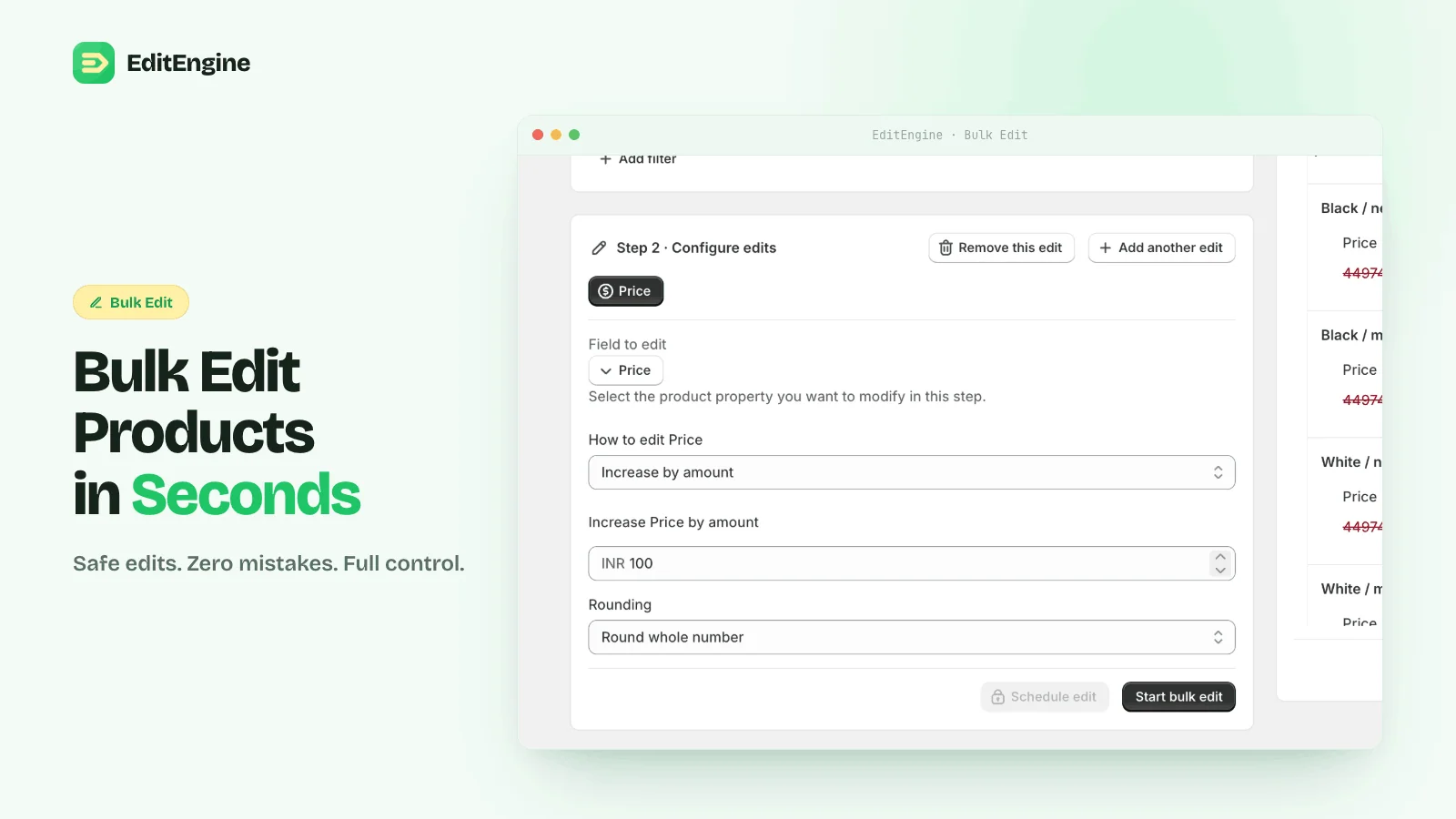
Every change appears in a preview before it goes live. You can run edits now, schedule them for sales and launches, or undo them from operation history. CSV import and export handle larger data moves with ease. You can even ask Shopify Sidekick to set up an edit for you. Partner development stores can use the free plan without limits, and the app supports six languages.
Key Features
- Updates hundreds of products in minutes, such as 800 in one session
- Turns off an inventory location for 8,000+ products in under 15 minutes
- Exports, edits, and re-imports SKUs in a few clicks
- Edits templates, URLs, SEO fields, and collections across the catalog
- Clear warning messages before risky actions like deleting variants
- Reruns previous edits and exports without rebuilding settings
- Support team ships requested features quickly
Ratings and Reviews: 4.9 out of 5 from 155 reviews on the Shopify App Store.
Best For: Merchants who move data through CSV often and want fast catalog clean-ups.
Use It Wisely: Save a copy of your original export before you edit a CSV. One wrong column can overwrite good data across many products. Read the preview screen line by line on your first few runs.
Pricing
- Free Plan – Free: 100 products and 5 collections per task, undo and rollback
- Basic Plan – $9.99/month or $99.99/year: 500 products and 10 collections per task, metafields export
- Standard Plan – $19.99/month or $199.99/year: 10,000 products and 100 collections per task, scheduled bulk edits
- Pro Plan – $49.99/month or $499.99/year: Unlimited products and collections per task
5. QuickEdit: Bulk Product Edit
QuickEdit: Bulk Product Edit by QuickBulkEdit is a Built for Shopify app with advanced editing rules. It edits products, collections, orders, and more in bulk. You can change titles, descriptions, tags, prices, inventory, and metafields with intuitive filter conditions. Find-and-replace and Google Shopping field edits work the same simple way.
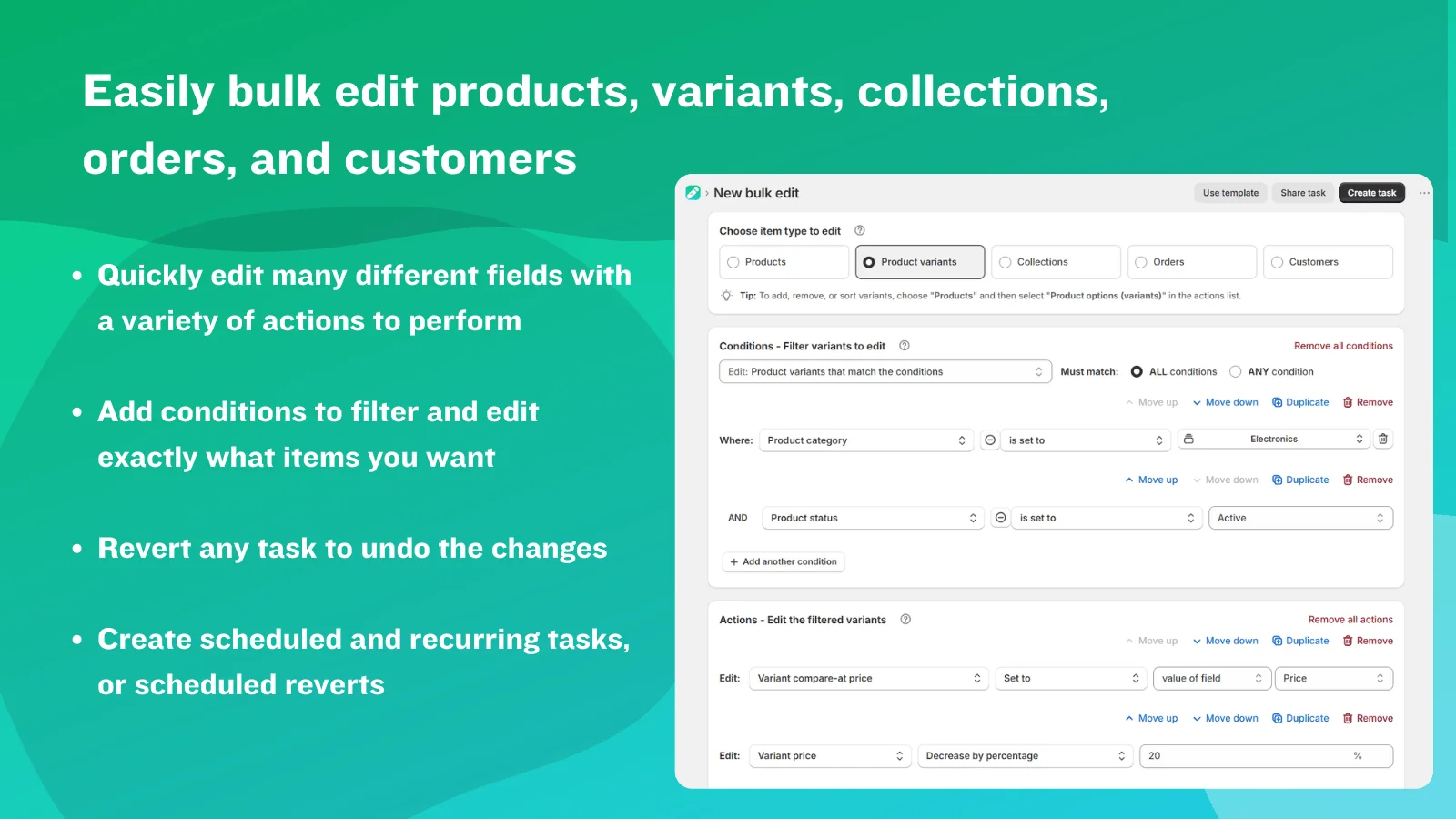
The app can add, remove, and sort product options and variants. You preview changes as CSV and revert any task if something looks off. Scheduled and recurring edits handle routine work, and saved tasks let you rerun favorite jobs. It also works with Shopify Flow, Sidekick, and 2048 Variants. Recurring tasks fit weekly and monthly catalog upkeep well. Task history makes past changes easy to review.
Key Features
- Conditional rules handle complex edits, like updating only existing metafields
- Find and replace across 1,000+ titles and descriptions in one task
- Adds a new variant to 600+ products in about 30 minutes
- Runs up to 10 actions at once in a single task
- Schedules price and compare-at changes with automatic reversion
- Restructures long descriptions into collapsible content blocks
- Fast developer support that adds tailored features
Ratings and Reviews: 4.9 out of 5 from 105 reviews on the Shopify App Store.
Best For: Stores with complex catalogs that need conditional logic and variant restructuring.
Use It Wisely: Name and save tasks clearly, because flexible rules get hard to track later. A recurring task keeps running until you stop it. Review your schedules at the end of each season.
Pricing
- Demo – Free: 10 bulk edits per month, 50 products / 500 variants per task
- Basic – $9/month or $81/year: 500 products / 5,000 variants per task, 60-day history
- Advanced – $19/month or $171/year: 5,000 products / 50,000 variants per task, 90-day history, scheduled edits
- Professional – $39/month or $351/year: Unlimited products and variants, 180-day history, recurring tasks
What Is a Shopify Bulk Product Editor?
A Shopify bulk product editor is an app that changes many products in one action. You filter the products, pick a field, set a rule, and preview the result. Good editors keep a history, so you can undo any task. Think of it as find, change, check, and reverse for your whole catalog.
Why Manual Product Editing Hurts More Than It Seems
Each manual edit feels tiny, so its cost hides in plain sight. Fifty small edits a week can quietly eat a full workday each month. Automation gives that time back. In a Zapier survey, one in five automation users said it saves 5 to 10+ hours a week.
There is a mental cost too. People fear breaking what already works more than they enjoy fixing it. So merchants delay needed updates because the job feels risky. A clear preview and an undo button remove that fear, and updates finally happen on time.
Where Bulk Editing Makes the Biggest Difference
- Sale pricing: compare-at prices, percentage discounts, and price endings
- SEO clean-up: titles, meta descriptions, and URLs across collections
- Inventory: supplier stock updates and location changes
- Catalog structure: tags, product types, variants, and metafields
- Product feeds: Google Shopping fields for ads and free listings
When Should You Start Using a Bulk Editor?
Start once routine product edits take more than an hour a week. Seasonal sales, new supplier price lists, and theme changes are clear signals. Store migrations and SEO audits are others. If you avoid a needed change because it feels risky, that is your sign too.
Conclusion
Bulk editing looks like a small workflow change, yet it shapes your margins, data quality, and peace of mind. Manual edits drain hours and invite errors that shoppers notice. A good Shopify bulk product editor lets you filter, preview, apply, and undo changes across your catalog. Your next big sale should take minutes to set up, not your whole night.
FAQs
What is the easiest way to bulk edit products in Shopify?
Shopify admin has a basic bulk editor for simple changes. For filters, previews, scheduling, and undo history, a bulk product editor app saves more time.
Can I undo a bulk edit in Shopify?
Yes, when your app keeps an edit history. All five apps in this guide offer undo or revert options. The history length depends on your plan.
Can I schedule price changes for a Shopify sale?
Yes. Many paid plans let you schedule edits and restore original prices when the sale ends. Confirm your chosen plan includes scheduling before sale week.
Will bulk editing affect my store SEO?
It can help when you fix titles, meta descriptions, and alt text at scale. Changing URLs needs care, so keep redirects for old links. Always preview SEO changes first.
How do I choose the right bulk editor plan?
Count how many products you change in one task. Then decide how long you need edit history. Pick the smallest plan that covers both.

Shopify Expert
Dipen Panchal, Shopify Tech Lead at Setubridge Technolabs, brings over a decade of expertise as a Shopify Expert. Passionate about e-commerce growth, he specializes in UI/UX design, crafting intuitive, engaging solutions tailored for merchants and B2B clients to enhance user experiences.