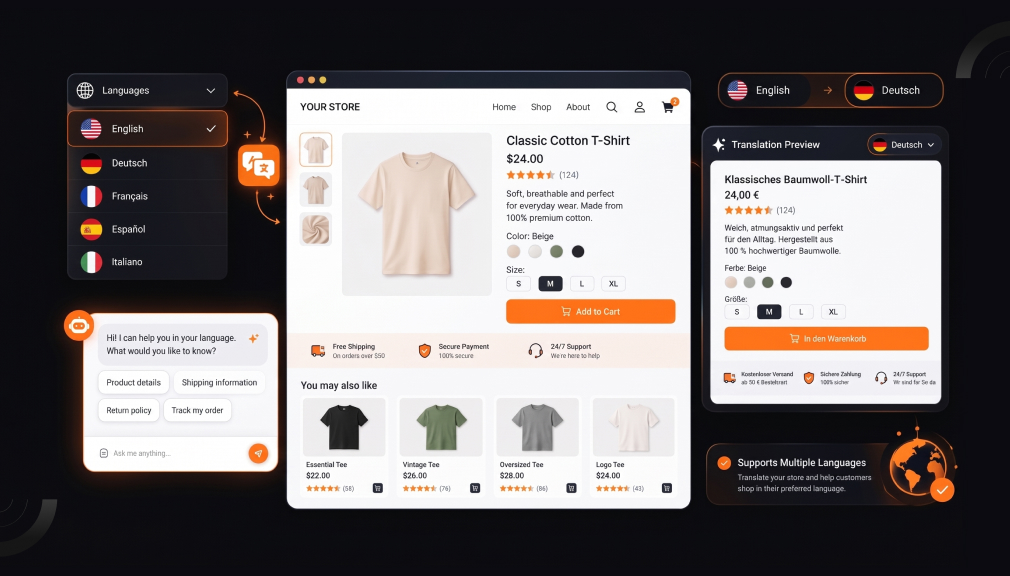
Picture a shopper in Lyon who found your linen dress on Instagram. The page loads in English, and the price shows in dollars. She squints, opens a converter app, and then quietly closes your tab.
Nothing was wrong with your product. The problem was the extra work you asked her to do. Every word she translates in her head adds a small doubt about sizing, shipping, or returns. Those small doubts stack up fast right before checkout.
This gap is bigger than most Shopify merchants expect. A CSA Research survey of 8,709 consumers found 76% prefer buying with product information in their own language. The same study found 40% will never buy from websites in other languages. Yet English is still the content language of 49.2% of websites.
The good news is that multilingual selling no longer needs a translation agency. A Shopify translation app can localize your store, prices, and SEO in an afternoon. Below are five apps merchants rely on, with practical guidance on where each one fits.
Key Takeaways
- Shoppers trust stores that speak their language and show prices in their currency.
- All five Shopify translation apps below carry the Built for Shopify badge.
- Choose by catalog size, number of markets, and how much AI control you want.
- Glossaries protect brand names and product terms from awkward translations.
- Review AI output in your top market before you add more languages.
Top 5 Shopify Translation Apps at a Glance
Each app solves the same problem from a different angle. Jump to the one that fits your store.
- T Lab ‑ AI Language Translate: for large catalogs that need control over AI output.
- Hextom AI Translate & Currency: for language, currency, and geolocation in one place.
- Transcy: AI Language Translate: for multi-region brands protecting existing SEO rankings.
- TS ‑ AI Language Translate: for market-specific promotions and smart redirects.
- Langwill: AI Language Translate: for stores testing their first international market.
Comparison Table: Plan-Level Details in One View
Details pulled from each app’s plan tiers and listing.
| App | AI engine control | Auto-translate unlocks on | Free plan scope | Unique workflow strength |
| T Lab ‑ AI Language Translate by Sherpas Design | DeepL, Google, ChatGPT; own keys on Premium | Premium ($59.99) Autopilot | AI for 1 language, 500 products | Store-context AI and image translation |
| Hextom AI Translate & Currency by Hextom | ChatGPT, Claude, Gemini, DeepSeek, Seed; tone control | Pro ($19.99) Autopilot | Auto-translate 3 languages, 3,000 AI words | Translate draft themes before publishing (Basic) |
| Transcy: AI Language Translate by FireGroup | OpenAI, DeepL, Gemini; own key from Continental | Regional ($29) scheduled; real-time on Cross-Border | 1 language, 1 currency | Translations stored in Shopify; SEO-safe app switching |
| TS ‑ AI Language Translate by Transtore | Google by default; GPT and DeepSeek options | Auto-translate new content | Listed as Free | Geo promotions per market, 404 and IP redirects |
| Langwill: AI Language Translate by Rave Infosys Private Limited | GPT-4, DeepL, Google; GPT-4 on Premium | Growth ($19.99) | 1 language, 5,000 words | Global Search on Free; usage-based word top-ups |
1. T Lab ‑ AI Language Translate
T Lab ‑ AI Language Translate by Sherpas Design helps merchants translate products, collections, pages, blogs, and theme content. It carries the Built for Shopify badge, which Shopify gives apps that meet its highest standards. The app works with Shopify Markets and supports DeepL, Google, and ChatGPT engines. Its AI reads your store context, so translations fit your products instead of reading word by word.
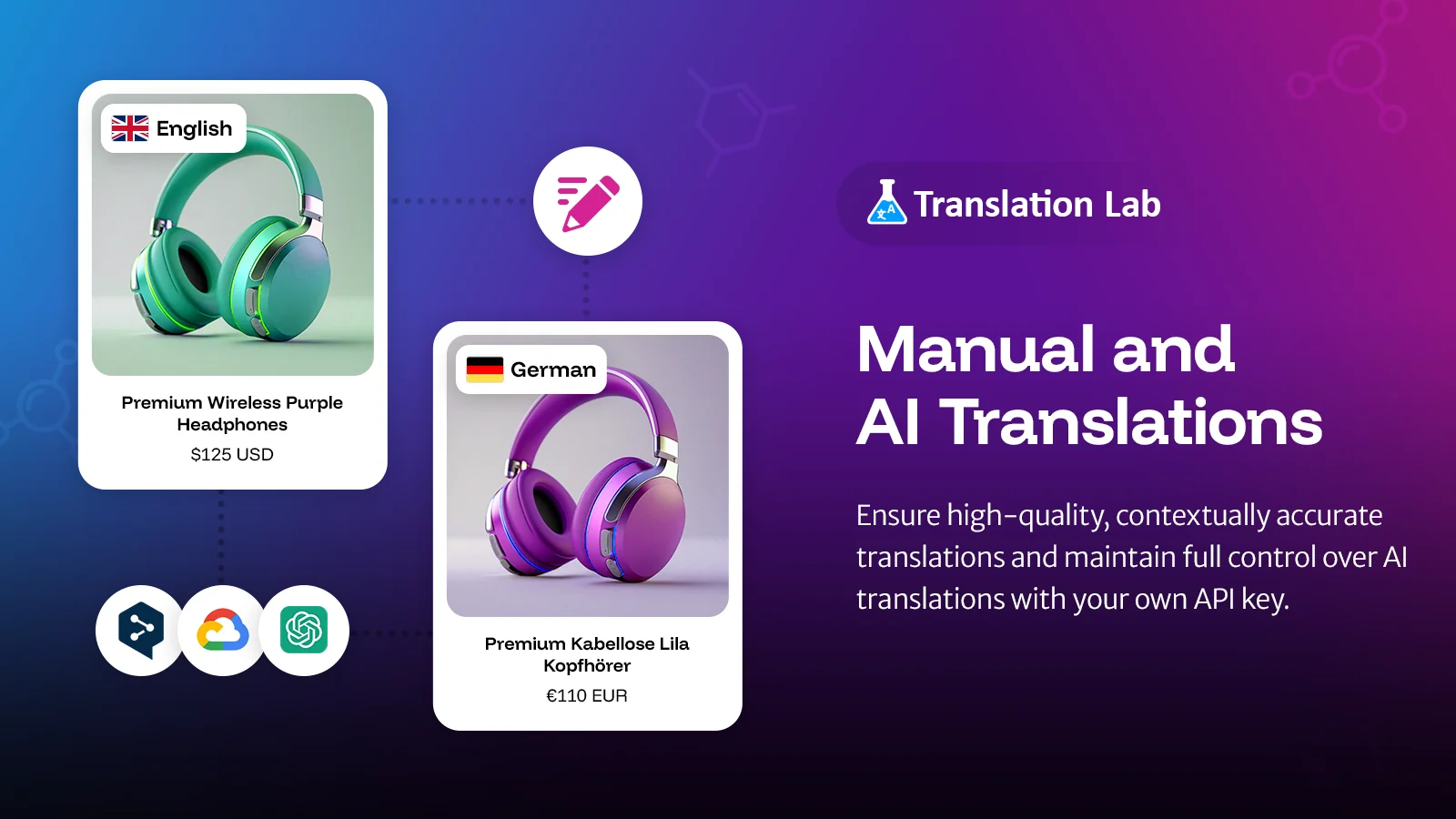
The problem it solves is control at scale. Once a catalog passes a few hundred products, manual translation stops being realistic. T Lab adds bulk AI, an Autopilot mode for new content, and a glossary for fixed terms. On the top plan, you can bring your own API key for unlimited AI translations.
Key Features
- Natural translations, not word-for-word machine output.
- Reliable with large catalogs and heavy content volumes.
- Glossary protects brand names and technical terms.
- Connect your own OpenAI API key for more control.
- Retranslate outdated pages without losing earned SEO rankings.
- Covers menus, theme content, blogs, images, and custom-coded text.
- Support fixes tricky issues and adds missing custom translations.
Ratings and Reviews: Rated 5.0 out of 5 from 1,037+ reviews, with 97% at 5 stars.
Pricing
- Free: Free to install. AI for 1 language, 500 products.
- Pro: $11.99/month or $119.90/year.
- Business: $29.99/month or $299.90/year.
- Premium: $59.99/month or $599.90/year.
Best for: Growing stores with big catalogs and several markets that want tight control over AI output.
Use it wisely: Build your glossary before bulk AI runs, or you will fix the same term in every language. Have a native speaker check your top 20 products first.
2. Hextom AI Translate & Currency
Hextom AI Translate & Currency by Hextom puts translation and currency conversion inside one app. It holds the Built for Shopify badge and supports 130+ languages and 180+ currencies. You can pick ChatGPT, Claude, Gemini, DeepSeek, or ByteDance Seed, then set a glossary and tone. A geolocation switcher shows each visitor the right language and currency.
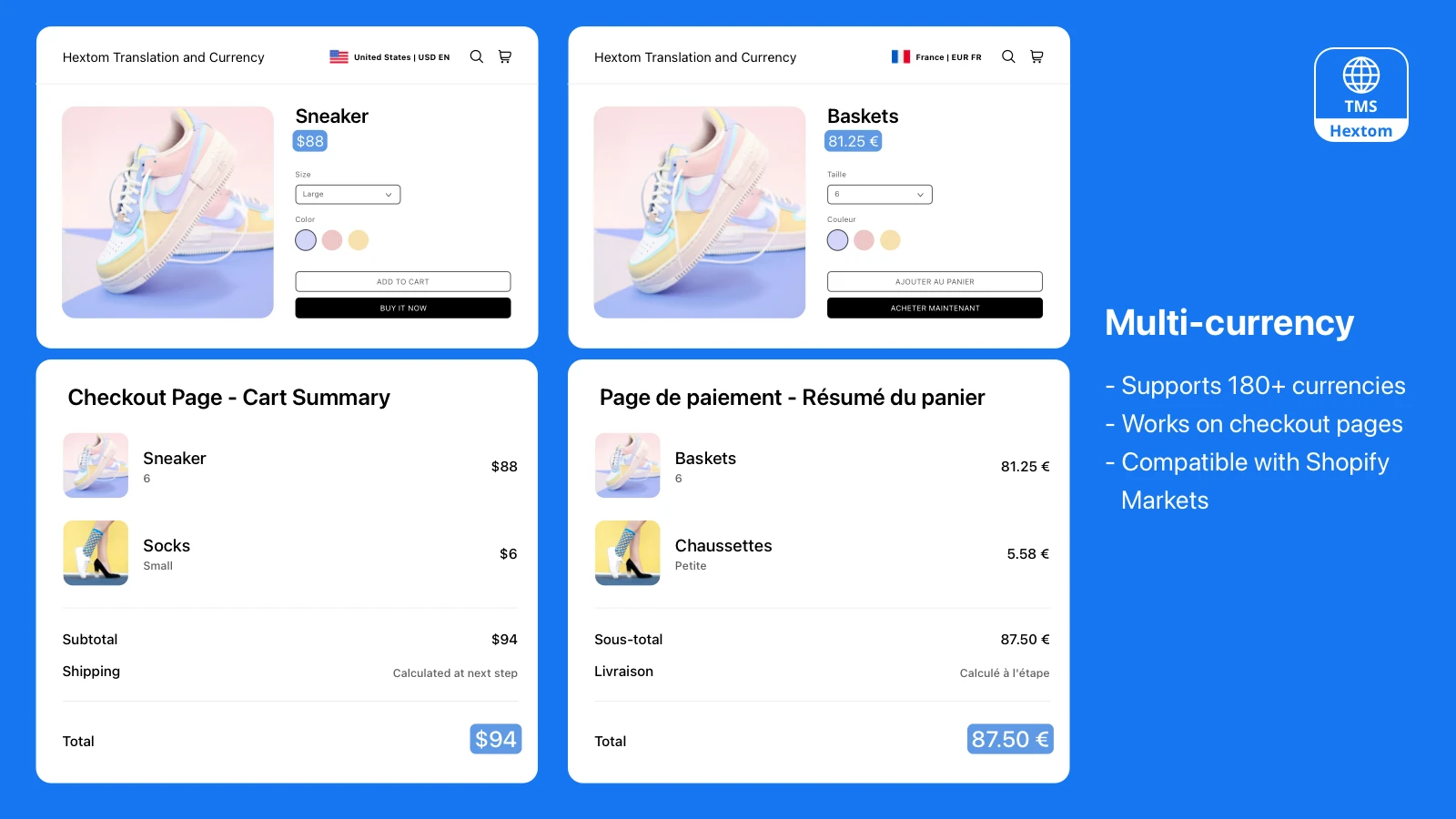
This matters because price confusion stalls buying. Baymard Institute found 12% of US shoppers abandoned checkout because they couldn’t see the total cost up front. Local prices remove the mental math. Hextom’s visual editor also reaches text inside 200+ third-party apps, like reviews and page builders.
Key Features
- Clear interface that merchants can set up without a developer.
- Visual Editor and Excel import/export reach hard-to-find text.
- Translates cart text and after-login pages.
- Currency converter lets you choose which currencies to show.
- Auto-detects language and currency by location or browser.
- Upload a different product image for each language.
- Transparent credit purchases and patient, step-by-step support.
Ratings and Reviews: Rated 4.7 out of 5 from 1,231+ reviews.
Pricing
- Free: 3 auto-translated languages, 3,000 AI words a month.
- Basic: $9.99/month.
- Pro: $19.99/month.
- Business: $49.99/month.
- Paid plans include a 7-day free trial.
Best for: Stores that want language, currency, and geolocation handled in one place.
Use it wisely: Sync Shopify Markets first, since translations display through Markets. Watch your monthly AI word quota, and translate bestsellers before the long tail.
3. Transcy: AI Language Translate
Transcy: AI Language Translate by FireGroup is built for merchants scaling across many regions. It carries the Built for Shopify badge and covers 147 languages and 168 currencies. Engines include OpenAI, DeepL, and Gemini, or you can use your own API key. It also localizes images so visuals match each market.
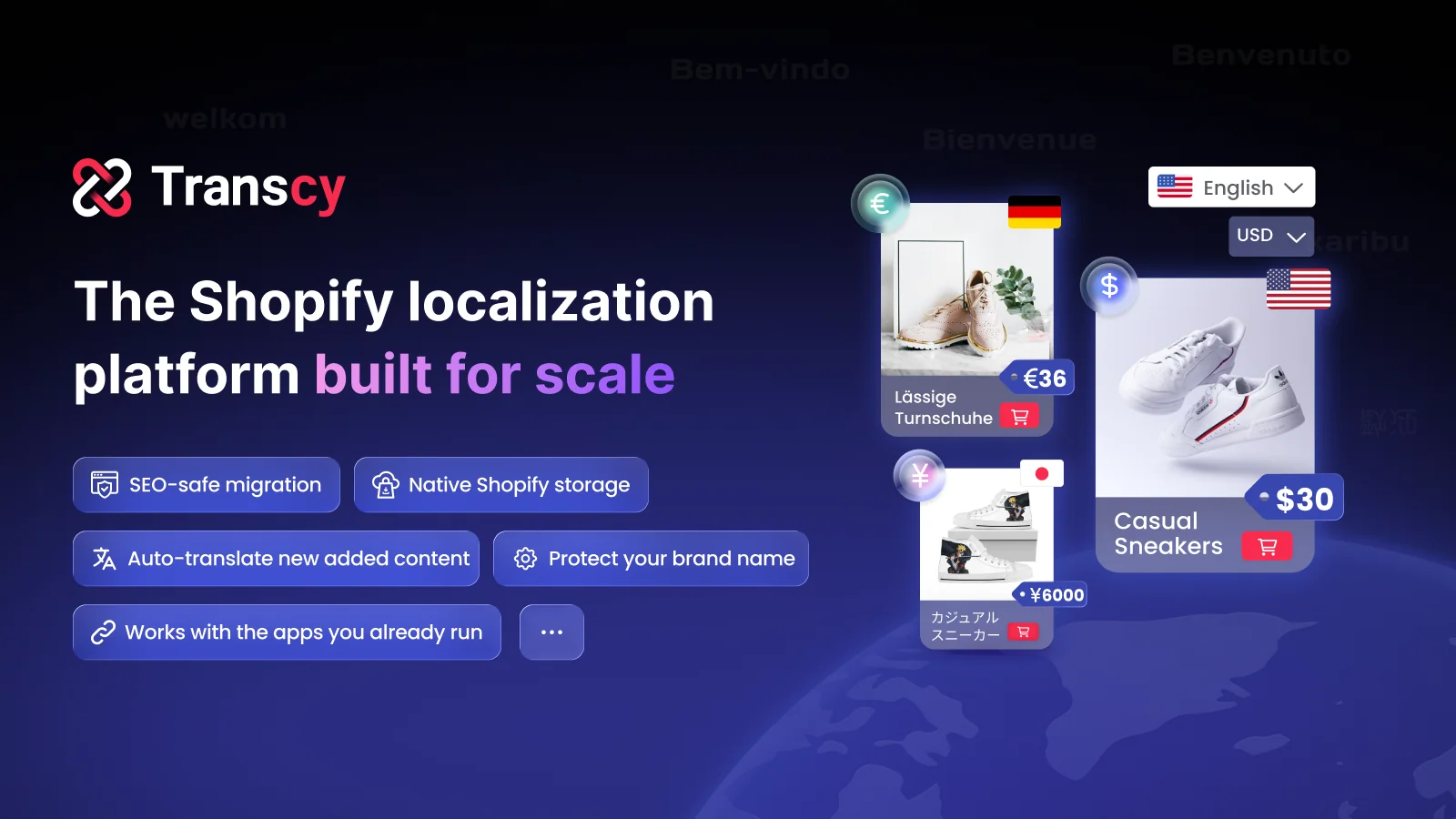
Its focus is protecting search traffic you already earned. Built-in multilingual SEO handles translated URLs, hreflang tags, and meta tags. Translations live inside your Shopify store, so your data stays with you. New content translates itself on a schedule, which saves teams from re-running jobs after every product drop.
Key Features
- Makes a heavy translation job feel manageable.
- Handles stores running a dozen or more languages.
- Connect a GPT API key to bulk translate what you need.
- Keyword exclusion list keeps product names unchanged.
- Find-and-replace updates market-specific wording fast.
- Manual editing sits next to AI for brand tone.
- Fast support with real answers, even on weekends.
Ratings and Reviews: Rated 4.5 out of 5 from 2,565+ reviews.
Pricing
- Free: 1 language and 1 currency.
- Regional: $29/month or $276/year.
- Continental: $69/month or $660/year.
- Cross-Border: $99/month or $948/year.
- Paid plans include a 7-day free trial.
Best for: Established brands expanding into many regions that want to keep their SEO rankings.
Use it wisely: Plans set product limits, so match the plan to your catalog. After migrating, check your translated URLs.
4. TS ‑ AI Language Translate
TS ‑ AI Language Translate by Transtore combines AI translation, a currency converter, geolocation, and redirects. It holds the Built for Shopify badge. The app translates products, pages, theme text, images, and third-party app content into 20+ languages. It supports right-to-left languages and auto-translates new content.
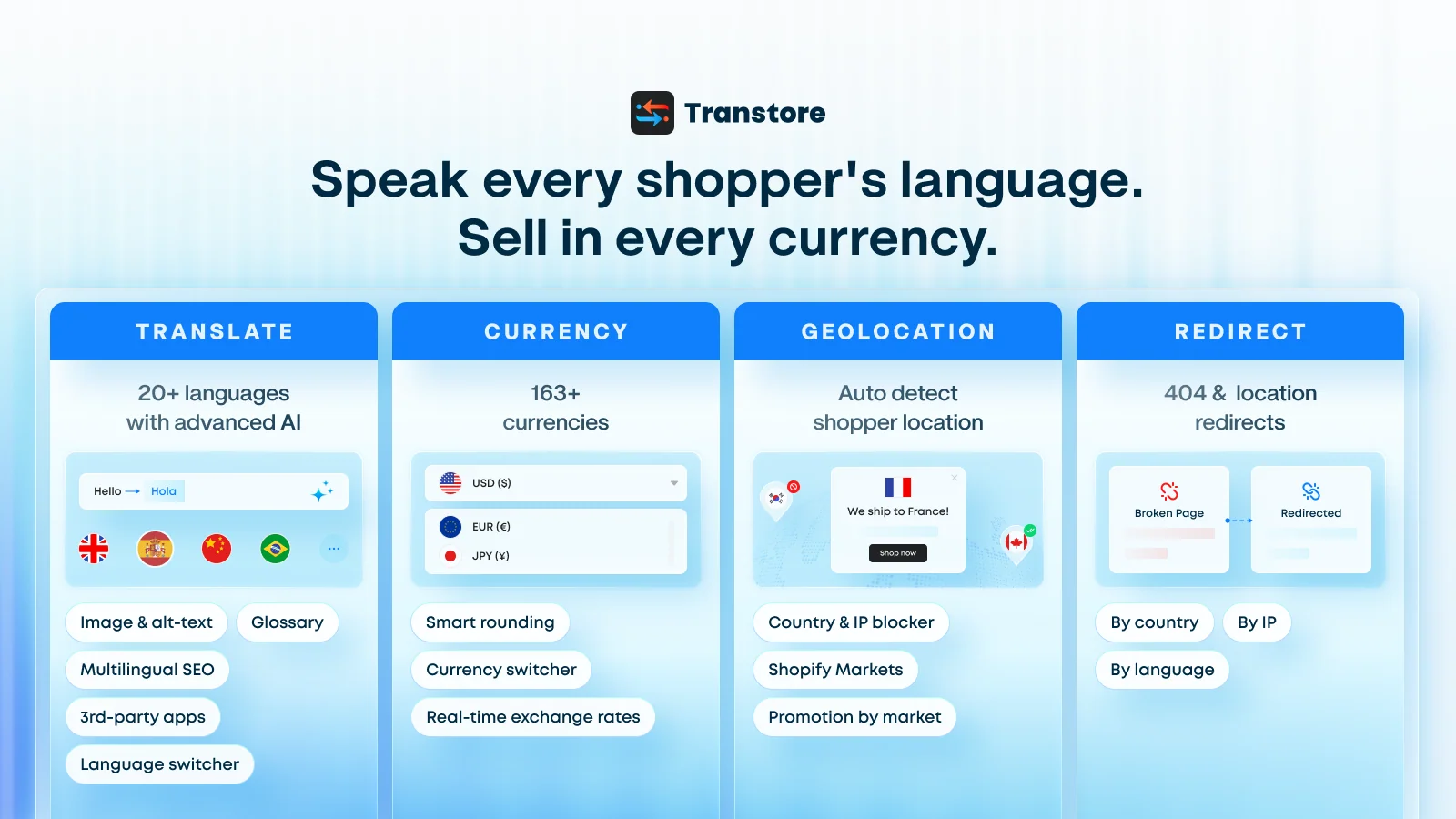
Its standout idea is showing each market its own offer. Geolocation can display a country-specific promotion with the right language and 163+ currencies. Shoppers respond better to offers that feel made for where they live. TS also fixes 404 pages, redirects by country or IP, and publishes a changelog of updates.
Key Features
- Accurate, natural translations for international growth.
- Switcher works on both desktop and mobile.
- Geolocation switches language and currency automatically.
- Support fixes custom wording, like cart drawer buttons.
- Clear in-app instructions guide first-time setup.
- Quick setup with stable long-term performance.
Ratings and Reviews: Rated 4.6 out of 5 from 786+ reviews.
Pricing
- Free: Listed as Free on the Shopify App Store.
- Growth: $15/month
Best for: Stores running market-specific promotions in several countries.
Use it wisely: Use GPT translation where tone matters. Always let redirected visitors switch back.
5. Langwill: AI Language Translate
Langwill: AI Language Translate by Rave Infosys Private Limited translates stores into 138 languages. It carries the Built for Shopify badge and was formerly known as ETranslate. You can translate with GPT-4, DeepL, or Google, then edit any line by hand. Meta tags and URL handles translate too, following Google’s multilingual guidelines.

Langwill suits merchants who want to start small and grow. The free plan covers one language, 153 currencies, and multilingual SEO. Paid plans add a glossary, auto-translate, image translation, and visual translation. That makes it easy to test one market before you commit a bigger budget.
Key Features
- One-click page translation.
- Automatic or manual translation per item.
- Switchers with flexible placement.
- Search finds missing untranslated text.
- Generous, well-maintained free plan.
- Fast support, including weekends.
- Reliable use over several years.
Ratings and Reviews: Rated 4.6 out of 5 from 635+ reviews.
Pricing
- Free: 5,000 words, 1 translated language.
- Starter: $9.99/month.
- Growth: $19.99/month.
- Premium: $49.99/month, plus $9.99 per 30,000 extra words.
- Paid plans include a 3-day free trial.
Best for: Small to mid-size stores testing their first one or two international markets.
Use it wisely: Check the Auto Charge setting so extra credits stay your choice. Estimate your word count first.
Pricing Comparison of Shopify Translation App
| App | Free Plan | Entry Paid Plan | Top Plan | Free Trial | Annual Billing |
| T Lab ‑ AI Language Translate by Sherpas Design | Free AI Translations for 500 products, 20 collections, 20 articles | $11.99/month | $59.99/month | Not listed | Yes: $119.90 / $299.90 / $599.90 per year (save 17%) |
| Hextom AI Translate & Currency by Hextom | 180+ currenciesFree, auto-translate 3 languages | $9.99/month | $49.99/month | 7 days | Not listed |
| Transcy: AI Language Translate by FireGroup | Go live in 1 language & 1 currencyInstant on-page translation, no setup | $29/month | $99/month | 7 days | Yes: $276 / $660 / $948 per year (save 20–21%) |
| TS ‑ AI Language Translate by Transtore | For small and new stores, Full access to all features | — | $15/month | 3 days | — |
| Langwill: AI Language Translate by Rave Infosys Private Limited | 5,000 words, 1 translated language | $9.99/month | 49.99/month(+9.99 per 30,000 extra words) | 3 days | Not listed |
What Is a Shopify Translation App?
A Shopify translation app converts your store’s text into other languages and keeps it updated. Most also manage currency conversion, language switchers, and multilingual SEO tags. Shopify stores the translations, while the app adds AI, bulk tools, and editing on top.
Why Language Changes Buying Decisions
Reading in a second language takes effort, and effort feels like risk to a buyer. When shoppers can’t fully understand sizing or return rules, they delay the purchase. Native-language pages remove that doubt, so attention stays on the product.
Trust follows the same pattern. Clumsy wording signals a store that may struggle with shipping or support too. That is why glossaries and human review matter as much as raw AI speed.
Where to Translate First
Start with text that answers buying questions, then work outward.
- Product titles, descriptions, and size charts
- Cart, checkout notes, and shipping and return policies
- Navigation menus and buttons
- Meta titles, descriptions, and URLs for multilingual SEO
- Review widgets and other third-party app text
When to Add a New Language
Your analytics already hold the answer. Check sessions and add-to-cart rates by country in your Shopify reports. If a non-English market sends steady traffic but converts below average, language is a likely cause. Shopify reported that over 27% of traffic to Shopify stores in July 2021 came from international buyers. Start with the market that already shows interest.
Conclusion
International shoppers rarely leave because of your product. They leave because the store makes them work too hard to understand it. Translating key pages, showing local prices, and protecting SEO removes that friction. Start with one market your data already points to, review the AI output, and grow from there.
FAQs
Which Shopify translation app works for a large catalog?
Look for bulk AI, auto-translation for new content, and support for your own API key. T Lab, Hextom, and Transcy all offer these on paid plans.
Does translating my Shopify store help SEO?
Yes, when URLs, meta tags, and hreflang tags are translated too. Search engines can then show the right language page to local searchers. All five apps here support multilingual SEO.
Can I translate my Shopify store for free?
Yes, each app offers a free option with limits on languages or words. Upgrade once that market starts converting.
Is AI translation good enough for an online store?
For most product text, yes, especially with a glossary in place. Have a native speaker review bestsellers, checkout text, and policies. Small fixes there protect trust where it matters most.
Do these apps convert currency too?
Yes, all five include currency conversion and a switcher. Checkout in local currency depends on your Shopify Markets and payment setup.
How many languages should I start with?
Start with one or two languages based on your traffic data. Add more once the first market converts well.

Shopify Expert
Dipen Panchal, Shopify Tech Lead at Setubridge Technolabs, brings over a decade of expertise as a Shopify Expert. Passionate about e-commerce growth, he specializes in UI/UX design, crafting intuitive, engaging solutions tailored for merchants and B2B clients to enhance user experiences.