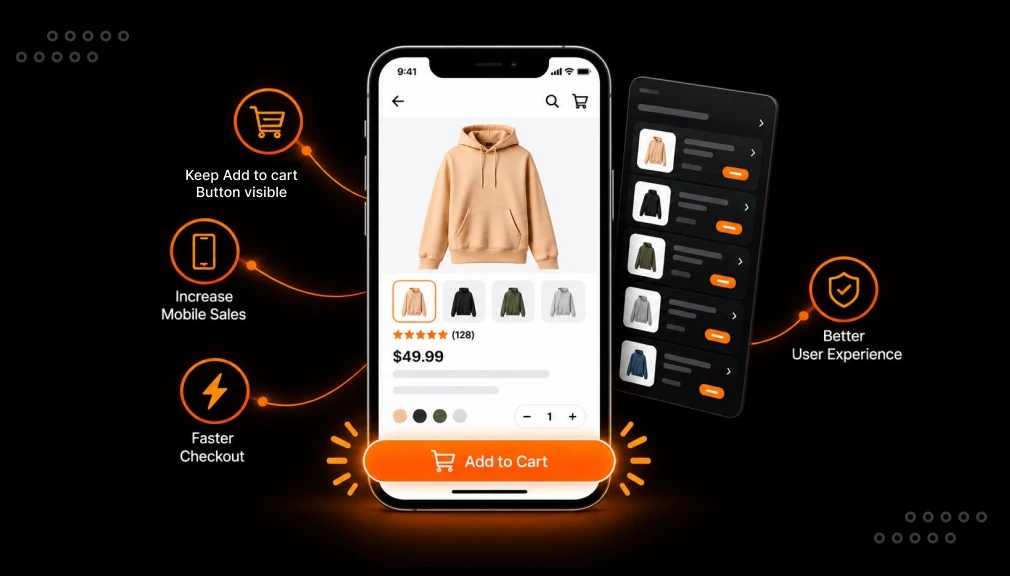
Picture a shopper on their phone. They love your product, so they scroll down to read the details and the reviews. Right then, the “Add to Cart” button slides off the screen. That tiny moment of hunting for the button is where a sale quietly slips away.
A sticky add-to-cart bar keeps that button in view the whole time. It is a small change, yet it can shift how many mobile visitors actually buy. Below are five Shopify sticky add-to-cart apps, and the exact problem each one solves.
Key takeaways
- A sticky add-to-cart bar keeps the buy button in view as shoppers scroll.
- It helps most on mobile, where pages are long and screens are small.
- STKY suits merchants who want cart, urgency, and upsell in one app.
- EA and Square are strong free picks, and Square is the fastest to set up.
- Zoorix is best for click tracking, while Buy Me offers cross-device carts.
- Only use urgency timers when the deadline is genuine.
Quick comparison of the sticky add-to-cart apps
Here is a side-by-side view to help you match an app to your store. The “standout” and “best for” columns show the angle each app owns.
| App | Rating (reviews) | Starting price | Free plan | Standout feature | Best for |
|---|---|---|---|---|---|
| STKY by Codeinero | 4.9 (500) | $6.99/mo | Yes (25 clicks/mo) | Six widgets in one: bar, timer, quick-buy, cart drawer | All-in-one cart + urgency + upsell |
| EA Sticky Drawer by EasyApps | 4.9 (212) | Free | Fully free | AI side-cart upsell; 80+ languages | Scaling stores selling worldwide |
| Zoorix by Zoorix | 5.0 (209) | $4.99/mo | Trial only | Click-event value tracking; skip-cart checkout | Merchants who want clean data |
| Buy Me by MakeProSimp | 4.9 (170) | $2.95/mo | Yes (50 clicks/mo) | “Remember My Cart” across devices; A/B testing | Include/exclude rules + testing |
| Square by Square Apps | 5.0 (140) | Free | Fully free | 1-minute setup; clicks, CTR & revenue dashboard | Simple, fast, lightweight bar |
Ratings, review counts, and prices reflect each app’s Shopify App Store listing at the time of writing.
Top 5 Shopify Sticky Add-to-Cart Apps to Lift Mobile Conversions
The app data below covers five leading Shopify sticky add-to-cart apps that help lift mobile conversions. Each listing includes a short overview and a “What Tested Results” breakdown of key points.
“All apps are personally tested by our Shopify Team”
1 – STKY ‑ Sticky Add To Cart Bar
STKY ‑ Sticky Add To Cart Bar, by Codeinero, is a conversion toolkit for busy storefronts. It keeps your Add to Cart button and sticky cart in view, so mobile shoppers never lose them. A countdown timer adds urgency, which nudges hesitant buyers to act sooner.
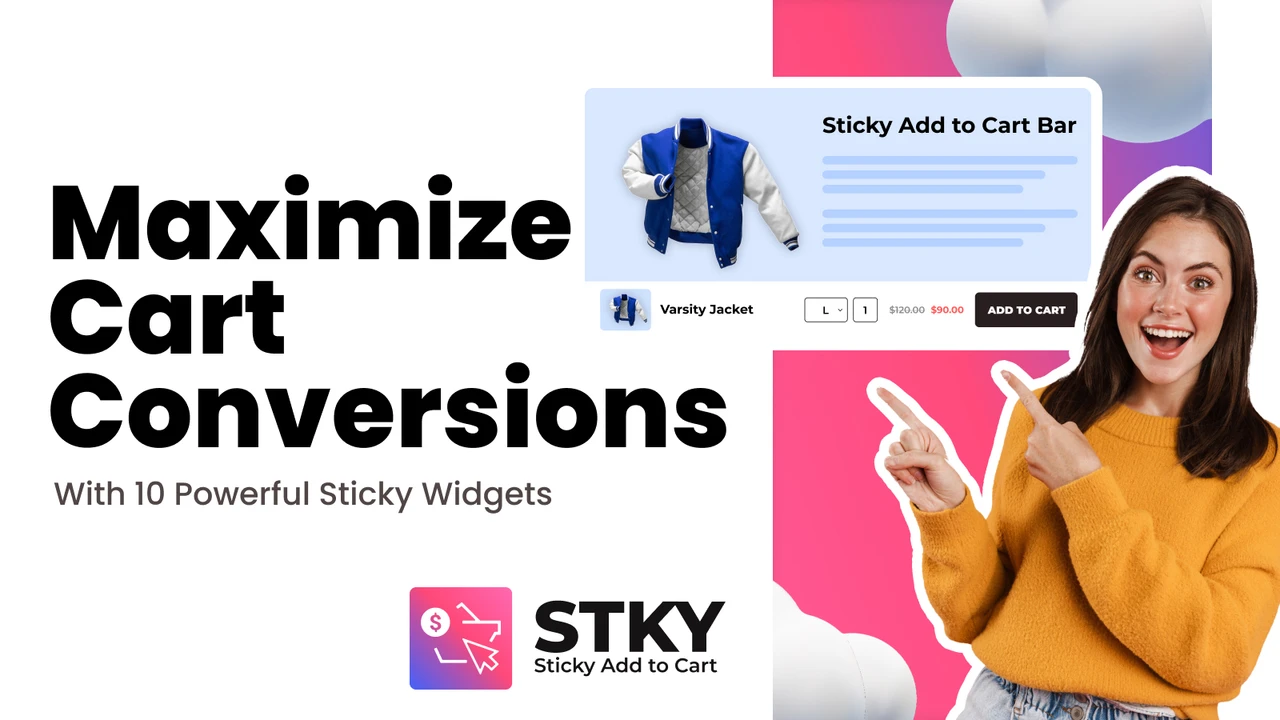
Quick Buy and Buy Now buttons let shoppers order in a single click from product pages. The Ajax slider cart drawer shows a clear cart overview and suggests upsell products. Quick View lets customers view, add, or buy without leaving the page. Together, these tools give shoppers several fast paths to checkout on any device.
What Tested Results
- Free plan available with 25 add-to-carts, plus a 14-day trial on paid plans.
- Sticky add-to-cart bar and sticky cart, now with a countdown timer.
- Floating sticky cart icons stay in view for quick checkout.
- Quick Buy and Buy Now buttons speed up single-click purchases.
- Slider cart drawer with in-cart upsell and cross-sell to grow revenue.
- Quick View lets shoppers view, add, or buy in one click.
- Countdown timer urgency bar helps reduce hesitation.
2 – EA • Sticky Add to Cart Drawer
EA • Sticky Add to Cart Drawer, by EasyApps, is a free, built-for-Shopify app for cart conversions. It keeps your Add to Cart button always visible, with a slide-out cart drawer. AI upsell and cross-sell in the side cart help lift average order value. A one-click checkout button sends shoppers straight to purchase from any page.
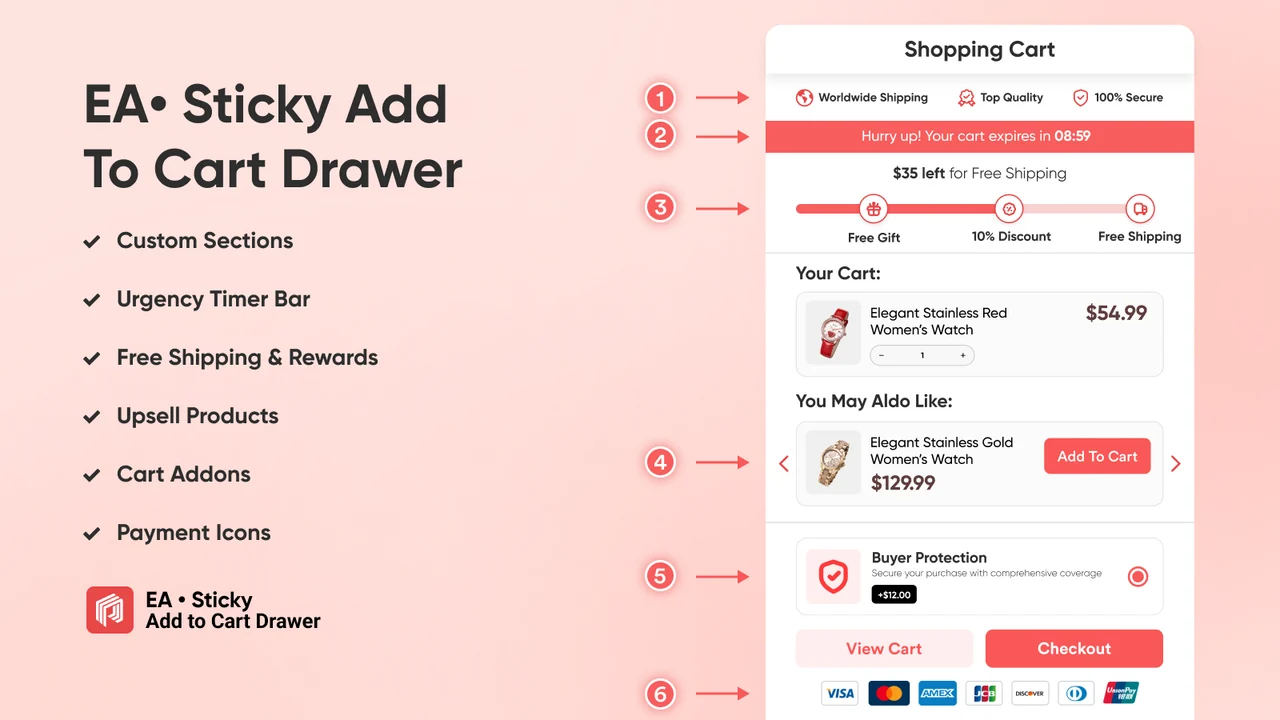
A free shipping bar shows progress toward rewards, which encourages larger carts. Quick Buy buttons let customers add to cart in a single tap on mobile. Setup is very fast, and the backend supports many languages.
What Tested Results
- Free app with a multi-language backend.
- Sticky add-to-cart bar keeps the button visible, with a cart drawer.
- Side cart drawer with AI upsell and cross-sell to lift AOV.
- Free shipping bar, reward bar, and countdown sale bar included.
- One-click checkout sends shoppers straight to purchase.
- Sticky cart stays visible so customers can slide it open anytime.
- Quick Buy button adds to cart with one tap on any page.
- Very fast installation, with regular updates.
3 – Zoorix Sticky Add To Cart Bar
Zoorix Sticky Add To Cart Bar, by Zoorix, is focused on fast mobile checkout. An always-visible sticky Add to Cart button makes sure you never miss a sale. Fast Checkout sends customers straight to the checkout page with a single click. You can show the sticky bar on the home page, collections, and product pages. It integrates with popular slide carts and can toggle relative to your theme’s button.
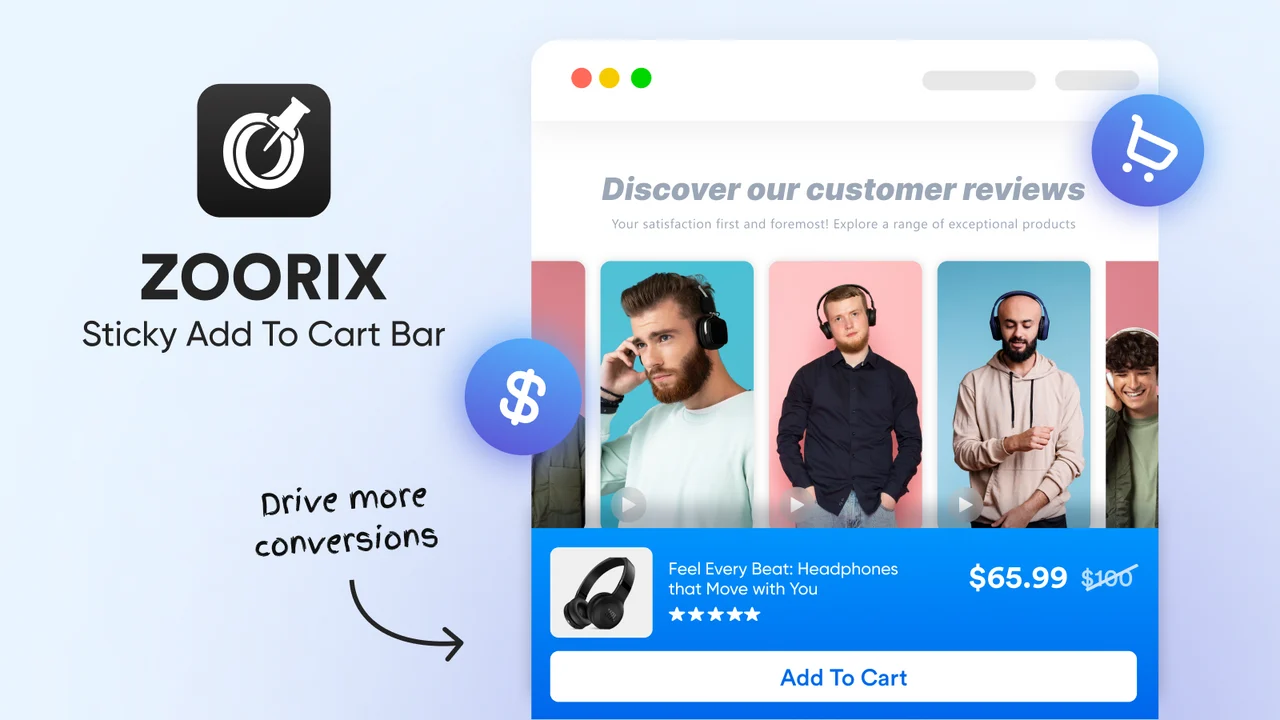
Custom colors, CSS, and JavaScript let you match the bar to your exact design. Full multi-currency and multi-language support suits international stores. Reducing steps to checkout helps lower cart abandonment and generate more sales.
What Tested Results
- Paid plans with a free trial to test first.
- Always-visible sticky Add to Cart button so you never miss a sale.
- Fast Checkout sends customers straight to checkout in one click.
- Quick-add on the home page and collection pages.
- The sticky bar can toggle relative to your theme’s native button.
- Custom colors, custom CSS, and custom JavaScript for full control.
- Cart drawer and bundle-app integrations supported.
- Multi-currency and multi-language support, with regular updates.
4 – Buy Me: Sticky Add To Cart Bar
Buy Me: Sticky Add To Cart Bar, by MakeProSimp, is a built-for-Shopify app for faster mobile buying. It keeps a sticky Add to Cart bar and a floating sticky cart always in view. Quick Buy buttons let shoppers order directly from the homepage and collections.
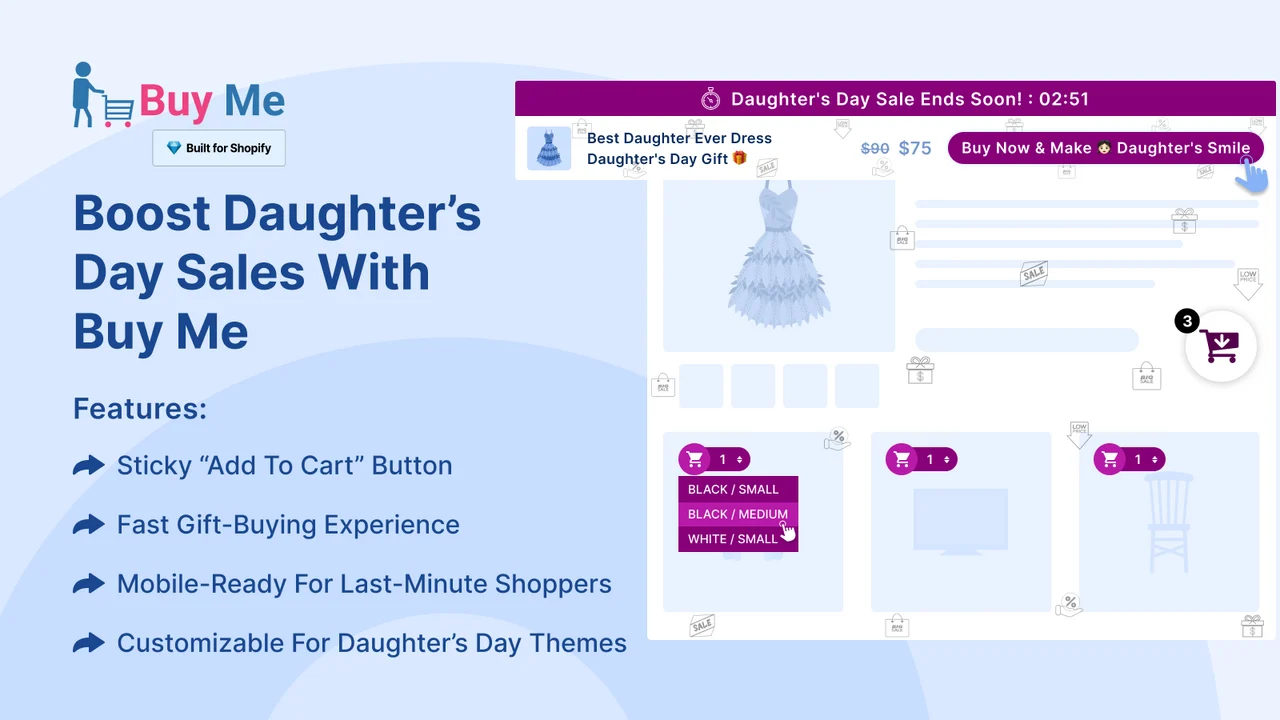
A seasonal countdown timer adds urgency, pairing well with the sticky bar. The Remember My Cart feature keeps a shopper’s cart across multiple devices. You can show product reviews and add a social sharing option on the bar. It is Shopify OS 2.0 compatible and starts with a generous free plan.
What Tested Results
- Free plan with 50 add-to-carts per month.
- Sticky add-to-cart bar with an urgency-boosting countdown timer.
- Sticky cart keeps an always-visible floating cart for easy checkout.
- Quick Buy buttons streamline purchases from homepage and collections.
- Remember My Cart syncs a shopper’s cart across multiple devices.
- Social media sharing and product review display options.
- URL-based listing rules and Shopify OS 2.0 compatibility.
- Published changelog weekly, so updates and changes are easy to track.
5 – Square: Sticky Add to Cart Bar
Square: Sticky Add to Cart Bar, by Square Apps, is a free built-for-Shopify app made to lift mobile conversions. It keeps the Add to Cart button always in view as shoppers scroll your store. That reduces purchase abandonment and makes adding products effortless. The bar mimics your store’s style, so it feels like a native part of your theme. You can fully customize colors, size, and position to match your brand.
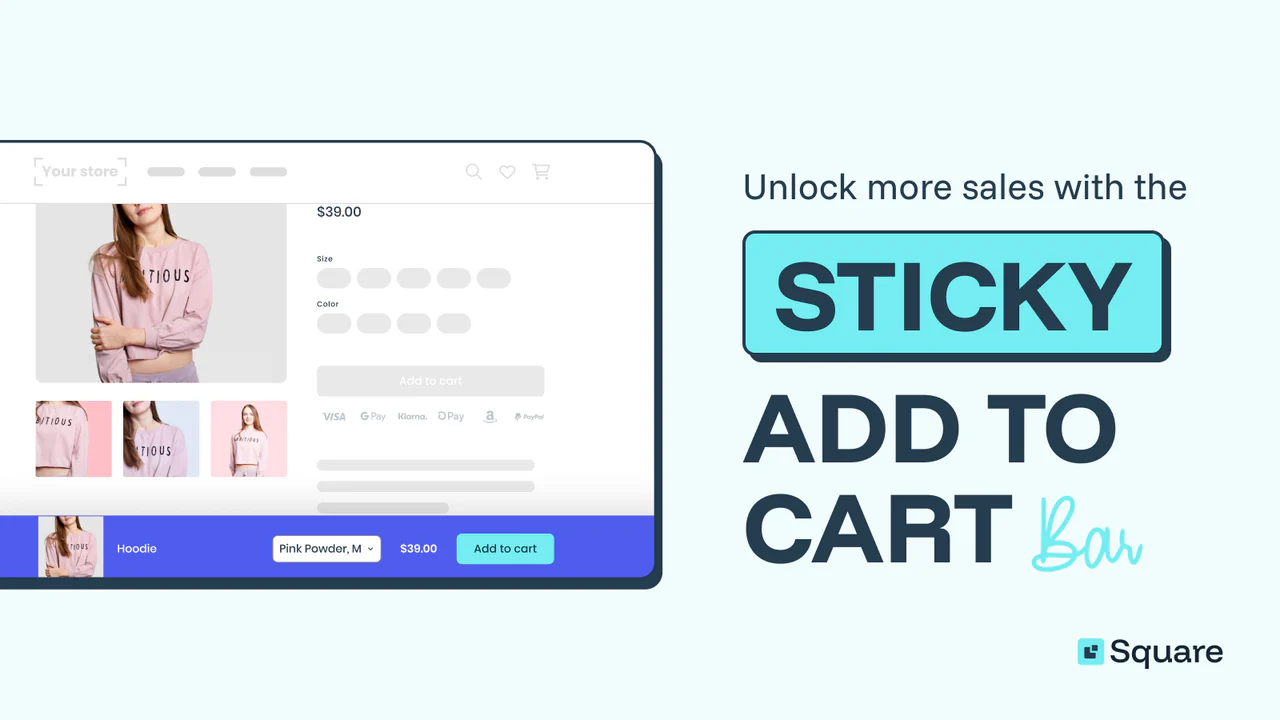
Built-in analytics let you monitor clicks, click-through rate, orders, and revenue growth. It works smoothly on both mobile and desktop for a consistent experience. The app automatically supports multiple languages and currency conversion for global stores.
What Tested Results
- Free app with a 15-language backend.
- Keep the Add to Cart button always in view to reduce abandonment.
- Seamless design mimics your store’s style for consistency.
- Fully customize colors, size, and position to fit your brand.
- Built-in analytics track clicks, CTR, orders, and revenue growth.
- Works smoothly on both mobile and desktop.
- Automatically supports multiple languages and currency conversion.
- Actively maintained with regular updates.
How to choose the right sticky add-to-cart app
Start with your budget and your theme, not the feature list. If you want zero cost, EA and Square are the easiest places to begin. If you want cart, urgency, and upsell in one place, STKY covers more ground.
Next, think about proof. If you need to show results to a partner or team, pick an app with strong analytics, like Zoorix or Square. If your shoppers often switch from phone to laptop, Buy Me’s cross-device cart can recover lost sales.
Finally, test one app at a time on real traffic. Watch your add-to-cart rate and mobile conversions for two weeks. Let the numbers, not the marketing copy, guide your final choice.
What is a sticky add-to-cart bar?
A sticky add-to-cart bar is a small buy button that stays fixed as shoppers scroll. It usually sits at the top or the bottom of the screen. On a normal product page, the main button disappears once a shopper scrolls past it.
The sticky version keeps that action one tap away at all times. This matters most on mobile, where screens are small, and pages feel long. In short, it closes the gap between “I want this” and “I can buy it now.”
Why sticky add-to-cart apps lift mobile conversions
The reason is simple: buying intent is short-lived, and friction lets it fade. When the button is out of sight, a shopper must scroll back up to act. Each extra step is a chance to get distracted and leave the page.
This gap hurts more on phones, since mobile is on track to drive around 63% of retail e-commerce sales (Statista).
It also matters because the average cart abandonment rate sits at about 70.22% across e-commerce (Baymard Institute). Keeping the button visible removes friction, so more mobile visitors reach checkout.
Where to place a sticky add-to-cart bar
Start on your product pages, where the buy decision happens most often. Many sticky add-to-cart apps can also show the bar on home and collection pages. That lets shoppers add items without opening each product first.
A floating sticky cart icon can follow shoppers across the whole store as well. On mobile, test the bar at the bottom of the screen, since that is where thumbs rest. The goal is to keep the action within easy reach on every screen.
When to use it and when to hold back
Use a sticky bar when your product pages are long or image-heavy. It helps most when shoppers scroll a lot before they decide. This is exactly the moment when the main button drifts out of view.
Be careful not to stack the bar with too many pop-ups and banners at once. A crowded screen can hide your product and tire out shoppers. Only pair the bar with a countdown timer when the deadline is real, such as a true sale end. Honest urgency builds trust; a fake timer can cost you repeat buyers. On very short pages, the bar may add little value.
Final thoughts
Mobile shoppers decide fast, and they act only when the button is right there. The best Shopify sticky add-to-cart apps remove that friction and keep buying simple. STKY, EA, Zoorix, Buy Me, and Square each solve the same core pain in their own way.
Pick the one that matches your budget, your theme, and your goals, then test it on real traffic. A small, always-visible button can lift your mobile conversions more than you expect.
Frequently asked questions
What is a sticky add-to-cart bar?
It is a buy button that stays fixed on screen while shoppers scroll. It keeps the “Add to Cart” action one tap away. This is most useful on mobile devices.
Do sticky add-to-cart apps slow down my store?
Most modern apps are lightweight and load without blocking the page. Many carry the built-for-Shopify badge for performance. Always check your store speed after you install one.
Which app is best for a small budget?
EA and Square are fully free to use. Buy Me and STKY also offer free plans with monthly click limits. Start free, then upgrade as your sales grow.
Will a sticky bar work on my theme?
These apps support Shopify Online Store 2.0 themes. Several also connect with builders like PageFly and GemPages. Check the app’s listing to confirm your theme.
Can I show the bar only on some pages?
Yes. Apps like Buy Me offer include and exclude rules. You can limit the bar to product pages or specific collections.
How do I know if it is working?
Use built-in analytics for clicks, click-through rate, and revenue. Square and Zoorix track this clearly. Compare your sales before and after you install the app.

Shopify Expert
Dipen Panchal, Shopify Tech Lead at Setubridge Technolabs, brings over a decade of expertise as a Shopify Expert. Passionate about e-commerce growth, he specializes in UI/UX design, crafting intuitive, engaging solutions tailored for merchants and B2B clients to enhance user experiences.