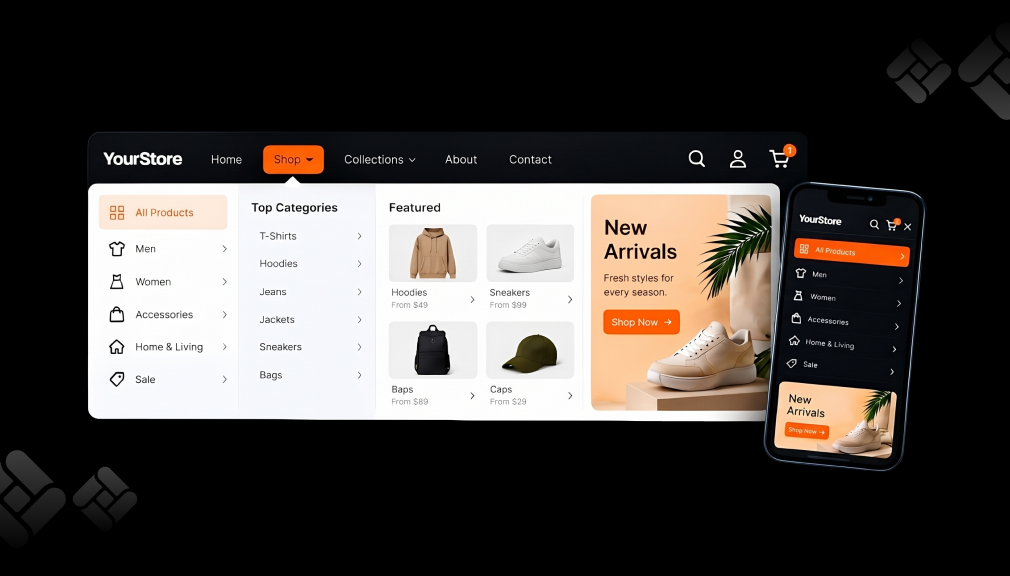
A shopper taps “Add to cart” on your best-selling serum. The screen jumps to a plain cart page, and the product photos vanish. She spots a shipping fee she did not expect, sighs, and closes the tab.
Nothing broke on your store. The moment simply lost its momentum. That short jump from product page to cart page is where many Shopify sales slip away. A slide cart, also called a cart drawer, keeps that moment alive.
The stakes are real. Baymard Institute reports an average documented cart abandonment rate of 70.22%. Below are five Shopify cart drawer apps that help close that gap. After that, you will learn why the drawer works and when to use it.
Key Takeaways
- A cart drawer keeps shoppers on the page and protects buying momentum.
- Progress bars work because a close goal feels worth finishing.
- Showing costs early answers the top reason shoppers abandon carts.
- Pick an app by how your store sells.
The 5 Shopify Cart Drawer Apps at a Glance
- Kaching CartDrawer Cart Upsell: market-based reward bars in a conversion-ready drawer.
- Essent Cart Drawer Cart Upsell: every feature on every plan.
- AOV.ai Cart Drawer Cart Upsell: AI-picked upsells and Sidekick control.
- Moon Bundles CartDrawer Upsell: bundles, BOGO deals, and a slide cart together.
- Upcart—Cart Drawer Cart Upsell: rule-based gifts and deep design control.
Shopify Cart Drawer Apps Comparison Table
Feature lists look alike at first glance. This table pulls billing, launch, and language details from each listing. It shows how each app fits different store setups.
| Detail | Kaching | Essent | AOV.ai | Moon Bundles | Upcart |
| Developer | Kaching Bundles & Upsells | Essential Apps | AOV.ai | CScorp LLC | Rokt |
| Plans scale by | Monthly orders | Monthly orders | Your Shopify plan (unlimited orders) | App-generated revenue | Monthly store orders |
| Free plan | Development stores | 30 orders/mo | 30 orders/mo | Up to $500 generated revenue | Development & partner stores |
| First paid plan | $9.99/month | $8.99/month | $15.99/month | $19.99/month | $29.99/month |
| Billing options | Monthly | Monthly | Monthly or yearly (save 20%) | Monthly or yearly (save 15–20%) | Monthly |
| Distinct workflow extra | Gift wrap & shipping protection toggles | Sticky add to cart bar | Shopify Sidekick control | Post-purchase upsells & A/B tests | HTML, CSS & JSX templates |
Source: pricing, launch dates, and languages as listed on each app’s Shopify App Store page (October 2026).
5 Best Shopify Cart Drawer & Slide Cart Apps
1. Kaching CartDrawer Cart Upsell
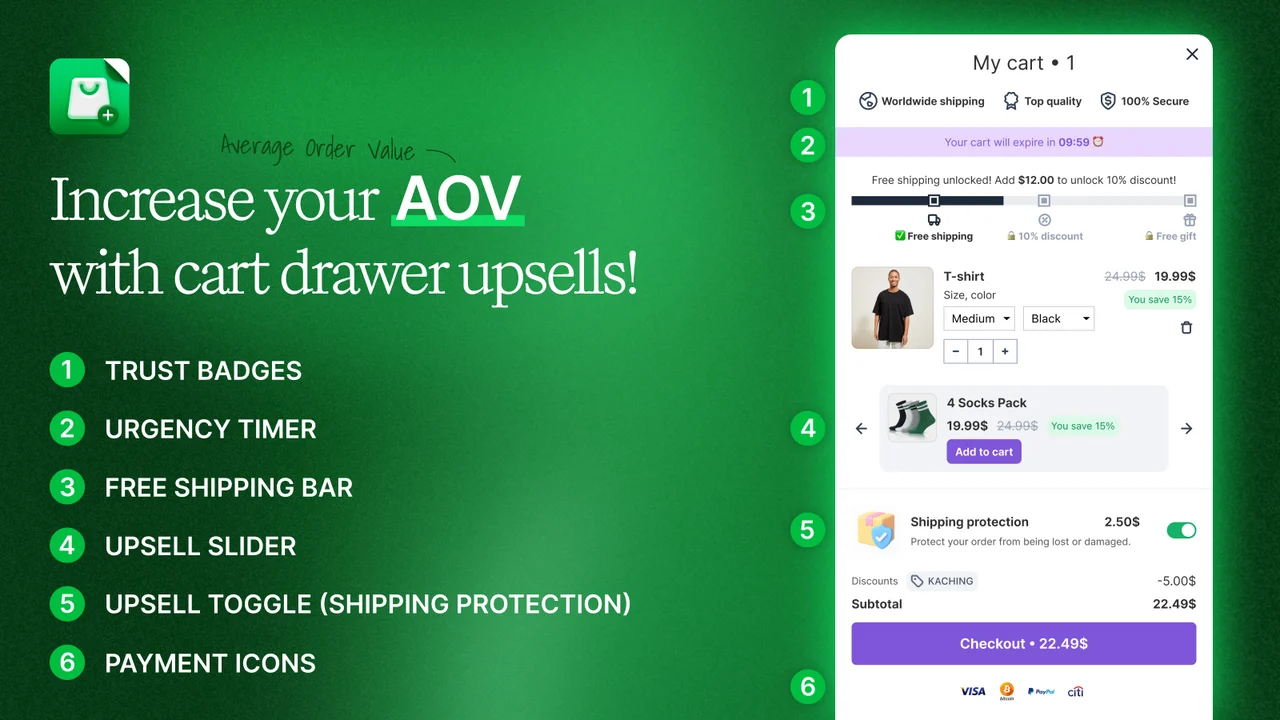
Kaching CartDrawer Cart Upsell by Kaching Bundles & Upsells turns the basic Shopify cart into a slide-out sales panel. It holds an upsell slider, a free shipping or free gift bar, trust badges, and payment icons. An urgency timer can mark a real sale deadline. Simple toggles let shoppers add gift wrap or shipping protection with one tap.
The app carries the Built for Shopify badge, so it meets Shopify’s standards for speed, design, and integration. Setup needs no code, and the drawer translates into any language. It works with GemPages, PageFly, and Kaching’s own bundle and subscription apps. That makes it easy to add to a store you have already built.
Key Features
- In-cart upsells that merchants credit with lifting order value.
- A conversion-ready layout right after install.
- Separate free shipping bars for different markets.
- Custom HTML blocks and scripts for edge cases.
- Custom rules, like hiding a product from specific customers.
- Support that solves theme conflicts quickly.
- Changelog: fixes ship fast after a reported theme issue.
Ratings & Reviews: 5.0 out of 5 from 1,455+ reviews, with 98% at 5 stars.
Best For: Growing DTC stores selling in several countries.
Use It Wisely: Run the urgency timer only for a real deadline, like a sale ending. Keep the upsell slider to two or three related items.
Pricing: Free for development stores. $9.99/month for 99 orders/mo, $14.99/month for 199 orders/mo, and $24.99/month for 499 orders/mo. Paid plans include a 14-day free trial.
2. Essent Cart Drawer Cart Upsell
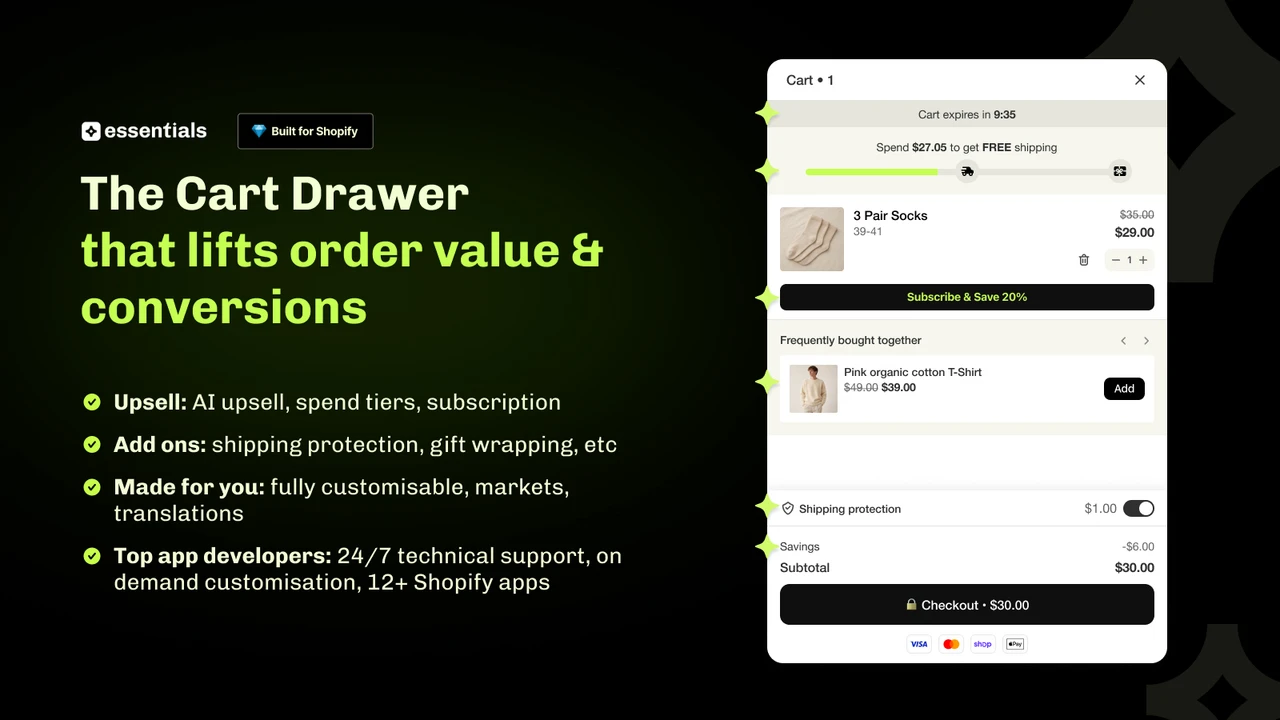
Essent Cart Drawer Cart Upsell by Essential Apps adds a slide cart with in-cart upsells, cross-sells, and subscription offers. Its reward bar uses spend tiers. Shoppers unlock free shipping, a gift, or a discount as the cart grows. A countdown timer, discount code field, order notes, and payment icons sit in the same drawer.
The app also includes a sticky add-to-cart bar with a variant picker and announcement bar. Every plan unlocks every feature, with no per-order fees. It supports multiple languages, currencies, Shopify Markets, and custom HTML and CSS. It holds the Built for Shopify badge and has served merchants since March 2025.
Key Features
- Install in minutes, even for non-technical owners.
- Spend tier bar with gap-fill upsells.
- Custom liquid, HTML, and CSS for full control.
- Plain-language help from the support team.
- A first install for multi-store owners.
- Changelog: reported bugs get fixed through quick app updates.
- Sticky add-to-cart bar at no extra cost.
Ratings & Reviews: 5.0 out of 5 from 1,063+ reviews, with 98% at 5 stars.
Best For: Budget-aware stores that want the full feature set from day one.
Use It Wisely: Set your first spend tier just above your current average order value. Review tier gaps whenever your prices change.
Pricing: Free: 30 orders/mo. Essential 1: $8.99/month for 99 orders/mo. Essential 2: $13.99/month for up to 199 orders/mo. Essential 3: $23.99/month for up to 499 orders/mo. Paid plans include a 14-day free trial.
3. AOV.ai Cart Drawer Cart Upsell
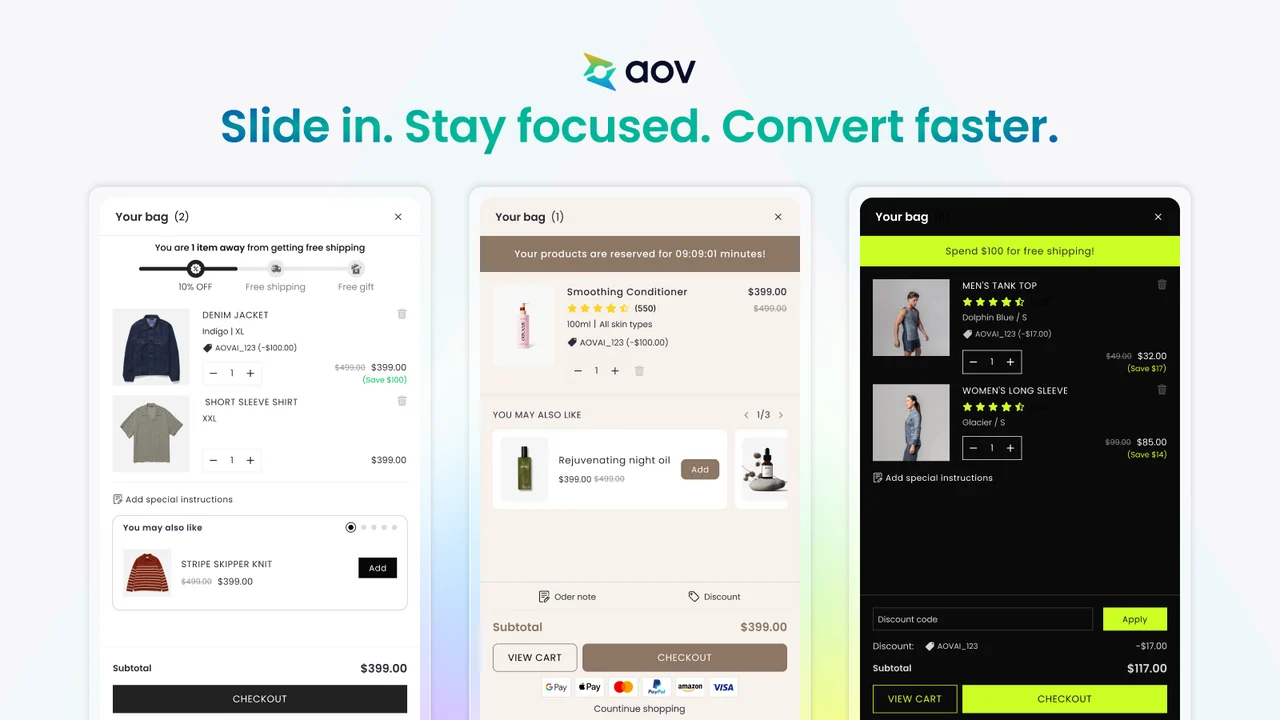
AOV.ai Cart Drawer Cart Upsell by AOV.ai adds a slide cart that helps shoppers find related products before checkout. It uses AI to pick upsells from what your customers actually buy together. Free shipping bars, cart rewards, add-ons, and discounts all live in one drawer. Gift wrap and shipping protection are available too.
One useful detail is Shopify Sidekick support, backed by 24/7 live chat. You can ask Sidekick to check your cart setup or turn on features without opening the dashboard. Setup takes under five minutes with no coding, and the drawer works in 13 languages. It holds the Built for Shopify badge and works with Klaviyo, Judge.me, and Shopify Flow.
Key Features
- Product recommendations live within minutes.
- More control than the standard Shopify cart.
- Upsells that work in translated store versions.
- Guided setup for reward bars and discounts.
- Support that styles the cart in your colors.
- Cart reviews with practical improvement tips.
- A streamlined, professional cart for shoppers.
- Fair pricing for a feature-rich cart.
Ratings & Reviews: 5.0 out of 5 from 865+ reviews, with 99% at 5 stars.
Best For: Multilingual stores wanting data-driven upsells.
Use It Wisely: Give the AI a few weeks of order data before judging results. Check stock on suggested items before a big promotion.
Pricing: Free: 30 monthly orders. Basic: $15.99/month or $153.50/year (Shopify Basic stores). Professional: $25.99/month or $249.50/year (Shopify Grow plan stores). Advanced: $35.99/month or $345.50/year (Shopify Advanced stores). Paid plans include unlimited orders and a 7-day free trial.
4. Moon Bundles CartDrawer Upsell
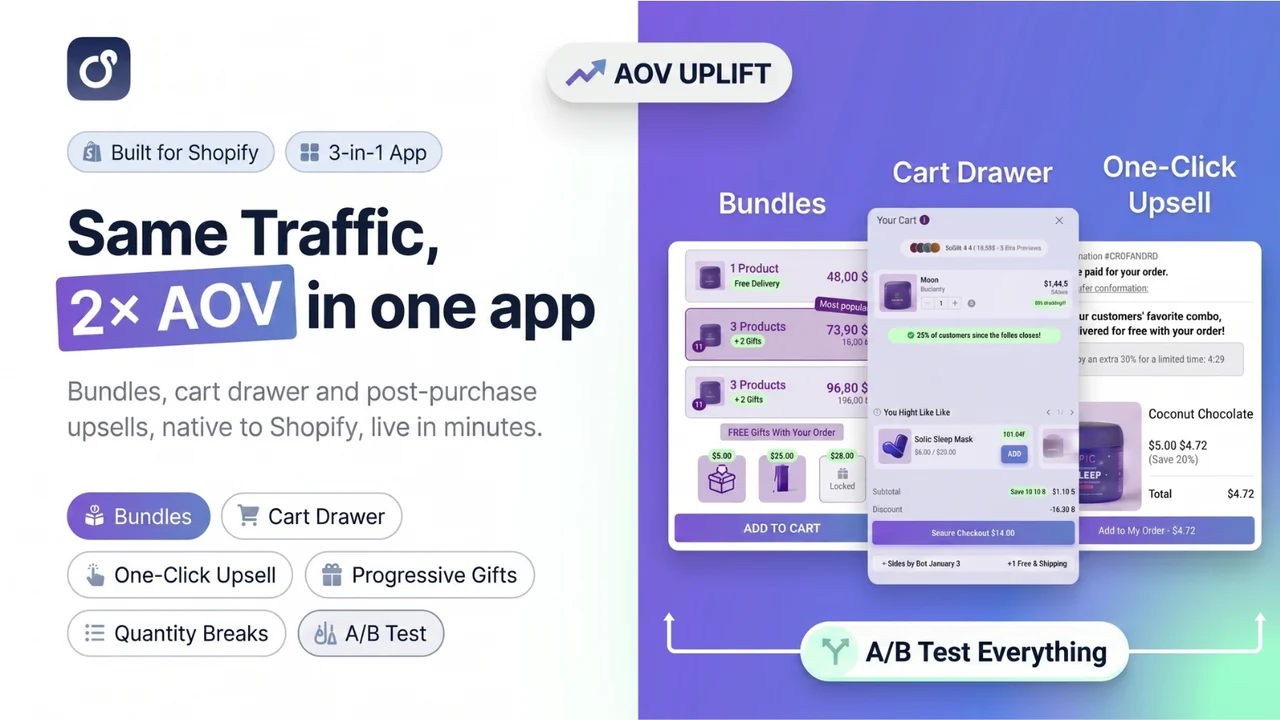
Moon Bundles CartDrawer Upsell by CScorp LLC combines bundles, upsells, and a cart drawer in one app. You can build quantity breaks, mix-and-match bundles, BOGO deals, volume discounts, and gift offers. The slide cart then carries those offers right up to checkout. Smart add-ons and subscription options round out the offer builder.
It also reaches past the cart with post-purchase upsells and A/B testing for offers. The app holds the Built for Shopify badge and works in nine languages. It connects with tools like Klaviyo, GemPages, and PageFly. For stores running many promotions, one app can replace a stack of separate tools. Video tutorials help new users get started quickly.
Key Features
- One app for bundles, upsells, gifts, and the cart.
- Clean bundle widgets across multiple currencies.
- Flexible mix-and-match, Buy X Get X, and progressive offers.
- Ready-made sections that are easy to personalize.
- Fair pricing versus running several apps.
- Support for market-specific pricing questions.
- A friendly fit for small, growing stores.
Ratings & Reviews: 5.0 out of 5 from 666+ reviews, with 97% at 5 stars.
Best For: Stores whose sales depend on bundles, multipacks, and BOGO offers.
Use It Wisely: Show one main bundle offer per product page. Plans scale with app-generated revenue, so check your tier each month.
Pricing: Free: up to $500 in generated revenue. Essential: $19.99/month or $191.88/year, up to $2,000. Pro: $39.99/month or $407.88/year, up to $10,000. Premium: $79.99/month or $803.88/year, unlimited revenues. Paid plans include a 7-day free trial.
5. Upcart—Cart Drawer Cart Upsell
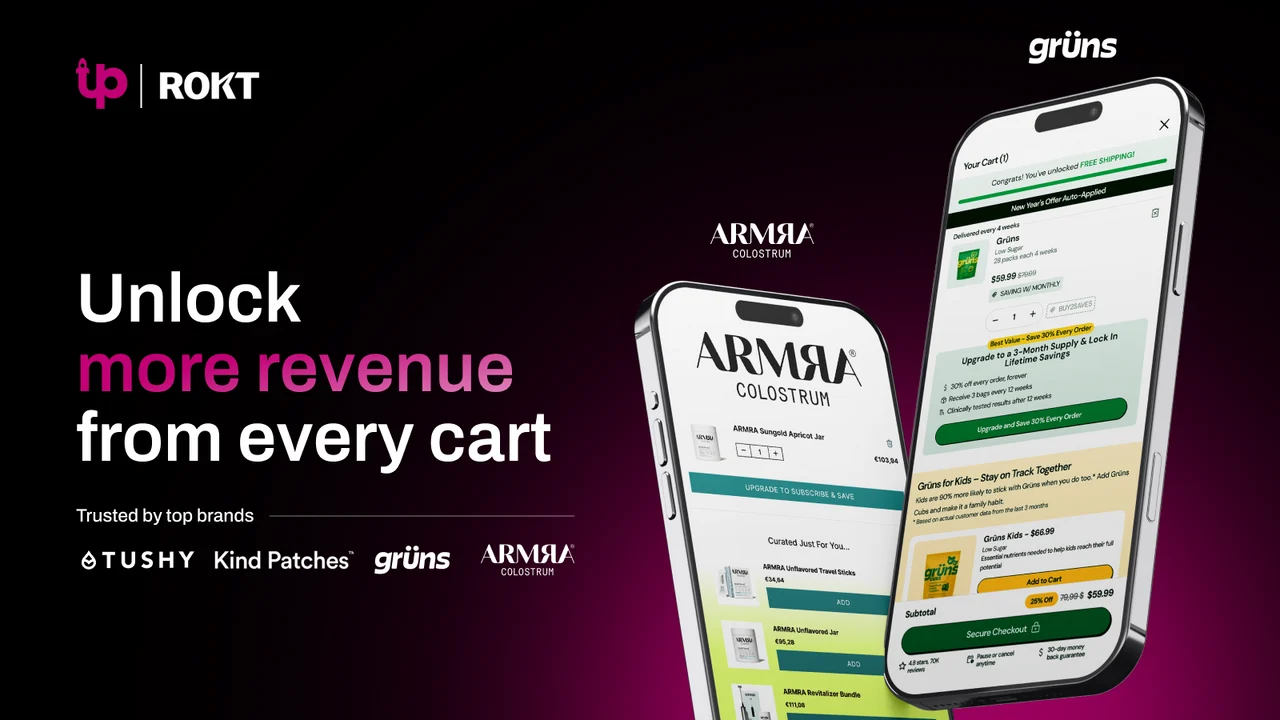
Upcart—Cart Drawer Cart Upsell by Rokt turns the cart into a revenue touchpoint with in-cart upsells, cross-sells, rewards, and add-ons. Shoppers stay on the page, and you avoid juggling several apps. A sticky slide cart stays visible as people browse. Discount codes, express payments, timers, and trust badges sit inside it.
Upcart gives full design control through custom templates built with HTML, CSS, and JSX. It is designed for fashion, food and beverage, beauty, and other DTC brands. The app holds the Built for Shopify badge and has been on the App Store since July 2021. Shopify also features it in its Black Friday Cyber Monday app guide.
Key Features
- Rule-based auto-add, like a free sticker pack.
- Gift above a set cart total during sales.
- Triggered discounts for retail and wholesale buyers.
- Custom-coded touches, like a guarantee line.
- Fast support replies, even late at night.
- Help tracing conflicts with other apps.
- A free shipping bar that nudges one more item.
Ratings & Reviews: 4.7 out of 5 from 955+ reviews, with 92% at 5 stars.
Best For: Brands running seasonal campaigns with precise gift rules.
Use It Wisely: Test every gift rule in a draft cart before a sale. Overlapping rules can stack unplanned offers.
Pricing: Free: development and partner stores only. $29.99/month for up to 200 monthly orders, $34.99/month for up to 500, and $54.99/month for up to 1,000. Paid plans include a 14-day free trial.
What Is a Shopify Cart Drawer?
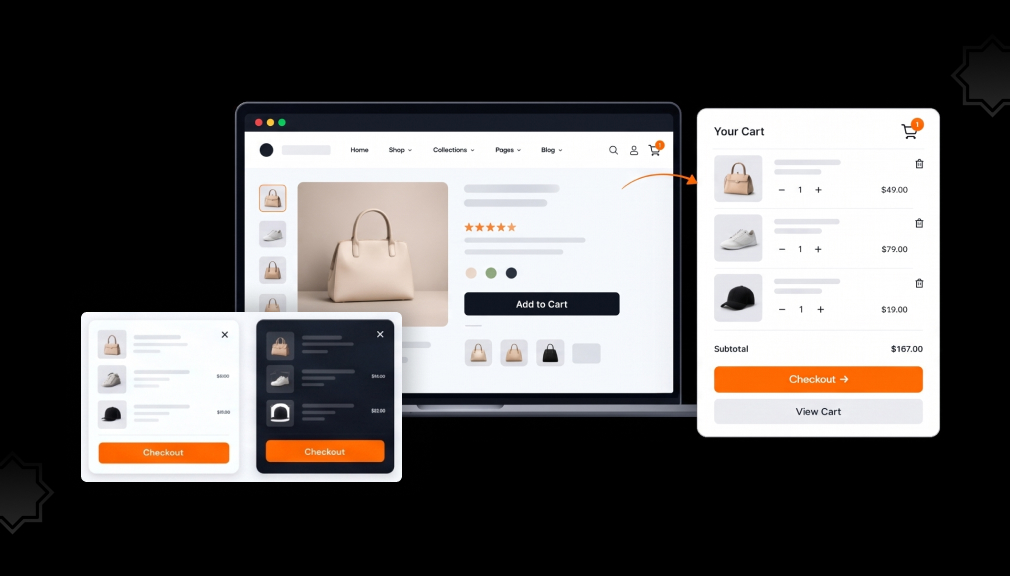
A cart drawer is a panel that slides in from the side when a shopper adds an item. It shows the cart without loading a new page. Most drawers also hold upsells, reward bars, and a checkout button. Think of it as a checkout counter that walks over to the shopper.
Why a Slide Cart Changes Buying Behavior
It protects momentum. Every page load is a pause, and pauses let doubts grow. When the cart slides over the product page, the shopper keeps their place. They can browse on or check out with one tap.
It makes progress visible. People push harder near a finish line. A bar that says “You’re $8 away from free shipping” turns a vague offer into a short, clear task. That is why reward bars often add one more item.
It removes surprises. Baymard’s research shows 40% of shoppers who abandon blame extra costs like shipping, tax, and fees. In the same study, 12% left because they could not see the total cost up front. A drawer that shows the subtotal, shipping goal, and payment icons answers those questions early.
Where the Cart Drawer Fits in Your Store
Place it where shoppers decide to continue or stop:
- Product pages: the drawer confirms the add and suggests one matching item.
- Collection pages: quick-add buttons let shoppers fill a cart without leaving the grid.
- Mobile screens: a sticky cart icon keeps the drawer one tap away.
When to Add or Adjust a Cart Drawer
- When your average order value sits just below your free shipping threshold.
- When mobile shoppers add items but rarely reach checkout.
- Before peak seasons like Black Friday, so you can test rules early.
- When you launch bundles or gifts that need a visible home.
Guardrails: When Cart Drawer Tactics Backfire
Too many upsells cause a choice freeze, and shoppers leave to think it over. Timers only work when the deadline is real, because resetting timers teaches people to ignore them. Auto-added gifts need clear labels and an easy remove option.
A free shipping goal set too high feels out of reach, so shoppers give up. Every widget also adds weight to the page. Check mobile speed after setup and switch off what you do not use.
Quick Setup Checklist
- Set the first reward a little above your current average order value.
- Add two or three upsells that pair with best sellers.
- Compare order value and checkout rate after 30 days.
Conclusion
A cart drawer is a small layout change that shapes three moments: the add, the nudge, and the checkout. Keep shoppers on the page and show honest progress toward a real reward. Reveal costs early so nothing feels hidden.
Choose a tool that matches how your store sells, whether that means bundles, global markets, or gift rules. Measure order value and checkout rate for 30 days. Small, careful changes from there add up.
FAQs
Will a cart drawer app slow down my Shopify store?
All five apps here carry the Built for Shopify badge, which includes performance standards. Still, test mobile speed after setup and turn off unused widgets.
How many upsells should I show in a slide cart?
Two or three related items suit most stores. More options make shoppers pause instead of buy.
Where should I set my free shipping threshold?
Start a little above your current average order value. The goal should feel reachable with one more item.
Can I use a countdown timer in my cart drawer?
Yes, when the deadline is real, like a sale ending at midnight. Timers that reset on every visit erode trust.
Do cart drawer apps support Shopify Markets?
Several do. Kaching supports market-specific progress bars, and Essent lists Markets, currency, and translation support on every plan.