It’s late, and a shopper is browsing your store by phone. She wants a linen duvet cover, and she already likes your brand. She taps the menu and finds one vague link: Shop. Behind it sit 38 plain, ungrouped links. Ten seconds later, she closes the tab.
Nothing on that page was broken. The product existed, and the price was fair. The problem lived in a strip of links most merchants set up once and forget. That quiet header is where many Shopify stores lose ready buyers.
This is a common problem. Baymard Institute’s 2025 navigation benchmark found that 67% of mobile sites have mediocre to poor category navigation. Desktop sites scored 58%. A Shopify mega menu app is a small header change, yet it shapes how every visitor finds products.
Below, you’ll find the top 5 Shopify mega menu and navigation apps first. Details come from each App Store listing and merchant reviews. Then we cover the what, why, where, and when.
Key Takeaways
- Weak navigation hides products shoppers already want, especially on mobile.
- A mega menu works when shoppers can predict where each click leads.
- All five apps below offer a free plan for testing.
- Choose by pain point: catalog size, mobile browsing, markets, or setup time.
- More links do not mean better navigation.
Top 5 Shopify Mega Menu & Navigation Apps at a Glance
- Globo Mega Menu, Navigation: large catalogs and multi-market stores.
- Qikify Mega Menu & Navigation: menus with forms, maps, and custom HTML.
- Buddha Mega Menu & Navigation: big catalogs with Add to Cart inside the menu.
- Meteor Mega Menu & Navigation: fast setup from your existing Shopify menus.
- Navi+ Tab Bar & Mega Menu: app-like mobile navigation with bottom tab bars.
Shopify Mega Menu Apps: Comparison Data
These details sit scattered across plan cards and developer profiles. All values come from App Store listings.
| App | Paid Plan Trial | Free Plan Detail | Billing Options | Signature Navigation Pattern |
| Globo Mega Menu, Navigation by Globo.io | 7 days | Unlimited menu items | Monthly or yearly | Menu per Shopify Market |
| Qikify Mega Menu & Navigation by Qikify Design | 7 days | Real-time preview | Monthly, yearly, Plus tier | Maps and forms in menus |
| Buddha Mega Menu & Navigation by Buddha Apps (Zero Carbon) | 14 days | 5 featured products | Monthly or yearly | In-menu Add to Cart |
| Meteor Mega Menu & Navigation by Helium | 7 days | 2 desktop templates | Monthly | Imports Shopify menus |
| Navi+ Tab Bar & Mega Menu by Navi+ | 14 days | 1 menu, 20K views/month | Monthly or yearly | Sticky bottom tab bar |
5 Best Shopify Mega Menu & Navigation Apps
1. Globo Mega Menu, Navigation
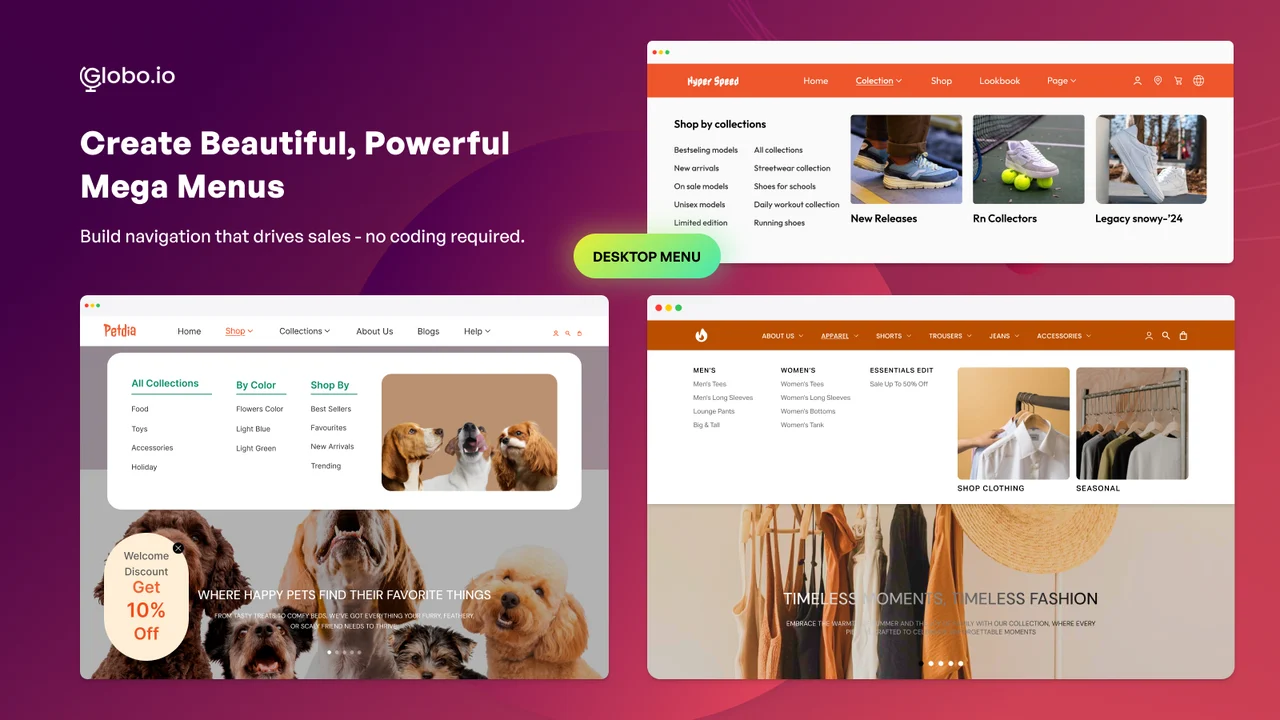
Globo Mega Menu, Navigation by Globo.io helps turn a crowded store header into clear, organized product paths. You build menus with a drag-and-drop editor, then add product images, collections, blog posts, and badges. The app carries the Built for Shopify badge, so it meets Shopify’s standards for performance and design. It has served merchants since 2017, and its admin supports 10 languages.
Its real strength shows once a growing store outgrows one simple menu. You can show different menus for each Shopify Market and build separate desktop and mobile versions. Menu versions and scheduling let teams prepare campaign menus ahead of time. Paid plans add menu click analytics, so you can see which links shoppers actually use.
Key Features
- Drag-and-drop builder that beginners can learn without help docs.
- Scheduled menu updates for weekend campaign launches.
- “Show on Market” setting for a unique menu per market.
- Stable menus during multi-language and international rollouts.
- JSON import and export for menu backups.
- Support that fixes theme conflicts, fonts, and loading flicker.
- Free plan with enough formats to test before upgrading.
Ratings & Reviews: Rated 4.9 out of 5 from 1,671+ reviews, with 94% five-star ratings. Merchants praise smoother navigation for large catalogs.
Best for: Large catalogs, B2B stores, and brands selling across several Shopify Markets.
Use It Wisely: Test custom CSS on a draft theme before publishing. Remove seasonal links after each campaign, because unchanging promo links teach shoppers to ignore your menu.
Pricing
- Basic Navigation: Free
- Growth Navigation: $12.90/month or $129/year (7-day free trial)
- Pro Navigation: $17.90/month or $179/year (7-day free trial)
2. Qikify Mega Menu & Navigation
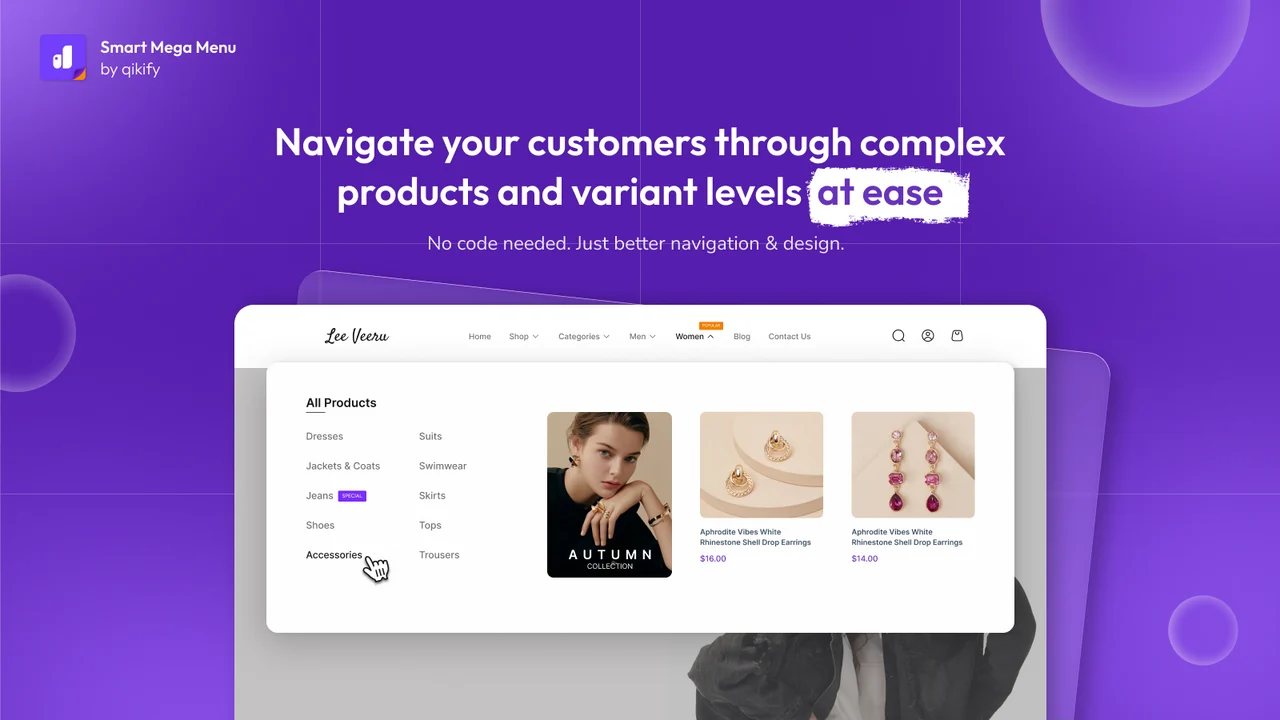
Qikify Mega Menu & Navigation by Qikify Design builds dropdowns, mega menus, tab menus, and tree menus in one place. A drag-and-drop builder with real-time preview shows changes before they go live. You can add products, collections filtered by tags, pages, and custom links to any menu. The free plan already includes unlimited menu items with full font and color control. The app first launched in 2018.
Qikify stands out for the content blocks you can place inside a menu. You can add a search bar, contact form, Google Map, masonry grid, or custom HTML. Image banners and image swaps help you spotlight a best-selling product or collection. Multi-market menus and click analytics help you match menus to each audience.
Key Features
- Clean interface that stays simple as menus grow.
- Three tiers of submenus for deeper catalogs.
- Custom HTML blocks for fully branded menu sections.
- Support that shares screenshots and videos of each fix.
- In-app help desk that connects you with a real person.
- Fast help with theme integration and CSS styling.
- Smooth use across more than one Shopify store.
Ratings & Reviews: Rated 4.9 out of 5 from 1,077+ reviews, with 96% five-star ratings. Praise arrives in many languages, including French and Swedish.
Best for: Info-rich menus with forms, maps, or HTML, including Shopify Plus stores.
Use It Wisely: Rich blocks compete for attention, so group maps and forms under one “Contact” item. Keep product menus focused on products.
Pricing
- Free Forever: Free
- Basic: $9.99/month or $95.90/year; $19.99/month for Shopify Plus (7-day free trial)
- Premium: $19.99/month or $191.90/year; $29.99/month for Shopify Plus (7-day free trial)
3. Buddha Mega Menu & Navigation
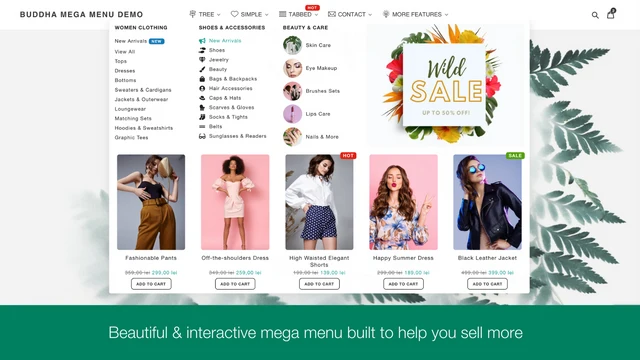
Buddha Mega Menu & Navigation by Buddha Apps (Zero Carbon) has helped Shopify stores build menus since 2016. It offers four submenu layouts: Tree, Simple, Tabbed, and Contact Form. You can show featured images for collections, products, blogs, and pages. The app picks up your theme settings, so menus look on-brand with little extra styling. Paid users can also embed videos inside menus.
Buddha also lets you sell from inside the menu itself. Featured products in the menu can carry Add to Cart buttons, so shoppers act without leaving the page. Sale banners, countdown timers, animated icons, and badges highlight live promotions. One-click translation supports multilingual stores. The free plan includes unlimited mega menus, an icon library, and no watermark.
Key Features
- Handles very large catalogs, including one store with 50,000+ SKUs.
- Add to Cart buttons inside menu product blocks.
- Section-specific cross-sells where shoppers are already browsing.
- Long-term stability, with some merchants using it for seven years.
- Works across main menu, mobile menu, and mobile toolbar.
- Helpful ticket support, even on the free plan.
- Changelog: a public “What’s New” page tracks updates.
Ratings & Reviews: Rated 4.8 out of 5 from 615+ reviews, with 90% five-star ratings. Long-time users call it a reliable upgrade over theme menus.
Best for: Large, promotion-heavy catalogs that want selling tools inside navigation.
Use It Wisely: Use countdown timers only for real offers with real end dates. A timer that resets every visit teaches shoppers to distrust your store.
Pricing
- Free: Free
- Mega Zen: $9.95/month or $95.52/year (14-day free trial)
4. Meteor Mega Menu & Navigation
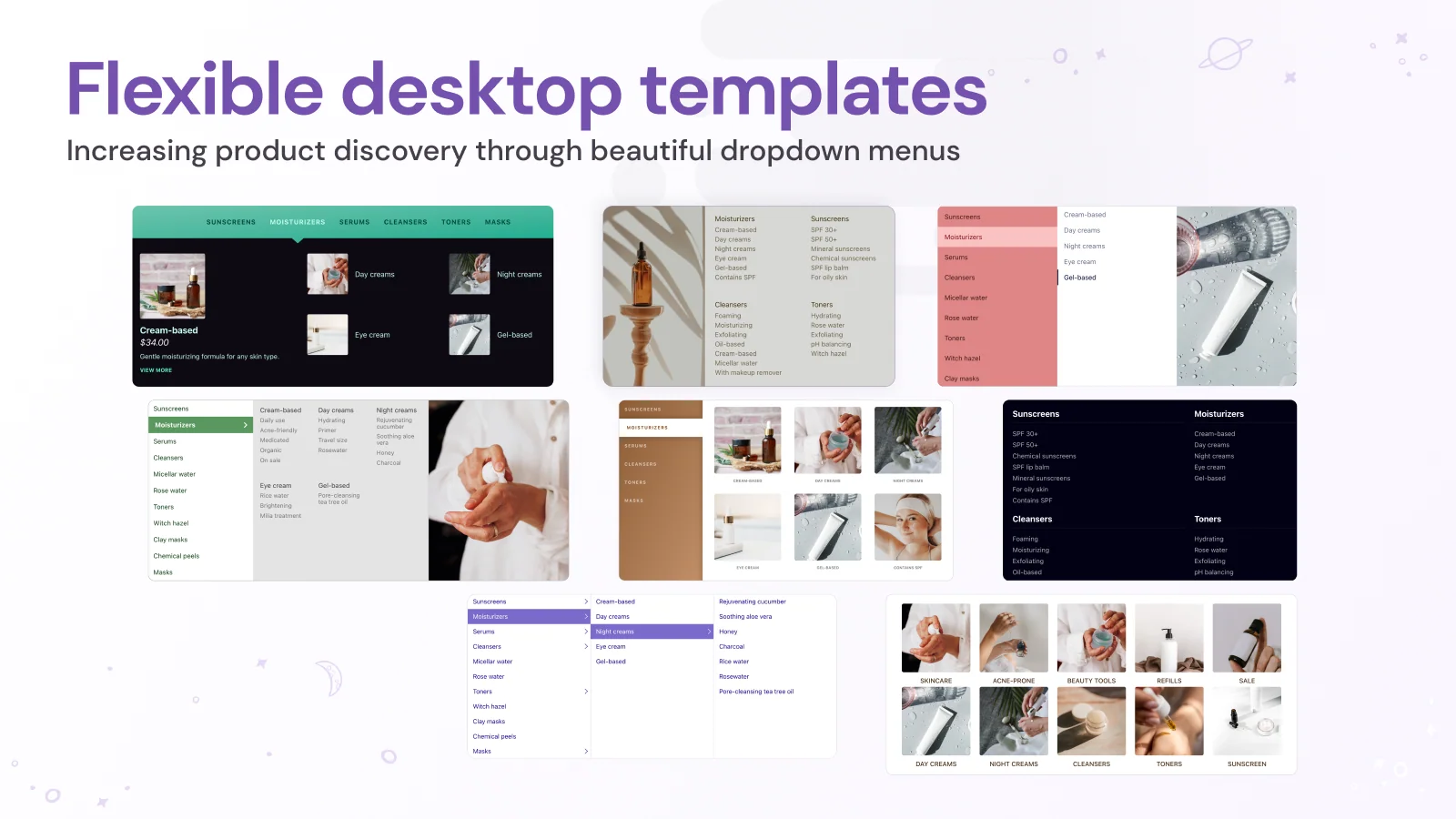
Meteor Mega Menu & Navigation by Helium focuses on getting a polished menu live quickly. It reads your existing Shopify navigation, so you never rebuild your structure from scratch. You pick a template, adjust the design, and preview each menu before publishing. Products can auto-populate from your collections, which saves manual linking. Helium launched the app in 2015.
Meteor places product and collection images directly into desktop and mobile menus. Pictures help shoppers recognize what they want without reading every label. Mobile templates include stacked lists for big catalogs and drawers for simpler stores. The listing also highlights multi-region support and accessibility work aligned with WCAG 2.2 Level AA. Paid plans add more templates, menu images, and a CSS editor.
Key Features
- Fast setup by importing your existing Shopify menus.
- Clear templates and video guides for large menus.
- Generous free plan with unlimited mega menus.
- Image-rich layouts that suit visual and artist-led brands.
- Multi-tier subcategories for bigger product lines.
- Support that fixes theme code after updates.
- Help with ADA-focused menu changes on short timelines.
Ratings & Reviews: Rated 4.7 out of 5 from 352+ reviews, with 86% five-star ratings. Merchants often call it the easiest menu app they tried.
Best for: Stores with a solid Shopify menu that want a visual upgrade in minutes.
Use It Wisely: Finalize your Shopify navigation before importing it. Changing the source menu later may mean importing again.
Pricing
- Free: Free
- Pro: $8/month (7-day free trial)
- Premium: $14/month (7-day free trial)
5. Navi+ Tab Bar & Mega Menu
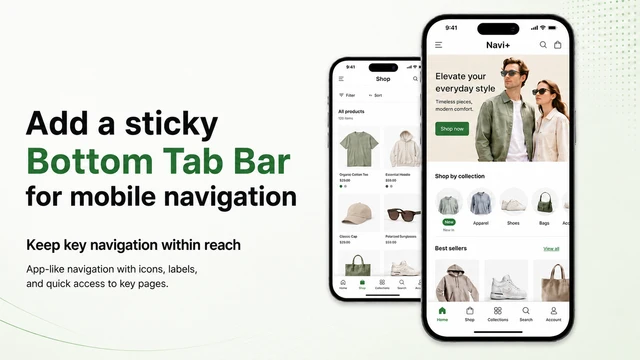
Navi+ Tab Bar & Mega Menu by Navi+ approaches store navigation from the phone screen first. It is built to help shoppers reach key pages in fewer taps. It adds sticky bottom tab bars, mobile drawers, icon menus, floating buttons, and desktop mega menus. The app carries the Built for Shopify badge. It launched in 2023, keeps a public changelog, and offers an admin in nine languages.
You can build menus with drag-and-drop editing, ready-made templates, or AI generation. Navi+ connects with your existing Shopify menus, so your current menu structure stays fully intact. Floating buttons can link to WhatsApp, Messenger, phone calls, or Shopify Inbox. Paid plans add custom icons, multi-language menus, and up to 12 months of analytics.
Key Features
- App-like bottom tab bar that replaces cramped hamburger menus.
- Side-panel mini preview that updates while you edit.
- Action window that sets what each button does.
- Templates that go beyond standard menus.
- Menu analytics for testing mobile menu structure.
- Proactive support that spots issues before you do.
- Changelog: frequent updates documented on a public page.
Ratings & Reviews: Rated 5.0 out of 5 from 37+ reviews, with 97% five-star ratings. Reviewers describe a clearly better mobile experience.
Best for: Mobile-heavy stores that want app-style navigation without building an app.
Use It Wisely: Keep the bottom bar to four or five clearly labeled tabs. Watch the free plan’s 20K monthly view limit as traffic grows.
Pricing
- Starter: Free (1 menu, up to 20K menu views/month)
- Business: $6.25/month or $62.50/year (14-day free trial)
- Elite: $15/month or $150/year (14-day free trial)
- Navi+ Care: $39/month or $390/year
What Is a Shopify Mega Menu?
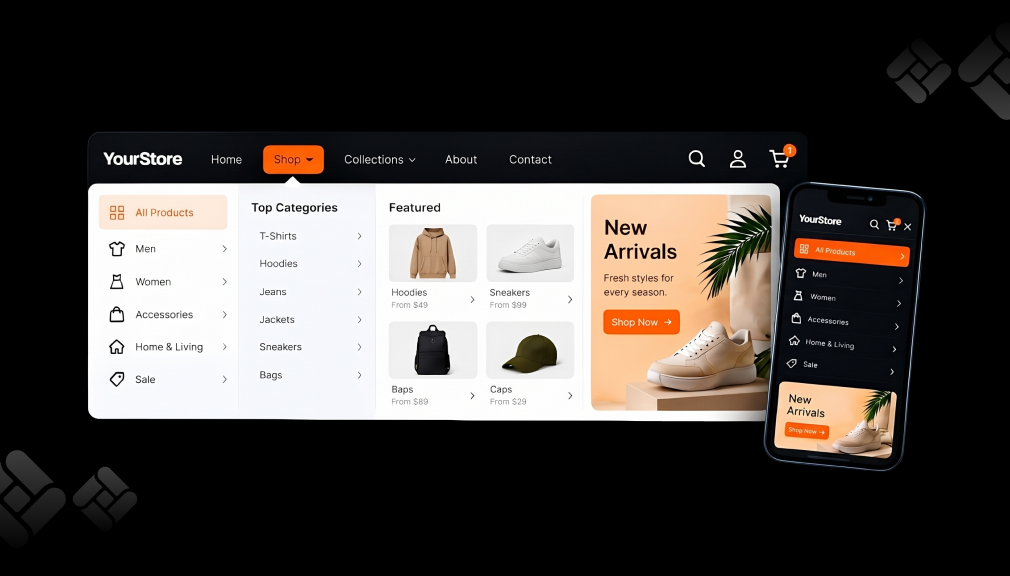
A mega menu is a large dropdown panel that shows many categories at once, often with images. Shoppers see a whole department in one view. On mobile, the same idea becomes drawers, tabs, or a bottom tab bar.
Why Store Navigation Quietly Decides What Shoppers Buy
Shoppers scan menus for clues. Each label is a small promise about what sits behind it. When a label like “Shop” gives no clue, shoppers must guess, and guessing feels like work. Many avoid that work by leaving.
Clear groups and images fix this quickly. A shopper who sees a duvet photo under “Bedding” knows she is close. That sense of getting warmer keeps her moving forward.
Where a Mega Menu Fits in Your Store
- Main header: Group categories by room, use, or occasion, the way shoppers think.
- Mobile menu: Show categories at the top level. Baymard found 33% of mobile sites make main navigation hard for finding products.
- Market storefronts: Show local collections and translated labels.
- Campaign moments: Add a seasonal column, then remove it afterward.
When to Add a Mega Menu, and When to Hold Back
Add a mega menu once shoppers cannot see your main categories at a glance. Heavy search use and quick homepage exits are other signals. A small catalog may do better with a simple menu.
More links do not create better navigation. Faced with dozens of choices, shoppers often stall and pick nothing. Keep columns short and use “View all” links.
On desktop, menus that pop open as the cursor passes feel jumpy. Baymard recommends a 300 to 500 ms hover delay, yet 60% of sites skip it. Sweep your mouse across the header to test for flicker.
Conclusion
Store navigation is the quiet guide between a curious visitor and a finished order. Vague labels and long lists push shoppers away early. A well-planned mega menu makes the next click obvious with clear groups, images, and short columns.
Review your top-level labels on a phone, like a shopper. Choose a Shopify navigation app that fits your main pain point, and test it on a draft theme. Track which links get clicks and remove the rest. Small header changes can lift product discovery storewide.
FAQs
What is the best mega menu app for Shopify?
It depends on your main navigation pain point. Multi-market catalogs, mobile-first stores, and quick setups suit different tools. All five apps offer a free plan.
Do mega menu apps slow down a Shopify store?
Every app adds some storefront code. Enable only needed features and check page speed before and after installing.
Can I show a different menu in each Shopify Market?
Yes. Globo Mega Menu offers a “Show on Market” setting, and Qikify supports multi-market menus. Meteor and Navi+ support translated menu items.
Are mega menus good for mobile shoppers?
Yes, when built for touch. Use drawers, tabs, or a bottom tab bar instead of hover panels.
Will a mega menu app replace my theme navigation?
Most apps work alongside your theme, and some import existing Shopify menus. Preview changes on a draft theme first.