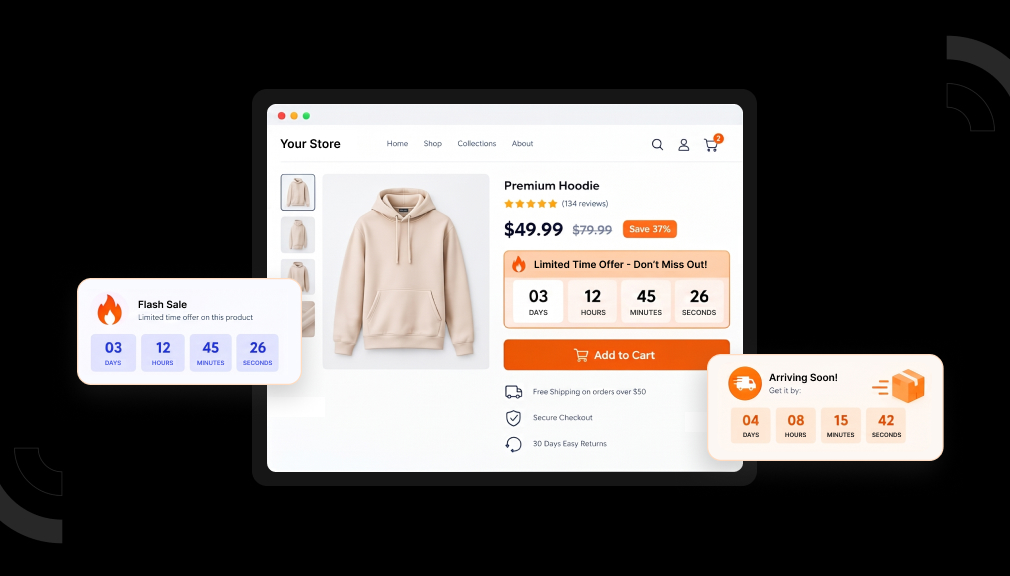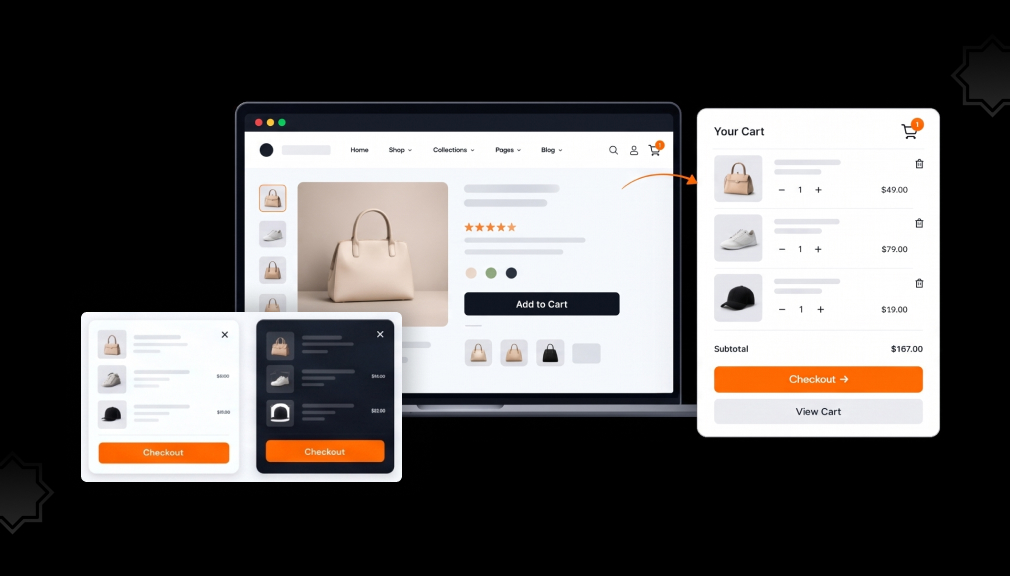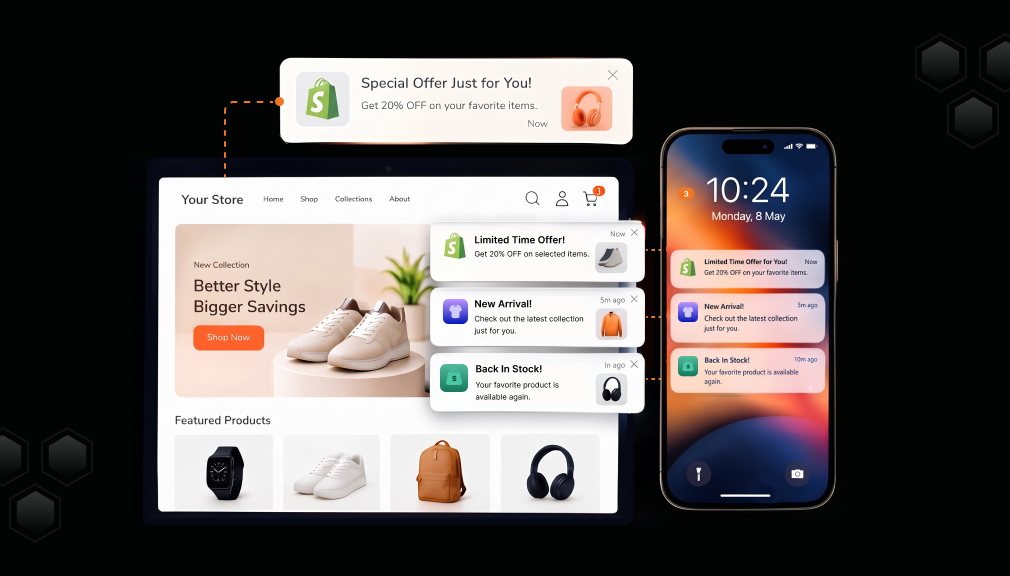
It is 11:40 at night, and your dashboard shows twelve full carts. By morning, only two became orders. The other ten shoppers liked your products enough to pick them. Then a text arrived, and your store slipped from their mind.
That quiet loss stings. You paid for the click and earned the interest, yet you have no email or phone number to reach them. This gap is where Shopify web push notification apps do their work.
A web push asks for one browser click, with nothing to type. After that, your message reaches the shopper’s screen even when your site is closed. Below are five apps that solve this in different ways, plus how and when to use them.
Key Takeaways
- Web push reaches visitors who never shared an email or phone number.
- Cart reminders work best when sent close to the moment a shopper leaves.
- Pick an app by your main gap: cart recovery, promotions, multi-channel reach, segments, or a home-screen app.
- Every app here offers a free plan or free install, so you can test before paying.
- Fewer, more relevant pushes keep subscribers from blocking you.
Top 5 Shopify Web Push Notification Apps at a Glance
Here is each app and the merchant problem it fits best. Detailed features, pricing, and reviews follow below.
- Firepush ‑ SMS & Web Push: automated cart recovery across push and SMS.
- Web Push Notifications + Bars: push alerts plus on-site announcement and countdown bars.
- Hextom: WhatsApp, SMS & Push: three channels in one dashboard with duplicate-free delivery.
- PushBot: Web Push Notification: segment-based push and WhatsApp campaigns with live tracking.
- PWA ‑ Android & IOS & Web Push: an installable store app with push for repeat visits.
Comparison of Shopify Web Push Apps for Merchants
| App | Channels | Merchant problem it solves | First paid step | Detail merchants often miss |
| Firepush ‑ SMS & Web Push by Firepush Ltd | Web push, SMS | Recovering abandoned carts with multi-step sequences | $13/month (10,000 web pushes) | Built for Shopify; free plan tests all features; connects with Shopify Flow |
| Web Push Notifications + Bars by AAAeCommerce Inc | Web push, on-site bars | Promoting one offer on-site and off-site together | Free | Ready Halloween and BFCM templates for bars and pushes |
| Hextom: WhatsApp, SMS & Push by Hextom | Web push, SMS, WhatsApp | Reaching each shopper on the channel they use | $15/month | Smart balancing sends one message per shopper, not three |
| PushBot: Web Push Notification by ADEX360 LTD | Web push, WhatsApp | Sending the right message to each segment | $15/month (10,000 impressions) | Enterprise adds AI push copy and AI delivery timing |
| PWA ‑ Android & IOS & Web Push by QeApps | Installable app, web push | Bringing shoppers back through a home-screen icon | $5.99/year | Built for Shopify; unlimited push on Pro; nine languages |
Detailed Look at the Best Shopify Web Push Notification Apps
1. Firepush ‑ SMS & Web Push
Firepush ‑ SMS & Web Push by Firepush Ltd helps stores win back shoppers who leave with full carts. It sends a timed series of web push notifications and text messages to the same visitor. Each step reminds them what they left, while you focus on running the store.
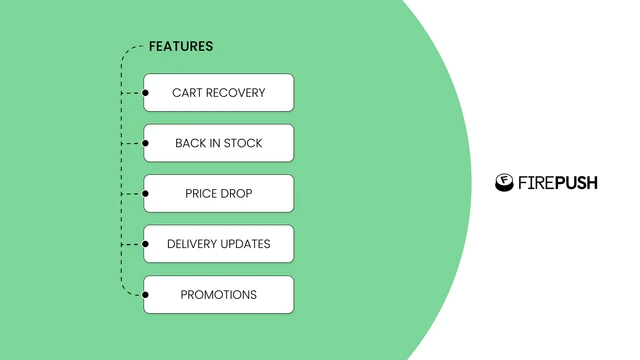
The app carries the Built for Shopify badge, which signals strong performance and clean integration. It connects with Shopify Flow, so store events can trigger messages. Price drop alerts, delivery updates, welcome messages, and win-back flows sit in one dashboard. You can see revenue for every campaign in a single view.
Key Features
- Setup takes minutes and feels plug-and-play.
- Strong value, with useful features even on the free plan.
- Cart recovery and remarketing flows bring back steady revenue.
- SMS and web push run side by side for promos and alerts.
- Support team offers proactive help with strategy and setup.
- Performs reliably over long periods of use.
- Merchants find the paid plans worth the investment.
Ratings and Reviews: Firepush holds a 4.8 out of 5 rating from 199+ reviews on the Shopify App Store.
Pricing
- Free: Test all features, email support, 500 web pushes included, unlimited subscribers.
- Basic, $13/month: 10,000 web pushes, all features, priority support, unlimited subscribers.
- Pro, $49/month: 25,000 web pushes, all features, priority support, unlimited subscribers.
Best for: Stores losing revenue to abandoned carts that want push and SMS reminders in one flow.
Use it wisely: A shopper who fills a cart starts to feel the item is almost theirs. Losing that near-owned item feels worse than never having it, so a reminder lands. Space steps out, since three pushes in an hour feel like noise.
2. Web Push Notifications + Bars
Web Push Notifications + Bars by AAAeCommerce Inc pairs two tools many merchants buy separately. Visitors subscribe to push with one click, with no email or phone needed. You can then send product updates, price drop alerts, and back-in-stock news.
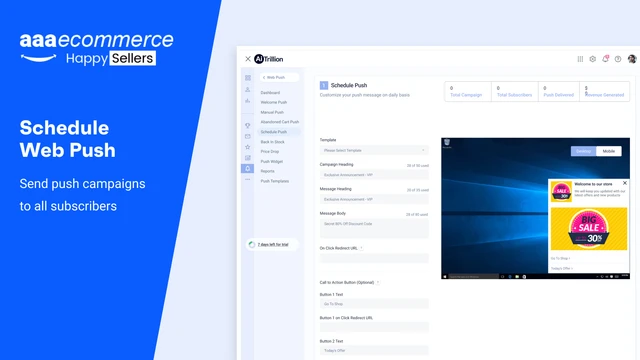
The same app adds announcement bars, countdown timer bars, sale motivators, and free shipping bars to your store. Your on-site message and your off-site push can carry the same offer. Ready templates for Halloween and BFCM help you prepare seasonal sales faster. Campaigns can also run on automation.
Key Features
- Installs quickly, even with zero technical skills.
- Announcement and countdown bars are simple to set up.
- Bar designs match your brand colors and style.
- Highlights discount codes well during big sale days.
- Grows push subscriber lists soon after launch.
- Fast, helpful support when questions come up.
- Strong value on the free plan.
Ratings and Reviews: Web Push Notifications + Bars holds a 4.7 out of 5 rating from 108+ reviews on the Shopify App Store.
Pricing
- Free: Listed as free on the Shopify App Store.
Best for: Merchants who run frequent promotions and want site banners and push alerts in one place.
Use it wisely: Bold color and a ticking timer pull the eye because people notice contrast and change. That pull builds trust only when the deadline is real. Swap bar messages often, since shoppers stop seeing a banner that never changes.
3. Hextom: WhatsApp, SMS & Push
Hextom: WhatsApp, SMS & Push by Hextom brings three messaging channels into one marketing workspace. You grow subscribers with custom popups, then send campaigns across WhatsApp, SMS, and web push. Abandoned cart, checkout, and browse automations run quietly in the background.
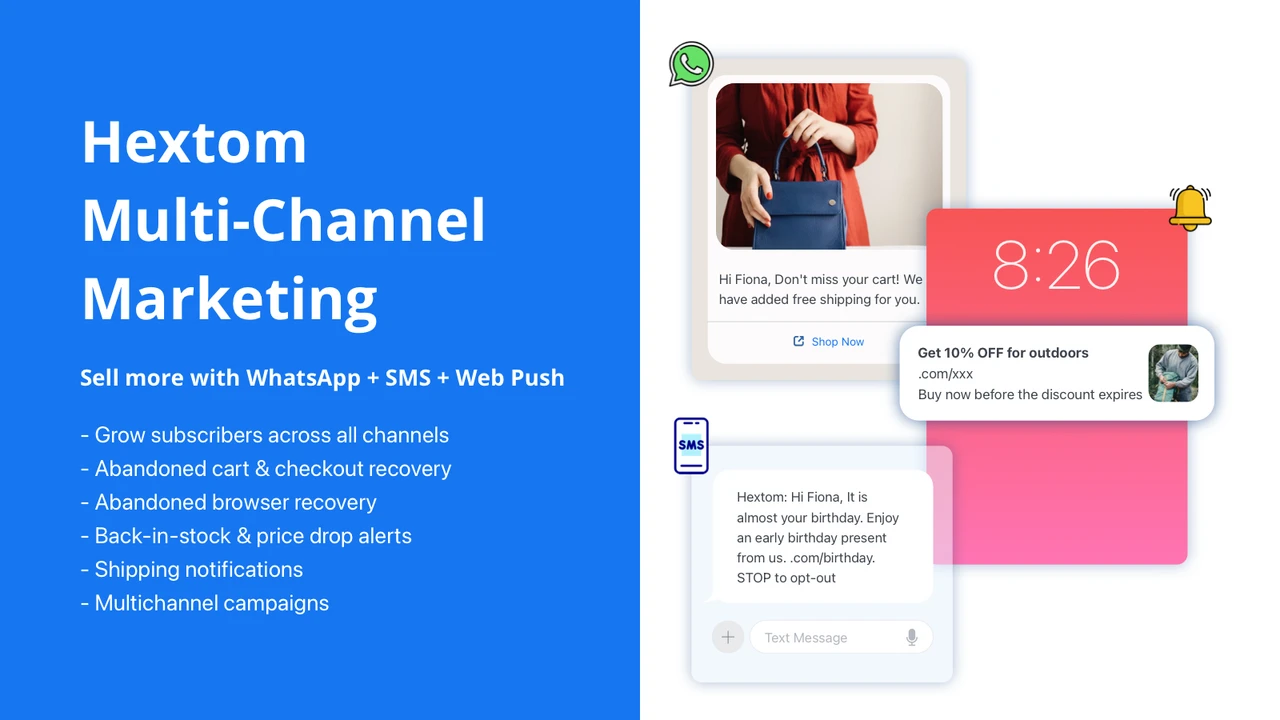
Its smart balancing feature picks the best channel for each subscriber. This stops one shopper from getting the same offer three times. Back-in-stock and price drop reminders go out on their own, which helps stores with large catalogues. The free plan includes 1,000 monthly web pushes and unlimited subscribers.
Key Features
- Centralizes WhatsApp, SMS, and push marketing in one place.
- Free plan and fair mid-range pricing.
- Price drop and back-in-stock alerts drive repeat visits.
- Cart follow-ups run at three timed intervals.
- Drip, win-back, and browse abandonment flows come built-in.
- Fast and easy for beginners and product-heavy stores.
- Responsive support team.
Ratings and Reviews: Hextom: WhatsApp, SMS & Push holds a 4.7 out of 5 rating from 292+ reviews on the Shopify App Store.
Pricing
- Free Plan, free to install: 10 free WhatsApp messages and 1,000 free monthly web pushes, unlimited subscribers, WhatsApp marketing, campaigns, back-in-stock and price drop automation, subscriber collection tool.
- Business Plan, $15/month: 10,000+ free monthly web pushes (20,000 for $30/mo, 30,000 for $45/mo), $5/mo SMS and WhatsApp credits, SMS marketing, cart, checkout, and browse recovery, campaign scheduling.
- Enterprise Plan, $50/month: 50,000+ free monthly web pushes (100,000 for $100/mo, 150,000 for $150/mo), $20/mo credits, send and delivery scheduling, unique discount codes.
Best for: Stores whose shoppers prefer different channels, including WhatsApp-first markets.
Use it wisely: When one message hits a person on three apps, they start to tune all three out. Channel balancing protects attention by sending one message where it will be seen. Check local SMS rules before texting a new country.
4. PushBot: Web Push Notification
PushBot: Web Push Notification by ADEX360 LTD helps merchants send WhatsApp messages and web push alerts from one dashboard. You can build, schedule, and duplicate campaigns in minutes. Cart recovery, order updates, and shipping notifications run as automations.
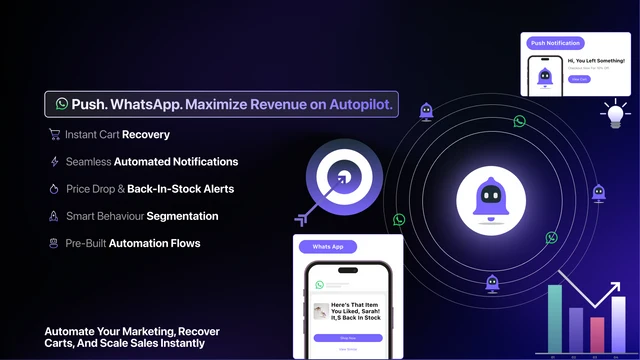
Customer segments let you send different messages to different groups of shoppers. You can track clicks, revenue, and campaign results in real time. The Enterprise plan adds AI-powered content generation and AI-powered delivery timing. The app also works with Shopify Checkout and Shopify Admin.
Key Features
- Simple setup and smooth onboarding.
- Clean interface makes campaign building straightforward.
- Segmentation matches messages to each stage of the buying journey.
- Accurate data and dependable conversion tracking.
- Strong performance in cart recovery.
- Personalized messages lift customer interaction.
- Timely, helpful support team.
Ratings and Reviews: PushBot holds a 4.8 out of 5 rating from 25+ reviews on the Shopify App Store.
Pricing
- Basic, Free: Unlimited subscribers, send, schedule, and duplicate campaigns, basic report, chat support.
- Business, $15/month: 10,000 impressions, abandoned cart automation, shipping and welcome notifications, subscriber details, email report.
- Enterprise, $109/month: 50,000 impressions, advanced segmentation, flash sale, checkout recovery, AI push content generation, AI delivery.
Best for: Fashion and retail brands that want segmented push and WhatsApp campaigns with clear reporting.
Use it wisely: A message feels useful when it matches what the shopper was just doing. Segments make that match possible, so a new visitor and a loyal buyer read different words. Start with three or four broad groups, since tiny segments give unreliable results.
5. PWA ‑ Android & IOS & Web Push
PWA ‑ Android & IOS & Web Push by QeApps turns your Shopify store into an installable progressive web app. Shoppers add your store to their home screen through a smart install prompt. You set the app name, icon, splash screen, and colors without writing code.
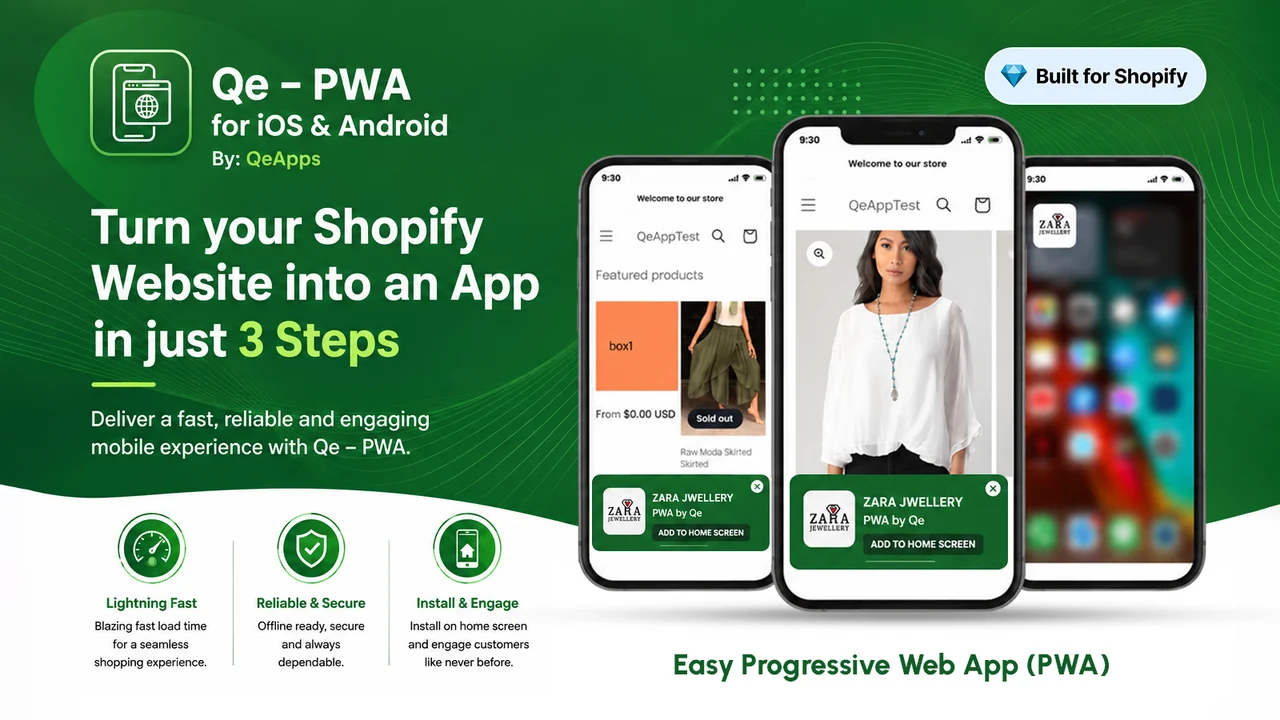
The app holds the Built for Shopify badge and supports nine languages. Once installed, your store sits beside the shopper’s daily apps, ready for push notifications. A custom offline message and built-in analytics come with the free plan. The Pro plan unlocks unlimited instant and scheduled push notifications.
Key Features
- Very easy setup: add a logo, name, and color.
- No coding skills or costly developers needed.
- Puts your store on phones without an app store listing.
- Smooth process from install to launch.
- Outstanding and responsive customer support.
- Helpful support over WhatsApp.
- Hands-on guidance during setup.
Ratings and Reviews: PWA ‑ Android & IOS & Web Push holds a 5.0 out of 5 rating from 14+ reviews on the Shopify App Store.
Pricing
- Free: Installable PWA for Android and iOS, smart install prompts, customer success support, custom icon, splash screen, and branding, offline message, built-in analytics.
- Pro, $5.99/year: All Free features, unlimited instant push notifications, unlimited scheduled push notifications.
- Premium, $9.99/year: All Free and Pro features, published Android apps, dedicated designer and CSM, app submission content and design, on-demand updates with priority support.
Best for: Stores with loyal repeat buyers who want an app presence without native app costs.
Use it wisely: An icon on the home screen works as a quiet, daily reminder of your brand. Seeing it beside favorite apps builds a habit of checking in. Protect that habit by pushing only real drops, restocks, or offers.
What Is a Shopify Web Push Notification?
A web push notification is a short, clickable message sent through the browser. The shopper allows it once with a single click. After that, your alert appears on their desktop or phone, even when your store tab is closed. It needs no email, no phone number, and no form to fill.
Why Shopify Merchants Lose Sales Without Web Push
Most visitors leave without buying or sharing any contact details. Baymard Institute reports an average documented cart abandonment rate of 70.22% across 50 studies. That means about seven in ten carts never become orders. Without a way back, each lost cart becomes a lost customer.
The cause is rarely dislike of the product. People get distracted, compare prices, or wait for payday. Benchmark data from 90 Shopify Plus stores shows
Where Web Push Fits in Your Store Workflow
Web push works best where shopper intent is high but easy to lose. Each point below matches a moment when the shopper already cares, so the message feels helpful.
- Cart and checkout: remind shoppers about items they left behind.
- Product pages: offer back-in-stock and price drop alerts.
- After purchase: send shipping and delivery updates.
- Sale periods: announce flash sales and holiday offers.
When to Send Web Push Notifications
Send cart reminders within the first hour, while the product is still fresh in mind. Space promotions across the week. Gravitec’s push campaign data shows targeted campaigns earned a 5% click-through rate, versus 2.5% for sends to everyone. Relevance, not volume, drives results.
How to Set Up Web Push on Your Shopify Store
- Install your chosen app and turn on its theme app embed.
- Show the opt-in prompt after a short delay or scroll, not on page load.
- Switch on the abandoned cart automation first.
- Add back-in-stock and price drop alerts next.
- Review clicks and revenue weekly, then adjust timing and copy.
Test the prompt on both mobile and desktop before launch. The same 90-store benchmark found that native browser prompts averaged a 6.6% opt-in rate, versus 1.57% for custom prompts. Treat these as a starting reference.
Conclusion
Lost carts rarely mean lost interest. They usually mean a shopper got pulled away at the wrong moment. Web push gives you a polite way to bring them back with one click and no forms.
Choose a tool by your biggest gap, whether that is cart recovery, promotions, multi-channel reach, segments, or a home-screen app. Send reminders while intent is fresh, keep deadlines honest, and let your reports guide each next step.
FAQs
Do web push notifications need an email or phone number?
No. Shoppers subscribe with one click in their browser. You can reach them without collecting any contact details.
Do web push notifications work on iPhones?
Yes, for sites added to the home screen on iOS 16.4 or later. An installable store app makes this step easier for shoppers.
How often should I send web push notifications?
There is no fixed rule. Start with one or two campaigns a week, plus cart automations, and watch unsubscribes.
Can I use web push and email marketing together?
Yes. Push reaches visitors who never shared an email, so together they cover more of your audience.
What should a good cart reminder push say?
Name the product and show its image. Keep the line short and add a clear button to return to the cart.

Shopify Expert
Dipen Panchal, Shopify Tech Lead at Setubridge Technolabs, brings over a decade of expertise as a Shopify Expert. Passionate about e-commerce growth, he specializes in UI/UX design, crafting intuitive, engaging solutions tailored for merchants and B2B clients to enhance user experiences.