It is 9 p.m. on the last night of your sale. Your dashboard shows hundreds of visitors and plenty of product views. Orders, though, are barely trickling in. The discount is fair, and the email went out on time. So where did everyone go?
Most of those shoppers liked what they saw. They simply planned to come back later, and later never came. Online shoppers already leave about 70% of carts behind, according to Baymard Institute’s cart abandonment research. A small, ticking bar at the top of your store is often what turns “later” into “now.”
Below are five Shopify countdown timer bar apps that solve that delay, each for a slightly different store problem. The why, where, and when follow after.
Key Takeaways
- Shoppers rarely reject a good offer. They delay it, and a visible deadline gives that delay a cost.
- A moving clock gets noticed where a static announcement bar gets ignored.
- Placement matters: top bars suit storewide sales, while cart timers support hesitant buyers.
- Only use countdown timers for real deadlines. Fake timers damage trust and attract regulators.
Shopify Countdown Timer Bar Apps at a Glance
| App & Developer | Free Option | Paid From | Standout Placement | Fits Stores That… |
| Essential Countdown Timer Bar by Essential Apps | Free plan, 1,000 views/month | $6.99/month | Email timers for Klaviyo, Omnisend, Seguno, Yotpo | Run frequent flash sales across email and store |
| GSC Countdown Timer Bar by Getsitecontrol | Free app | Free | Product card timers and password page | Want grid-level urgency at no cost |
| Hextom: Countdown Timer Bar by Hextom | Free plan | $9.99/month | Shopify Markets and UTM-targeted bars | Sell across countries or run ad campaigns |
| Countdown Timer Bar Samita by SamiSales by Samita | Free app | Free | Stock countdown and delivery timers | Sell on delivery speed or limited stock |
| Algoshop Promo Countdown Timer by algoshop.ai | Free plan, 1,000 views/month | $9.90/month | Product list image bar and checkout | Test placements with real data |
Pricing, ratings, and languages reflect each app’s Shopify App Store listing at the time of writing.
5 Best Shopify Countdown Timer Bar Apps
1. Essential Countdown Timer Bar
Essential Countdown Timer Bar by Essential Apps fixes a common sale-week problem. Shoppers see the discount but feel no reason to act today. A live countdown can sit in a top or bottom bar, on product and landing pages, and in the cart. Each placement reminds shoppers that the offer has a real end. The app also adds countdowns to the password page before a launch.
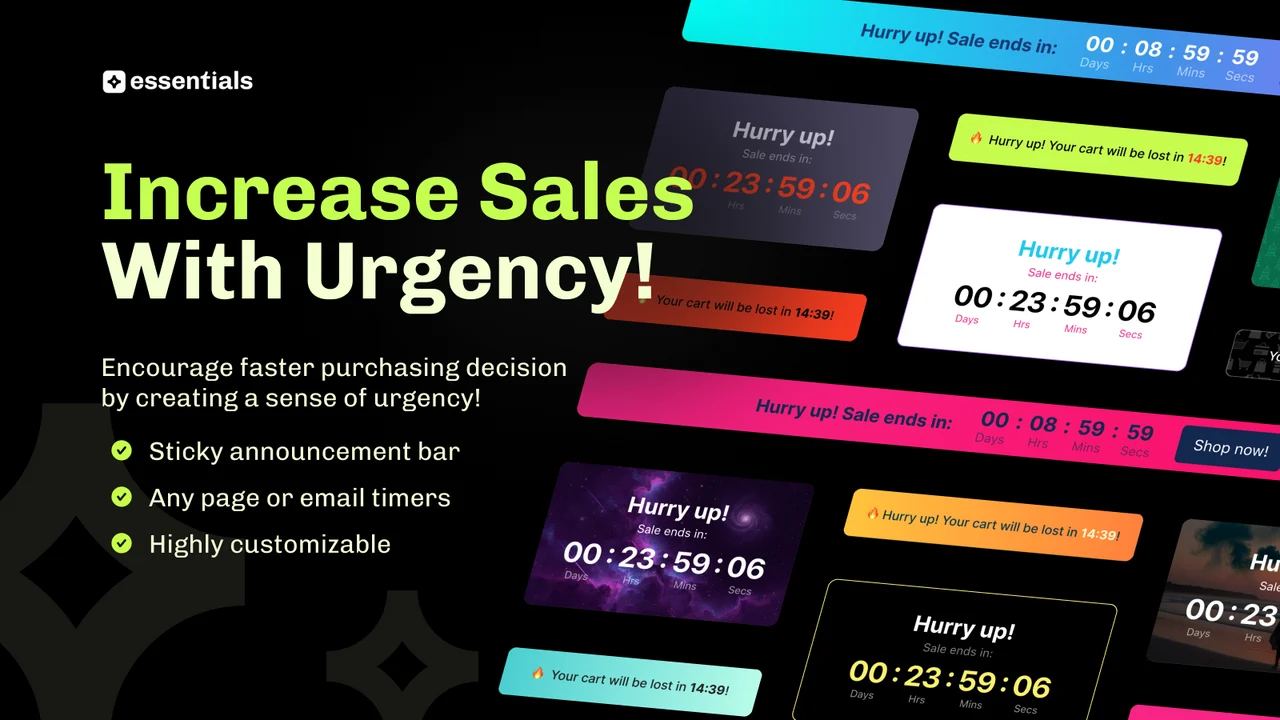
Timers can run to a set date, repeat daily, or count down a fixed number of minutes per visitor. Merchants can also add timers to Klaviyo, Omnisend, Seguno, and Yotpo emails. That way, the inbox and the store share one deadline. Translations cover 19 languages, and geo-targeting arrives on the Essential plan.
Key Features:
- Setup takes minutes, with no coding needed.
- Timers look clean and professional on the storefront.
- The free plan shows no app branding.
- Support applies CSS fixes when a timer overlaps theme content.
- Custom style tweaks are often finished within the hour.
- Built-in options match timers to brand fonts and colors.
- Cart timers nudge shoppers who stall before checkout.
- Owners with no technical background find it simple to run.
Ratings & Reviews: Rated 5.0 from 1,722+ reviews on its Shopify App Store listing. About 97% of those ratings are five stars.
Best For: Stores running frequent flash sales that want the same deadline in emails and on-site.
Use It Wisely: Per-visitor evergreen timers can confuse returning shoppers if the price never changes. Use them only for genuine personal offer windows. During big sales, watch your monthly view cap.
Pricing:
- Free: up to 1,000 monthly views
- Starter: $6.99/month or $67.08/year
- Essential: $9.99/month or $95.88/year
- Professional: $29.99/month or $287.88/year (7-day free trial on paid plans)
2. GSC Countdown Timer Bar
GSC Countdown Timer Bar by Getsitecontrol solves the “invisible offer” problem. A sale can sit on the homepage while shoppers browse product cards and never notice it. This Built for Shopify app shows timers in a sticky bar, product cards, product pages, the cart, and the password page. Shoppers meet the deadline wherever they browse.
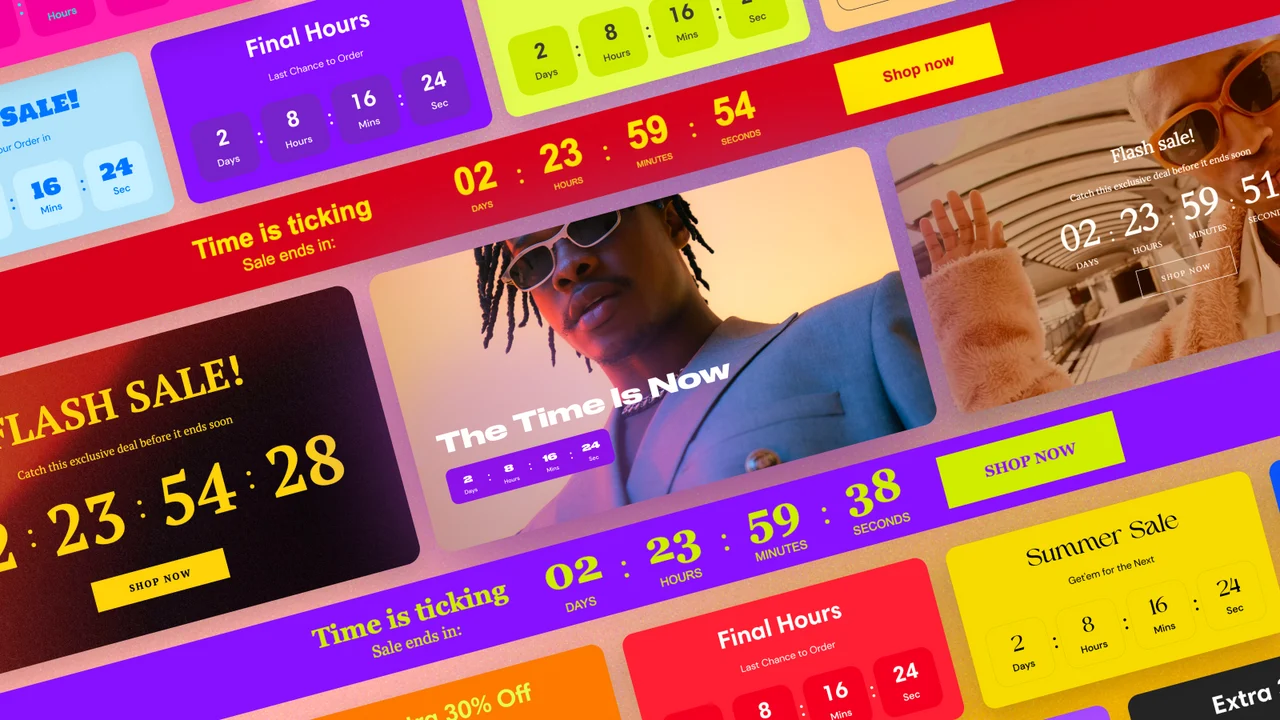
It supports fixed-date, daily recurring, and evergreen timers, plus coupons shown beside the clock. Inline timers can sit anywhere on a page. Seasonal templates for Black Friday and Halloween give merchants a fast starting point. A real-time stats view shows how each timer performs, so you keep what works. Every feature sits inside one free plan, so small stores can use it fully.
Key Features:
- A clean interface that new users learn fast.
- The countdown stays accurate and easy to read.
- Text stacks neatly without looking crowded.
- Multiple placements fit themes like Dawn.
- Multi-language support helps stores in different markets.
- Live chat support replies fast and follows up on its own.
- Long-term users report steady, dependable performance.
Ratings & Reviews: Rated 4.9 from 681+ reviews on its Shopify App Store listing. About 95% of those ratings are five stars.
Best For: Merchants who want timers on product cards and collection grids without a monthly bill.
Use It Wisely: Card timers repeat across a whole grid. Too many ticking clocks become noise that shoppers stop seeing. Limit them to products truly on sale.
Pricing:
- Free
3. Hextom: Countdown Timer Bar
Hextom: Countdown Timer Bar by Hextom tackles a different pain point: the right message shown to the wrong shopper. A US-only sale shown to European visitors creates confusion and support tickets. This Built for Shopify app targets bars by location, Shopify Markets, customer tags, page, product, and device. Each visitor sees only the offer meant for them.
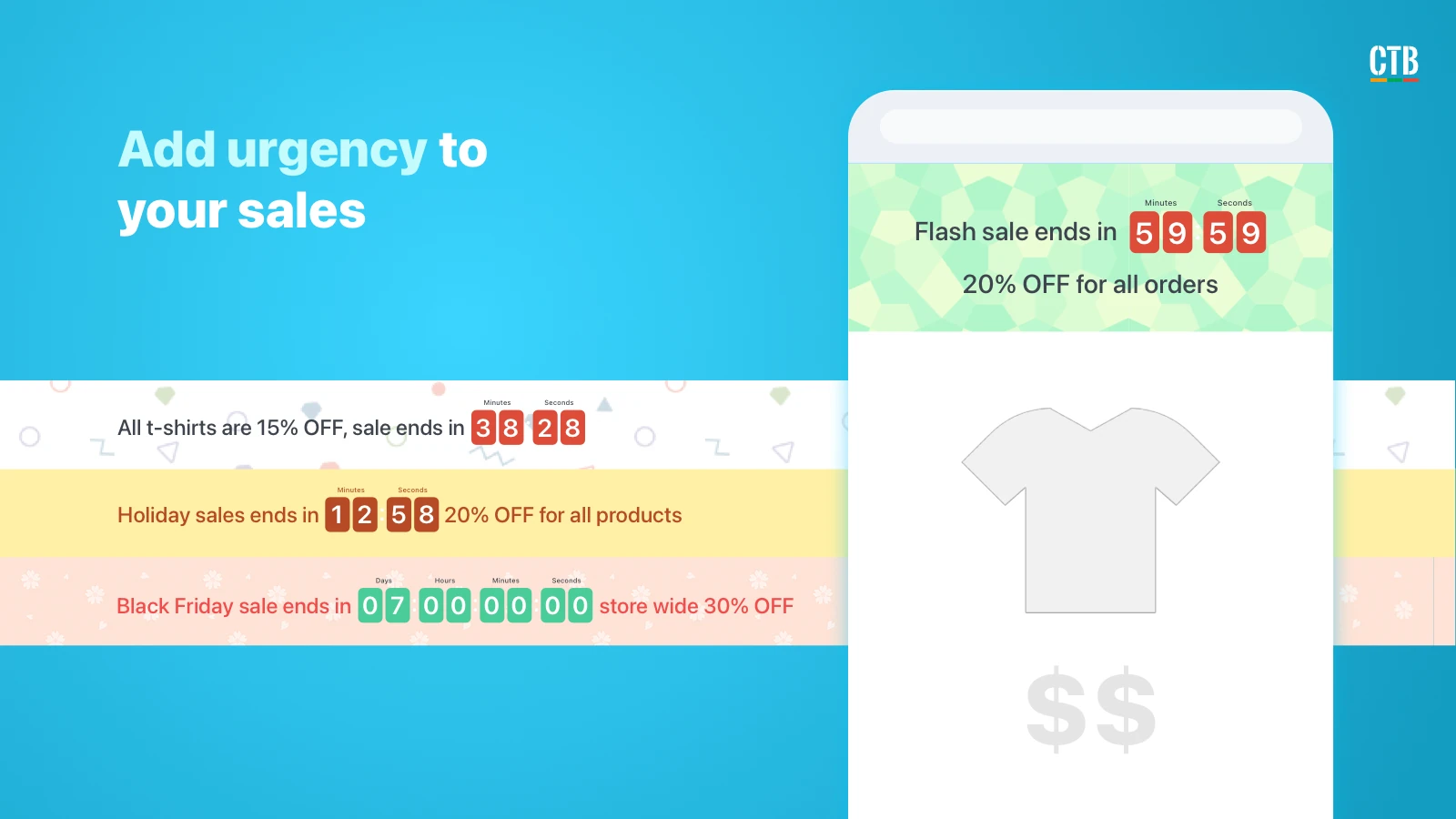
It offers one-time, auto-recurring, daily, and weekly timers that you can schedule weeks before Black Friday. Bars can rotate messages, use animations, and carry background images. Social and UTM targeting lets a bar greet visitors from a specific campaign. Merchants can plan an entire sale calendar ahead. Hextom has offered the app since 2015, and it works with Hextom: Translate & Currency.
Key Features:
- Beginners can install and launch a bar quickly.
- Customer tag targeting controls exactly who sees a bar.
- Interval settings support complex, repeating campaigns.
- Font styles change easily to match the brand.
- Adding a bar to a page needs only its URL.
- Support sends custom CSS for buttons and mobile sizing.
- Bars run reliably for merchants using the app for five years or more.
Ratings & Reviews: Rated 4.9 from 765+ reviews on its Shopify App Store listing. About 94% of those ratings are five stars.
Best For: International stores and stores sending campaign traffic from social ads or email.
Use It Wisely: Rotating messages add variety, but each message gets less screen time. Keep the deadline in every rotation so shoppers never miss it.
Pricing:
- Free
- Premium: $9.99/month or $99/year (7-day free trial)
4. Countdown Timer Bar Samita
Countdown Timer Bar Samita by SamiSales by Samita handles urgency at more than one decision point. A shopper may hesitate on price, stock, or delivery date. Each needs a different nudge, so the app gives each one its own timer. This Built for Shopify app covers countdown bars, product timers, stock countdowns, cart timers, and estimated delivery timers.
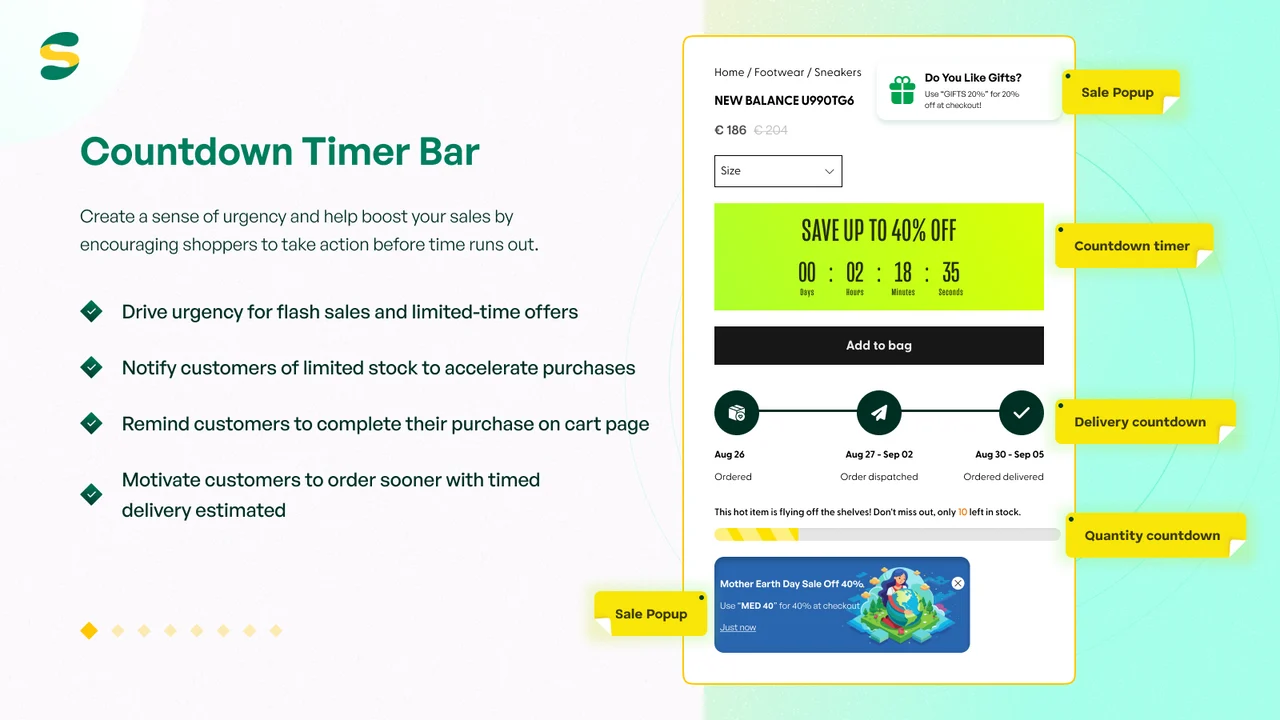
Timers can be fixed, recurring, scheduled, or session-based. Delivery timers help shoppers see how fast an order can arrive. Merchants can style text, fonts, colors, animations, and custom CSS to match their theme. A sale pop-up adds another way to show a live offer, and the app supports 19 languages. Launched in 2024, it is free to install and use.
Key Features:
- A clean, user-friendly interface that is quick to learn.
- A wide range of ready-made templates.
- Timers can be scheduled ahead for upcoming sales.
- Live chat agents fix display issues directly in the store.
- Support replies in the merchant’s language, including Japanese and Spanish.
- Page targeting keeps timers off pages where they don’t belong.
- Reliable display across pages and devices.
- The team listens to feature requests and use cases.
Ratings & Reviews: Rated 5.0 from 190+ reviews on its Shopify App Store listing. About 97% of ratings are five stars, and the rest are four stars.
Best For: Stores where delivery speed or limited stock drives the buying decision.
Use It Wisely: Stock countdowns build trust only when they match real inventory. Tie them to actual stock levels. Turn them off for items you restock daily.
Pricing:
- Free
5. Algoshop Promo Countdown Timer
Algoshop Promo Countdown Timer by algoshop.ai is built for merchants who want proof, not guesses. Many store owners add a timer and never learn whether it helped. That question mark makes budgeting hard. This Built for Shopify app tracks impressions, clicks, conversions, and sales for each timer.
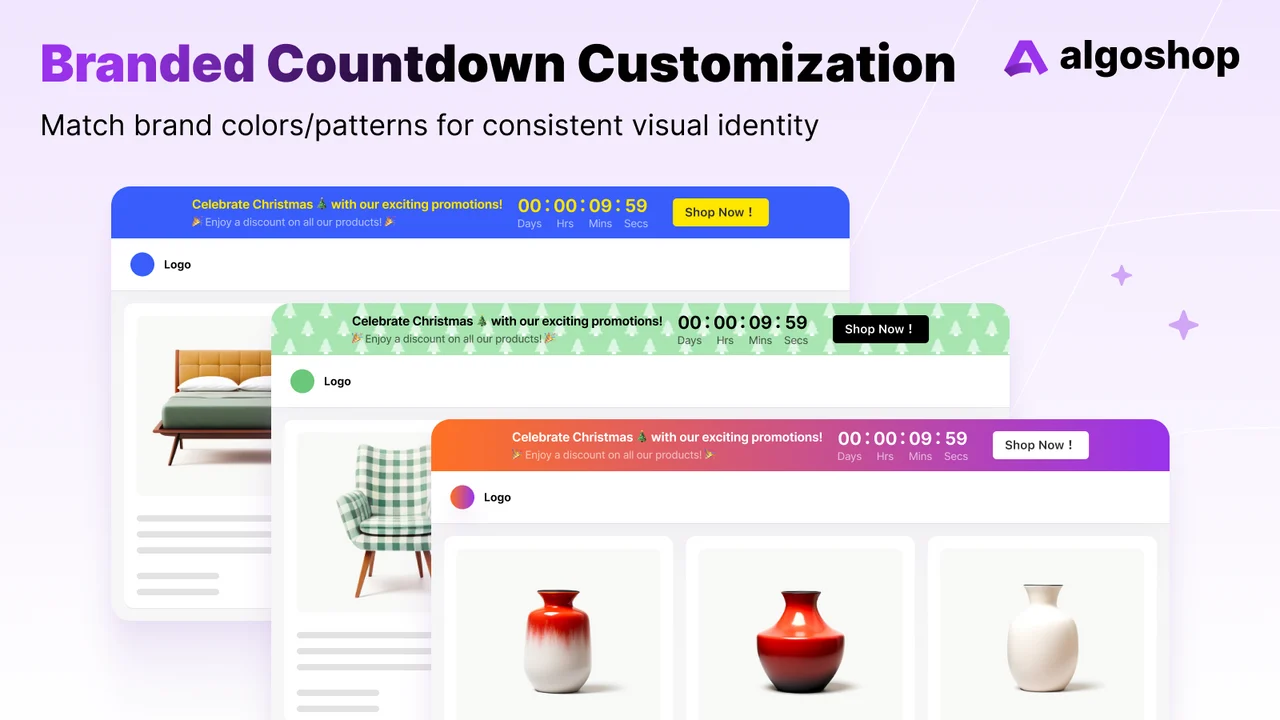
Timers can sit in top or bottom bars, product pages, product list images, image bars, and the cart. You can trigger timers by page, user tag, or browsing behaviour. They also sync with flash sales and restocks, and can appear on the checkout page. Built-in reports make it easy to compare one placement against another. The app launched in 2025, supports 16 languages, and works with Judge me. Paid plans add geo-targeting.
Key Features:
- Real-time analytics show which timer positions perform best.
- Scroll-based triggers make promotions feel timely.
- Exact cutoff dates support pre-order windows for wholesale buyers.
- Conditional rules show a timer when inventory drops below a set number.
- Recurring daily deals reset every 24 hours on their own.
- Stable on mobile with no formatting issues.
- Light on page speed, even during traffic spikes.
- Changelog: frequent updates are documented publicly.
Ratings & Reviews: Rated 5.0 from 102+ reviews on its Shopify App Store listing. Every rating so far is five stars.
Best For: Data-minded merchants who test placements and want to see what each timer earns.
Use It Wisely: Analytics need enough traffic to mean something. Give each placement a full sale cycle, and change one thing at a time.
Pricing:
- Free: up to 1,000 monthly views
- Starter: $9.90/month or $99.90/year
- Essential: $19.90/month or $199/year (7-day free trial on paid plans)
What Is a Shopify Countdown Timer Bar?
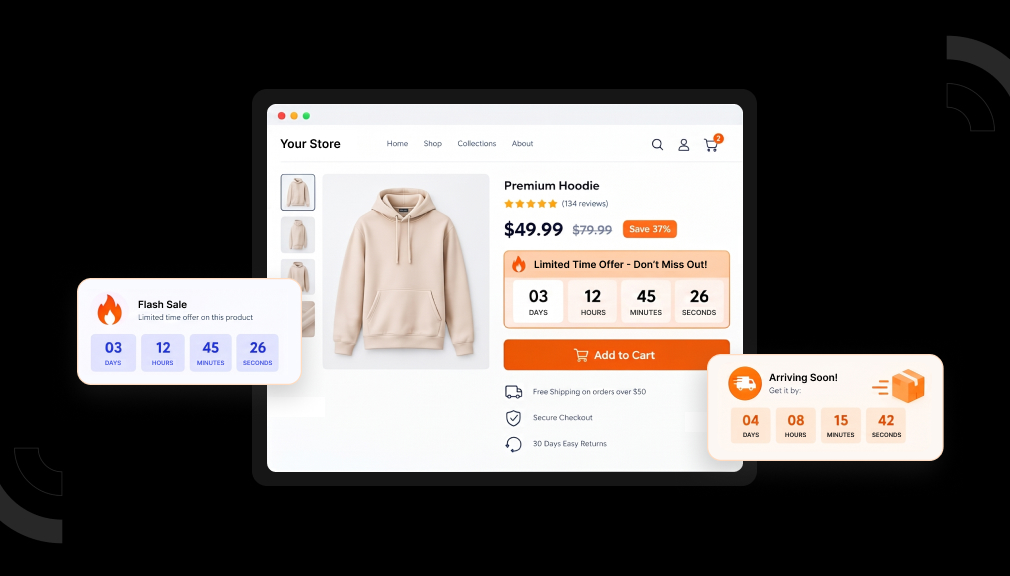
A countdown timer bar is a slim strip that shows the time left on an offer. It usually sits at the top of the store. The numbers update every second, so the bar changes while the rest of the page stays still.
Why a Ticking Clock Changes Shopper Behavior
Shoppers rarely say no to a good offer. They say “not yet.” Without an end point, waiting costs nothing, so the decision drifts. A visible deadline gives the choice a shape, because waiting now means losing the price.
People also feel a loss more sharply than an equal gain. Missing a $20 saving stings more than getting $20 off feels good. A timer frames the discount as something the shopper already holds and could lose. That shift often moves a hesitant buyer to act.
Finally, movement grabs attention. A static announcement bar turns into wallpaper after a few page views. A clock that changes every second keeps pulling the eye back.
Where to Place Your Countdown Timer
- Top bar: storewide sales and shipping cut-offs.
- Product pages: item-specific deals and pre-order windows.
- Product cards: makes sale items stand out in grids.
- Cart: reminds shoppers the price ends soon.
- Email: keeps your inbox message and store deadline in sync.
- Password page: builds anticipation before a launch.
When to Use a Countdown Timer (and When Not To)
Use a timer when the deadline is real. Good examples include a flash sale, a holiday shipping cut-off, a product launch, or a pre-order window. In each case, the clock simply shows an existing fact.
Skip the timer when nothing actually ends. Regulators watch this closely. A European Commission sweep of online shops found fake countdown timers on 42 of the 399 sites it checked. A timer that resets on every visit also trains loyal customers to ignore your deadlines.
Avoid running timers all year, too. Constant urgency becomes background noise. Save the clock for moments that matter, and shoppers will trust it.
How to Launch Your First Timer in 15 Minutes
- Pick one real deadline, such as a weekend sale.
- Start with one placement, usually the top bar.
- Write a short message with the benefit and the end time.
- Preview on mobile before going live.
- Review results after the sale and adjust one thing.
Conclusion
Most lost sale-week revenue is not lost to price. It is lost to delay. A countdown timer bar gives shoppers a clear, honest reason to decide today. Pick a placement that fits your offer, keep every deadline real, and save urgency for moments that matter. Do that, and a thin strip at the top of your store will quietly earn its place.
Frequently Asked Questions
Do countdown timer apps slow down a Shopify store?
Four apps in this guide carry the Built for Shopify badge, which includes performance standards. Still, test page speed after installing any app.
Can I add a countdown timer to Shopify for free?
Yes. GSC Countdown Timer Bar and Countdown Timer Bar Samita are listed as free. Essential, Hextom, and Algoshop also offer free plans with paid upgrades.
Are evergreen countdown timers allowed?
They are fine when each visitor truly gets a personal offer window. They become a problem when the deal never really ends. Many consumer protection rules treat fake deadlines as misleading.
Where should I place my first countdown timer?
Start with the top bar for storewide sales. It shows on every page, so shoppers see the deadline from any entry point. Add other timers once you see they’re useful.
Can timers show different deadlines in different countries?
Yes, with geo-targeting. Hextom supports Shopify Markets targeting, and Essential and Algoshop offer geo-targeting on paid plans. This helps when sale dates or shipping cut-offs differ by region.

Shopify Expert
Dipen Panchal, Shopify Tech Lead at Setubridge Technolabs, brings over a decade of expertise as a Shopify Expert. Passionate about e-commerce growth, he specializes in UI/UX design, crafting intuitive, engaging solutions tailored for merchants and B2B clients to enhance user experiences.