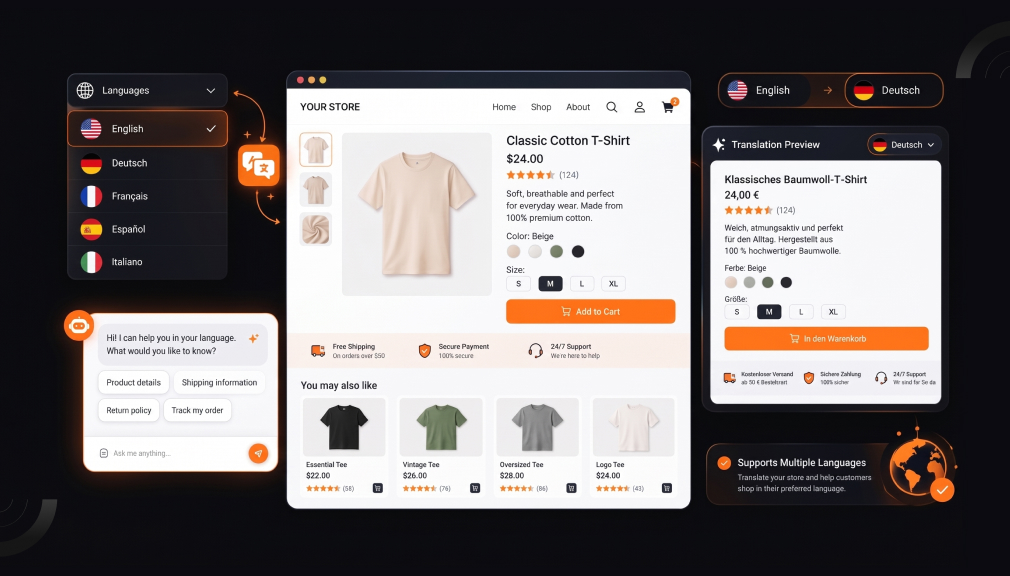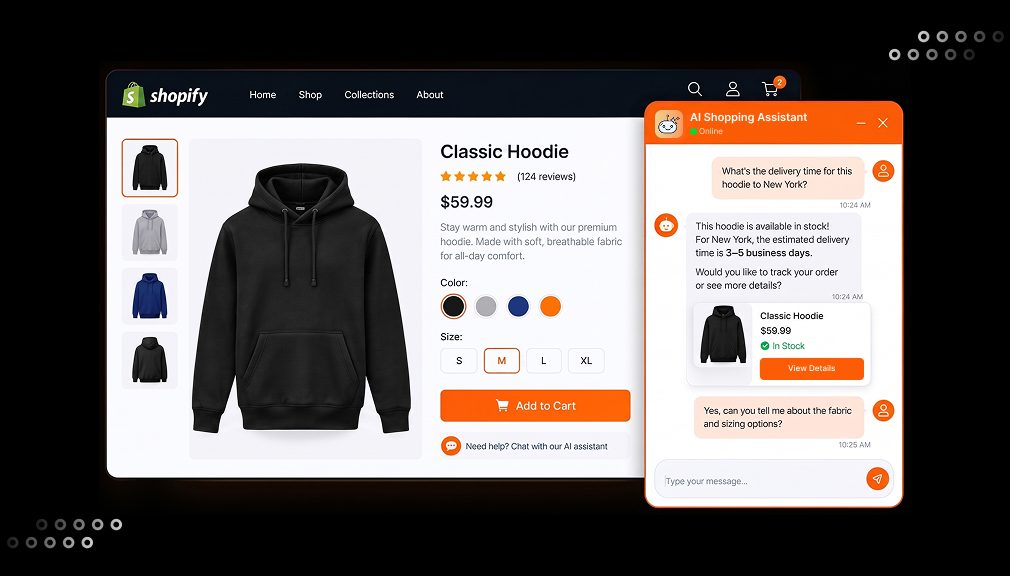
It is 11 p.m. in late November. A shopper named Sarah wants a mug with her dad’s old fishing photo on it. She lands on your product page and sees only a plain “Add to cart” button. There is no upload box and no preview, so she closes the tab and buys somewhere else.
That lost sale stings, and it happens more often than most store owners think. You know your customers want product customization on Shopify, but picking the right app feels confusing. Two app types keep showing up in search: the Shopify Product Designer and the Shopify Product Personalizer. They sound alike, yet they solve different problems for different kinds of stores.
This guide breaks down the difference in plain words. You will learn what each app type does, which merchant pain points it fixes, and who should use it. We use two real Shopify apps as working examples, so every point stays practical. By the end, you will know which tool fits your products, your order types, and your daily workflow.
Key Takeaways
- A Shopify Product Designer app gives shoppers an open design studio to create a product from scratch.
- A Shopify Product Personalizer app guides shoppers through set options, like name fields, photo uploads, and swatches.
- The biggest difference is control: designers give shoppers freedom, while personalizers keep the merchant’s layout in charge.
- Designer apps suit custom apparel, team merch, bulk orders, and B2B buyers who need size breakdowns and minimums.
- Personalizer apps suit gift shops, engraving, and photo products where speed and fewer order mistakes matter most.
- Both app types can create print-ready files, so your fulfillment workflow stays clean either way.
- Check how each app counts plan limits, by products or by monthly custom orders, before you choose.
Why Shopify Personalized Products Matter Right Now
Shoppers no longer see custom options as a bonus. McKinsey research found that 71% of consumers expect personalization, and 76% get frustrated when it is missing. For a Shopify store, that frustration shows up as bounces, abandoned carts, and support emails.
Personalization can also protect your margins. Deloitte found that 1 in 5 consumers interested in personalized products are willing to pay a 20% premium. That premium matters when ad costs keep rising and price wars eat into profit. A custom product is also harder to compare on price, because no other store sells the same item.
Growth follows the stores that get it right. The same McKinsey study reports that faster-growing companies drive 40% more of their revenue from personalization. The question is not whether to offer customization. The real question is which type of Shopify app matches the way your customers want to customize.
What Is a Shopify Product Designer App?
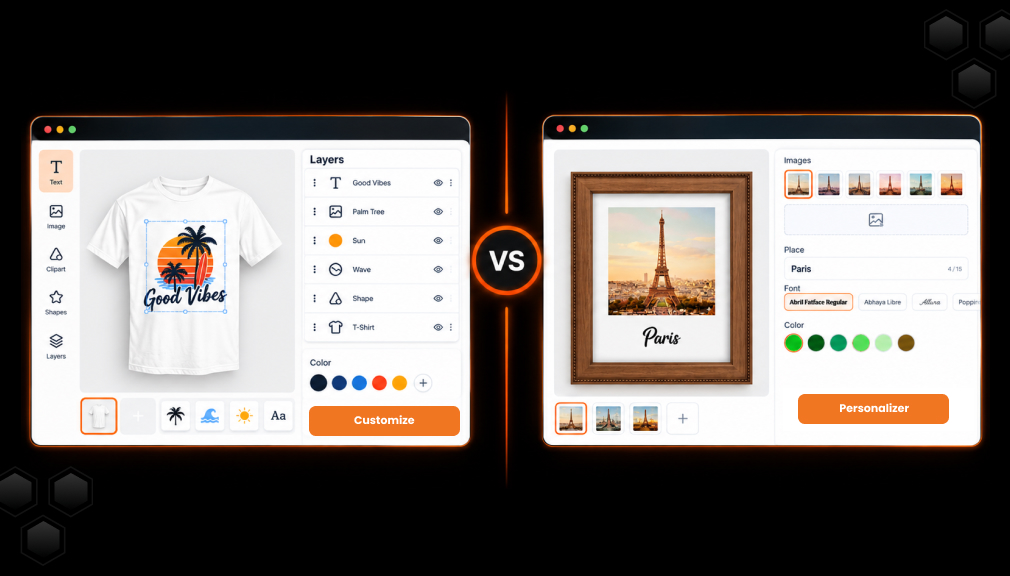
A Shopify Product Designer app adds a small design studio to your product page. The shopper starts with a blank print area or a starter template. They add text, upload images, drop in clipart, and move each piece around freely. When they finish, the app saves the design and creates a print-ready file for your team.
Think of it as handing your customer a pen and a canvas. They decide the layout, the font, the colors, and where each element sits. Safe-area guides keep their artwork inside the printable zone, so files do not get cut off. Many designer apps also let shoppers design the front, back, and sleeves of one product.
What a Product Designer App Usually Includes
- A drag-and-drop canvas with text, image upload, clipart, shapes, and patterns
- Multiple design areas, such as front, back, and sleeves
- Product color switching inside the design studio
- Print-ready file export in formats like PNG, PDF, or SVG
- Bulk ordering tools for size and color breakdowns
- Pricing rules for each added element, like extra text or an extra image
The Merchant Problem a Designer Solves
Some customers do not want to fill in a form. They have an idea in their head and want to build it themselves. A coach ordering 40 team shirts wants to place the logo, add player names, and pick sizes in one order. Without a designer app, that order turns into a long email thread with mockups going back and forth.
A designer app moves that back-and-forth onto the product page. The customer sees the result, approves it, and pays without waiting for you. You get a clean file and a clear order, which saves hours of manual design work each week.
What Is a Shopify Product Personalizer App?
A Shopify Product Personalizer app adds guided custom options to your product page. You, the merchant, build the layout first. The shopper then fills in set fields, like a name, a date, a photo, or a color choice. A live preview updates as they type, so they see the final product before checkout.
Think of it as a fill-in-the-blanks card. The design frame stays the same, and only the personal details change. Conditional logic shows the next option only when it makes sense. For example, the “Back engraving text” field can appear only after a shopper picks “Engrave the back.”
What a Product Personalizer App Usually Includes
- Unlimited product options, such as text fields, dropdowns, swatches, and checkboxes
- Photo upload with crop and background removal
- Conditional logic that shows or hides options based on earlier choices
- Add-on pricing for each option, like +$5 for gift wrap
- Templates you can assign to many products at once
- A live preview, shown inline on the page or in a popup
The Merchant Problem a Personalizer Solves
Open design freedom is not always helpful. A shopper buying a name necklace does not want to move letters around a canvas. They want to type “Emma,” pick gold, and check out in under a minute. Too many choices can slow them down and lead to mistakes you must fix later.
A personalizer keeps every order inside your approved design. That means fewer typos on the wrong line, fewer off-center photos, and fewer remakes. It also replaces long lists of Shopify variants with clean option sets. Your product admin stays tidy, even when you offer dozens of choices.
Product Designer vs Product Customizer: The Core Differences
Many app listings use “designer,” “customizer,” and “personalizer” as if they mean the same thing. In practice, the two app types differ in five key ways. Each difference changes how your customer shops and how your team fulfills orders. Use these points to match the tool to your store.
1. Who Controls the Design
In a designer app, the shopper controls the layout. They choose where text sits, how big the image is, and which elements to add. In a personalizer app, the merchant controls the layout. The shopper only changes the parts you allow, like a name or photo.
2. Where the Shopper Starts
A designer app opens with a canvas, much like a simple design tool. A personalizer opens with a short list of options next to a product preview. Creative shoppers often enjoy the canvas. Shoppers in a hurry usually prefer the short list.
3. How Long It Takes to Check Out
Designing from scratch takes more time, but it creates more unique products. Filling in a few fields takes less time and fits impulse and gift purchases. Think about your average shopper’s patience and device. A busy parent on a phone at lunch may want the faster path.
4. What Kind of Orders You Get
Designer apps handle group and bulk orders well, such as 50 shirts in mixed sizes. Personalizer apps handle one-off personal orders well, such as a single engraved bracelet. Your order history tells you which pattern your store follows. Look at your last 100 orders before you decide.
5. How You Charge for Customization
Designer apps often price each added element, such as an extra image or text line. Personalizer apps often price each option, such as premium fonts or gift boxes. Both methods raise average order value when set up with care. Pick the method your customers will find easy to understand.
Side-by-Side Comparison of Shopify Product Designer and Shopify Product Personalizer
The table below uses the public Shopify App Store listings for both apps, checked in October 2026. It focuses on the details merchants need when planning a setup, not just a feature list. Both apps come from the same developer and carry the Built for Shopify badge. Plan prices and limits can change, so confirm them on each listing before you install.
| Factor | Shopify Product Designer (DORO Custom Product Designer) | Shopify Product Personalizer (DORO Product Personalizer) |
| Core idea | Open design studio to create a product from scratch | Guided option builder with a live product preview |
| Who drives the design | Shopper, with safe-area guides and print templates | Merchant sets the template; shopper fills in options |
| Typical shopper path | Pick product, add text, images, clipart, and patterns, arrange on each side, add to cart | Pick product, fill in text, upload a photo, choose options, check preview, add to cart |
| Strongest product fit | Custom t-shirts, team apparel, promo items, phone cases, mugs, engraving | Name gifts, engraved jewelry, photo gifts, mugs, apparel with set layouts |
| Order style it serves well | Bulk orders with size and color variants, tier pricing, and minimum order quantity rules | Single custom orders with option add-ons and conditional logic |
| Pricing tools | Price per text, image, clipart, and pattern; tier pricing; MOQ | Price add-ons per option; multi-currency |
| On-page display | Full design studio with multiple product sides | Inline on-page view or popup layout |
| Image tools | AI background removal, smart crop, filters | AI background removal, crop, Sidekick AI support |
| Text effects | Curve, arc, and more | Curve, arc, neon text, and engraving effect |
One detail often gets missed: how each app counts usage. A designer plan counts how many products you personalize. A personalizer plan counts products and custom orders per month. A store with few products but many orders should map its monthly order volume to each plan before choosing.
Merchant Pain Points: Which App Type Fixes What?
The best way to choose is to start with your biggest headache. Below are seven common problems US Shopify merchants face with custom products. Each one points to the app type that handles it best. Some stores will see themselves in both lists, and that is normal.
“Customers keep emailing me their logo and size list.”
This is a group-order problem, and it eats hours every week. A designer app lets the buyer upload the logo, place it, and split sizes in one cart. Bulk ordering with size and color breakdowns turns a 12-email thread into one clean order. Your team spends that saved time on production instead of inbox work.
“Orders arrive with typos or photos in the wrong spot.”
Fixing a ruined engraving costs you the product, the shipping, and the customer’s trust. A personalizer locks the layout, so text and photos land where you planned. Field limits, like a 12-character cap, stop long names from breaking the design. The live preview lets shoppers catch their own mistakes before paying.
“My product page has too many variants to manage.”
Offering 8 fonts, 6 colors, and 3 sizes creates a long, messy variant list. A personalizer handles these as custom options instead of separate variants. Conditional logic keeps the page short by showing only relevant choices. Your admin stays clean, and shoppers see fewer confusing dropdowns.
“Wholesale buyers want deals, but I need a minimum.”
B2B and promo buyers expect volume pricing, but small orders can lose you money. A designer app with tier pricing rewards larger orders automatically. Minimum order quantity rules stop a buyer from checking out with 3 units on a 25-unit product. You protect your margin without writing custom quotes by hand.
“Most of my traffic is on mobile, and shoppers drop off.”
Small screens make detailed design work harder for shoppers. A personalizer with an inline or popup layout keeps the steps short and thumb-friendly. A designer app with clear safe-area guides also helps mobile users place art correctly. Test your product page on your own phone before you choose.
“My print partner keeps rejecting low-quality files.”
Blurry prints lead to refunds and bad reviews. Both app types can export print-ready files with a custom DPI setting. Advanced formats like SVG, PDF, and EPS help with vinyl cutting, embroidery, and laser engraving. Match the file format to your production method before going live.
“I want to charge more for custom work, but it feels awkward.”
Shoppers accept extra charges when the price is clear and tied to a visible change. A designer app can add a fee for each extra image or text line. A personalizer can add a fee for premium options, like a gift box or second engraving. Either way, the price updates live, so there are no surprises at checkout.
Who Should Use a Shopify Product Designer App?
A designer app fits stores where customers arrive with their own ideas. It also fits stores that sell to teams, schools, and businesses. Consider this app type if you sell:
- Custom t-shirts, hoodies, and hats with customer artwork
- Team, church, school, or event merchandise in bulk
- Branded promo products for small businesses
- Phone cases, tote bags, and mugs with free-form designs
- Print-on-demand products with Printful or Printify fulfillment
- Laser-engraved items where buyers place their own text or logo
Who Should Use a Shopify Product Personalizer App?
A personalizer app fits stores where you own the look and the customer adds the personal touch. It suits gift-driven stores with fast, emotional purchases. Consider this app type if you sell:
- Name necklaces, engraved bracelets, and monogram jewelry
- Pet portraits, family signs, and wedding gifts
- Photo mugs, blankets, and canvas prints with a fixed frame
- Baby and birthday products with names and dates
- Products with many options, like font, color, size, and gift wrap
- Print-on-demand items through Gelato, Printify, or Printful
Can You Use Both?
Yes, some stores run both app types for different product lines. A shop might use a designer app for bulk team shirts and a personalizer for gift mugs. The key is assigning each app to the products it suits best. Start with your top-selling line, then expand once your workflow is stable.
Shopify Apps That Show Each Approach in Action
To make the difference concrete, here is how each approach looks inside a real Shopify app. Both apps are listed in the Shopify App Store under print on demand and custom products. Each one follows the workflow described above.
Shopify Product Designer App: DORO Custom Product Designer
DORO Custom Product Designer by SetuBridge is a Shopify product designer app that carries the Built for Shopify badge. It adds a design studio where shoppers build products with text, images, cliparts, patterns, and shapes. Safe-area indicators and print templates keep each design inside the printable zone. Shoppers can design multiple product sides and switch product colors as they work.
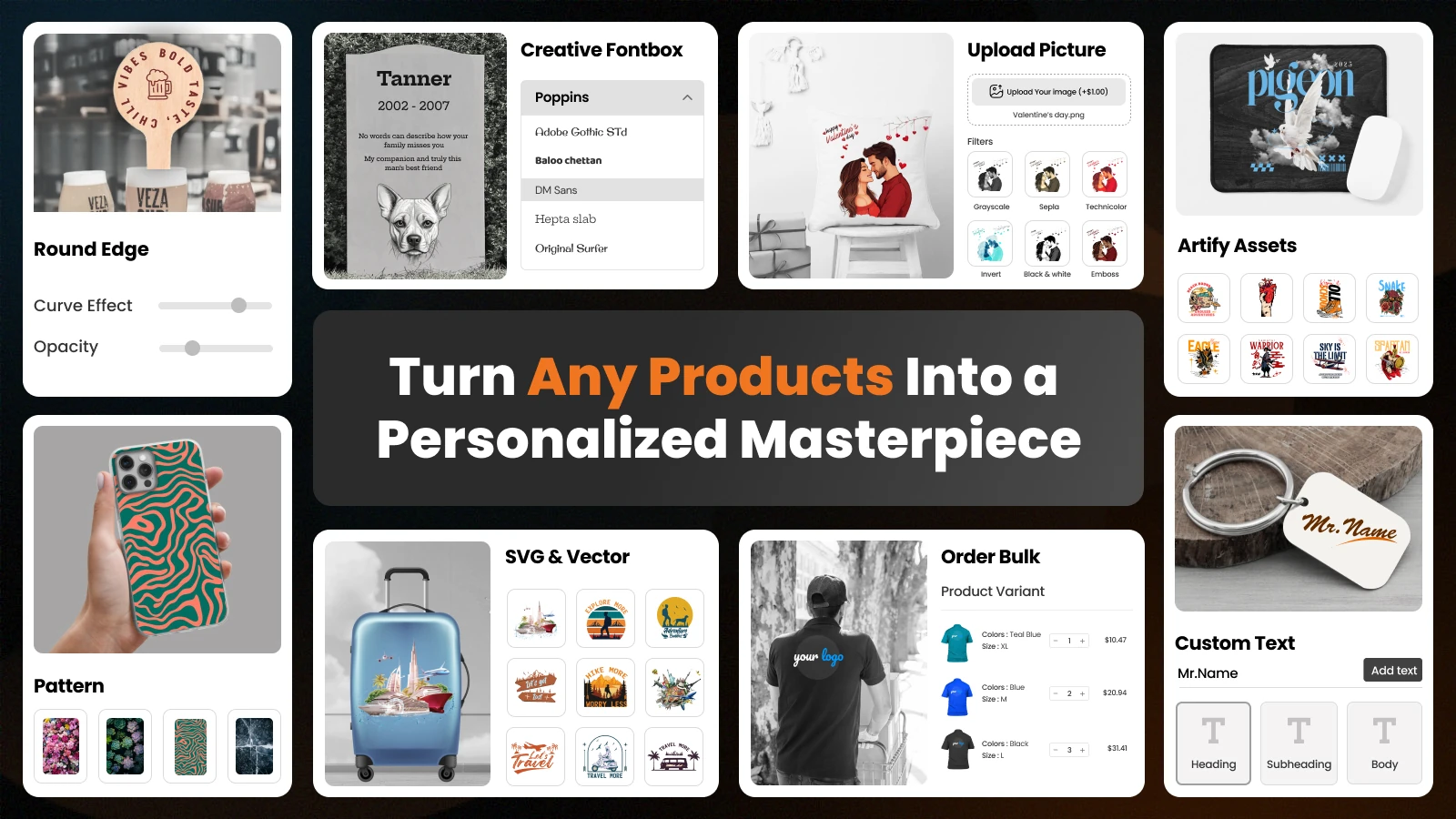
The app is built for stores that handle group, bulk, and B2B orders. It supports bulk ordering with size and color variants, tier pricing, and minimum order quantity rules. Merchants can set custom pricing for each text line, image, clipart, or pattern a shopper adds. Print-ready files export with custom DPI in PNG, JPG, SVG, AI, PDF, EPS, and DXF formats, with Printful and Printify support.
Shopify Product Personalizer App: DORO Product Personalizer
DORO Product Personalizer by SetuBridge is a Shopify product personalizer app that also carries the Built for Shopify badge. It lets merchants create unlimited product options, such as text fields, image swatches, file uploads, and engraving. Conditional logic shows each option only when it applies, which keeps product pages short. The personalizer can appear inline on the page or as a popup, in any of 11 languages.
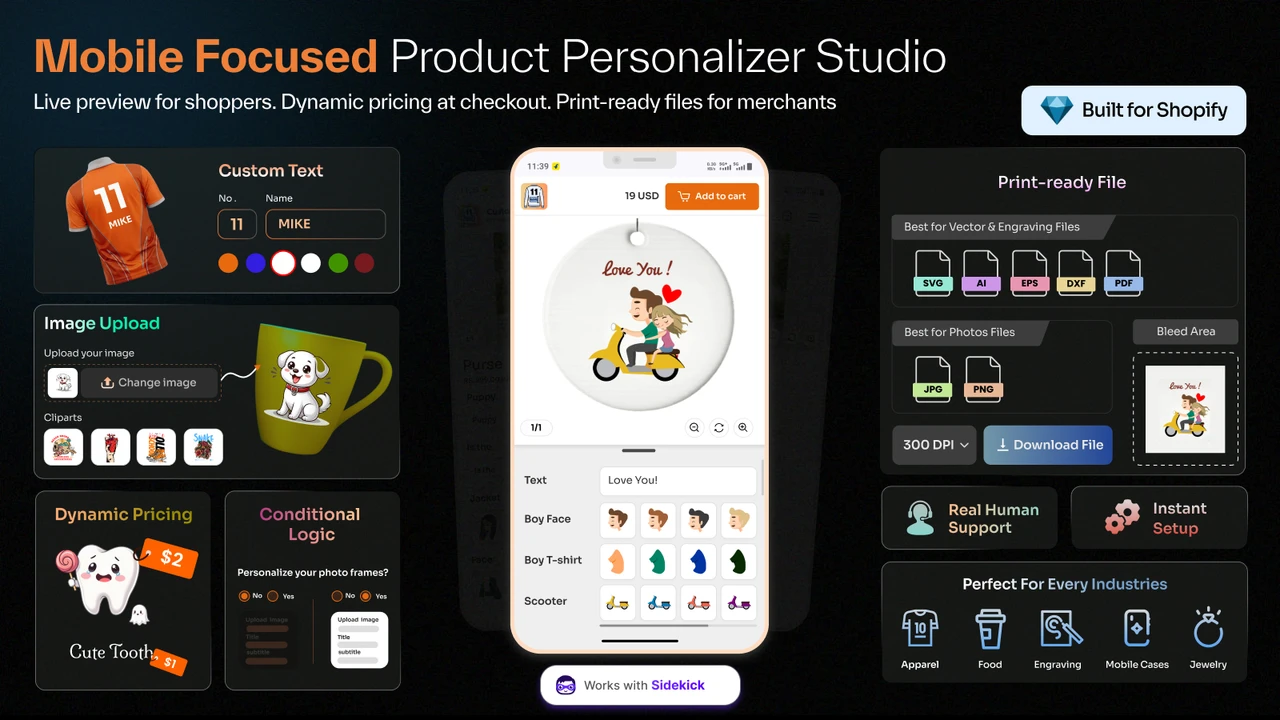
The app is designed with mobile shoppers in mind, so personalization stays quick on small screens. A live preview shows front, back, and multi-area designs as shoppers type and upload. Add-on pricing lets merchants charge for premium options and raise average order value. Merchants can assign global templates to many products at once and export print-ready files for Printful, Printify, and Gelato.
Ratings and Reviews
Merchant reviews show how an app performs after setup, not just on paper. Both apps hold strong ratings on the Shopify App Store as of October 2026. Review counts differ mainly because the designer app launched in 2022 and the personalizer in 2026. Read recent reviews from stores that sell products like yours.
| App | Rating | Total reviews | Share of 5-star reviews |
| DORO Custom Product Designer | 4.7 / 5 | 171 | 89% |
| DORO Product Personalizer | 5.0 / 5 | 55 | 98% |
What merchants mention for the designer app: Reviewers often highlight the visual customizer, multi-side views, and bulk add-to-cart. Many note that it works well with Shopify variants, themes, and inventory. Fast support that helps with setup and custom pricing comes up again and again.
What merchants mention for the personalizer app: Reviewers often praise the quick setup and flexible product options. The color variant display and canvas controls get frequent mentions. Merchants also point to well-designed templates and responsive support.
Conclusion
The Shopify Product Designer and the Shopify Product Personalizer both help you sell custom products, but they work in different ways. A designer app hands shoppers a canvas, which fits custom apparel, team merch, bulk orders, and B2B buyers. A personalizer app hands shoppers a guided form, which fits gifts, engraving, and photo products. The right choice depends on who controls the design in your store.
Start with your biggest pain point, whether it is email back-and-forth, design mistakes, or messy variants. Check how plan limits are counted, confirm your print file needs, and test one product first. Watch your conversion rate and remake rate for a month, then expand. When the tool matches your workflow, product customization on Shopify becomes a steady source of higher-value orders.
Frequently Asked Questions
What is the main difference between a Shopify Product Designer and a Shopify Product Personalizer?
A designer app gives shoppers an open canvas to create a product from scratch. A personalizer app gives shoppers set options inside a layout the merchant controls. The first offers creative freedom, and the second offers speed and consistency.
Is a product designer the same as a product customizer?
Not exactly, though app listings often mix the terms. “Product customizer” is a broad label for any tool that changes a product. A designer is one type of customizer focused on free-form design work.
Which app type is better for print-on-demand stores?
Both app types work well for print-on-demand when they export print-ready files. Choose a designer if customers create their own artwork. Choose a personalizer if customers add names or photos to your designs.
Can a personalizer app replace Shopify variants?
It can handle many choices as custom options instead of separate variants. This keeps your admin cleaner and your product page shorter. Keep real inventory items, like sizes, as Shopify variants if you track stock for them.
Do product customization apps slow down my Shopify store?
Apps with the Built for Shopify badge meet Shopify’s standards for performance and design. Still, test your page speed before and after setup. Using compressed clipart and fewer fonts also helps pages load faster.
Can I charge extra for personalized products on Shopify?
Yes, both app types support extra pricing tied to customization. You can charge per added element, per premium option, or by order volume. Show the price change live so shoppers feel confident at checkout.

Shopify Expert
Dipen Panchal, Shopify Tech Lead at Setubridge Technolabs, brings over a decade of expertise as a Shopify Expert. Passionate about e-commerce growth, he specializes in UI/UX design, crafting intuitive, engaging solutions tailored for merchants and B2B clients to enhance user experiences.