Shopping online is expanding rapidly. By 2025, worldwide eCommerce sales are predicted to be over $6.8 trillion, and that figure grows year by year. Indeed, thousands of new websites selling goods across the world are created each year, and many of their stallholders trade in items not suitable for all, in particular, adolescents.
If you are selling alcohol, vape products, CBD, cannabis accessories, or adult content from your shop, you will want to ensure that only the correct customers can access your products. Enter Shopify age verification.
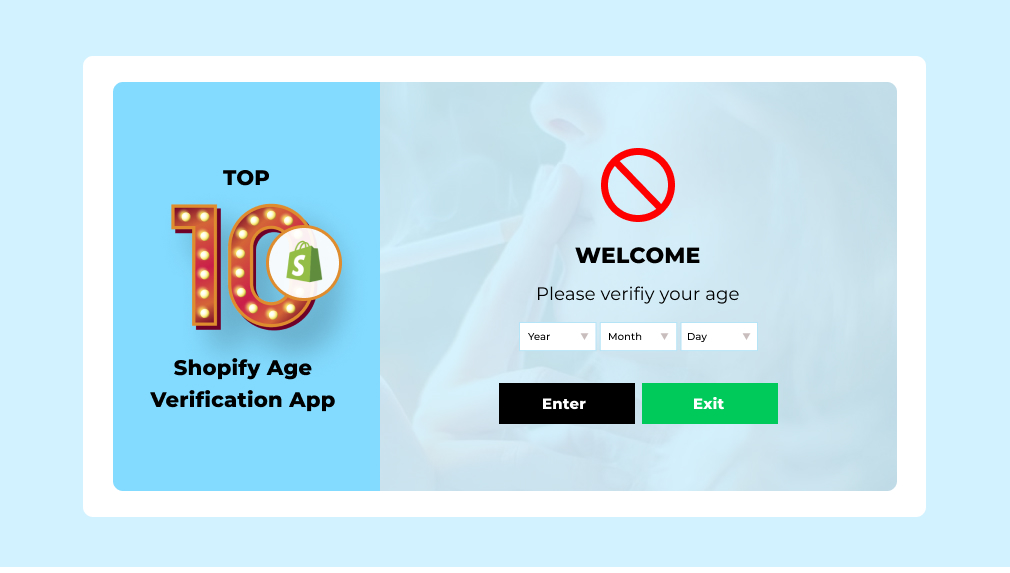
An age verification app can put an age gate pop-up on your store. This pop-up will appear to the viewer before the visitor sees your products. And it will ask the visitor to click the “Yes, I am 18+” button or input a birth date to confirm the age. This is a simple step, but significant to keep your store from legal issues.
Most industries now legally require age checks online. You risk serious legal trouble for your store if you do not have age verification, and these age verification apps allow you to add this protection with not a single line of code.
In this guide, we have discussed the 10 best age verification pop up shopify apps in 2026 for you. If you want an age gate app for Shopify for free or a paid one with premium features, you will find several options here.
Key Takeaways
- Age verification apps help Shopify stores restrict underage visitors from accessing restricted products.
- These apps are essential for stores selling alcohol, vape, CBD, cannabis, and adult products.
- Most apps provide customizable age gate pop-ups that match your store’s branding.
- Some apps allow date of birth (DOB) verification and country-based restrictions.
- Choosing the right app improves legal compliance and gives customers a better experience.
Comparison of the Best Shopify Age Verification Apps
Use this table to compare the top age verification apps for Shopify at a glance.
| Age Verification App (Developer) | Built for Shopify | Rating | Verification Methods | Best For |
| AVP ‑ Age Verification Popup by Gm infotech | Yes | 4.8 | DOB, checkbox | Checkout-level checks with 20+ popup animations |
| Smart Age Verification Popup by SetuBridge | Yes | 4.9 | Yes/No, DOB, checkbox | Geo-based rules and Shopify Plus checkout |
| Blockify Age Verification 18+ by Blockify | Yes | 4.9 | DOB, T&C checkbox | A free, top-rated age gate at scale |
| NA Age Verification by Northern Apps | Yes | 4.9 | Yes/No, DOB, checkbox | Wineries needing pre-checkout verification |
| Hulk Age Verification Popup by HulkApps | Yes | 4.5 | DOB, geo rules | Global stores needing 19 languages |
| Age Verification, Age Gate 18+ by GoodApps | No | 4.7 | Ask/Enter age, checkbox | Simple product-page age gates |
| AgeCheck 18+: Age verification by Tupple Application | No | 4.8 | DOB, Yes/No, checkbox | A checkbox above the Add to Cart button |
| Age Verification ‑ Onlyage 18+ by Codexade | No | 4.8 | DOB, birthday entry | Multi-language stores with redirect rules |
| Smart Age Verification by ENS Enterprises | No | 4.1 | Text confirm, birthday | A basic home or product-page gate |
| K: Age Verification Popup 18+ by Kaktus | No | 5.0 | Yes/No, birth year, DOB | Small stores wanting a fully free popup |
Top 10 Best Age Verification Apps for Shopify
We chose these apps by rating, features, ease of use, and value. Real merchants use each one to add an age gate to a Shopify store. Whether you want a quick popup or a full compliance setup, there is a fit below.
“All apps personally tested by our Shopify Team”
1. AVP ‑ Age Verification Popup
AVP – Age Verification Popup by Gm Infotech is a Built for Shopify age verification app that adds a clean 18+ or 21+ popup. It helps age-restricted stores stay compliant without touching a line of code. You can set a minimum age using date of birth and match the popup to your brand.
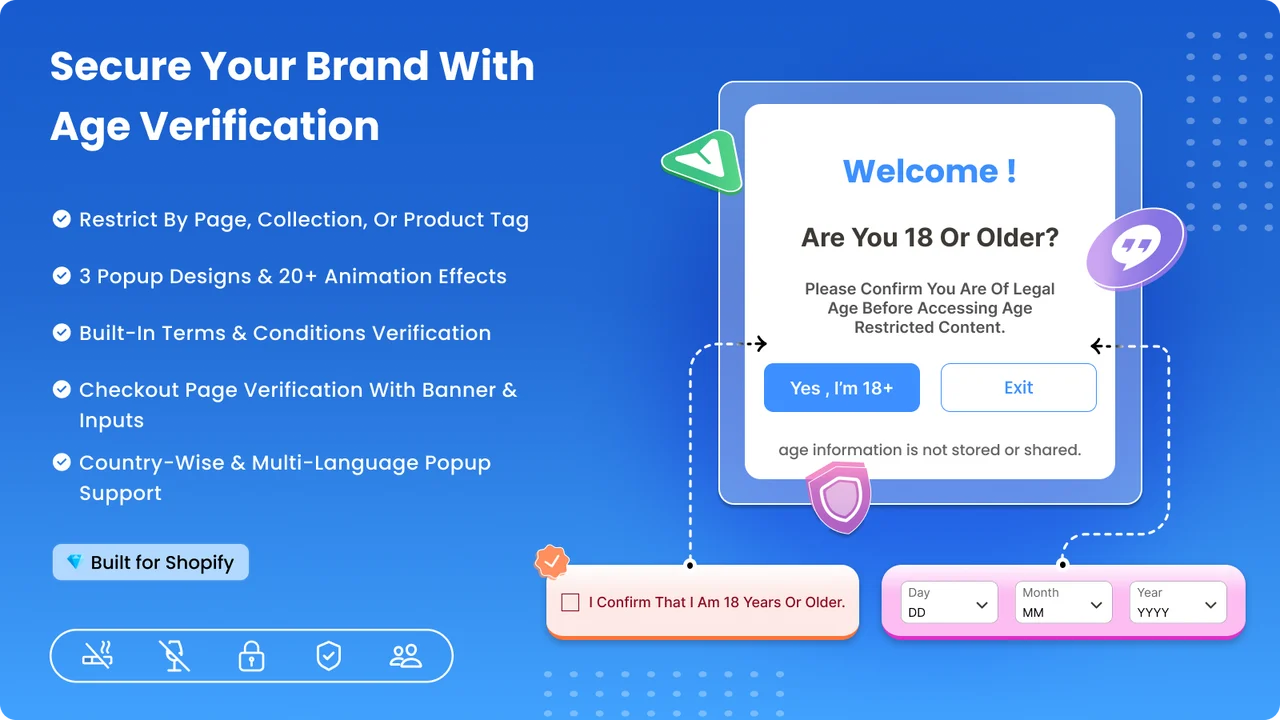
The app works well across screen sizes and can gate every page or only chosen pages. That makes it a strong pick for stores that also need checkout-level age checks.
Key Features
- Age verifier that supports legal compliance through the age verification popup
- Set a minimum age requirement using date of birth verification
- Pick from age popup templates or customize them to match your store branding
- Restriction popup looks good across different screen resolutions
- Restrict access to all pages or to specific pages of your store
- Country and language-specific popups with 18+ terms and conditions
- Birthday input customization and 20+ popup animations
- Checkout page age restriction banner with product and cart page terms
Pros
- Built for Shopify badge signals strong quality and performance
- Wide animation and template choice for branded popups
- Checkout banner and cart page terms for extra coverage
Cons
- Advanced country and checkout features sit on paid plans
- Interface offers English only at present
Best For
Stores that want a polished, Built for Shopify popup with checkout-level checks and rich animations.
2. Smart Age Verification Popup
Smart Age Verification Popup by SetuBridge is a Built for Shopify age gate for restricted products. It fits stores selling alcohol, tobacco, vape, and other adult items. You can verify age using a Yes/No button, a date of birth check, or a checkbox.
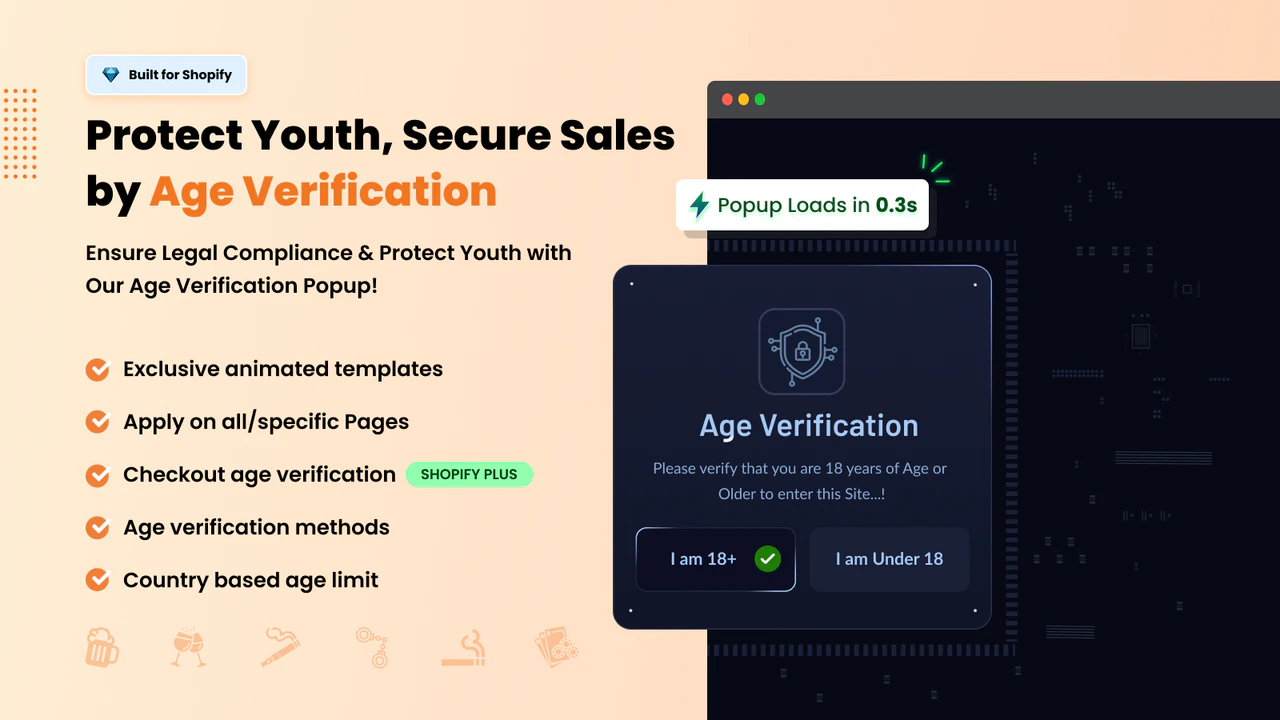
The app adjusts age rules by country and state, so global stores stay compliant. It can also verify age on the cart page and at checkout for Shopify Plus stores. Regular updates are listed in the app changelog, so you always know what changed.
Key Features
- Set country and state-wise age gate popups on products, checkout, or all pages
- Multi-age validation: Yes/No button, DOB verification, or checkbox
- Enable age checkout on the cart page and show an age-verified badge on orders
- Stay compliant in the US, EU, UK, and worldwide by geography
- Highly customizable popup: adjust logo, text, and styling
- 15+ exclusive animated templates with multi-language support
- Advanced analytics dashboard and checkout verification for Shopify Plus
- Changelog with regular feature updates and improvements
Pros
- Built for Shopify badge with strong 4.8-star feedback
- Rare state-level and Shopify Plus checkout verification
- Age-verified order badge helps with record-keeping
Cons
- The free Lite plan shows a “Powered by” label
- Higher verification volumes need a paid plan
Best For
Stores that need geo-based age rules and Shopify Plus checkout verification from a Built for Shopify app.
3. Blockify Age Verification 18+
Blockify Age Verification 18+ by Blockify is a Built for Shopify age verification app with a free plan. It adds a fully customizable 18+ or 21+ popup with no coding needed. You can set a minimum age with a date of birth check in a few clicks.
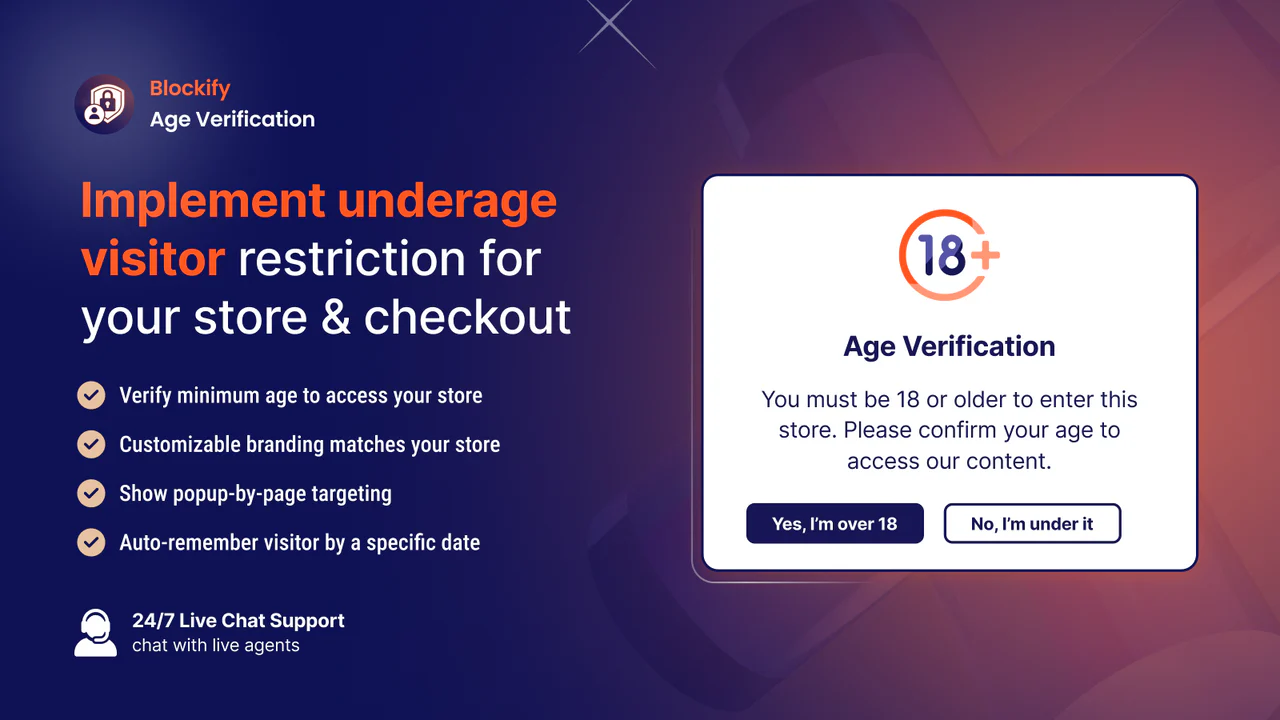
The app also protects your store with a terms and conditions checkbox. With backend support in six languages, it suits stores that serve many regions.
Key Features
- Backend support across six languages for wider reach
- Age verifier that supports legal compliance through the popup
- Set a minimum age requirement using date of birth verification
- Choose from popup templates or customize them to your branding
- Restriction popup looks good across different screen resolutions
- Terms and conditions for terms of service, privacy policy, and contracts
- Shopify Plus support for larger stores
Pros
- Built for Shopify badge with the highest review count here
- Free to install with 24/7 live chat support
- Terms and conditions checkbox for extra protection
Cons
- Checkout verification and unlimited popups need paid plans
- Fewer built-in animation styles than some rivals
Best For
High-traffic stores that want a free, top-rated, Built for Shopify age gate with strong support.
4. NA Age Verification
NA Age Verification by Northern Apps is a Built for Shopify age gate that installs automatically. There is no code to edit, and no developer wait time. It can show an age check on entry or right before checkout.
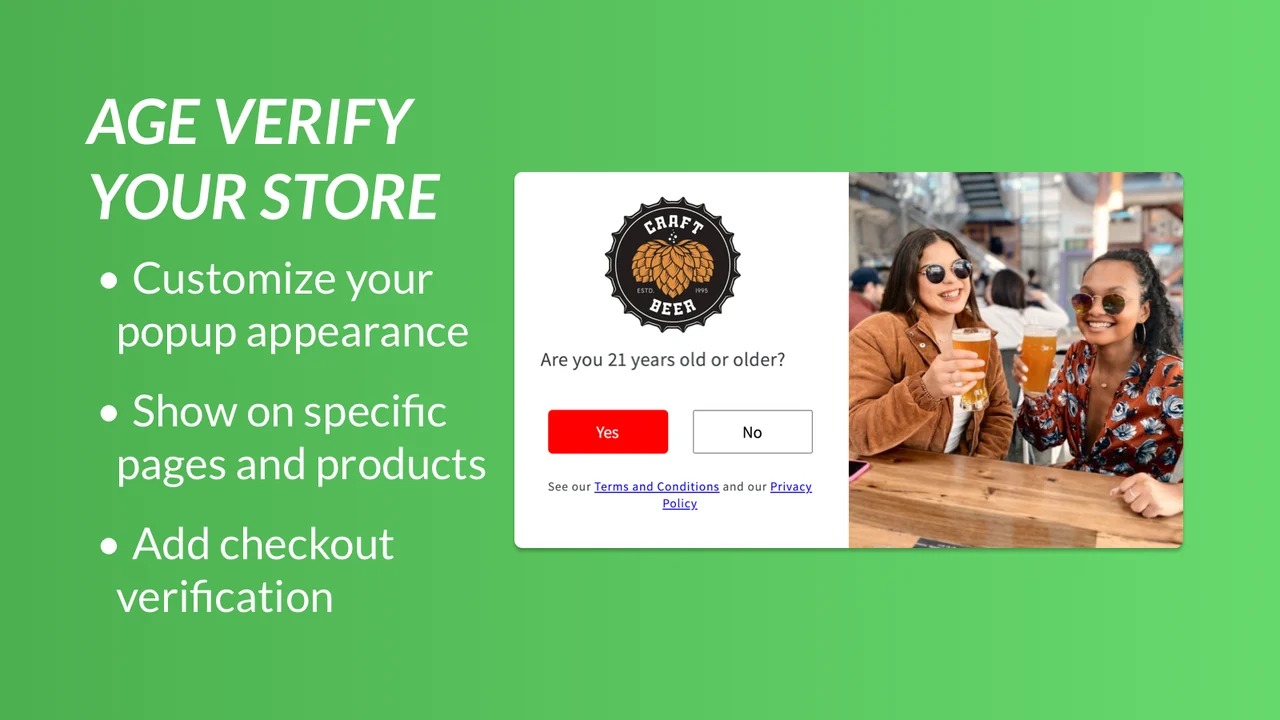
You can verify age with Yes/No buttons, a birthday entry, or a checkbox. Custom page rules let you show the age screen only where you need it.
Key Features
- Verify age just before checkout by disabling the checkout button or showing a popup
- Add age verification status to order details for record keeping
- Show the age check screen only where needed using custom page rules
- Verify age using Yes/No buttons, birthday entry, or a checkbox
- Edit text and images, add a disclaimer, and integrate with Klaviyo
- Custom button appearance with custom popup text, background, and overlay
Pros
- Built for Shopify badge with a 4.9-star rating
- Pre-checkout verification and order-note logging
- Klaviyo integration for birthday capture
Cons
- Checkout and Klaviyo features sit on the Pro plan
- Interface is English only
Best For
Wineries and mixed catalogs that need pre-checkout verification and order record keeping.
5. Hulk Age Verification Popup
Hulk Age Verification Popup by HulkApps is a built-for-Shopify age gate for restricted stores. It fits alcohol, wine, vape, tobacco, CBD, and hemp sellers. You can set an 18+ or 21+ check with date of birth entry.
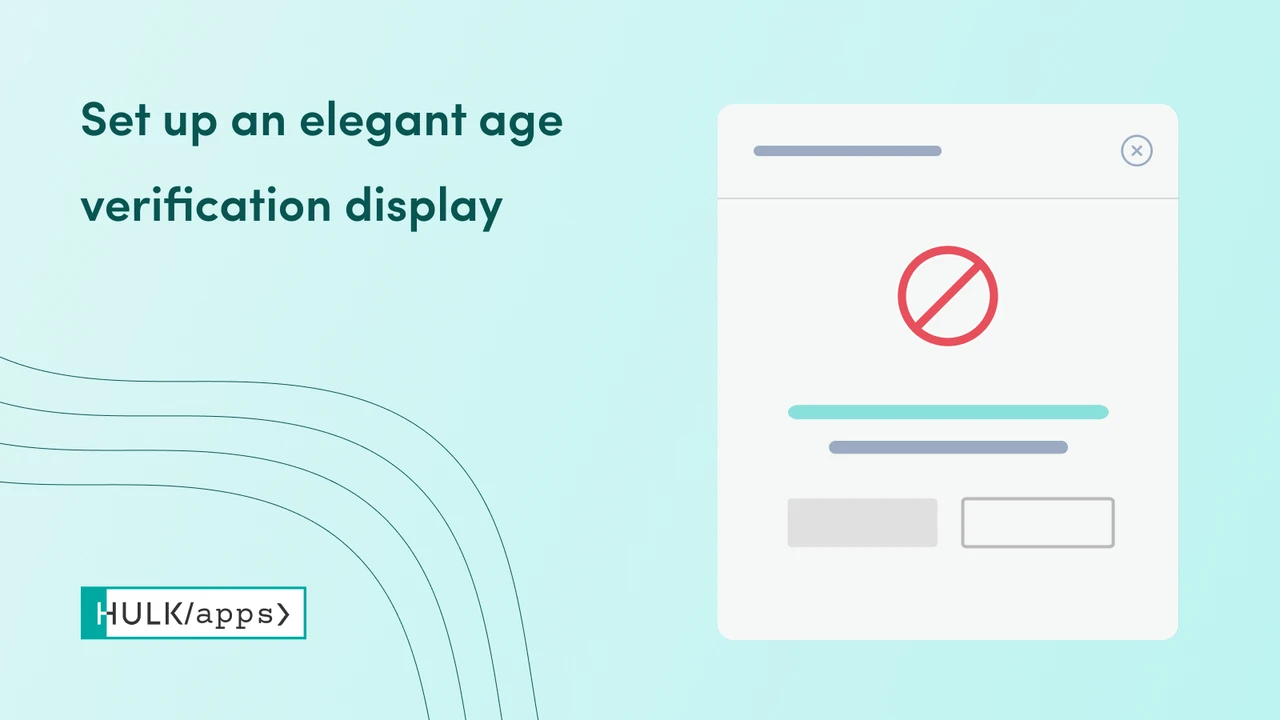
The app applies geo-location rules so the check adapts to each visitor’s country. With backend support in 19 languages, it is a strong fit for international brands. Updates are tracked in the app changelog.
Key Features
- Show an age gate on specific pages or across your entire store
- Apply geo-location rules so the age check adapts to each visitor’s country
- Customize the popup with branded templates, logo, colors, and fonts
- Date of birth age check for alcohol, CBD, and adult stores, with no coding
- Stay compliant on age-restricted sales with a documented age check
- Mobile responsive design with analytics and reports
- Backend support in 19 languages
- Changelog with ongoing updates and fixes
Pros
- Built for Shopify badge with wide 19-language support
- Geolocation rules for country-based compliance
- Analytics and reports for documented checks
Cons
- The Pro plan is priced higher than most rivals
- Full features live on the paid plan only
Best For
International stores that need age verification in many languages and regions.
6. Age Verification, Age Gate 18+
Age Verification, Age Gate 18+ by GoodApps is a simple popup for immediate protection. It suits wine shops, vape stores, CBD sellers, and adult content sites. Setup takes only a couple of minutes with ready templates.
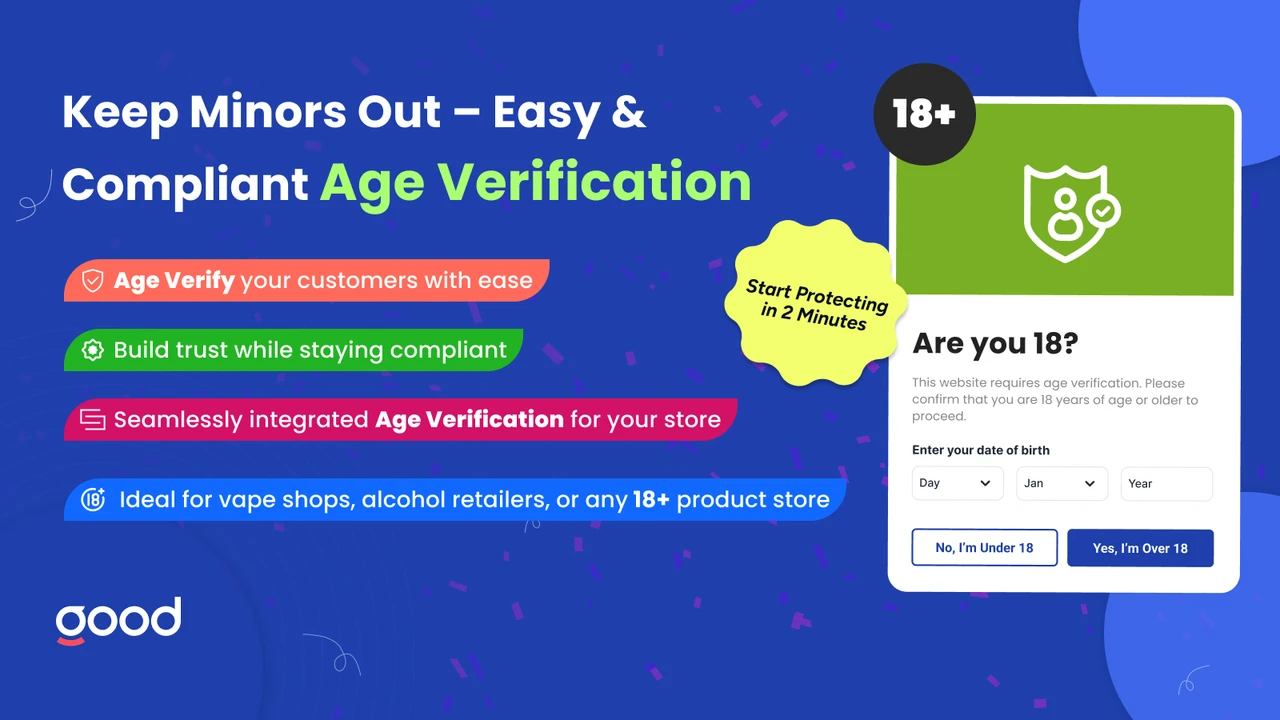
You can choose to ask for age, have visitors enter age, or limit access by age group. A legal age checkbox and disclaimer prompts add another layer of control.
Key Features
- 18+ age verification popup for immediate protection
- 21+ age gate, age disclaimer prompts, and a legal age checkbox
- Choose “Ask Age”, “Enter Age”, or limit access by age group
- Alcohol age verification with splash age control
- Full control with age verifier, age checker, and custom rules
- Show the popup on all product pages or on specific ones
Pros
- Fast setup with free templates and a customizer
- Multiple age-entry modes and underage actions
- Detailed statistics on verification
Cons
- No Built for Shopify badge at this time
- Free tier is limited to development stores
Best For
Stores that want quick product-page age gates with flexible age-entry modes.
7. AgeCheck 18+: Age Verification
AgeCheck 18+: Age verification by Tupple Application adds an age verification popup and 18+ age gate. Visitors confirm they are 18+ or 21+ before they browse or buy. You can verify with a date of birth picker or Yes/No buttons.
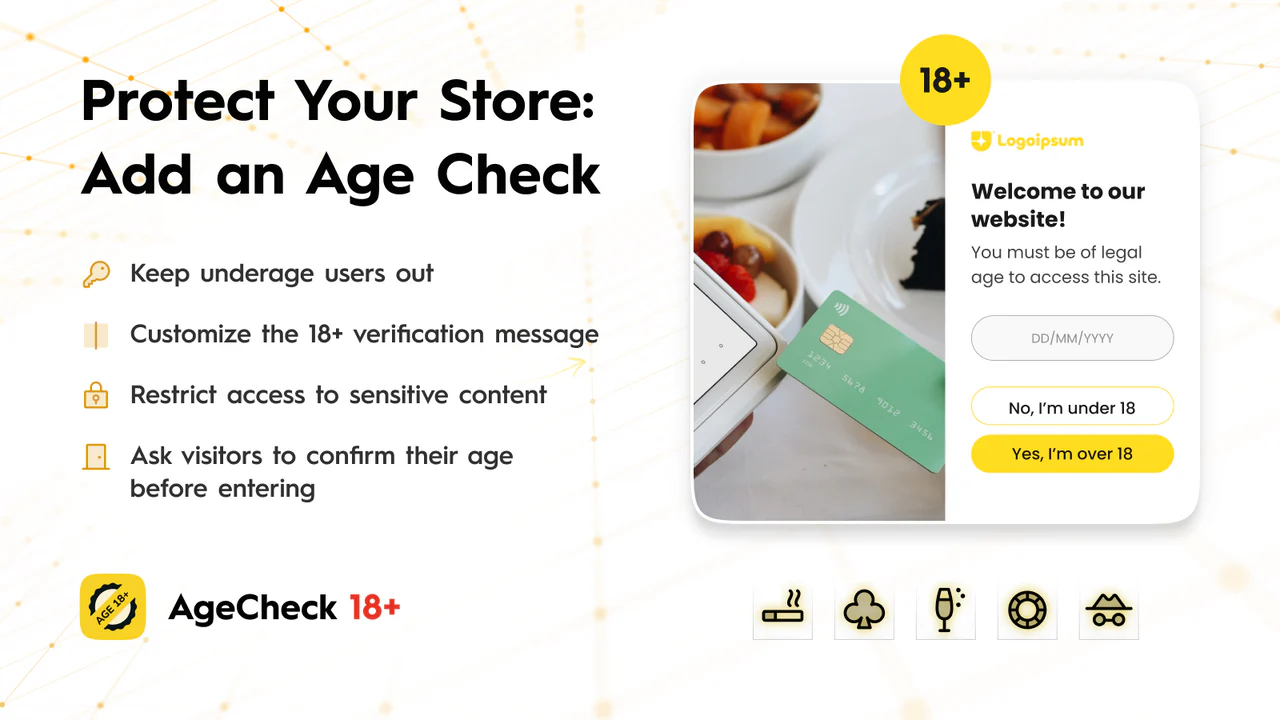
A handy option places an age confirmation checkbox above Add to Cart and checkout. You can also set minimum ages and rules by country and language.
Key Features
- 18+ age verification popup with a date of birth picker or Yes/No buttons
- Age confirmation checkbox above Add to Cart, Buy Now, and checkout
- Set minimum age rules by country and language to stay compliant
- Restrict selected products or pages, or gate your entire store
- Customize templates, colors, text, and languages with no coding
- Verified and unverified user status with a message for underage users
- Advanced age validation settings and modern popup templates
Pros
- Checkbox option right above the purchase buttons
- Country and language rules for compliance
- Clean 4.8-star rating from recent users
Cons
- No Built for Shopify badge at this time
- Most features live on the paid plan
Best For
Stores that want an age confirmation checkbox next to Add to Cart and checkout.
8. Age Verification ‑ Onlyage 18+
Age Verification ‑ Onlyage 18+ by Codexade spots underage visitors and warns them. It suits stores selling alcohol and other adult-use products. The popup is easy to install and quick to configure.
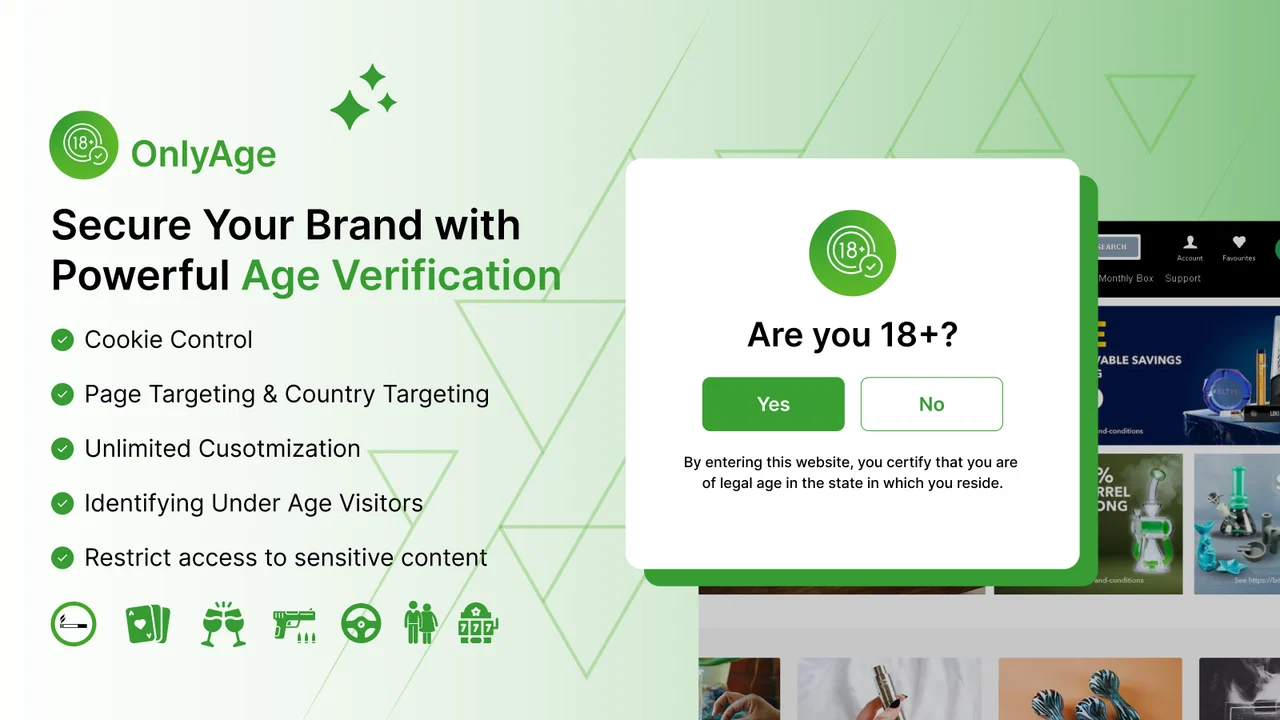
With backend support in more than 20 languages, it reaches a wide audience. Flexible layouts and redirect rules help you shape the visitor experience.
Key Features
- Age verification identifies underage visitors and warns them
- Customize the popups with flexible configuration options
- Flexible layouts for smooth display across all devices
- Redirects based on verification status for a personalized experience
- Specific page targeting and specific country targeting
- Custom background upload with date formatting
- Backend support across more than 20 languages
Pros
- Broad multi-language backend support
- Page and country targeting for control
- Redirect rules based on verification status
Cons
- No Built for Shopify badge at this time
- Free plan caps monthly verifications
Best For
Multi-language stores that want targeting and redirect rules on a budget.
9. Smart Age Verification
Smart Age Verification by ENS Enterprises adds a simple layer to your store. Setup is quick: upload a logo and pick a verification template. The popup then asks visitors to confirm their age before entry.
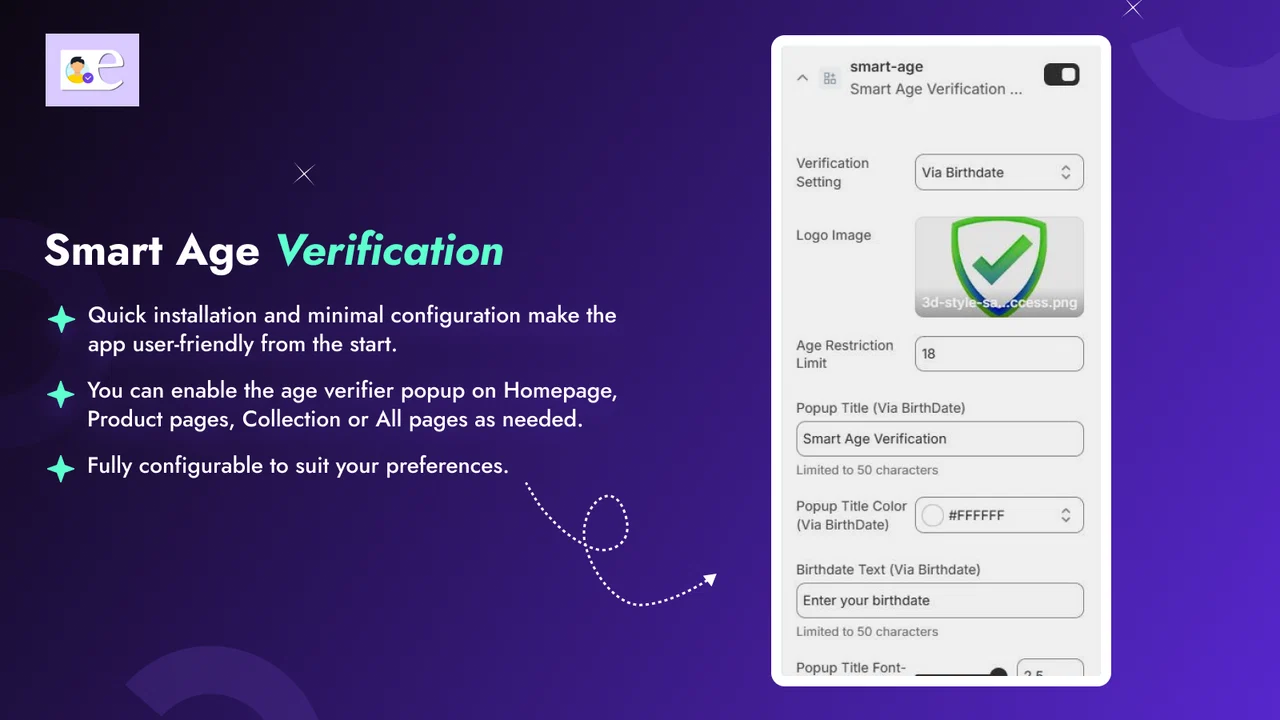
You can place the age gate on home, product, or collection pages. The popup is fully customizable, so it can match your store look.
Key Features
- Hassle-free installation experience
- Set the popup for home, product, or collection pages
- Fully customizable popup appearance
- Text-based age confirmation with a birthday entry option
- Multiple placement options for the age gate
Pros
- Very simple setup for beginners
- Home, product, or collection placement
- Free plan to start testing
Cons
- No Built for Shopify badge at this time
- Lower rating and a smaller feature set
Best For
Small stores that want a basic, low-effort age gate on key pages.
10. K: Age Verification Popup 18+
K: Age Verification Popup 18+ by Kaktus is a fully free 18+ or 21+ age gate. It helps you control access to restricted content and build shopper trust. You can start with ready-made age verifier designs in minutes.
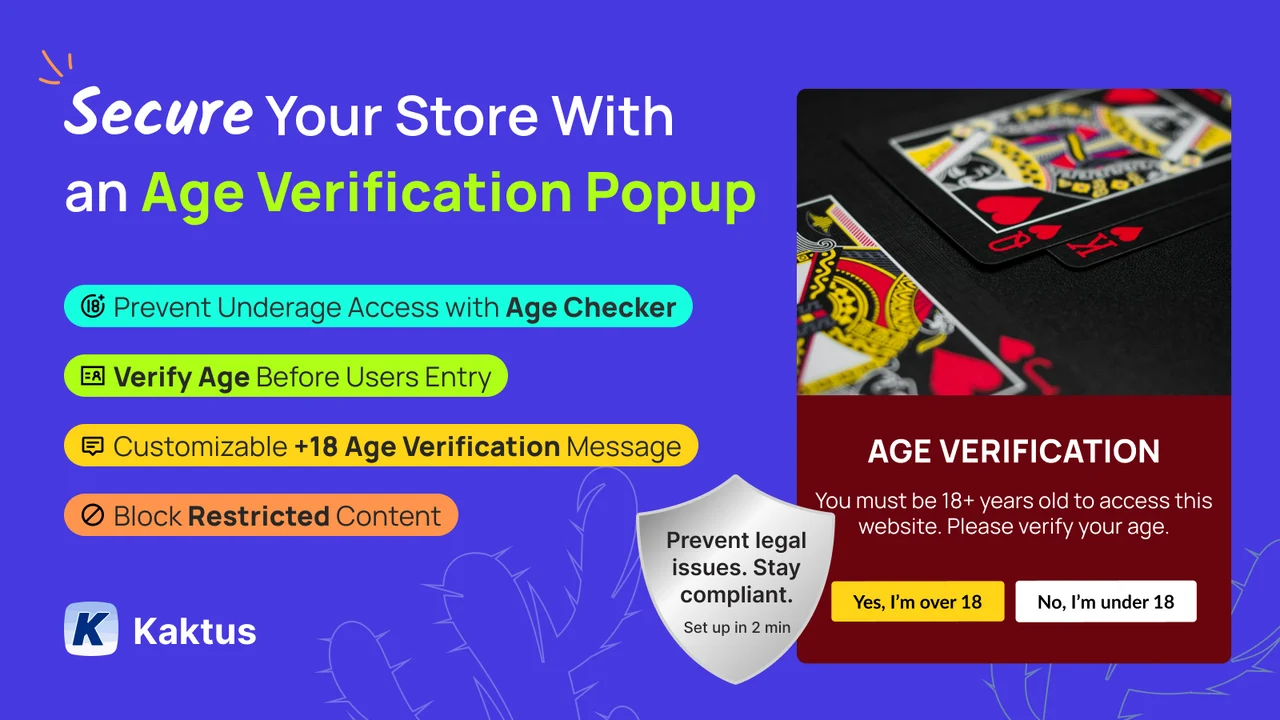
Choose Yes/No buttons, birth year, or a full date of birth with a minimum age. Underage users can be redirected or blocked from sensitive content.
Key Features
- Start with ready-made age verifier designs for the popup
- Customize the popup layout, text, and background easily
- Choose Yes/No, birth year, or full DOB with a minimum age limit
- Add the age restriction popup on all or selected pages in one click
- Redirect underage users or block access to alcohol and tobacco content
- Multi-language support for a wider audience
Pros
- Completely free to use
- Three verification methods, including birth year
- One-click page targeting
Cons
- No Built for Shopify badge at this time
- Smaller review base so far
Best For
Small or new stores that want a capable, fully free age verification popup.
What Is an Age Verification App for Shopify?
A Shopify age verification app is an application that has an age gate on your website. An age gate is it appears on your website for your website visitors each time they visit, and for the purposes of surfing your store, they aren’t considered of legal age until they provide proof.
What the apps do is they display, either in a pop-up or a whole page in front of your website, when a new visitor comes onto the website. It will prompt the visitor for their age and will block/redirect for under-age visitors.
There are three main types of age verification methods used by Shopify age verification apps:
- Yes / No Confirmation: The visitor simply clicks a button that says they are 18 or 21 years old. This is the most basic method.
- Date of Birth (DOB) Verification: The visitor enters their birth date. The app calculates whether they meet the minimum age requirement.
- Country-Based Restriction: The app detects the visitor’s location and applies age rules based on their country or region.
Using a Shopify age restriction app gives your store several benefits. It helps you follow the law, prevents underage access, and shows your customers that you run a responsible business.
Why Age Verification Is Important for Shopify Stores
Operating a regulated product-based shop on Shopify isn’t exactly a picnic. Age verification isn’t just a good idea; it’s the law.
Here is why age verification matters for your store:
1. Legal Compliance
Numerous countries and states mandate that businesses confirm the age of patrons prior to offering specific items. Online liquor sales, for instance, without age verification could result in heavy fines or even revocation of your license.
2. Preventing Underage Purchases
Customers of your online store can browse and buy products even without age restriction measures in place. Age verification applications can block visitors at the right time before they make a purchase.
3. Protecting Your Business from Legal Risk
Selling alcohol, nicotine, or adult products to anyone under the age of 18 from your store could have serious legal consequences. Using an age verification system demonstrates to regulators that you have taken action to prevent this.
4. Building Trust with Customers
Buy regulated products? Customers want to shop with a reputable seller. An age gate shows you are operating legally: customers will feel more confident and secure that they are in safe hands.
5. Improving Store Professionalism
A clean, branded age gate pop-up makes your store look refined. It adds a layer of class that your visitors will notice before your products even catch their attention.
Most common examples of industries that will need to use age verification are: alcohol shops, vape and e-cig accessory stores, CBD/Hemp stores, Cannabis accessory stores, websites selling adult products, and any business selling gambling-related products.
How to Choose the Best Age Verification App for Shopify
Choosing which app to use, among all these choices, can make it difficult to understand which one meets your business needs. Here are some of the main features you need to look for:
1. Verification Method
Consider the level of verification that your business requires. For lower-risk stores, you can use a one-click Yes/No pop-up, while stores selling alcohol or tobacco should display a date of birth entry form, which is a far more robust and defensible option to use in the courts. Some stores may even require geo-location rules to cover various legislations.
2. Customization Options
Your age gate is the first thing many visitors see. Ensure that the app will let you change the colors, fonts, and layout of the window to fit your brand. Having an attractive pop-up displays the professionalism of your site instantly.
3. Compliance Features
In a heavily regulated industry, find apps that cater to regulators by providing age of compliance audit logs, cookie-based age memory, or even ID verification. They’ll be impressed that you’re serious about age verification.
4. Pricing
Most free apps help begin use; however, they tend not to have many features. If you frequently sell age-related products, then it is probably worth paying a small monthly fee, though there are different plans to compare.
5. User Experience
Your age gate should load quickly and be user-friendly for visitors. A pop-up that loads slowly or is confusing can be a major turn-off for your real customers. Search for applications with optimized mobile designs and user-friendly enplanements.
How to Add Age Verification to Your Shopify Store (Step-by-Step)
Adding an age verification pop-up to your Shopify store is easier than you might think. Follow these simple steps:
- Go to the Shopify App Store by logging into your Shopify admin and clicking on ‘Apps’ in the left menu.
- Search for age verification apps using the search bar. Type terms like ‘age verification’ or ‘age gate’ to see your options.
- Choose an app from this guide and click ‘Add app’ to begin the installation process.
- Approve any permissions the app requests. These are needed so the app can work on your storefront.
- Go to the app’s settings and configure your verification method. Choose between a Yes/No confirmation or a date of birth entry.
- Customize the pop-up design by adjusting colors, fonts, background images, and button text to match your store branding.
- Set any age rules you need, such as minimum age (18 or 21) or country-specific restrictions.
- Click ‘Save’ and then visit your store in a private browser window to test that the age gate appears and works correctly.
Once the pop-up is working as expected, your age verification setup is complete. Most apps take less than 10 minutes to configure.
Free vs Paid Age Verification Apps
Most age verification apps for Shopify offer both free and paid plans. Here is a quick breakdown of what to expect from each:
Free Apps
- Basic Yes/No age confirmation pop-up
- Limited design customization
- No geo-location rules
- Good for small stores or testing purposes
Paid Apps
- Date of birth verification with age calculation
- Advanced design and branding options
- Geo-location and country-based age rules
- Compliance features like cookie memory and audit logs
- Priority customer support
If your store sells regulated products full-time, investing in a paid plan is usually the smarter choice. The extra features provide better protection for your business and a smoother experience for your customers.
Businesses That Need Age Verification on Shopify
Age verification is not just for one type of store. Many different industries need to restrict access to underage visitors. Here are the most common ones:
- Alcohol Stores: Online wine, beer, and spirits shops are required to verify buyer ages in most countries and states.
- Vape and E-Cigarette Shops: Nicotine products are regulated for minors in most regions. An age gate is essential for these stores.
- CBD Businesses: Although CBD laws vary by location, most CBD retailers use age verification to avoid legal risk and demonstrate responsibility.
- Cannabis Accessory Stores: Even stores selling legal paraphernalia like pipes or grinders often require age verification to operate responsibly.
- Adult Product Stores: Websites selling adult content or products must restrict access to users under 18 in nearly every jurisdiction.
- Gambling-Related Products: Stores selling poker sets, casino equipment, or gambling merchandise may also benefit from age gating.
If your store falls into any of these categories, adding an age verification app is one of the most important steps you can take to protect your business.
Conclusion
Age Verification. For any restrictedsellers on Shopify, age verification remains a crucial part of your service. Responsible selling has many benefits and is one of the most useful tools you have to protect your business.
We’ve listed the best 10 age verification apps for Shopify in 2026 in this article. Whether you want a basic free solution, such as Onlyage, or a pro app like Age Verification Pro, you’ve got it covered.
If you are new to your niche, start with a free app and upgrade when your store scales. If you work within a heavily regulated industry, it makes sense to pay for your plan upfront, which incorporates compliance and dob verifications.
Find the appropriate app for your products, your consumers and your legal needs and install it in your store now.
Frequently Asked Questions (FAQ)
Do I need an age verification app for Shopify?
Do you plan to sell age-restricted items through your Shopify store? If the answer is yes, such items as alcohol, vape, CBD, or adult content, you will have to use an age verification app.
What is the best free age verification app for Shopify?
Smart Age Verification Popup by Setubridge is one of the best options. It’s a very simple, clean pop-up that’s easy to install.
How do I add an age verification pop-up on Shopify?
Browse the Shopify app store, find an age verification app, install and follow the steps to set it up. Typically, the pop-up app can be customized in less than 10 minutes, and it doesn’t require any programming skills.
Can Shopify restrict visitors under 18?
So far, no. Shopify doesn’t have any age restrictions built in, but many of the age verification apps provide this feature. These apps will give an unwanted pop-up that prevents minors from accessing your products.
Is age verification legally required for online alcohol sales?
In quite a few countries and U.S. states, yes. For instance, if you are in the U.S., most states require any online liquor store to authenticate the age of customers before the sale is finalized.
Does age verification slow down my Shopify store?
Most current age verification apps are designed to load quickly and won’t slow down your store. Use lightweight apps with mobile-friendly designs.

Shopify Expert
Dipen Panchal, Shopify Tech Lead at Setubridge Technolabs, brings over a decade of expertise as a Shopify Expert. Passionate about e-commerce growth, he specializes in UI/UX design, crafting intuitive, engaging solutions tailored for merchants and B2B clients to enhance user experiences.