A customer puts a custom ring into his shopping cart. The product description clearly states: “Handcrafted order ships in 2 to 3 weeks.” However, just above the Add to Cart button, a banner reads: Place order today and receive by Thursday.
The shopper considers. Which date is accurate? The shopper is unsure, so they end the visit and leave.
It’s not a copywriting error. Instead, it’s a settings problem that we see on thousands of Shopify stores. Almost every delivery date app supplies a store-wide ETA message as a default. When merchants add their own rules for pre-orders, custom items, or imported products, the default message often takes priority in the background and prevents the more precise date from displaying at the correct time.
Very easy fix as soon as you learn how two settings work with each other. If you disable the default message, your product-specific delivery dates will handle things the way they are supposed to.
Key Takeaways
- Shopify’s general ETA message can override or conflict with the product-specific delivery rules you have already created.
- This mismatch confuses shoppers, increases support tickets, and quietly hurts conversions.
- 73% of online shoppers say a visible delivery date estimate influences their buying decision, and 40% will not purchase without one (Narvar, 2025: corp.narvar.com).
- Hiding the general ETA message is a one-time setting that lets only your product-specific rules display.
- Accurate, product-level delivery dates build trust because they reflect how each item is actually made and shipped.
- Most consumers value delivery reliability over delivery speed (McKinsey, via corp.narvar.com).
Why Default ETA Messages Cause Problems in Shopify Stores
A general ETA message is designed to be useful across your entire store. It will generally approximate an ETA depending on the average processing and shipping times, regardless of contents in the cart.
This only makes sense if all items ship in the same way, at the same time. But most stores aren’t set up this way: Some products will ship from a local warehouse in a matter of days, while others will take two to three weeks or longer. Some products have even longer lead times if they are on pre-order.
When the general message stays active for every product, it creates four recurring problems.
- Customer confusion: What is promised on the product page is not at all what is actually delivered, as confirmed in the order confirmation email.
- Incorrect expectations: The customer makes arrangements based on the delivery date, which was never correct for the purchase.
- Increased support tickets: The “where is my order” queries keep mounting, despite the orders being on time for their product.
- Lower conversion confidence: When a listing promises a lower price than other offers, or a delivery promise seems unbelievable, shoppers doubt.
Most people are willing to sacrifice a slightly faster delivery date for one that they can count on. A confusing delivery estimate destroys that confidence and that sale before even reaching it.
How to Disable the Default ETA and Show Product-Specific Delivery Dates
There are two ways to handle this. One is quick and flexible. The other is technical and limited.
Option 1: Shopify App-Based Solution (Recommended)
Using a Shopify delivery date app like Estimated Delivery Date ‑ ETA by SetuBridge gives you a dedicated toggle to hide default ETA messages and a full rule builder for product-specific delivery dates no code required.
Step 1: Open the App Backend
Log in to your Shopify Estimated Delivery Date ‑ ETA app. Navigate to ETA Rules in the main menu.
Step 2: Access More Actions
Inside ETA Rules, click the More Actions button. This is where the hide default message toggle lives.
Step 3: Hide Default / General Messages for All Products
Click on the option labeled Hide Default/General Messages for All Products. Enable this toggle. Once active, the app will stop showing the general ETA message across your store. Only the specific rules you create will display on product pages.
This is the key step. Without disabling the general message, your product-specific rules may conflict with the default display, leading to duplicate or incorrect ETA messages.
Step 4: Create Product-Specific ETA Rules
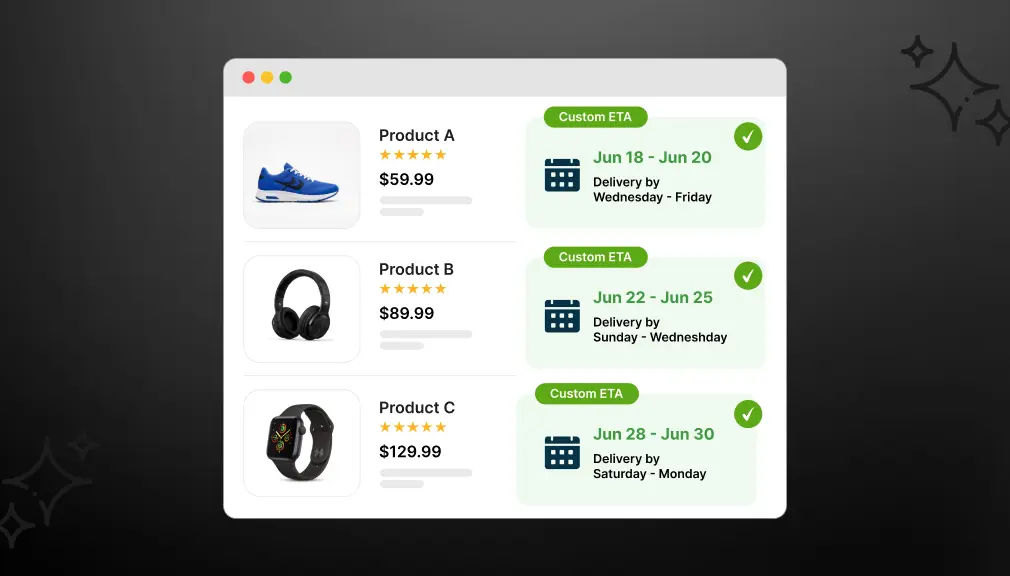
Go back to ETA Rules and click Create Rule. You can now build a custom delivery date rule targeting:
- Specific product names
- Product collections
- Product vendor names
- Product tags (ideal for grouping similar shipping timelines)
For each rule, set your minimum and maximum lead days, configure cut-off times, choose your date format, and apply any design customization to match your store branding.
Step 5: Save and Verify
Save the rule and open the product page on your storefront. The general ETA message should be gone. In its place, the correct product-specific delivery estimate will display.
What this app-based setup gives you:
- No code editing. Works directly inside the app backend.
- Rules by product, collection, tag, or vendor not just one global setting.
- Full design control: icons, colors, fonts, date formats, countdown timers.
- Support for multiple languages for international stores.
- ETA display on product pages, cart, checkout, thank-you page, and order confirmation emails.
- Inventory-aware rules: show different ETAs based on stock status.
- Country and ZIP code-based delivery estimates with auto-detection.
- Cut-off time logic for same-day or next-day delivery messaging.
Option 2: Custom Shopify Code Solution
If you prefer a code-based approach, you can edit your Shopify Liquid theme files to suppress the default delivery message and add product-specific metafields to control what shows on each product page.
Why the code-based approach has serious limitations:
- You must manually set metafields on every single product that needs a custom ETA.
- No visual date calculation. You type static text, not real dynamic dates.
- No support for cut-off times, business day logic, or holiday exclusions.
- Any Shopify theme update can break your edits.
- You need developer access and Liquid knowledge to maintain it.
- Zero design control; the message looks like plain text unless you build the styling separately.
The code approach works for very simple stores with a small product catalog. For anything beyond a basic use case, the maintenance cost quickly outweighs the benefit.
What Makes Product-Specific ETA Rules So Effective
Fast answers are the only insight you need. Fast shipping expectations have stabilized at an average of 3.1 days in 2024, while 55% of consumers expect their online orders to arrive within 48 hours. Your ETA message can give reassurance by accurately reflecting what you can realistically deliver for the product.
Here is how targeted Custom ETA Rules on Shopify improve your store performance:
- Pre-order products can show a specific release ship date instead of a vague estimate.
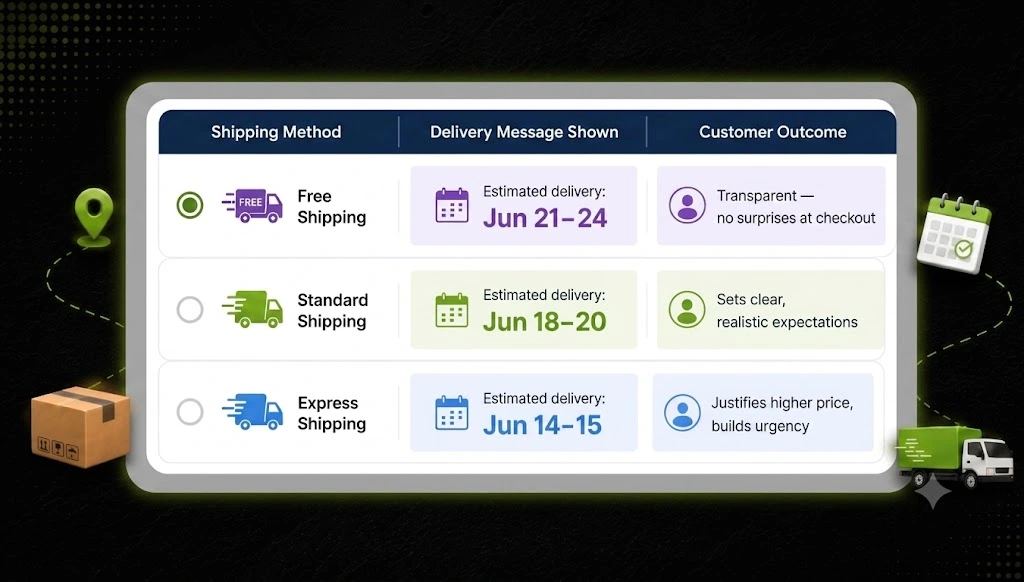
- Made-to-order items can display honest lead times (e.g., 7–10 business days) without applying that to everything.
- Standard-stock items can show same-day or next-day shipping messages with a countdown timer.
- Products in specific collections (e.g., fragile or oversized items) can have longer windows configured automatically.
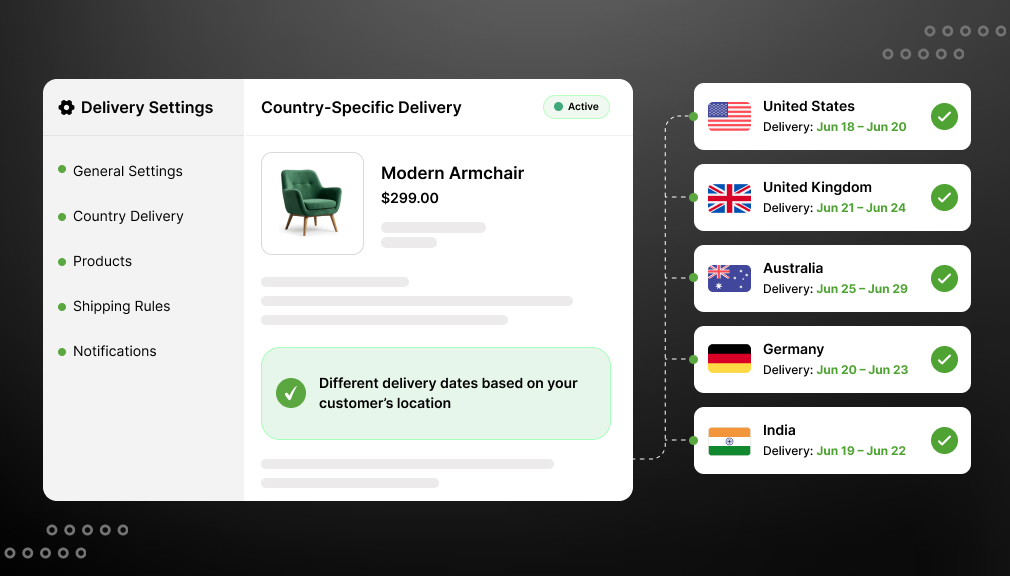
- International shipping rules can trigger different ETAs based on customer location.
Shopify delivery date customization at this level will alleviate “Where is my order?” support tickets and build a checkout experience that is in line with customer expectations. Retailers that display shipping costs earlier in the buying journey achieve 15% lower cart abandonment rates compared to those revealing shipping information only at checkout.
Conclusion
A default ETA message has been created so that every store can have some kind of delivery estimate. Unfortunately for a lot of shops on Shopify, that date is not accurate for all products, and replacing the accurate date you provided with a default sends your customer conflicting information at the very moment you need them to trust you.
Hiding the general ETA message is a simple tweak that has a tangible effect. It enables your product-specific rules to do what they were built for: informing each customer, on every product page, when they can expect their order.
Spend 2 minutes this week to verify your ETA configuration and ensure that your Product-Specific Rules are enabling you to provide requirements for all the products that need it, then test a few live pages. A brief review here will save confused customers and lost sales later on.
Frequently Asked Questions
1. Is it possible to set up product-specific ETA on Shopify without coding?
Yes. A Shopify delivery date app handles this entirely from the app backend. You can create, edit, and manage product-level ETA rules without touching any Liquid or JavaScript code.
2. Will hiding the default ETA message break delivery dates on my other products?
No. It simply stops the generic message from displaying. As long as you have product-specific rules, collections rules, or a catch-all vendor rule set up, the correct timelines will display perfectly.
3. How do conflicting delivery dates affect my store’s checkout abandonment?
Confusing shipping estimates destroy buyer trust right before checkout. Studies show that providing clear, accurate, product-level delivery dates can reduce your cart abandonment rates by an average of 18%.
4. Can I fix this delivery date conflict using Shopify Liquid code?
You can, but it is highly limited. Code solutions require manual metafield updates for every product, lack dynamic calendar calculations, and can break whenever you update your Shopify theme.
5. Does delivery app auto-adjust for weekends and holidays?
Basic default messages usually don’t, which causes incorrect estimates. However, advanced app-based rules let you configure specific business days, cut-off times, and holiday exclusions for realistic delivery dates.

Shopify Expert
Dipen Panchal, Shopify Tech Lead at Setubridge Technolabs, brings over a decade of expertise as a Shopify Expert. Passionate about e-commerce growth, he specializes in UI/UX design, crafting intuitive, engaging solutions tailored for merchants and B2B clients to enhance user experiences.