A customer emails at 9 a.m. She wants to know where her parcel is. You check the carrier portal, then your Shopify admin, then a spreadsheet.
The tracking number exists. It just never reached her order. So she waited three days for news you already had.
Nothing in that story is a shipping failure. It is a handoff failure. Order data lives in Shopify, label data lives with the carrier, and something has to carry it across.
Shipping label and rate apps are that bridge. Here are five, and the exact part of the handoff each one repairs.
Key Takeaways
- The handoff from cart to carrier is where most shipping time and money disappear.
- Live carrier rates matter most when parcel weight, size, or distance varies widely.
- Delivery choice is a checkout decision in Europe, not only a warehouse one.
- Bulk printing pays back fastest once daily volume passes roughly 20 to 30 orders.
- Check what each app needs from you before install, not after.
- One carrier done well can beat five carriers configured halfway.
Quick Comparison: What Each App Needs and What It Fixes
| App | Plan shape | What you need ready before install | Where the buyer feels it | Where you save the most time | Best-fit order profile |
|---|---|---|---|---|---|
| PH MultiCarrier Shipping Label by PluginHive | $9 to $49 a month, 14-day trial | Live carrier accounts, accurate weights and dimensions, box presets | The checkout price matches the real service | No manual rate maths, one-click and bulk label printing | Varied weights and sizes, mixed parcel and freight carts |
| Shipandco by Ship&co | Free to install, usage-based per label | Carrier accounts, a printer, product descriptions for customs | Faster dispatch and accurate tracking, not a checkout change | Commercial invoices, customs paperwork, address re-entry | Cross-border parcels, several stores, seasonal volume swings |
| ShipD Labels & Pickup points by happyapps | $9.99 to $24.99 a month, unlimited carriers | Carrier customer ID and API key, a shipping profile plan | Picks a locker or parcel shop on a live map | No theme code, a full day’s dispatch in one click | Domestic and regional EU parcels, cash on delivery |
| NoParcels Shipping & Labels by Siuntų fabrikas | Free to install, free up to 30 labels a month | Company billing details for the external account, carrier contracts | Picks a parcel terminal after checkout | Bulk printing and auto-fulfilment across several stores | Steady daily volume in the Baltics and nearby EU |
| Swiss Shipping Labels by Nextenic | Free, launched April 2026 | Swiss Post franking licence and API credentials | Tracking link and delivery notifications | Franking letters and small packets, customs forms, returns | Swiss Post only, letters and parcels mixed |
5 best Shopify Shipping Label & Rate Apps
1. PH MultiCarrier Shipping Label
Best for: stores where the checkout price and the carrier invoice never agree.
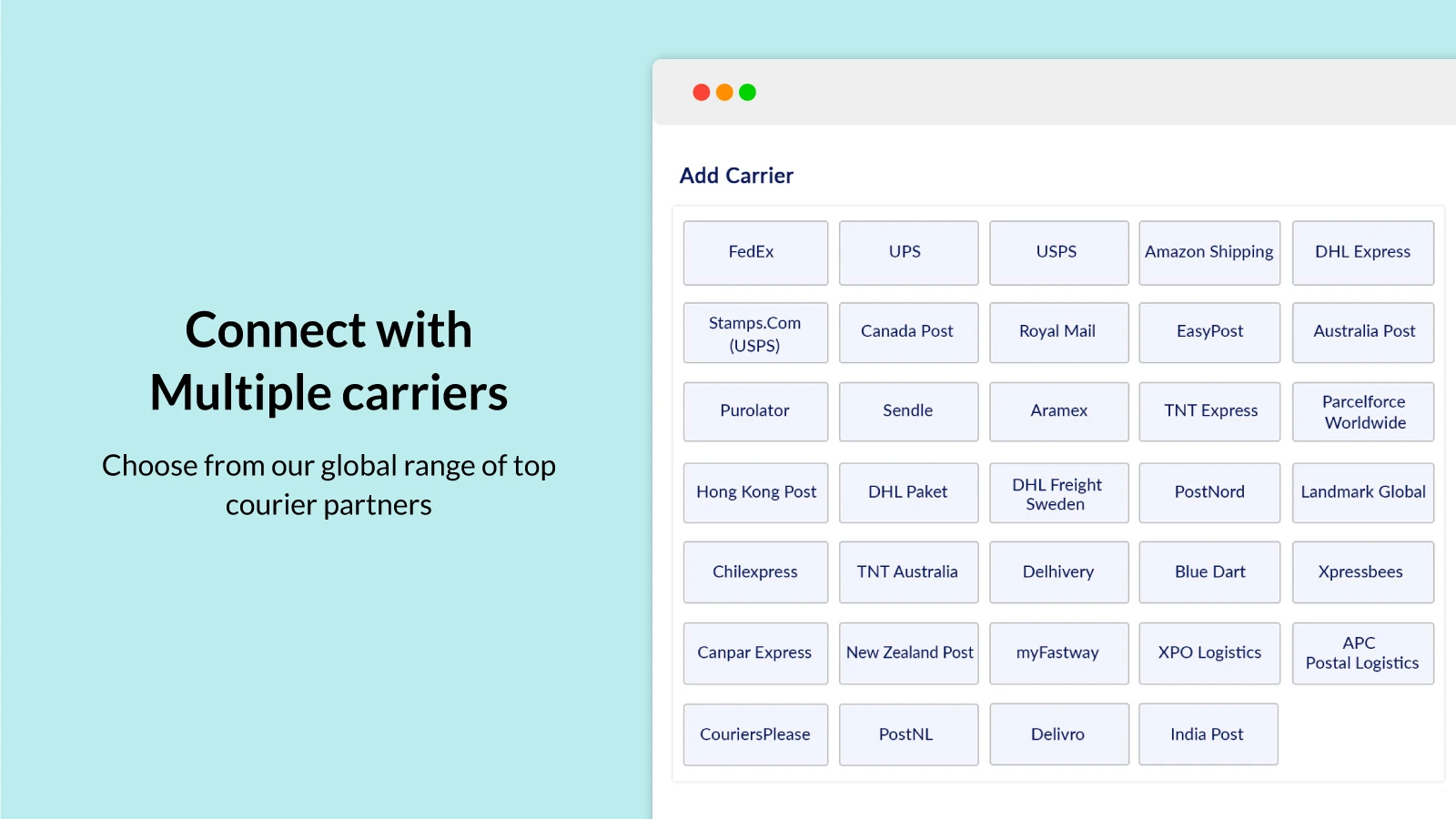
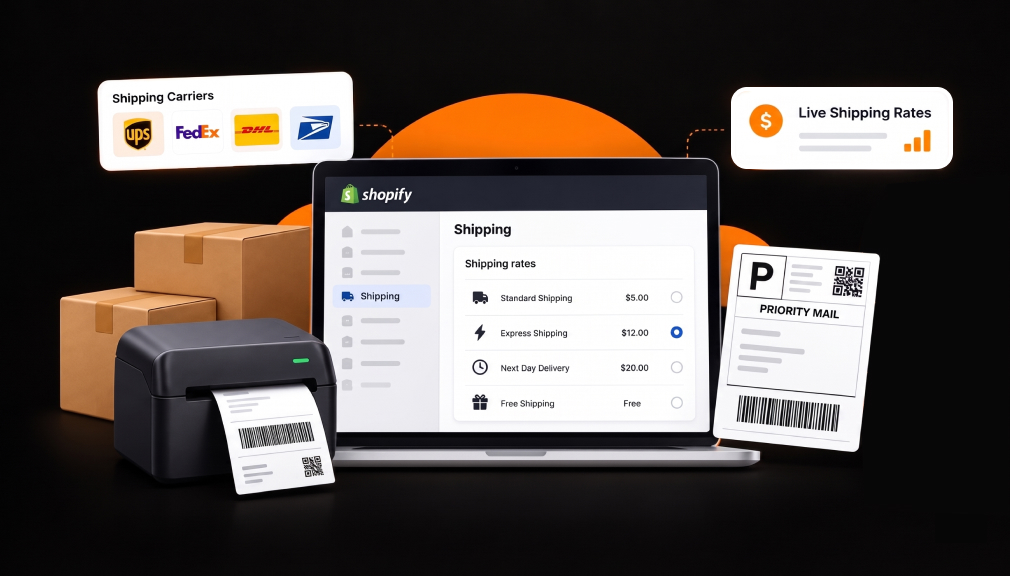
PH MultiCarrier Shipping Label by PluginHive goes beyond Shopify’s basic rate setup by accounting for factors such as shipping zones and weight. Carriers calculate rates based on service, distance, box size, and various surcharges. A flat-rate rule can therefore be inaccurate, potentially leading to higher costs or discouraging customers at checkout.
Merchants underestimate the deterrent side. A shopper builds a price in their head on the product page. A surprise at checkout reads as a penalty, not a fee. Baymard Institute’s abandonment data puts extra costs at 40% of fixable abandonment, with slow delivery next at 20%.
This app queries your live carrier accounts and returns the real rate for that exact cart. It can pick the cheapest qualifying service, apply your box presets, print the label, and write tracking back.
Key Features
- A US skincare store with several UPS accounts and USPS says it now chooses the correct service per order.
- The same store says quoted prices match carrier invoices, closing a long-running back-end loss.
- A car parts store quotes FedEx Ground for accessories and FedEx LTL Freight for heavy items in one cart.
- A fish farm supply store handles orders that need several packages instead of one.
- An Australian store runs Australia Post eParcel and TNT accounts side by side, roughly three years in.
- An Indian sweets store had India Post built into the app, with status updates through the process.
- Another Indian store shows transit dates on its orders page next to live rates.
- A US wellness store was offered a setup call proactively, a day after installing.
Guardrail: live rates inherit your product data. Wrong weights give you wrong prices, delivered with total confidence.
2. Shipandco
Best for: stores where the same address gets typed twice.
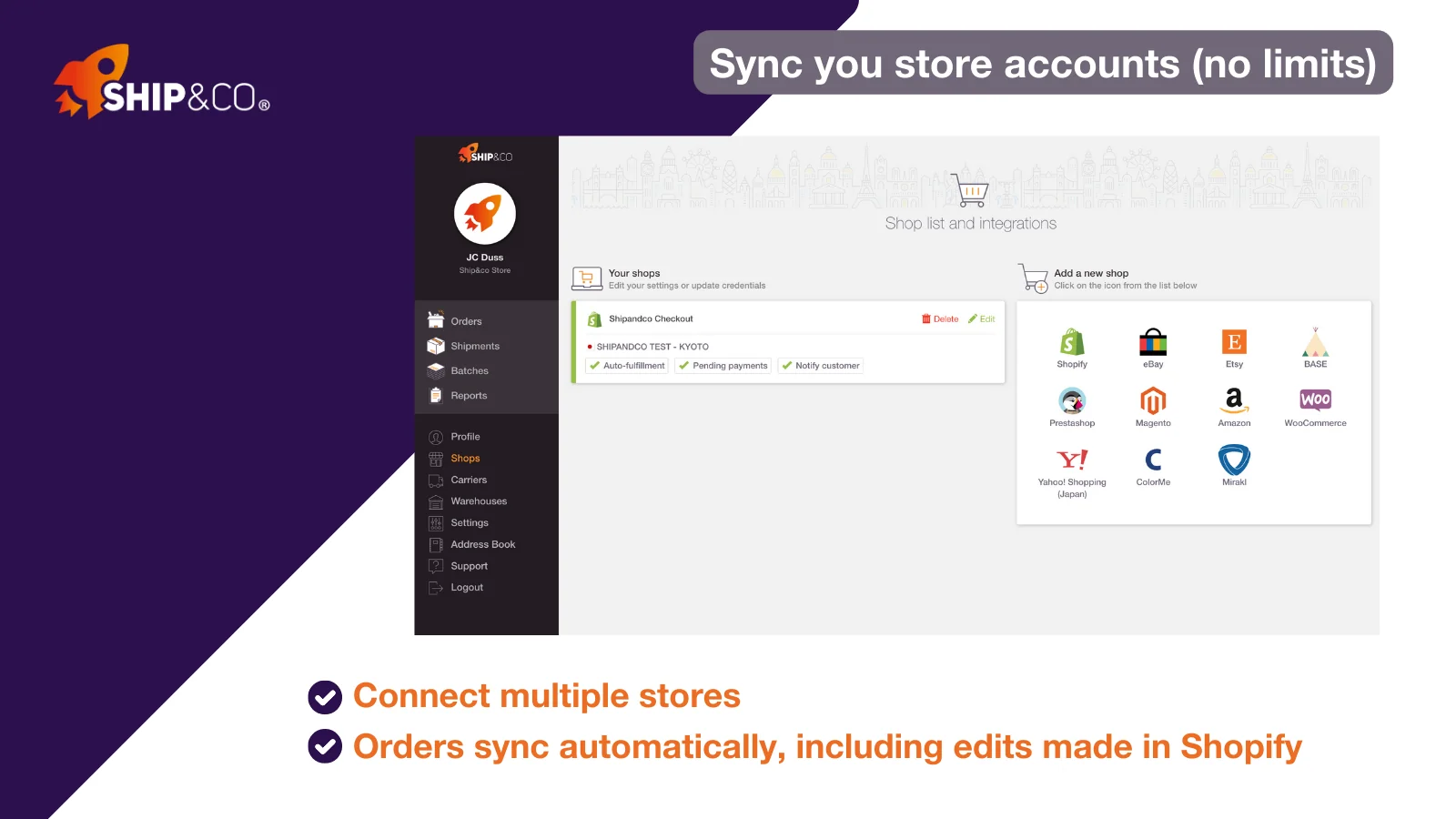
Ship&co by Ship&co connects Shopify orders with carriers such as FedEx, UPS, DHL, and Japan Post. Without a shipping automation tool, someone may need to manually copy customer details, including the name, street address, postcode, and package contents, when creating a shipping label.
That task looks small and is not. Attention drops on repetition, especially late in a packing shift. A single wrong digit becomes a correction fee, a delayed parcel or a return.
The app syncs orders as they arrive and creates labels and commercial invoices in a couple of clicks. Tracking numbers post back to Shopify on their own. Rates from your own carrier accounts can be compared first.
Key Features:
- A US store was buying UPS labels by hand, with no way to pull customer data across.
- A Japanese tea seller estimated shipping work fell by about 30%, largely from automated customs paperwork.
- A hobby store moved FedEx paperwork to electronic trade documents and printed far less.
- A coffee roaster manages domestic and overseas dispatch from one screen instead of two systems.
- A seller with sharp seasonal swings values billing that follows volume rather than a fixed floor.
- A store compares the best option per destination country before committing to a label.
- A long-running merchant says carrier integrations keep pace when carriers change their systems.
- A stationery store gets support in English and Japanese, and ships worldwide from one app.
Guardrail: this billing sits outside your Shopify invoice. Track it with your other shipping costs.
3. ShipD Labels & Pickup points
Best for: European stores losing buyers at the delivery step.
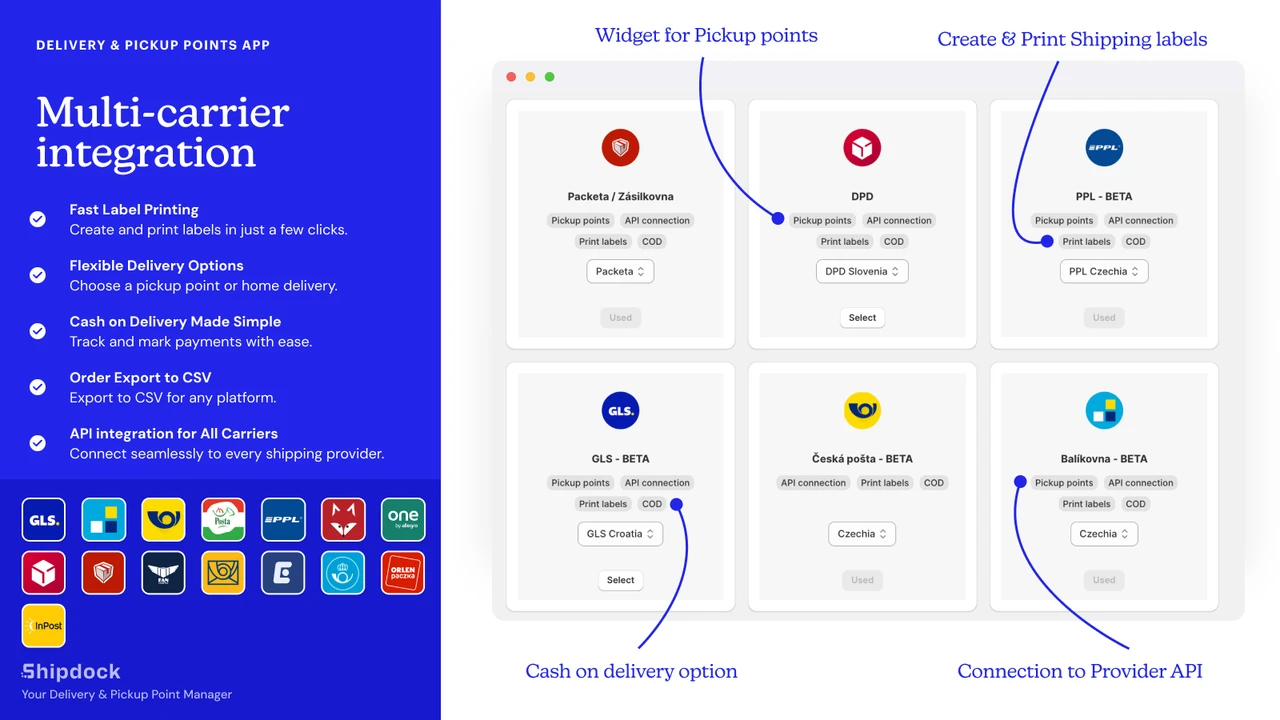
ShipD Labels & Pickup Points, a Built for Shopify app by happyapps, addresses a common last-mile delivery problem. If a courier arrives when nobody is home, customers can choose a nearby locker or parcel shop instead, making delivery more convenient and reducing missed deliveries.
So delivery choice is not a logistics detail. It shapes whether the buyer trusts the order to arrive. DHL eCommerce’s 2025 out-of-home report found 35% of European shoppers already send parcels to an out-of-home point. The same research shows 78% abandon a basket when their preferred option is missing.
This app puts a live pickup point map into checkout, the thank-you page, or the order status page. It then prints labels for more than 20 European carriers from the Shopify admin.
Key Features:
- A Czech clothing store says it removes carrier logic that would otherwise be written into the theme.
- Setup runs on credentials only, and the shipping profile does the rest.
- A Slovak store calls it the strongest price-to-performance choice for shipping across Europe.
- A Czech printer says one fee covers nearly all local carriers, rather than paying carrier by carrier.
- A Slovak store dispatches an entire day of orders with one click.
- A store added DHL to an existing Packeta and PPL setup and got code adjustments within a day.
- When a Shopify update affected the map, a fix went out the same weekend.
- A store installed on a Saturday and was shipping by Monday.
Guardrail: the in-checkout widget is a Shopify Plus feature. Other plans get it after purchase instead.
4. NoParcels Shipping & Labels
Best for: Baltic and EU stores clicking through labels one order at a time.
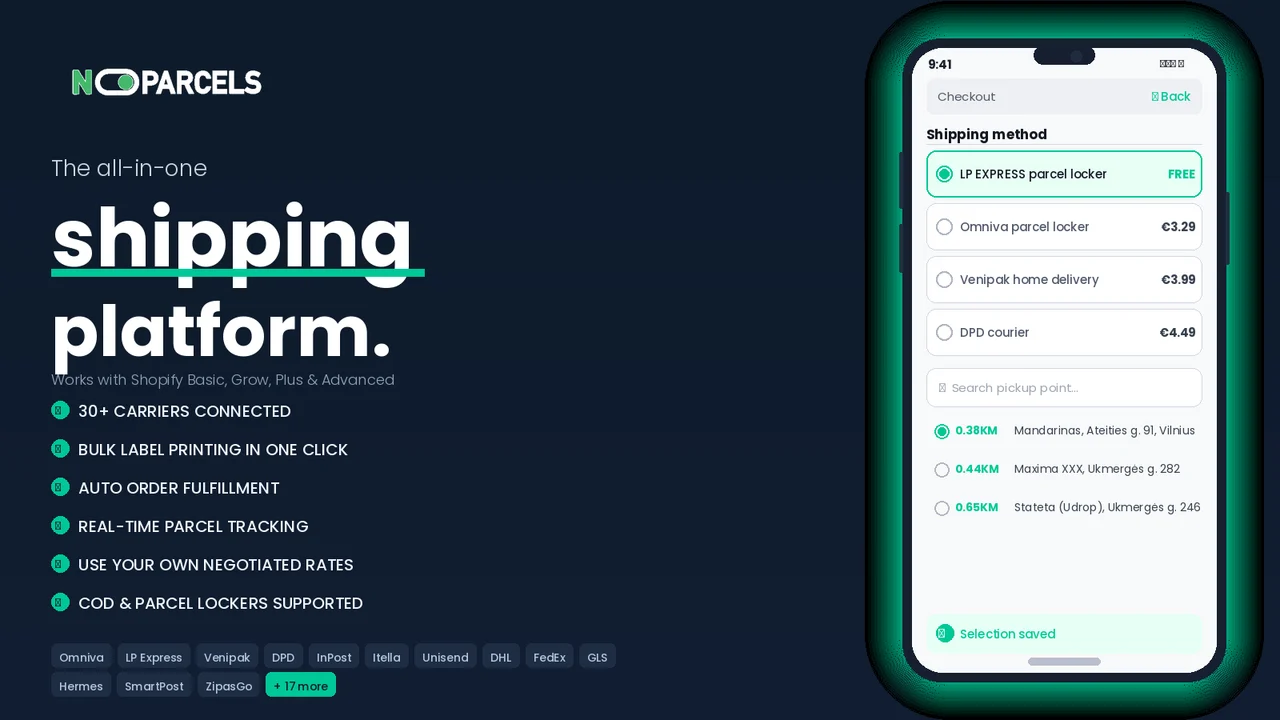
NoParcels Shipping & Labels by Siuntų fabrikas addresses the hidden time cost of printing shipping labels one order at a time. At 15 orders a day, it may feel manageable. But at 80 orders, manual label printing can consume hours of valuable work time.
The cost is not really the clicks. It is the switching between the order screen, carrier screen, and printer. Batching removes the switching, which is why bulk printing saves more than the click count predicts.
The app pulls Shopify orders in, helps choose a delivery method, and prints labels in bulk. It marks orders as fulfilled and keeps tracking current. Cash on delivery works where carriers allow it.
Key Features:
- A Lithuanian store prints in bulk whether the day brings five orders or several hundred.
- One merchant runs four Shopify stores from a single platform login.
- A store says label creation through to fulfilment takes about three clicks.
- A shop credits it with removing address mistakes that came from manual typing.
- Customers get a parcel machine dropdown once the order is placed.
- A store forwards orders straight to its third-party fulfilment centre from the same dashboard.
- Tracking updates post back reliably, so order statuses stay current on their own.
- Newer sellers found the step-by-step setup guides easy to follow without help.
Guardrail: the account is created outside Shopify and asks for company billing details. Budget time for it.
5. Swiss Shipping Labels
Best for: Swiss stores that send everything with Swiss Post.
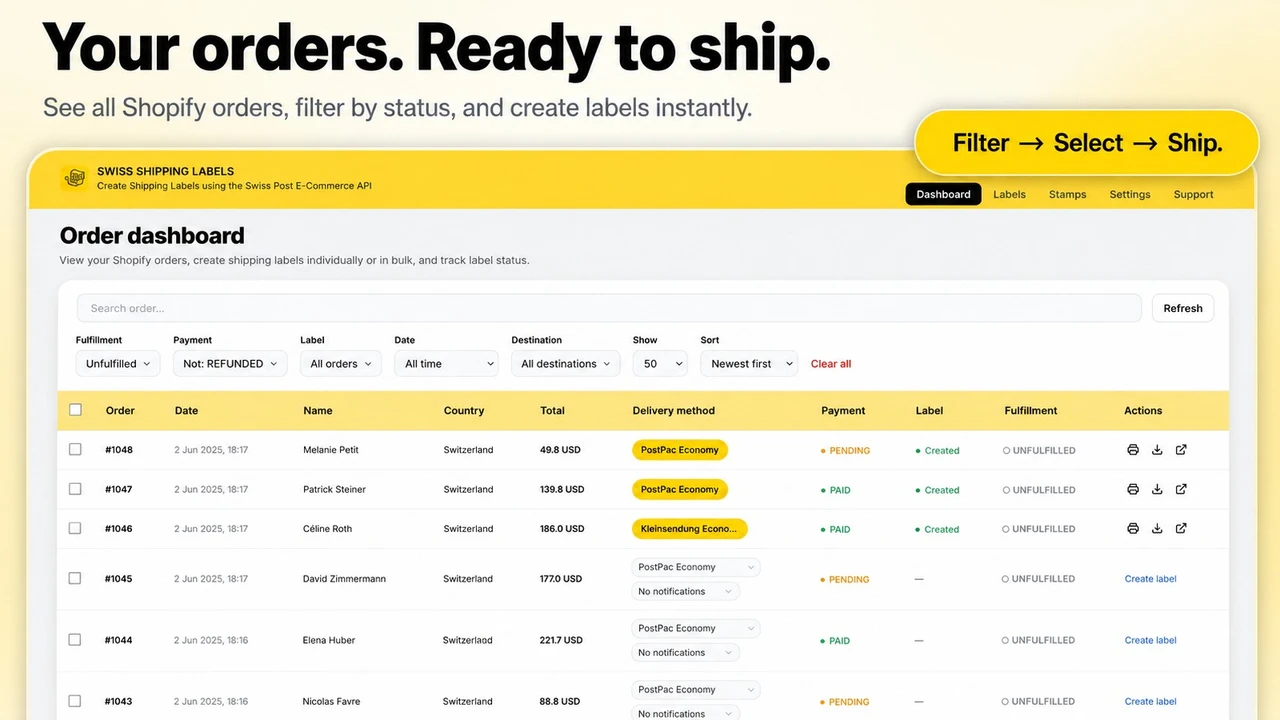
Swiss Shipping Labels by Nextenic takes a focused approach instead of asking merchants to configure carriers they may never use. When one carrier handles most or all shipments, fewer settings can simplify setup and reduce the risk of incorrect shipping defaults.
Depth on one carrier beats thin coverage of twelve. This app talks to the official Swiss Post barcode and label API using your own franking licence. Labels come off the order screen singly or in bulk.
Key Features:
- A Swiss store called it the strongest option it has used for postal labels and franking.
- Changes one merchant described as essential were built and released quickly.
- A second Swiss store said the feature set covered more of what its shop needed.
- Service choices cover PostPac Economy, PostPac Priority, Swiss-Express and VinoLog.
- CN22 and CN23 customs forms are produced automatically for international parcels.
- Addresses are checked against Swiss Post records before the label is created.
- Letters and small packets can be franked digitally, with no counter visit.
- Return labels take one click, and label language, size, and notifications are configurable.
Guardrail: this is the newest app listed and the review base is small. Run it on low-value orders first.
What Is a Shopify Shipping Label and Rate App?
It is the bridge between your orders and your carrier accounts. It reads order data, applies your carrier credentials, and returns a price or a printed label. Fulfilment status and tracking then travel back into Shopify.
Why Shopify Merchants Need One
Roughly seven in ten carts never convert, based on Baymard’s running average of 50 separate studies. Delivery cost, delivery speed, and delivery choice all sit inside that number. A shipping app changes what the buyer sees when they decide.
Where It Fits in Your Workflow
It works on both ends of the same order. At checkout, it sets the price and the delivery options. In the admin, it decides how fast a packed box becomes a scanned label. Your theme and product pages stay untouched.
When to Install One
Three signals are worth acting on. You are hand-printing more than about 20 labels a week. Your carrier invoices keep landing above what you collected. Or buyers expect a delivery option you cannot offer yet.
Honest Guardrails Before You Install
- Rate accuracy starts with product data. Fix weights and dimensions before blaming the app.
- More delivery options are not automatically better. Three clear choices usually beat nine similar ones.
- Some plans meter rate calculation calls. Check that ceiling before a peak trading month.
- The cheapest service is not always the right one, since slow delivery drives 20% of fixable abandonment.
- Run one week in parallel with your current process. Compare invoices before switching fully.
The Short Version
Every order crosses the same gap twice. Once as a price at checkout, and once as a label in your back room.
Pick the app that repairs your weaker crossing first. Then measure it against one month of carrier invoices.
FAQs
Can I keep my existing carrier rates with these apps?
Yes. All five work with your own carrier accounts and credentials. Your negotiated pricing stays in place.
Do these Shopify shipping apps mark orders as fulfilled automatically?
Most do. PH MultiCarrier, Shipandco, and NoParcels update fulfilment status and push tracking back. That removes a manual step per order.
What do I need ready before installing a shipping label app?
Usually a live carrier account, accurate product weights and dimensions, and a label printer. Some apps also need API credentials or a franking licence.
Which app fits a store shipping only inside one country?
Pick a specialist. Swiss Shipping Labels suits Swiss Post stores, ShipD suits Central European carriers, and NoParcels suits Baltic delivery networks.
Will customers see a pickup point option at checkout?
Only with apps built for it. ShipD shows a pickup point map, and NoParcels offers a parcel terminal dropdown after purchase.
How soon should I expect to see a difference?
Label time changes on day one. Rate accuracy shows up in your next invoice cycle, usually two to four weeks.

Shopify Expert
Dipen Panchal, Shopify Tech Lead at Setubridge Technolabs, brings over a decade of expertise as a Shopify Expert. Passionate about e-commerce growth, he specializes in UI/UX design, crafting intuitive, engaging solutions tailored for merchants and B2B clients to enhance user experiences.