A shopper lands on your product page late at night. She zooms into the photo, reads the description, then scrolls back up. She wonders how the fabric moves, or how big the bottle really is. Then she closes the tab, and you never learn why.
In a physical store, she would have picked the item up and turned it over. Online, your photos must answer every question her hands would have asked. Photos freeze a product in one perfect moment. Real buying questions, like fit, size, and texture, happen in motion.
That gap looks small, but it quietly costs Shopify merchants sales every day. A short product video closes it. The right Shopify product video app decides whether that video lives on your product page, in social feeds, or both. Below are five apps, matched to the exact problem each one solves.
Key Takeaways
- Product videos answer the questions photos leave open, which lowers hesitation at the moment of purchase.
- Shoppable video apps work on your store, while video creation and auto-post apps work in social feeds.
- Real customer clips build trust through social proof, while product tags cut the steps to checkout.
- AI video tools help large catalogs stay visible without a designer or editor.
- Place videos where doubt peaks: near the product gallery, reviews, and add-to-cart button.
Shopify Product Video Apps at a Glance
This table combines listing details with patterns we found across each app’s merchant reviews. Ratings and prices reflect the Shopify App Store in September 2026.
| App & Developer | Where Video Works | Pricing Model | Rating | What Reviews Praise Most |
| Vizup Shoppable Video Carousel by ShopGracias | In-store: carousels, stories, galleries | Free plan; Pro $19.99/mo | 5.0 (96) | Instagram Reels picked straight from the feed, plus small custom tweaks built on request |
| Video Slider: Shoppable Videos by Doran | In-store: carousel, grid, pop, popup, stories | Free (50 uploads); $49 one-time lifetime | 4.9 (357) | Widgets that match brand colors, fast pages, and video SEO titles for Google and AI search |
| Promo.com ‑ Promo Video Maker by Promo.com | Creation: product page embed + FB, IG, YouTube | Free | 4.7 (258) | Template videos with built-in music, finished in under ten minutes |
| Predis‑ AI Ads & Product Video by Predis.ai | Creation + social scheduling across 7 channels | From $32/mo (credit-based) | 4.6 (154) | Catalog-connected AI that learns the brand fast and saves hours of content work |
| Minta Social Videos Auto Post by ReConvert | Social autopilot: FB, IG, TikTok, Pinterest | From $5/mo; 7-day trial | 4.3 (325) | Monthly planner that posts on its own, backed by quick live chat support |
Top 5 Shopify Product Video Apps for Real Merchant Problems
1. Vizup Shoppable Video Carousel

Vizup Shoppable Video Carousel by ShopGracias turns Instagram Reels and product clips into shoppable carousels, stories, and galleries. It carries the Built for Shopify badge, which Shopify gives to apps meeting its highest performance and design standards.
Many fashion and beauty stores post great Reels, yet their product pages stay silent. Shoppers trust what other people wear and use more than brand claims. When buyers see a real person using the item, the doubt shifts from “will this work?” to “which size?”
Key features:
- One-click import lets you choose videos straight from your Instagram feed.
- Stories, sliders, galleries, and floating popups come in one app.
- Non-technical owners describe setup as simple, even with little tech knowledge.
- Support fixes display issues, like a missing heading, within minutes.
- The team builds small custom tweaks for stores on request.
- You can show the widget only on chosen pages, not sitewide.
- The free plan includes unlimited views, unlimited product tags, and analytics.
Best for: Fashion, beauty, and lifestyle brands with an active Instagram presence.
Use it wisely: Social proof only works when it looks real. Pick clips where the product is clearly visible. Keep each carousel to six to eight videos, because too many choices can stall a decision.
2. Doran Shoppable Videos & UGC
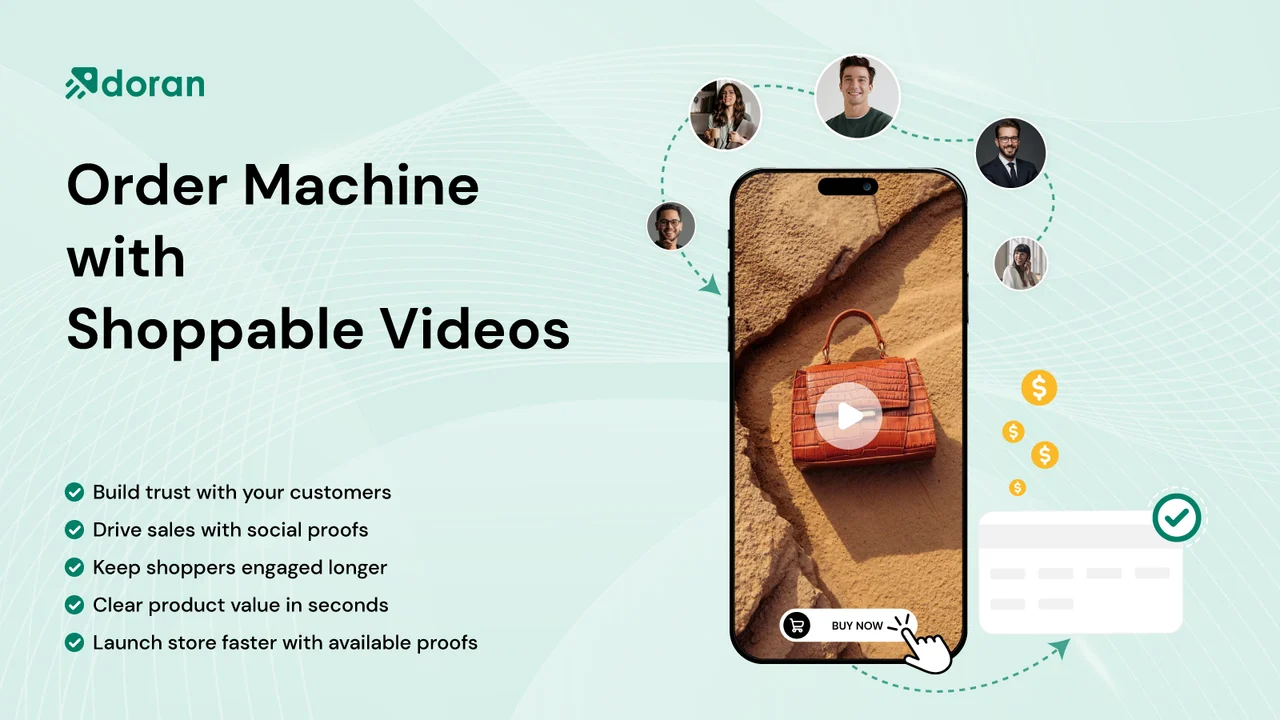
Doran Shoppable Videos & UGC by Doran lets you upload product videos or import UGC from Instagram and TikTok. It also holds the Built for Shopify badge and supports 250 languages.
A shopper loves a video, then must scroll, find the variant, and hunt for the cart. Every extra step gives doubt time to return. Tagging products inside the video shortens the path from “I want that” to checkout.
Key features:
- Reviewers call it the most straightforward shoppable video setup they tried.
- Widgets take your brand colors, so they look native to your theme.
- Tagged products allow direct add-to-cart from the video.
- High-quality videos run on product pages without slowing the site.
- Carousel, grid, stories, and pop formats work on product and collection pages.
- SEO titles and descriptions help videos get found by Google and AI search.
- Support helps fine-tune layouts so the section fits your product page.
- It connects with review apps like Judge .me, Loox, and Air Reviews.
Best for: Stores with customer testimonials or affiliate videos that need shoppable placement.
Use it wisely: Floating pop videos grab attention, but they can also interrupt reading. Use them on one or two key pages, so they stay helpful instead of noisy.
3. Promo.com ‑ Promo Video Maker
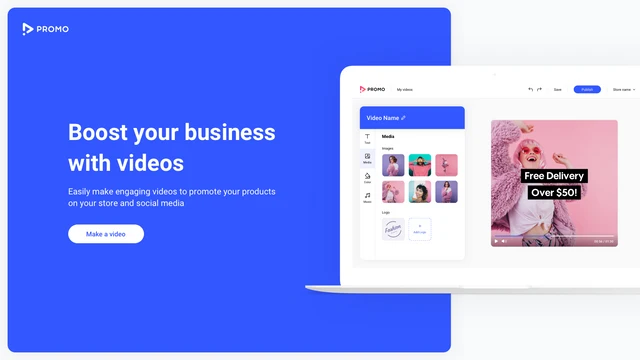
Promo.com ‑ Promo Video Maker by Promo.com builds product videos from templates, even without footage or editing skills. It is free to install.
Many merchants have product photos but no videos at all. Filming feels expensive, and editing feels like another job. In a scrolling feed, the eye notices motion first, so still photos often get passed by.
Key features:
- A wide template library covers many product and campaign goals.
- A built-in music selection adds mood without licensing hassle.
- Merchants report finished videos in under ten minutes.
- You pick one product, and the video gets built around it.
- Finished videos publish directly to your product page.
- One-click sharing sends videos to Facebook, Instagram, and YouTube.
- Customization options keep each template on brand.
Best for: Merchants starting video from zero, or promoting single hero products.
Use it wisely: Template videos catch the eye, but they cannot show real texture or fit. Pair them with honest photos and reviews, so the promise matches what arrives.
4. Predis‑ AI Ads & Product Video
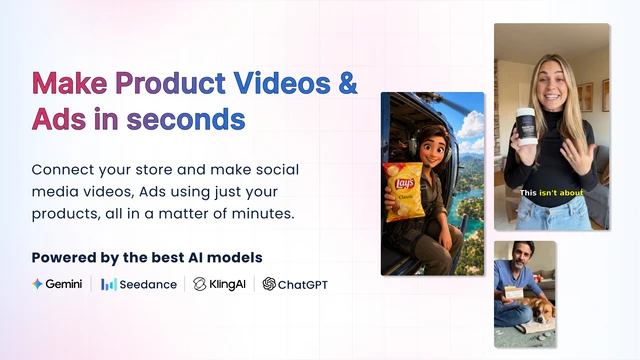
Predis‑ AI Ads & Product Video by Predis.ai turns your Shopify catalogue into AI product videos, UGC-style ads, carousels, and captions. It publishes or schedules them across major social channels.
Posting the same product photo repeatedly teaches followers to scroll past it. People stop noticing things they have seen many times. Fresh formats, like a carousel today and an avatar video tomorrow, reset that attention.
Key features:
- Direct catalog connection pulls product details and saves creation time.
- The AI understands your brand quickly after connecting to Shopify.
- Non-video people still get professional-looking videos.
- Auto-posting and scheduling save both time and labor.
- Bulk creation handles content for many products at once.
- An AI content calendar appears right at onboarding.
- Posts reach Instagram, Facebook, TikTok, Pinterest, YouTube, X, and Google Business.
- The team replies to feedback and keeps improving brand accuracy.
Best for: Stores with large catalogs that need steady social content and video ads.
Use it wisely: Any AI-generated video deserves a quick human check. Confirm colors, text, and product details before posting, because an ad must match the real item.
5. Minta Social Videos Auto Post

Minta Social Videos Auto Post by ReConvert turns store products into short videos for Facebook, Instagram, TikTok, and Pinterest.
Most small merchants know they should post daily, but store work always wins. This is mostly a time problem, not a psychology puzzle. Minta’s planner fills your calendar from your catalog, so products keep showing up.
Key features:
- Once linked, the autopilot handles posting from a monthly planner.
- AI builds short videos using information already on your website.
- Human support is available through live chat and responds fast.
- Vibrant post and ad designs suit launches and relaunches.
- Merchants describe the interface as fun and easy to navigate.
- Multi-store use works smoothly after recent improvements.
- You can plan social posts up to two months ahead.
- Logo, colors, and brand signature apply to every video.
Best for: Busy solo owners who want consistent social presence without daily effort.
Use it wisely: More posts are not always better. Mix auto posts with your own behind-the-scenes content. Set a posting pace that keeps your feed feeling fresh, not repetitive.
What Is a Shopify Product Video App?
A Shopify product video app helps you create, display, or share product videos. Some apps show shoppable videos on your store pages. Others create videos from your catalog and post them to social media. Many merchants use one of each because they solve different stages of the buying journey.
Why Product Videos Help Hesitant Shoppers Decide
Hesitation usually comes from unanswered questions, not a lack of interest. Video answers those questions faster than text. In Wyzowl’s 2026 survey, 85% of people said a video convinced them to buy a product. The same report found 63% would rather learn about a product through a short video.
Quality matters too. 89% of consumers say video quality affects their trust in a brand. Quality here means clear and intentional, not expensive. A steady phone clip in good light often beats a flashy edit.
There is a simple reason behind these numbers. Photos show what a product looks like, while video shows what owning it feels like. Shoppers can picture the item in their own hands, closet, or kitchen. That mental rehearsal makes the purchase feel less like a gamble.
Where Product Videos Work Best in Your Store
Place videos where doubt peaks, not where space is free. These spots usually carry the most buying intent:
- Product page gallery: Show fit, scale, and texture right beside the photos.
- Above reviews: Customer videos make written reviews feel more believable.
- Collection pages: A small carousel helps shoppers compare items quickly.
- Homepage: Real people using products build first-visit trust.
- Social feeds: Short clips bring new shoppers back to product pages.
Setup is simple for most on-store apps. Install the app, add its block in the theme editor, then tag products. Check page speed after publishing, and keep the videos that load fast.
When to Add Video (and When to Wait)
Add video when shoppers ask the same pre-sale questions again and again. It also helps when returns come from “it looked different” complaints. High-consideration items like skincare, apparel, and furniture usually gain the most. Start with your top five sellers and measure results before expanding. Track add-to-cart rate and return reasons for 30 days to see what changed.
Wait if your only footage is blurry or misleading. A poor video can raise doubt instead of lowering it. Fix lighting and framing first, then publish.
Conclusion
Shoppers rarely leave because they dislike a product. They leave because a question went unanswered. Product videos answer those questions in seconds, showing fit, scale, and real use.
Match the tool to your problem. Use shoppable video when trust is the gap, and creation or auto-post tools when visibility is the gap. Start with your top sellers, place videos where doubt peaks, and keep them honest. Small, steady video changes often reshape how confidently shoppers buy.
Frequently Asked Questions
What is the best Shopify product video app for a new store?
Start with a free plan that fits your main problem. If you already have Reels or UGC, choose a shoppable video app. If you have no videos yet, a template-based video maker is easier.
Do shoppable videos slow down a Shopify store?
They can if videos are heavy or placed everywhere. Choose apps that focus on page speed, and test with Google PageSpeed Insights after setup.
Can I use Instagram Reels as product videos on Shopify?
Yes. Several shoppable video apps import Reels directly and let you tag products inside them. This turns existing social content into on-page social proof.
How many product videos should I show on one page?
Six to eight videos per carousel is a practical range. Fewer, well-chosen clips help shoppers focus instead of feeling overwhelmed.
Are AI product videos good enough for ads?
They work well for volume and consistency across a large catalog. Always review each video for product accuracy before it goes live.
Should I post product videos on social media daily?
Consistency matters more than volume. Pick a pace you can sustain, and mix product videos with real, behind-the-scenes content.

Shopify Expert
Dipen Panchal, Shopify Tech Lead at Setubridge Technolabs, brings over a decade of expertise as a Shopify Expert. Passionate about e-commerce growth, he specializes in UI/UX design, crafting intuitive, engaging solutions tailored for merchants and B2B clients to enhance user experiences.