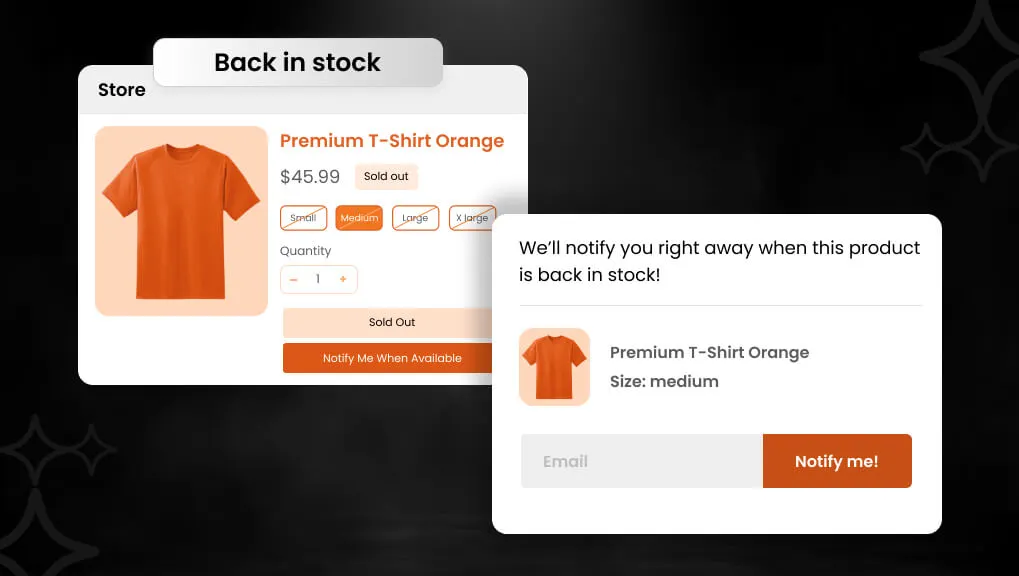
In the fast-paced world of e-commerce, running out of stock can hurt your sales. Think about a customer who is ready to purchase but finds that the product is out of stock; they may continue to shop and purchase it somewhere else. This is where a Shopify back-in-stock app can be helpful. These apps send back-in-stock alerts and back-in-stock notifications, so customers will come back to purchase it.
With global e-commerce sales set to hit $7.5 trillion and more than half of online shoppers facing out-of-stock products, using these apps is smart. They help to recover lost sales and boost your store’s growth. (Source)
This blog dives into why you need a Shopify back-in-stock app, how to pick the best one, and the top five options. We will look at their features, benefits, and more. Let’s explore how these apps solve out-of-stock problems.
Key Takeaways
- Stockouts cost trillions; back-in-stock apps recover up to 40% of lost sales.
- Benefits include better customer experience and inventory insights.
- Top apps average 4.9+ ratings, with features like SMS and customizations.
- Start with free trials to test back-in-stock notifications.
- In 2025, these tools are must-haves for Shopify growth.
Comparison of Top Shopify Back in Stock Apps
Here is a quick, side-by-side look at each app’s rating, free plan, alert channels, and standout strength.
| App Name | Rating | Free Plan | Alert Channels | Standout Strength |
| Preorder, Back In Stock ‑ STOQ by Artos Software | 5.0 (3.5K) | 10 preorders + 30 alerts/mo | Email, SMS | Preorders + partial payments |
| Notify Me! Back in Stock Alert by Notify Me! | 4.9 (3.5K) | 10 restock + 5 preorders | Email, SMS, Push | All-in-one + wishlist |
| Back In Stock, Notify Me: Kbite by Devsquat Solutions | 5.0 (3.8K) | 30 emails, unlimited subs | Email, SMS | Price drop + list growth |
| Essent Preorder Back in Stock by Essential Apps | 5.0 (1.2K) | 10 preorders + 300 notifs/mo | Generous free notifications | |
| SB: Back In Stock Alert by SetuBridge | 4.7 (200) | 50 email alerts/mo | Pay-as-you-go simplicity |
Top 5 Shopify Back in Stock Apps
A sold-out product can feel like a lost sale, but it doesn’t have to be. A back in stock app captures demand and wins that customer back later. These five best Shopify back in stock apps send restock alerts and preorders. We checked live ratings, free plans, and features to help you choose.
“All apps are personally tested by our Shopify Team”
1. Preorder, Back In Stock ‑ STOQ
Preorder, Back In Stock ‑ STOQ is a Built for Shopify app by Artos Software with a perfect 5.0-star rating. Over 3,500 reviews make it one of the most trusted restock apps. It supports both preorders and back-in-stock alerts in one place. The app is easy to use, with multi-language support in the backend.
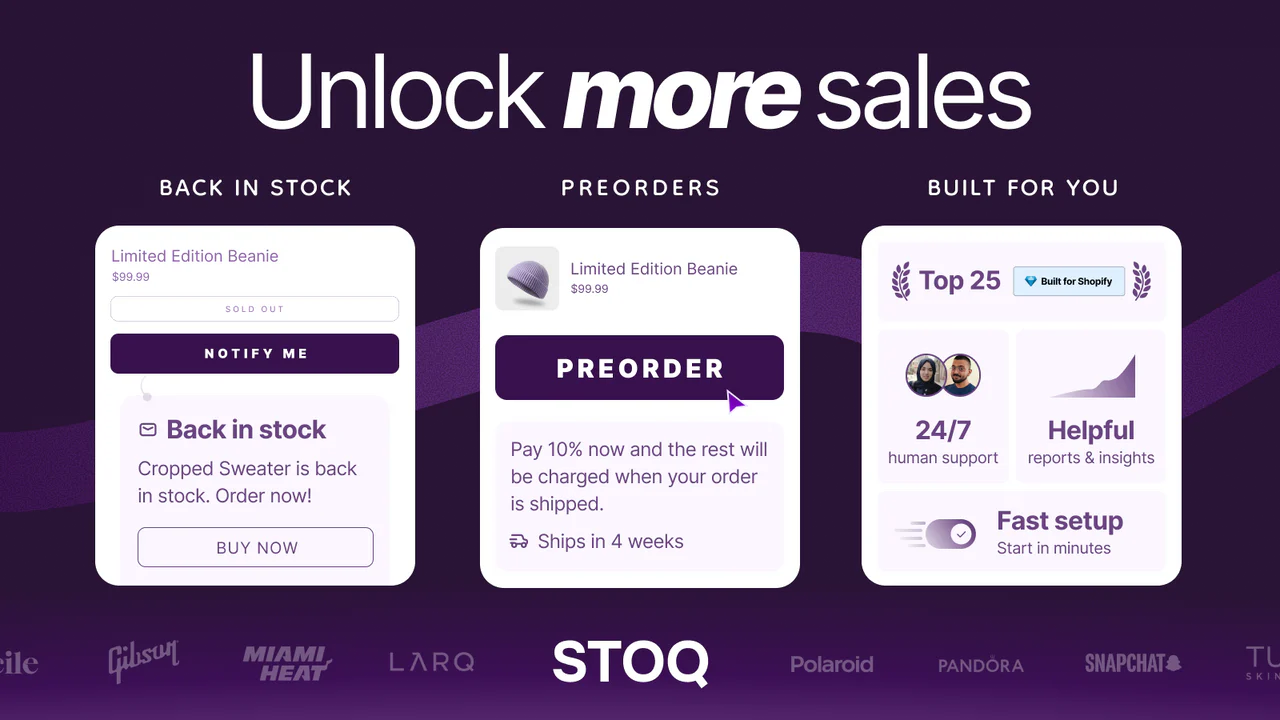
Add a Notify Me or Preorder button to out-of-stock products in minutes. Send automatic back-in-stock alerts by email or SMS when you restock. Offer full and partial payments to capture preorder revenue early. The team ranks in the top 25 Built for Shopify apps with weekly updates.
Key Features
- Preorders and back in stock alerts in one app.
- Multi-language support in the app backend.
- Full and partial payments with unlimited registrations.
- Automatic email and SMS restock alerts.
- Klaviyo sync, analytics, and multi-location support.
- A frequently updated changelog every week.
Pros
- Perfect 5.0 rating with easy, no-code setup.
- Top 25 Built for Shopify app, updated every week.
- 24/7 human support helps you set things up.
- Unlimited registrations even on the free plan.
Cons
- Free plan caps preorders at 10 and alerts at 30 monthly.
- SMS alerts add per-message costs on paid plans.
Best For
Stores that want preorders and back in stock alerts together. It fits merchants who value 24/7 support and partial payments.
2. Notify Me! Back in Stock Alert
Notify Me! Back in Stock Alert is a Built for Shopify app by Notify Me! with a 4.9-star rating. More than 3,500 reviews back this all-in-one restock and preorder app. It combines back-in-stock, preorder, wishlist, and low-stock tools. The app is easy to use, with multi-language backend support.
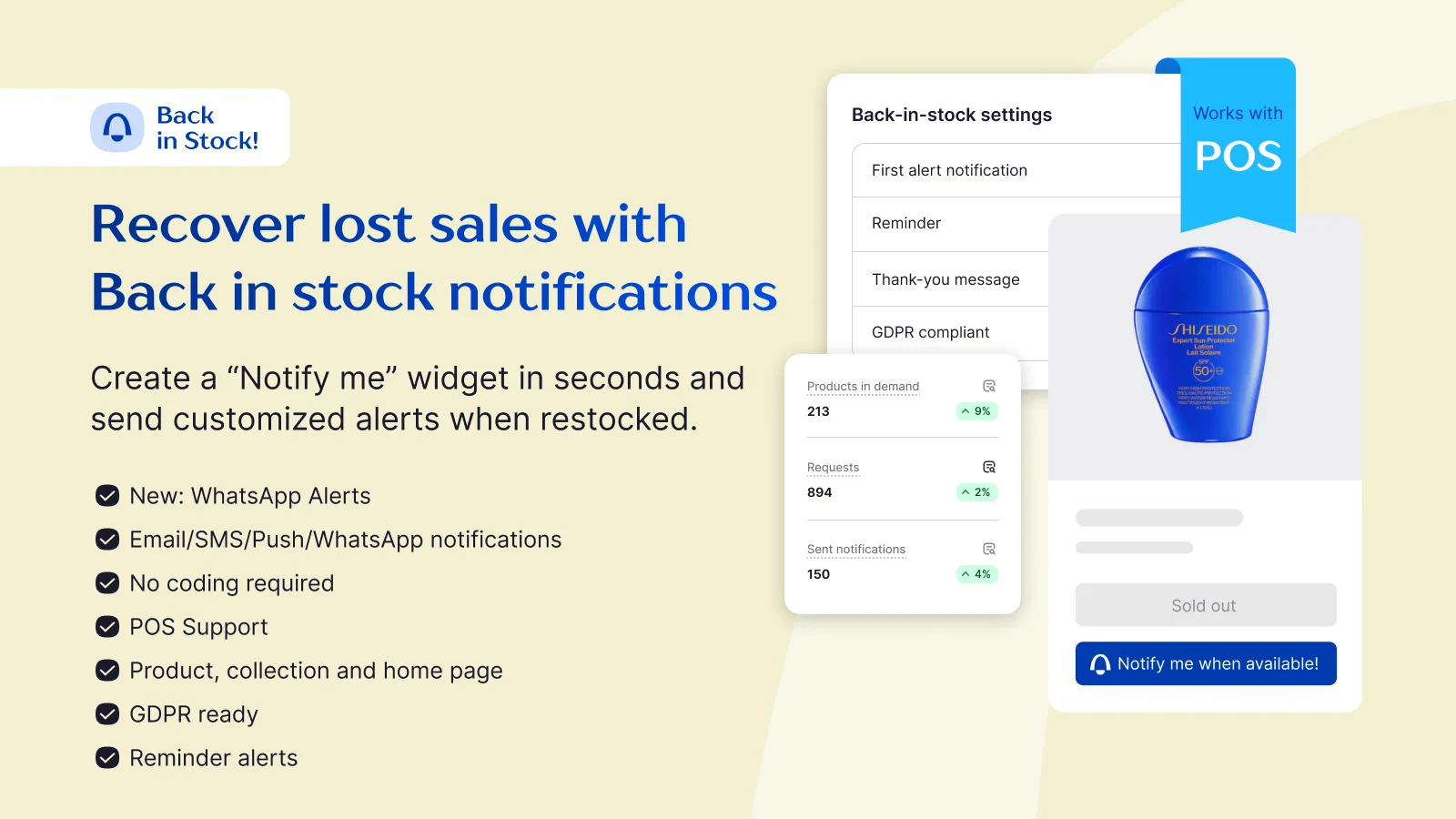
Add Notify Me, Preorder, or Wishlist buttons to out-of-stock pages. Send automatic restock alerts by email, SMS, and web push. Default “Notify Me!” emails are free, while custom emails are paid. It also supports API keys and translations for flexible setups.
Key Features
- Back-in-stock, preorder, wishlist, and low-stock in one app.
- Multi-language backend support.
- Automatic email, SMS, and web push alerts.
- Default Notify Me! emails free; custom emails on paid plans.
- API key support and translation tools.
- “Only X left” low-stock counter for urgency.
- A frequently updated changelog every month.
Pros
- All-in-one app covers restock, preorder, and wishlist.
- Easy to use with theme-matched widgets and buttons.
- Guest wishlist works even without customer login.
- Strong 4.9 rating from thousands of merchants.
Cons
- Custom-branded emails require a paid plan.
- Free plan limits restock notifications and preorders.
Best For
Stores that want restock alerts plus wishlist and low-stock tools. It fits merchants who need many capture options in one app.
3. Back In Stock, Notify Me: Kbite
Back In Stock, Notify Me: Kbite is a Built for Shopify app by Devsquat Solutions with a perfect 5.0-star rating. Nearly 3,900 reviews make it a top choice for restock alerts. It focuses on back-in-stock and price drop notifications. The app offers multi-language support in the backend.
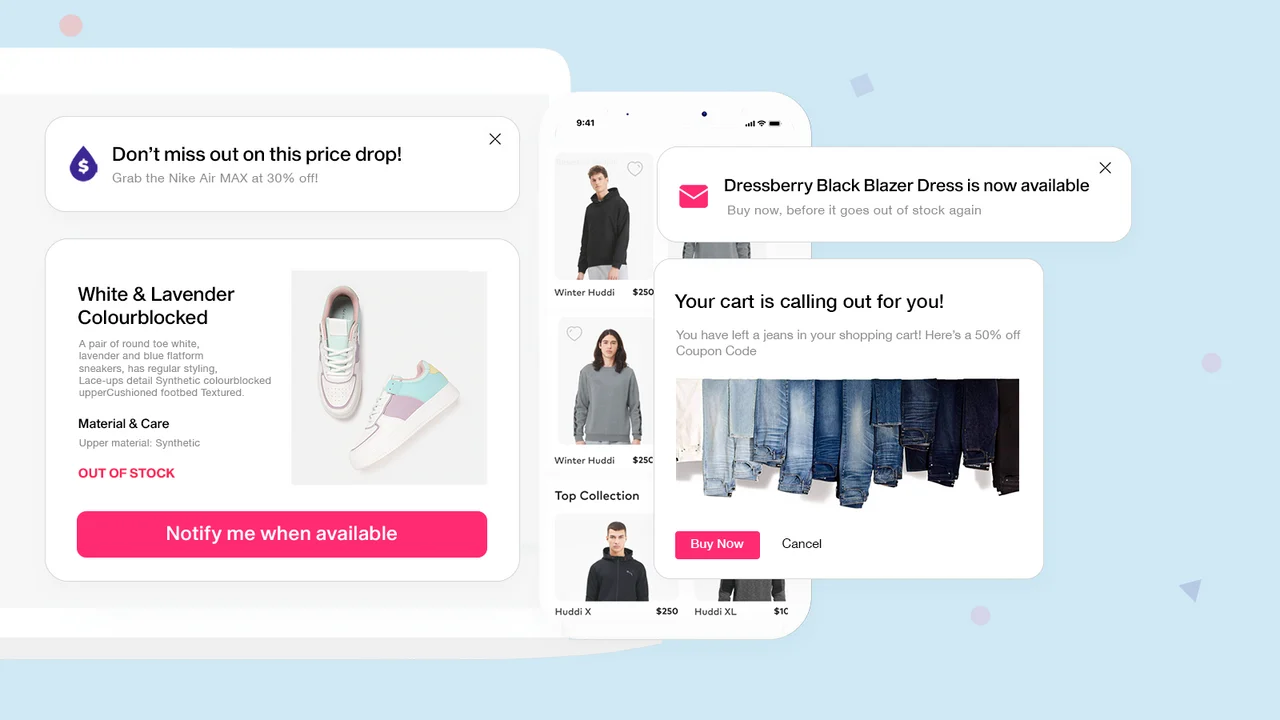
Main features include back-in-stock alerts, price drop alerts, and waitlists. Back in stock analytics show your most in-demand products. It also grows your mailing list by syncing subscribers automatically. Alerts go out by both email and SMS to reach every shopper.
Key Features
- Back in stock notifications by email and SMS.
- Price drop notifications for on-sale products.
- Product waitlist with back in stock analytics.
- Grow mailing list with automatic subscriber sync.
- Multi-language backend support.
- Free plan: unlimited subscribers and 30 emails/mo.
Pros
- Perfect 5.0 rating with unlimited free subscribers.
- Price drop alerts add extra recovery beyond restocks.
- Analytics reveal your most-wanted products.
- Simple set-and-forget restock automation.
Cons
- The free plan shows app branding on emails.
- Custom-branded emails need a paid plan.
Best For
Stores that want back in stock plus price drop alerts together. It fits merchants focused on list growth and demand insights.
4. Essent Preorder Back in Stock
Essent Preorder Back in Stock is a Built for Shopify app by Essential Apps with a perfect 5.0-star rating. Over 1,200 reviews back this preorder and back-in-stock app. It handles preorders, presales, and restock alerts together. The free plan is generous, with strong 24/7 human support.
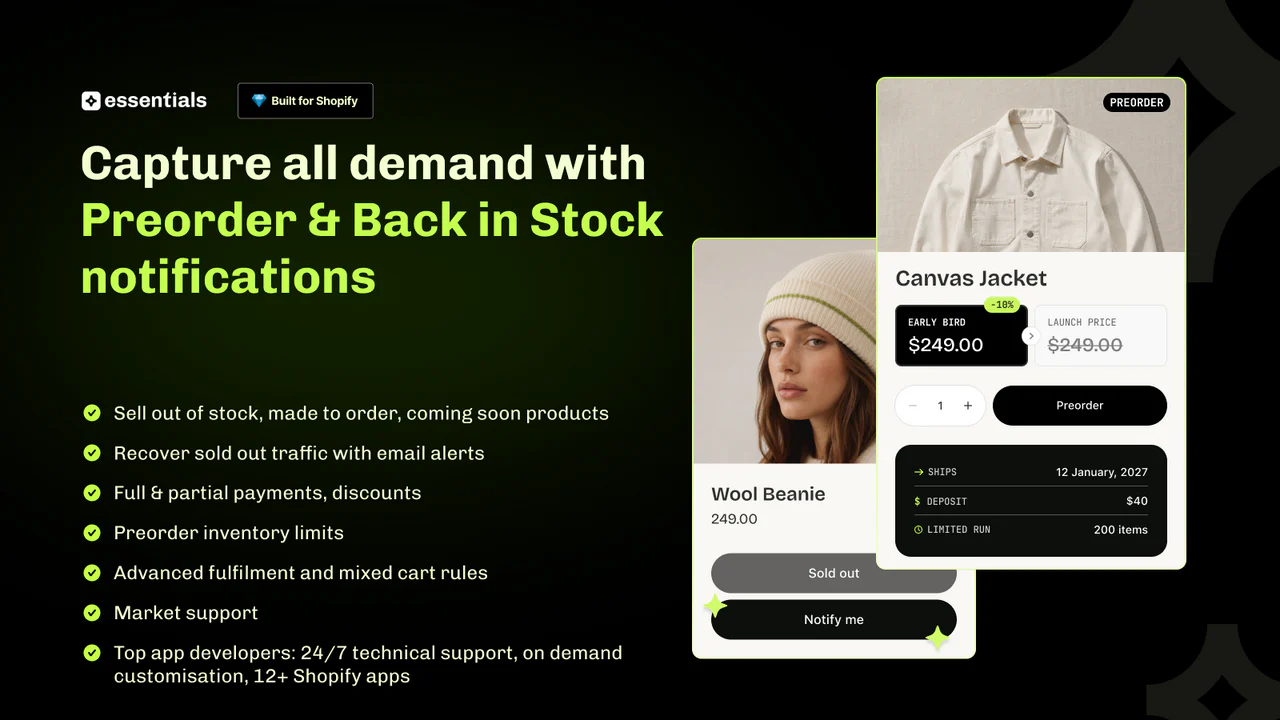
The free plan includes 10 preorders and 300 back-in-stock notifications monthly. Offer full and partial payments with flexible payment schedules. Minimum prices and custom reply-to emails unlock on paid plans. You can also set a custom sender email on higher tiers.
Key Features
- Preorders, presales, and back in stock alerts in one app.
- Free plan: 10 preorders/mo and 300 back in stock notifications/mo.
- Full and partial payments with payment schedules.
- Automatic back in stock email notifications.
- Custom reply-to and sender email on paid plans.
- 24/7 human support for setup.
Pros
- Generous 300 free back in stock notifications monthly.
- Perfect 5.0 rating with 24/7 human support.
- Flexible preorder payments and schedules.
- Variant-specific preorder and restock options.
Cons
- Minimum prices only unlock on a paid plan.
- Custom sender and reply-to email need a paid plan.
Best For
Stores that want preorders plus plenty of free restock alerts. It fits merchants selling coming-soon or made-to-order products.
5. SetuBridge Back In Stock Alert
SetuBridge Back In Stock Alert by SetuBridge adds a Notify Me button to out-of-stock products. It focuses on simple, reliable back-in-stock email alerts. Shoppers register on a waitlist and get notified on restock. The free plan suits small stores testing restock alerts.
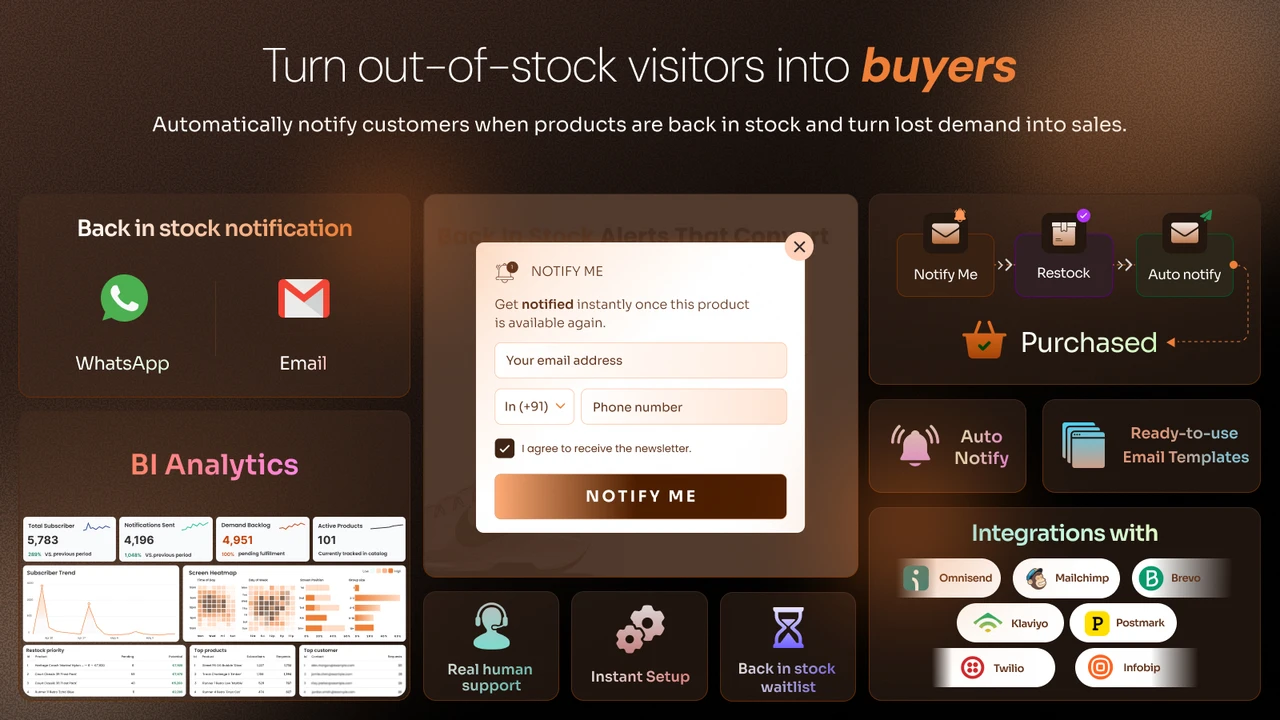
The free plan includes 50 email alerts per month and unlimited registrations. It covers limited products, a Notify Me form, and back in stock alerts. Beyond the free limit, a $1 charge applies per 50 extra emails sent. This keeps costs predictable as your waitlist grows.
Key Features
- Notify Me form on out-of-stock products.
- Automatic back in stock email alerts.
- Unlimited registrations to capture full demand.
- Free plan: 50 email alerts per month.
- $1 charge per 50 extra emails sent.
- Simple setup on any Shopify theme.
- A frequently updated changelog every month.
Pros
- Unlimited signups even on the free plan.
- Predictable pay-as-you-go pricing beyond the free limit.
- Simple, focused back in stock alert tool.
- Easy setup with responsive support.
Cons
- Free plan caps email alerts at 50 per month.
- Free plan supports only a limited number of products.
Best For
Small stores that want a simple back in stock email tool. It fits merchants testing restock alerts on a few key products.
Bonus App
6. Alert Me!: Back In Stock ‑ Restock Alerts
Back In Stock ‑ Restock Alerts by Crawlapps has a perfect 5.0-star rating. It helps stores bring back lost sales from out-of-stock products. What makes it different is the option to send alerts on WhatsApp, not just email and SMS.
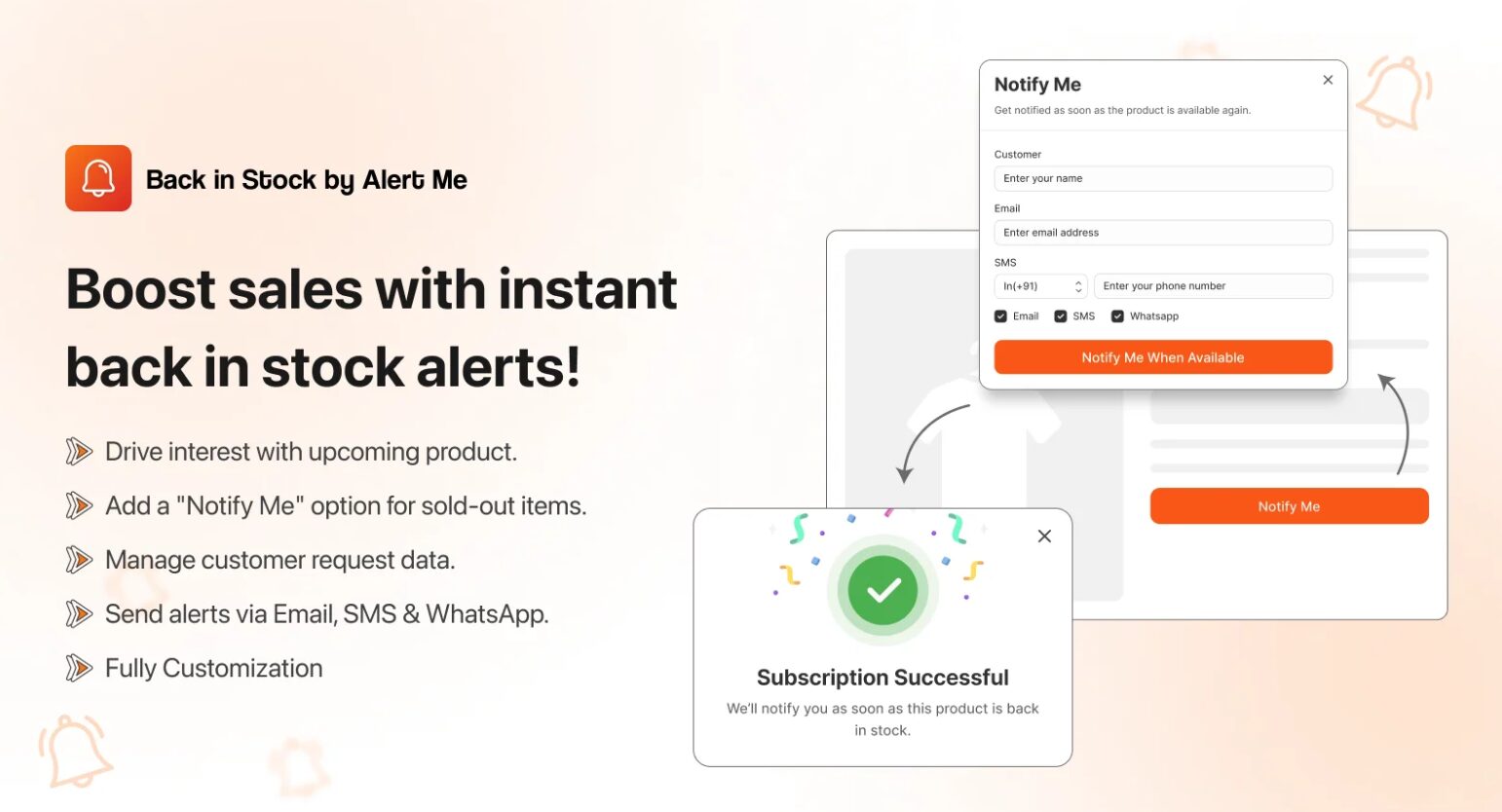
When a product runs out, the app adds a Notify Me button so shoppers can join a waitlist. Once you restock the item, the app sends the alert automatically through email, SMS, or WhatsApp.
You can set a minimum stock level to trigger alerts, send reminder messages, and change the button and message design to match your store. The dashboard also shows how many people signed up and how much revenue you got back from restocked products.
Key Features
- Notify Me button for out of stock products
- Restock alerts sent by email, SMS, and WhatsApp
- Automatic triggers based on stock level
- Custom button and message design
- Works with Klaviyo for email marketing
- Reports on signups and recovered sales
- Supports multiple languages and store locations, even on the free plan
Pros
- Free plan includes unlimited subscribers and custom branding
- WhatsApp alerts are not common in other apps at this price
- Works well with Klaviyo without extra setup
- Multiple languages and locations supported for free
- Free trial available on paid plans
Cons
- SMS and WhatsApp cost more depending on the customer’s country
Best For
Stores of any size that want more than one way to notify customers about a restock. It’s a solid fit whether you’re testing WhatsApp alerts for the first time or already running email and SMS and don’t want to pay for three separate apps to do it.
Why You Need a Back in Stock App for a Shopify Store
Stockouts happen often in online stores. Did you know the average stockout rate is about 8% for e-commerce businesses? This means one in every 12 items might be unavailable. For Shopify stores, this can lead to lost money. In 2025, with 2.77 billion people shopping online, you can’t afford to miss sales. (Source)
A back-in-stock alert app on Shopify allows customers to subscribe to a notification for when an item is back in stock. Instead of losing them as a customer, you recover them once the product restocks. For instance, if a best-selling shirt sells out, the app sends an email or SMS when it resupplies. This makes frustration into elation.
69% of online shoppers will switch to a competitor if an item is out of stock. But with back-in-stock notifications, you keep them loyal. These apps also help you understand demand. If many sign up for alerts on one product, you know to order more next time.
In 2025, inventory levels rose 26% year-over-year in the first quarter. This shows stores are stocking up, but surprises still happen. A back-in-stock app acts like a safety net. It works with Shopify’s tools, making setup easy. No coding needed for most. If you’re running a store, this app can increase sales by 10-20% just by recovering lost chances.
Think of it as a bridge between out-of-stock products and happy buyers. Without it, you risk high cart abandonment, around 70% on average. With it, you build trust and keep revenue flowing.
Criteria for Choosing the Best Shopify Back in Stock App
Finding the best Shopify back-in-stock app shouldn’t be complicated as long as you know what to pursue. First things first, you must look for usability. You need to determine that the app installs seamlessly and works with your theme. Also, determine if any coding is needed. If the app requires coding, you should probably stay away – at the very least, you may want an app that doesn’t require coding.
Second, you may want to look into features. Does the app send emails, SMS, or both? Is it possible to customize the “Notify Me” button? Integration is also important; the best apps will integrate with Klaviyo or Mailchimp for email marketing.
Finally, pricing is always important. Some apps come with free plans, many of which will only support stores below a predetermined revenue amount, while others come with per-month transaction-based pricing, and others may come with different plans for each usage. Once you take stock of these items, you can see if the reviews reflect your experience. Any app with a rating above 4.5 is a good sign.
Consider support. Good apps offer chat or email help. In 2025, with the Shopify app market growing, the focus will be on apps that handle real-time alerts. This saves time on manual checks. (Source)
Security and data privacy should be given. The app has to hold a compliance framework for the protection of customer information. Last but not least- consider testing for mobile-friendliness. Since most shoppers make purchases via their phones, make sure the app functions well on a mobile platform.
With these considerations, you will be able to source an app to accommodate your store. It should alleviate your out-of-stock notifications without placing additional load on your business.
Benefits of Using Back in Stock Alerts
Back-in-stock alerts offer many wins for Shopify stores.
First, they recover lost sales. When a product sells out, alerts bring customers back to buy. This can boost revenue without extra ads.
Second, they improve customer experience. Shoppers feel valued when notified. No more checking the site daily. This builds loyalty and trust.
Third, alerts promote exclusivity. If someone sees an item that has limited stock, it makes it feel special, akin to a hot ticket to a concert. When customers receive the notification, they rush to purchase it.
Fourth, alerts serve inventory planning, as the sign-ups represent demand. This will help you in your purchasing and stocking decisions, as you will be less likely to over-purchase or under-purchase inventory.
Fifth, alerts help to reduce churn. Instead of losing a buyer to a competitor, you have kept them on your radar. This becomes especially important during peaks in demand, like holiday time.
A back-in-stock alerts app can help you maintain what would be lost sales during product drop periods or seasonally. They also work with preorders, letting you sell before stock arrives.
Overall, these alert apps turn problems into chances. They make your store run smoother and grow faster in a busy market.
Conclusion
Stockouts are an unavoidable part of running an online store, but they don’t have to mean lost revenue. Notifying shoppers the moment an item returns keeps interest alive instead of letting it fade. This small shift changes how a stockout feels from a dead end into a temporary pause, with customers waiting rather than walking away.
Beyond recovering individual sales, these alerts reveal patterns. Every sign-up is a data point showing which products people actually want, making future inventory decisions less of a guess. Over time, this turns a routine operational hiccup into a source of insight, while keeping shoppers engaged rather than pushing them toward another store to complete their purchase.
FAQs
What is a back-in-stock app for Shopify?
A back-in-stock app lets customers subscribe to product alerts and automatically sends email or SMS notifications when items are restocked, helping recover sales.
Why do Shopify stores need a back-in-stock app?
Stockout alerts help retailers recover missed sales by notifying customers when products return, improving loyalty and supporting smarter inventory management decisions.
What criteria should I use to choose a back-in-stock app?
Consider setup, customization, integrations, pricing, support, analytics, and language options. Use a free trial to test whether the app meets your store’s needs.
What are the benefits of back-in-stock alerts?
They recover lost sales, improve customer experience, build email lists, create urgency, and provide inventory insights, encouraging repeat visits and loyalty.

Digital Marketing Head
Vijay Chavda is the Digital Marketing Head at SetuBridge Technolabs with 14 years of expertise in driving growth strategies. Beyond marketing, he is skilled in data analysis, leveraging Power BI and Tableau to turn insights into action, blending creativity with analytics for impactful business results.