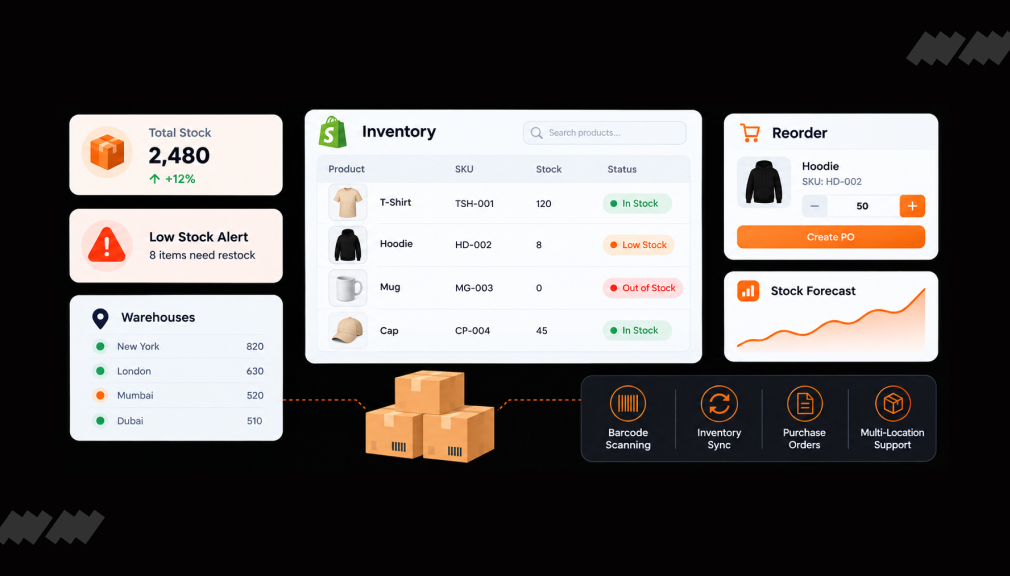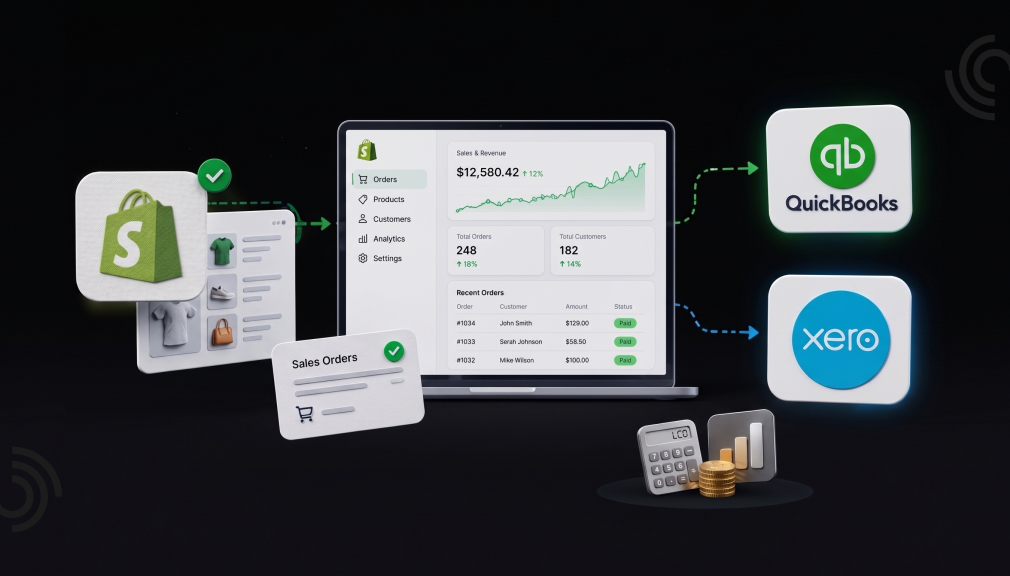
It is 11 p.m. on the last day of the month. Shopify says you sold $46,300. Your bank shows deposits of $43,150. Somewhere in that gap sit fees, refunds, gift cards, and sales tax. And you are the one who has to find every dollar.
If that feeling is familiar, you are not alone. In a SCORE survey, 40% of small business owners called bookkeeping and taxes the worst part of owning a business. The same survey found that most owners spend over 41 hours a year on tax preparation alone. That is a full work week lost to spreadsheets instead of sales.
The good news: Shopify accounting apps can close that gap for you. Below are the five best QuickBooks and Xero sync apps for Shopify merchants, apps first, so you can start comparing right away.
Key Takeaways
- Payout mismatches are a data problem, not a math problem; sync apps solve it at the source.
- Summary-style posting (A2X, Bookkeep) keeps your ledger light; order-level posting (Webgility) keeps detail rich.
- Check the pricing basis first: order-count plans and revenue plans suit opposite store profiles.
- Overage fees and entity support are decided in plan fine print, so read it before committing.
- Free trials range from 14 to 30 days; run one full payout cycle inside the trial before you decide.
The 5 Best Shopify Accounting Apps at a Glance
- A2X Sync for QuickBooks & Xero – best for accurate payout reconciliation
- Webgility x QuickBooks Desktop – best for QuickBooks Desktop and Enterprise users
- Webgility – QuickBooks Online – best for multichannel sellers on QuickBooks Online
- Bookkeep Accounting + Inventory – best budget pick with a built-in audit trail
- QuickBooks Online by Intuit – best free starting point for new stores
Comparison Table: What the App Store Pages Don’t Line Up for You
Most comparison posts repeat star ratings. This table compares the decision factors merchants only discover after installing: how pricing scales, how data posts, and the quiet details buried deep in plan pages.
| App | Starts At | Pricing Is Based On | How It Posts Data | Free Trial | Quiet Detail That Matters |
| A2X Sync for QuickBooks & Xero by A2X Software Limited | $29/month | Order volume (200 to 5,000+ orders) | Payout-based summaries that mirror each bank deposit | 30 days | Can split one Shopify store into multiple entities, each with its own QuickBooks file |
| Webgility x QuickBooks Desktop by Webgility | $139/month | Order volume, plus $50 per extra 100 orders | Real-time, order-level posting into QuickBooks Desktop | 15 days | One of the few apps still built around Desktop and Enterprise, including hosted setups |
| Webgility ‑ QuickBooks Online by Webgility | $79/month | Order volume, plus $50 per extra 100 orders | Real-time order-level sync with payout matching | 15 days | Higher plans include a human accountant review and a reconciliation audit |
| Bookkeep Accounting+Inventory by bookkeep.com Inc. | $19/month | Annual revenue tiers, not order counts | Daily summary journal entries by channel or location | 14 days | Attaches source documentation to every entry, creating a ready-made audit trail |
| QuickBooks Online by Intuit | Free to install | Your existing QuickBooks plan | Direct order and summary sync from Shopify | N/A | Built by Intuit itself, so it updates in step with QuickBooks changes |
The key insight: pricing basis is the hidden decider. Order-based pricing (A2X, Webgility) rewards high-value, low-volume stores. Revenue-based pricing (Bookkeep) rewards high-volume, low-ticket stores. Match the model to your order profile before you compare features.
Top 5 Shopify Accounting Apps
1. A2X Sync for QuickBooks & Xero
The pain it solves: your Shopify payouts never match your sales reports, and reconciliation eats your weekends.
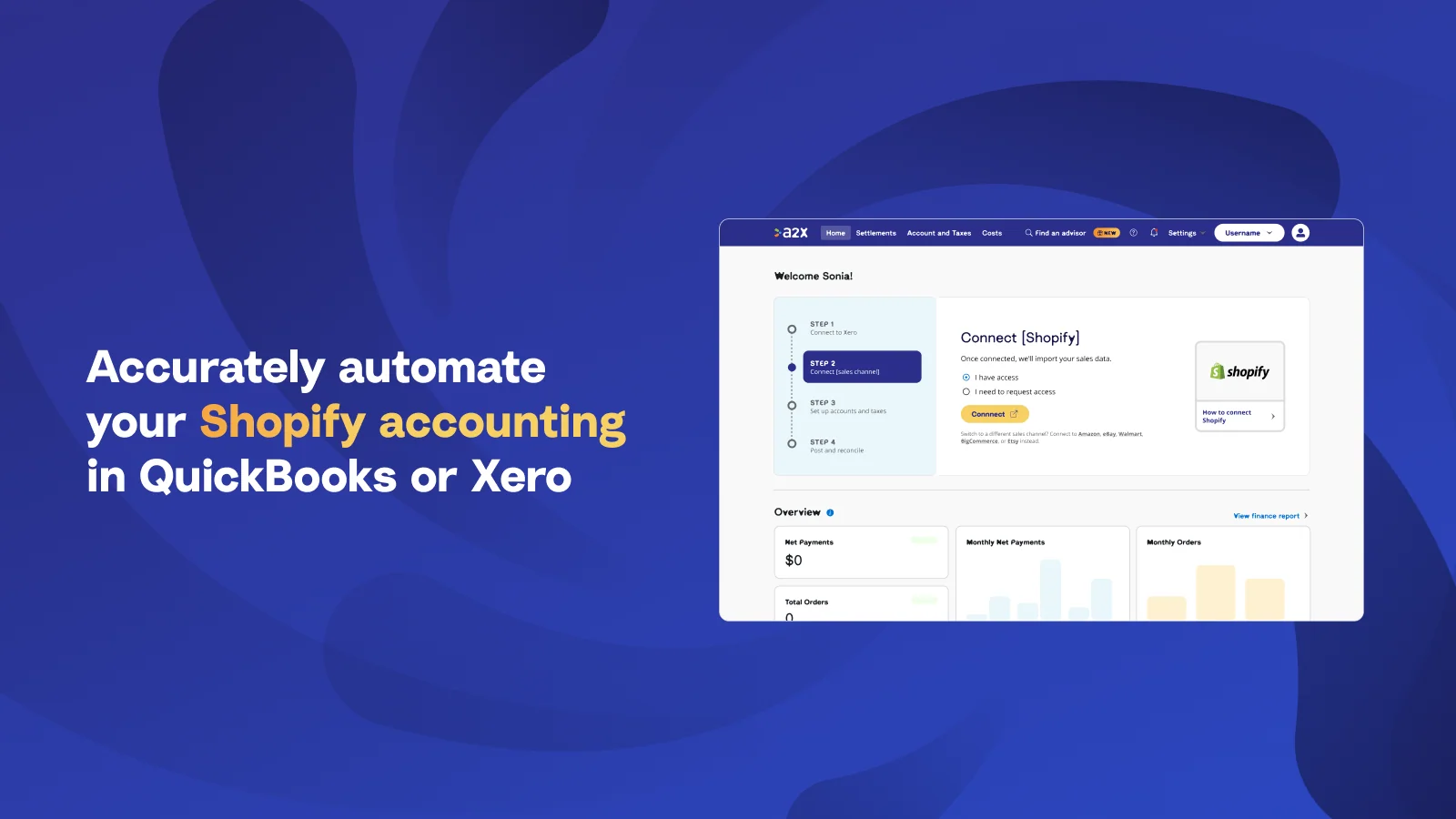
A2X Sync for QuickBooks & Xero by A2X Software Limited works differently from traditional sync tools. Instead of sending every individual order to your accounting system, it groups transactions by payout. Each summary includes sales, fees, refunds, taxes, and gift cards. The payout summary can then be matched with your bank deposit, helping keep your books accurate and making reconciliation easier for you and your accountant.
The app supports QuickBooks Online, Xero, Sage, and NetSuite. It also handles the cost of goods sold, so your profit and loss report shows true margins. A2X holds a 5.0 rating on the Shopify App Store, with 96% of its 359 reviews at five stars. Merchants often praise guided onboarding, where a named advisor walks you through account mapping.
Key Features:
- Syncs transactions automatically to save hours of manual monthly reconciliation.
- Posts clean, well-organized journal entries that match to the penny when mapped correctly.
- Handles payout, fee, and refund breakdowns so deposits reconcile cleanly against the bank.
- Tracks cost of goods sold to support accurate profit and margin reporting.
- Consolidates multiple stores and marketplaces like Amazon, Etsy, PayPal, and Stripe together.
- Manages multi-currency and multi-entity setups accurately within a single accounting organization.
- Maps sales directly to chart-of-account codes for cleaner, less complex bookkeeping.
- Fetches historical transactions so past periods can be imported and caught up easily.
- Provides guided onboarding calls that get complex accounting setups configured correctly.
- Reviewers repeatedly praise fast, knowledgeable support available by chat, call, and email.
A detail few notice: A2X can split one Shopify store across multiple business entities. Each entity posts to its own QuickBooks file. That is rare, and it matters if you run separate companies for retail and wholesale.
Pricing: from $29/month for up to 200 orders, with a generous 30-day free trial. COGS tracking starts on the $45 plan.
2. Webgility x QuickBooks Desktop
The pain it solves: you still run QuickBooks Desktop or Enterprise, and most modern apps have moved on without you.
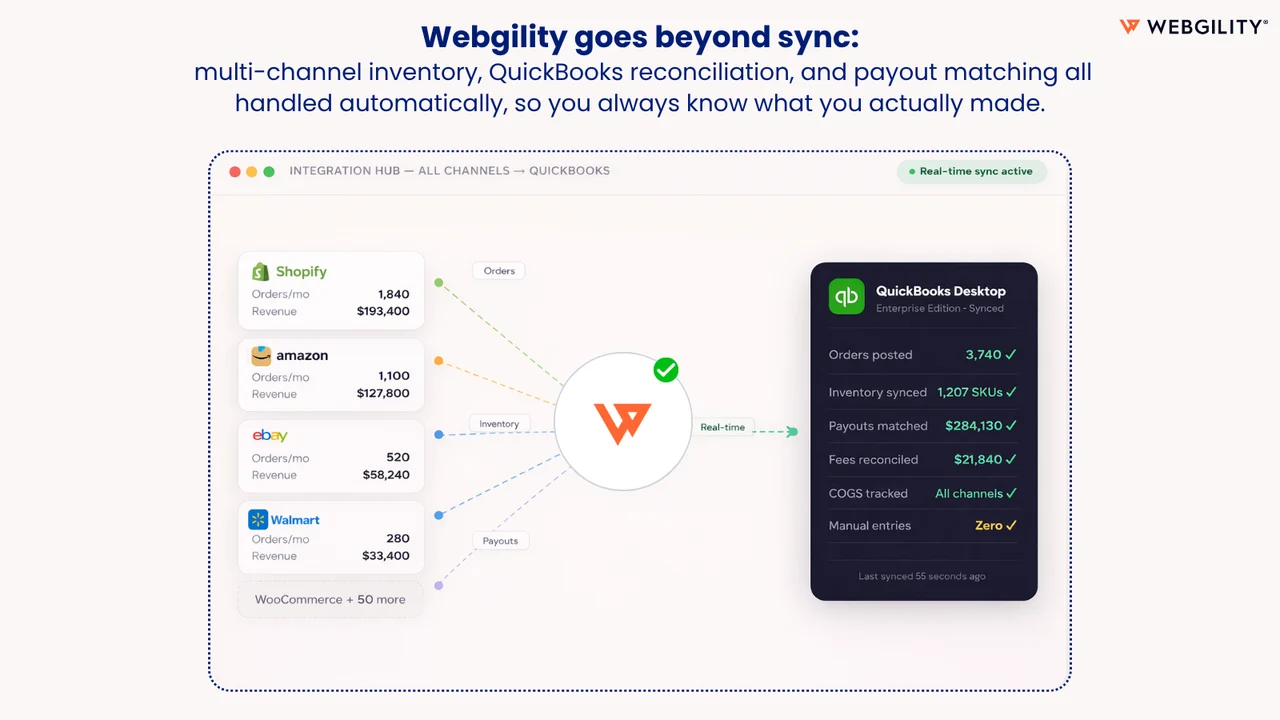
Webgility x QuickBooks Desktop by Webgility is designed for established merchants who rely on QuickBooks Desktop for inventory management and job costing. Webgility has supported QuickBooks Desktop integrations since 2013. It syncs orders, refunds, fees, taxes, and payouts from Shopify to QuickBooks Desktop in real time. It can also update inventory across Shopify, Amazon, eBay, and Walmart as soon as a sale is completed.
The app carries a 4.9 rating across 506 reviews. Merchants with complex setups, including multiple entities and Point of Sale channels, report smooth onboarding with dedicated implementation help.
Key Features:
- Posts orders, sales receipts, and transactions into QuickBooks automatically to cut manual data entry.
- Reconciles Shopify Payments payouts and settlement reports so deposits match cleanly in QuickBooks.
- Syncs inventory quantities and product costs between QuickBooks and your sales channels.
- Consolidates transactions across Shopify, Amazon, and Walmart into one QuickBooks system.
- Handles multi-entity setups with custom configurations for more complex business structures.
- Applies sales tax settings and consolidated postings that line up with actual bank deposits.
- Runs frequent automatic syncs to keep orders and transactions updated efficiently.
- Supports both automated and manual modes so users can learn the workflow before automating.
- Works reliably with QuickBooks Desktop Enterprise, including cloud-hosted server setups.
- Reviewers repeatedly praise thorough onboarding with step-by-step training and responsive implementation help.
A detail few notice: Webgility supports hosted QuickBooks Desktop environments, where your company file lives on a remote server. Scheduler access depends on your server permissions, so test this during your trial.
Pricing: from $139/month for 500 orders on one channel. Watch the overage fee of $50 per extra 100 orders. If your volume is climbing, price the next tier before you outgrow the current one.
3. Webgility – QuickBooks Online
The pain it solves: you sell on Shopify plus marketplaces, and every channel reports numbers a different way.
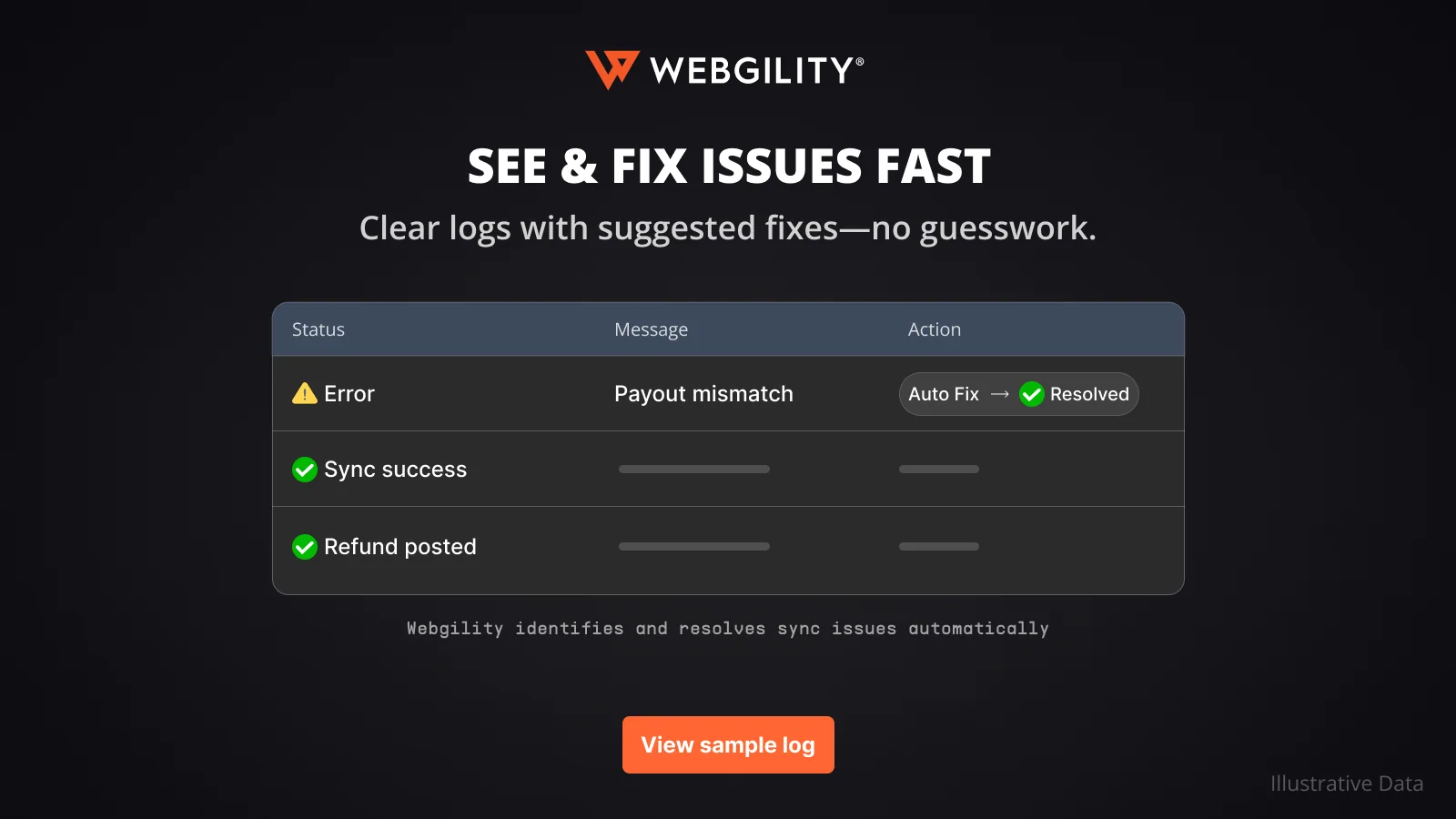
Webgility – QuickBooks Online by Webgility connects Shopify to QuickBooks Online, Xero, and 30+ marketplaces. Every order is synced in real time, including taxes, fees, and refunds. Deposits can then be matched automatically with your bank feed. Multi-currency conversion is also built in, making it easier to manage sales across different countries.
It holds a 4.9 rating from 909 merchants. The order-level detail suits sellers who need customer names and line items inside QuickBooks, not just totals.
Key Features:
- Syncs orders, fees, and payments straight to your chart of accounts to cut manual entry.
- Creates summary invoices in QuickBooks Online instead of flooding it with thousands of transactions.
- Relieves inventory accurately through summarized postings, keeping stock counts correct at volume.
- Matches Shopify payouts to bank deposits for faster, cleaner reconciliation.
- Syncs across multiple channels like Amazon and Walmart into one accounting system.
- Supports multiple QuickBooks company accounts for businesses running more than one entity.
- Connects with fulfillment and shipping tools such as ShippingEasy alongside accounting.
- Eases migration from QuickBooks Desktop to QuickBooks Online while keeping the same workflow.
- Acts on feature requests quickly, shipping capabilities like split payments and tag-based order filtering.
- Reviewers repeatedly praise knowledgeable onboarding and screen-share support fluent in both Shopify and QuickBooks.
A detail few notice: the Advanced plan and above bundle actual human accounting services. You get a quarterly review by an accounting partner, an ecommerce reconciliation audit, and a findings report. The Complete plan adds a guaranteed monthly reconciliation. You are effectively buying software plus a part-time bookkeeper check-in.
Pricing: from $79/month for 300 orders and 2 channels, with a 15-day free trial. The same $50 per 100 orders overage applies here.
4. Bookkeep Accounting + Inventory
The pain it solves: order counts keep pushing you into pricier plans, and your accountant wants proof behind every number.
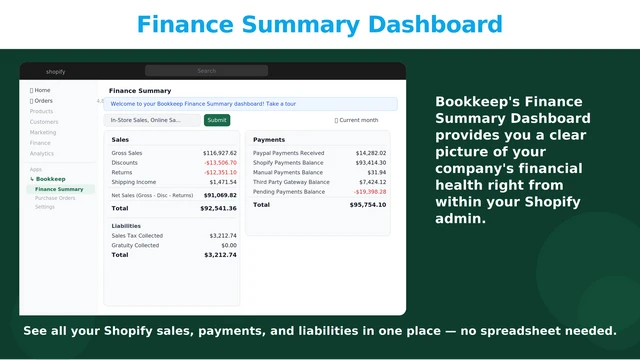
Bookkeep Accounting+Inventory by Bookkeep.com Inc. bases its pricing on annual revenue rather than order volume. The $19 Lite plan covers stores with up to $200,000 in yearly revenue and includes unlimited users. This means a store processing 3,000 small orders per month pays the same as a store processing 300 larger orders, as long as both fall within the same annual revenue tier.
The app posts daily summary journal entries to QuickBooks Online, Xero, Zoho Books, Sage Intacct, and NetSuite. It can recognize revenue by fulfillment status, which accrual-basis sellers will appreciate. It even includes purchase order management with free migration from Stocky.
Key Features:
- Syncs summarized daily sales, COGS, and payouts instead of importing every individual order.
- Keeps detail in Shopify and posts clean summaries so QuickBooks or Xero never gets clogged.
- Attaches source documentation to each entry, giving a full audit trail for assurance.
- Handles sales tax accurately, reducing complexity and risk in the bookkeeping process.
- Matches daily deposits and payouts, making bank reconciliation and month-end close faster.
- Connects to multiple accounting systems including QuickBooks, Xero, Sage Intacct, NetSuite, and Zoho Books.
- Consolidates several sales channels and store locations into one clean set of books.
- Links and updates posted records when mapping changes, without ever duplicating entries.
- Fills reporting and accounting gaps that native Shopify leaves for serious financials.
- Reviewers repeatedly praise fast, accounting-literate support that guides setup and troubleshooting.
A detail few notice: every imported entry arrives with its source documentation attached to the transaction. One accountant on Shopify called this an audit-trail dream setup. When a lender or auditor asks where a number came from, the answer is already attached.
Pricing: from $19/month, with a 14-day free trial and annual billing discounts of 17%.
5. QuickBooks Online
The pain it solves: you are a newer store, budgets are tight, and manual entry is already stealing your evenings.
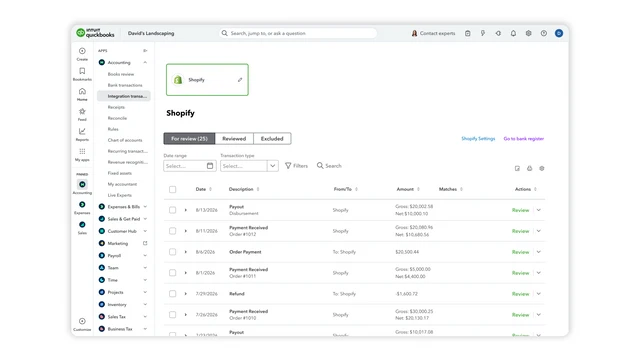
QuickBooks Online by Intuit is the official QuickBooks connector and is free to install with a QuickBooks subscription. It syncs retail and B2B sales activity from Shopify directly into QuickBooks Online, reducing the need for manual data entry.
With 3,317 reviews and a 4.6 rating, it is the most widely used option on this list. Because Intuit builds it, the connector stays current with every QuickBooks update. There is no third-party subscription to manage or budget for.
Key Features:
- Posts orders, customers, and transactions to QuickBooks without manual double entry.
- Syncs B2B orders into QuickBooks as invoices to support accounts-receivable tracking.
- Matches products by SKU so invoices and line items stay accurate.
- Brings deposits, payouts, fees, and transactions together so they reconcile as one structure.
- Categorizes sales, fees, and net amounts correctly for cleaner financial reporting.
- Connects quickly and is simple to set up for first-time users.
- Prevents duplicate entries once orders and payouts are linked properly.
- Free to install directly from the official QuickBooks connector on the App Store.
- Reviewers repeatedly praise knowledgeable live chat support fluent in both Shopify and QuickBooks.
A detail few notice: free tools are a genuine strategy at the right stage. Start here, learn what your books need, then upgrade later with clear requirements.
Pricing: free to install; you only pay for QuickBooks Online itself.
What Are Shopify Accounting Apps?
Shopify accounting apps are connectors that move your store’s financial data into accounting software. They translate orders, fees, refunds, taxes, and payouts into clean journal entries. Instead of typing numbers into QuickBooks or Xero, you review entries that arrive on their own. The best ones also match those entries to your bank deposits automatically.
Why Do Shopify Merchants Need QuickBooks or Xero Sync?
Shopify is brilliant at selling, but it is not accounting software. A single payout blends sales, fees, refunds, and taxes into one deposit. Untangling that by hand invites quiet, compounding errors. According to a FreshBooks 2025 report, only 26% of small business owners feel completely confident about their taxes. Automated sync replaces guesswork with numbers that reconcile, which restores that confidence.
Where Do These Apps Fit in Your Workflow?
They sit between your storefront and your ledger. Sales happen in Shopify as normal. The app then posts entries into QuickBooks or Xero, daily or in real time. Your bank feed matches against those entries, and your accountant works only with clean data.
When Should You Add an Accounting App?
Add one before the pain, not after. Good trigger points: crossing 50 orders a month, registering for sales tax in a new state, or adding a second channel. Cleaning messy historical books later costs far more than syncing correctly from early on.
How to Choose the Right App for Your Store
- Under 50 orders/month, tight budget: start with Intuit’s free QuickBooks Online connector.
- High order volume, low average ticket: Bookkeep’s revenue-based pricing protects your margins.
- Reconciliation accuracy above all: A2X’s payout-based summaries are built for exactly this.
- QuickBooks Desktop or Enterprise: Webgility x QuickBooks Desktop is your clearest path.
- Multichannel with QuickBooks Online: Webgility – QuickBooks Online, especially if the accountant reviews appeals.
Final Thoughts
The best Shopify accounting apps do more than save time. They replace month-end dread with numbers you can trust on the first look. Start with the app that fits your order profile and QuickBooks or Xero setup. Run one payout cycle in a free trial, and watch your deposits finally match. Your evenings and your accountant will thank you.
FAQs
Which Shopify accounting app is best for QuickBooks sync?
A2X is best for payout accuracy, while Webgility suits order-level, multichannel sync. Intuit’s free connector is the best zero-cost starting point.
Do these apps work with Xero as well as QuickBooks?
Yes, most do. A2X, Bookkeep, and Webgility – QuickBooks Online all support Xero. Webgility x QuickBooks Desktop focuses on the Desktop product line.
Why don’t my Shopify payouts match my sales reports?
Payouts arrive net of processing fees, refunds, and adjustments, while sales reports show gross figures. A sync app itemizes each part of the payout. That is why the deposit then matches your books exactly.
Can these apps handle sales tax?
Yes, all five map sales tax to the correct accounts. Bookkeep goes further with a managed filing service on its PRO plan. A2X lets you assign tax rules to every transaction type.
Should I sync every order or use daily summaries?
Summaries keep your ledger fast and clean, which suits most merchants. Order-level sync helps if you need customer details inside QuickBooks, such as for B2B invoicing. High-volume stores should lean toward summaries.
How long does setup take?
Basic connection takes minutes, and account mapping takes one to two hours. Budget one payout cycle to verify everything matches before trusting it fully.

Shopify Expert
Dipen Panchal, Shopify Tech Lead at Setubridge Technolabs, brings over a decade of expertise as a Shopify Expert. Passionate about e-commerce growth, he specializes in UI/UX design, crafting intuitive, engaging solutions tailored for merchants and B2B clients to enhance user experiences.