





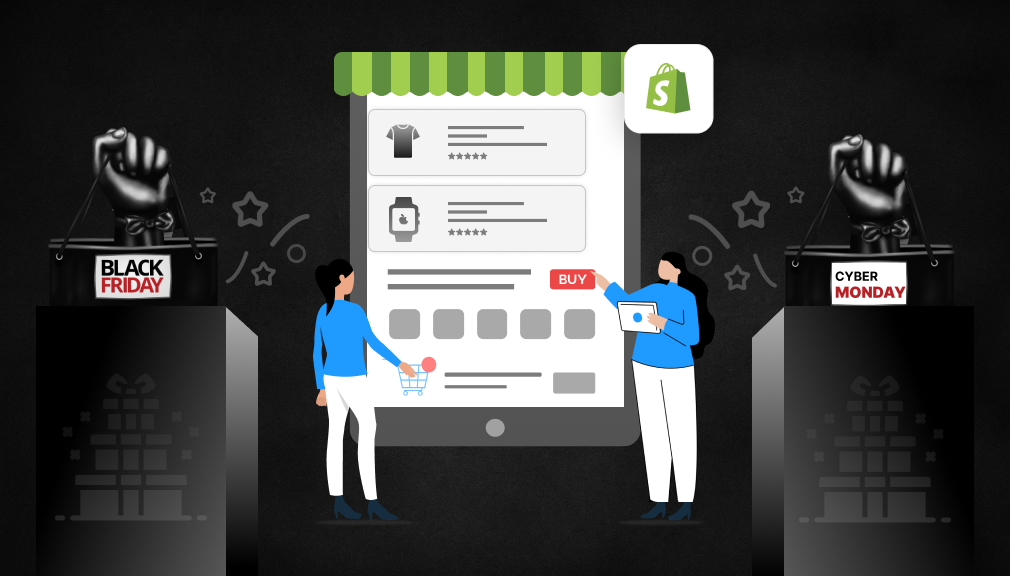
Quick summary: Black Friday is on Nov 27, 2026, and Cyber Monday is on Nov 30. In this post, we’ll take you through the five days, week by week: how to get your store up and running quickly and reliably, frame powerful offers that leave room for profit, prepare for sell-outs, define shopping deadline dates, and bring the right audiences the right messages at the right time with emails and ads.
Last year broke records. Shopify merchants made $14.6 billion during BFCM 2025, a 27% rise over 2024. It was the biggest day ever for more than 94,900 individual sellers, and sales hit a record $5.1 million per minute at 12:01 pm ET on Black Friday.
The US market also experienced growth. Adobe found that people spent $44.2 billion online during Cyber Week 2025, from Turkey Day through Cyber Monday. Black Friday alone generated $11.8 billion, and Cyber Monday $14.25 billion.
Two trends from 2025 should shape your plan for this year:
- Shoppers start earlier. For the second year running, Black Friday grew faster than Cyber Monday. Adobe credits deals that launched early and stayed live all week.
- Mobile decides the sale. 57.5% of Cyber Monday online sales came from phones, and on Thanksgiving, mobile passed 60% for the first time.
The opportunity is big, but so is the competition. The stores that win are the ones that prepared in October, not the ones that scrambled in late November.
The BFCM 2026 Calendar and Your Countdown
Cyber Week 2026 runs from Thanksgiving on Thursday, November 26 to Cyber Monday on November 30. Work back from those dates so nothing lands in the final week.
| Date | Day |
|---|---|
| Nov 26 | Thanksgiving (US) |
| Nov 27 | Black Friday |
| Nov 28 to 29 | BFCM weekend |
| Nov 30 | Cyber Monday |
Your countdown:
- Early October (8 weeks out): Check store speed and mobile experience. Review last year’s BFCM sales by product. Place restock orders for best-sellers now, while suppliers still have capacity.
- Late October (5 weeks out): Decide your offers and margins. Agree shipping cutoffs with your carrier and warehouse. Freeze theme changes after this point.
- Early November (3 weeks out): Build your BFCM collection, landing page, and banners. Write and schedule your email and SMS sequence. Start growing your email list with a waitlist or early-access sign-up.
- Mid-November (10 days out): Run full test orders on mobile and desktop. Test every discount code. Brief your support team and write saved replies.
- Week of November 23: Send early access to your VIP customers. Start teaser ads. Do one last check of stock levels and shipping settings.
- November 26 to 30: Launch, monitor and adjust. See the weekend checklist later in this guide.

Get Your Store Ready: Speed, Mobile and Checkout
Your store has to stay fast and work perfectly on a phone when traffic peaks. Shopify handles the server load, but your theme, apps, and images decide how fast each page feels.
Speed up your store
- Measure first. Run your homepage, a collection page, and your top product page through Google PageSpeed Insights. Test the mobile score, not just the desktop.
- Remove apps you no longer use. Each app can add scripts to every page. Uninstall what you don’t need, and check that its code was removed from your theme.
- Compress images. Keep product images under about 200 KB. Shopify serves modern formats automatically, but oversized uploads still slow pages down.
- Limit heavy extras. Autoplay videos, large sliders, and several tracking pixels add up. Keep only what earns its place during the sale.
For a deeper look, see our guide to Shopify page speed optimization.
Check the mobile experience.
With more than half of BFCM sales on phones, walk through your store on your own phone, from the ad click to the order confirmation. Check that:
- Buttons are easy to tap, and text is readable without zooming.
- The add-to-cart button stays visible as shoppers scroll.
- Pop-ups are easy to close and don’t cover the product.
- Checkout works with Shop Pay, Apple Pay, and Google Pay.
Express payments matter. Shopify says 32% of BFCM 2025 orders used Shop Pay, and Shop Pay sales grew 39% year on year.
Test your checkout end to end
Place real test orders before the sale, not during it:
- Every payment method you offer
- Every BFCM discount code, including stacking rules
- Shipping rates for local, national, and international addresses
- Order confirmation and shipping emails
- At least two phones and two browsers
After your final tests in mid-November, freeze theme and app changes until December. A small edit on Black Friday morning can break a page at the moment it matters most.
Build BFCM Offers That Protect Your Margins
The best BFCM offer gets shoppers to buy more, not just to pay less. Start from your margins, then choose the offer type that fits each product group.
Tiered discounts
Reward bigger carts instead of discounting every order the same way:
- Spend $75, get 15% off
- Spend $150, get 25% off
- Spend $250, get 30% off
Set your tiers just above your current average order value. If most orders are around $60, a $75 first tier nudges shoppers to add one more item.
Different discounts by category
Not every product can carry the same discount. Put deeper discounts on high-margin products and lighter ones on low-margin items. Use best-sellers as the headline deal on your banner, even if the discount on them is modest.
Bundles
Bundles raise order value and help move slow stock. Good BFCM bundles include:
- Products customers already buy together
- A complete set (for example, a full skincare routine)
- A best-seller paired with a slower-moving item
Price bundles clearly below the cost of the items bought separately, and show the savings in dollars.
Free gift with purchase
A gift over a spend threshold is a lot more impressive than saving a percentage off, but it costs you less. Consider gifts that are inexpensive to produce, easy to send, and relevant to what the customer purchased. One sample product is a good idea as it gives the customer a taste of what they may buy in the future.
Early access for loyal customers
Offer early access to previous customers and email subscribers. 24 to 48 hours of early access preserves existing customers, distributes sales over more days, and provides your first real sales data.
What Are the Built-in Shopify Discount Types? Shopify supports straightforward percentage and amount-off discounts. For tiered or stacking offers, you will need a discount app.
Plan for Sell-Outs Before They Happen
Selling out of your headline product on Black Friday afternoon feels like success, but every shopper who lands on a sold-out page after that is a lost sale. Plan for it in two parts: stock enough, then catch the demand you can’t fill.
Forecast and restock early
- Pull last year’s BFCM sales by product and variant. Note which items sold out and when.
- Add your expected growth on top. If BFCM sales grew 30% last year, plan stock for at least that.
- Place restock orders by early October. Suppliers and freight get slower as November fills up.
- Set low-stock alerts in Shopify so you know which products to pull from ads before they run out.
Don’t let a sold-out page become a dead end
When a product does sell out, give shoppers something to do other than leave:
- Show similar products on the sold-out page, ideally ones that are also on sale.
- Collect a waitlist. A simple “Notify me when it’s back” form turns a lost visitor into a lead. When stock arrives, those shoppers are often your fastest buyers.
- Take pre-orders if you know when stock will arrive, and state the expected ship date clearly.
- Pull the product from ads and email the moment it sells out, so you stop paying to send people to it.
You can collect waitlist sign-ups with a basic contact form and email shoppers by hand. If you’d rather automate it, we built Back In Stock Alert – Notify Me for this job. It adds a notify-me button to sold-out variants, emails shoppers automatically when stock returns, and can switch a sold-out product to pre-order.
Waitlists also work before the sale. A “Coming to our Black Friday sale” sign-up on a product page builds a list of shoppers who already want that exact item.
Answer the Delivery Question Before Shoppers Ask It
During BFCM, “When will it arrive?” is the question that decides many sales. Shoppers compare dozens of similar deals, and a clear delivery date is often what tips them toward one store.
The data backs this up. In Baymard Institute’s research, the average cart abandonment rate is 70.22%. Among shoppers who were ready to buy, 40% left because of unexpected extra costs such as shipping, and 20% left because delivery was too slow. Another 12% left because they couldn’t see the total cost up front.
Set realistic shipping cutoffs
BFCM order volume slows down picking, packing, and carriers. Before the sale:
- Ask your warehouse how many orders a day it can ship, and plan for a backlog after the weekend.
- Add extra processing days for BFCM orders, and tell shoppers about them.
- Mark weekends and public holidays as non-shipping days, so your promised dates stay honest.
- Set a daily order cutoff time (for example, “Order by 2 pm to ship today”).
Show the delivery date where shoppers decide
A delivery promise works best right next to the add-to-cart button, not hidden in a shipping policy page:
- Product page: “Order within 3 hrs 20 mins, get it by Thu, Dec 3”
- Cart: The same date, plus how much more is needed for free shipping
- Shipping policy and FAQ: Your BFCM processing times and cutoffs
Keep the message short, and make it specific to the shopper where you can. A shopper in the next city and a shopper across the country should not see the same date.

How to set it up
You can add a static line such as “Ships in 2 to 4 business days” with your theme editor. It is free, but it can’t count down to your cutoff, skip holidays, or change by location.
For dynamic dates, you need an app. We built Estimated Delivery Date – ETA to handle exactly this. It calculates the date from your processing time, cutoff, and holiday calendar, shows a countdown to the order cutoff, and can show different dates by ZIP code or shipping method. You can see these features set up step by step in our guide to Shopify delivery date rules.
Whatever tool you use, the rule is the same: only promise dates you can keep. A missed date during BFCM turns a happy customer into a support ticket.
Make Your Store Look Like a BFCM Store
Shoppers should know you have a sale within a second of landing on any page. You don’t need a redesign, just a few clear changes.
Homepage banner
Your first screen should show the offer, the sale dates, and one button. Keep the text short enough to read on a phone. For example: “Black Friday: up to 30% off. Ends Monday at midnight. Shop the sale.”
A dedicated BFCM collection
Put every discounted product in one collection and link to it from your main menu, banner, and emails. Sort it by best-sellers or by biggest savings. Add a short line at the top that explains the offer and the end date.
Announcement bar
The bar at the top of every page is the best place for the details people need while browsing: the offer, the free shipping threshold, and the end time. See our comparison of Shopify announcement bar apps if your theme’s built-in bar is too limited.
Countdown timers
A countdown to the end of the sale creates real urgency, as long as the deadline is real. Fake timers that reset on every visit damage trust quickly. Our guide to countdown timer bar apps covers how to use them well.
Pop-ups, used carefully
- Email sign-up before the sale: Offer early access in exchange for an email address.
- Exit intent during the sale: Show free shipping or a small extra discount when a shopper is about to leave.
On mobile, keep pop-ups small, delay them by a few seconds, and make the close button easy to tap. One well-timed pop-up works better than three.
Plan Your Email, SMS and Ad Campaigns
Email is still your most reliable BFCM channel, because you own the list and pay nothing per send. Write and schedule the whole sequence by mid-November, so the sale weekend is about watching results, not writing copy.
A BFCM 2026 email sequence
| Send date | Goal | |
|---|---|---|
| Nov 12 | “Our biggest sale is coming” | Build anticipation, invite early-access sign-ups |
| Nov 19 | Sneak peek of top deals | Show 3 to 5 headline products |
| Nov 24 | Early access for VIPs | Reward past customers 48 hours early |
| Nov 27, morning | Black Friday is live | Lead with your strongest offer |
| Nov 27, evening | Best-sellers are going fast | Social proof and stock levels |
| Nov 28 | Weekend deals | New products or a flash deal |
| Nov 30, morning | Cyber Monday is here | Final-day offer |
| Nov 30, evening | Last chance | Sale ends at midnight |
Adjust the gap between emails to how often your list usually hears from you. A list that gets one email a month may unsubscribe if it suddenly gets eight.
Segment your list
- Past customers: Early access and products that go with what they bought before.
- Subscribers who never bought: Your strongest first-order offer.
- Cart abandoners: A reminder of the exact items, now at the sale price.
SMS
Use SMS for short, time-sensitive messages only: the launch, a flash deal, and the final hours. Send to shoppers who have opted in, and keep it to two or three messages across the weekend.
Paid ads
Ad costs rise sharply in late November as every brand bids for the same shoppers. To get the most from your budget:
- Start building retargeting audiences in October, while traffic is cheaper.
- Retarget site visitors and cart abandoners with the exact products they viewed.
- Run Google Shopping campaigns for your discounted products, and keep the product feed up to date.
- Bid on your own brand name, so competitors can’t take shoppers who are already searching for you.
- Check return on ad spend every day of the sale, and move budget to what’s working.
Social media is growing as a sales channel too. Adobe found social media’s share of Cyber Monday 2025 revenue rose to 3.6%, up 56.5% year on year.
Run the BFCM Weekend Like a Control Room
Once the sale is live, your job is to spot problems early and fix them fast. Last year Shopify sales peaked at 12:01 pm EST on Black Friday, so have someone watching the store at midday, not only at launch.
What to watch every few hours
- Sales and conversion rate in Shopify’s live view. A sudden drop usually means something broke.
- Stock levels on your top 10 products. Pull sold-out items from ads and emails right away.
- Discount codes. Check that they still apply, and that nobody has found a way to stack them.
- Site speed and errors. Load your homepage and checkout on your phone.
- Ad spend and return. Pause ads that are spending without selling.
Prepare your support team
Most BFCM questions are predictable: delivery dates, order status, discount codes, and returns. Before the sale:
- Write saved replies for each of these questions.
- Add your BFCM shipping times and return policy to your FAQ page.
- Decide who is on call each day of the weekend, and how they reach each other.
Clear delivery dates on product pages can prevent many “Where is my order?” messages before they are sent. We cover this in more detail in our guide to reducing WISMO tickets on Shopify.
After Cyber Monday: Turn BFCM Buyers Into Repeat Customers
BFCM brings in many first-time customers. What you do in the following weeks decides whether they come back at full price.
Deliver on your promise
Start with the basics: the order arrives when you said it would. Send shipping updates proactively, and contact customers yourself if an order will be late.
Thank you and next-order offer
Add a short thank-you to your order confirmation and a time-limited code for the next order, for example, 10% off within 30 days. A handwritten-style note in the box costs little and is often what people remember.
Ask for reviews at the right time
Request a review 7 to 10 days after delivery, not after purchase. Keep the form short and let customers add photos. Reviews collected now become social proof for next year’s sale.
Follow-up flows
- Day 30: Products that go with what they bought.
- Day 60: A replenishment reminder for consumable products.
- Day 90: Early access to your next sale.
Review your data while it’s fresh
In the first week of December, write down what worked: best-selling products, best offers, best channels, what sold out and when, and what broke. That one page becomes the starting point for BFCM 2027.
Your BFCM 2026 Checklist
- Store speed tested on mobile, unused apps removed
- Restock orders placed for best-sellers
- Offers and margins decided by product group
- Shipping cutoffs, processing days, and holidays set
- Delivery dates shown on product pages and in the cart
- Notify-me or waitlist ready for sold-out products
- BFCM collection, banner, and announcement bar built
- Email and SMS sequence written and scheduled
- Test orders placed on mobile and desktop
- Support saved replies, and FAQ updated
- Theme and app changes frozen until December
Conclusion
BFCM 2026 will pay the stores that earned it in October. High-velocity mobile-store offers, designed for your profit margins, with just enough SKU support for your best-sellers, and realistic delivery times will beat any discounted dollar amount.
Begin with the task that’s giving you the most anxiety and go down your checklist one week at a time. If one of those is ship date, you have plenty of time to configure and test our Estimated Delivery Date app before Black Friday.
FAQs
When is Black Friday 2026?
Black Friday is Friday, November 27, 2026. Cyber Monday is Monday, November 30, 2026. Thanksgiving, which starts Cyber Week in the US, is Thursday, November 26.
When should I start preparing my Shopify store for BFCM?
Ideally six to eight weeks before, so early October. That gives you time to restock, test your store, and schedule your campaigns before suppliers, carriers, and ad prices get busy.
How big should my BFCM discount be?
As big as your margins allow, and no bigger. Tiered discounts, bundles, and gifts with purchase often raise order value more than a flat discount, while costing you less.
How do I reduce cart abandonment during BFCM?
Show the total cost and the delivery date before checkout, offer express payments such as Shop Pay, and keep checkout short. Baymard’s research shows extra costs and slow delivery are two of the most common reasons shoppers leave. You can show delivery dates with a simple text line in your theme, or with an app such as our Estimated Delivery Date – ETA if you want dates that update by cutoff time and location.
What should I do if a product sells out during the sale?
Pull it from ads and emails straight away, show similar products on its page, and collect a waitlist so you can email those shoppers when it’s back in stock.

Digital Marketing Head
Vijay Chavda is the Digital Marketing Head at SetuBridge Technolabs with 14 years of expertise in driving growth strategies. Beyond marketing, he is skilled in data analysis, leveraging Power BI and Tableau to turn insights into action, blending creativity with analytics for impactful business results.