Imagine the scenario. Someone buying birthday present. He/she selects Express Shipping from the home page, clicks on save, and is fully aware.
“Estimated Delivery: 5-7 business days” as a box that was present before he/she selected the other shipping option. Now they are confused. Did the page refresh? Did he/she choose the right thing? Would this store be any good?
And all of this just because of that one moment of hesitation that took only a couple of seconds. That was enough to kill the sale. The customer fires off a support ticket, he leaves, or he decides to stay with his current provider. You just lost a sale you had.
The fix is simple in its appearance: a different estimated delivery date for each shipping method. However, on Shopify, it isn’t so simple. That’s what this guide is all about.
Key Takeaways
- Shopify does not natively display shipping method-based ETA; merchants need an app or custom code to bridge this gap.
- Generic, static delivery messages cause cart abandonment, support tickets, and lost express shipping revenue.
- A Shopify delivery date app is the fastest, most reliable way to display estimated delivery dates by shipping method no coding required.
- The setup takes under 15 minutes: create a rule, enable the shipping toggle, sync your methods from Shopify, customize the message, and save.
- Offering both Visual Options and Classic Dropdown gives customers a smooth, modern experience on the product page.
- Clear, method-specific ETAs directly support higher conversion on express shipping options and reduce post-purchase confusion.
The Gap in Shopify’s Native Delivery Date Messaging
Shopify empowers merchants to set their own rates, connect with their preferred carriers, and restrict which delivery zones they want to ship to. But if they’d like to display shipping method-driven ETA over the product page with real-time message updating if a customer selects another shipping method, Shopify native features lead to a dead end.
Shopify, by default, gives you the ability to insert a “delivery” note to shipping profiles, but that note does not dynamically render on product pages by shipping method. Merchants are faced with two options: custom development or a Shopify delivery date app.
| 💡 Shopify’s native checkout shows shipping estimates at the rate level during checkout but not on product pages before checkout. For most stores, the customer doesn’t see a real Shopify shipping ETA calculator-style breakdown until they’re deep into the checkout flow. By that point, many have already decided to leave. |
What It Really Costs You When ETAs Are Unclear
In concrete terms, the figures show a clear picture. Baymard Institute reports that the average cart abandonment rate across eCommerce stores remains 70.19%. Additionally, 21% of online shoppers abandon their purchase because delivery is too slow, highlighting the importance of displaying accurate estimated delivery dates throughout the shopping journey. Also, Recent ecommerce research found that 68.4% of online shoppers consider fast shipping a top delivery priority, highlighting how delivery speed continues to influence purchase decisions and customer satisfaction.
For Shopify merchants specifically, unclear shipping ETAs create four compounding problems:
- Support overload: customers email or chat asking “when will my order arrive?” for something that should already be visible on the page.
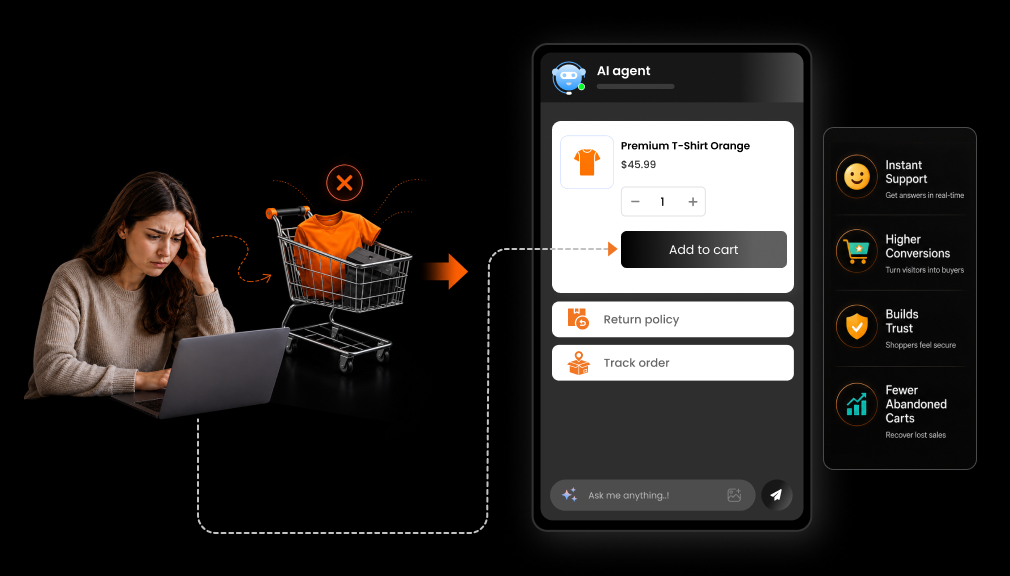
- Cart abandonment: shoppers who chose express shipping but see a generic 5-7 day estimate assume something is wrong and leave.
- Refund and dispute requests: customers who didn’t see a clear Shopify estimated shipping date before ordering feel misled when delivery takes longer than expected.
- Loss of Express Shipping revenue: if customers can’t see the benefit of paying more for faster shipping, they won’t pay for it.
More and more, AI shopping assistants, product comparison tools, etc., are pulling delivery date data to help consumers make purchasing decisions. Now, stores that have no delivery estimates for their different methods of delivery are falling behind, and that divide is only rising.
What a Shipping Method-Based ETA Actually Does
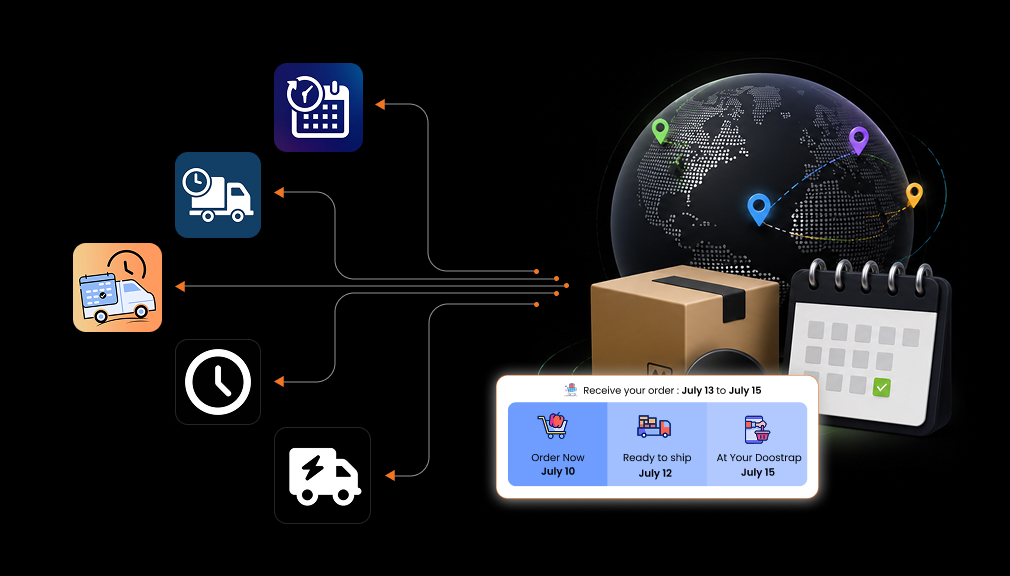
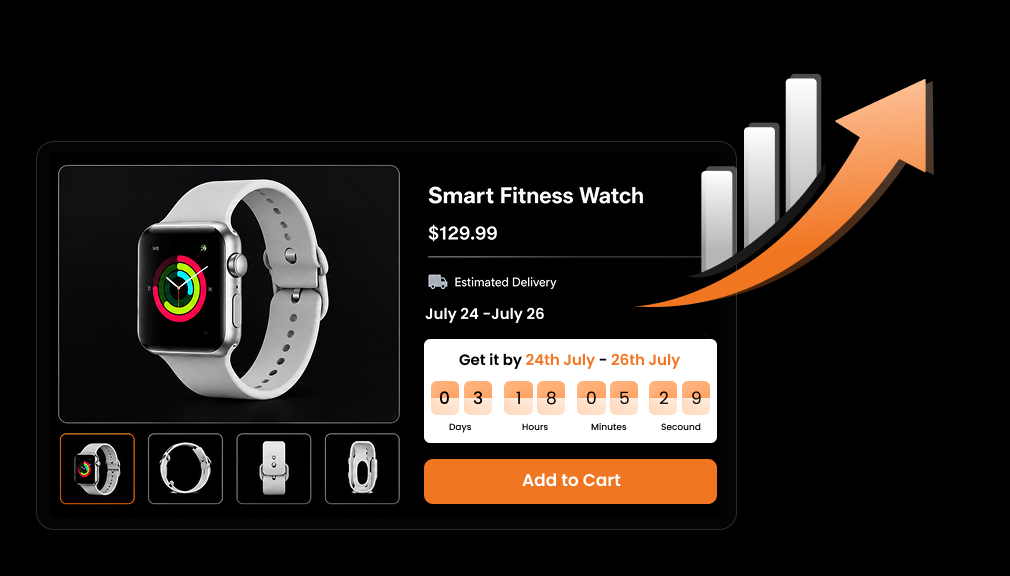
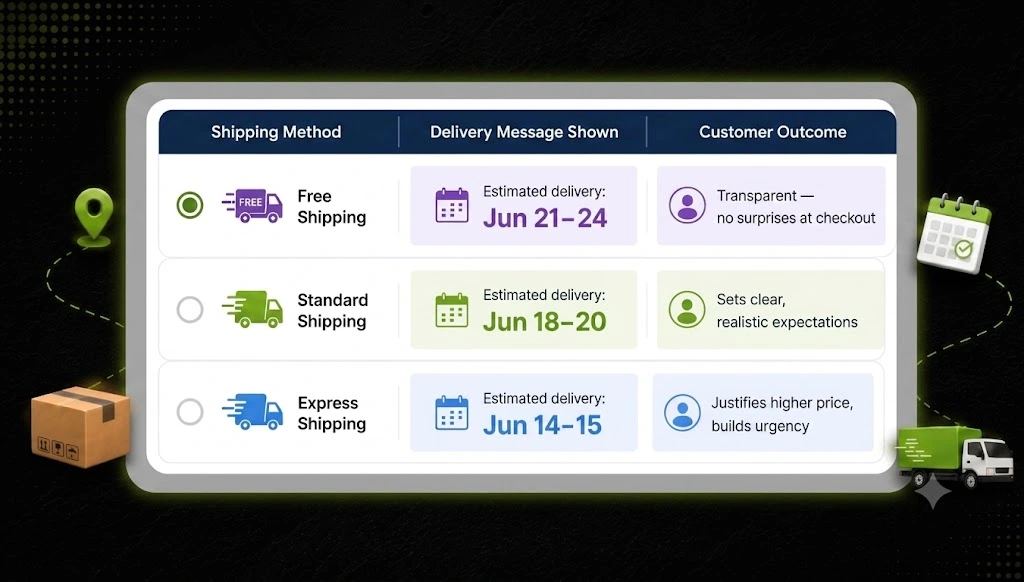
A shipping method-based ETA is a flexible message of estimated delivery date that updates on the product page if customers choose to use another shipping method. Instead of a single static message, your buyers are presented with:
| Shipping Method | Delivery Message Shown | Customer Outcome |
| Standard Shipping | Estimated delivery: Jun 18–20 | Sets clear, realistic expectations |
| Express Shipping | Estimated delivery: Jun 14–15 | Justifies higher price, builds urgency |
| Free Shipping | Estimated delivery: Jun 21–24 | Transparent: no surprises at checkout |
The result: customers understand exactly what they’re paying for, trust increases, and conversion improves, especially on higher-value shipping options.
How to Set Up Shipping Method-Based ETA on Shopify
The fastest, most reliable, and most maintainable way to Set Up Shipping Method-Based ETA on Shopify is with a dedicated Shopify delivery date app, especially if you’re not a developer. Apps like Estimated Delivery Date – ETA by SetuBridge automatically sync your Shopify shipping methods, let you create shipping method-based ETA rules, and customize the delivery message and display style exactly how you want, all with zero coding.
Option 1: Shopify App-Based Solution (Recommended)
The fastest, most reliable, and most maintainable way to set a delivery date is a dedicated Shopify delivery date app if you are not a developer. Apps like Estimated Delivery Date – ETA by SetuBridge do everything for you, bubble up your shipping methods from Shopify, and customize the delivery message and display style in the way you want, with 0 code.
| ✅ Why this works: A purpose-built Shopify estimated delivery date app manages rule logic, handles order cutoff times, accounts for weekends and holidays, and updates dynamically all without touching your theme code. |
Here’s how to set up shipping method-based ETA rules using the app:
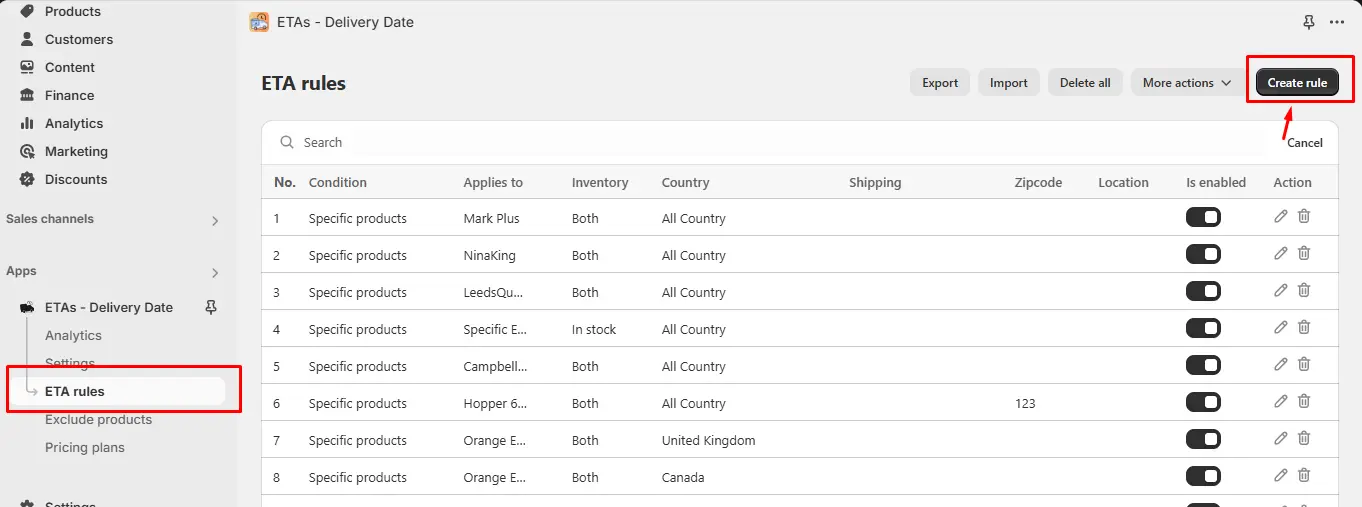
Create a Rule: In your Shopify admin, go to the app under Delivery Date – ETA from the left panel. Click Create Rule in the top right corner.
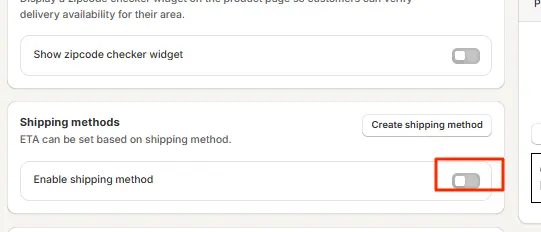
Enable the Shipping Toggle: On the rule creation screen, turn ON the Enable shipping method toggle. This activates the shipping-method-specific ETA logic for this rule.
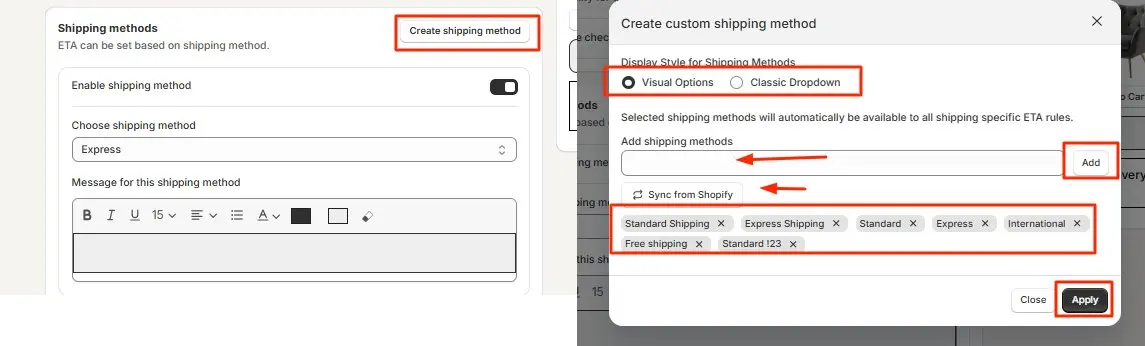
Create & Select Shipping Methods: Click Create shipping method. A pop-up opens; choose your display style: Visual Options (icon-based selector) or Classic Dropdown. Then add your shipping methods by typing their name and clicking Add, or use Sync from Shopify to auto-import your existing rates (Standard, Express, Free Shipping, etc.). Select the ones you want, click Apply, and then choose the method from the dropdown to link it to the current ETA rule.
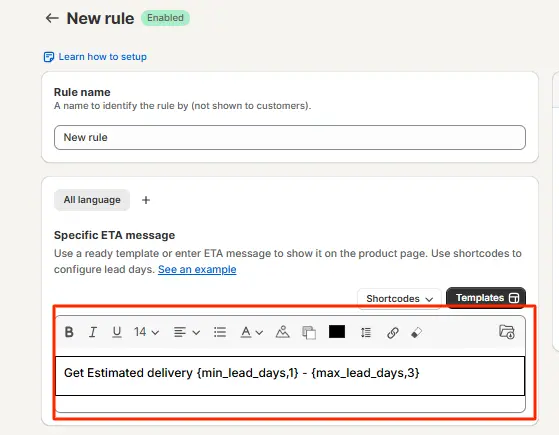
Customize the Delivery Message: Enter the delivery message for the selected shipping method. You can specify exact delivery windows, order cutoff times, or conditions such as “Order before 2 PM for next-day dispatch.” Each method gets its own unique message.
Save the Settings: Click Save. The shipping method-based ETA will now display dynamically on your product page, updating in real time as customers switch between shipping options.
The app offers two display styles for customers on the product page:
- Visual Options: shows shipping methods as clickable icon-based tiles, giving a modern, intuitive selector experience.

- Classic Dropdown: a familiar select menu that integrates cleanly into any theme layout.

| 📌 Shopify Plus merchants: You can also display the ETA message alongside the shipping method directly on the checkout page. Refer to the app’s checkout setup guide for Shopify Plus-specific configuration. |
Option 2: Custom Shopify Code Solution
For developers comfortable with Liquid and JavaScript, a custom implementation is possible. The approach typically involves:
- Adding a JavaScript listener to the shipping rate selector on the product page.
- Creating a conditional Liquid or JS object that maps each shipping method name to a delivery message string.
- Injecting the matched message into a DOM element near the shipping selector.
The challenge: Shopify themes vary widely. The shipping method selector often lives inside the cart or checkout, not directly on the product page, making DOM manipulation unreliable. You’d also need to manually handle order cutoff times, weekend logic, holiday calendars, and fallback states. Every theme update can break the implementation.
| ⚠️ Important: The custom code route is technically possible but has significant limitations; it’s tightly coupled to your current theme version, has no built-in fallback rules, cannot auto-sync shipping methods, and requires developer involvement for every update or shipping rate change. |
Conclusion
Providing estimated delivery date information by shipping method on Shopify enables your customers to shop with confidence. When they get an idea of delivery timeframes for Standard, Express, and Free Shipping right from the product page, they are less likely to abandon their shopping cart, contact your support team, and get confused over shipping, and more likely to trust your store.
While custom coding is an option for this feature, technical knowledge and ongoing maintenance would be needed. For most Shopify merchants, a dedicated delivery date app is a more straightforward, scalable option. Ensuring shipping method-based ETAs are correct is better for customer experience, more likely to sell a faster shipping upgrade, and boost conversions.
Frequently Asked Questions
Q1. How do I show estimated delivery dates based on shipping methods in Shopify?
Use a Shopify delivery date app to create ETA rules for each shipping method. Customers will see dynamic delivery estimates based on their selected shipping option.
Q2. Can Shopify display different delivery dates for standard and express shipping?
Yes, but not natively on product pages. A Shopify delivery date app or custom code can display separate, dynamic delivery dates for standard and express shipping methods.
Q3. How do I calculate delivery dates for different shipping options in Shopify?
A Shopify shipping ETA app automatically calculates delivery dates using processing times, transit days, and order cutoffs, then displays accurate estimates for each shipping method.
Q4. Does Shopify support shipping method-based ETA natively?
No. Shopify does not natively display shipping method-specific delivery estimates on product pages. To show dynamic ETAs for different shipping options, you’ll need an app or custom code.

Shopify Expert
Dipen Panchal, Shopify Tech Lead at Setubridge Technolabs, brings over a decade of expertise as a Shopify Expert. Passionate about e-commerce growth, he specializes in UI/UX design, crafting intuitive, engaging solutions tailored for merchants and B2B clients to enhance user experiences.