A shopper fills her cart on your Shopify store. She reaches checkout, then pauses. The shipping cost surprised her, and she has a quick question. No one is there to ask, so she closes the tab.
She was ready to buy just seconds ago. One small doubt sent her away for good. You never saw it happen, and the sale vanished. This plays out on Shopify stores thousands of times a day.
There is a better way to save these sales. A proactive AI chatbot spots hesitation and steps in fast. It answers the doubt before the shopper leaves. This guide shows how to recover abandoned carts with one.
Key Takeaways
- About 70% of carts are abandoned, and 40% of those shoppers buy elsewhere.
- Most carts are lost to fixable doubts like costs, delivery, and friction.
- A proactive AI chatbot steps in during hesitation, before the shopper leaves.
- It can recover up to 35% of carts by acting in real time, in-session.
- Email recovery is slower and only reaches shoppers who left an email.
- The best stores use a proactive AI chatbot and email together.
- A Shopify app is the fastest, safest way to add cart recovery chat.
Why do customers abandon their carts in the first place?
Most customers abandon carts for fixable reasons, not lost interest. Surprise costs, small doubts, and checkout friction push them away.
The scale of the problem is huge. About 70% of all carts are abandoned before checkout. Baymard estimates that $260 billion in these orders is recoverable across the US and EU.
The top reasons are often easy to fix. Extra costs at checkout drive 39% of abandonment. Slow delivery adds 21%, and forced account creation adds 19%. Each one is a doubt that a quick answer could solve.
The stakes are high when a cart is lost. When recovery fails, 40% of shoppers buy from a competitor. Still, not every cart can be saved. Some people are only browsing, and a proactive AI chatbot focuses on the ones who hesitate.
What is a proactive AI chatbot, and how is it different?
A proactive AI chatbot starts the conversation itself. It reaches out at the right moment rather than waiting to be clicked.
Most chatbots are reactive in nature and simply sit in the corner. Customers have to spot them and initiate a conversation. Proactive artificial intelligence (AI) chatbots analyze actions and respond where required. They step forward to assist when customers appear to be in difficulty.
Furthermore, they are intelligent rather than programmed. They learn from your product database, FAQs, and web pages. Hence, they provide relevant and accurate assistance on the go.
How does a proactive AI chatbot recover abandoned carts?
It recovers carts by catching hesitation in real time. It steps in before the shopper leaves, answers the doubt, and guides them to checkout.
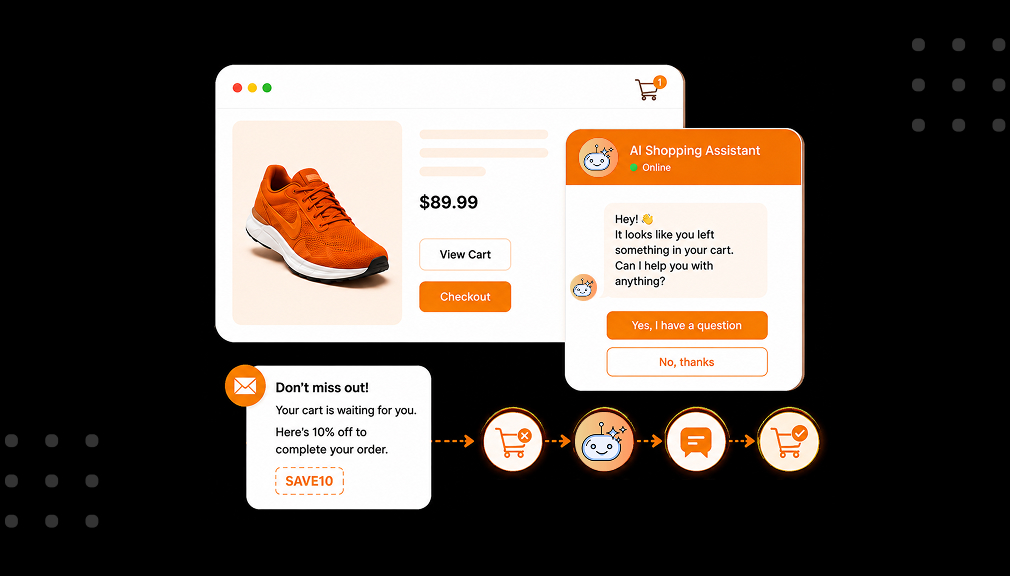
The chatbot detects any signs of hesitation as the consumer shops through your online store. It detects exit intent, an abandoned shopping cart, or hesitation in decision-making. At that point, the chatbot pops up with a friendly message.
From there, it removes the roadblock fast. Many carts die over one unanswered question, and 53% of shoppers abandon without a quick answer. The chatbot answers doubts about sizing, shipping, or returns, then sends the shopper to a secure checkout.
Recovery works best when it’s built around the reasons shoppers abandon in the first place, so the chatbot answers the real objection.
Is an AI chatbot better than abandoned cart emails?
They solve different problems, so it is not either-or. A chatbot recovers the sale in-session; email tries to win shoppers back after they leave.
Email recovery is useful, but slow and limited. Most brands recover only 3% to 5% of carts this way. It also needs the shopper’s email, which many never share. And it reaches them hours later, once the moment has passed.
A proactive AI chatbot works in the moment instead. It can recover up to 35% of carts by acting in real time. It also helps shoppers who never left an email. Even AI-written recovery emails convert about twice as well as basic ones.
The smartest stores use both tools together. The chatbot saves the sale while the shopper is present. Email then follows up with anyone who still slips away. One catches hesitation; the other catches second thoughts.
For stores whose customers ignore email, it’s worth choosing to recover carts on WhatsApp instead of email alone for far higher visibility.
When should the chatbot step in to recover a cart?
The best moment is during hesitation, not the second a shopper arrives. Good timing feels helpful, while bad timing feels annoying.
It is the smart triggers that matter here. The chatbot needs to detect actual triggers of confusion. Exit triggers, long pauses, or an abandoned cart are all powerful triggers. They signal that a person needs assistance.
A recovery chatbot is one piece of the wider conversational commerce playbook that spans support, sales, and post-purchase.
The concept of timing also implies knowing how and when to be silent. When a newcomer happily explores the site, there is no need for any interference from the AI chatbot.
What should a proactive AI chatbot say to recover a cart?
It should help, not pester. The best messages answer the exact doubt and make the next step easy.
Since unclear shipping timing is a top abandonment cause, remove delivery-timing doubt before checkout to prevent carts that the bot would otherwise chase.
A good message feels human and useful. It might answer a shipping question or confirm stock. It can offer a size tip or explain your return policy. Each reply removes one reason to leave.
- Answer the doubt: “Free returns within 30 days, so you can try it risk-free.”
- Remove friction: “Guest checkout is available, so no account is needed.”
- Reassure on delivery: “Order today, and it arrives by Friday.”
- Offer a nudge: “Want me to send your cart straight to checkout?”
Notice that none of these use heavy pressure. They simply solve the problem in front of the shopper. That is how a proactive AI chatbot rebuilds trust. Helpful beats pushy every single time.
Much of what a chatbot recovers traces to checkout costs, and the data on shipping-driven cart abandonment shows how large that share is.
How do I set up an abandoned cart recovery chatbot on Shopify?
The easiest way is a dedicated Shopify app, set up in minutes. You can also build one by hand, but that path is slow and limited.
Option 1: Shopify App-Based Solution (Recommended)
The simplest path is a purpose-built app. The AI Shopping Assistant app adds a proactive AI chatbot with no code. You can find it on the Shopify App Store here. It connects to your store and starts helping shoppers fast.
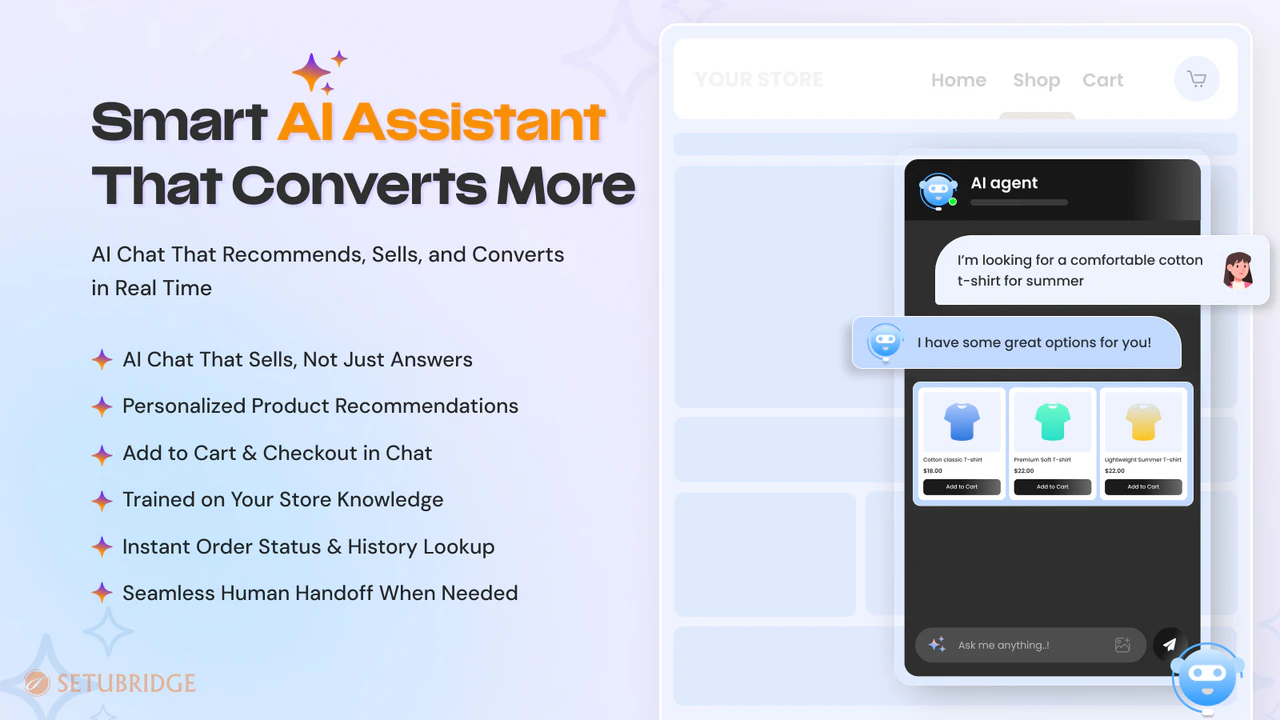
Setup is quick and needs no developer. First, train the chatbot on your products and FAQs. Next, turn on proactive triggers like exit intent. Then style the chat widget to match your brand.
This method handles the hard parts for you. It detects hesitation, answers doubts, and recovers carts. It can also escalate tricky cases to your team. For most merchants, this is the smart, safe choice.
Alongside recovery, add reassurance that reduces checkout drop-off so fewer carts need saving at all.
Option 2: Custom Code or Generic Chat
You could also try a manual or generic setup. This might mean basic live chat or a simple rule-based bot. These tools rarely recover carts well on their own. For a growing store, the gaps show up fast.
- Needs staff online. Live chat only recovers carts when a human is free to reply.
- No hesitation triggers. Basic tools can’t detect exit intent or idle carts.
- Rigid replies. Rule-based bots follow scripts and miss real doubts.
- No product smarts. Simple bots can’t check stock or suggest items.
- Hard to maintain. You must update rules and answers by hand, often.
- Weak at scale. Manual chat cannot cover heavy or late-night traffic.
For these reasons, most Shopify merchants pick a dedicated app. It offers real recovery power with far less effort. A proactive AI chatbot should grow sales, not workload. The app-based path keeps your focus on your store.
Save the Sales You Almost Made
Each abandoned cart had once been a real customer willing to make a purchase. They filled up their cart, but some minor concern intervened. They will never return on their own accord. They all represent lost revenue.
For shoppers who genuinely aren’t ready, give undecided shoppers a way to save for later as a softer alternative to a recovery nudge.
An AI chatbot allows you to reclaim that lost business. It recognizes any hint of hesitation and dispels the concern right away. It saves abandoned carts even while the customer is still present to assist you. Just add an AI chatbot to your store and save lost revenue.
Frequently Asked Questions
Can an AI chatbot recover abandoned carts on Shopify?
Yes, an AI chatbot will rescue carts before they become abandoned. Proactive AI chatbots identify the moment the consumer is experiencing hesitation and intervene in the process.
What is a proactive AI chatbot?
Proactive AI chatbots initiate the conversation on their own. They don’t wait for any kind of click; they intervene at the appropriate moment and see what’s going on.
How is a proactive AI chatbot different from abandoned cart emails?
Timing is the key. In contrast to abandoned cart emails, which send shoppers back hours later after leaving, the proactive AI chatbot helps recover the sale while the shopper is still in the store.
Do AI chatbots really reduce cart abandonment?
Yes, AI chatbots do decrease cart abandonment by resolving issues as they arise.
When should an AI chatbot try to recover a cart?
The best times would be when there are visible signs of hesitation rather than when the visitor just lands on the website.
What is the best abandoned cart recovery app for Shopify?
The best software for recovering abandoned carts would be one that combines the power of intelligent chatbots along with effective trigger points.
How do I add an abandoned cart recovery chatbot to my Shopify store?
It’s the simplest approach to using a proactive chatbot. You just have to set it up with an app from the Shopify App Store and train it with your products and FAQ.
Does a proactive AI chatbot annoy customers?
Never, because the right configuration will ensure it acts only when there is a pause. Your customer may be thinking about what to do next.

Shopify Expert
Dipen Panchal, Shopify Tech Lead at Setubridge Technolabs, brings over a decade of expertise as a Shopify Expert. Passionate about e-commerce growth, he specializes in UI/UX design, crafting intuitive, engaging solutions tailored for merchants and B2B clients to enhance user experiences.